Integration with translation service Deepl.com - pay annually (subscription)

569
ss_deepl_sub_1Y
2026-06-22
1.1.4.0
Write a review
550.00 PLN /year

(Price without tax)

(676.50 PLN inc tax for Polish only
- for abroad tax will be reduced
after providing the address)
Domain(s) installation separated comma
Free installation for Store Builder or Multi-Vendor programs purchased from SoftSolid

THIS PRODUCT IS DISTRIBUTED IN AN ELECTRONIC FORM (DOWNLOAD FILE).

Hosting
vps z directadmin
Our advantages
  • — 12 months guarantee for all our add-ons
  • — add-ons sold to entire world
  • — stable, flexible, high-quality products
  • — competitive prices, attractive discounts
  • — quick and competent technical support
  • — installation in 24 hours
  • — personalized solutions - we'll write any add-on for you
Payment options
Delivery

Extension for Store Builder and Multi-Vendor that connects your store with the DeepL translation service and translates product descriptions, categories, pages, promotions, features, options, content blocks and menus into every language of your store. You translate the way that suits you: with a single click next to one field, in bulk from a list in the admin panel, or fully automatically right after you save content in the base language.

Running a store in several languages usually means hours of retyping the same descriptions over and over. This add-on takes that work off your hands: you pick one language to create content in, and the translations into the other languages are produced by DeepL, in high quality and with consistent terminology. Translation covers the languages DeepL supports, and you launch new language markets in hours rather than weeks.

Key Features

- Single field translation straight from the product or page editor, in a convenient window with a choice of source and target languages.

- Bulk translation straight from admin lists: products, categories, pages, promotions, features, feature groups, filters, options, content blocks and menus.

- Automatic translation after you save content in the base language, handled by a queue and a CRON job, with no manual involvement.

- A queue panel with status preview, filters and manual record removal, so you stay in full control of what gets translated.

- Translation quality controls: DeepL glossary, formality level and model type, so the content sounds the way your brand does.

- A used character counter, plus per-seller configuration in Multi-Vendor and multi-storefront support in the Ultimate edition.

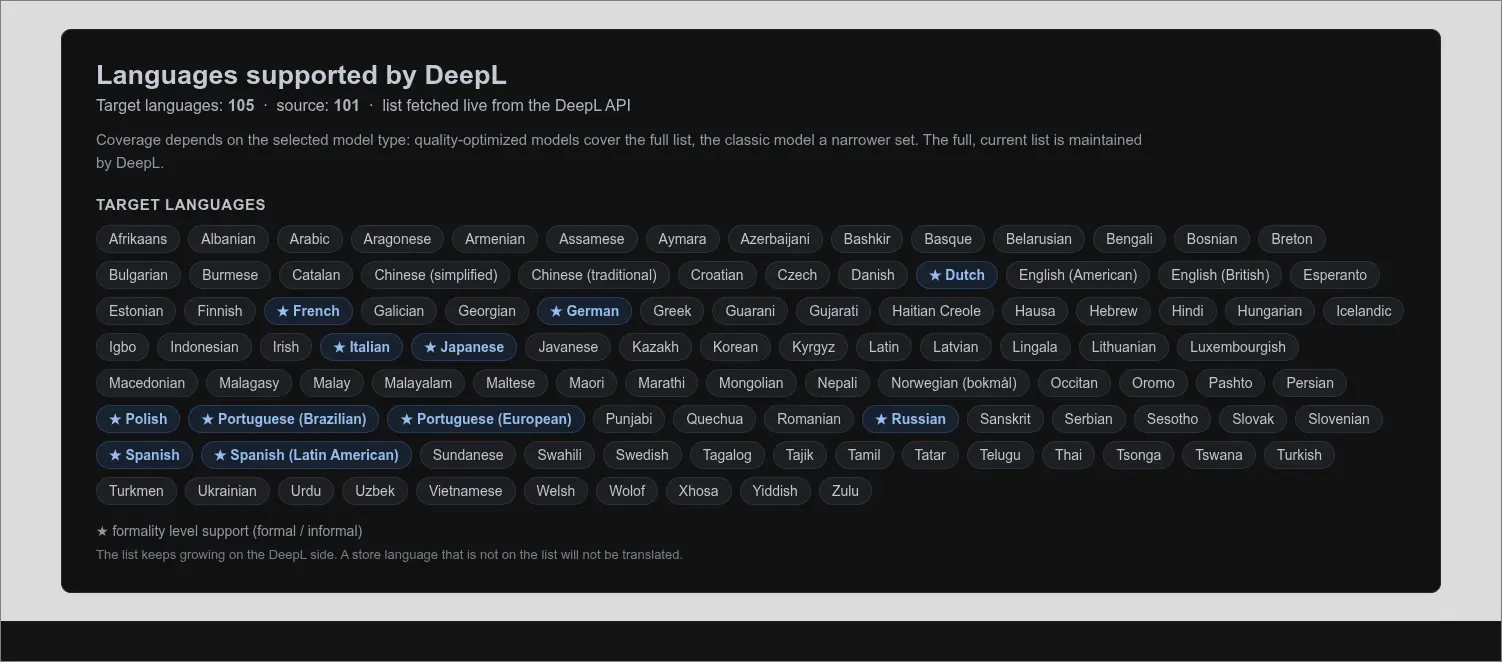
It helps to know up front which languages DeepL translates into. The list covers over a hundred target languages, and the formality level (a formal or informal tone) works for a selected subset, marked on the panel. The full coverage depends on the chosen model type, so it is worth starting by checking that your languages are supported

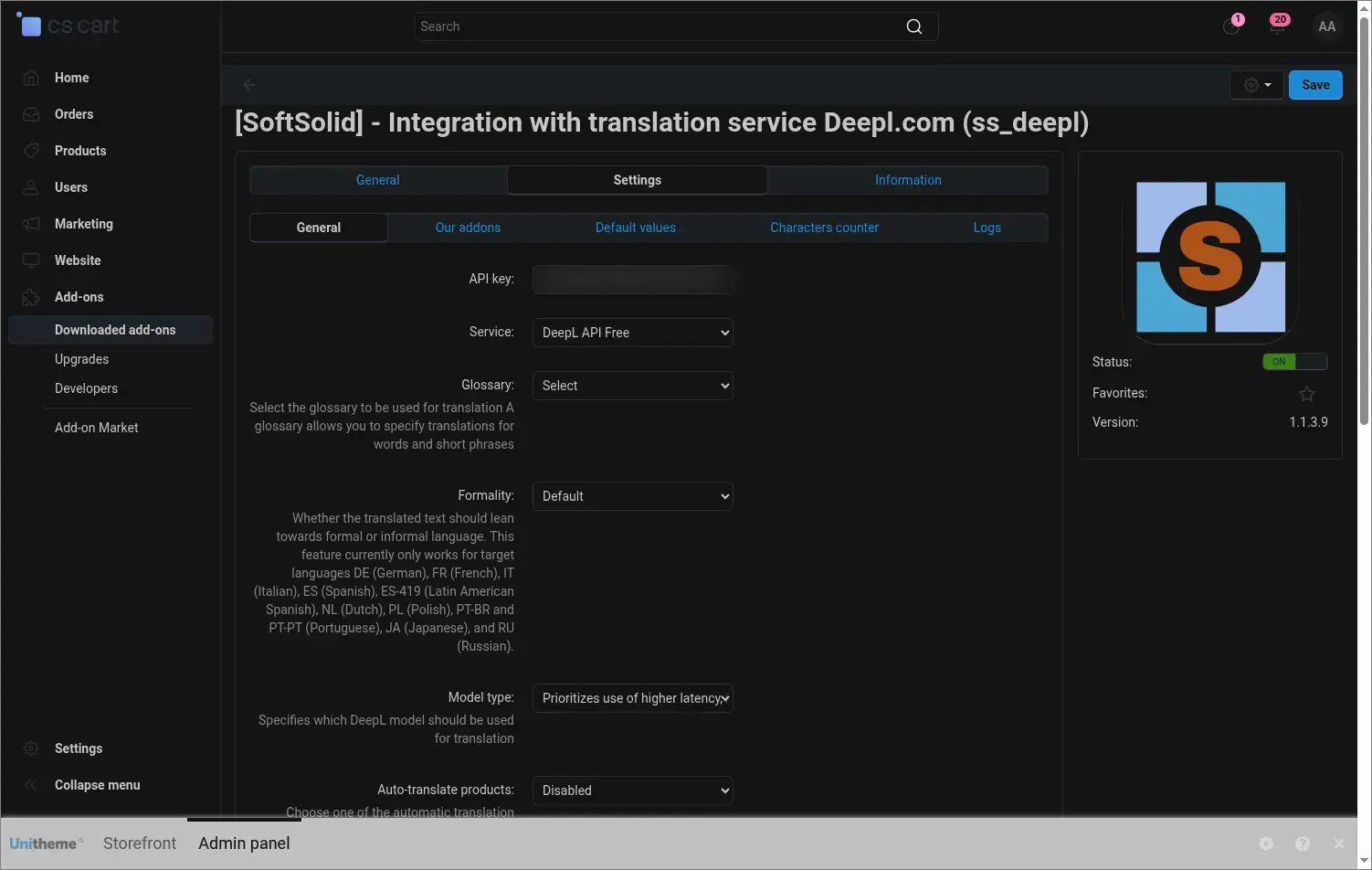
Screenshot 1

In the general settings you enter the DeepL API key in one place, choose the Free or Pro service type and decide on translation quality: the glossary with your own terminology, the formality level and the model type. This is also where you switch on the automatic mode and set up how the queue works

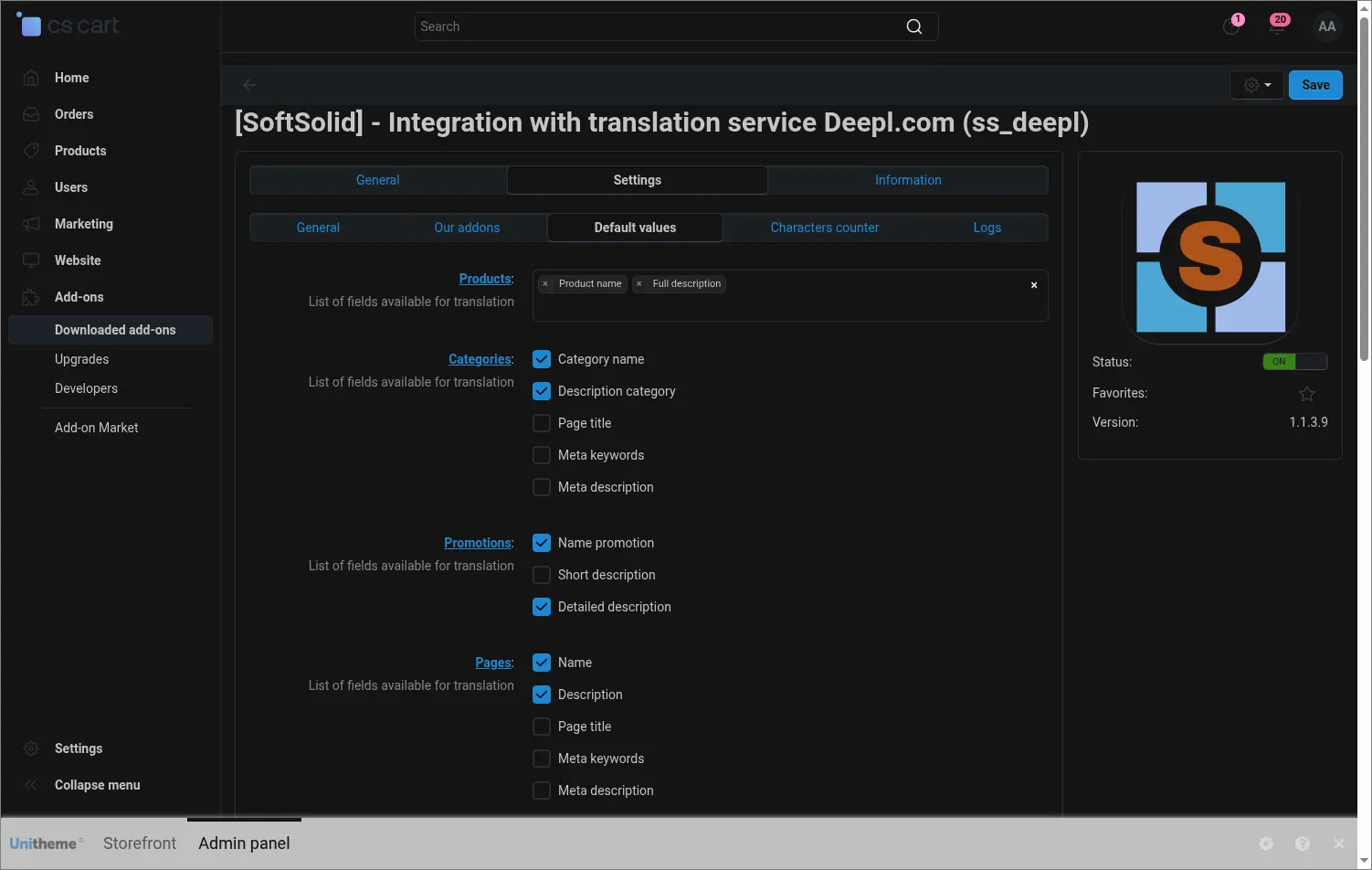
Screenshot 2

In the default values you decide which fields should be translated for each object type and what the default source and target language are. Translation forms then open with the right set of fields already in place, so repetitive work goes faster

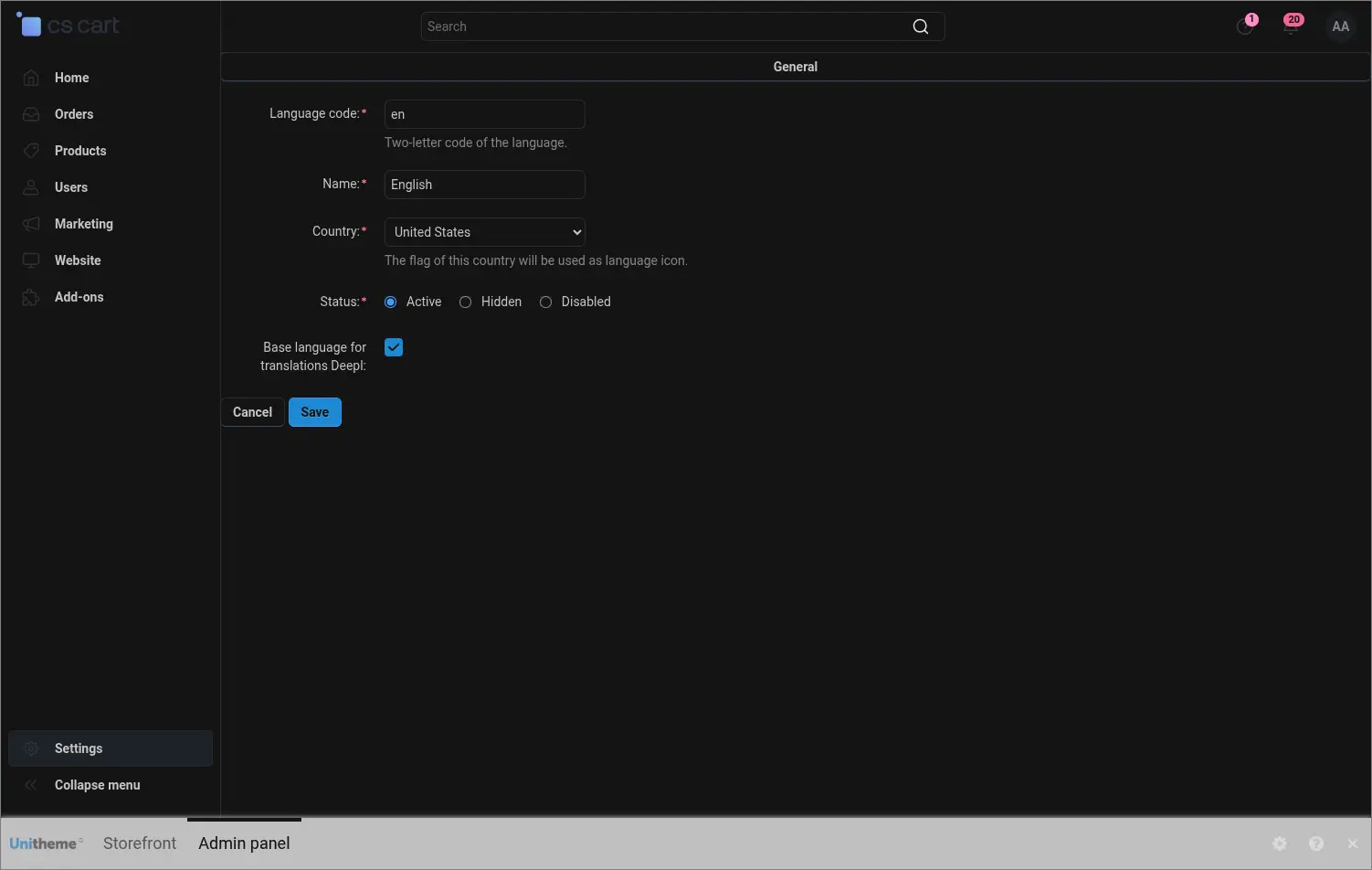
Screenshot 3

Translation starts by choosing one base language, the one you create your original content in. You simply tick a single field next to the chosen language, and every other active language becomes a target

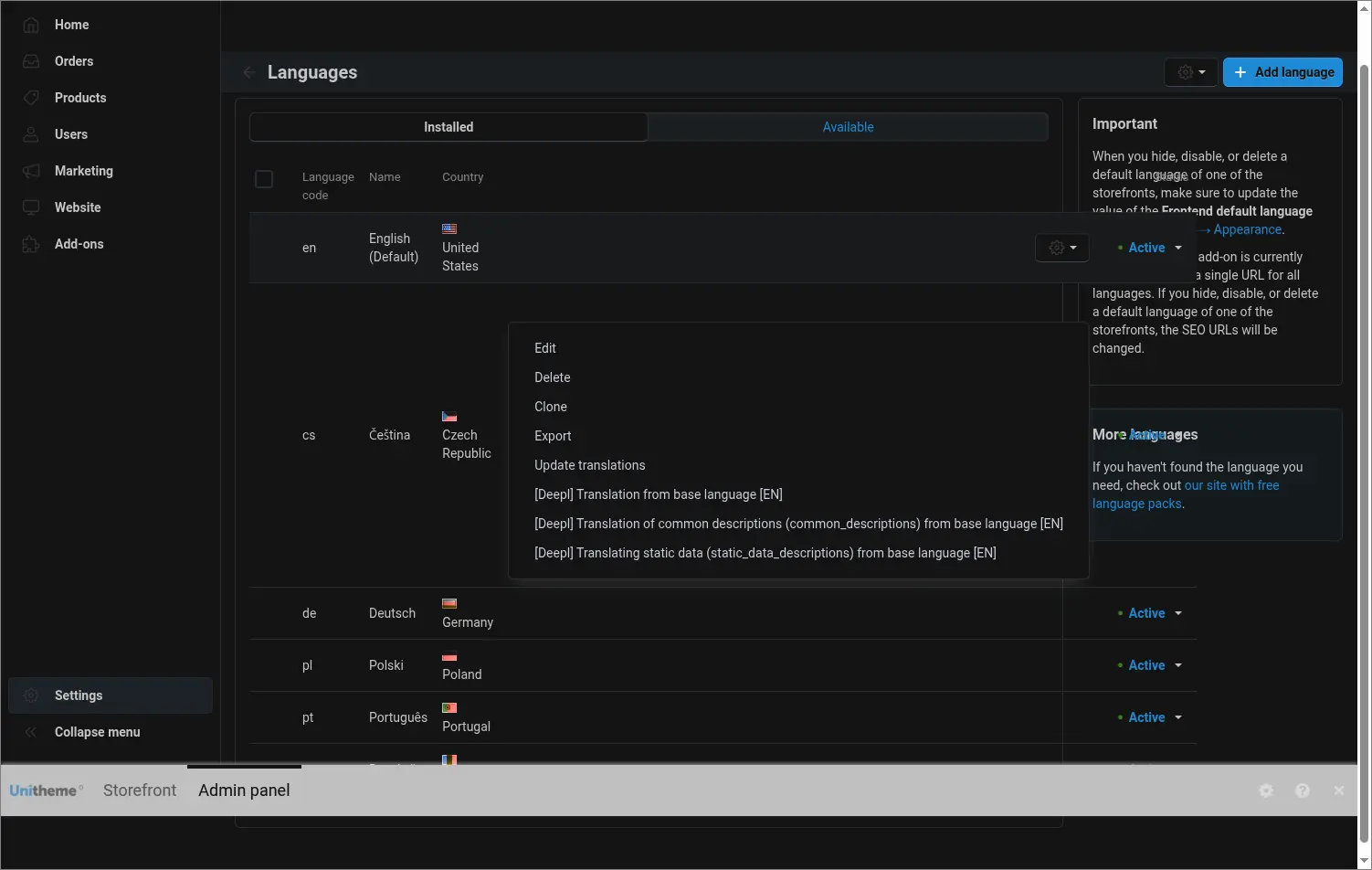
Screenshot 4

Translation covers more than the catalog. Next to every target language you get actions to translate interface variables, common descriptions and static data, so a new language version of the store is consistent from labels to descriptions

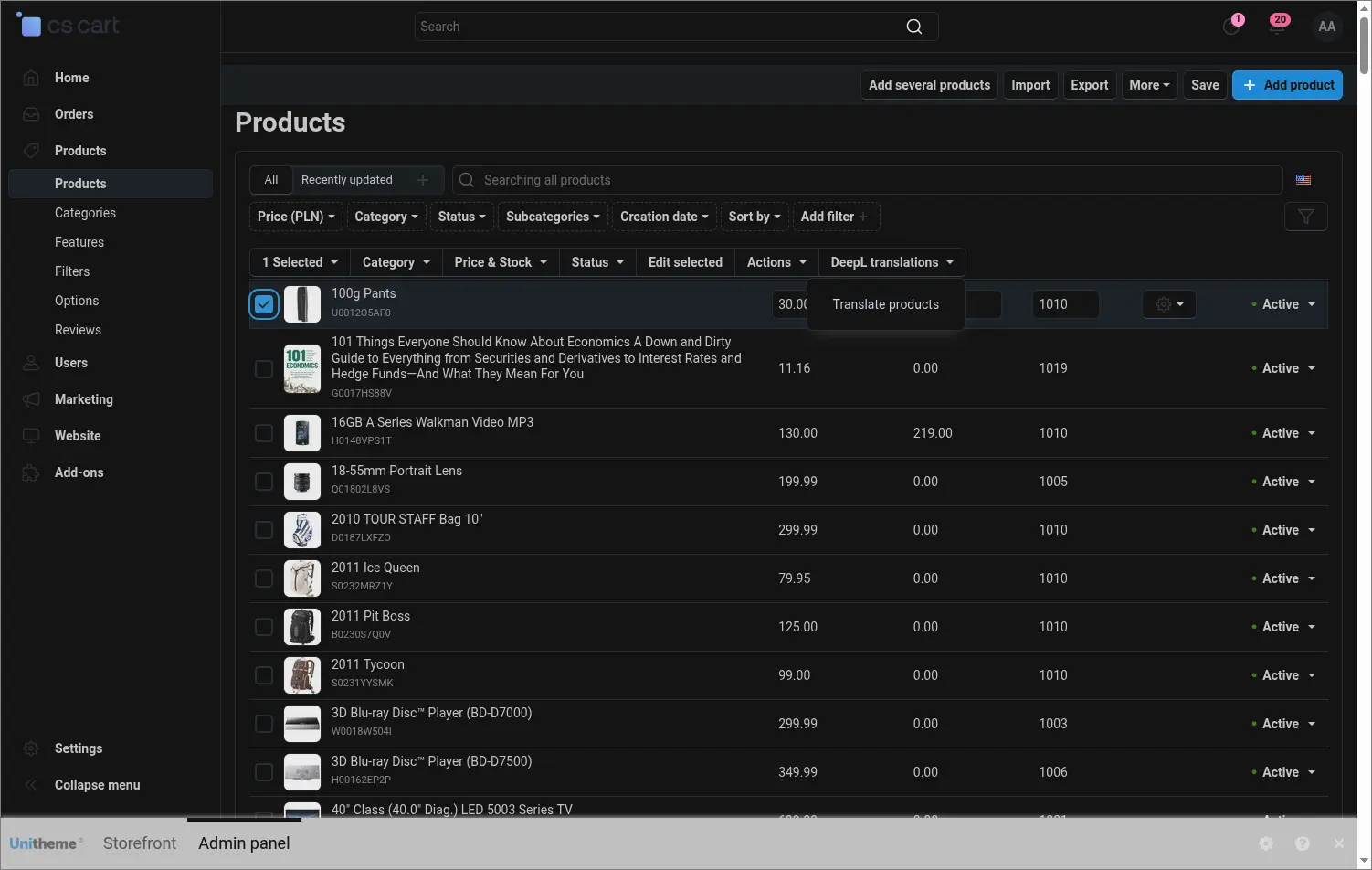
Screenshot 5

From the product list you launch translation of the selected items with one command from the menu. The same menu works for categories, pages, promotions, features, filters, options, blocks and store menus

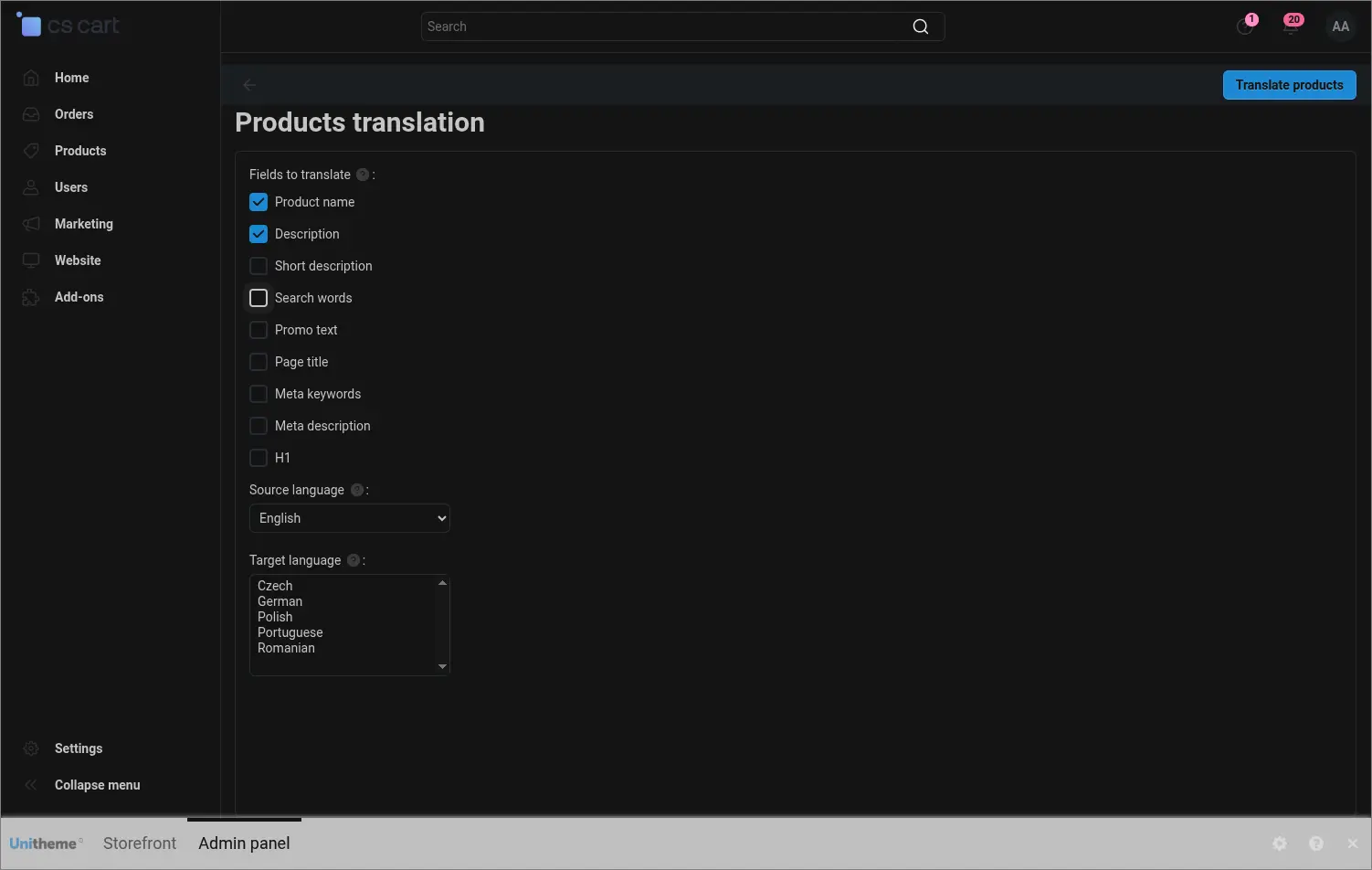
Screenshot 6

The bulk translation form lets you tick exactly the fields you want to translate and choose the source and target language. You translate only what you need and you do not spend the character limit on unnecessary content

Screenshot 7

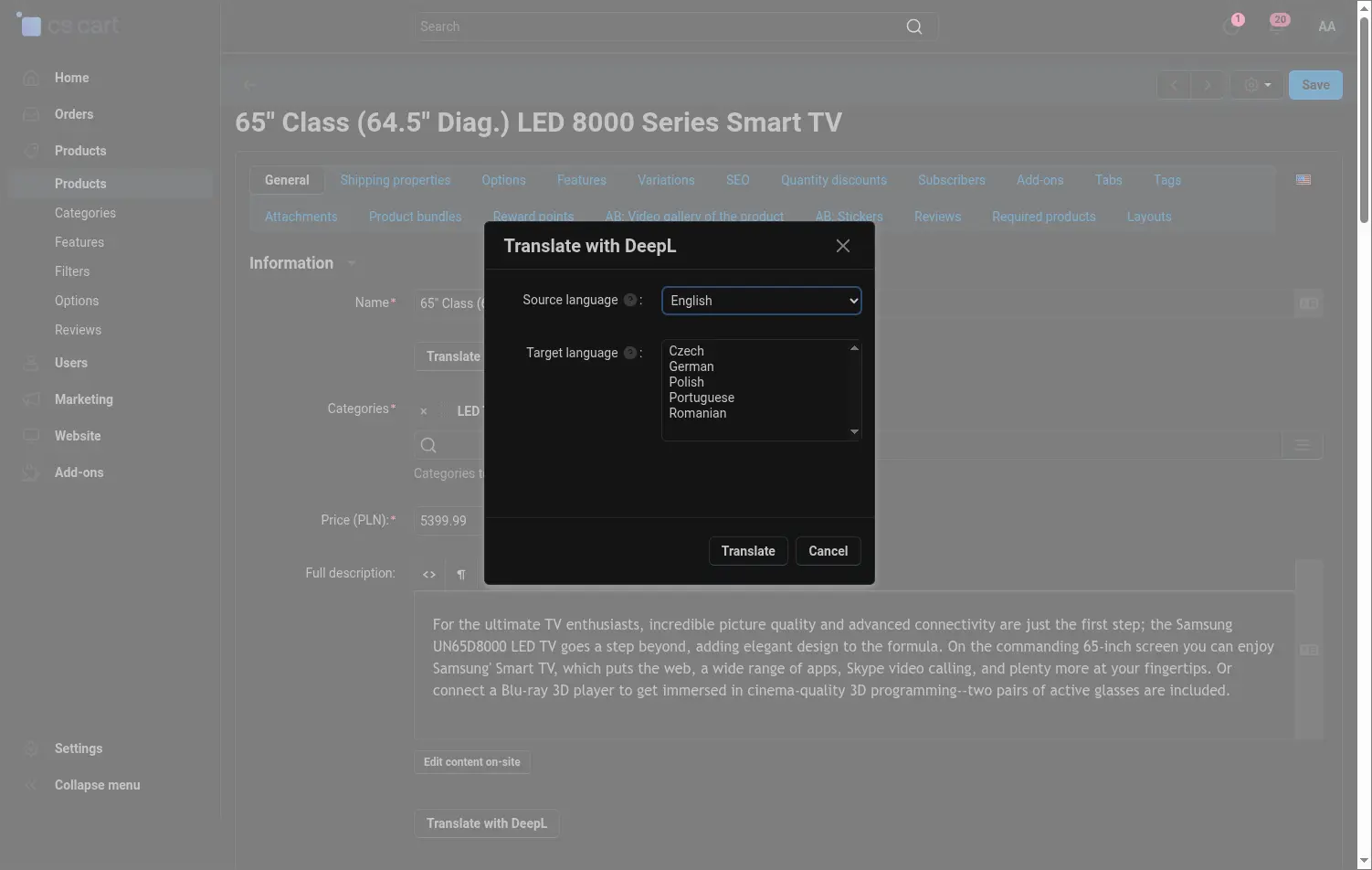
When you fill in one missing field, you open the translation window right next to it, without leaving the editor. You choose the source language and one or more target languages, and the content is translated in a few seconds

Screenshot 8

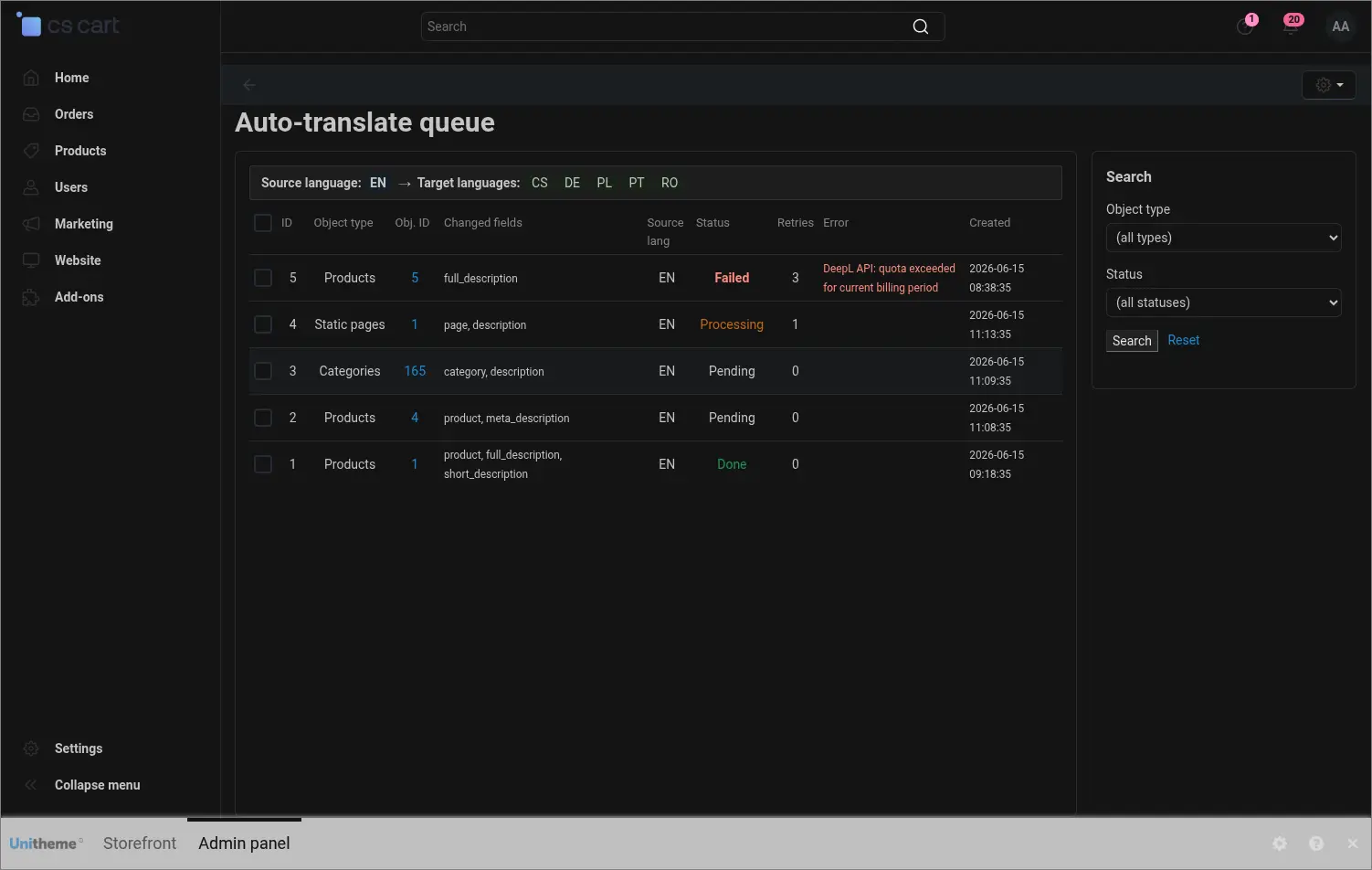
In the automatic mode the changed content lands in a queue, and a CRON job processes it in batches. The queue panel shows what is waiting, what succeeded and what failed along with the reason, with filters by type and status

Screenshot 9

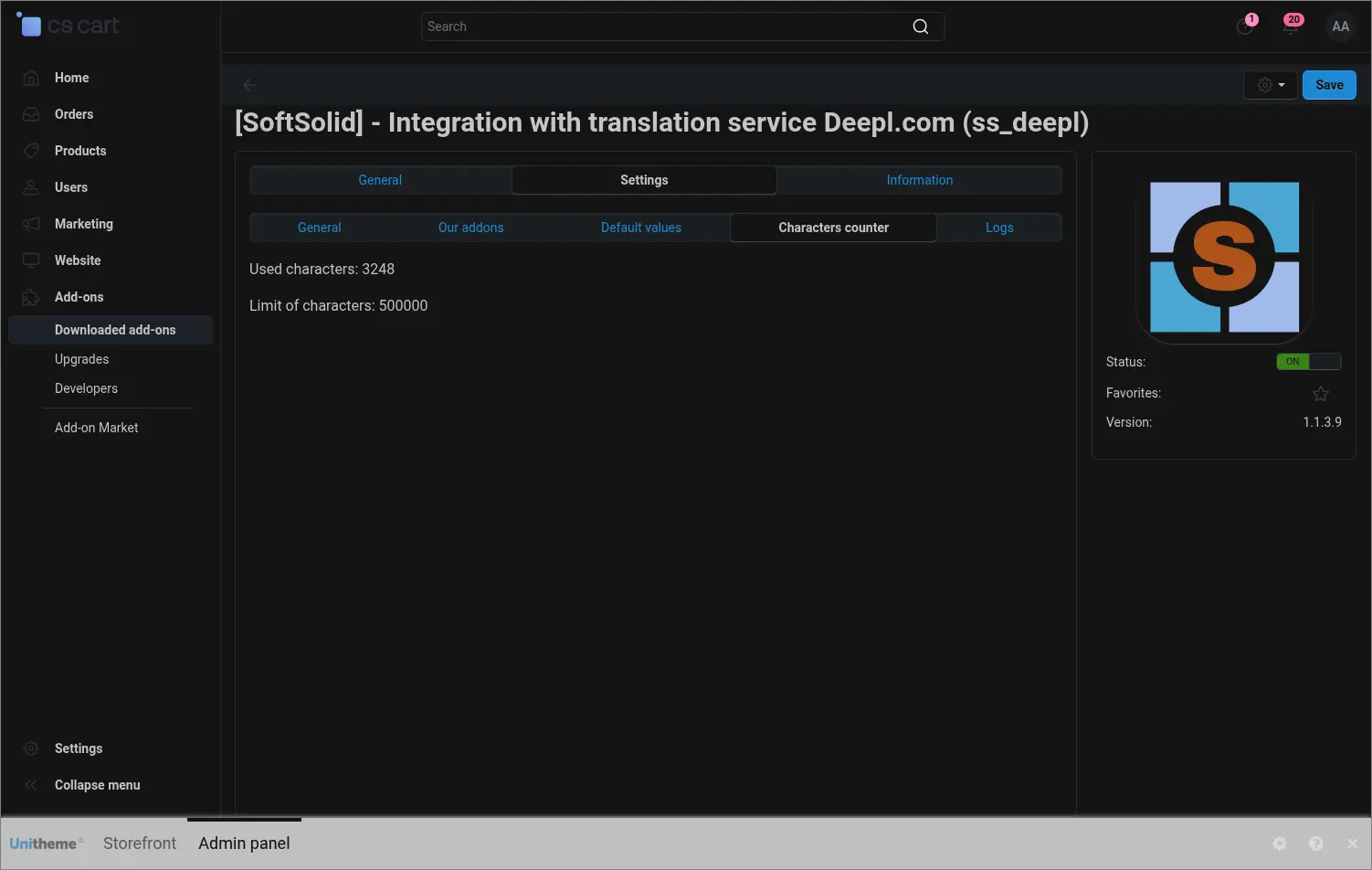
The character counter pulls the number of used characters and the limit from your DeepL account, so you can plan larger operations ahead of time and avoid an unexpected package exhaustion during translation

Screenshot 10

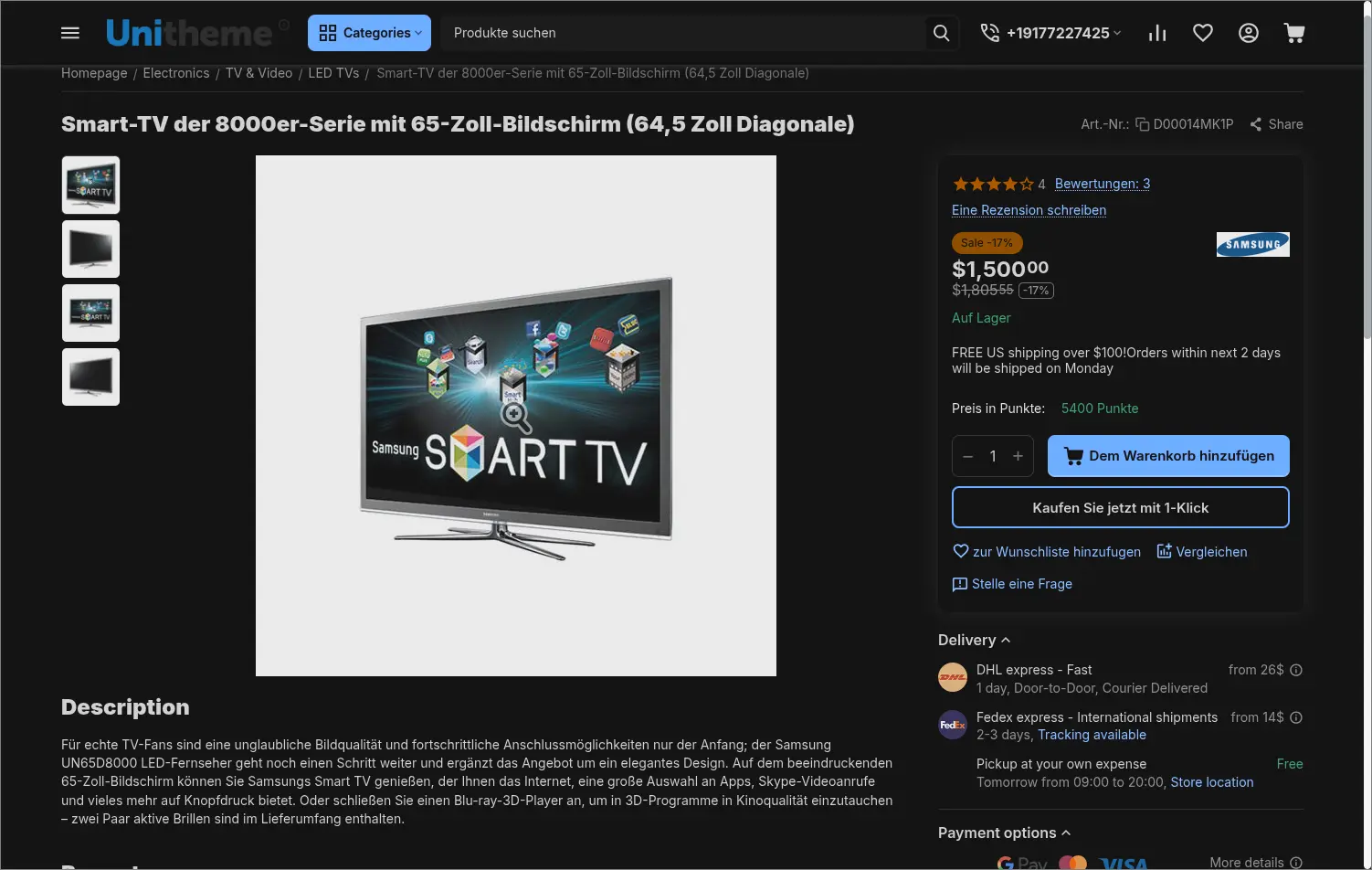
The result shows where it matters most, on the storefront. The product page displays a description translated by DeepL in the customer's language, ready to sell on the next market

Screenshot 11

The DeepL integration takes the most tedious part of multilingual work off your team and keeps content consistent across languages, because it all comes from a single source. In Multi-Vendor each seller can use their own key and their own settings, and in the Ultimate edition translation also covers the split across storefronts.

Feel free to contact us and purchase the add-on!

How to purchase
  • Annual subscription
Payment method
Pay annually (subscription)
Program
  • Store Bulider
  • Multi-Vendor
Version
  • 4.20.x
  • 4.18.x
  • 4.17.x
  • 4.16.x
  • 4.15.x
  • 4.14.x
  • 4.13.x
  • 4.12.x
  • 4.11.x
  • 4.10.x
  • 4.9.x
  • 4.8.x
  • 4.7.x
  • 4.6.x
  • 4.5.x
  • 4.4.x
  • 4.3.x
  • 4.2.x
  • 4.1.x
  • 4.0.x
Changes in the code
  • No changes
Find similar
5 out of 5
Reviews: 9
5 stars
100%
4 stars
0%
3 stars
0%
2 stars
0%
1 star
0%
Otto Erni
Verified purchase
Advantages
Works great on my page and I am using it for following languages: DE, EN,IT and FR
A great improvement for the vendors and admin to translate their product.
Also I like the variation for the translation. DE to EN ore EN to DE etc.
Therefore the vendor can easily translate the product from their native language to all other languages.
Disadvantages
You need a DeepL account. But it is worth to translate it with this tool:)
Comment
Last but not least: The support was very quick and straight forward.
Hire I just send my thanks from Switzerland
for vegans
Verified purchase
Advantages
Super easy integration
Works fast and reliably
Saves a lot of time
Great customer service
Comment
This is without a doubt one of our most used add-ons. It saves our translators a tremendous amount of work as they only need to proofread the texts and not painstakingly translate them one by one.

A lot of content pages can also be translated with the tool and the free as well as the paid version have always worked very well for us.
Sugarcrafter
Verified purchase
Advantages
This add-on has a LOT of functionalities. It can translate multiple texts across the store, not only products. It also works really fast, has an intuitive add-on configuration which was easy to fill after add-on has been installed, and SoftSolid immediately provided us support once we found a minor issue within it. This add-on saved me a lot of time spent translating things through Google Translate.
Disadvantages
The DeepL Pro service costs quite a lot, but of course it’s not developer’s fault, and 500k free char limit is generous.
Comment
I highly recommend this add-on.
Ronny Dechler
Verified purchase
Advantages
Easy to install and setup and works perfect for multi-language sites. Just write your content in your primary language and click translate. Thats it. Really awesome. By the way: Great support!!!
Comment
Thank you so much for your plugin and your support!
Julia
Verified purchase
Advantages
Very useful add-on. It saves me a lot of time spent manually translating every single piece of text in Google Translate. It's configuration is quite simple and you can use DeepL Free to translate a lot of text.
Comment
I can't recommend this add-on enough. Five Star!!!
Stanisław Chałupczak (ebielizna.pl)
Verified purchase
Comment
I love this add-on. It vastly speeds up process of creating product available for worldwide audience. The free account on DeepL gives you 500k characters per month, which should be enough for most use cases. Configuration of add-on is simple and quick. Highly recommended!
Mozaiki Amar (mozaikiamar.pl)
Verified purchase
Comment
it's a nice thing to have in store. softsolid helped me configure this add-on and it now translates everything i need.
Biotrendy
Verified purchase
Advantages
Deepl translates short and long texts very well. It does it better than other translation services. You can translate between any languages that deepl supports.
Disadvantages
It would be good if it were possible to translate features and variants of features. But this is supposed to be in the next versions of the add-on.
Comment
The add-on works great when translating descriptions and names of products as well as categories. There is also the option of automatic translation.I can recommend this addon with a clear conscience.
David Banaszkiewicz
Verified purchase
Advantages
The most important features of the add-on that we can recommend are: Automatic Content Translation: This feature allows for quick and accurate translation of products, descriptions, categories, and other content on the page, which increases the accessibility of the store for customers from different countries. Multi-Language Support: The add-on should support multiple languages ​​so that the store can reach the widest possible audience. Smart Translation Management: The ability to edit and adapt translations to the specifics of the brand or industry to maintain consistency in communication. Easy Integration: Simple installation and configuration of the add-on so that it does not require specialized technical knowledge. Multiple Format Support: The ability to translate different content formats, such as product texts, category descriptions, headings, etc.
Disadvantages
none
Comment
I highly recommend this add-on for your online store. Since installing it, our store has become much more accessible to customers from abroad. The automatic content translation feature is incredibly useful and convenient. It allows us to reach a much wider audience, which translates into increased sales and improved customer experience. The translations are accurate and fast, which is a huge plus. The add-on is also easy to install and configure, which is important for people who do not have much technical experience. I highly recommend this add-on to anyone who wants to develop their online store internationally. It is an investment that will definitely pay off.
Possibly you may be interested
  • Bestsellers
  • Most Popular