


Odstąpienie od umowy

- Zobacz wszystkie warianty jako listę
| KOD | Forma płatności | Cena | ||
|---|---|---|---|---|

|
687
ss_withdrawal
2026-08-06
1.1.1.3
|
1450.00 PLN
(Cena netto) |
||

|
755
ss_withdrawal_sub_1Y
2026-08-06
1.1.1.3
|
575.00 PLN
/rok
(Cena netto) |
||

|
754
ss_withdrawal_sub_1M
2026-08-06
1.1.1.3
|
57.50 PLN
/miesiąc
(Cena netto) |

- — 12 miesięcy gwarancji na wszystkie dodatki
- — sprzedajemy nasze dodatki na całym świecie
- — stabilne, elastyczne, wysokiej jakości produkty
- — konkurencyjne ceny, atrakcyjne rabaty
- — szybkie i kompetentne wsparcie techniczne
- — instalacja w 24h
- — indywidualne rozwiązania - moduły na zamówienie
Rozszerzenie do Store Builder oraz Multi-Vendor, które daje kupującym prosty sposób na złożenie oświadczenia o odstąpieniu od umowy, a sklepowi uporządkowany sposób prowadzenia takiej sprawy. Z formularza korzysta zarówno klient zalogowany, jak i osoba, która kupowała bez zakładania konta: ta druga podaje numer zamówienia oraz adres e-mail i otrzymuje jednorazowy link prowadzący wprost do formularza. Każde zgłoszenie idzie potem przez opisany proces z powiadomieniami e-mail, historią zmian i niezmiennym zapisem stanu zamówienia z chwili złożenia oświadczenia.
Najważniejsze funkcje
- Oświadczenie także bez konta. Kupujący, który nie zakładał konta, składa oświadczenie po jednorazowym linku wysłanym na adres z zamówienia, a stan sprawy śledzi później linkiem wielokrotnym.
- Granice procesu ustala sklep. Termin liczony w dniach, statusy zamówień uprawniające do odstąpienia oraz wykluczenia produktów i kategorii są ustawieniami, więc proces odpowiada rzeczywistej polityce sklepu.
- Sprawa prowadzona od początku do końca. Jedenaście statusów, pełna historia zmian, wiadomość do klienta oraz osobna notatka wewnętrzna dla obsługi.
- Trwały nośnik wymagany ustawą. Wiadomość potwierdzająca zawiera komplet danych konsumenta, treść oświadczenia, datę i listę zwracanych pozycji.
- Sygnał widoczny przy zamówieniu. Zamówienia ze złożonym oświadczeniem są oznaczone kolorową kropką na liście zamówień i mają własną zakładkę na karcie zamówienia.
- Przymiarka przed publicznym startem. Cały proces da się przejść na żywym sklepie w trybie widocznym wyłącznie dla osoby z linkiem testowym, przy wyciszonych wiadomościach.
Instalacja przebiega tak jak przy każdym innym rozszerzeniu CS-Carta, bez modyfikowania plików sklepu i bez ingerencji w jego rdzeń. Po włączeniu dodatek dokłada własne tabele, ekrany w panelu oraz szablony wiadomości, a wszystko, co widzi klient, pozostaje w motywie sklepu:
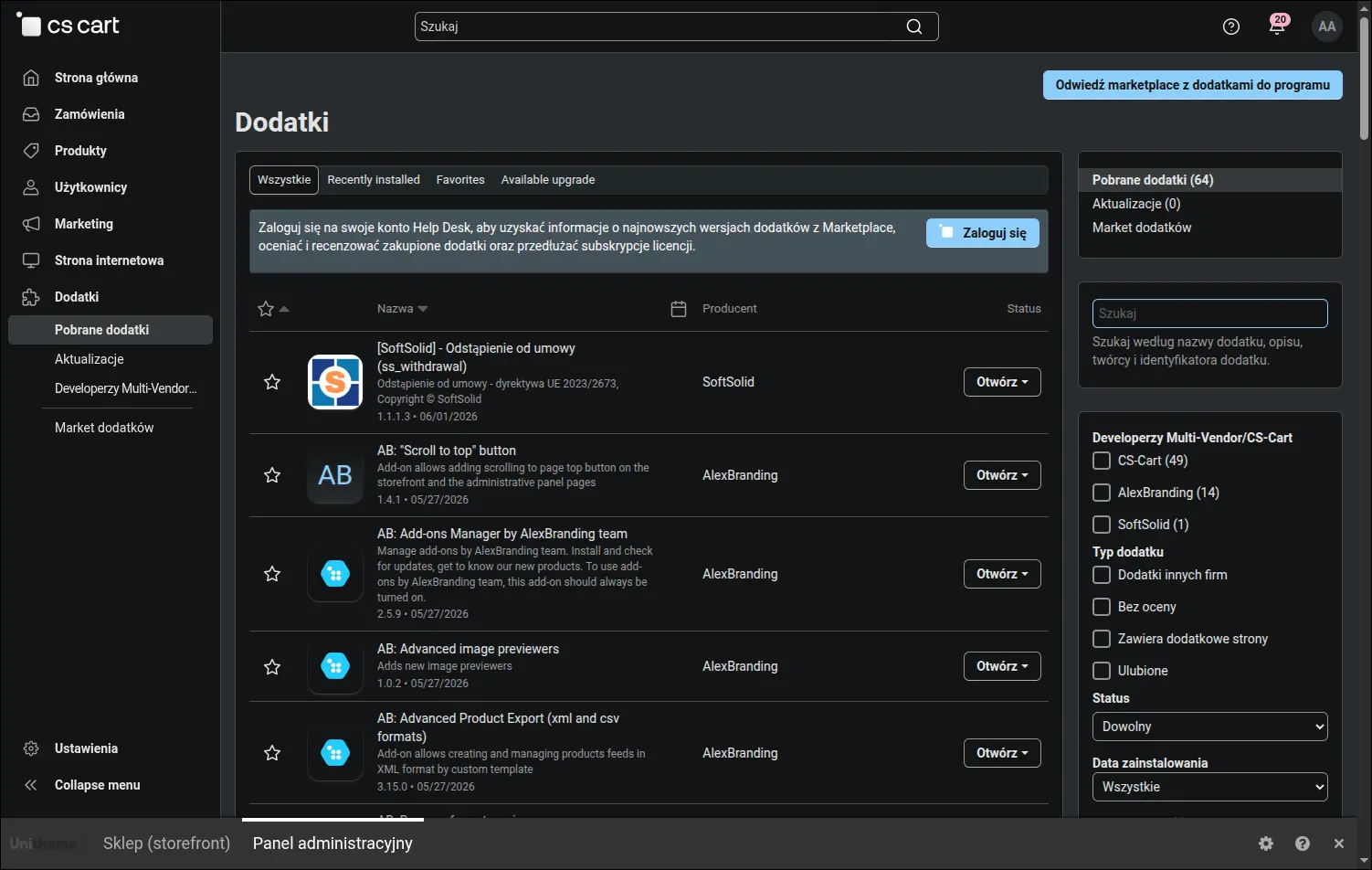
Rozszerzenie zainstalowane i aktywne na liście dodatków
Pracę zaczyna się od ustalenia granic procesu. Sklep wskazuje, ile dni klient ma na złożenie oświadczenia, oraz które statusy zamówień w ogóle uprawniają do odstąpienia. Czternaście dni to wartość ustawiona fabrycznie, wprost z terminu ustawowego, natomiast sklep, który obiecał kupującym więcej, wpisuje tu własną liczbę:
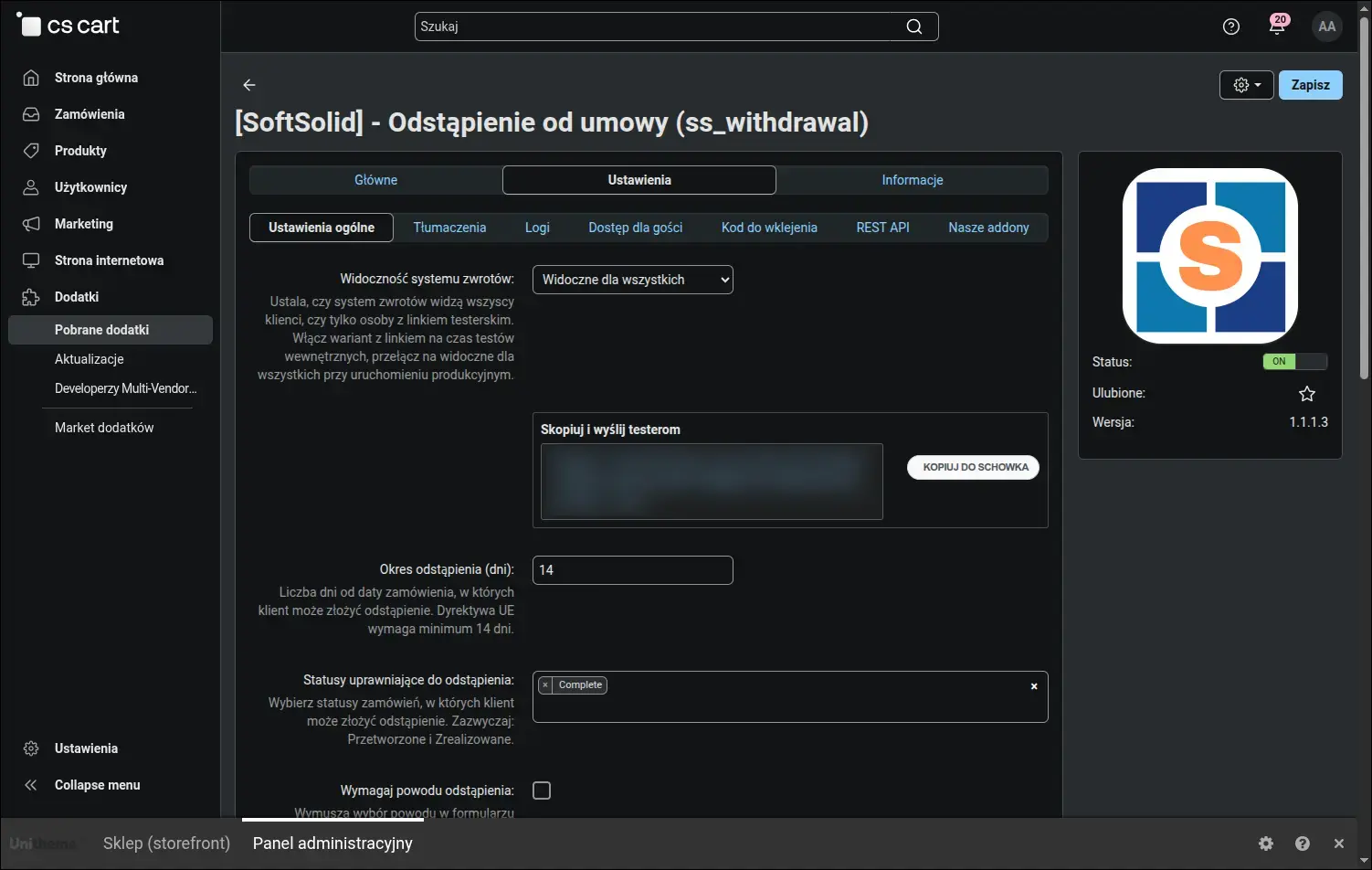
Ustawienia ogólne: termin, statusy kwalifikujące i wymagalność powodu
O tym, czy przy konkretnym zamówieniu pojawi się wejście do formularza, decydują trzy warunki naraz. Najczęstsze nieporozumienie dotyczy terminu, ponieważ licznik rusza w chwili złożenia zamówienia, a nie w chwili doręczenia paczki. Poniższa plansza pokazuje komplet warunków w jednym miejscu:
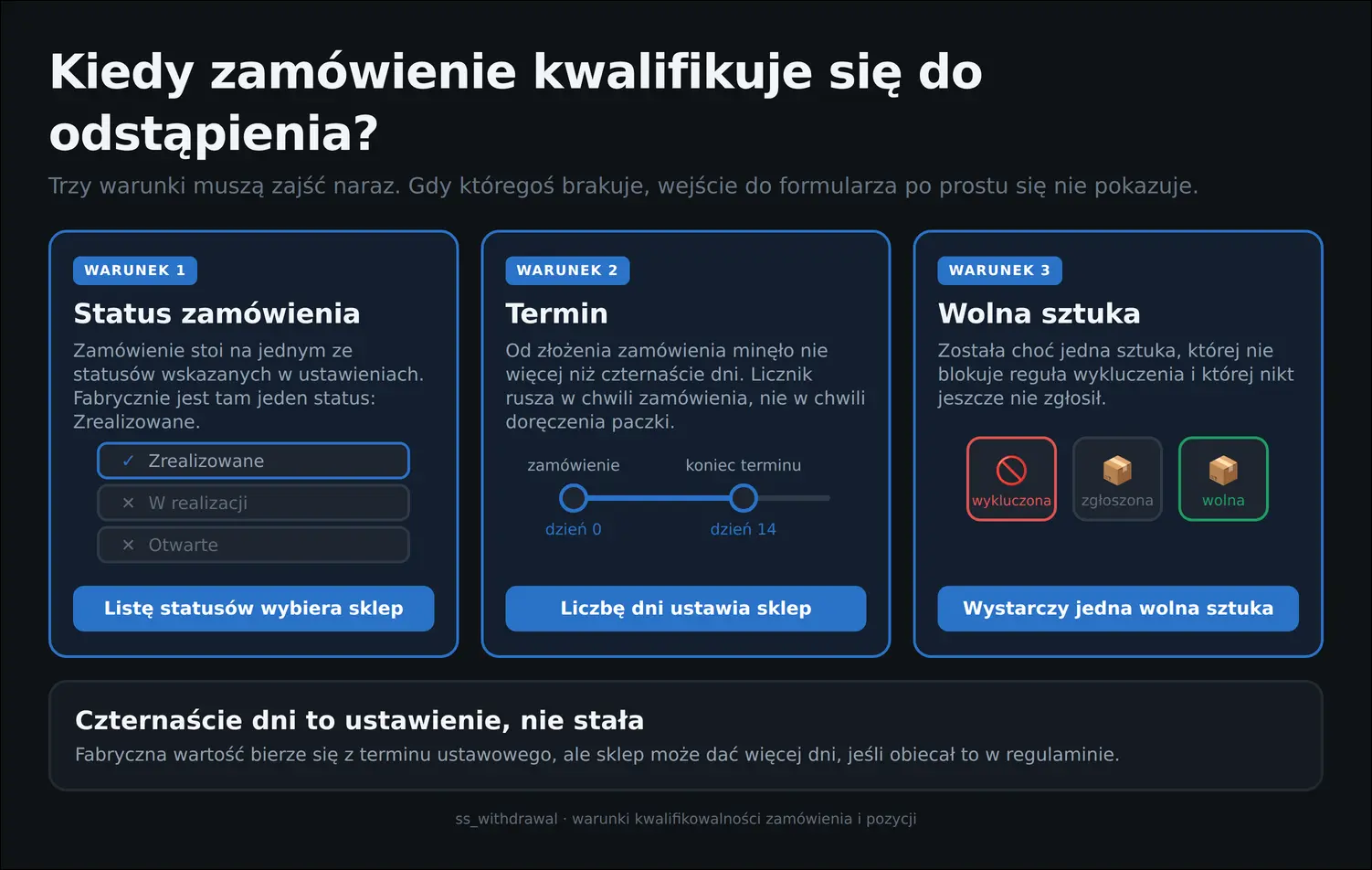
Trzy warunki, które decydują o prawie do odstąpienia
Dalsza część ustawień ogólnych odpowiada za to, jak proces wygląda od strony sklepu: styl elementów widocznych dla klienta, miejsce, w którym trafia on po wysłaniu formularza, wskazanie strony informacyjnej o prawie odstąpienia oraz wybór statusów, których zmiana wysyła wiadomość. Tutaj też przełącza się widoczność całego procesu:
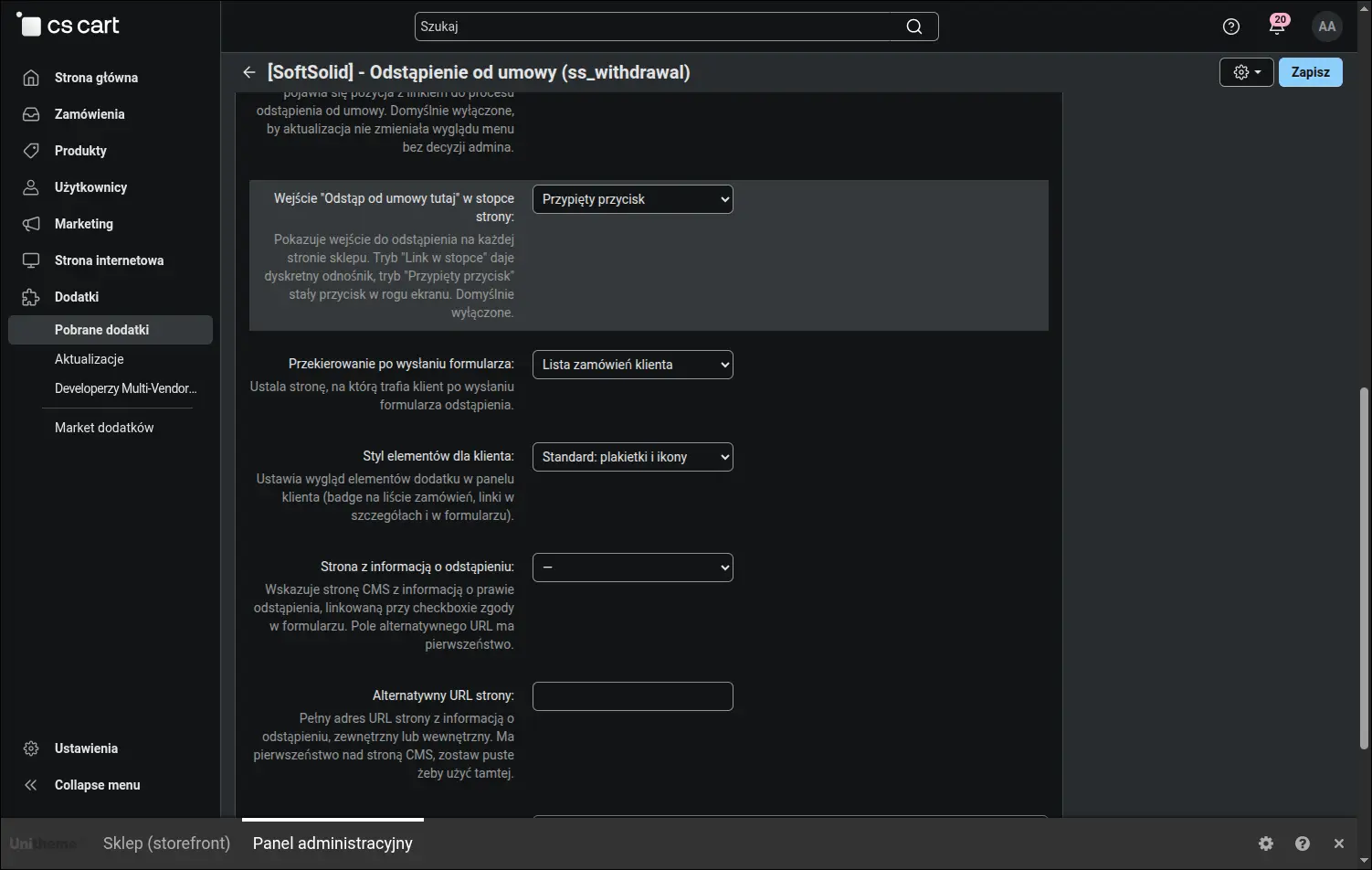
Prezentacja formularza, wejścia w sklepie oraz tryb przymiarki z linkiem testera
Świeżo zainstalowany dodatek zachowuje ciszę i jest to zachowanie zamierzone. W trybie przymiarki strony zwrotów otwierają się wyłącznie przed osobą, która ma w adresie link testowy, a wiadomości do klientów nie wychodzą wcale. Sklep przechodzi więc całą ścieżkę na żywym serwisie, po czym uruchamia ją publicznie jednym przestawieniem:
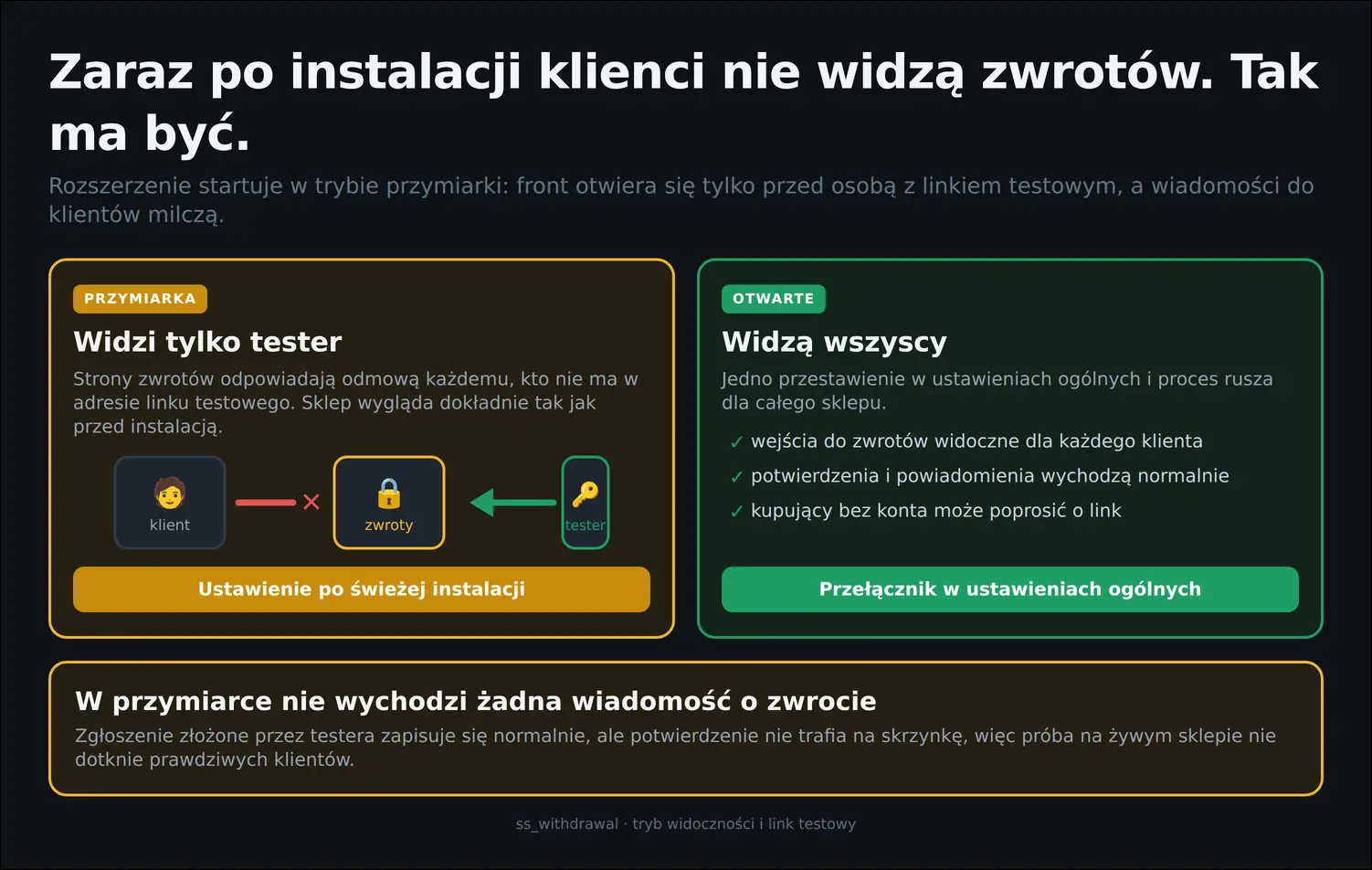
Tryb przymiarki kontra sklep otwarty dla wszystkich
Prawo odstąpienia przysługuje również osobom, które kupowały bez zakładania konta, więc dodatek obsługuje je osobną ścieżką. Osobna zakładka ustawień decyduje o tym, czy taka droga jest otwarta, i jak długo żyje wysłany kupującemu link:
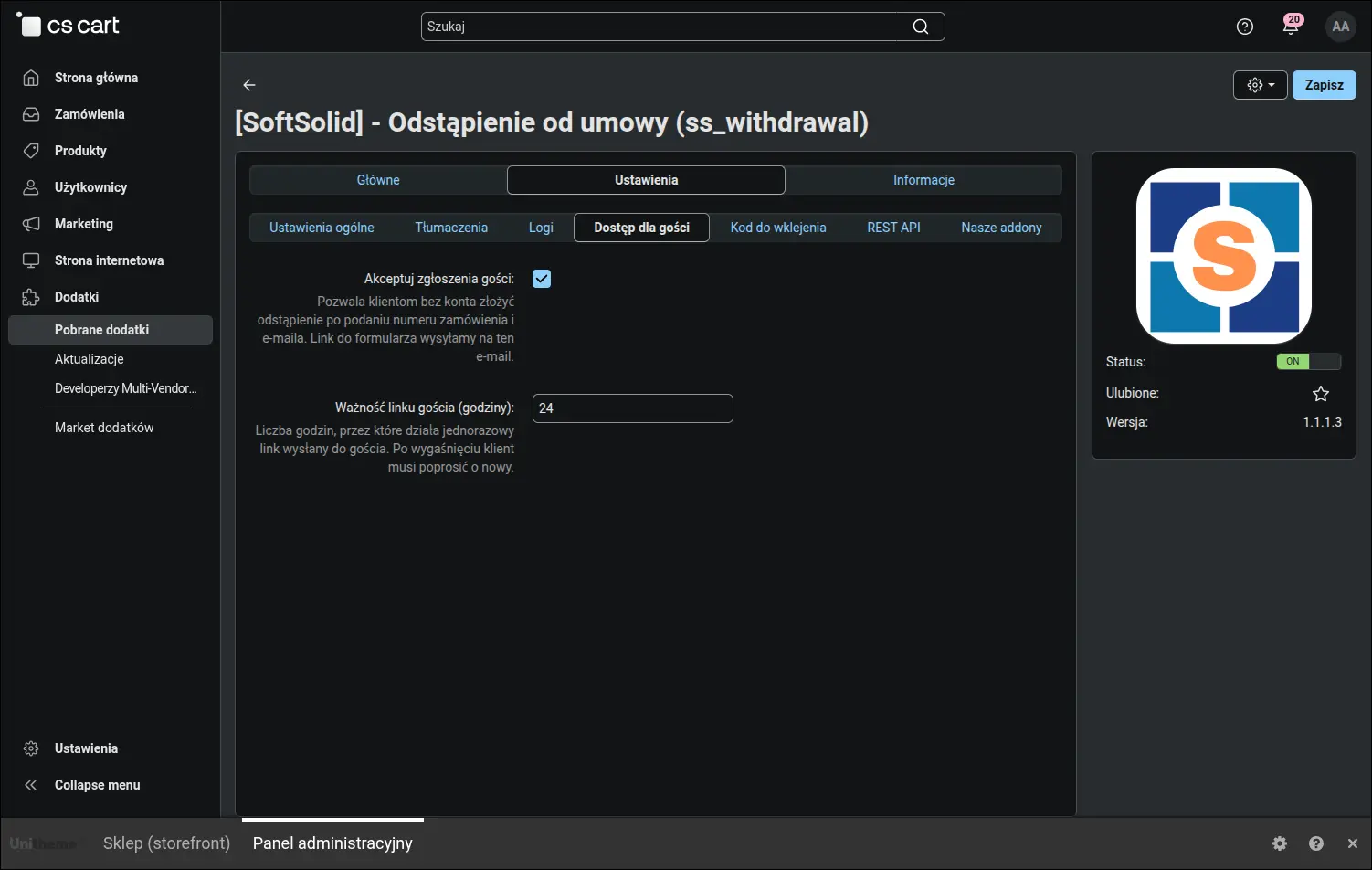
Dostęp dla gości: zgłoszenia bez konta i czas życia jednorazowego linku
Informację o prawie odstąpienia warto pokazać także poza kontem klienta, na przykład w regulaminie, na stronie o zwrotach albo w banerze. Zakładka z gotowym kodem wydaje fragmenty HTML z przyciskiem kopiowania, więc wstawienie ich w treść sklepu nie wymaga pomocy programisty:
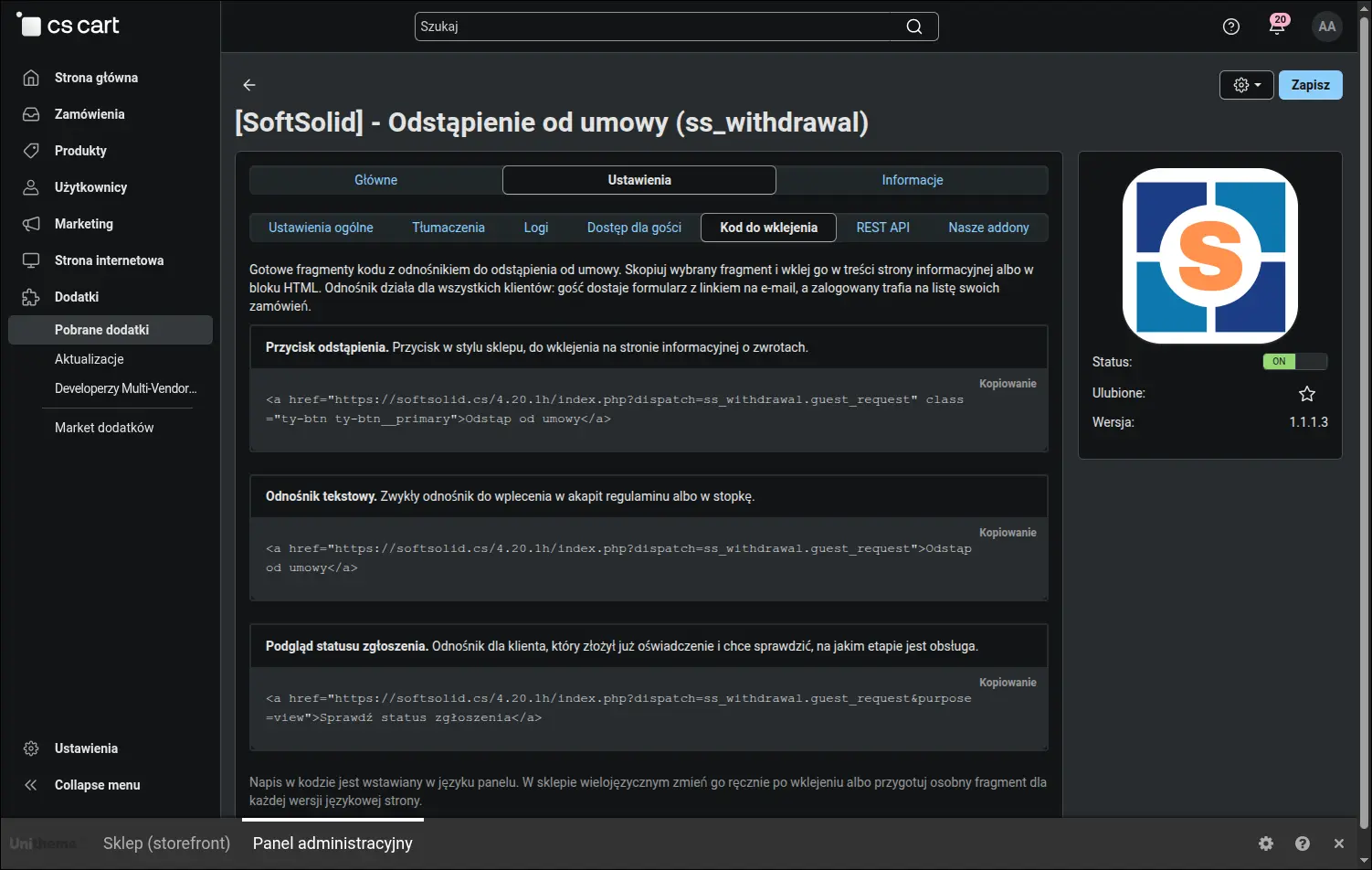
Gotowe fragmenty HTML do wklejenia w dowolnym miejscu sklepu
Sklepy, które prowadzą obsługę zwrotów w systemie zewnętrznym, pobiorą zgłoszenia przez natywne API CS-Carta. Dodatek udostępnia je w trybie odczytu, a opis zasobu, sposób uwierzytelnienia i przykłady wywołań leżą wprost w panelu, obok pozostałych ustawień:
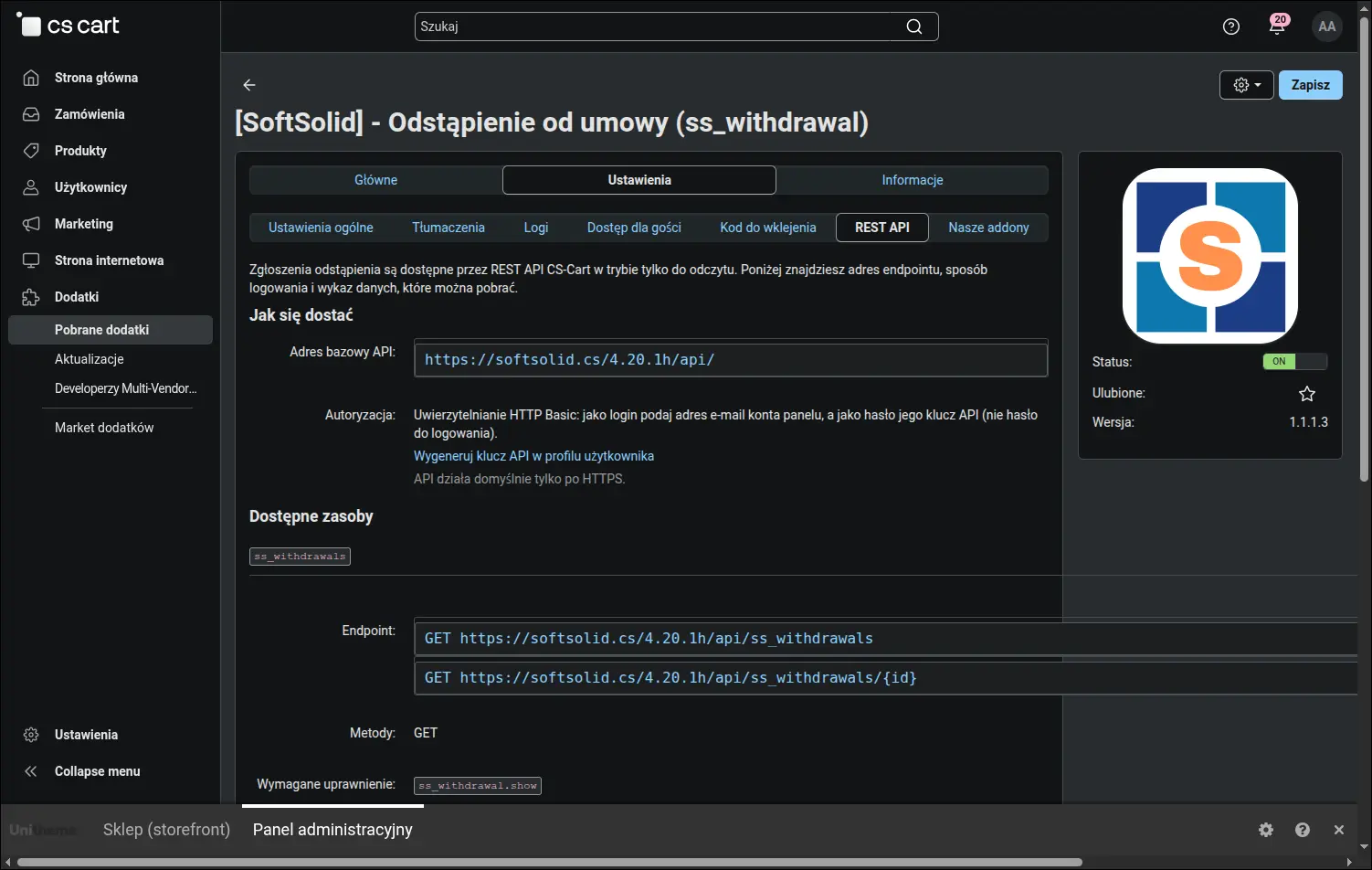
Zakładka REST API z opisem zasobu i przykładami wywołań
Każde zdanie, które zobaczy klient, można przepisać własnymi słowami. Zakładka z tekstami zbiera zmienne językowe dodatku w grupach tematycznych, pokazuje ich obecną treść i prowadzi wprost do edytora tłumaczeń, więc dostosowanie komunikacji do tonu sklepu zajmuje kilka chwil:
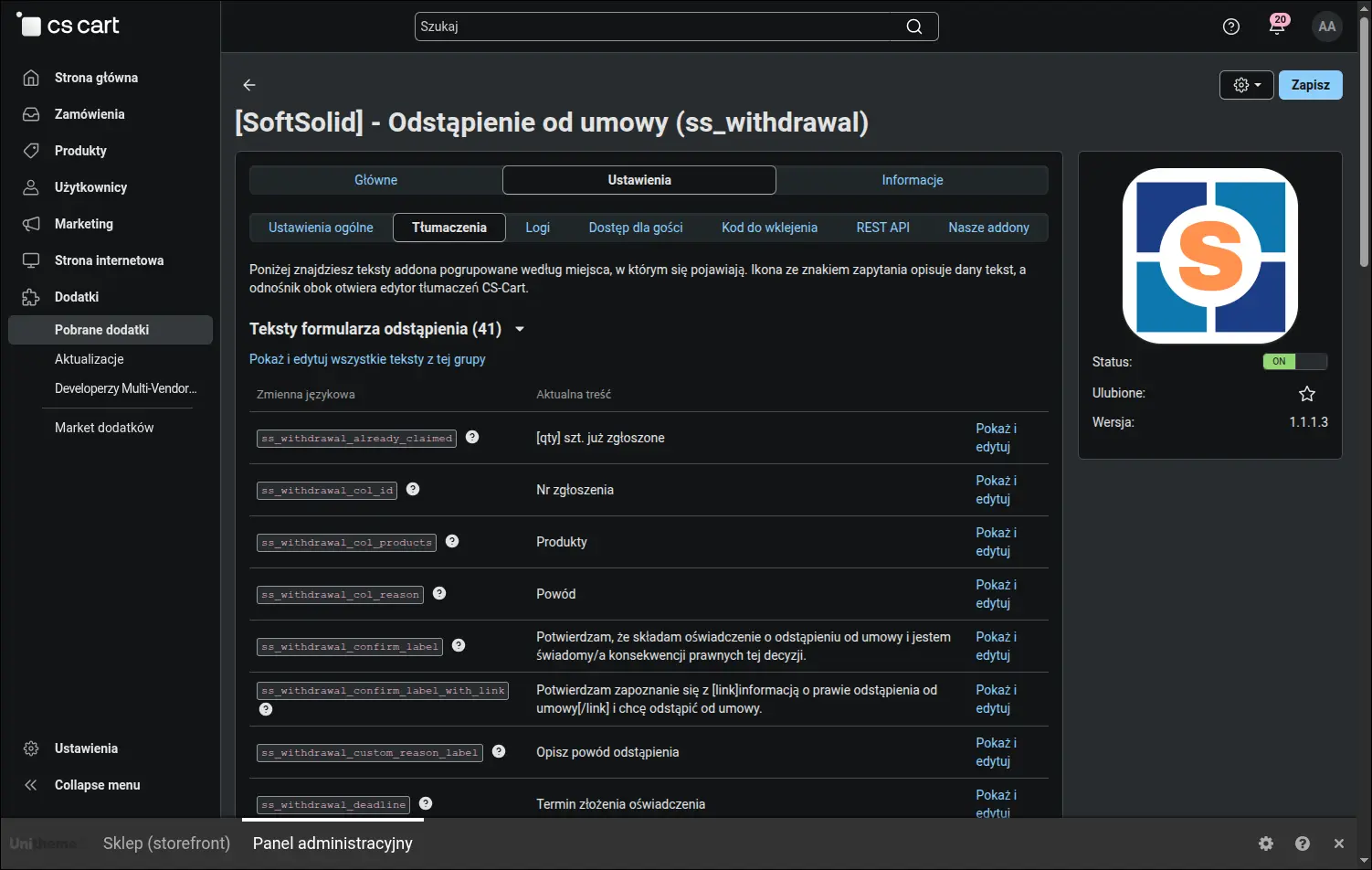
Wszystkie teksty addona w jednym miejscu, z przejściem do edycji
Codzienna praca obsługi zaczyna się na liście zgłoszeń. Widać na niej komplet filtrów, oznaczenie spraw złożonych bez konta oraz podsumowanie pięciu najczęstszych powodów z ostatnich trzydziestu dni. To ostatnie bywa najciekawsze dla właściciela sklepu, ponieważ pokazuje, dlaczego kupujący naprawdę rezygnują:
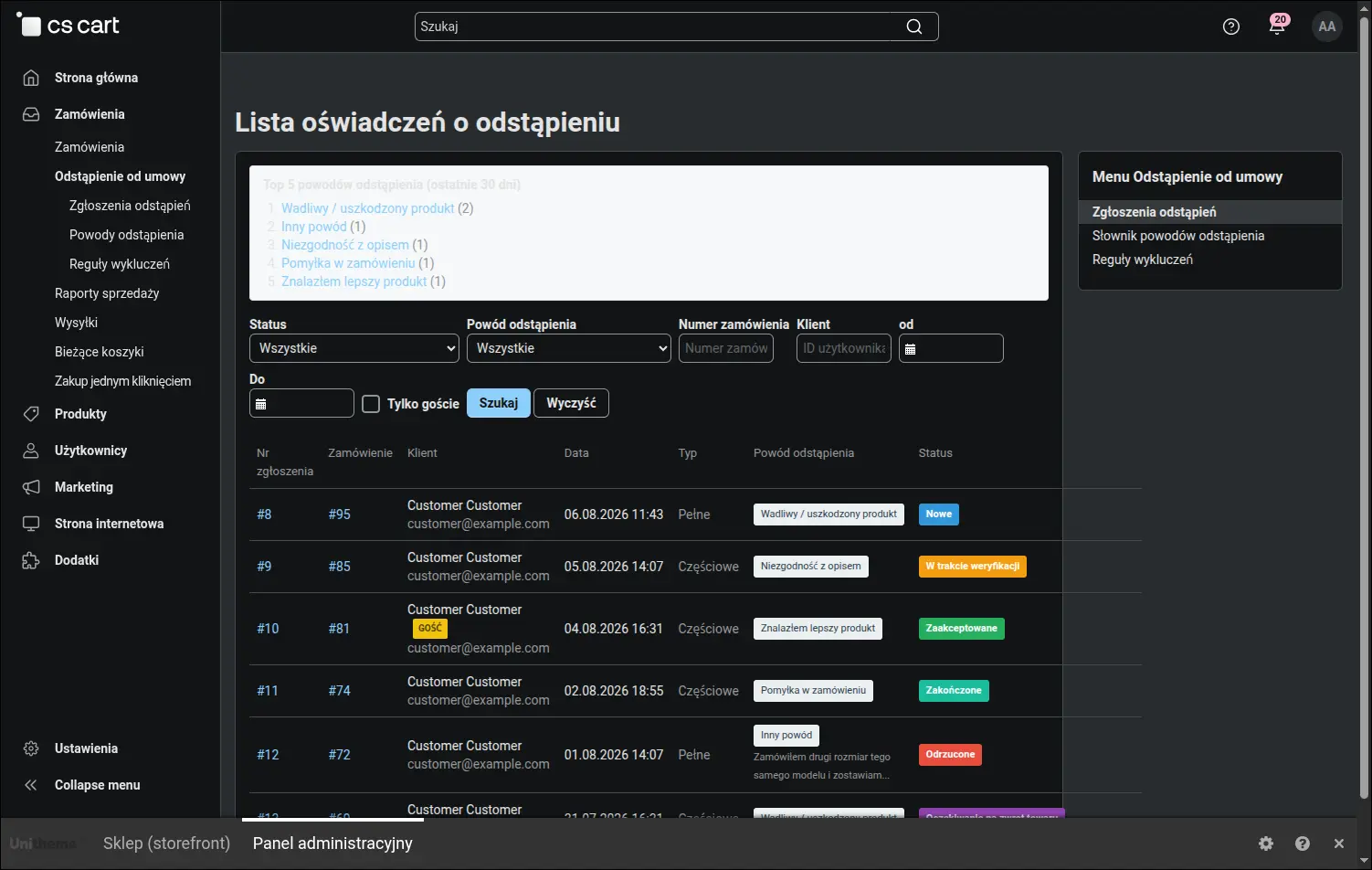
Lista zgłoszeń z filtrami i podsumowaniem najczęstszych powodów odstąpienia
Karta zgłoszenia zbiera wszystko, co potrzebne do rozpatrzenia sprawy: dane wniosku, tabelę zwracanych pozycji z cenami oraz wskazany przez klienta powód. Pozycje pochodzą z zapisu zamówienia wykonanego w chwili złożenia oświadczenia, więc pokazują stan faktyczny sprzed ewentualnych późniejszych korekt:
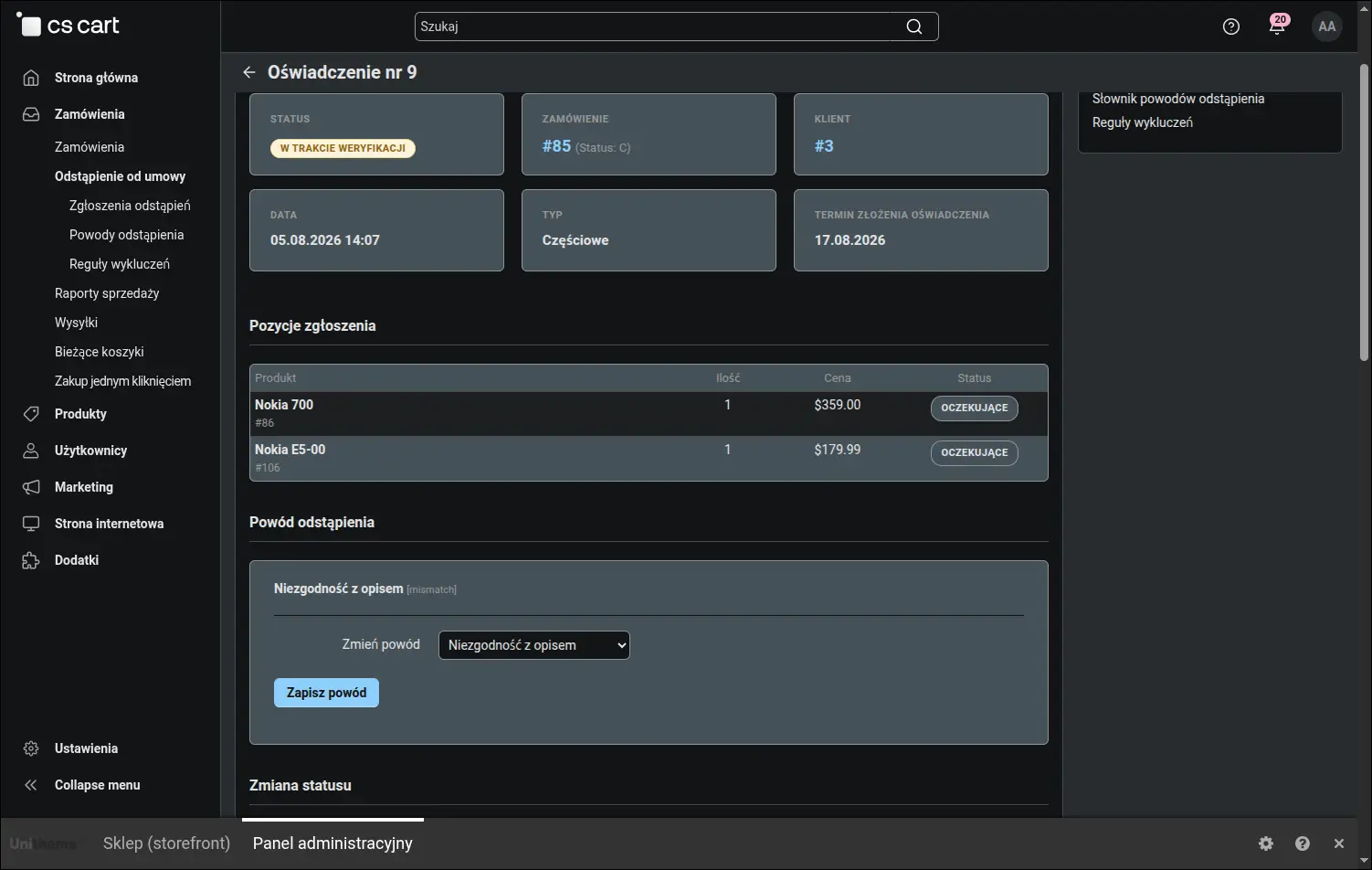
Szczegóły zgłoszenia: pozycje ze snapshotu i wybrany powód
Ten zapis jest osobnym bytem i właśnie dlatego bywa źródłem pytań. Karta zamówienia żyje dalej, więc zmiana ceny w katalogu albo poprawka nazwy produktu widoczna jest tam natychmiast, natomiast oświadczenie zachowuje stan z dnia, w którym powstało:
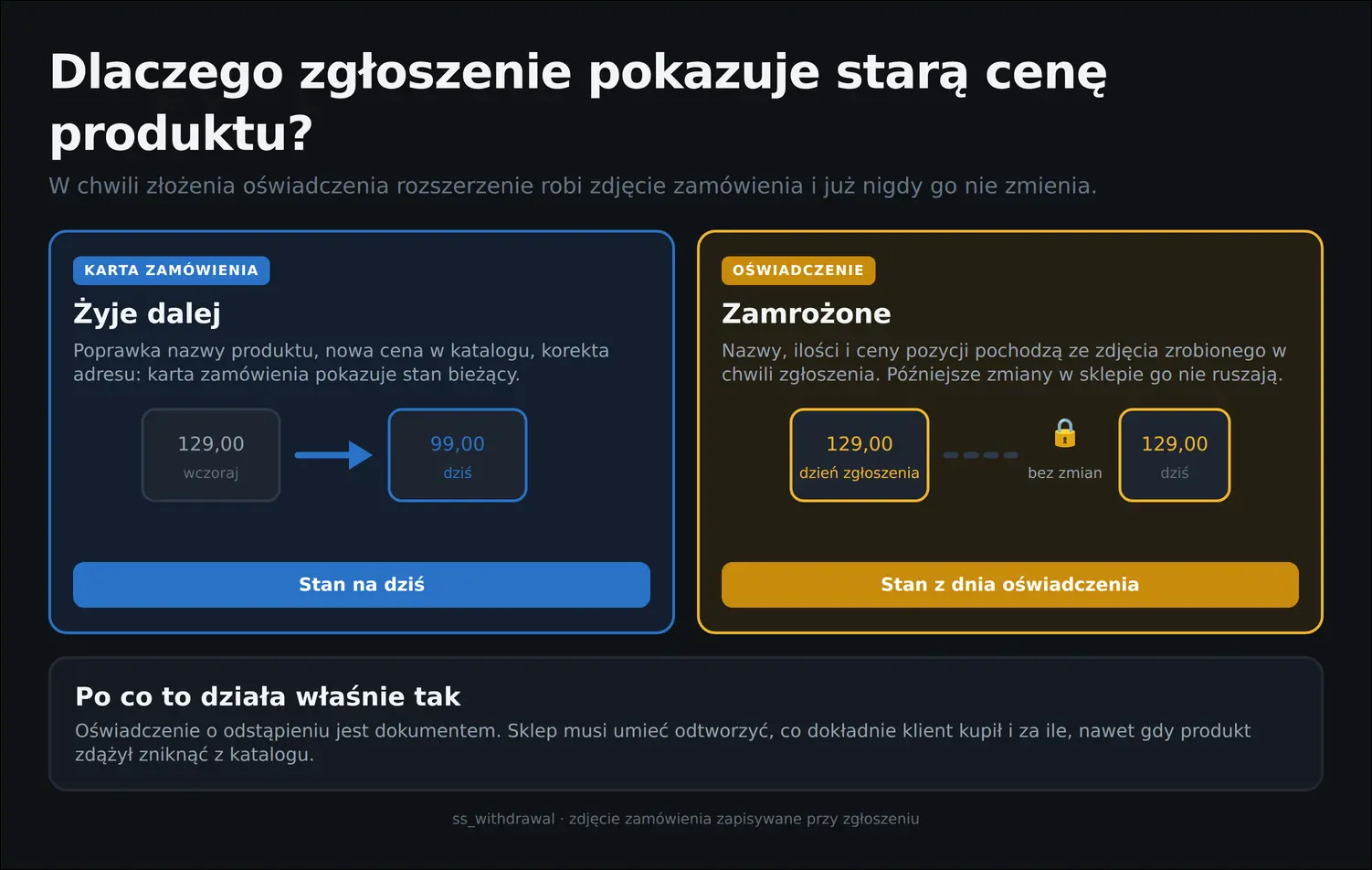
Dlaczego oświadczenie pokazuje stan z dnia zgłoszenia
Niżej na tej samej karcie leży sedno pracy obsługi: wybór nowego statusu z podpowiedzianym przepływem, pole wiadomości dla klienta, pole notatki wewnętrznej oraz historia dotychczasowych zmian z autorem i datą. Każda decyzja zostaje udokumentowana, co bywa nieocenione przy sporze:
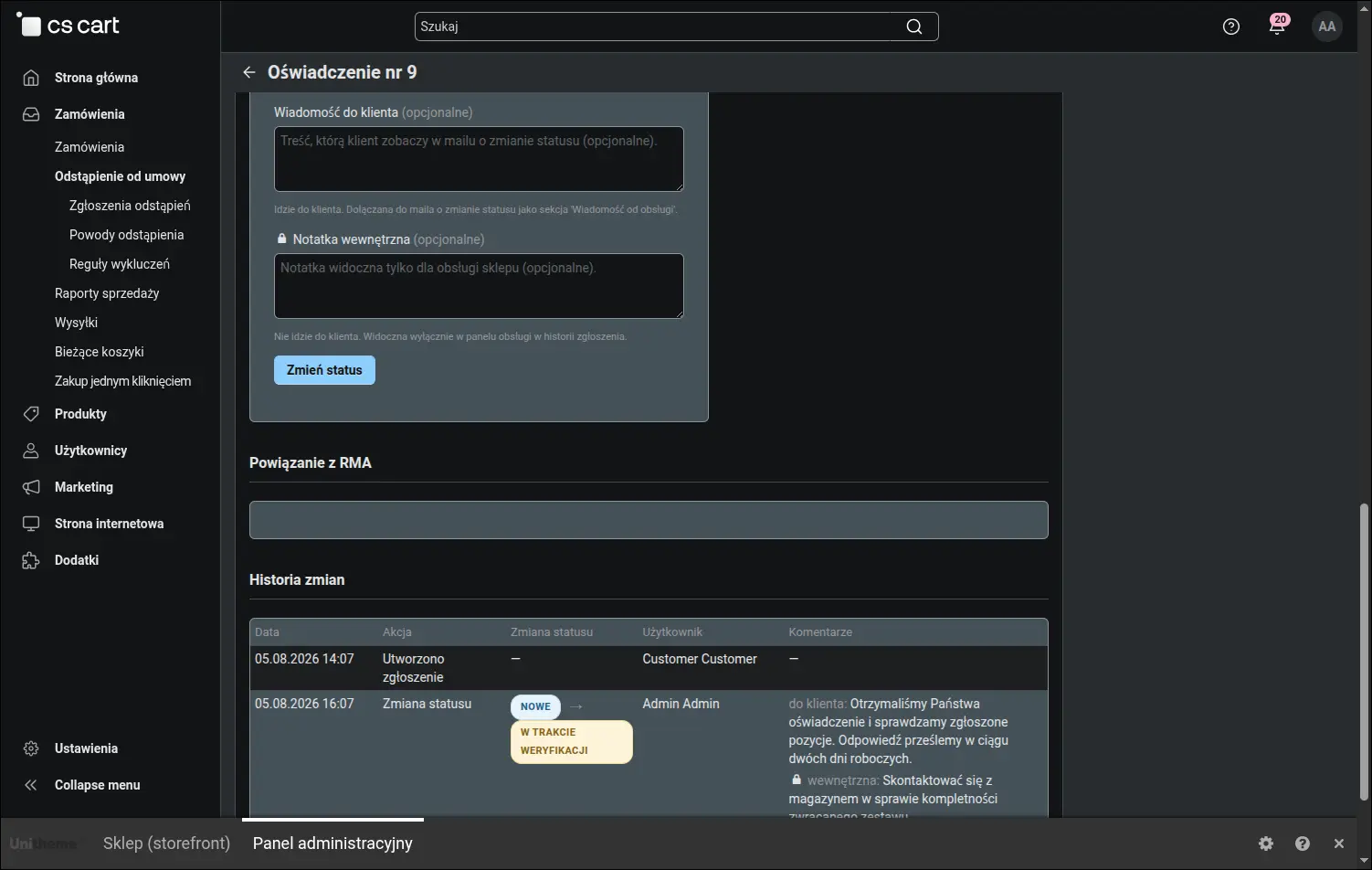
Zmiana statusu z wiadomością do klienta, notatką wewnętrzną i historią zmian
Oba pola komentarza wypełnia się w jednym formularzu, więc warto raz zapamiętać, które z nich dokąd prowadzi. Górne trafia do wiadomości wysyłanej klientowi, dolne zostaje wyłącznie w panelu i służy obsłudze:
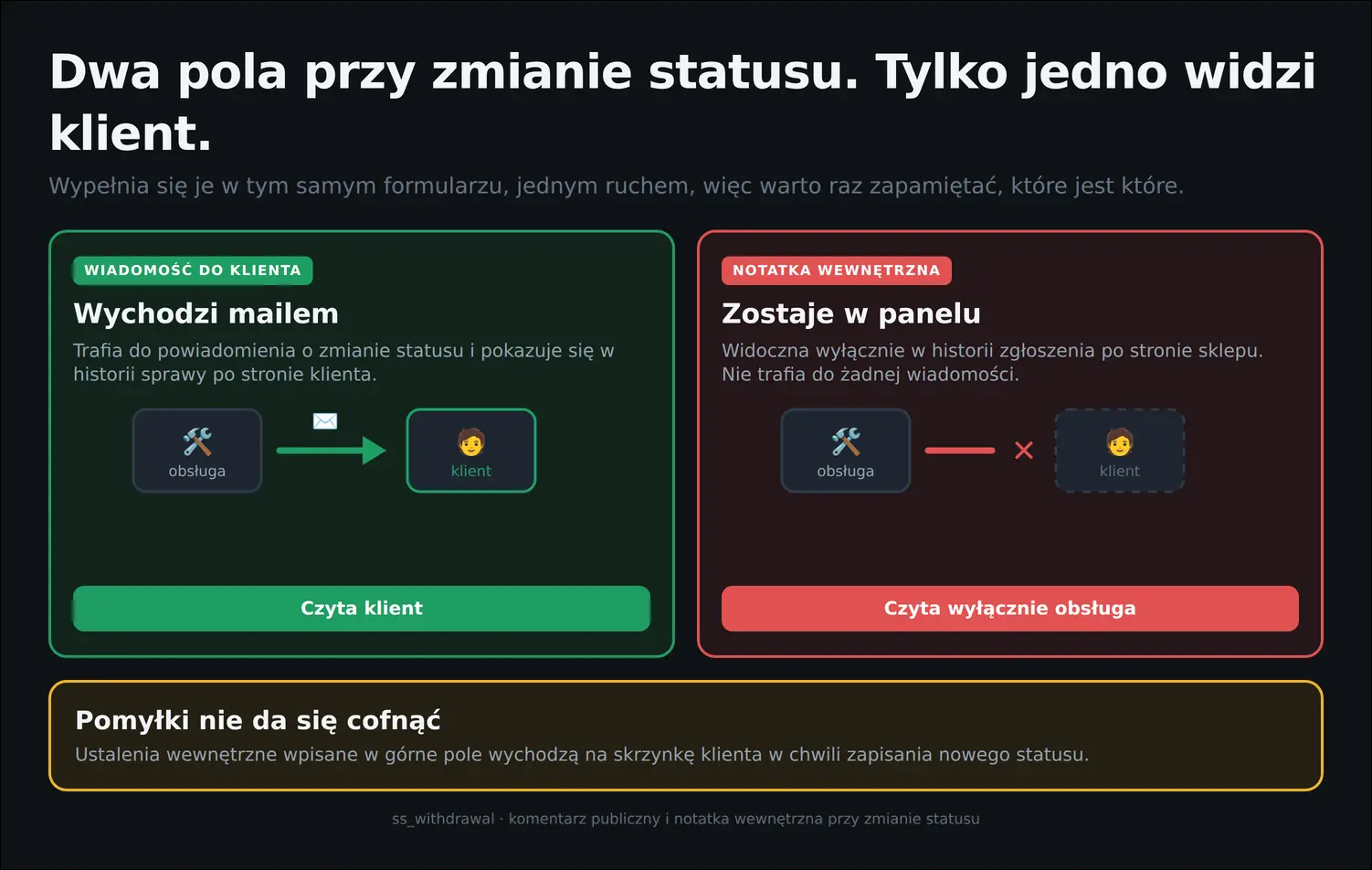
Wiadomość do klienta kontra notatka wewnętrzna
Warto również wiedzieć, dokąd sięga sama zmiana statusu. Dodatek prowadzi sprawę, powiadamia klienta i zapisuje ślad audytowy, natomiast zwrot pieniędzy, przyjęcie towaru na magazyn oraz przesyłka zwrotna pozostają decyzją człowieka. Statusy opisują stan sprawy i nie wydają poleceń systemowi płatności:
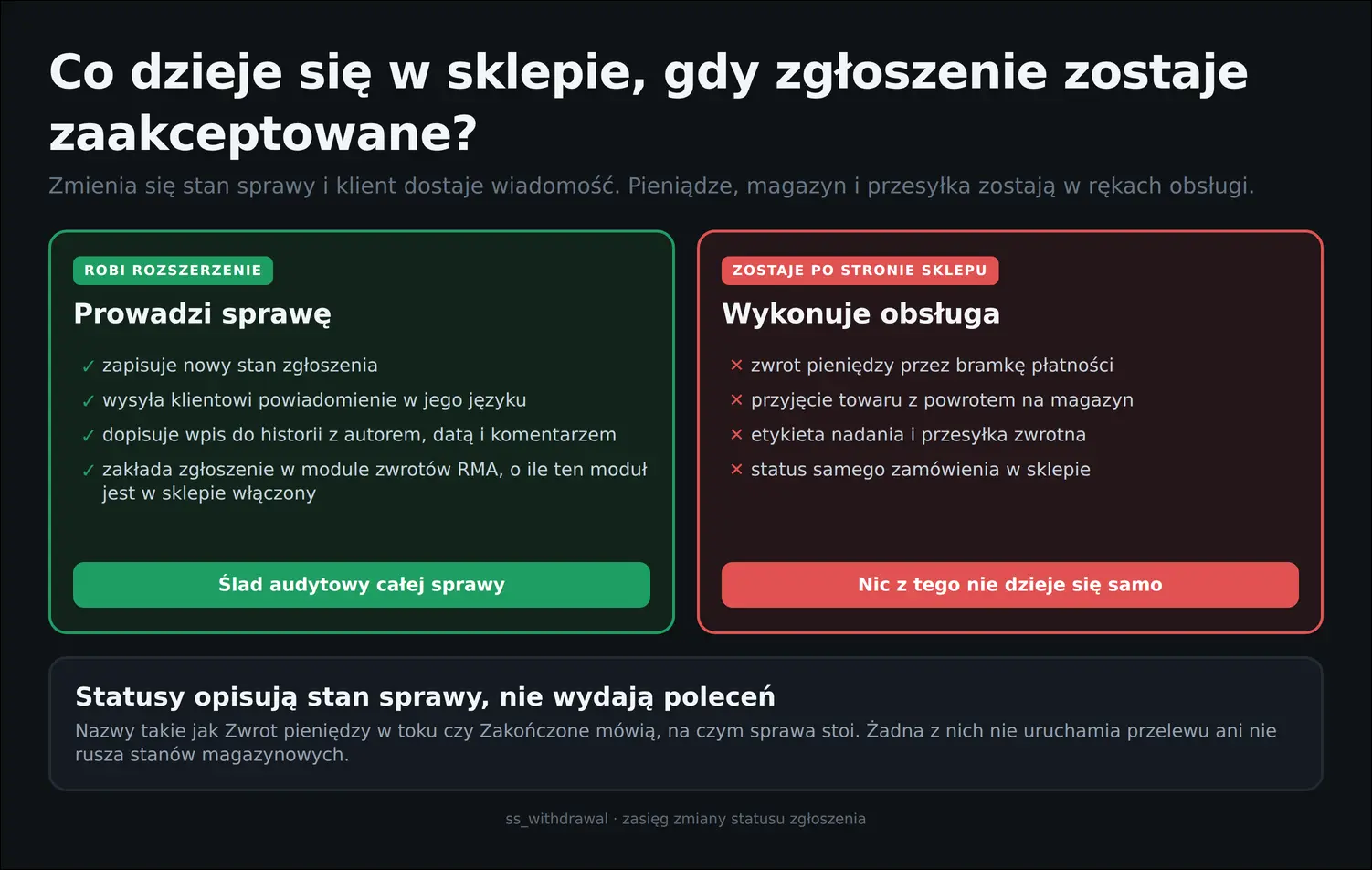
Co robi zmiana statusu, a czego nie robi
Część asortymentu bywa wyłączona z prawa odstąpienia i sklep nie powinien tłumaczyć tego przy każdym zgłoszeniu z osobna. Reguły wykluczeń obejmują pojedyncze produkty oraz całe kategorie, a wpisany przy nich powód pokazuje się klientowi wprost w formularzu:
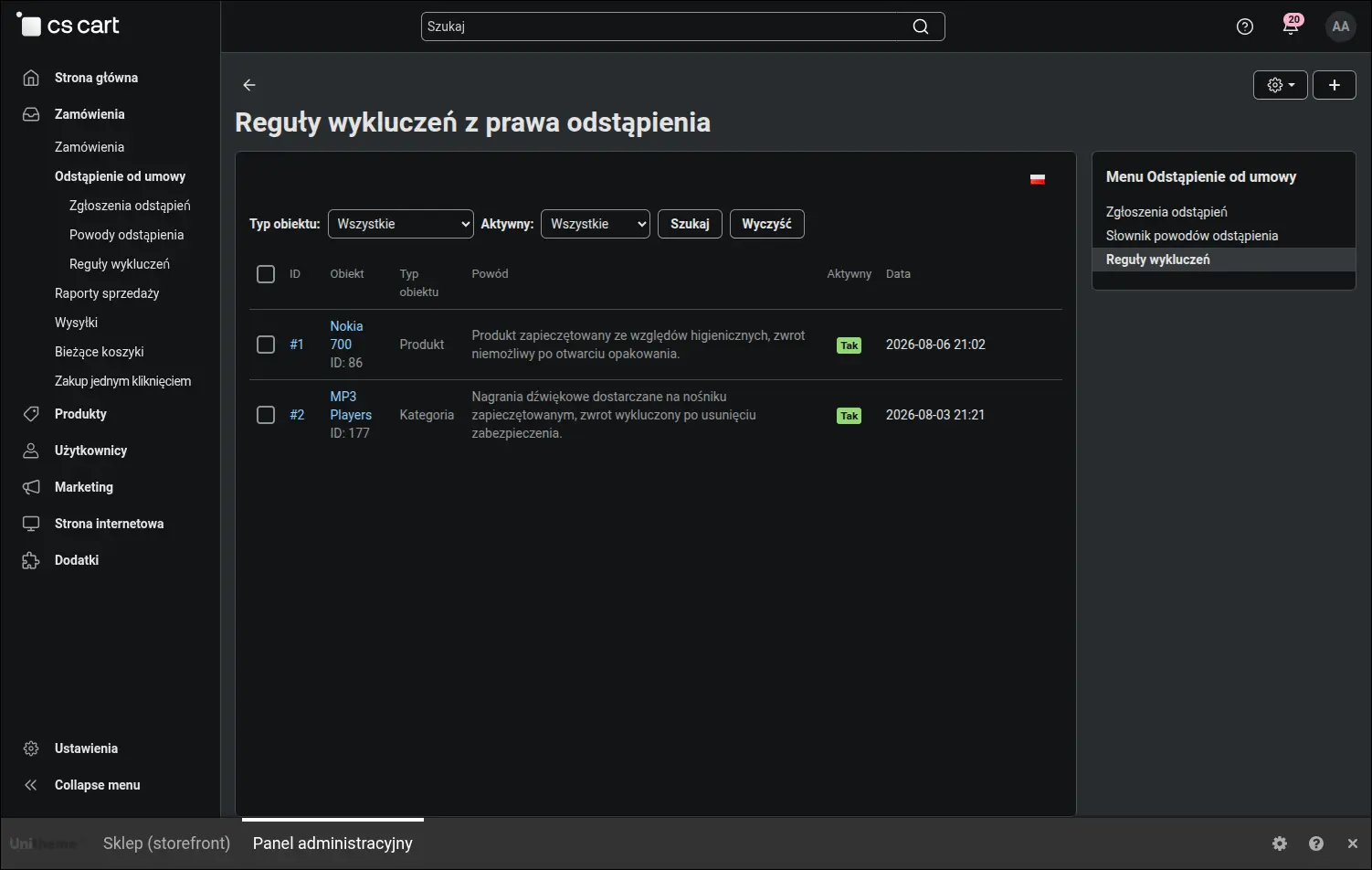
Reguły wykluczeń z powodem widocznym dla klienta
Formularz reguły podpowiada nazwę wskazanego produktu albo kategorii, więc pomyłka o jeden identyfikator jest od razu widoczna. Powód wpisuje się osobno dla każdego języka sklepu, ponieważ czyta go klient, a nie obsługa:
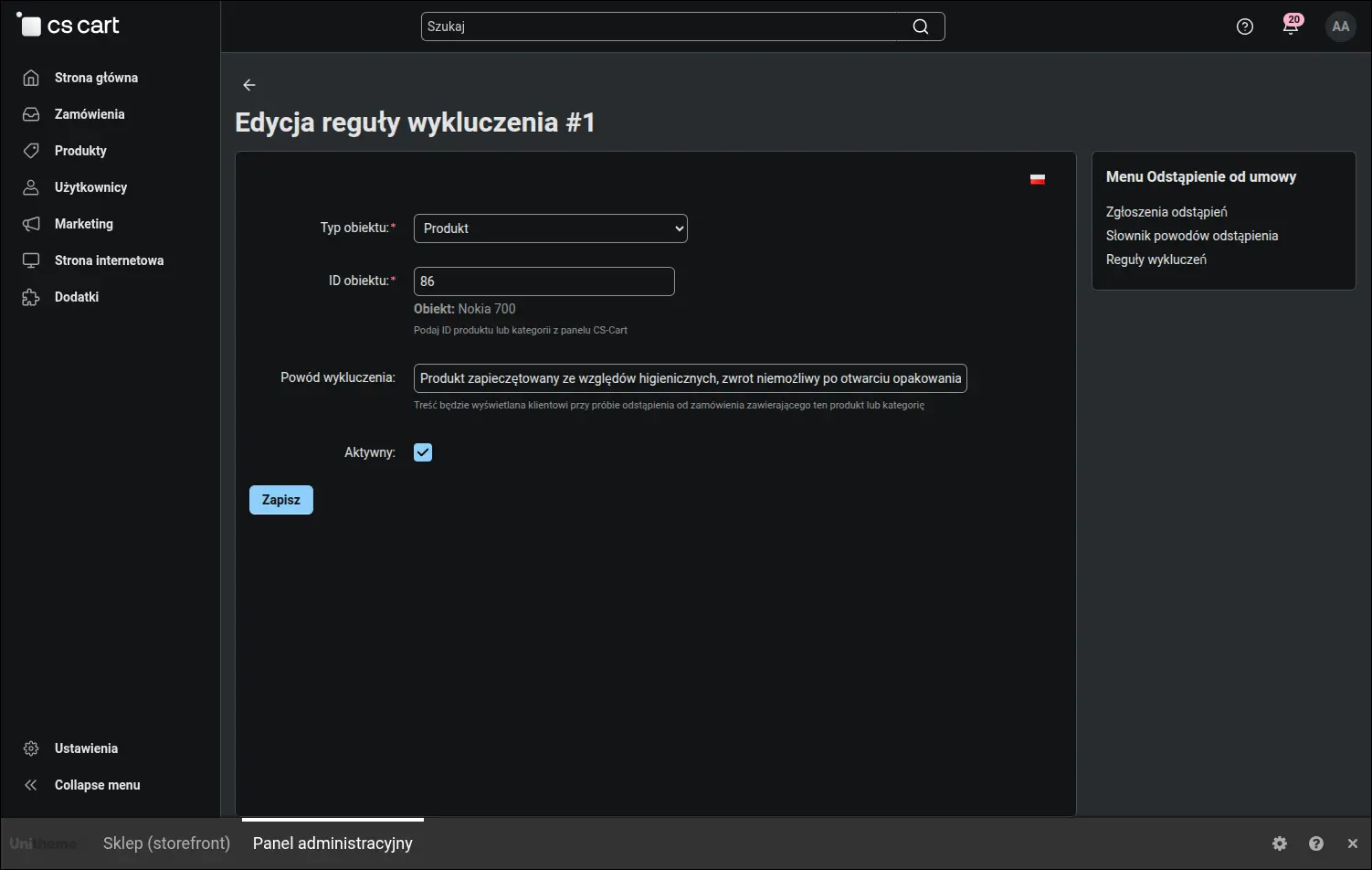
Formularz reguły wykluczenia z wielojęzycznym powodem
Powody odstąpienia pochodzą ze słownika prowadzonego przez sklep, a nie z pola tekstowego wypełnianego dowolnie. Dzięki ustandaryzowanej liście podsumowanie na liście zgłoszeń mówi coś sensownego, a kolejność i widoczność pozycji ustala się w jednym miejscu:
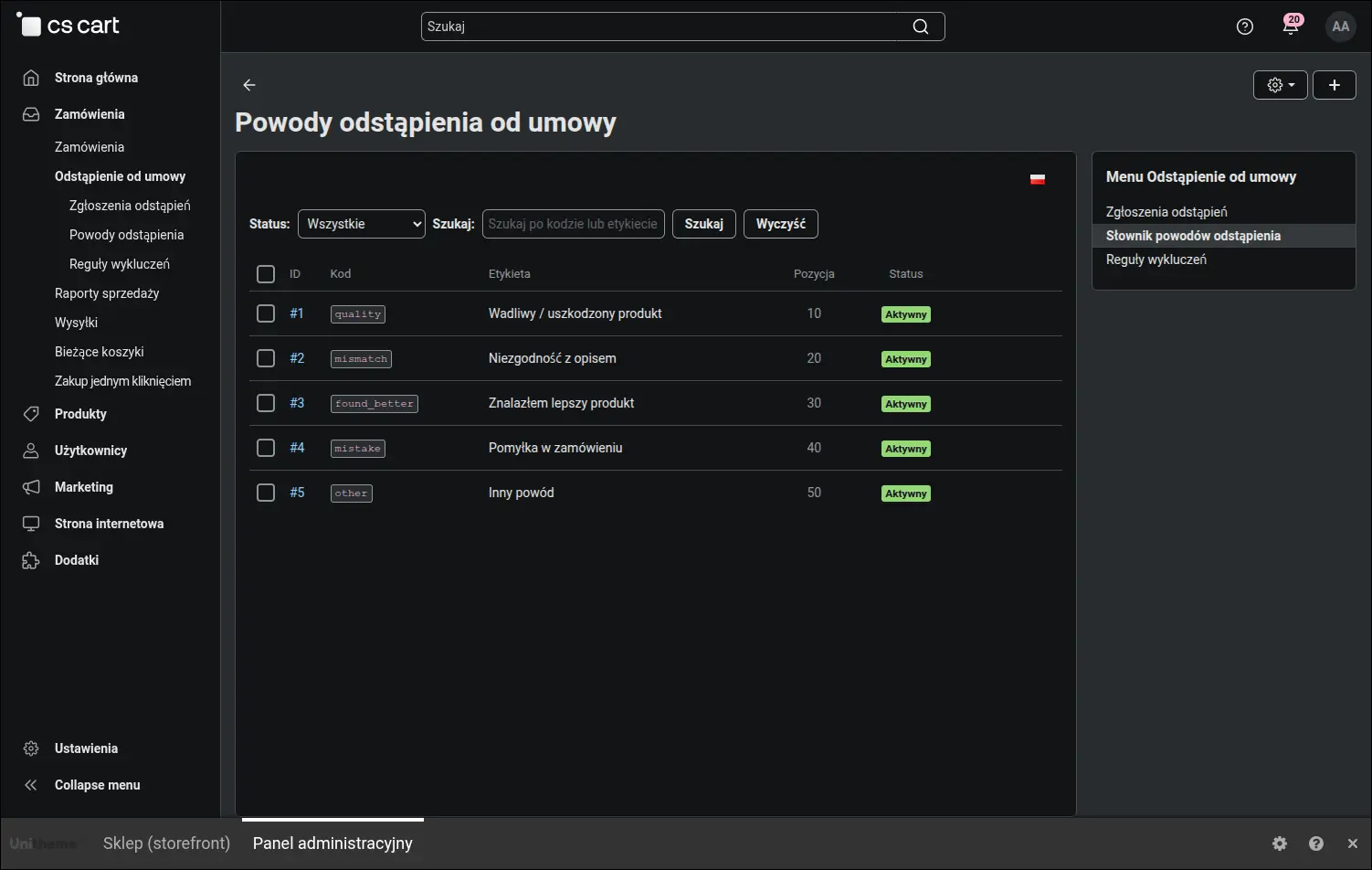
Słownik powodów odstąpienia z kolejnością i widocznością pozycji
Sprawa odstąpienia rzadko zaczyna się w module zwrotów. Zwykle ktoś pracuje na zamówieniach, więc kolorowa kropka przy zamówieniu ze zgłoszeniem oszczędza sporo klikania i zapobiega sytuacji, w której obsługa wysyła paczkę, o którą klient już nie prosi:
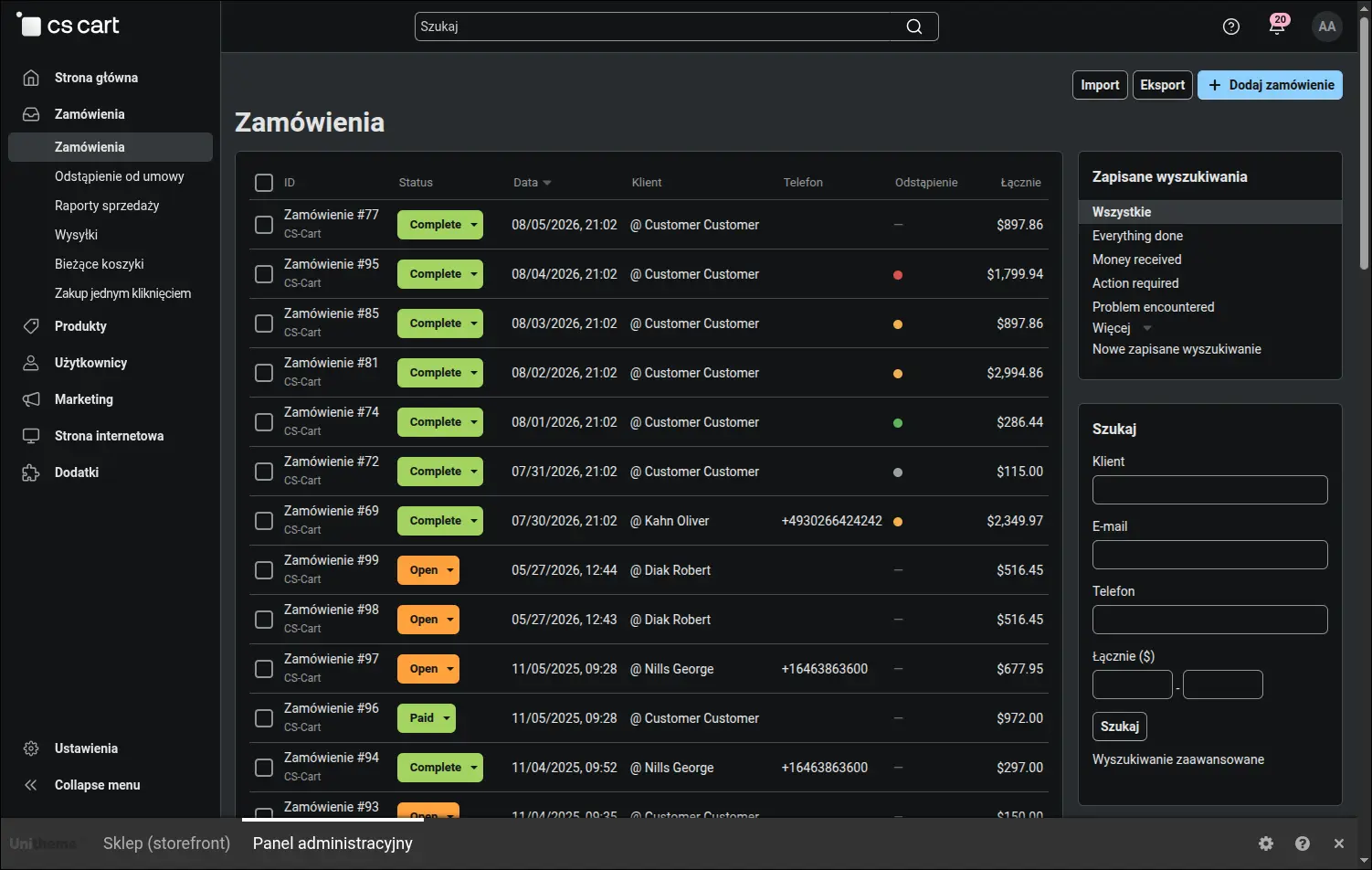
Zamówienia ze zgłoszeniem odstąpienia oznaczone wprost na liście
Ten sam sygnał wraca na karcie zamówienia, gdzie osobna zakładka zbiera wszystkie oświadczenia dotyczące tego zamówienia razem z ich statusami i odnośnikiem do szczegółów. Historia sprawy leży więc tam, gdzie obsługa i tak pracuje:
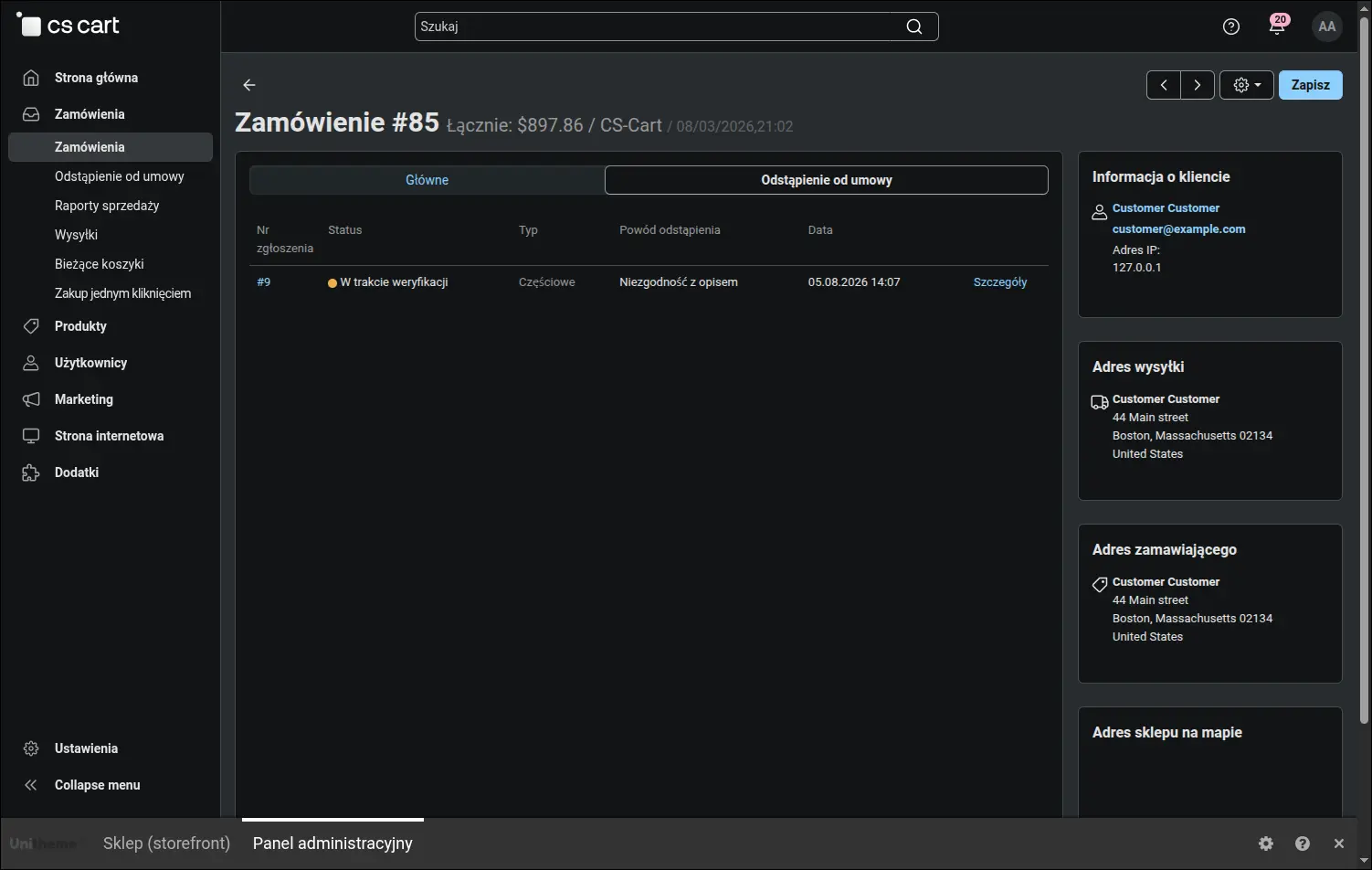
Zakładka odstąpień na karcie zamówienia
Po stronie sklepu klient szuka zwrotów tam, gdzie zwykle: we własnym koncie. Pozycja w menu konta prowadzi wprost do listy złożonych oświadczeń, a sklep decyduje, czy pokazywać ją zalogowanym, gościom, czy obu grupom:
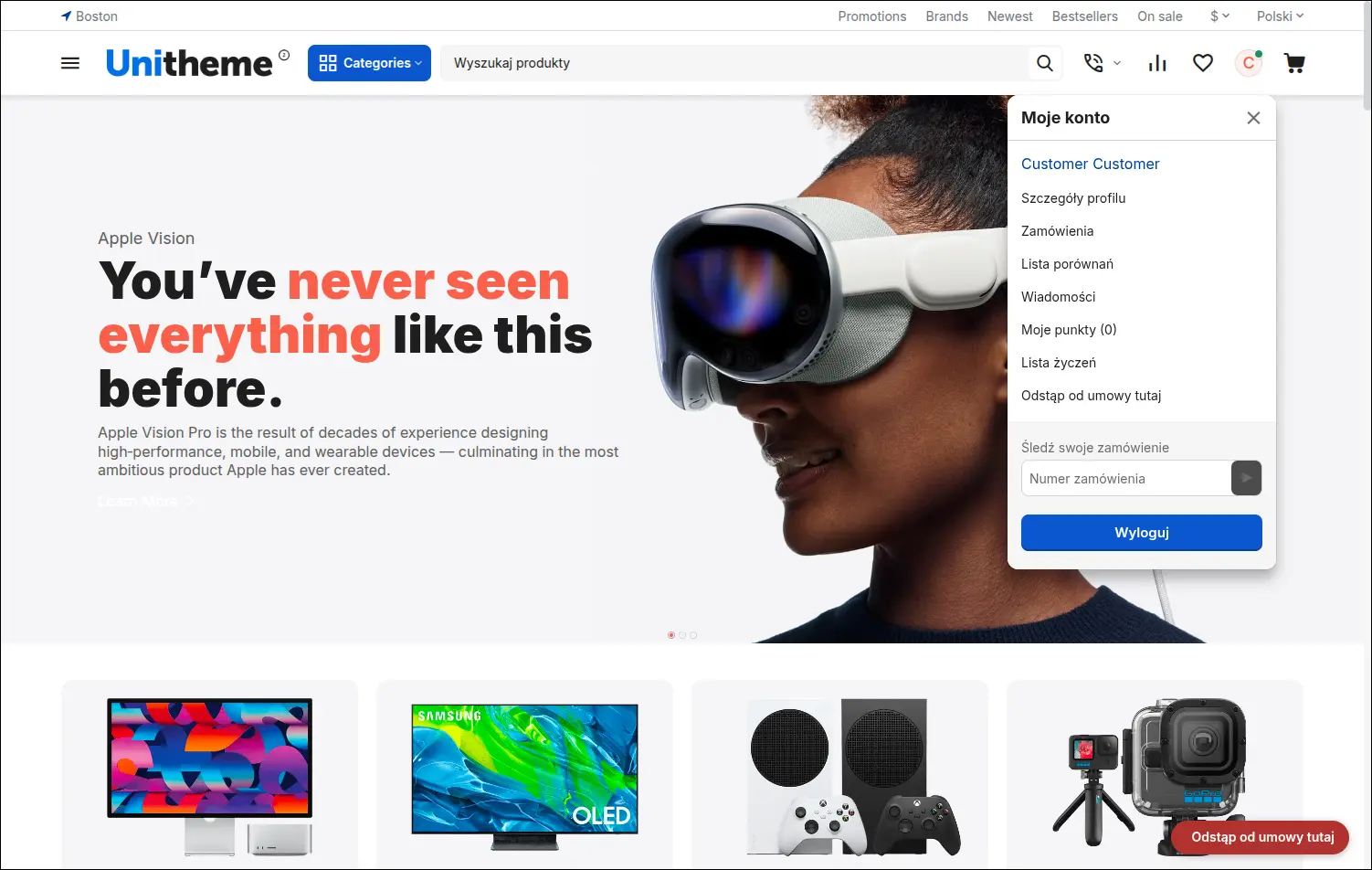
Wejście do oświadczeń w menu konta klienta
Drugie wejście działa na każdej stronie sklepu i przybiera postać odnośnika albo odznaki przypiętej w rogu okna. Odnośnik dopasowuje cel do odwiedzającego: zalogowany trafia na listę swoich oświadczeń, a kupujący bez konta na formularz z prośbą o link:
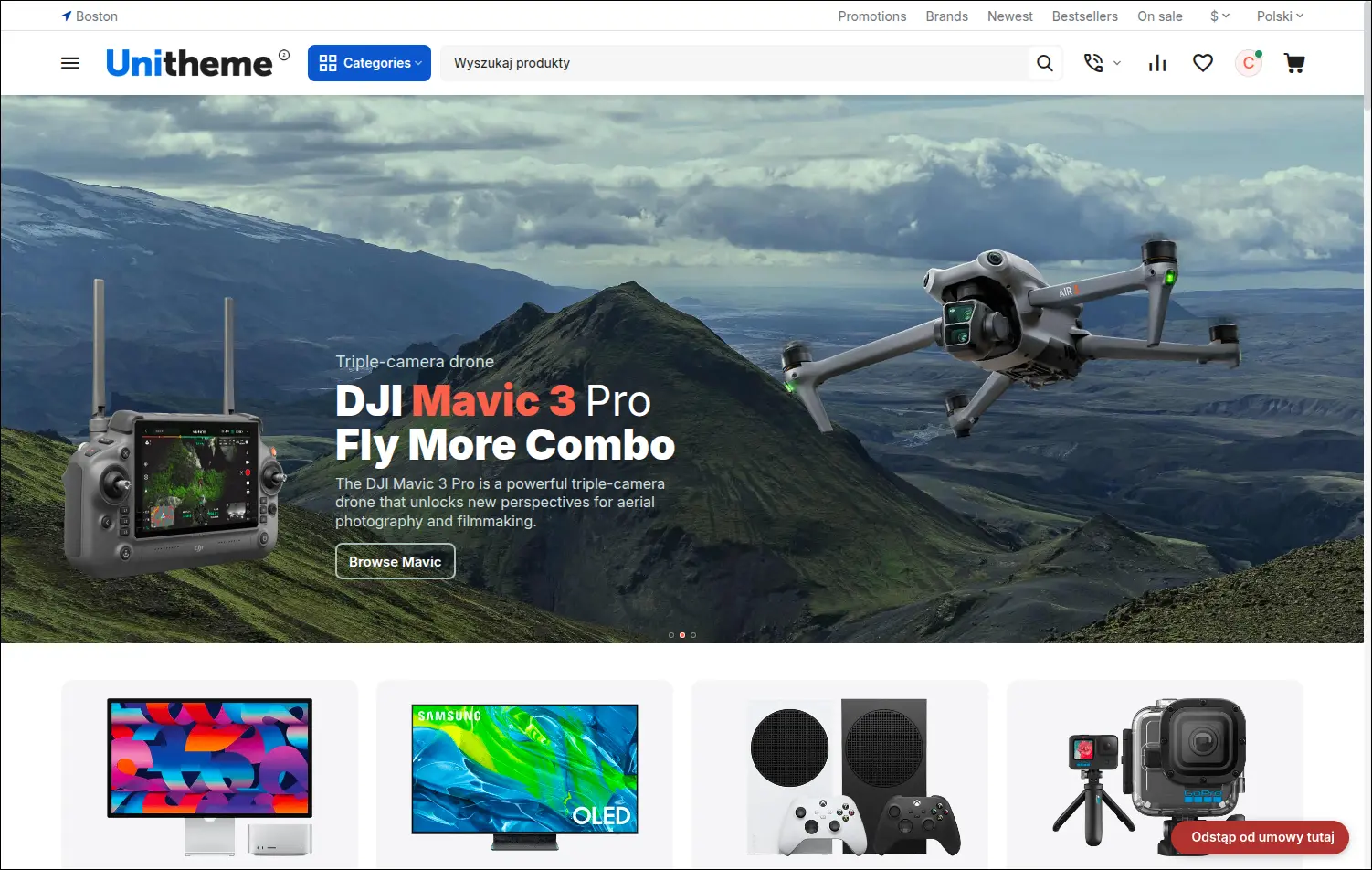
Wejście do procesu odstąpienia dostępne w stopce sklepu
Wejść jest w sumie kilka i każde ma własny przełącznik, więc sklep sam ustala, jak głośno mówi o zwrotach. Poniższe zestawienie pokazuje je razem, wraz z tym, które z nich pojawia się samo, bez żadnego ustawienia:
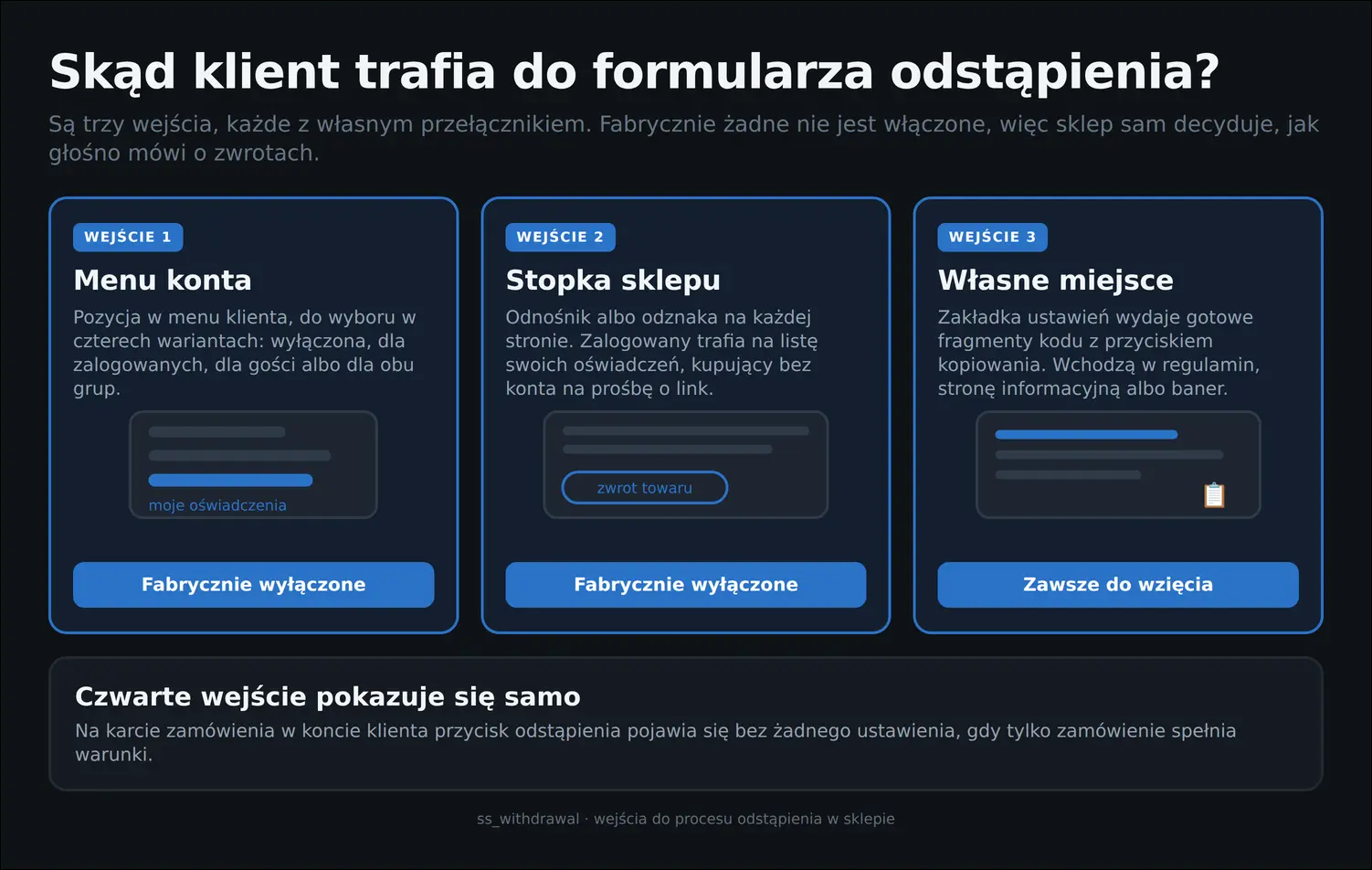
Skąd klient trafia do formularza odstąpienia
Sam formularz prowadzi klienta za rękę. Widać na nim termin złożenia oświadczenia, pozycje zamówienia z polami ilości, pozycje wykluczone wraz z uzasadnieniem oraz listę powodów do wyboru. Sklep dostaje komplet danych od razu, bez wymiany wiadomości i dopytywania:
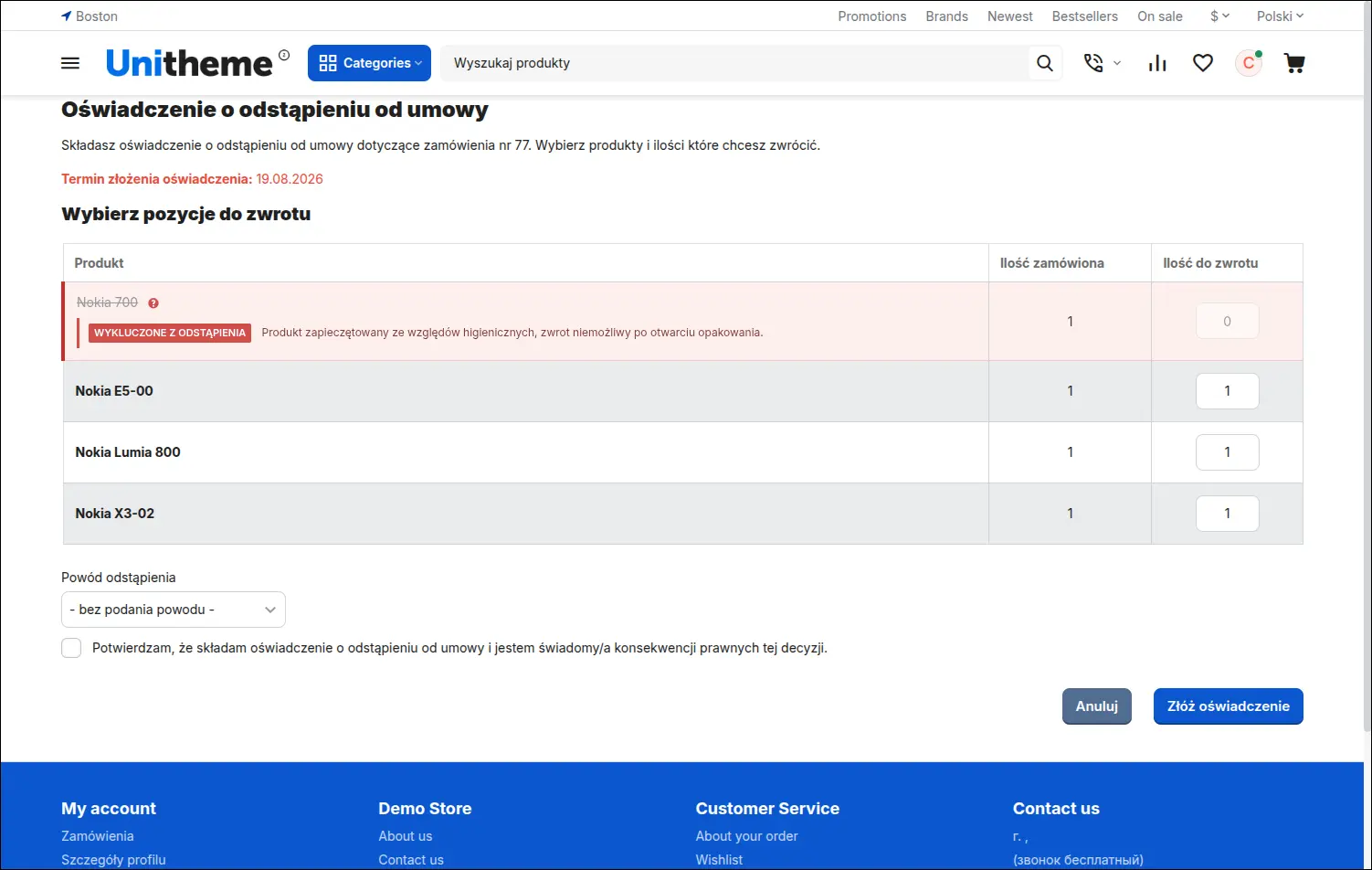
Formularz odstąpienia z wyborem pozycji, ilości i powodu
Zwroty częściowe rozliczają się sztuka po sztuce. Zgłoszona sztuka znika z puli dostępnej dla kolejnego oświadczenia i wraca do niej wyłącznie wtedy, gdy sklep odrzuci wniosek albo klient go wycofa, co chroni obsługę przed podwójnym rozpatrywaniem tej samej pozycji:
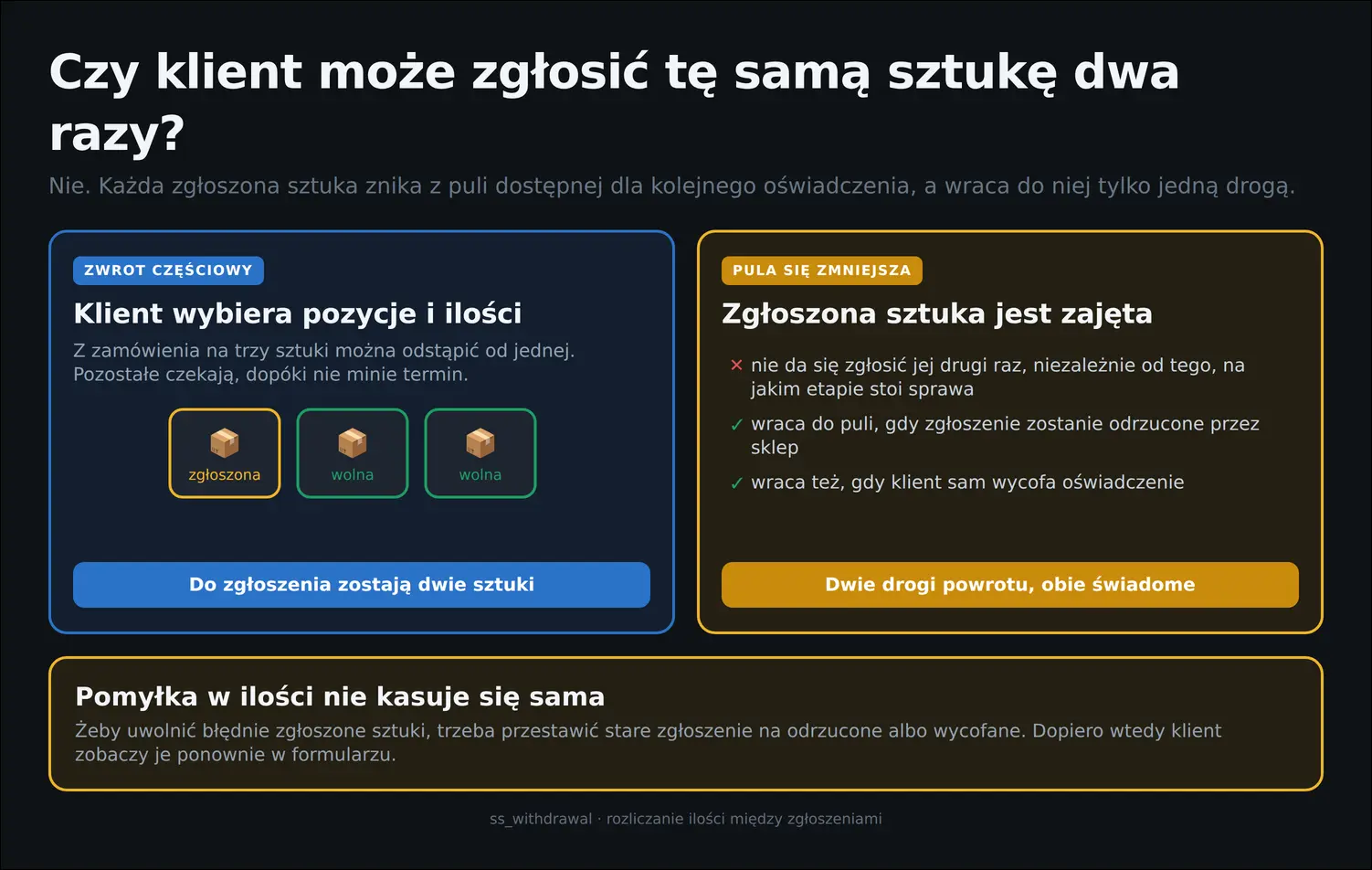
Zgłoszona sztuka jest zajęta na stałe
Po złożeniu oświadczenia klient nie zostaje z niczym. Lista w jego koncie pokazuje wszystkie sprawy z numerem, zamówieniem, typem zgłoszenia i bieżącym statusem, więc pytań kierowanych do obsługi jest wyraźnie mniej:
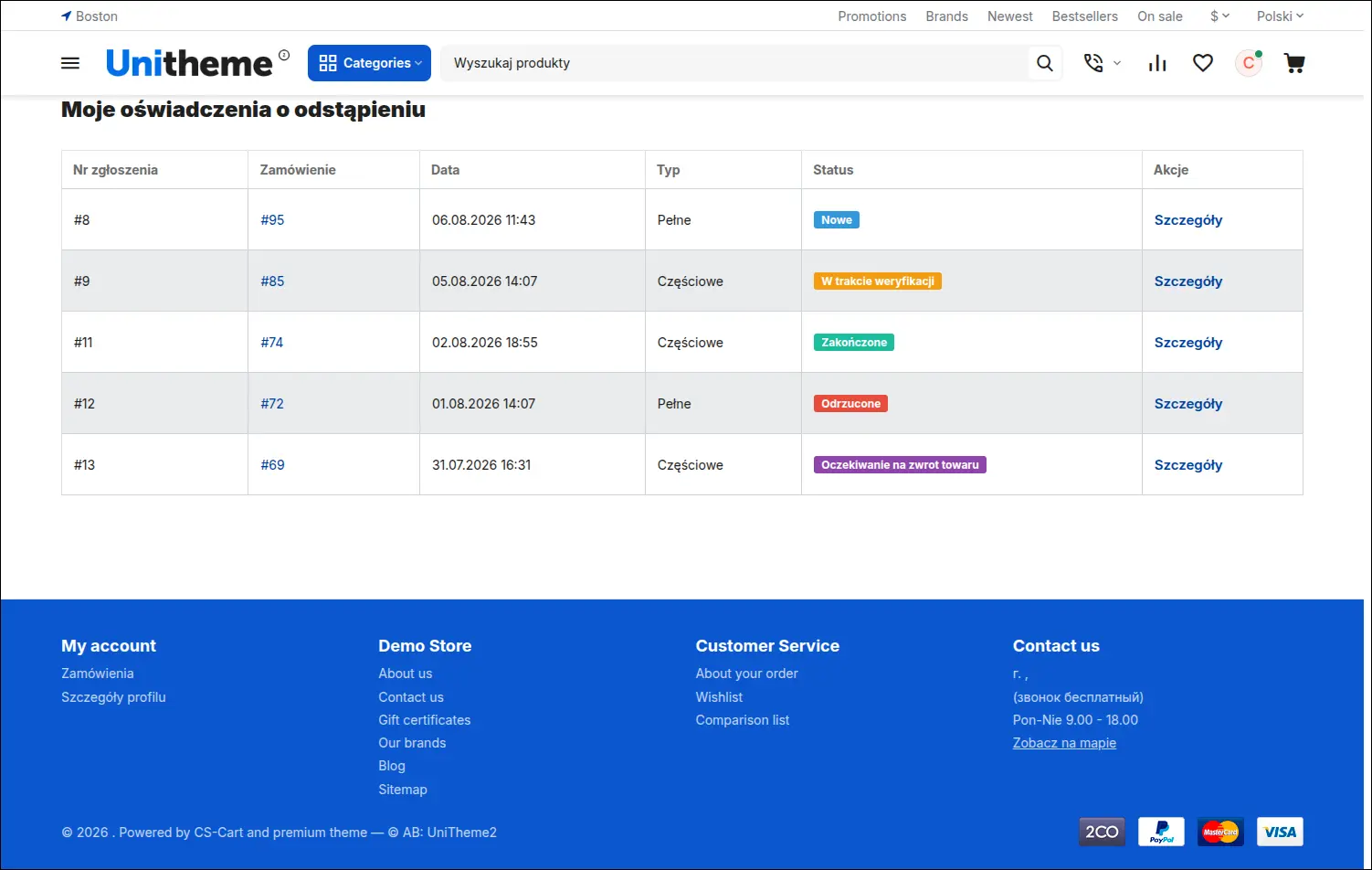
Lista oświadczeń klienta z typem zgłoszenia i statusem
Wejście w szczegóły odsłania pełny obraz sprawy: pozycje, powód oraz oś czasu ze zmianami statusu i wiadomościami od obsługi. Notatki wewnętrzne pozostają przy tym niewidoczne, więc sklep może notować swoje ustalenia bez skrępowania:
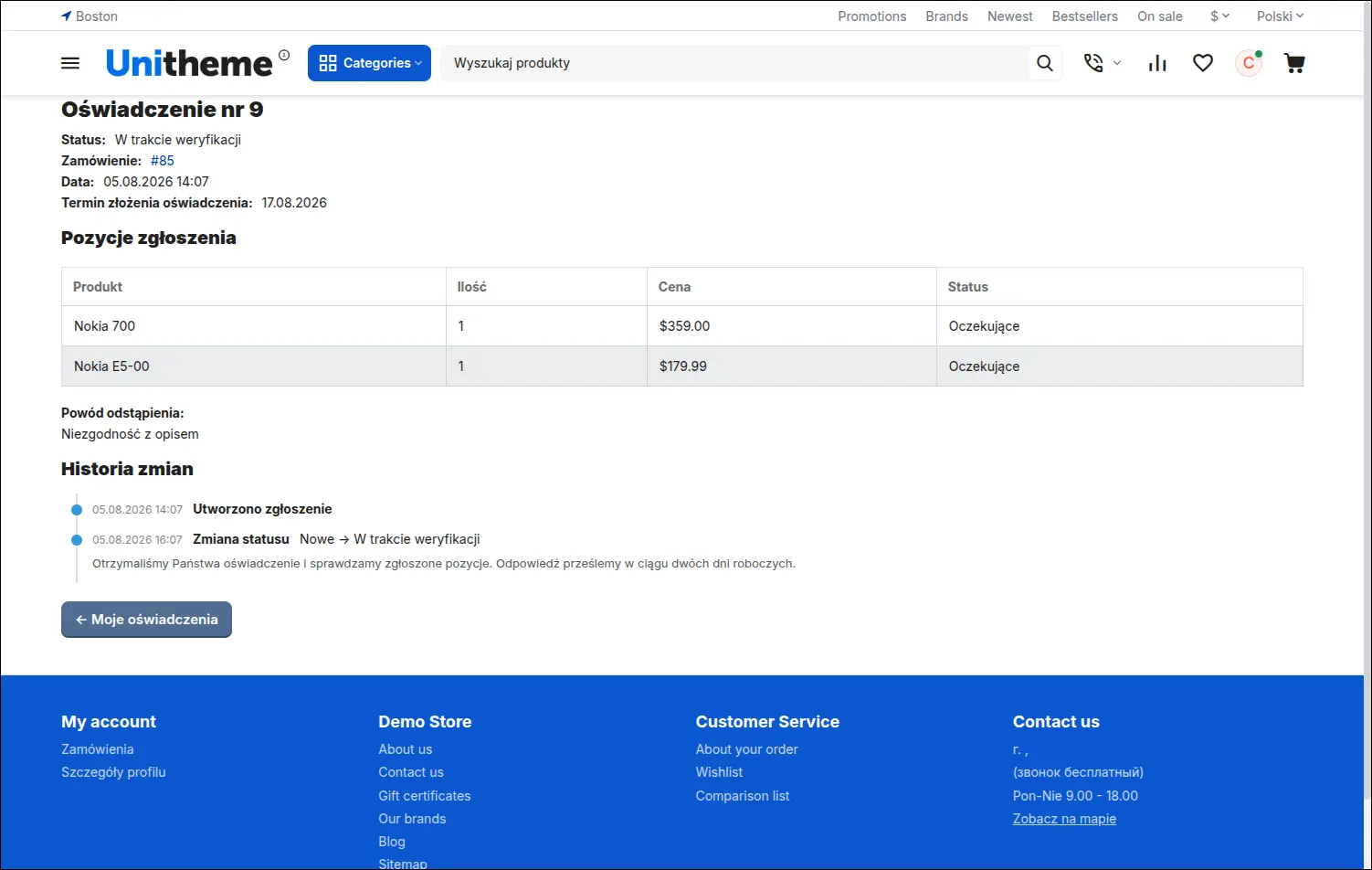
Szczegóły oświadczenia z historią statusów i komentarzami sklepu
Kupujący bez konta zaczyna od krótkiego formularza z numerem zamówienia i adresem e-mail. Odpowiedź jest zawsze taka sama, niezależnie od tego, czy podane dane do siebie pasują, więc metodą prób nikt nie sprawdzi cudzych zakupów:
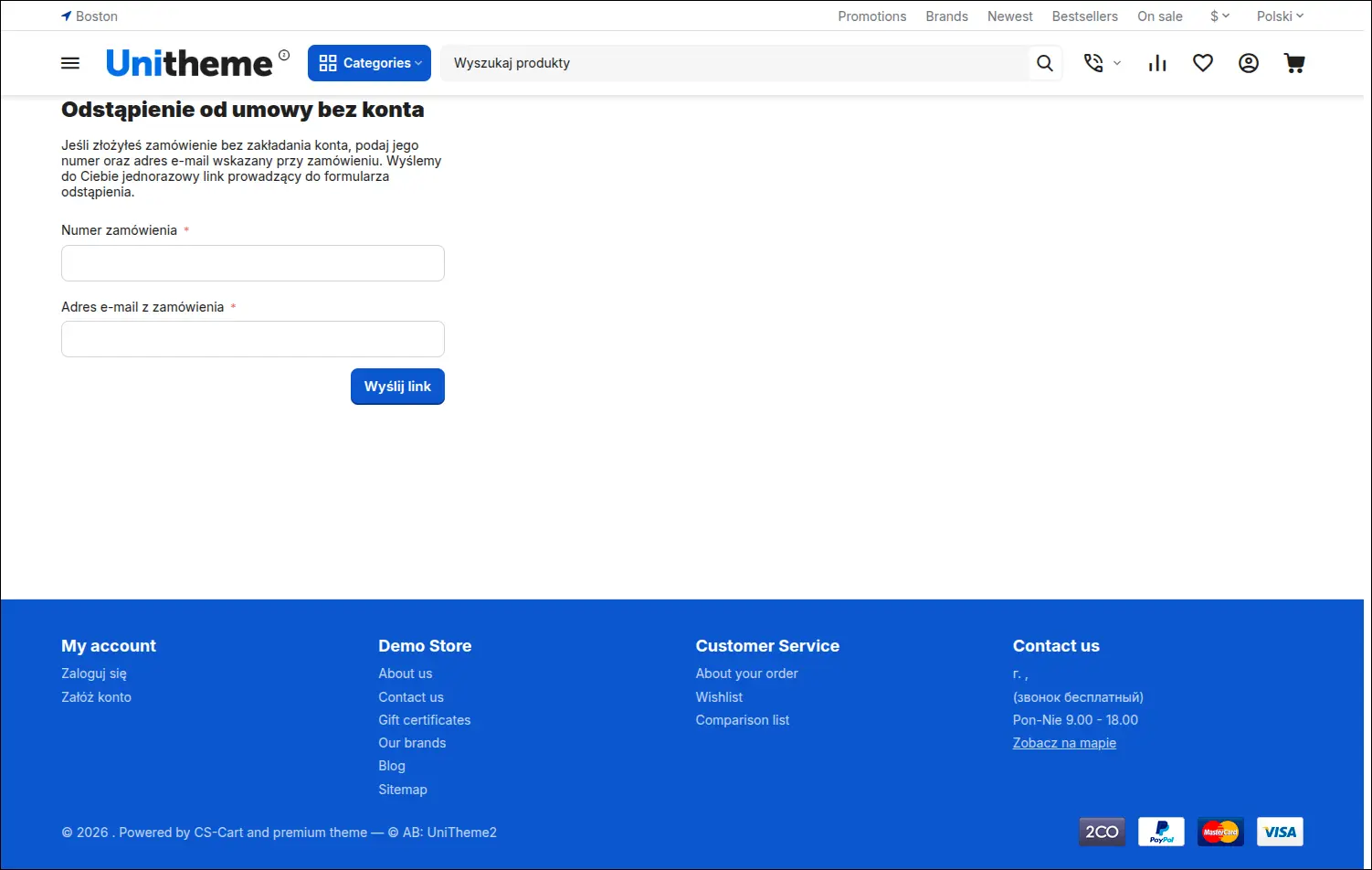
Dostęp dla gości: prośba o jednorazowy link na adres z zamówienia
Linki wysyłane kupującemu bez konta są dwojakiego rodzaju i różnią się zasadami zużycia, choć w pasku adresu wyglądają tak samo. Jeden otwiera formularz i gaśnie po użyciu, drugi służy do śledzenia sprawy i działa aż do wygaśnięcia:
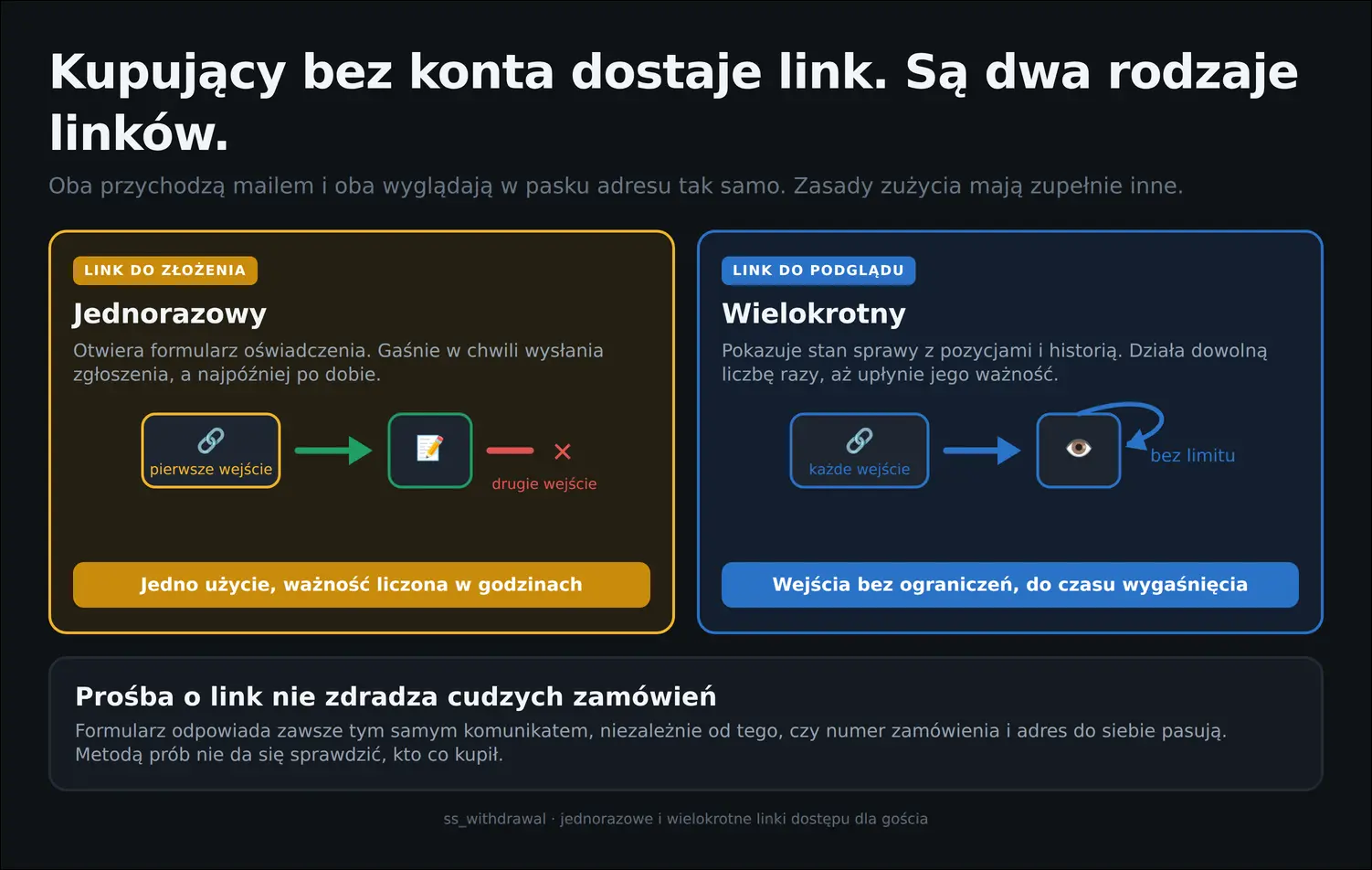
Dwa rodzaje linku dla kupującego bez konta
Podgląd dla gościa pokazuje to samo, co widzi klient zalogowany: zgłoszone pozycje, powód oraz bieżący status sprawy. Brak konta przestaje więc oznaczać brak informacji:
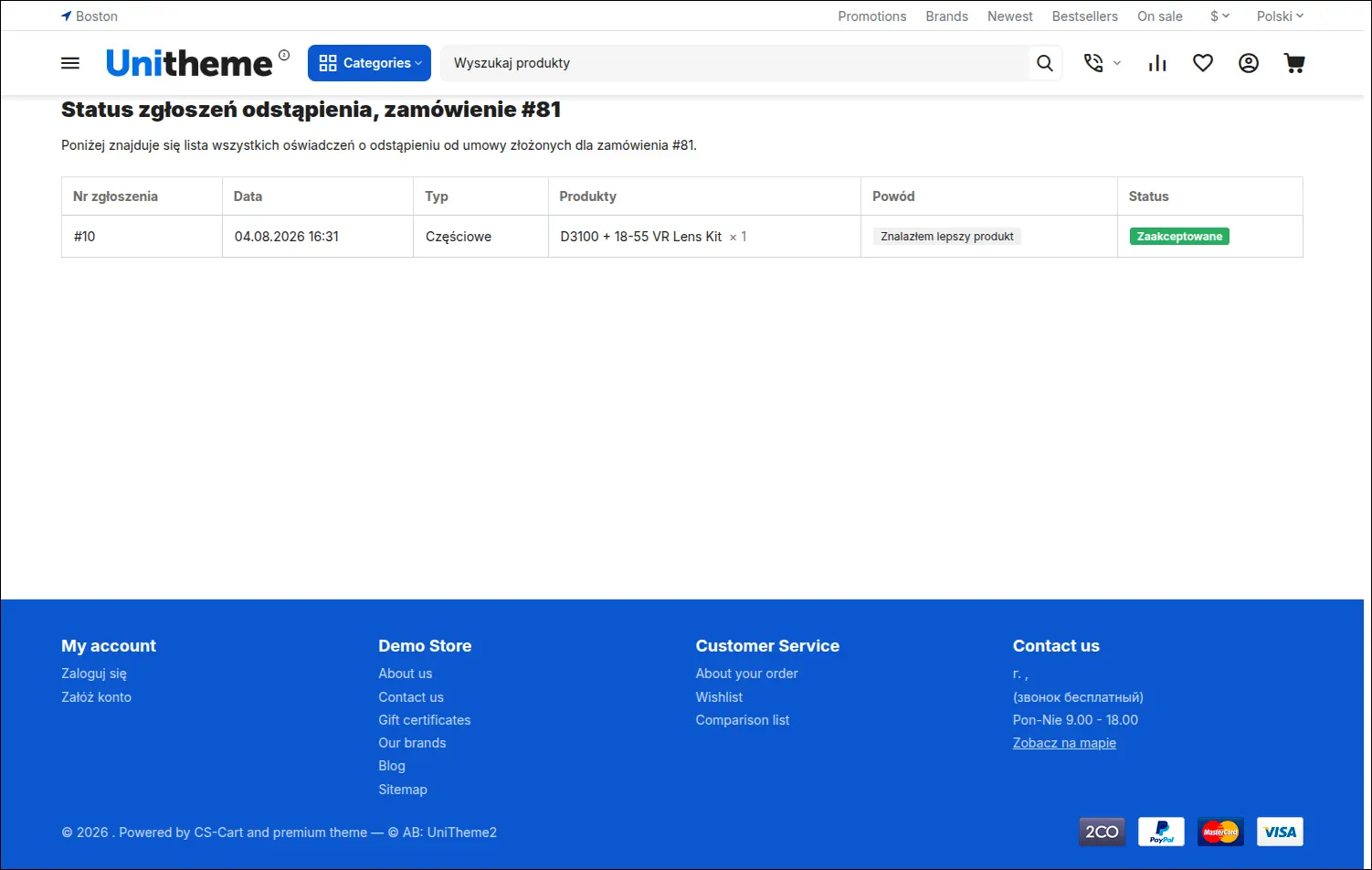
Podgląd statusu zgłoszenia dla kupującego bez konta
Ustawa wymaga, by oświadczenie trafiło do konsumenta na trwałym nośniku. Wiadomość potwierdzająca wysyłana zaraz po złożeniu wniosku zawiera dane konsumenta, treść oświadczenia, datę oraz listę zwracanych pozycji, czyli dokładnie to, czego wymaga przepis:
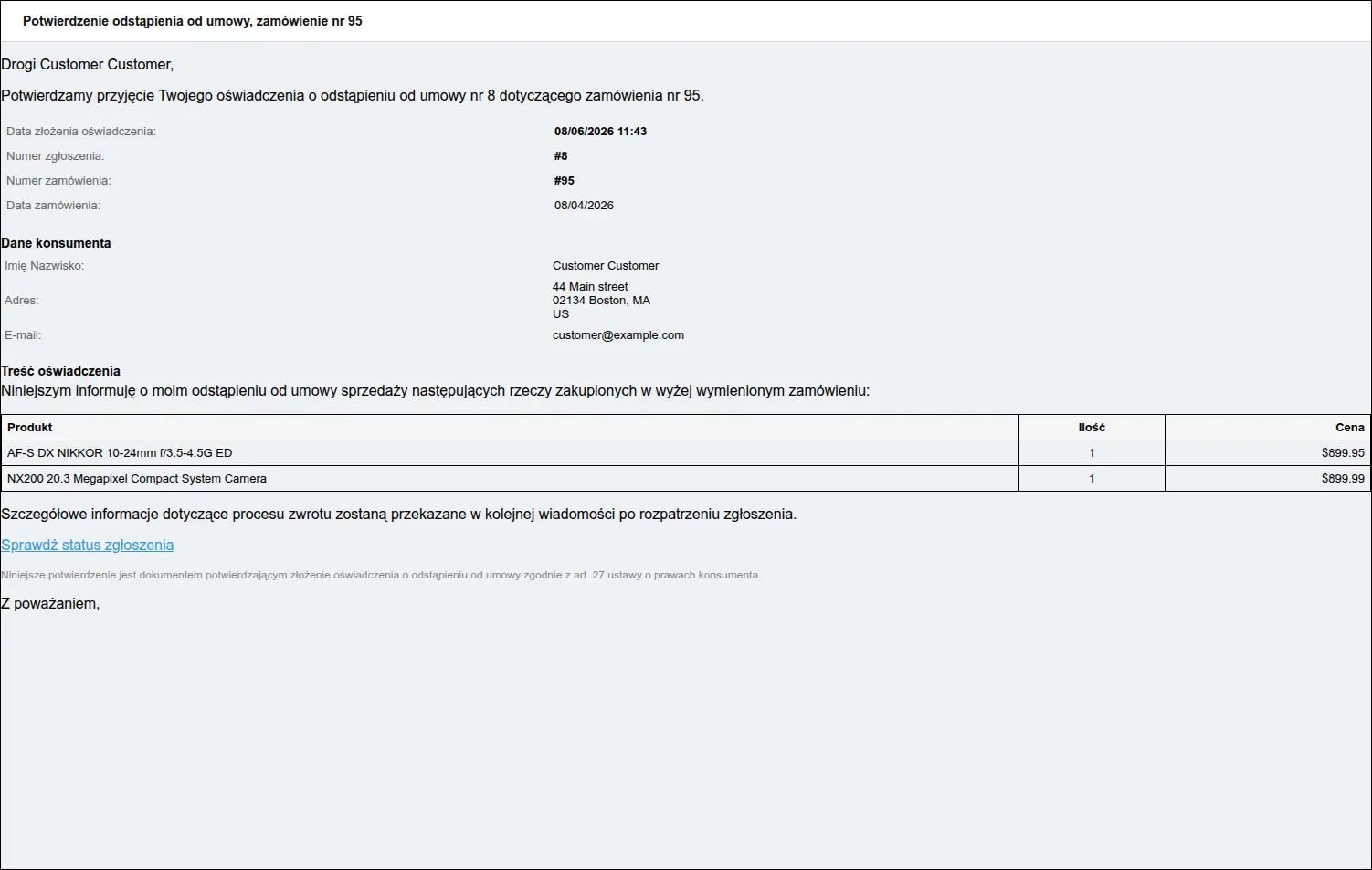
E-mail potwierdzający jako trwały nośnik oświadczenia
Sklep dowiaduje się o sprawie w tej samej chwili. Powiadomienie dla działu zamówień zbiera dane zgłoszenia, dane konsumenta i listę pozycji, a przycisk w treści prowadzi wprost do karty zgłoszenia w panelu:
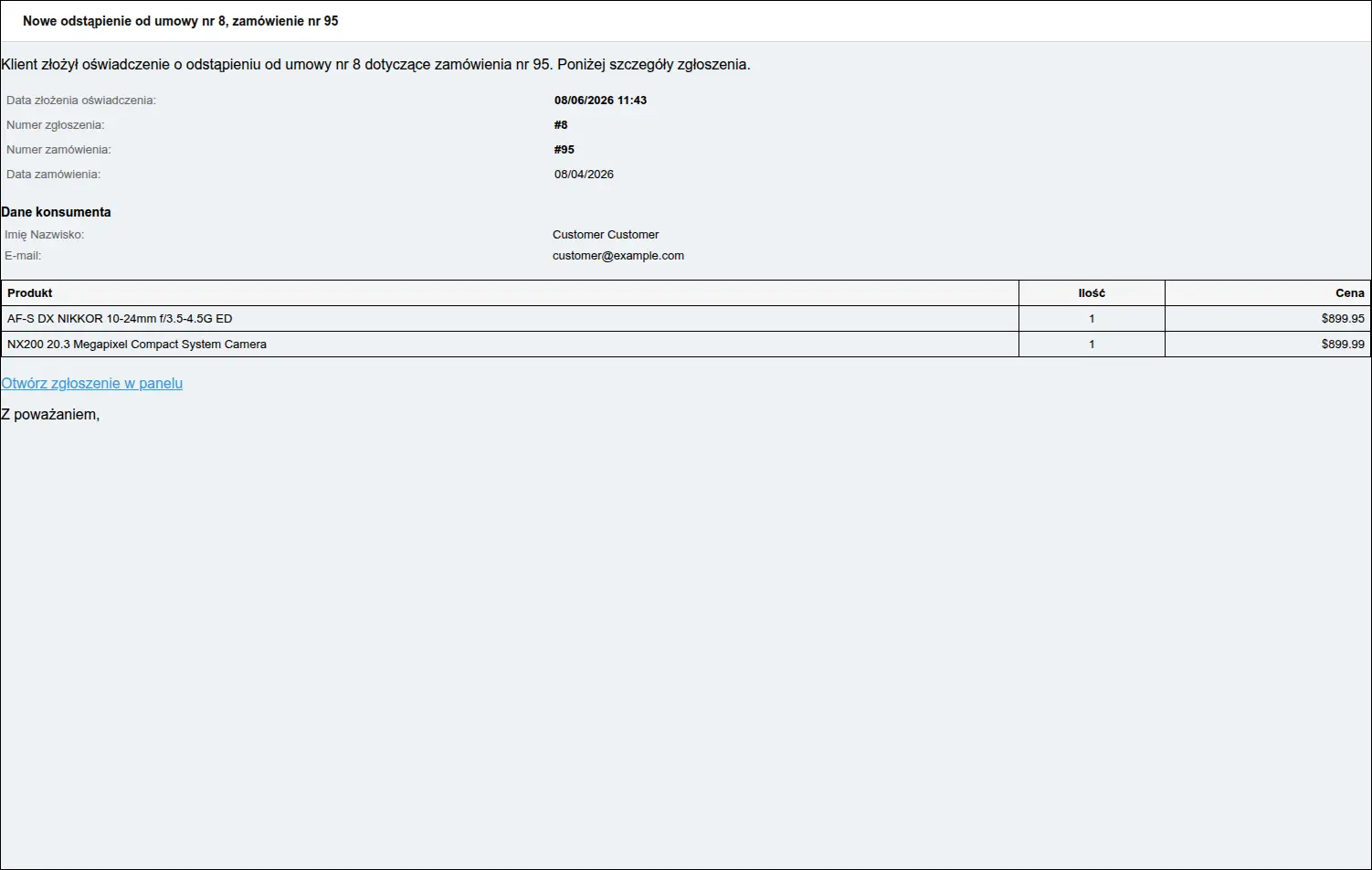
Powiadomienie sklepu o nowym oświadczeniu klienta
Każdy kolejny krok sprawy również jest komunikowany, w języku, w którym klient składał oświadczenie. Wiadomość zawiera opis nowego statusu oraz wyróżniony komentarz od obsługi, jeśli został wpisany:
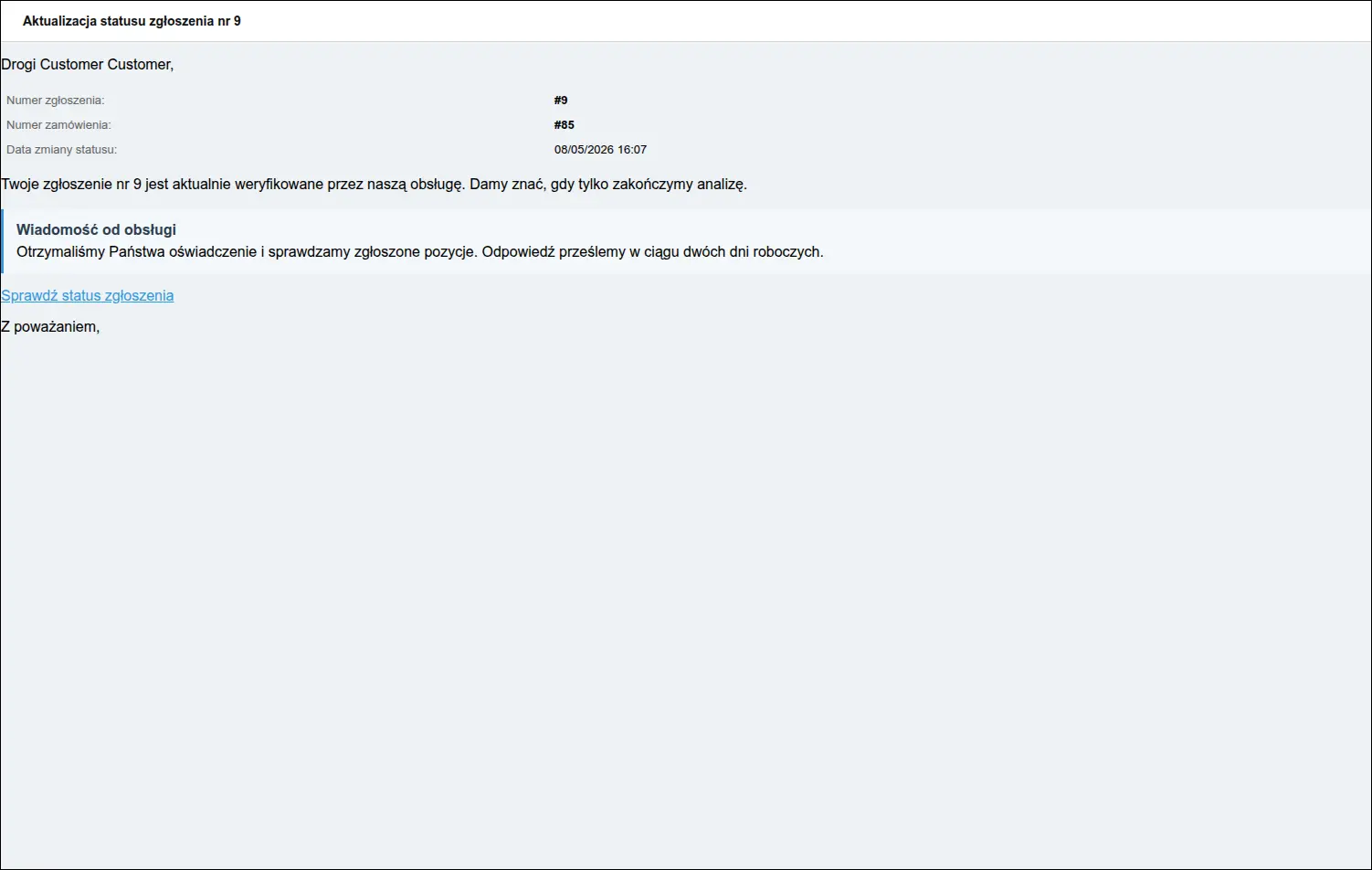
Powiadomienie klienta o zmianie statusu wraz z komentarzem sklepu
Czym to się różni od modułu RMA
- Inny obszar prawny. Moduł RMA obsługuje reklamacje i serwis posprzedażowy, natomiast nasz addon prowadzi ustawowe odstąpienie od umowy, które rządzi się własnym terminem i własnymi wyłączeniami.
- Termin pilnowany automatycznie. RMA nie zna czternastu dni liczonych od zamówienia. Nasz addon sam sprawdza termin i wygasza wejście do formularza, gdy ten upłynie.
- Kupujący bez konta. RMA wymaga zalogowania. Nasz addon obsługuje również te zamówienia, które powstały bez rejestracji, a robi to bez zakładania konta na siłę.
- Ochrona przed duplikatami. RMA pozwala złożyć wiele wniosków na te same pozycje. Nasz addon śledzi już zgłoszone ilości i blokuje ponowne zgłoszenie pozycji, dopóki aktywna sprawa nie zostanie zamknięta.
- Zgodne współistnienie. Przy akceptacji oświadczenia nasz addon zakłada powiązany wniosek RMA, o ile moduł jest w sklepie włączony. Oba rozwiązania pracują razem, każde w swoim obszarze.
Addon Odstąpienie od umowy zamyka lukę, którą standardowy CS-Cart zostawia sklepom działającym na terenie Unii Europejskiej. Klient dostaje prostą drogę do złożenia oświadczenia i pełny wgląd w sprawę, obsługa dostaje jedno miejsce pracy z historią i wiadomościami, a właściciel sklepu dane o tym, dlaczego kupujący rezygnują.
Zapraszamy do kontaktu i zakupu!
Wybierz najbardziej korzystaną dla siebie formę płatności za dodatek. Możesz zapłacić raz i korzystać z dodatku. Wybranie płatności subskrypcyjnej (miesięcznej lub rocznej) oznacza, że za dodatek płaci się w regularnych interwałach czasu i ma się dostęp do najnowszych wersji addona oraz wsparcia technicznego.
- Płatność jednorazowa
- Store Bulider
- Multi-Vendor
- 4.21.x
- 4.20.x
- 4.19.x
- 4.18.x
- 4.17.x
- 4.16.x
- 4.15.x
- Bez zmian w kodzie
Nie znaleziono opinii