


Flow__
Verified purchase


An extension for Store Builder and Multi-Vendor that turns a question about sales into a finished report and keeps it in the panel for good. The statistics built into the store answer broad questions, while daily work usually calls for a narrow answer: how much a single brand sold in the second quarter, what one business partner bought, how the products of a chosen category performed across individual storefronts. You describe such a question once, save it under a name of your own and return to it whenever it is needed, instead of ordering yet another database query from a developer. The result is displayed in the panel or downloaded as a CSV file, ready for further work in a spreadsheet.
Key Features
- Eleven report types, from products and categories, through customers, to brands broken down by storefront.
- A report saved under its own name, ready to be cloned and used again in the next accounting period.
- Order statuses counted as a sale, set once for the whole store and overridden in an individual report.
- A preview of the result in the panel, before the file reaches a spreadsheet or a business partner.
- CSV export with the separator that suits your spreadsheet: comma, semicolon or tab.
- A matrix of brands and storefronts in three variants: sales value, units sold, and both figures side by side.
The work begins on a single settings screen, where you decide what the store treats as a sale. The list of order statuses comes straight from the store configuration, so it also covers the statuses added by hand for your own processes. The same place holds the choice of the CSV separator, which has a practical effect in Excel installations where the comma serves as the decimal separator, along with the decision whether a report should cover the assortment of every storefront or only the one it was created in
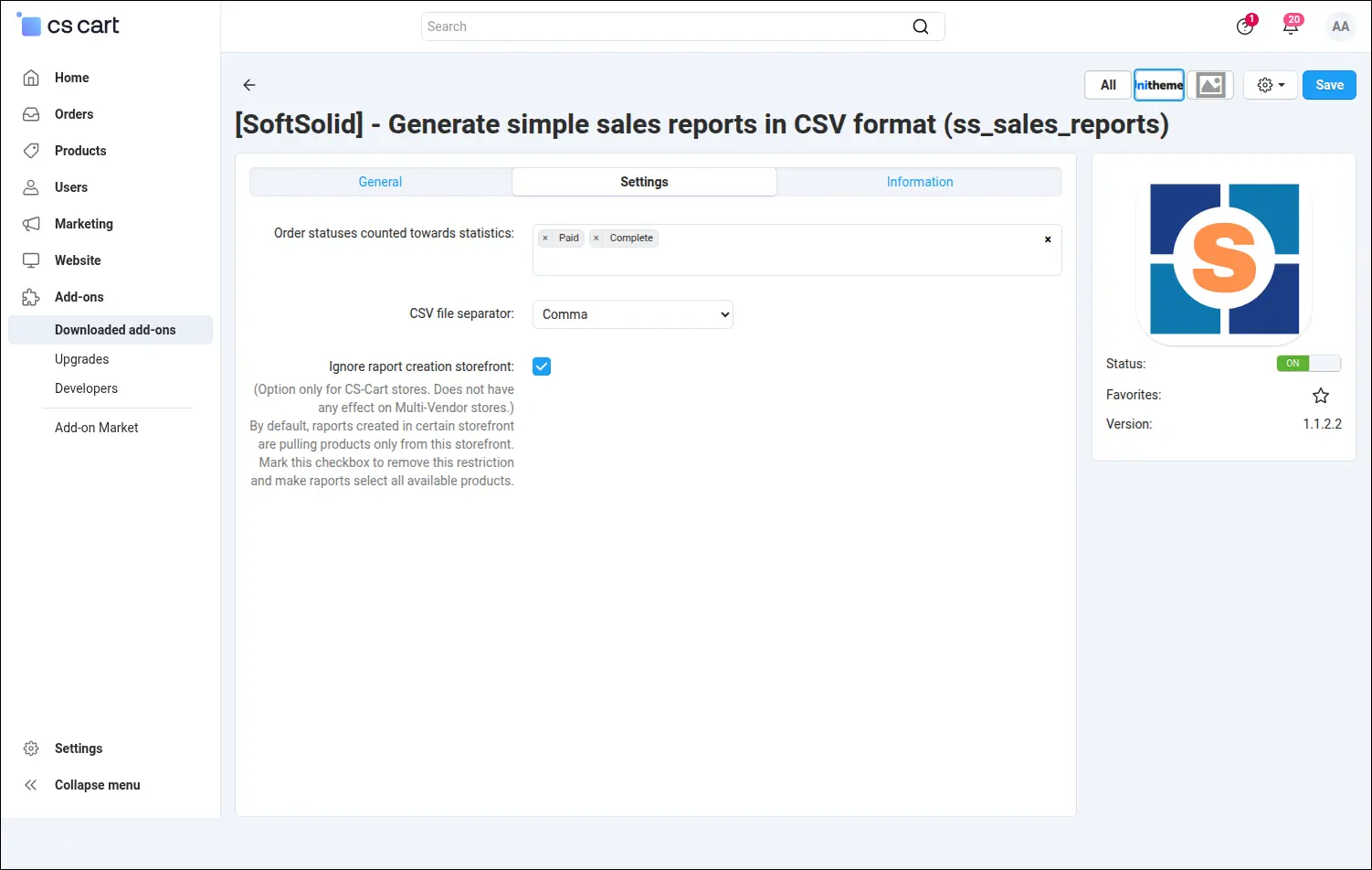
Screenshot 1. Add-on settings decide which order statuses count as a sale.
A report here is no one-off filter but a permanent entry on its own list in the panel. Every position remembers its type, date range, chosen filters and status list, and the action menu next to the row leads straight to editing, preview, file download and cloning. A clone arrives disabled and marked in its name, so a new variant of a summary can be finished in peace, without mixing it with the reports in daily use
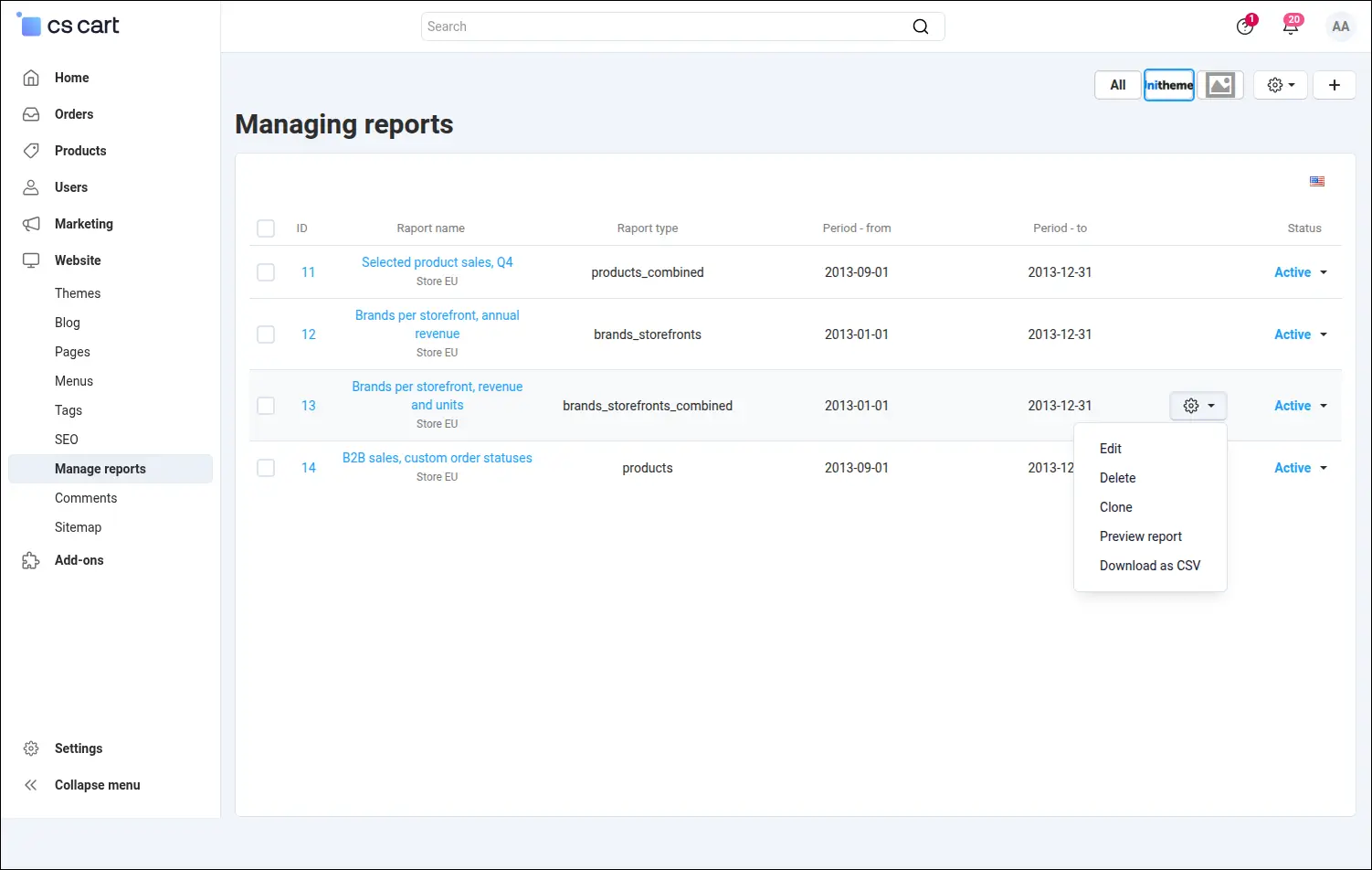
Screenshot 2. Reports defined once wait on the list and recalculate on demand.
The reach of the add-on shows best on the list of report types. It holds product and category summaries, customer reports together with the products bought by a given partner, reports of the brands ordered by customers, and three variants of the brand and storefront matrix. Below the select field the panel prints what each type returns, so the decision is made on the form, without opening the manual
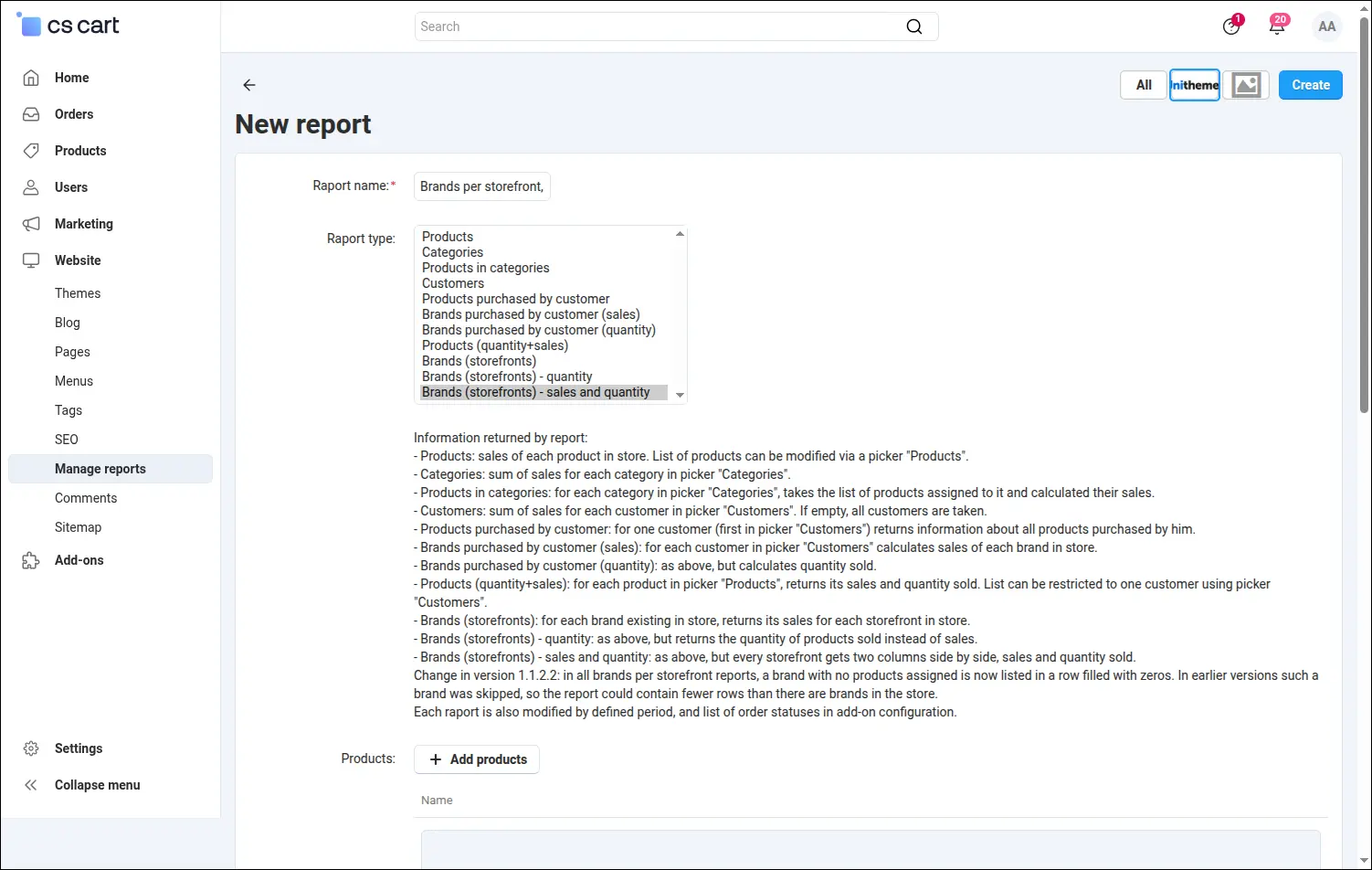
Screenshot 3. Eleven report types cover products, categories, customers and brands.
The rest of the form serves to narrow the data. The product, category and customer pickers are the same controls you know from other panel screens, and the calendar respects the date format configured in the store. One report handles a month, a quarter, a financial year and any unusual period, such as the duration of a promotion. Comparing two periods comes down to cloning the summary and changing two fields
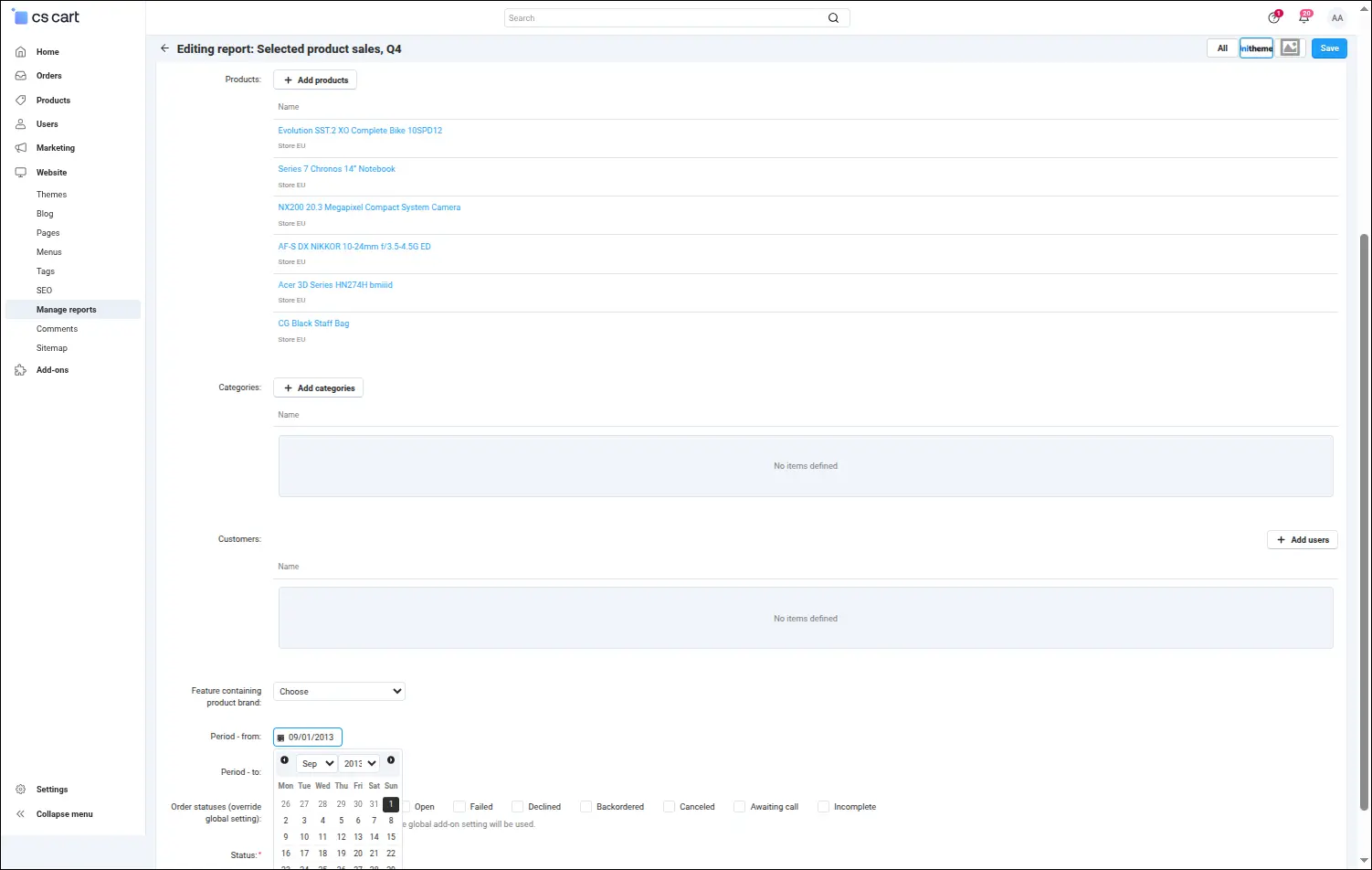
Screenshot 4. Pickers and the date range narrow the report down to the sales you care about.
A separate section of the form solves a difficulty familiar from B2B sales. Ticking statuses directly in the report sets the global setting aside for this one summary, so accounting can work on paid orders while the sales department sees the full turnover next to it, deferred payments included. A field left empty restores the default behaviour, which is why reports created earlier calculate exactly as they did before
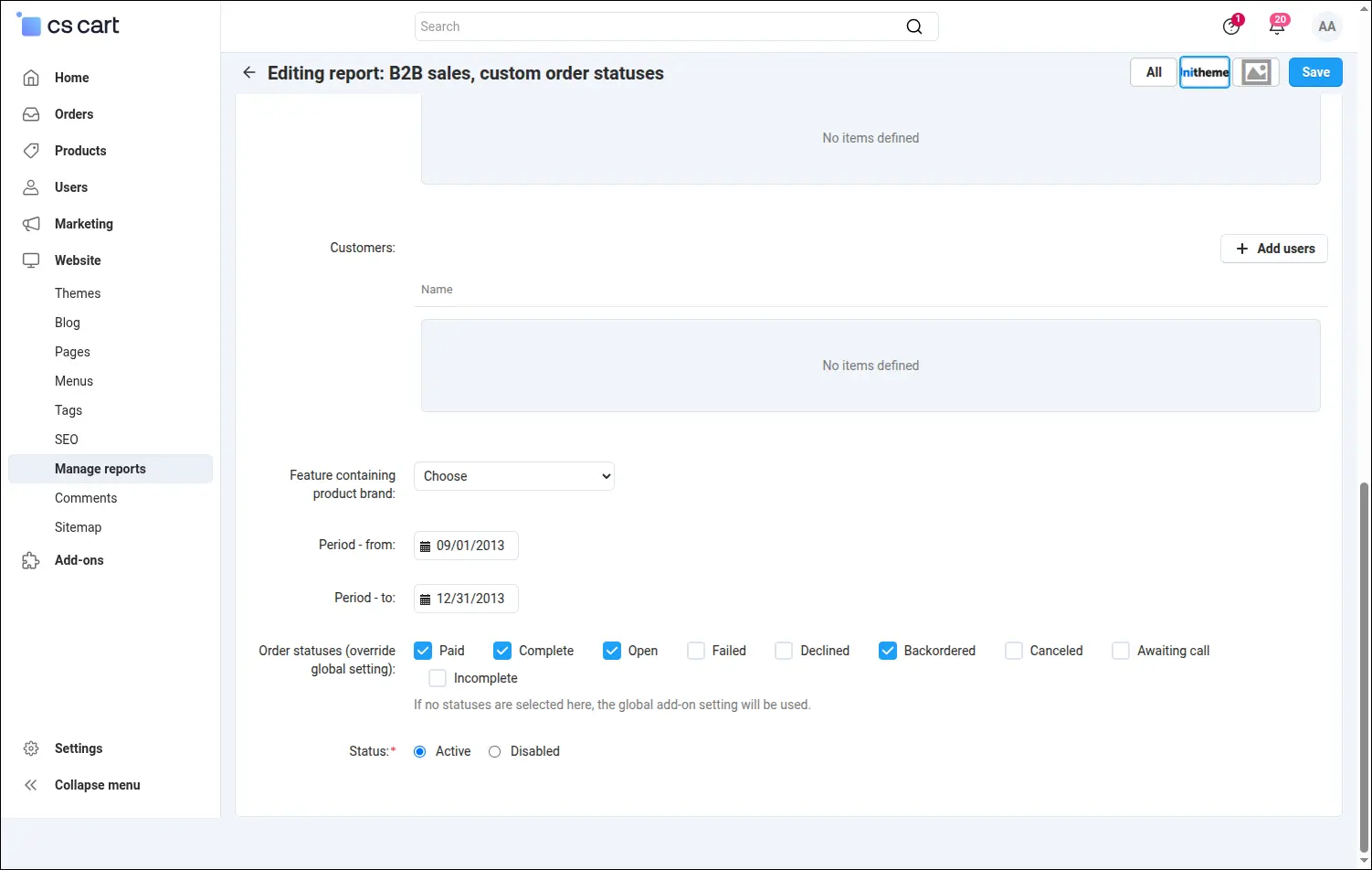
Screenshot 5. A single report can count different order statuses than the rest of the store.
The result is verified on screen, in a table laid out to match the chosen type. The preview of a product report puts together the product name, its code and the number of units sold in the given period, while the header recalls which date range the figures belong to. Before the file reaches a spreadsheet or a business partner, you can see whether the report definition covers exactly what it was meant to cover
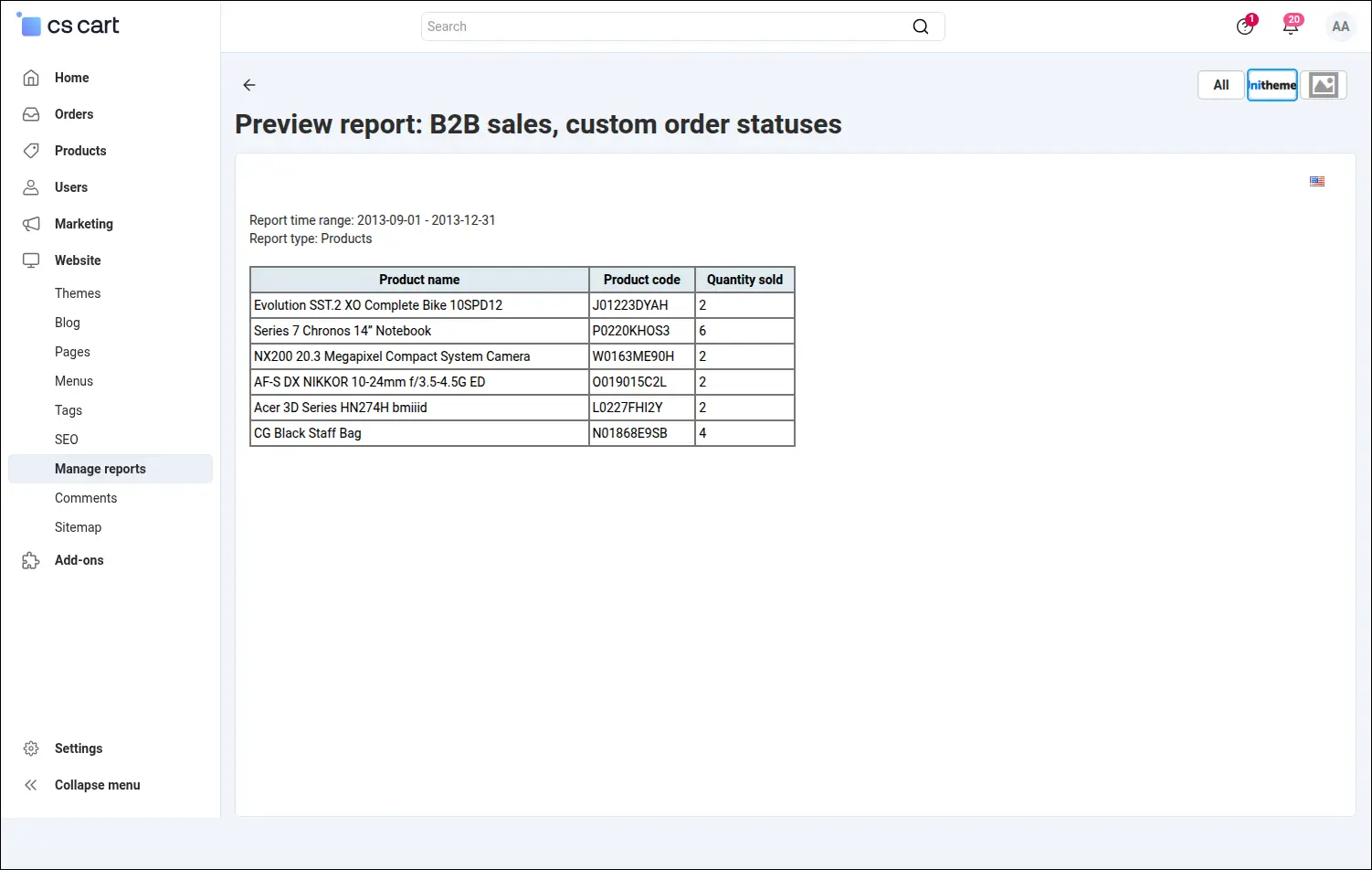
Screenshot 6. The result appears in the panel, so the report definition can be checked before downloading.
Stores running several storefronts reach for this add-on mainly for the matrix reports. Brands occupy the rows, storefronts form the columns, and every cell gives the result of a given brand on a given market. A brand without sales stays in the summary with a zero, so the number of rows matches the number of brands in the store and nothing is lost along the way. CS-Cart keeps no separate brand entity, so the report asks directly which product feature plays that role and rests on a structure the store already has
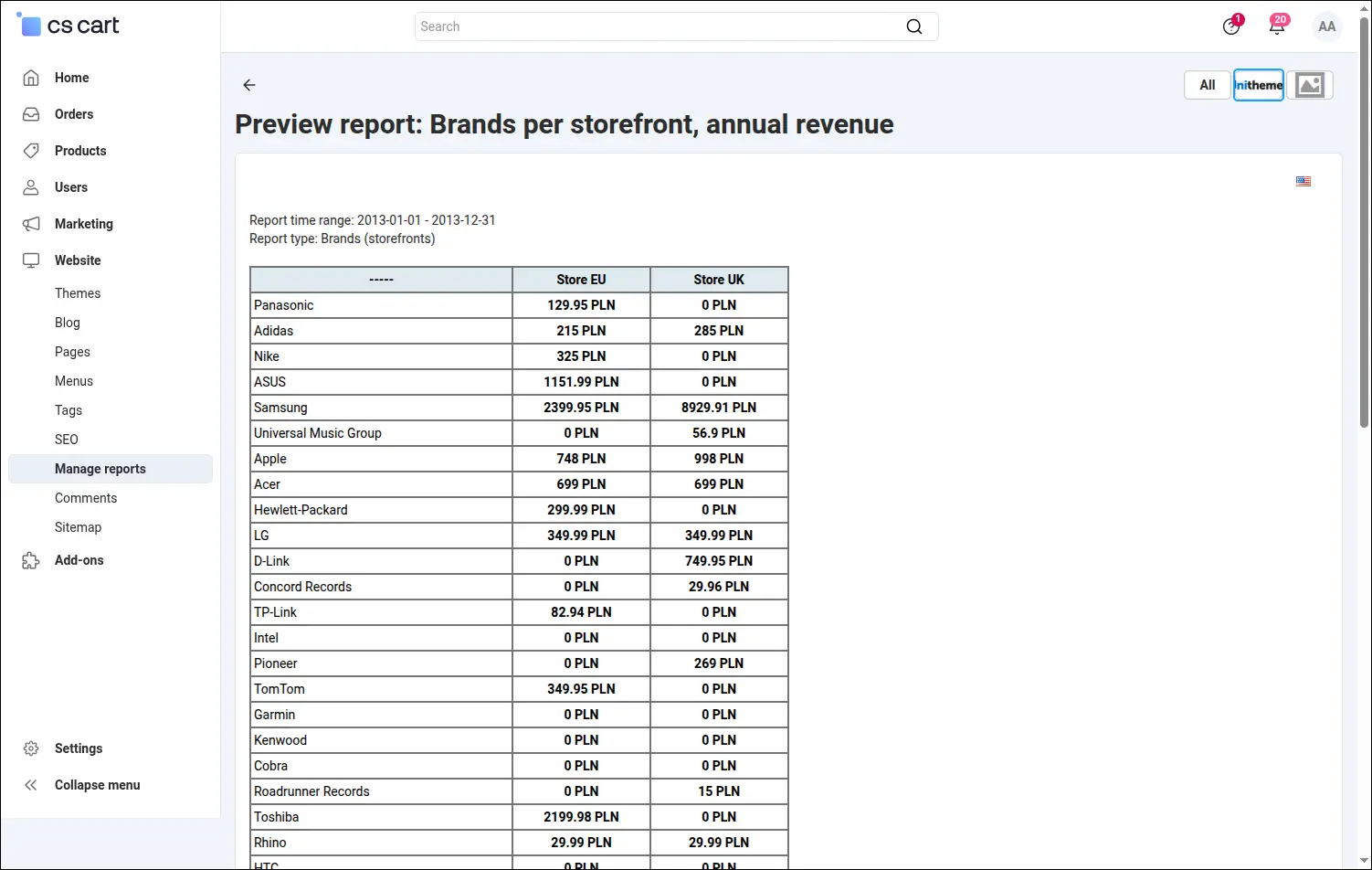
Screenshot 7. Brands in rows, storefronts in columns, every brand's result on every market.
The combined variant goes one step further and gives every storefront a pair of columns: sales value and units sold. The header becomes two-level, and a conversation with a brand owner or a supplier takes place over one table instead of two files stitched together by hand. Value and volume are read at a glance, in the downloaded CSV file as well
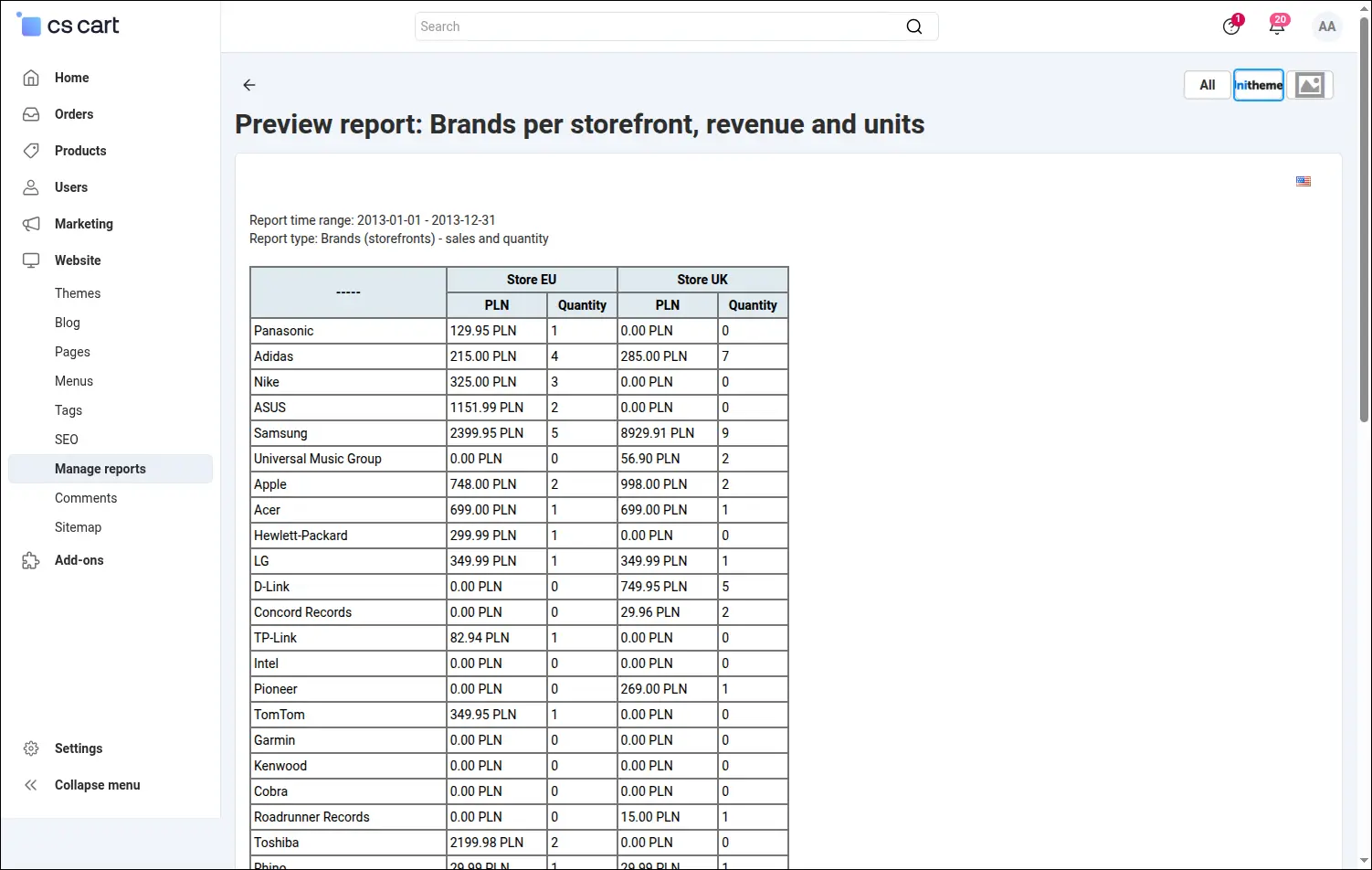
Screenshot 8. Sales value and units side by side, a separate pair of columns for each storefront.
Every figure comes from store data alone, meaning the orders and their items. The add-on uses no external service, needs no cron job and changes nothing in core code, and a report recalculates each time it is opened, against the current state of orders. In Multi-Vendor the reporting module also reaches the vendor panel, where a vendor sees their own orders only, while in CS-Cart Ultimate one definition serves both a view across a group of storefronts and a view of a single store. A monthly summary then comes down to two clicks.
Feel free to contact us and purchase the add-on!
Choose the most convenient form of payment for the add-on. You can pay once and use the add-on. Choosing a subscription payment (monthly or annual) means that you pay for the add-on at regular intervals and have access to the latest versions of the addon and technical support.