


marek
Verified purchase

| CODE | Payment method | Price | ||
|---|---|---|---|---|

|
407
ss_baselinker
2025-12-28
1.1.5.3
|
1375.00 PLN
(Price without tax) |
||
|
|
589
ss_baselinker_sub_1Y
2025-12-28
1.1.5.3
|
1000.00 PLN
/year
(Price without tax) |
||
|
|
588
ss_baselinker_sub_1M
2025-12-28
1.1.5.3
|
100.00 PLN
/month
(Price without tax) |

Extension for Store Builder and Multi-Vendor that links your store with the BaseLinker platform both ways. If you sell across many channels and want to run your warehouse and orders in one place, the integration takes manual data rewriting off your hands. BaseLinker connects to the store through an integration file and pulls categories, products, prices and stock, while the add-on additionally sends store orders to BaseLinker, imports products and orders the other way, and lets the customer pick a collection point right at checkout.
Key Features
- Two-way synchronization of products, stock and prices through an integration file protected by a communication password.
- Order exchange both ways: sending orders from the store to BaseLinker and importing orders from BaseLinker into the store.
- Flexible SKU, EAN and brand code building plus separate product name and description fields meant only for BaseLinker.
- A pickup point map at checkout and saving the chosen parcel locker or point with the order.
- Per-seller configuration in Multi-Vendor, where each seller connects their own BaseLinker account.
- An event logger and a testing dashboard for quick connection and method diagnostics.
You start the setup in the General section. This is where you set the communication password and copy the data exchange address, which you then paste into the integration configuration on the BaseLinker side. These two values are enough to connect the store with the platform:
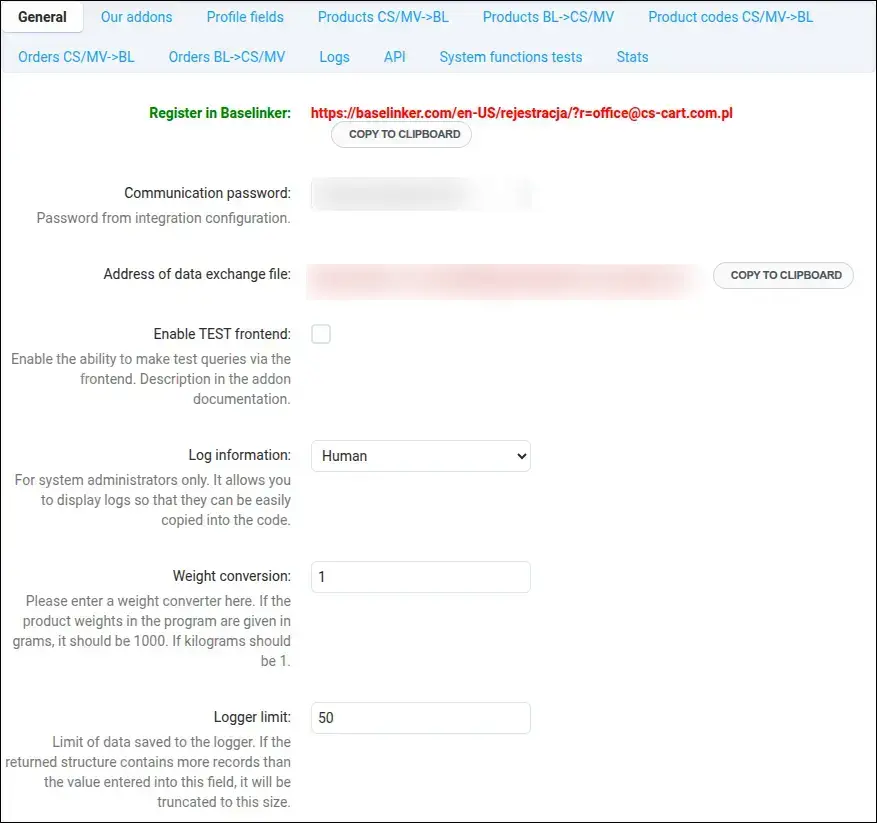
Screenshot 1
In the Profile fields section you indicate which form fields hold the customer's company data. Thanks to that, the tax ID, company name or invoice declaration reach the right order fields in BaseLinker right away, with no manual entry:
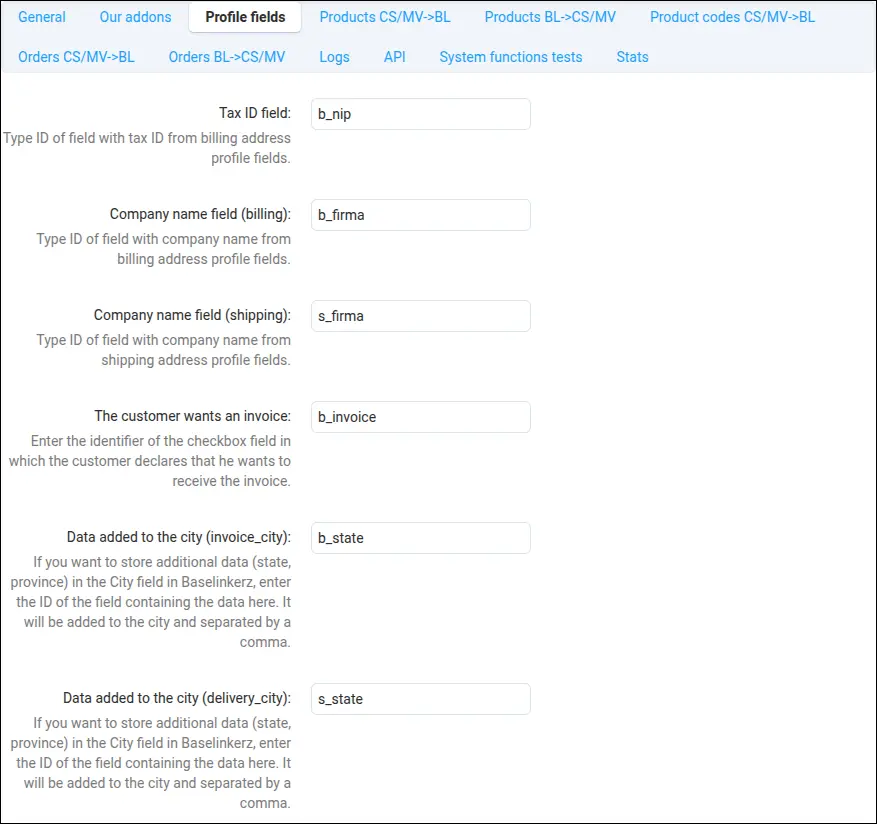
Screenshot 2
Product export stays fully under your control. You decide which product statuses to send, in which currency and language, whether to use the promotion price and how to treat variants. The store then presents consistent prices and stock across sales channels:
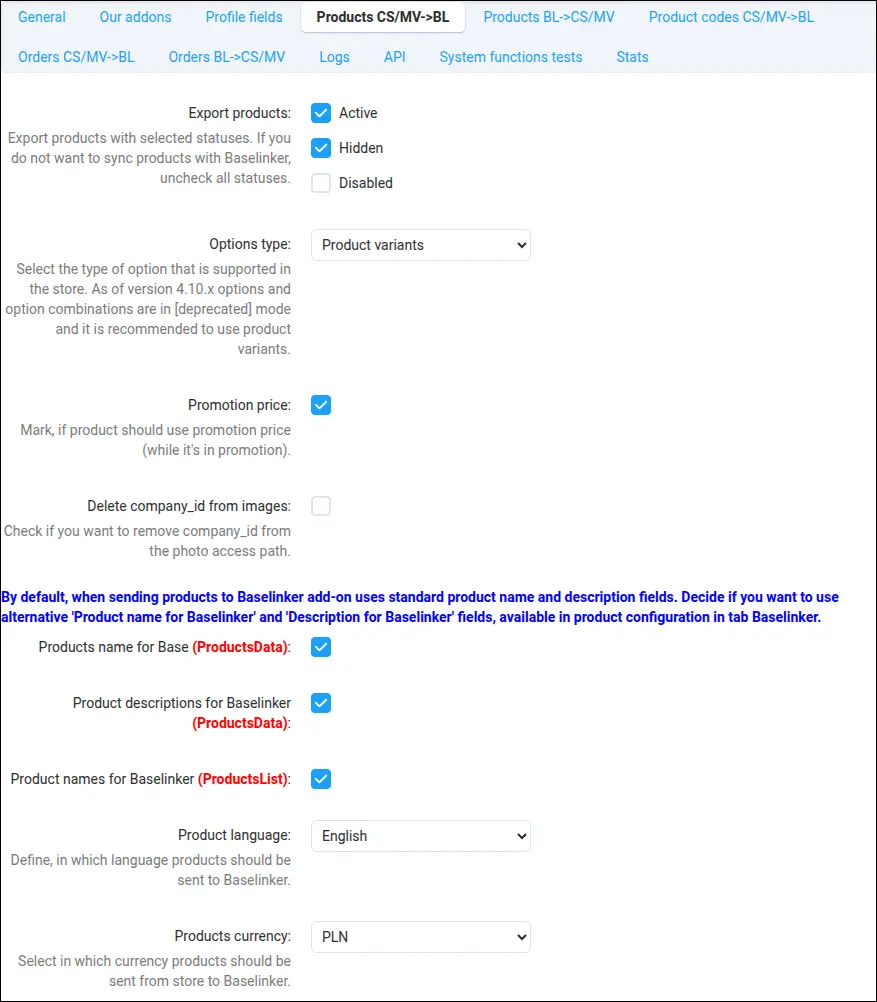
Screenshot 3
You assemble product codes exactly as your catalog and accounting software require. The SKU, EAN and brand are taken from the product code or built from features using your own pattern, with a separate rule for variants:
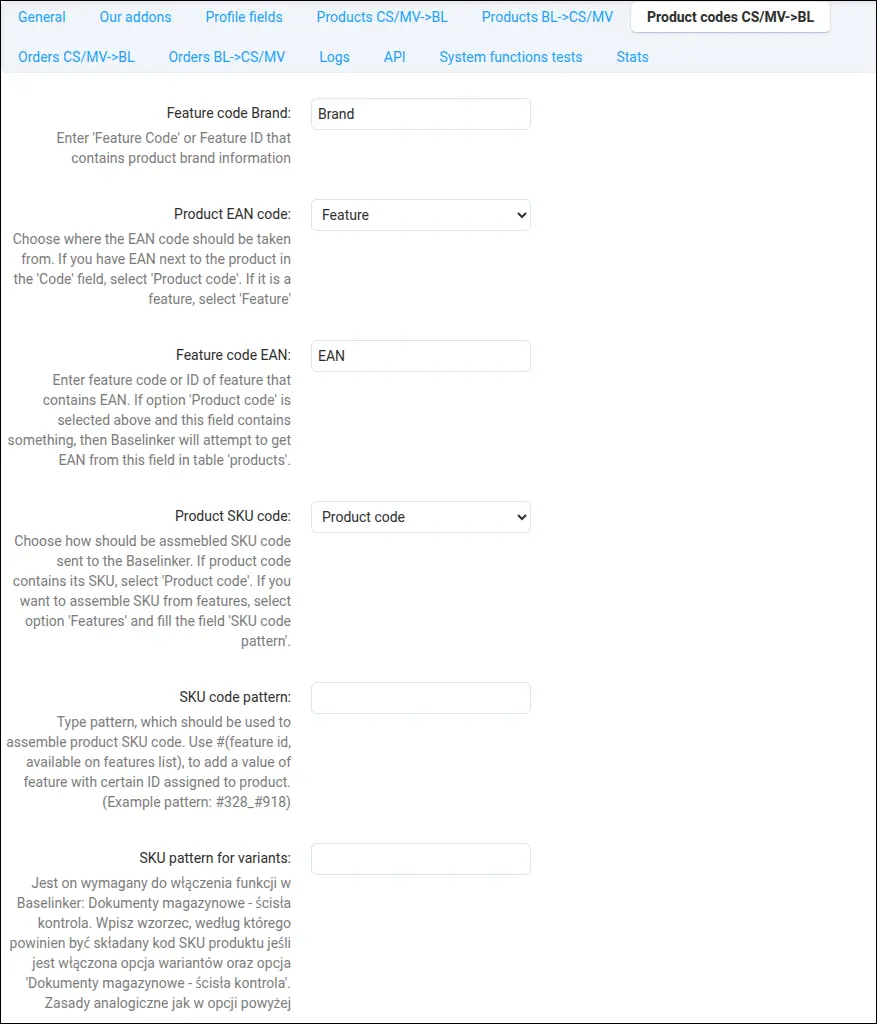
Screenshot 4
Products created in BaseLinker can feed the store catalog. You set the default status, price updates, the tax rate and categories, while feature import with an update mode protects the catalog against an uncontrolled growth of variants:
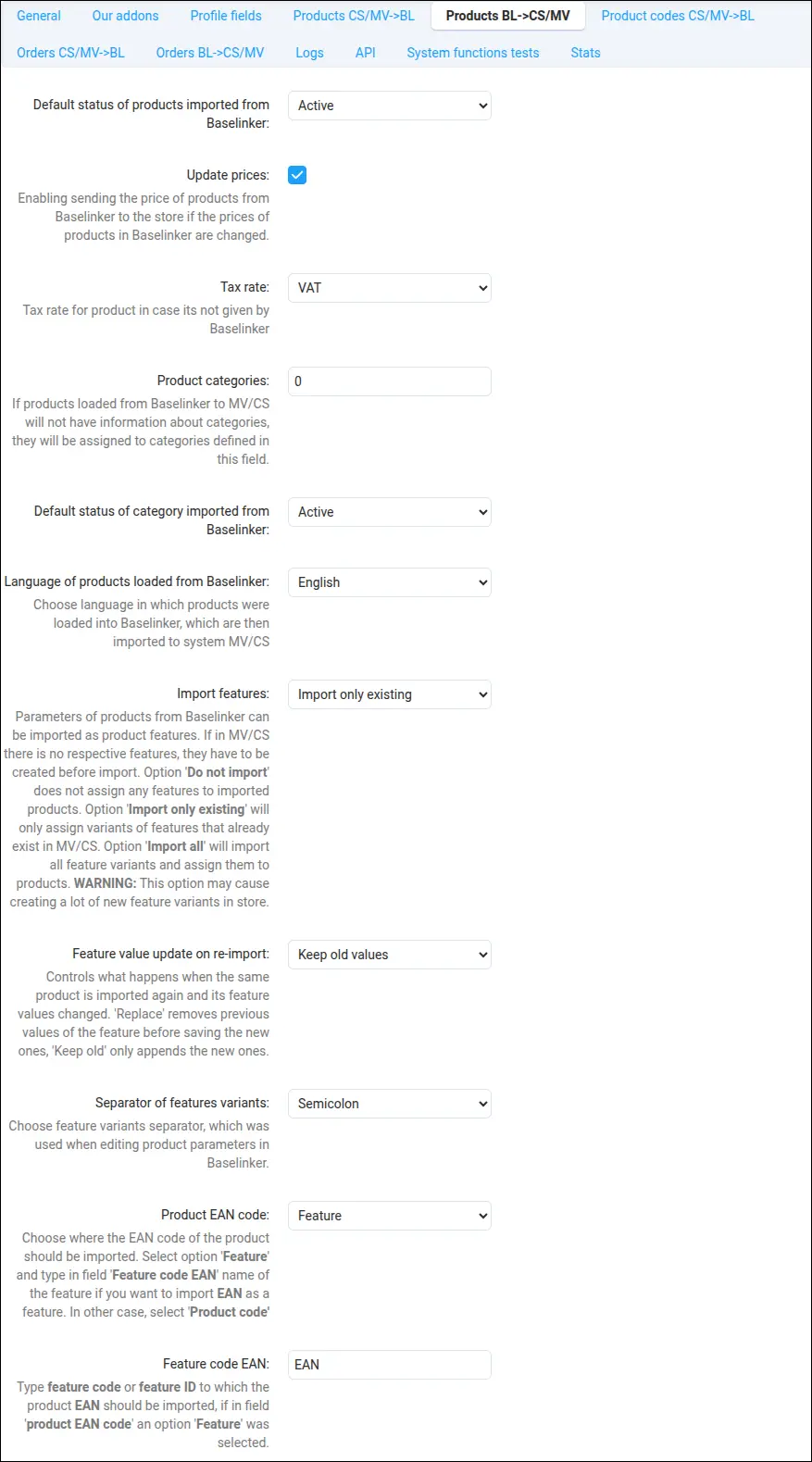
Screenshot 5
Orders placed in the store are sent to BaseLinker ready for handling and invoicing. You pick the statuses to send, mark cash on delivery payments and paid statuses, and pass discounts and surcharges in a way that is friendly to accounting:
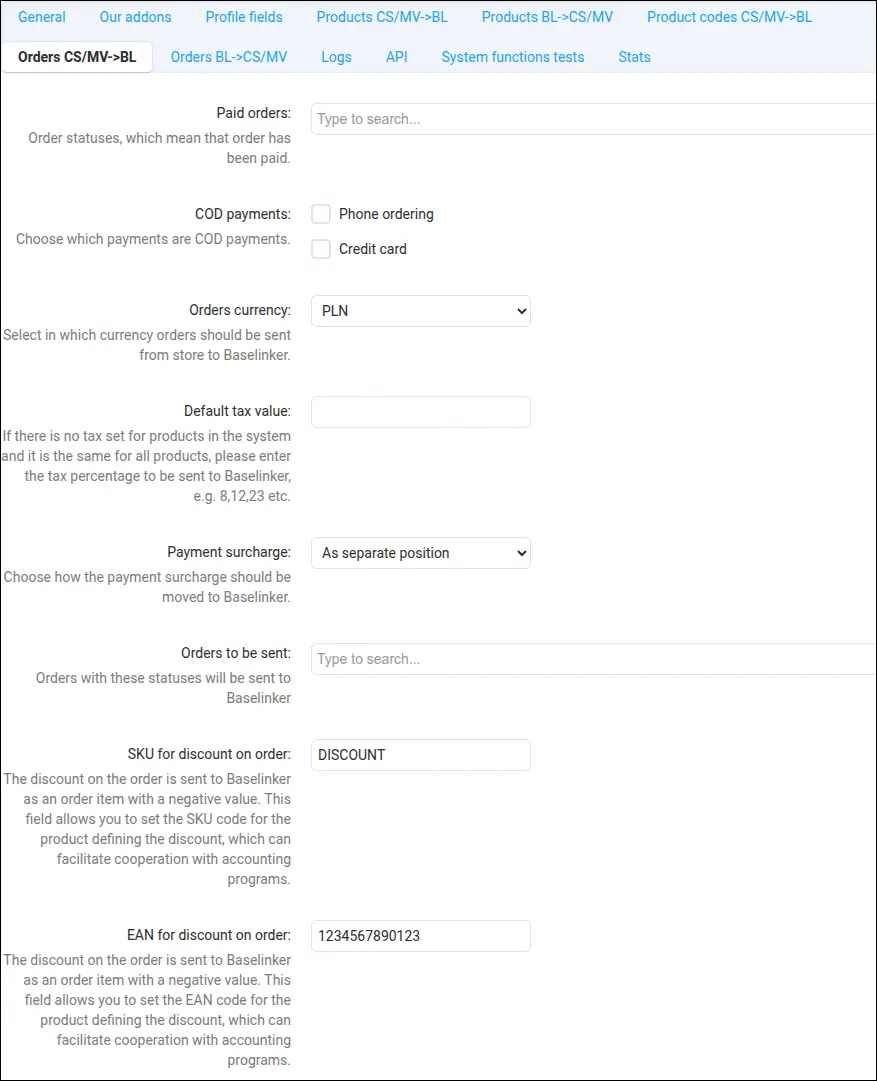
Screenshot 6
The other way around, orders from BaseLinker reach the store as full orders. You set the default shipping and payment, the status marking payment, and decide whether to apply promotions when transferring the order:
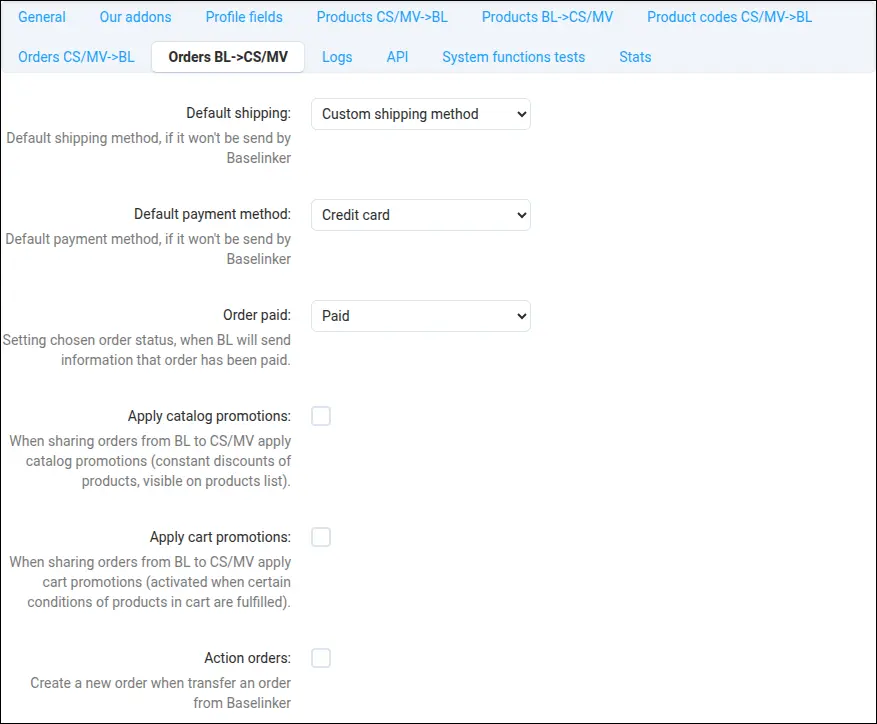
Screenshot 7
You enable logging selectively, separately for each integration method. This keeps the noise down and leaves a record only where you really need it:
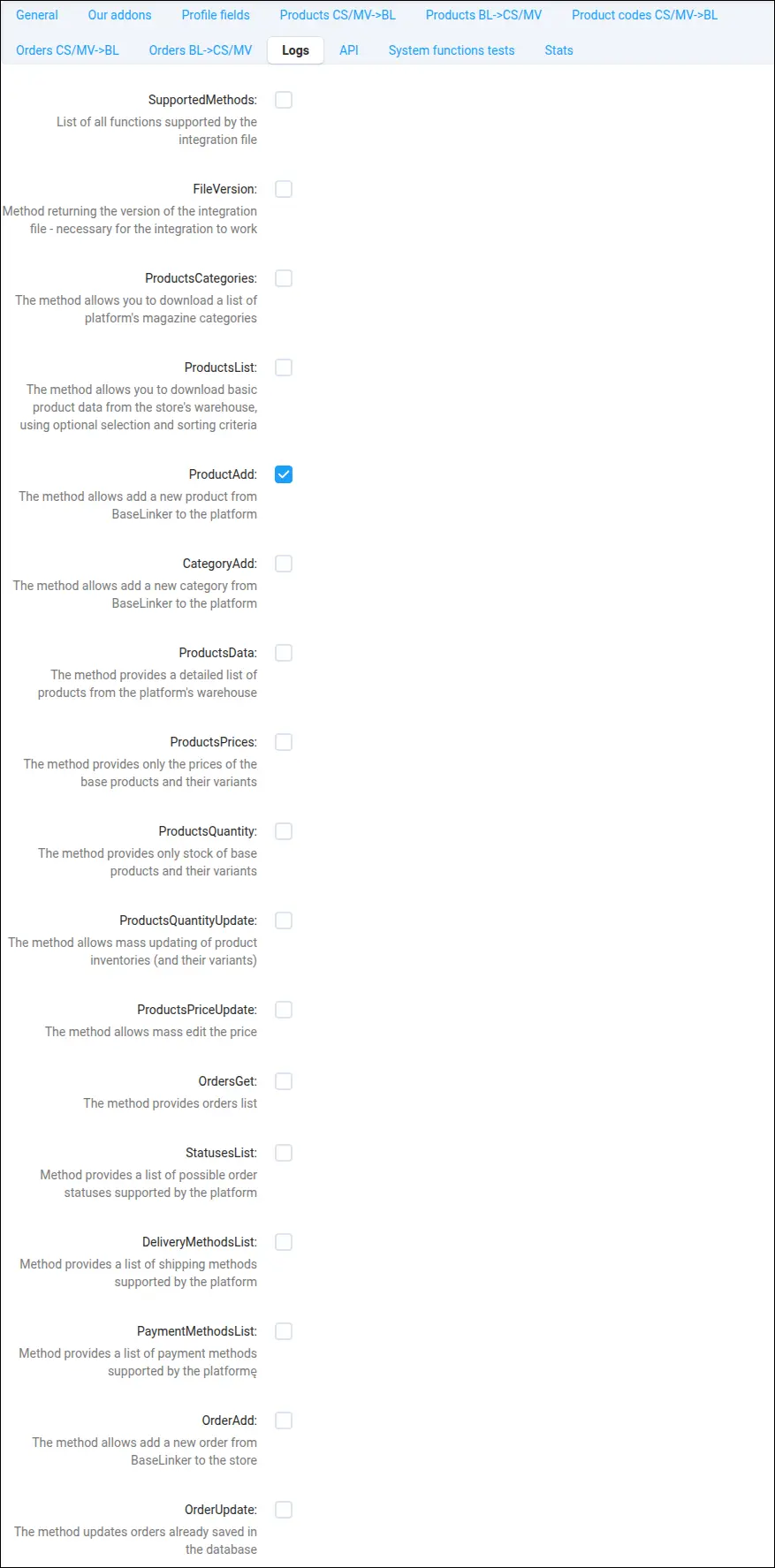
Screenshot 8
In the API section you save the BaseLinker token needed to send orders from the store to the platform. This single field opens the path for orders heading toward BaseLinker:
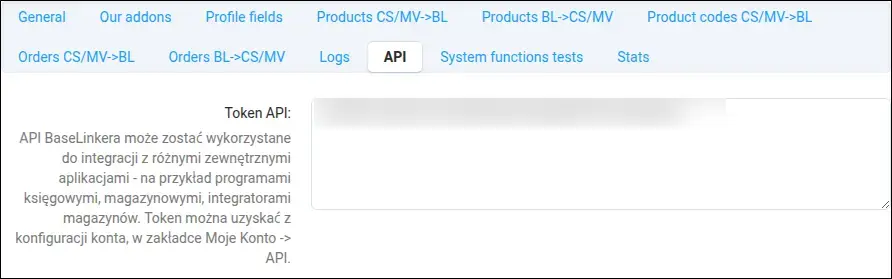
Screenshot 9
The testing dashboard is your diagnostics hub. You see statistics, choose a method and storefront, and the live test button shows how the add-on resolves the context, with no real call to the platform. You locate integration problems in moments:
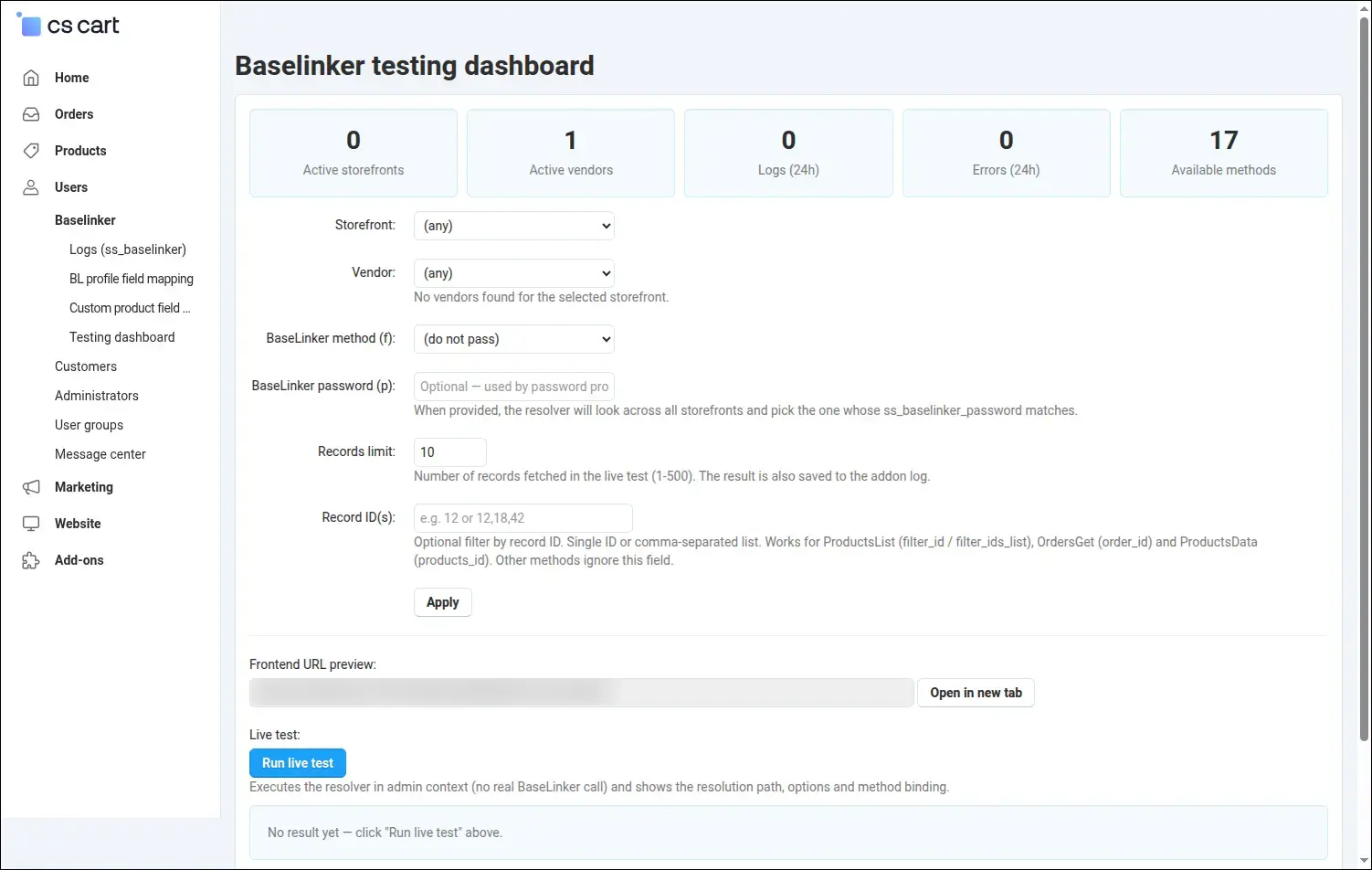
Screenshot 10
You move more than standard fields to BaseLinker. In field management you map additional order data, for example phone, email or notes, onto chosen fields on the platform side:
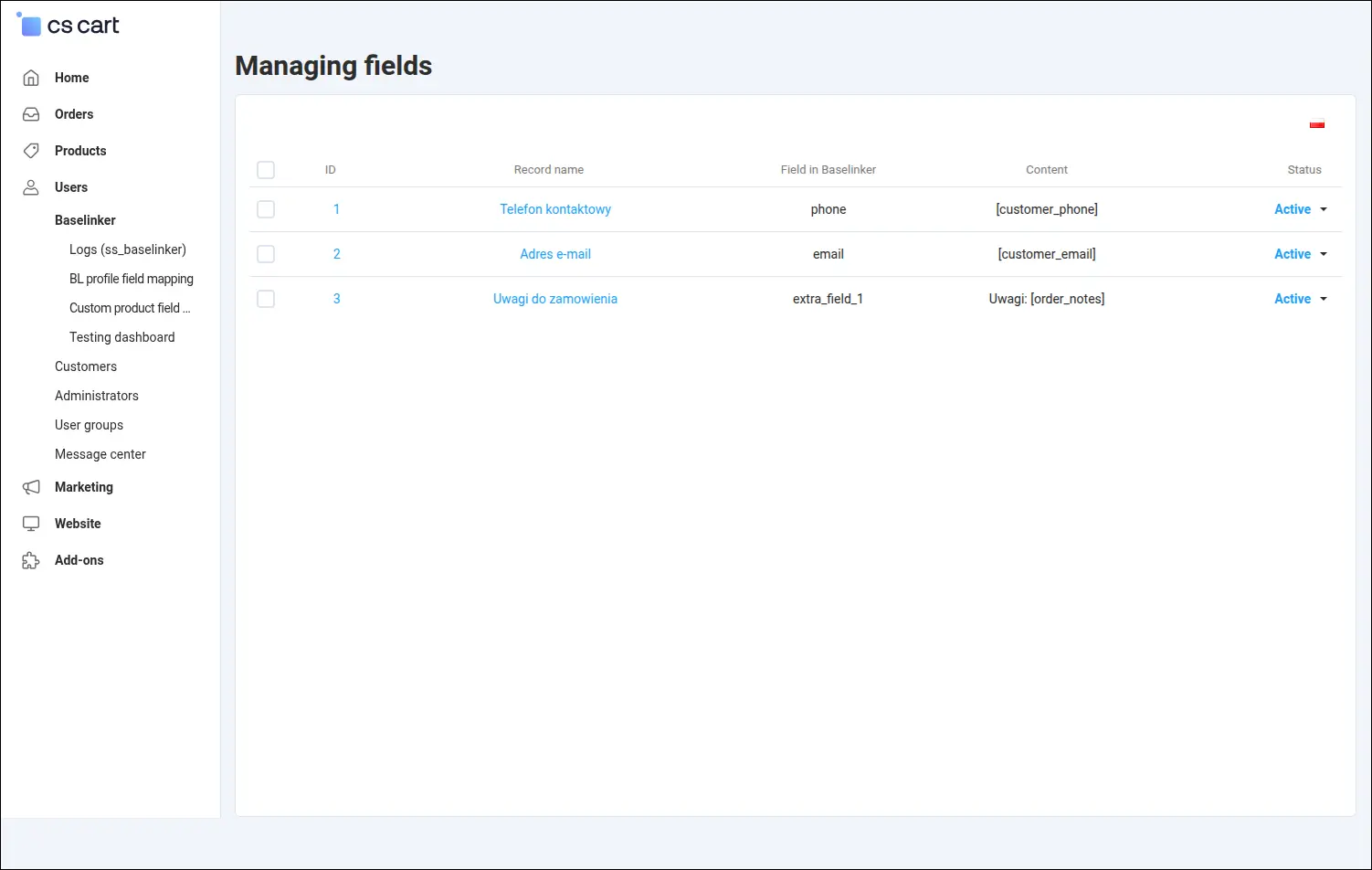
Screenshot 11
Product mappings work the same way. Here you match additional product fields, such as EAN, weight or brand, to the fields BaseLinker expects, adapting the data structure to your processes:
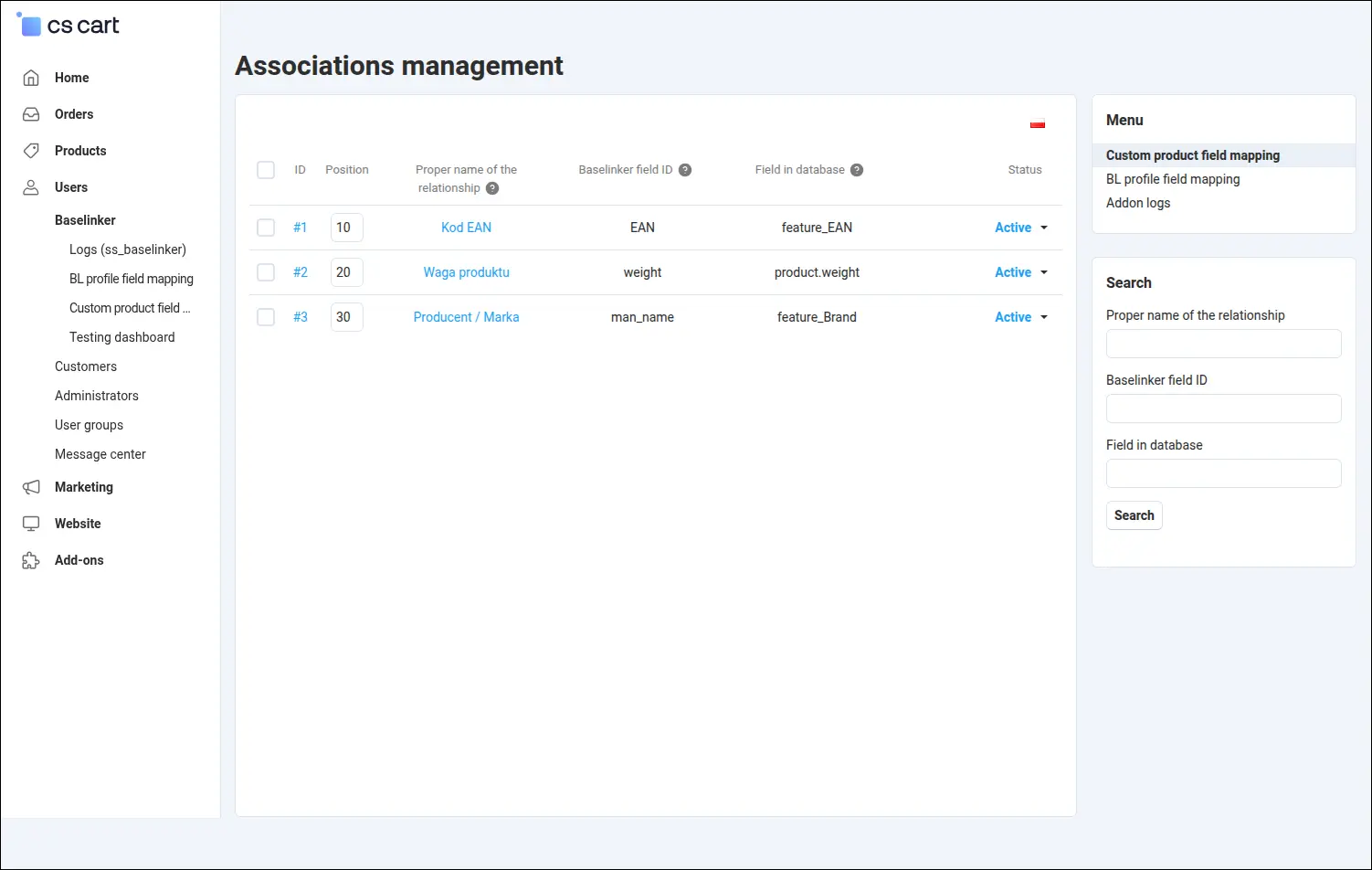
Screenshot 12
Every product gains a separate tab with a name and description meant only for BaseLinker. Content prepared for marketplaces can differ from the store presentation, and you manage it all in one place:
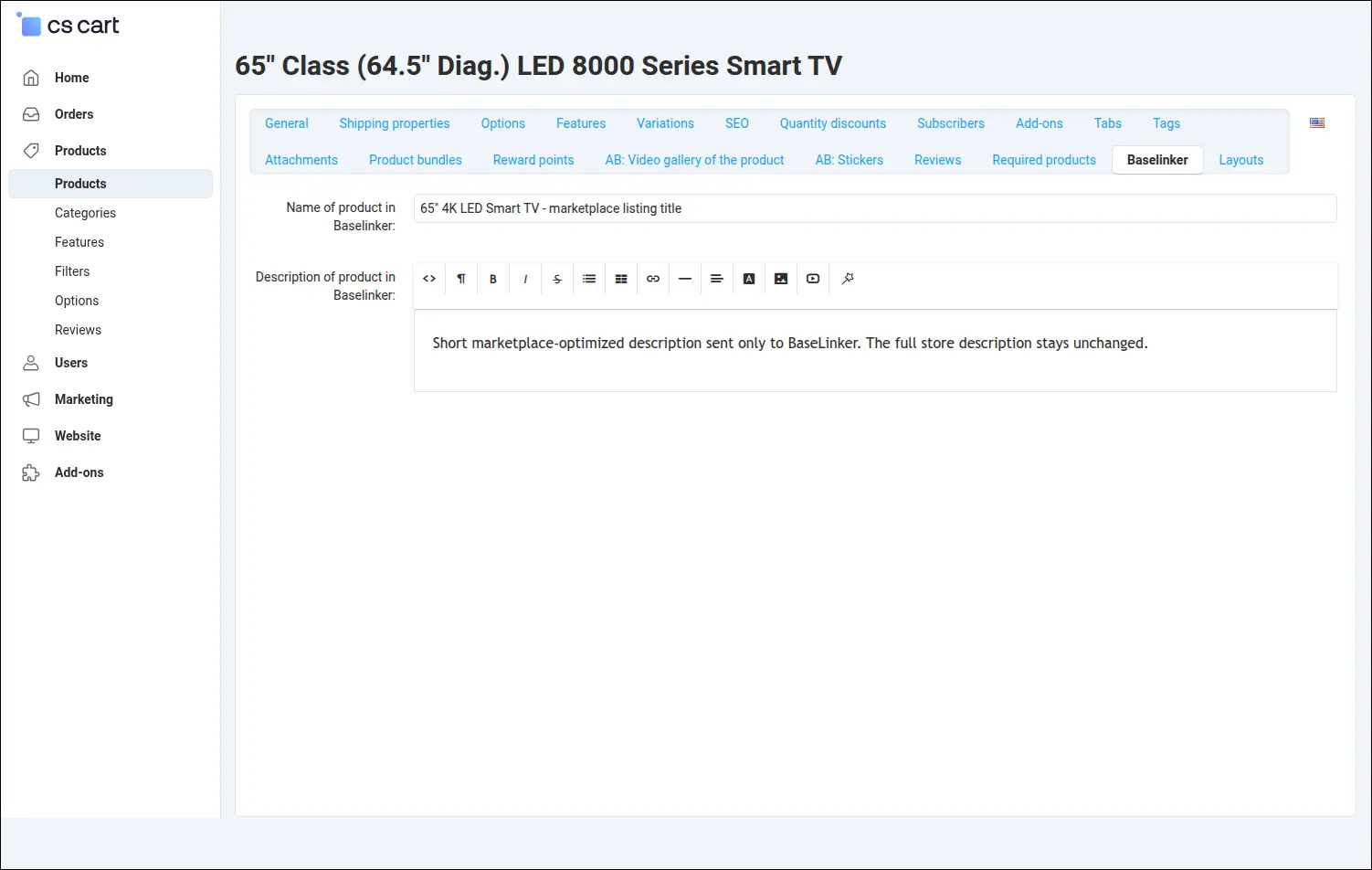
Screenshot 13
For selected shipping methods you enable the pickup point map and choose the supported networks, such as parcel lockers and courier points. The customer picks a convenient point right at checkout, and you see that choice with the order and on documents:
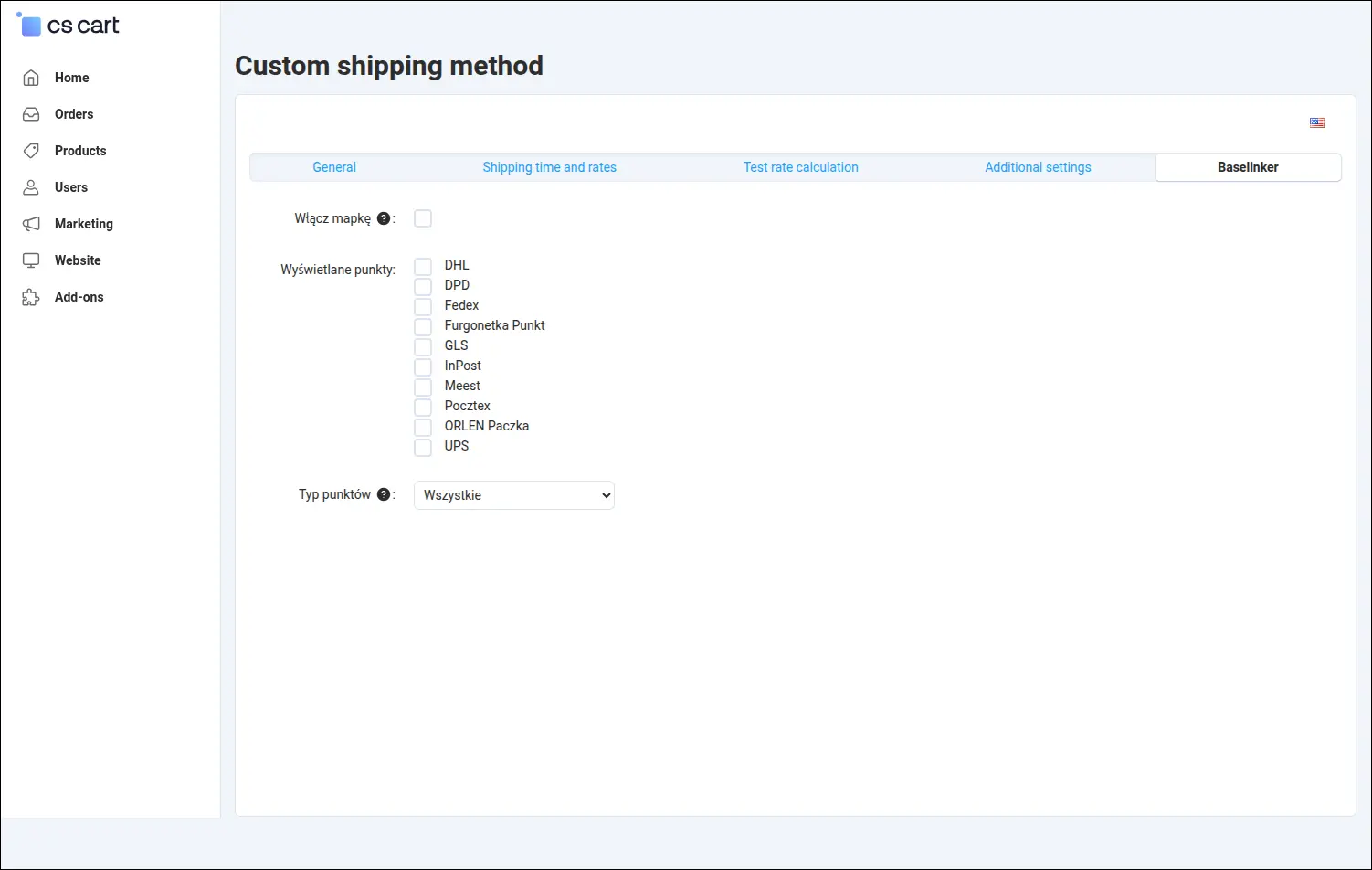
Screenshot 14
Configuration on the BaseLinker side
You set the other half of the connection in the BaseLinker panel. A store integrated through the add-on appears in the integrations list as the Multi-Vendor/CS-Cart type, with the scope of fetched and sent data visible. This is where you open the connection settings:
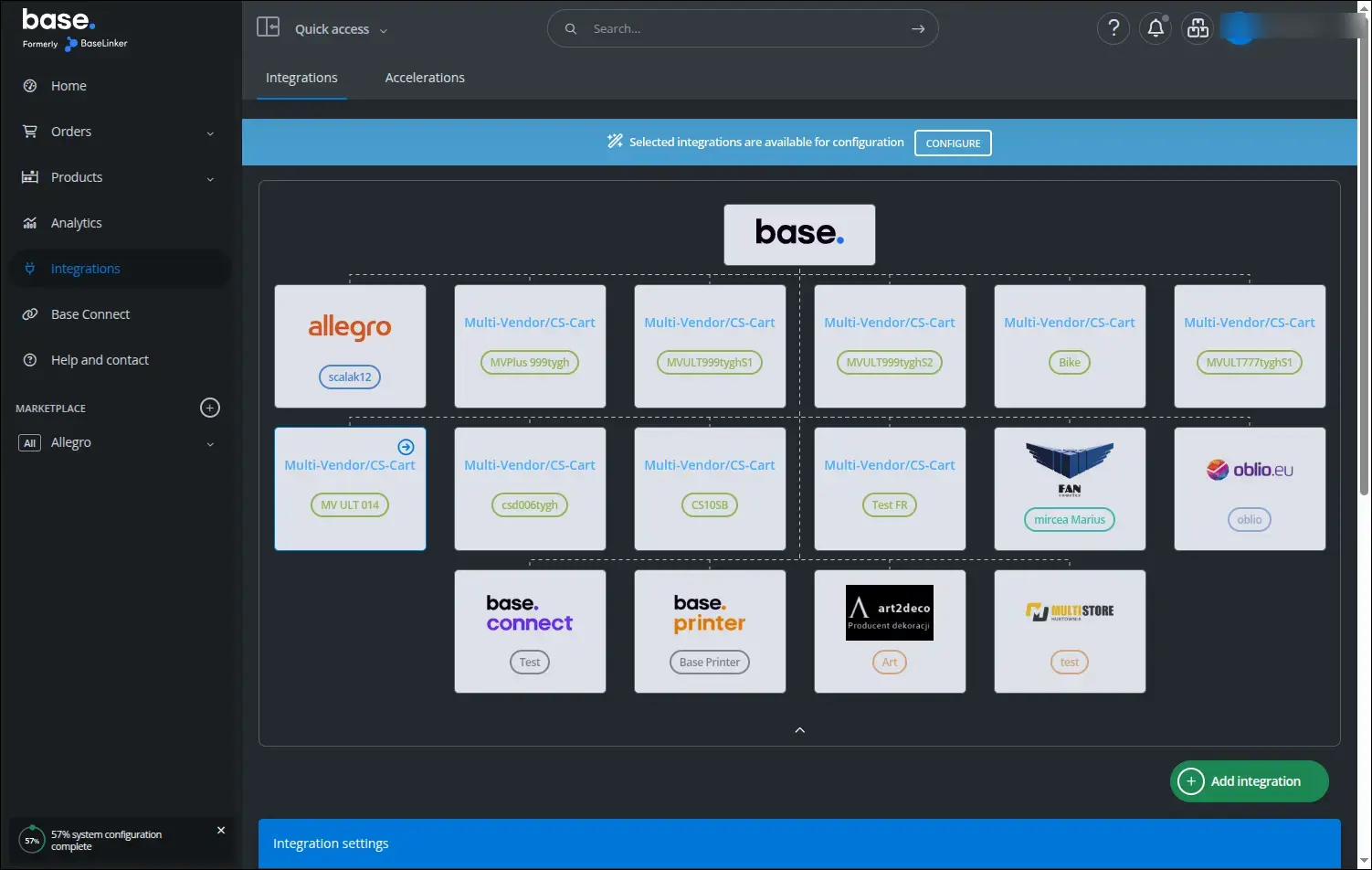
Screenshot 15
On the Connection tab you paste the two values copied from the add-on settings in the store: the communication password and the data exchange address. The test connection button confirms right away that BaseLinker connects to the store correctly:
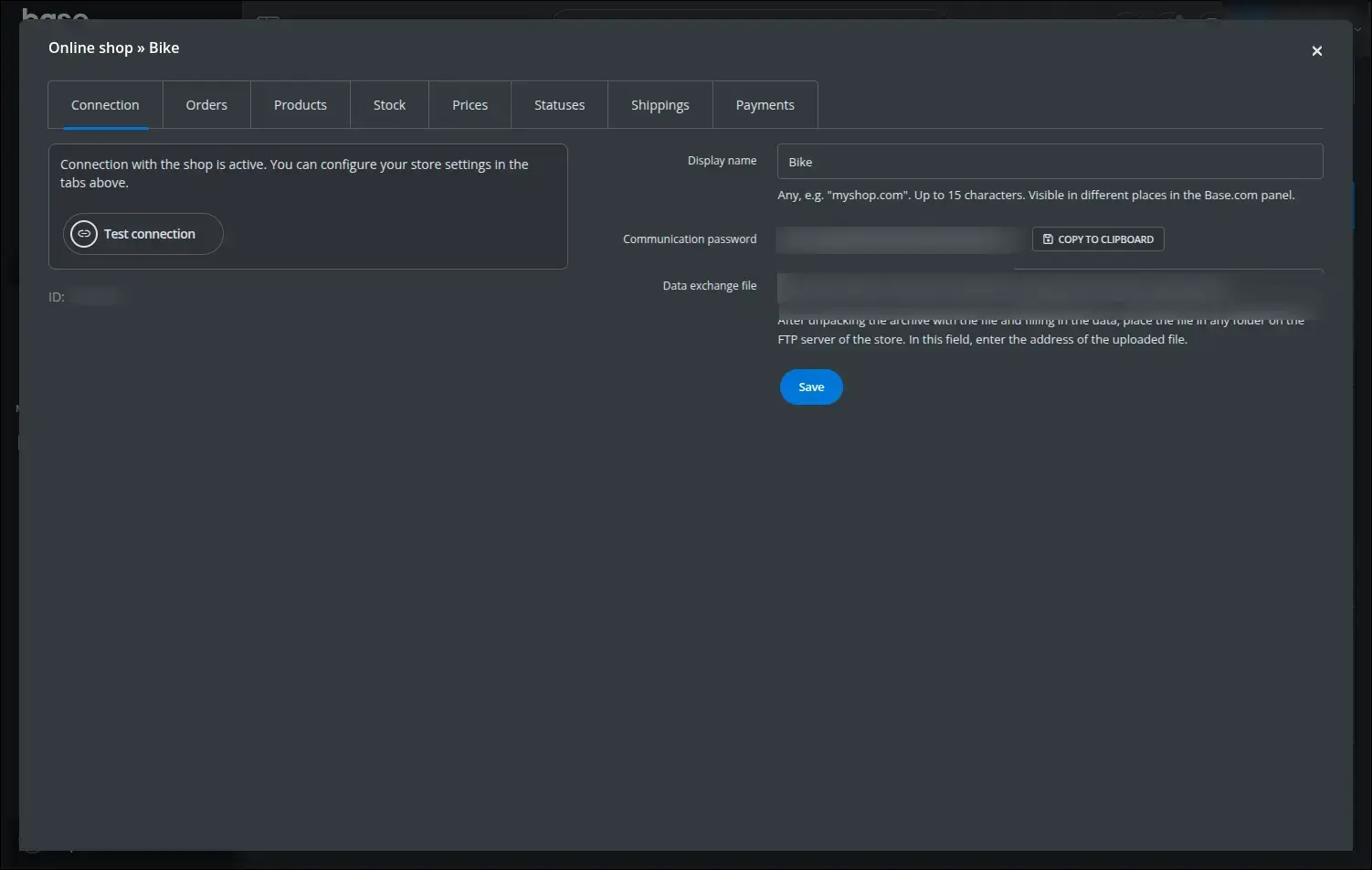
Screenshot 16
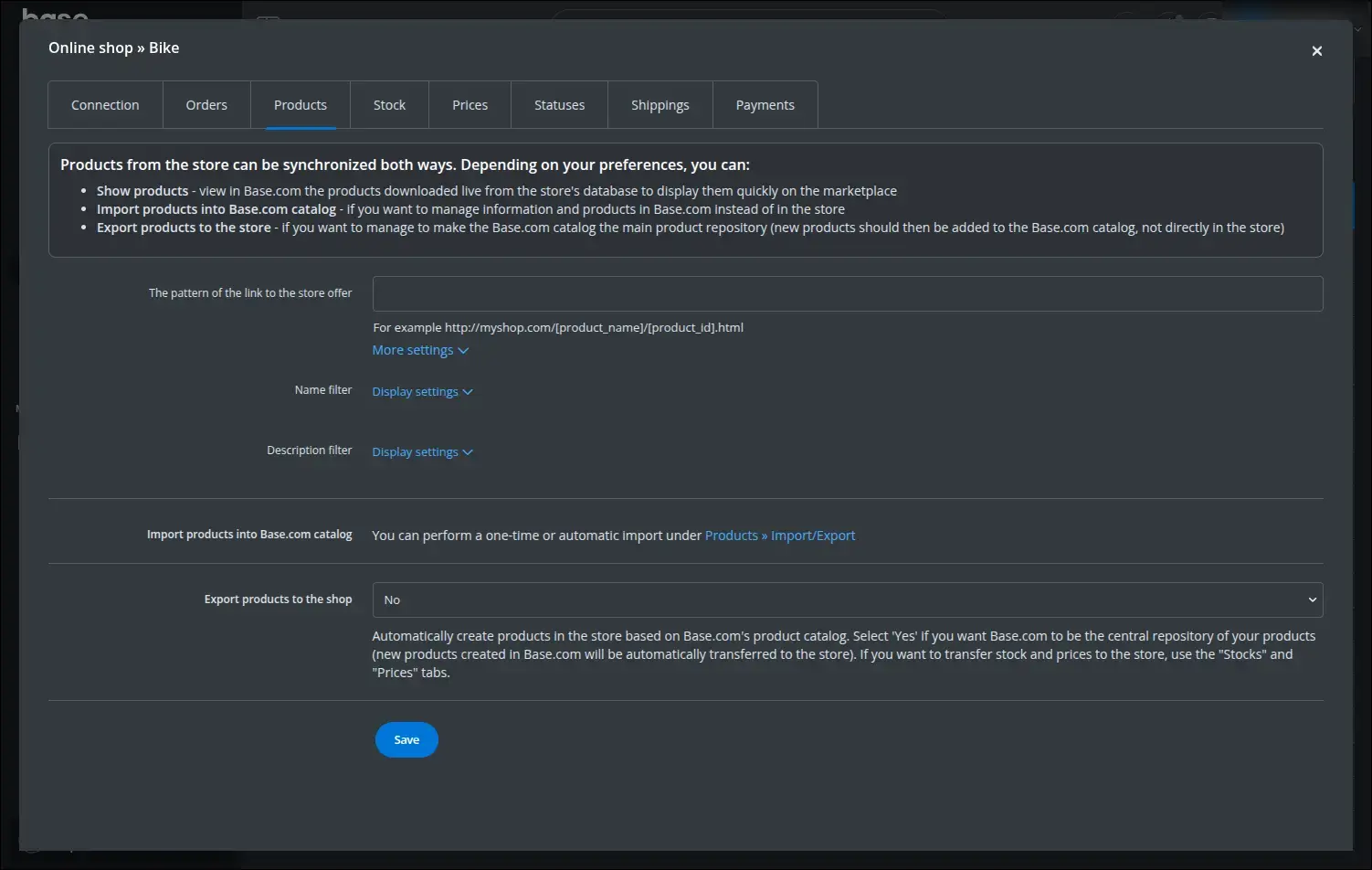
The Products tab decides how the offer is synchronized. Here you set the product link pattern, the name and description filters and the direction of product exchange between the store and BaseLinker:
Screenshot 17
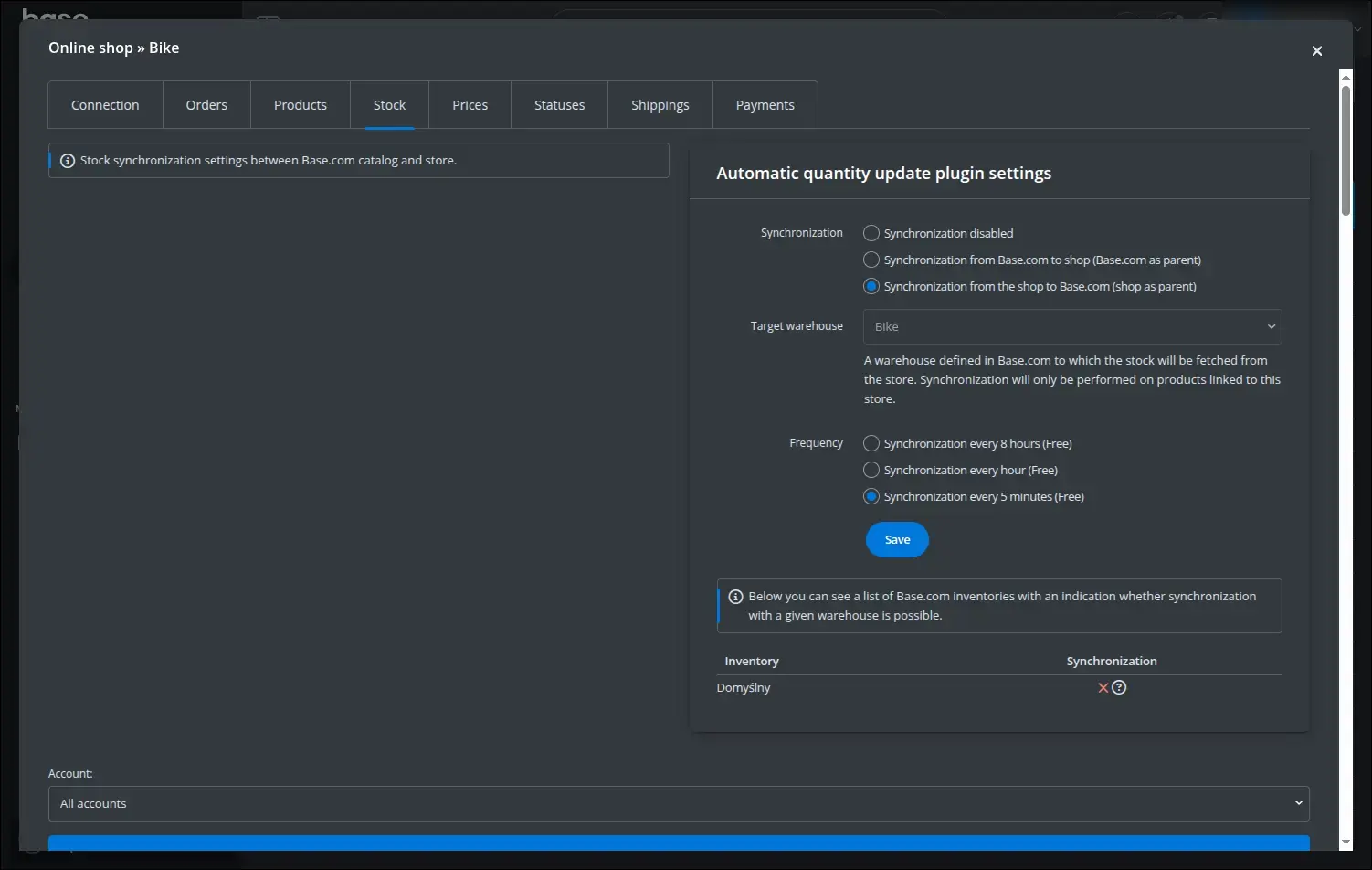
The Stock tab handles warehouse stock. You choose the synchronization direction, the target warehouse in BaseLinker and the frequency, up to live updates, so availability stays consistent across all channels:
Screenshot 18
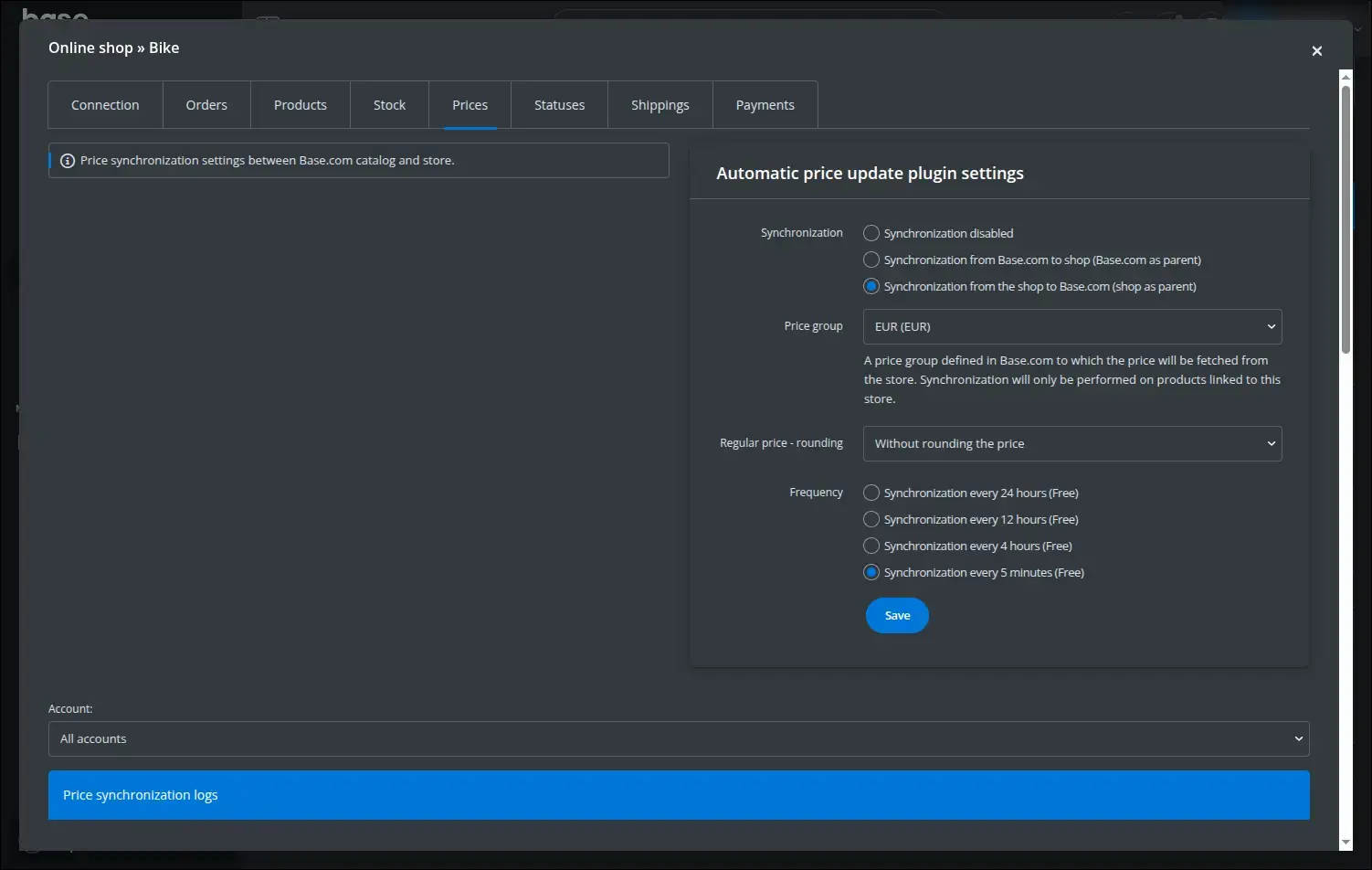
Prices are set on a separate tab on the same principles. You define the synchronization direction, the price group, rounding and the update frequency:
Screenshot 19
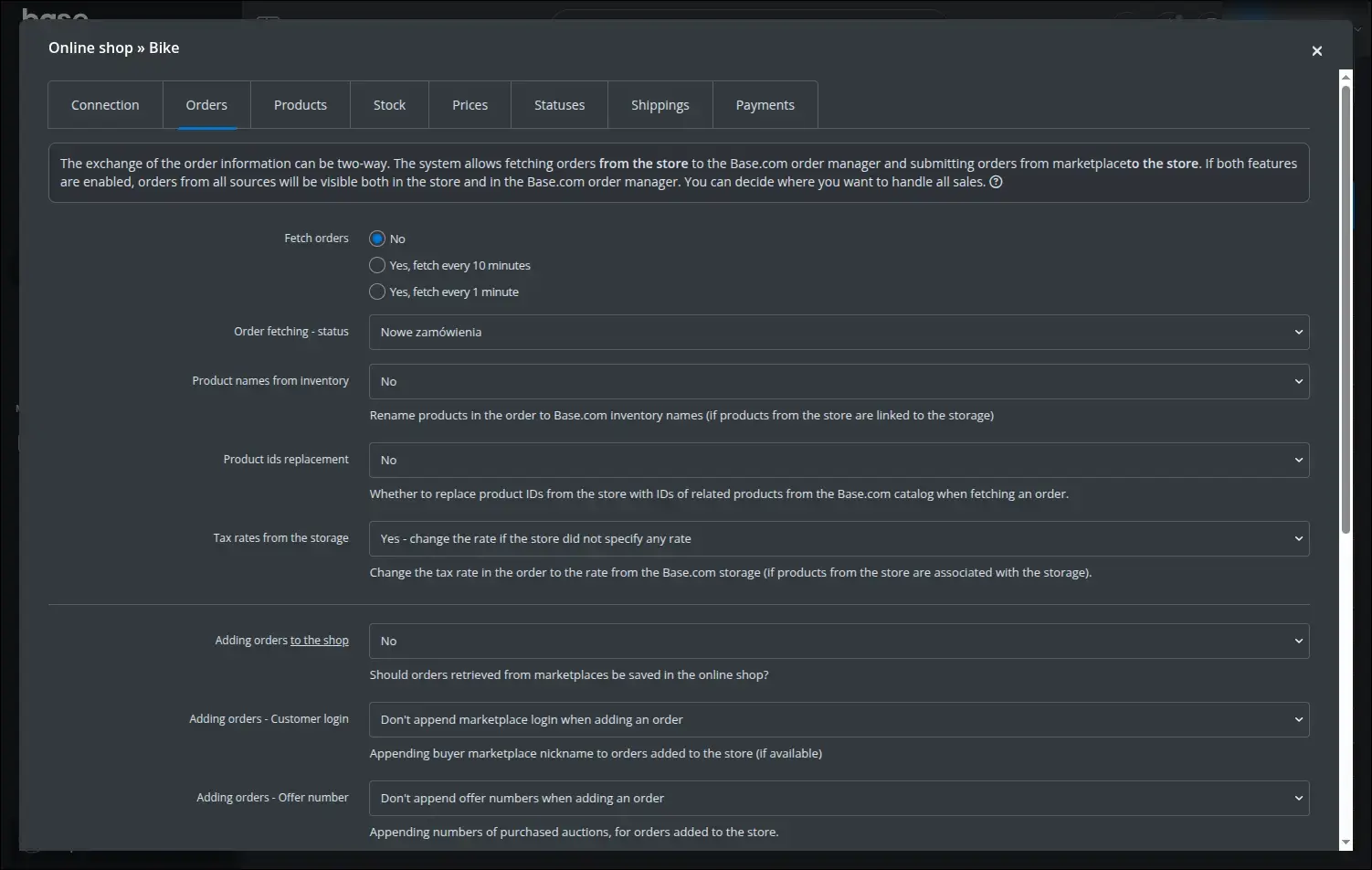
The Orders tab controls the order flow both ways. You decide whether and how often to fetch orders, what status to assign them, and how to treat product names, identifiers and tax rates when transferring them to the store:
Screenshot 20
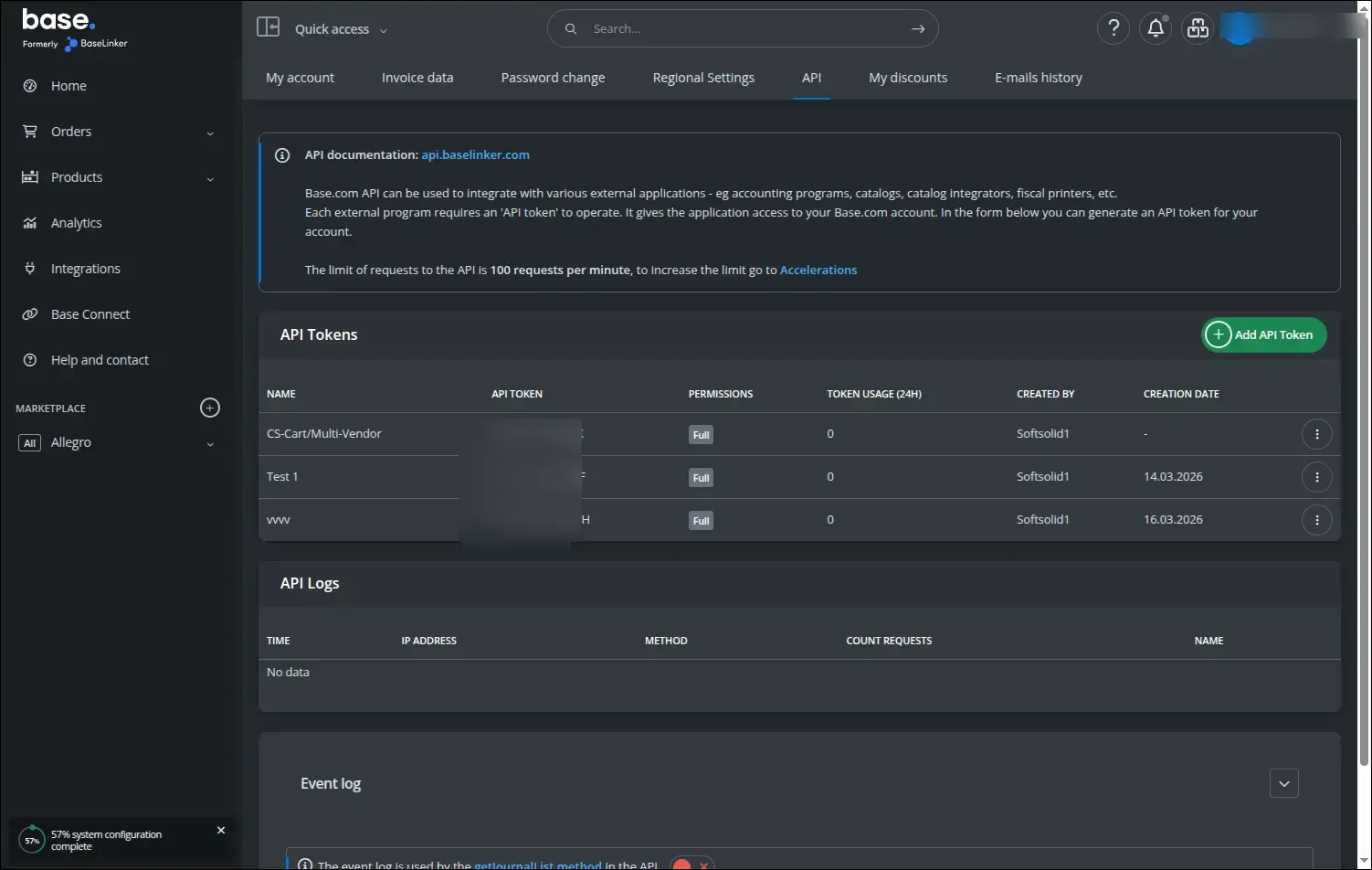
Finally, under My account, the API tab, you find and create the API token. It is the same token you enter in the add-on settings so the store can send orders to BaseLinker:
Screenshot 21
The Integration with BaseLinker add-on brings order to multi-channel sales: warehouse, prices and orders stay synchronized between the store and the platform, and handling happens in a single tool. In Multi-Vendor each seller runs their own integration, while the operator keeps control over the range of available fields.
Feel free to contact us and purchase the add-on!
Choose the most convenient form of payment for the add-on. You can pay once and use the add-on. Choosing a subscription payment (monthly or annual) means that you pay for the add-on at regular intervals and have access to the latest versions of the addon and technical support.


