


Withdrawal from the contract


- — 12 months guarantee for all our add-ons
- — add-ons sold to entire world
- — stable, flexible, high-quality products
- — competitive prices, attractive discounts
- — quick and competent technical support
- — installation in 24 hours
- — personalized solutions - we'll write any add-on for you
An extension for Store Builder and Multi-Vendor that gives buyers a simple way to file a statement of withdrawal from a contract, and gives the store an orderly way of running such a case. The form serves both a logged in customer and someone who bought without creating an account: the latter enters the order number along with an email address and receives a single use link that leads straight to the form. Every request then travels through a described process with email notifications, a full history of changes and an unchangeable record of the order as it stood when the statement was filed.
Key Features
- A statement without an account. A buyer who never registered files the statement through a single use link sent to the address from the order, and tracks the case afterwards with a multiple use link.
- The store draws the boundaries. The deadline counted in days, the order statuses that grant the right of withdrawal and the exclusions for products and categories are all settings, so the process matches the store policy that really applies.
- The case is run from beginning to end. Eleven statuses, a complete history of changes, a message to the customer and a separate internal note for the support team.
- The durable medium required by law. The confirmation message carries the consumer details, the wording of the statement, the date and the list of returned items.
- A signal right next to the order. Orders with a filed statement are marked with a coloured dot in the order list and receive a tab of their own on the order page.
- A rehearsal before going public. The whole path can be walked on a live store in a mode visible only to whoever holds the tester link, with customer messages kept silent.
Installation follows the usual CS-Cart routine, with no editing of store files and no interference with the core. Once enabled, the add-on brings its own tables, admin screens and message templates, while everything the customer sees stays inside the store theme:
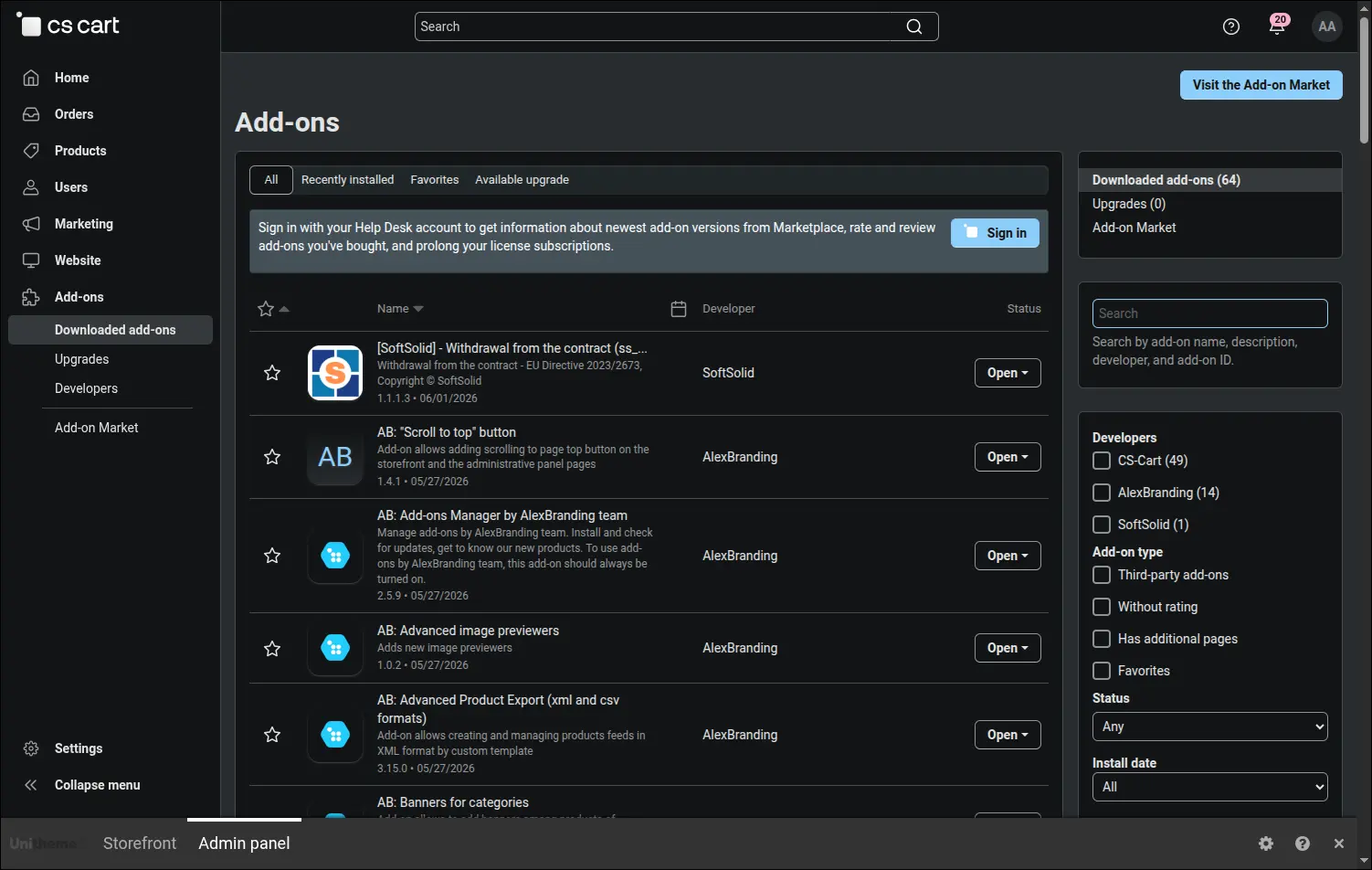
The add-on installed and active in the add-on list
Work begins with drawing the boundaries of the process. The store states how many days a customer has to file a statement and which order statuses grant the right of withdrawal at all. Fourteen days is the factory value, taken straight from the statutory deadline, while a store that promised its buyers more simply enters its own number here:
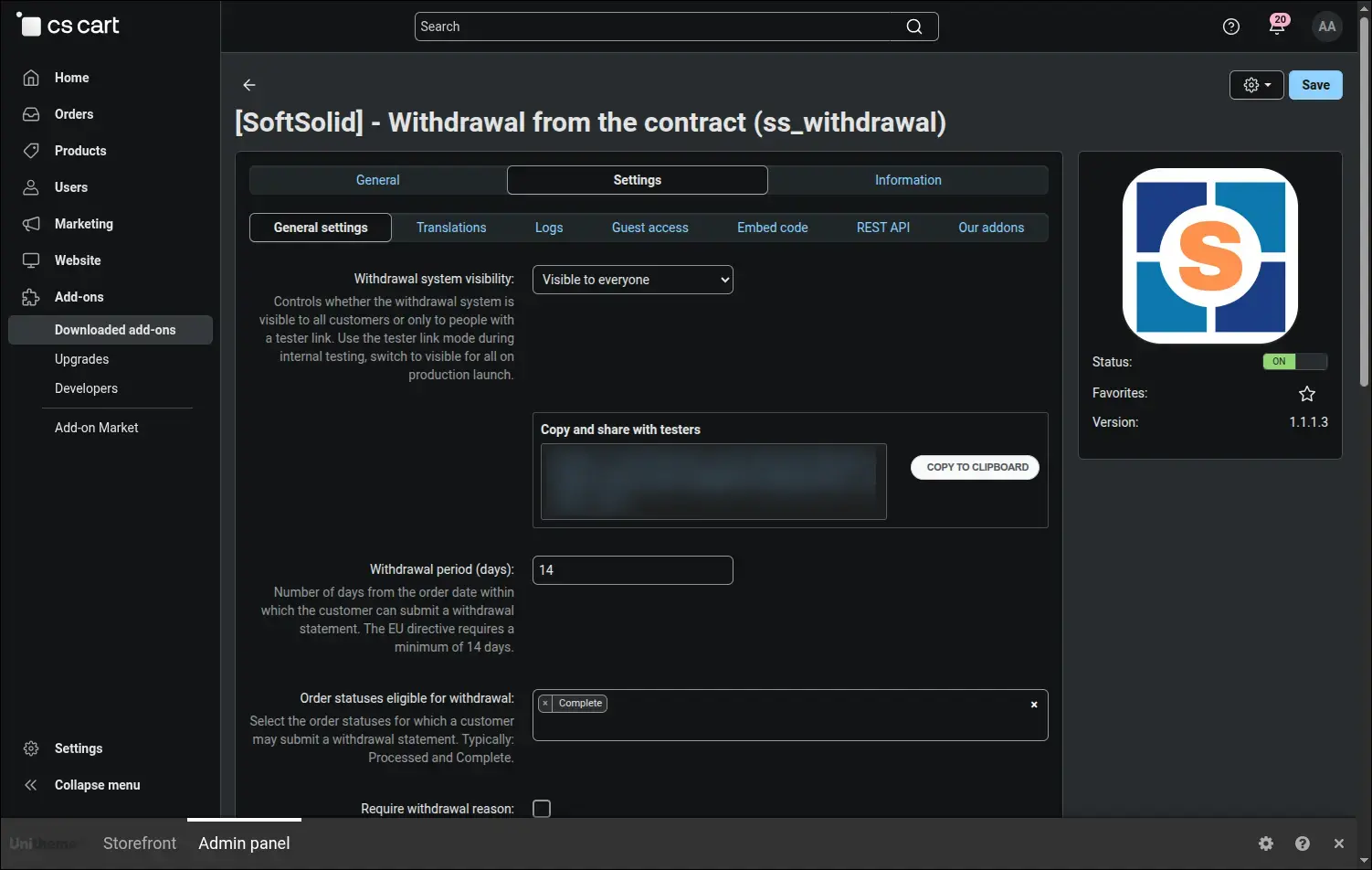
General settings: deadline, eligible order statuses and reason requirement
Whether the entry to the form appears next to a given order depends on three conditions at once. The most common misunderstanding concerns the deadline, because the clock starts when the order is placed rather than when the parcel arrives. The board below gathers all the conditions in one place:
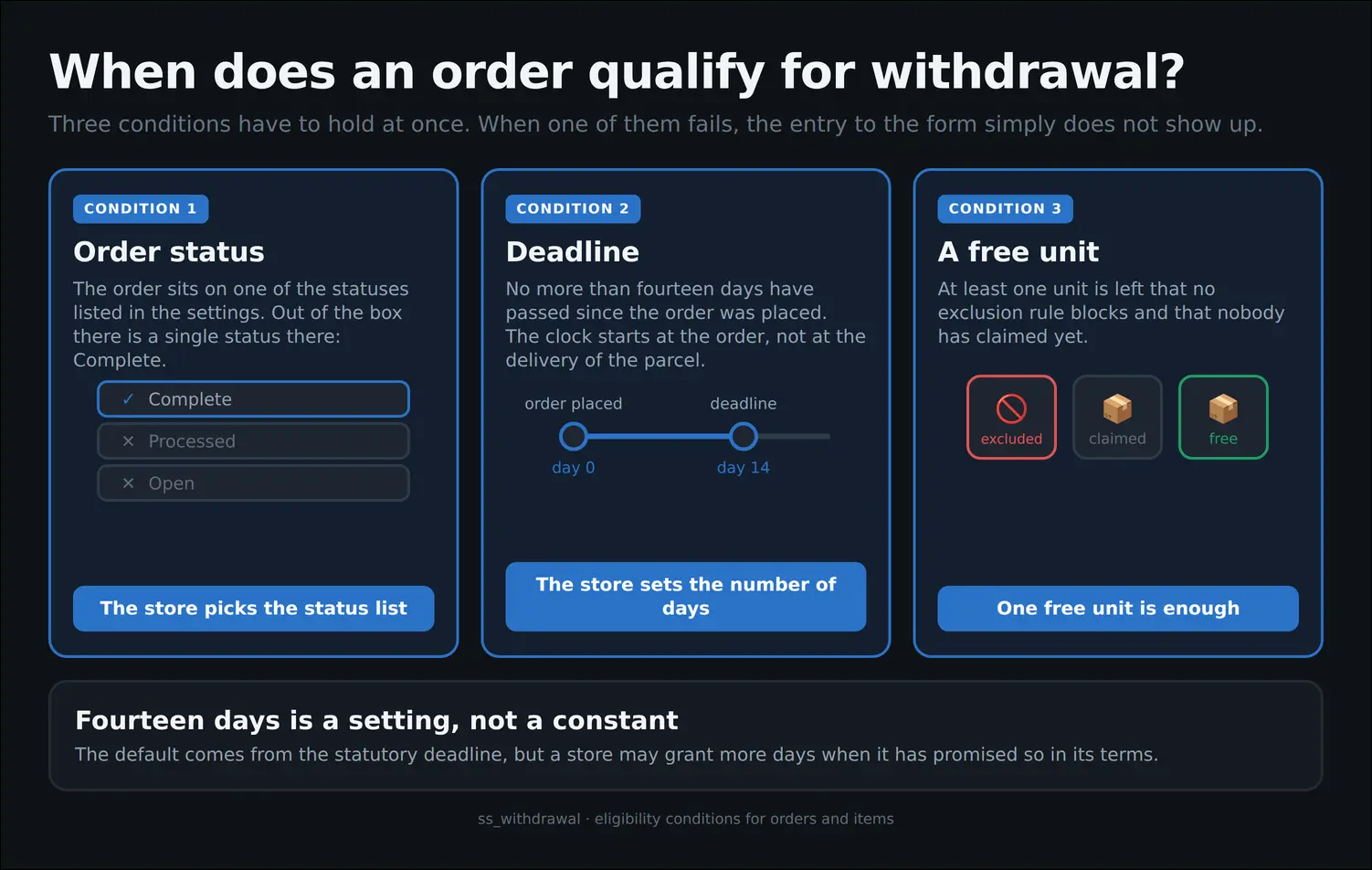
The three conditions that decide the right to withdraw
The rest of the general settings governs how the process looks from the storefront side: the styling of the elements a customer sees, the place they land on after sending the form, the information page about the right of withdrawal and the choice of statuses whose change sends a message. The visibility of the whole process is switched here as well:
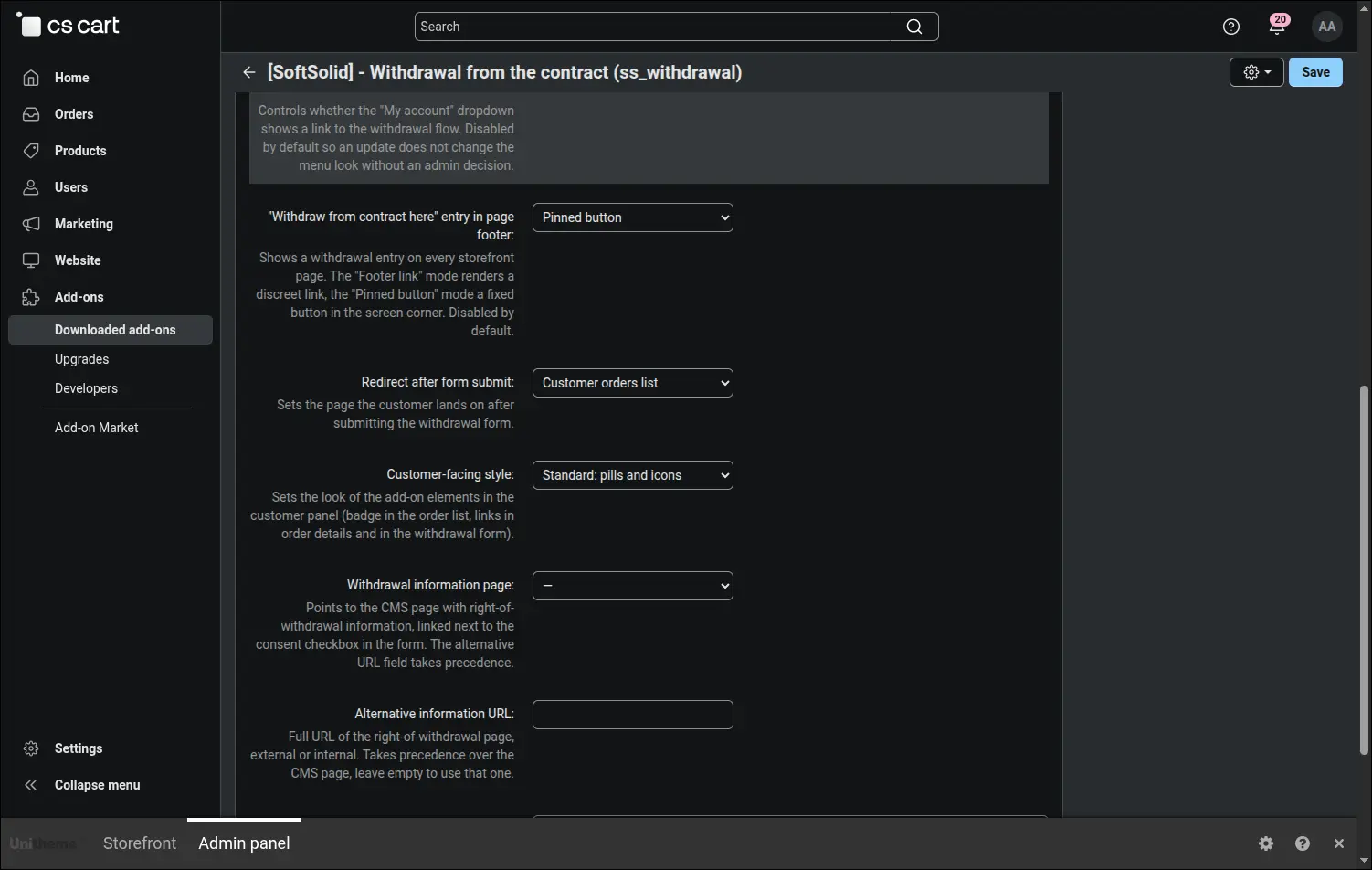
Form presentation, storefront entry points and the tester preview mode
A freshly installed add-on keeps quiet, and that behaviour is deliberate. In preview mode the withdrawal pages open only for whoever carries the tester link in the address, and no message reaches a customer. The store therefore walks the entire path on a live service and then opens it publicly with a single switch:
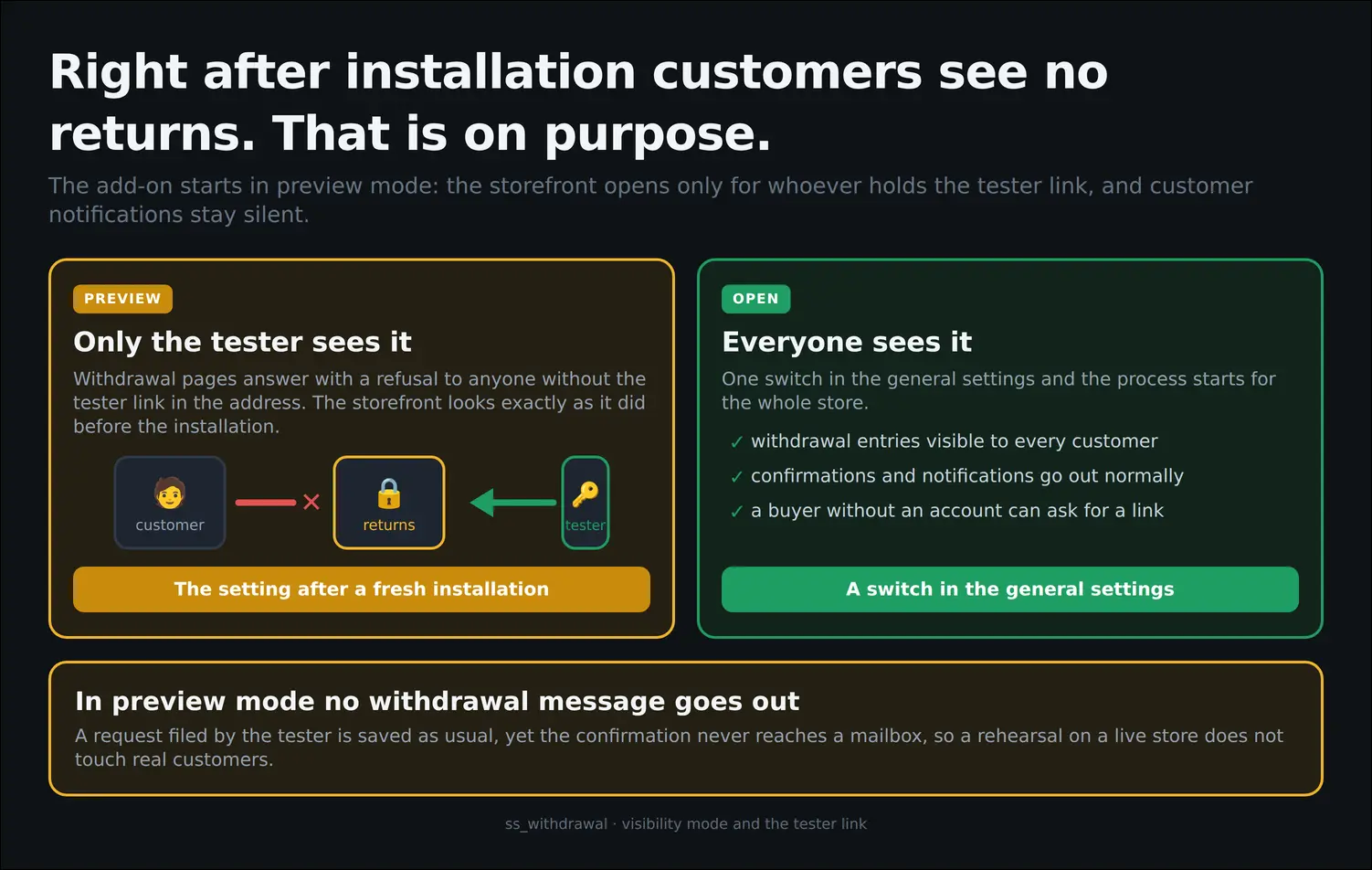
Preview mode versus a storefront open to everyone
The right of withdrawal also belongs to people who bought without registering, so the add-on serves them along a separate path. A dedicated settings tab decides whether that route is open and how long the link sent to the buyer stays alive:
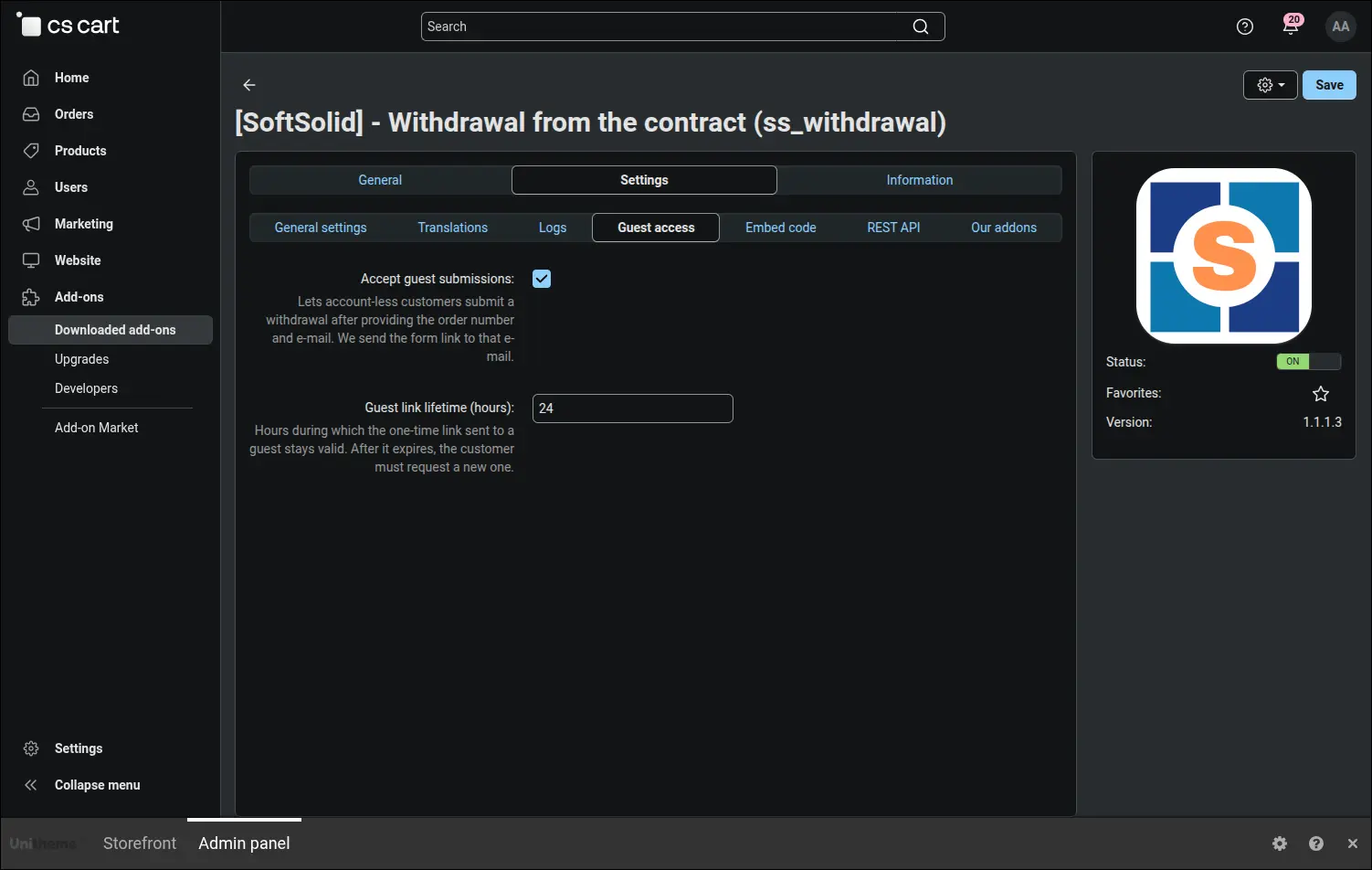
Guest access: submissions without an account and magic link lifetime
Information about the right of withdrawal deserves a place outside the customer account as well, in the terms page, on a returns page or inside a banner. The tab with ready code hands out HTML snippets with a copy button, so putting them into store content calls for no developer:
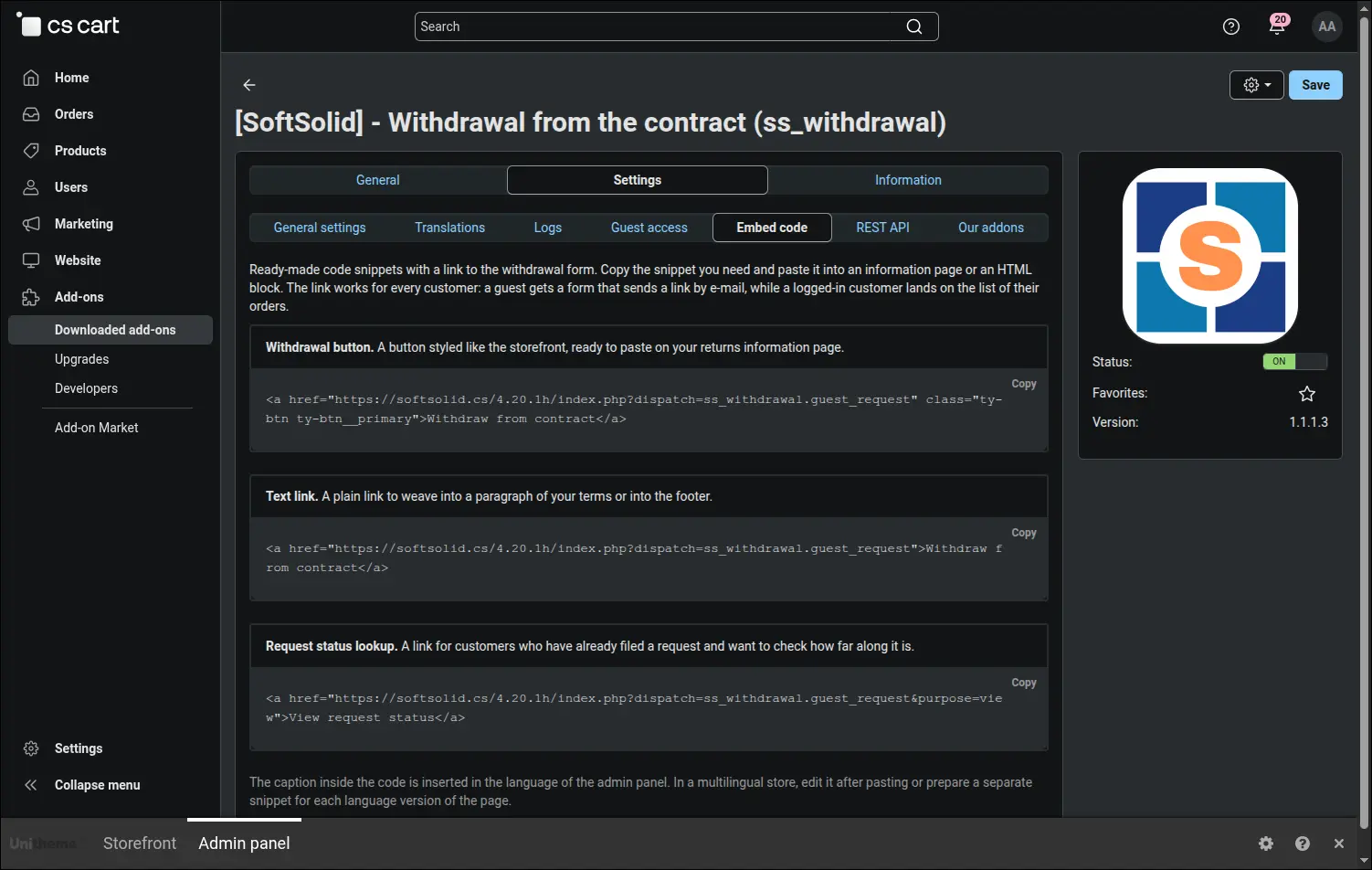
Ready to paste HTML snippets for any place in the storefront
Stores that handle returns in an external system can pull the requests through the native CS-Cart API. The add-on exposes them in read mode, and the description of the resource, the authentication method and sample calls sit right in the admin panel, next to the remaining settings:
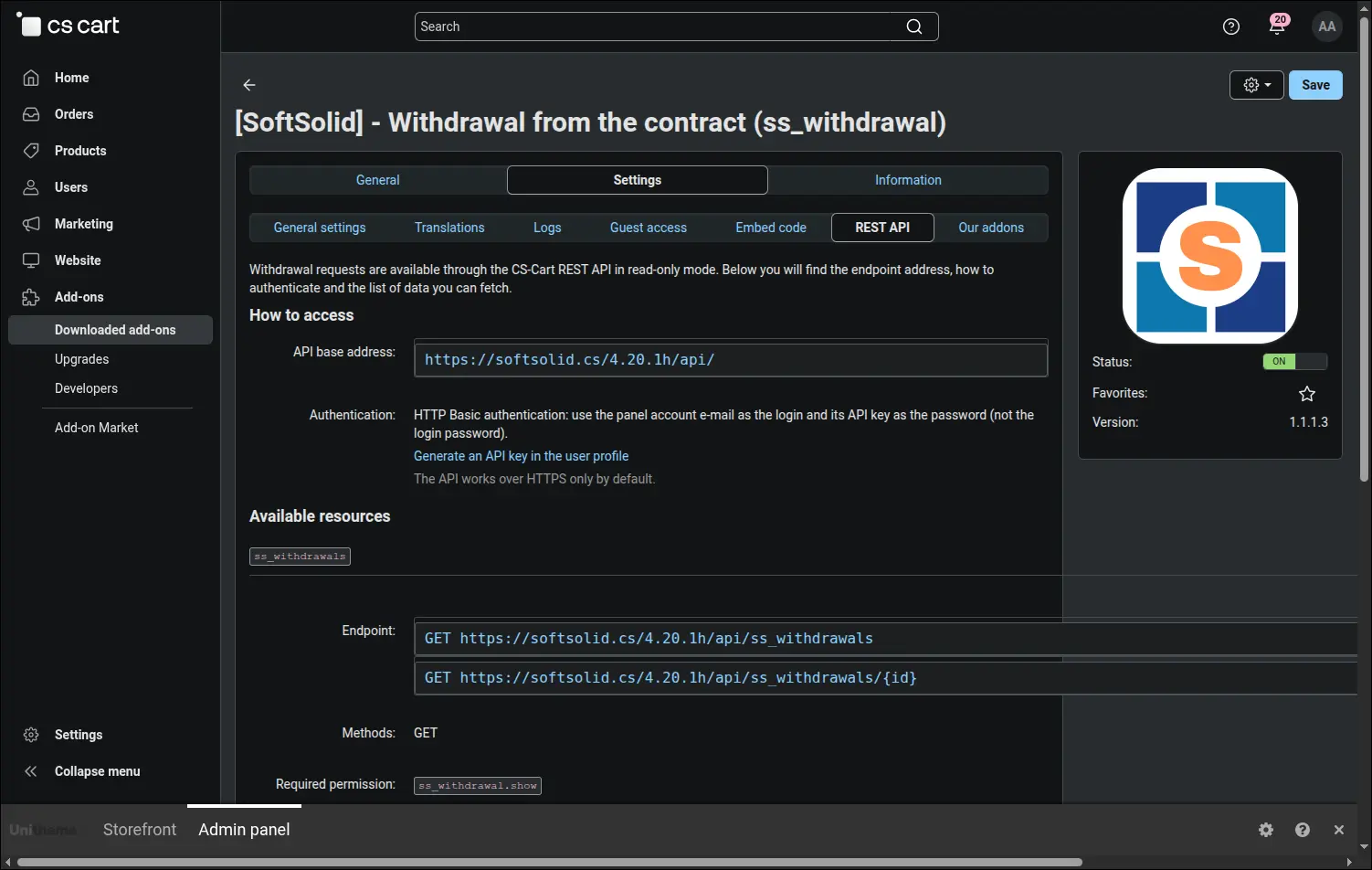
The REST API tab with resource description and request examples
Every sentence a customer will read can be rewritten in the store's own words. The tab with texts gathers the language variables of the add-on in thematic groups, shows their current wording and leads straight to the translation editor, so adapting the tone takes a few moments:
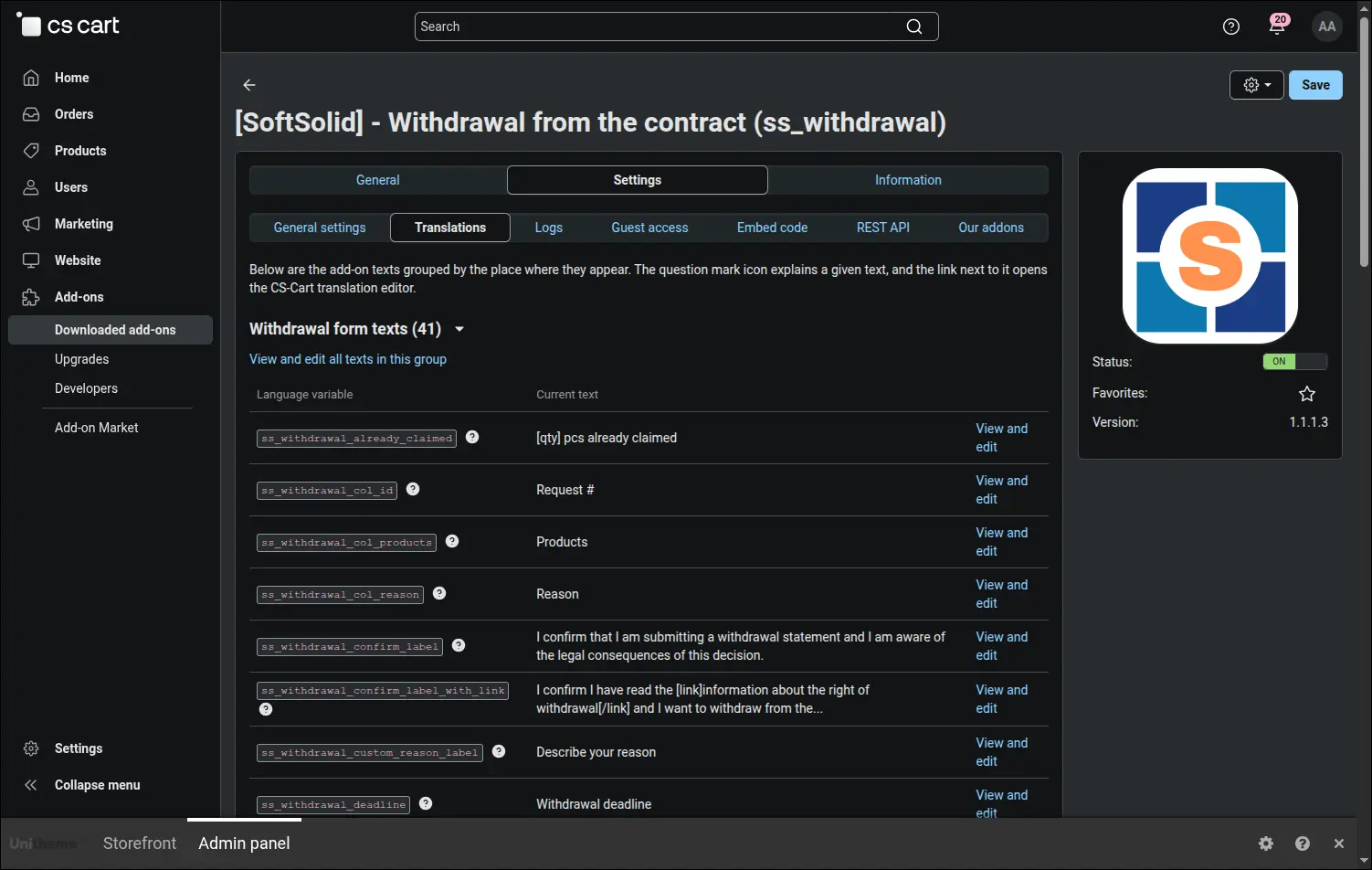
Every add-on text in one place, with a shortcut to editing
The daily work of the support team starts at the request list. It carries a full set of filters, a marker for cases filed without an account and a summary of the five most frequent reasons from the last thirty days. That last part often proves the most interesting for the owner, because it shows why buyers really change their minds:
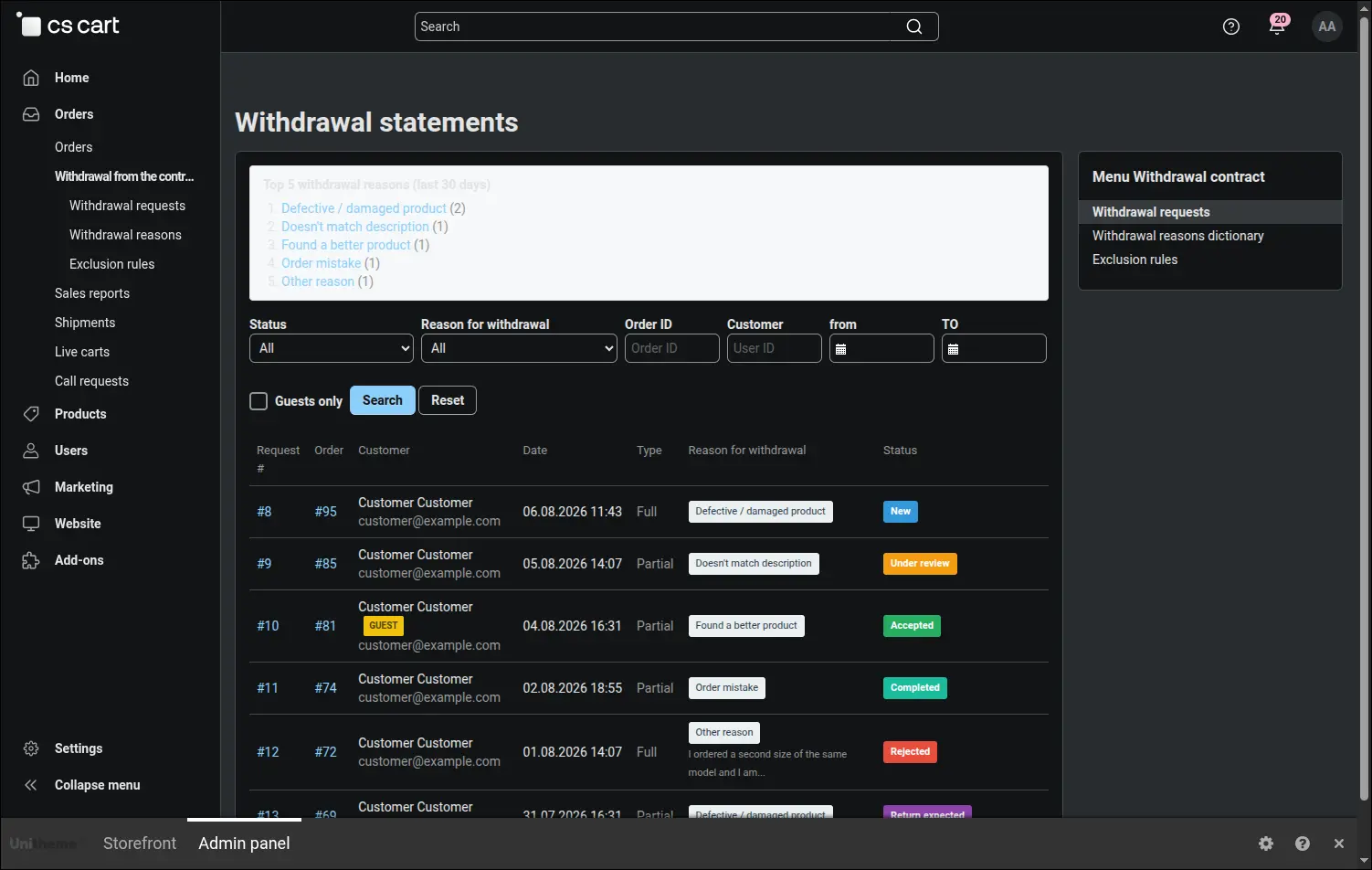
Withdrawal list with filters and a summary of the most frequent reasons
The request page collects everything needed to settle the case: the details of the request, a table of returned items with prices and the reason chosen by the customer. Those items come from the record of the order taken when the statement was filed, so they show the facts as they stood before any later correction:
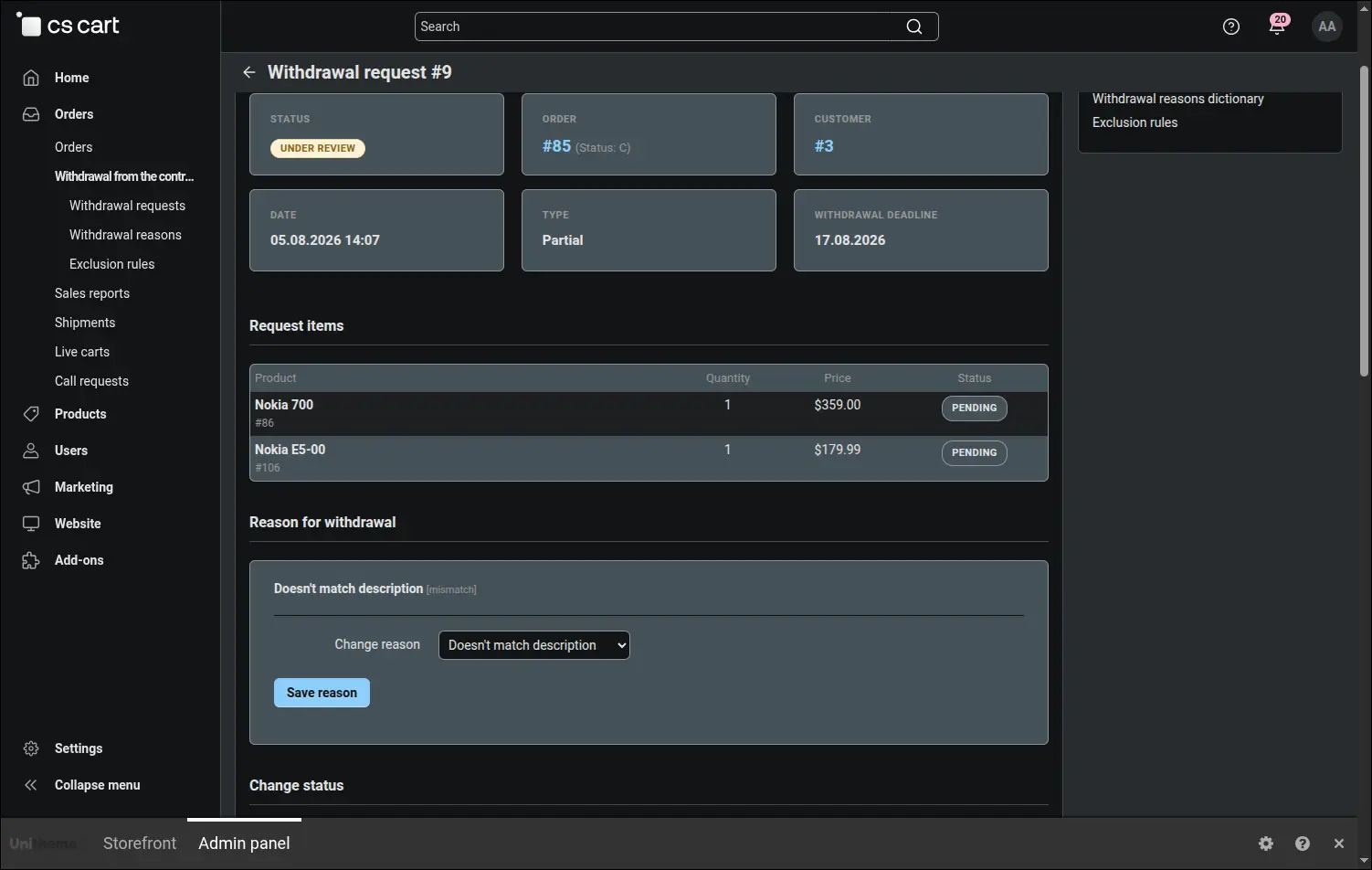
Withdrawal details: snapshot items and the chosen reason
That record is a separate thing, and precisely for this reason it raises questions. The order page keeps living, so a price change in the catalogue or a corrected product name shows there at once, while the statement holds the state from the day it came into being:
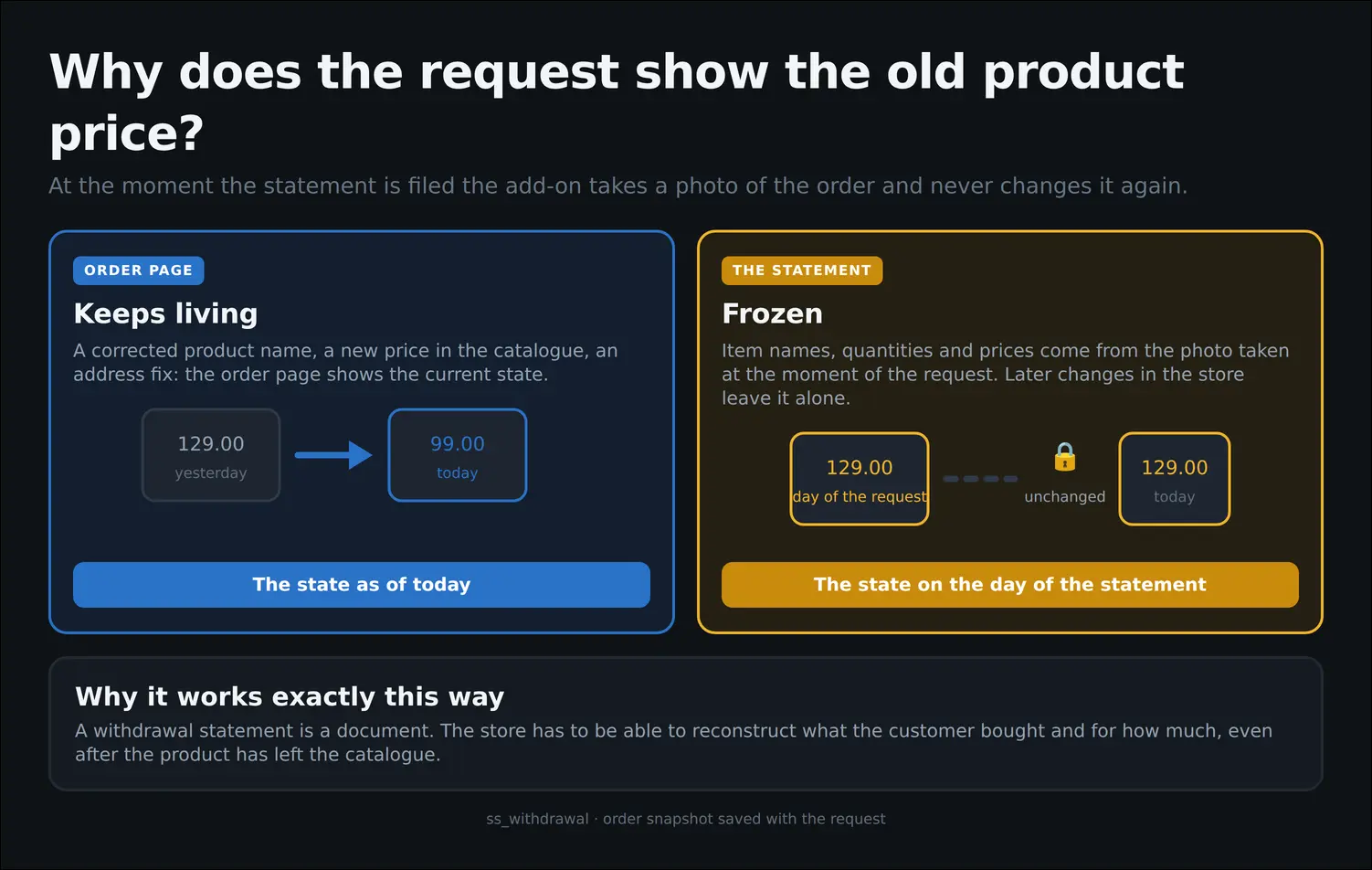
Why a statement shows the state from the day it was filed
Lower on the same page lies the heart of the support work: the choice of a new status with the suggested flow, a field for the message to the customer, a field for the internal note and the history of previous changes with author and date. Every decision is documented, which proves invaluable in a dispute:
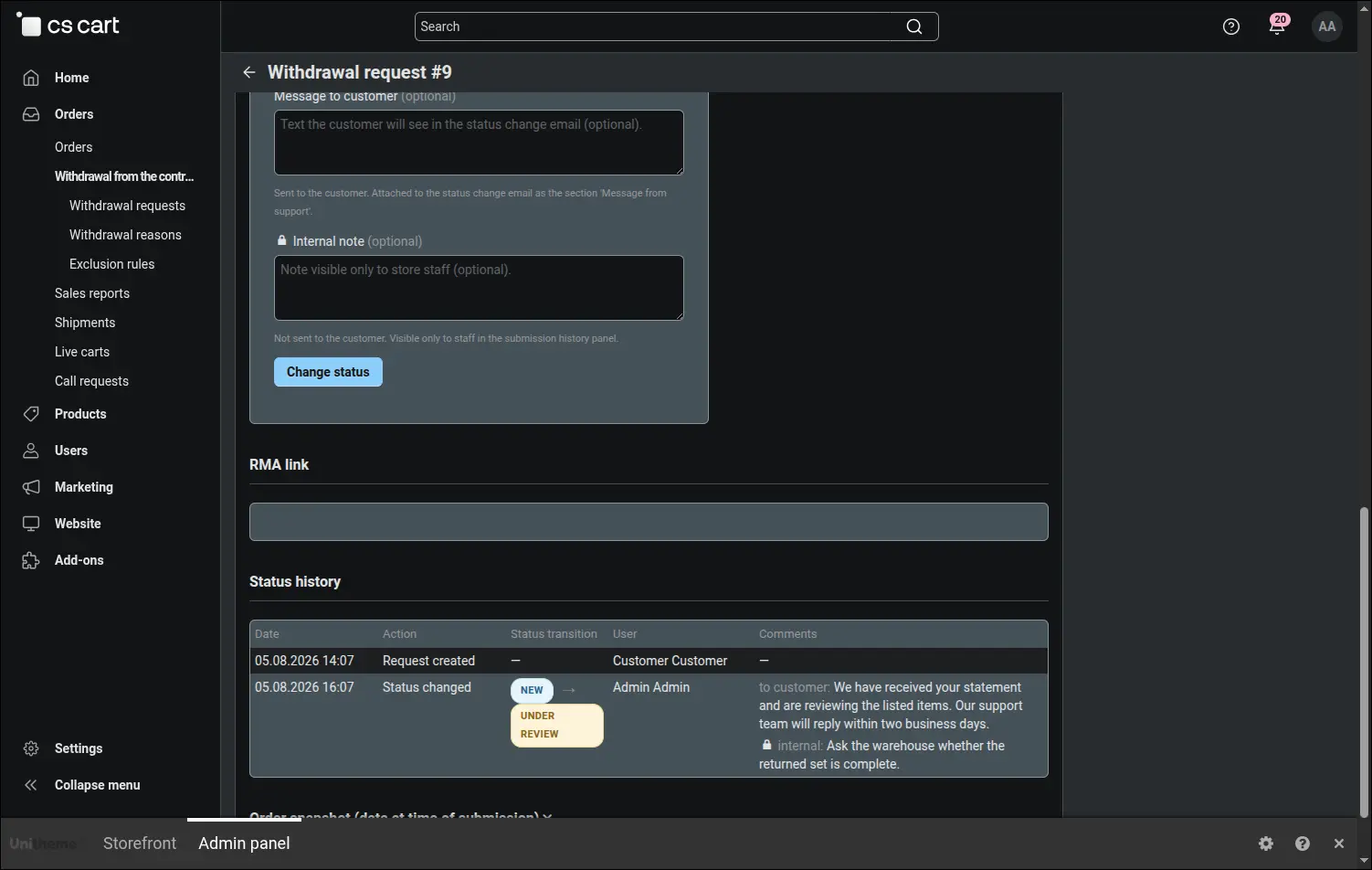
Status change with a customer message, an internal note and the history
Both comment fields are filled in a single form, so it pays to learn once where each of them leads. The upper one joins the message sent to the customer, the lower one stays inside the admin panel and serves the team:
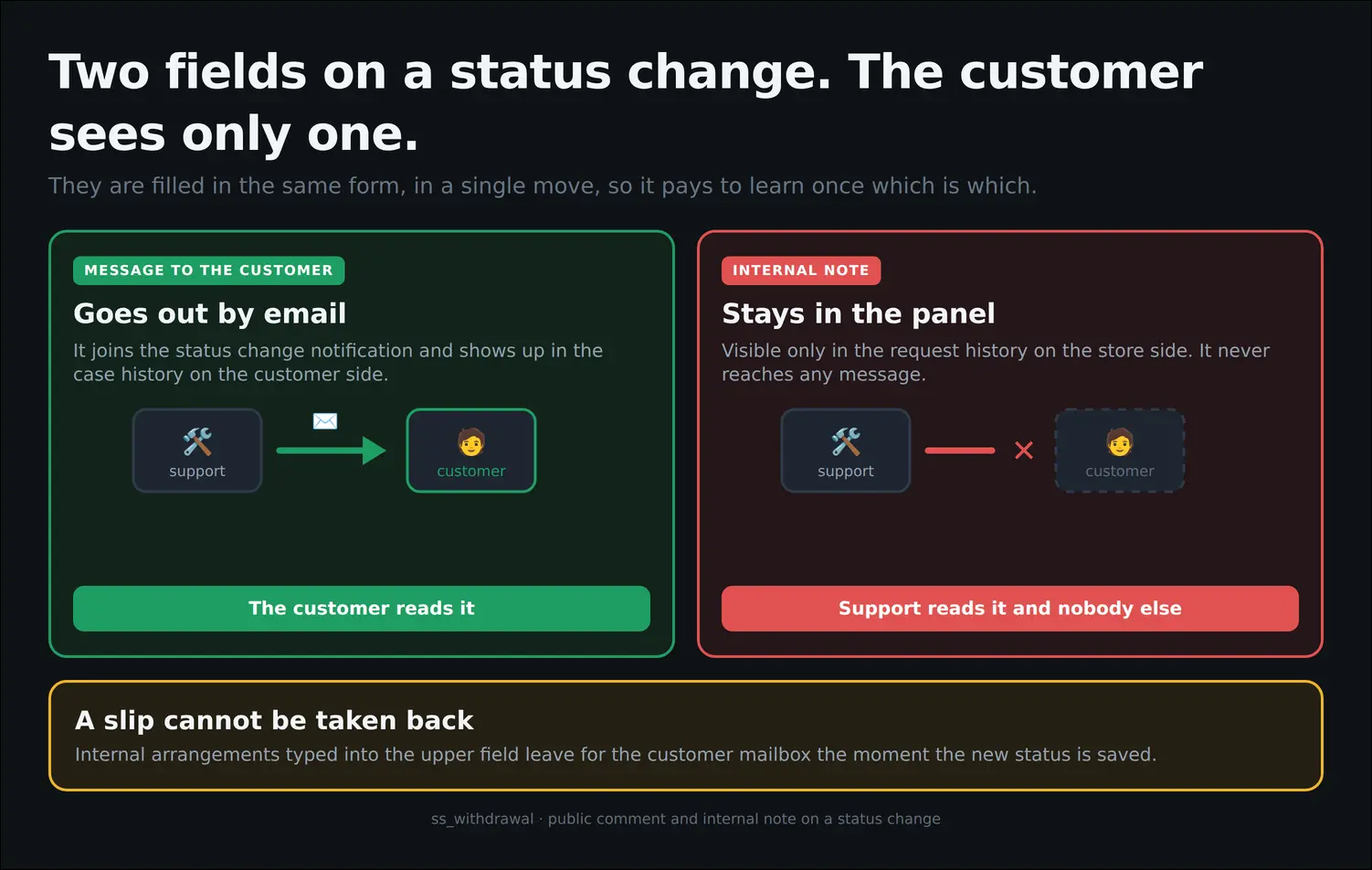
A message to the customer versus an internal note
It is equally useful to know how far a status change reaches. The add-on runs the case, notifies the customer and writes the audit trail, while the refund, the goods coming back into stock and the return shipment remain a human decision. Statuses describe the state of the case and issue no orders to the payment system:
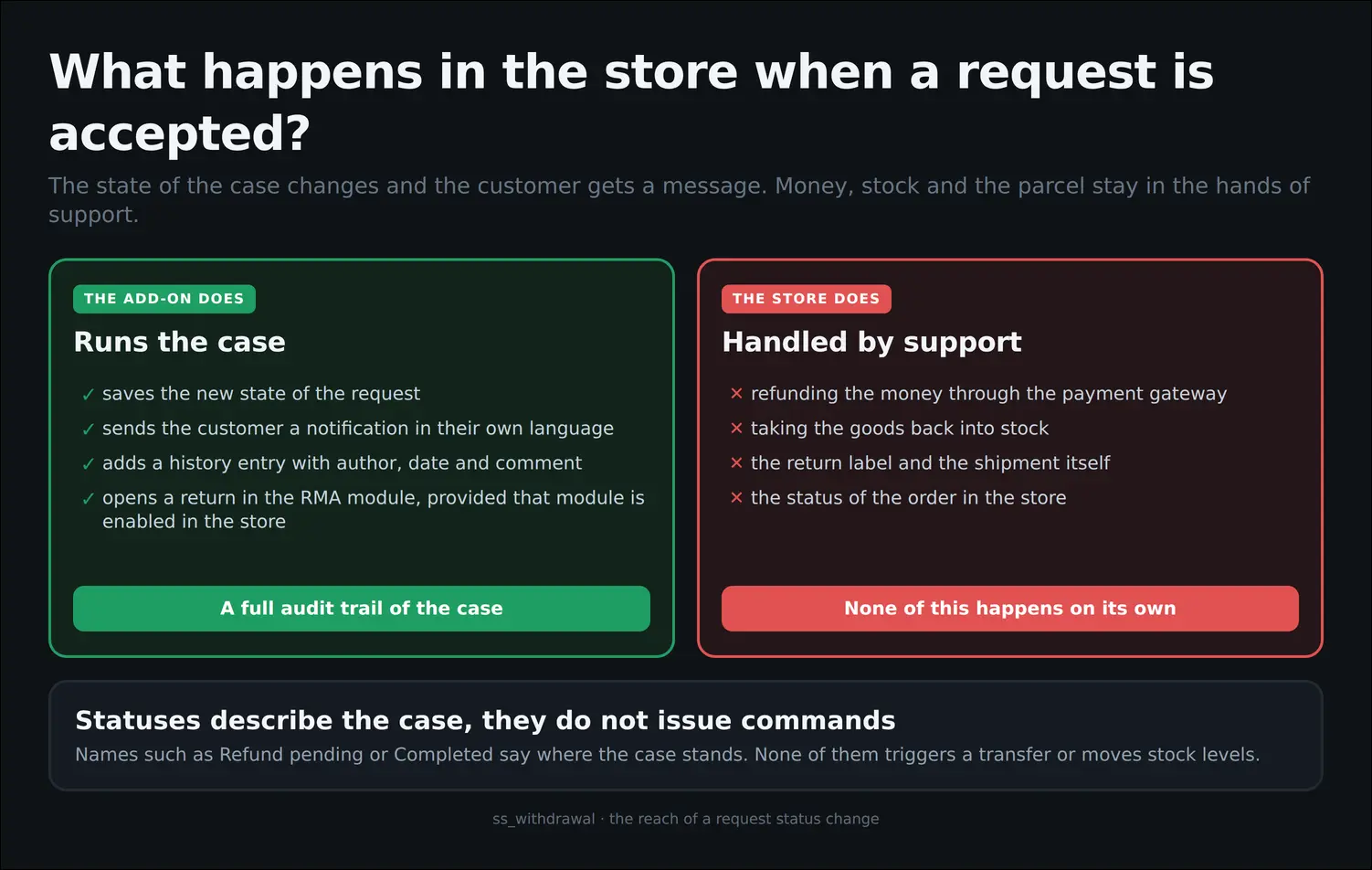
What a status change does and what it leaves alone
Part of the assortment is often excluded from the right of withdrawal, and the store should not explain that separately with every request. Exclusion rules cover single products as well as whole categories, and the reason entered beside them appears to the customer right inside the form:
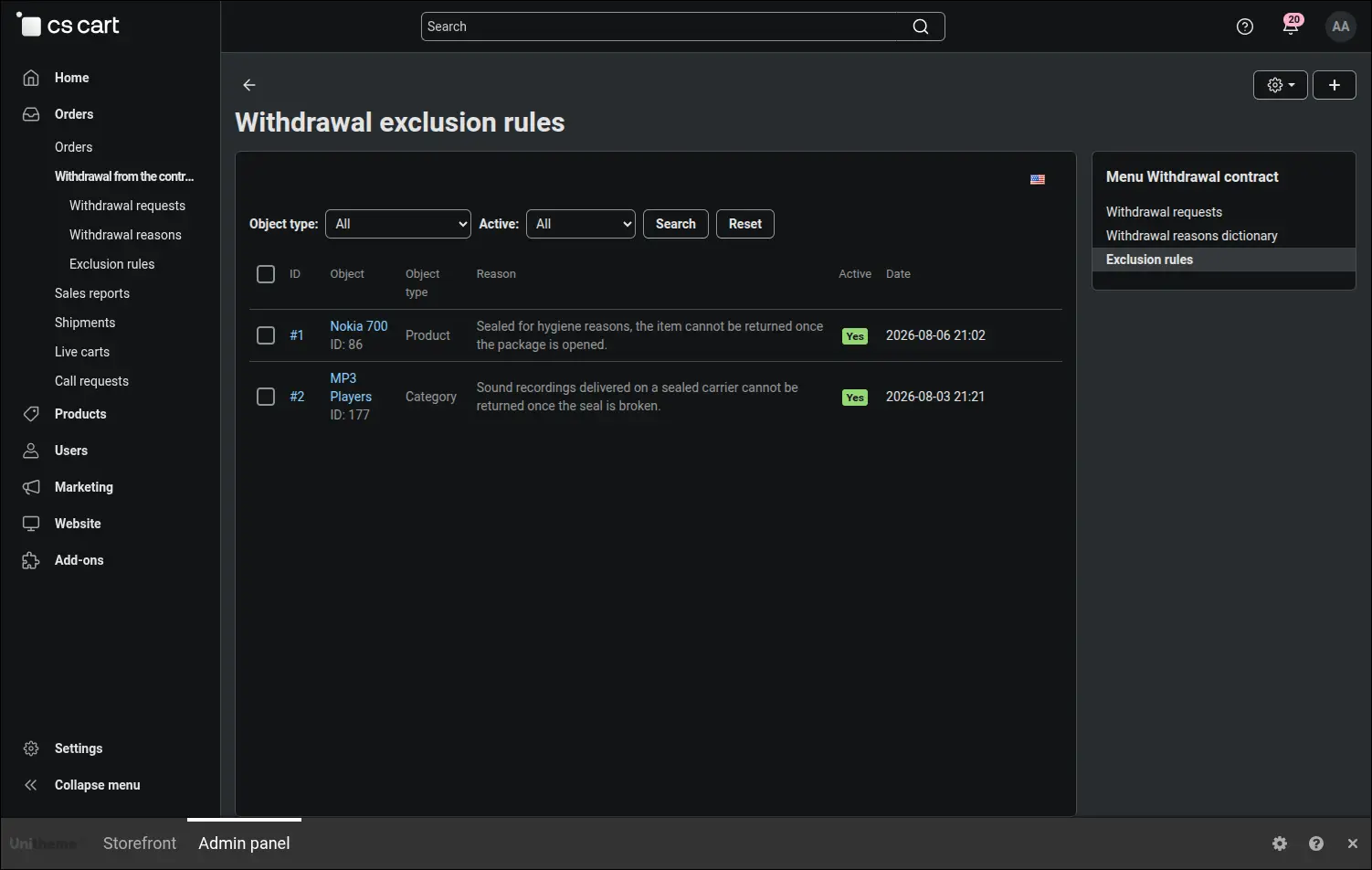
Exclusion rules with a reason shown to the customer
The rule form echoes back the name of the chosen product or category, so a mistake of one identifier shows immediately. The reason is entered separately for every store language, because the customer reads it, not the support team:
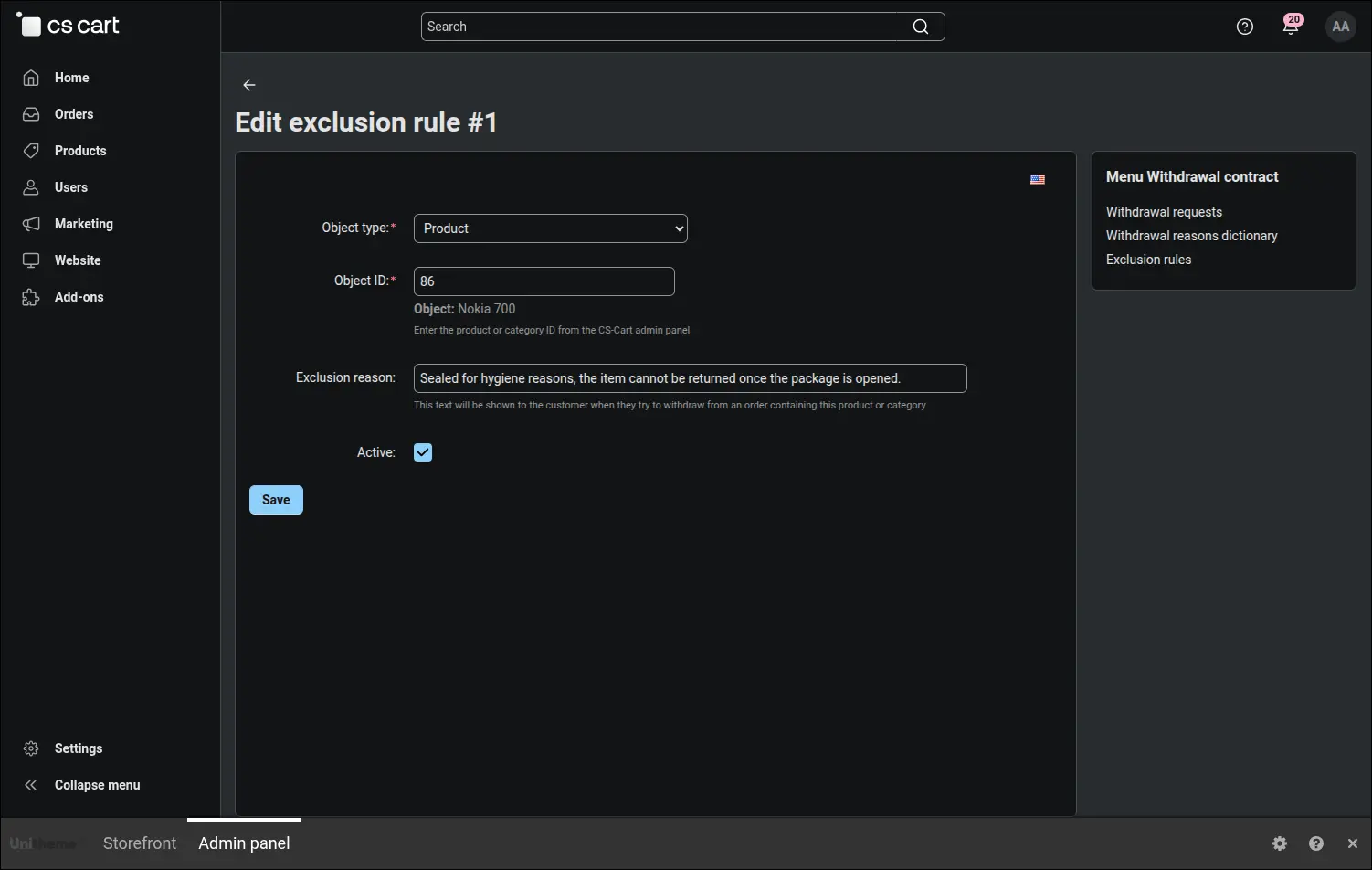
The exclusion rule form with a multilingual reason
Withdrawal reasons come from a dictionary kept by the store rather than from a free text field. A standardised list gives the summary on the request list real meaning, and the order and visibility of entries are settled in one place:
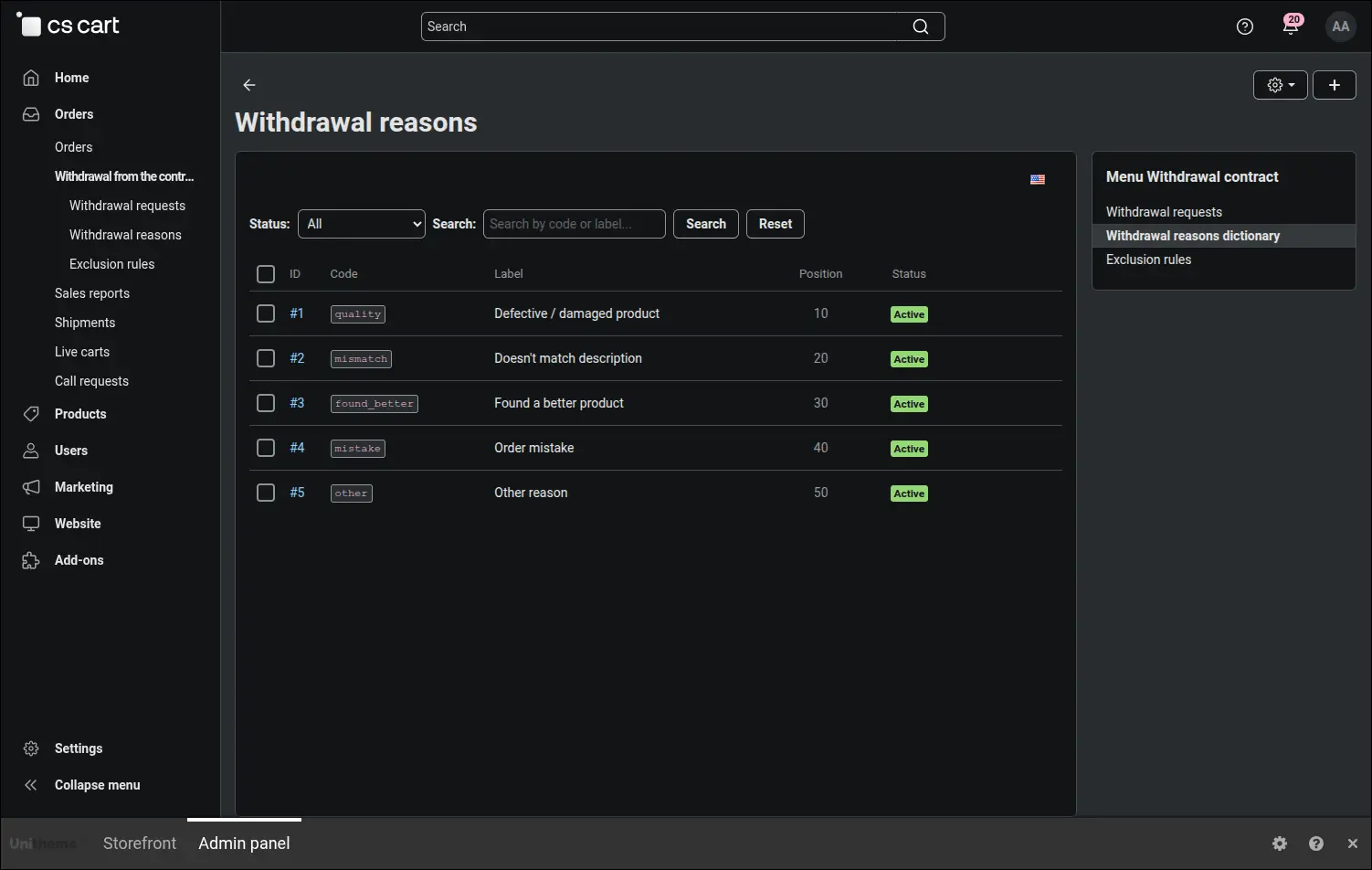
Withdrawal reason dictionary with ordering and visibility
A withdrawal case rarely begins inside the returns module. Usually someone is working on orders, so a coloured dot beside an order with a filed statement saves a good deal of clicking and prevents the situation where the team ships a parcel the customer no longer wants:
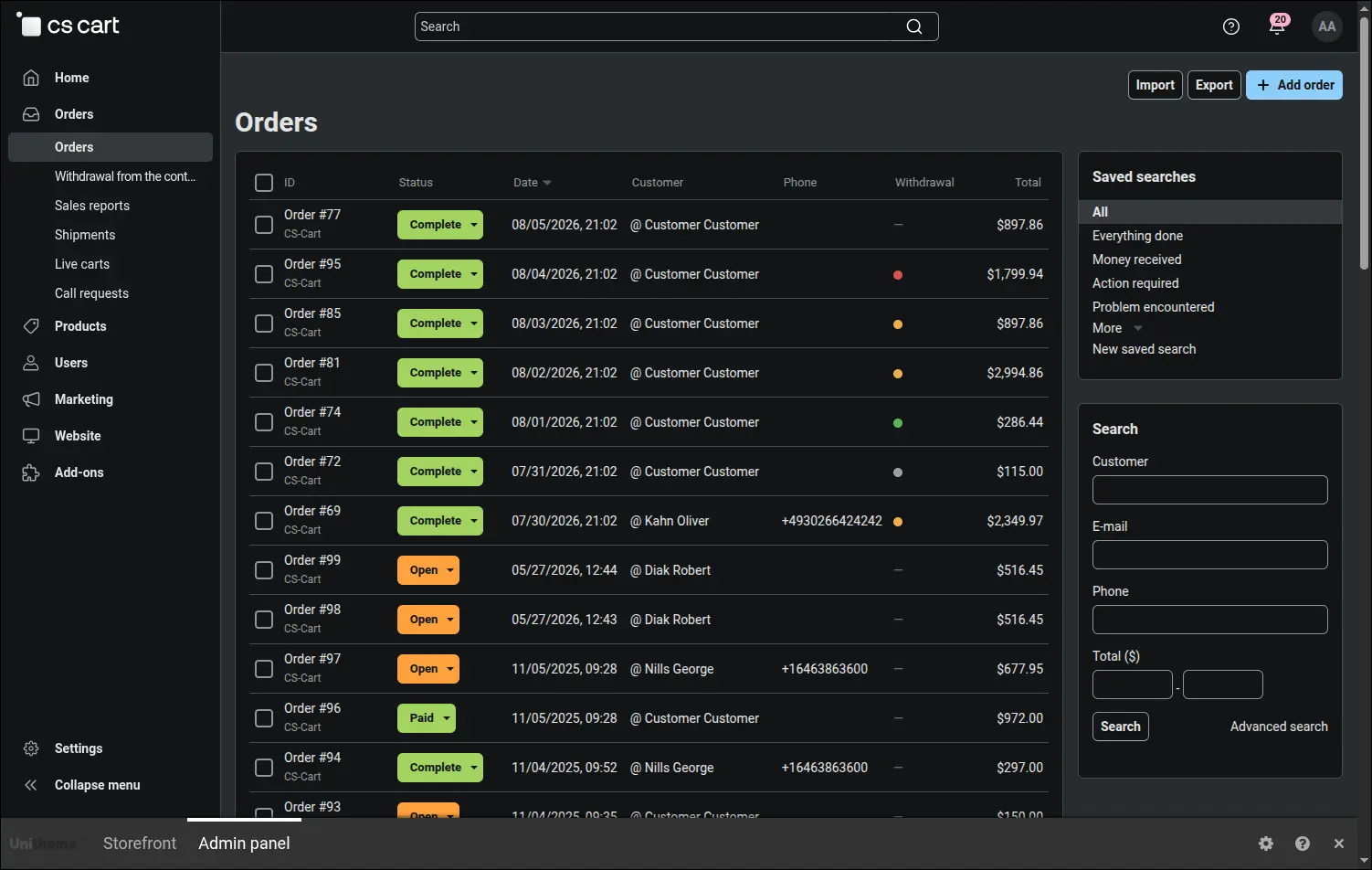
Orders with a withdrawal request marked directly in the list
The same signal returns on the order page, where a separate tab gathers every statement filed against that order together with its status and a link to the details. The history of the case therefore sits where the team already works:
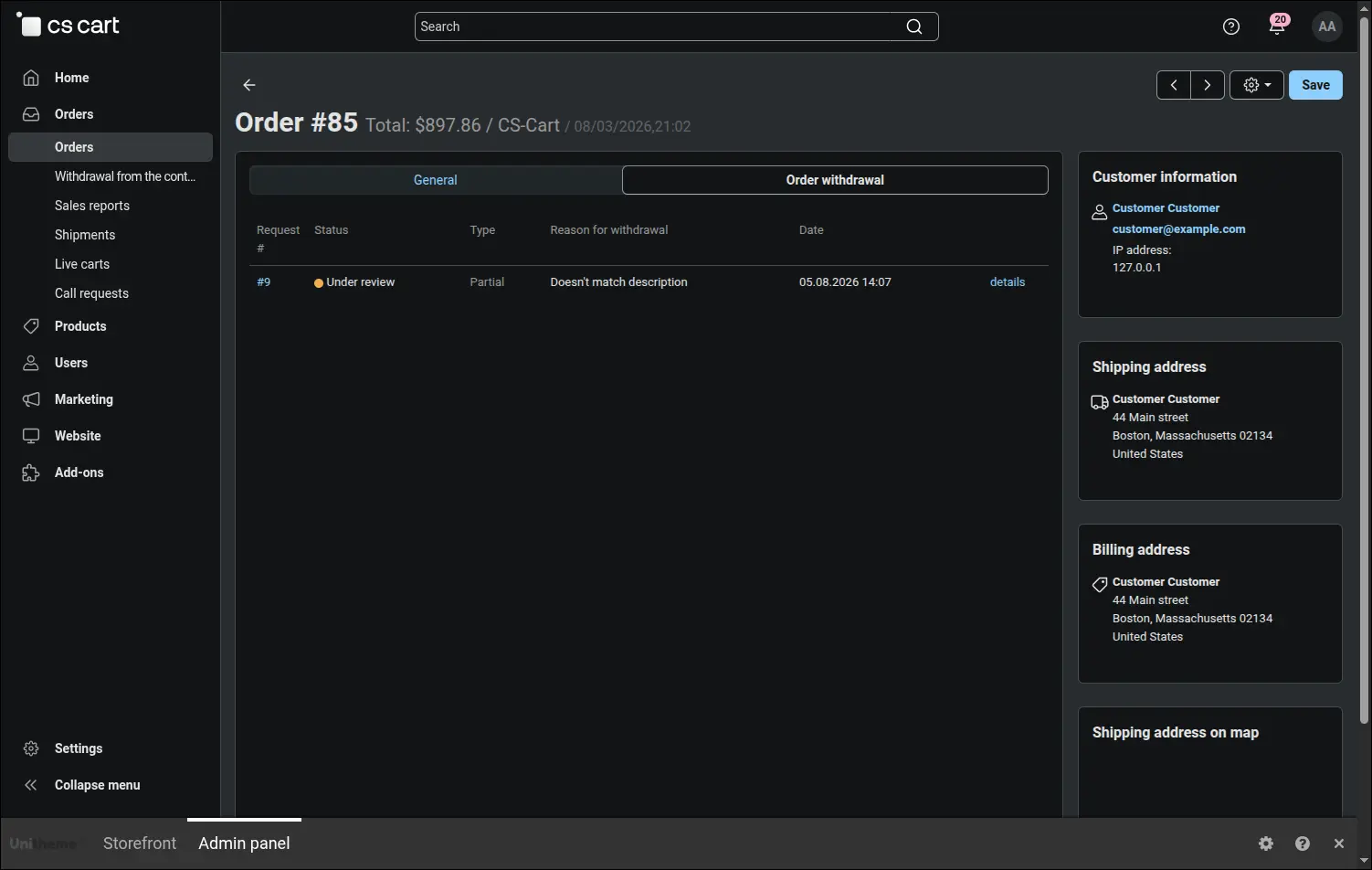
The withdrawal tab on the order details page
On the storefront a customer looks for returns in the usual place, inside their own account. An item in the account menu leads straight to the list of filed statements, and the store decides whether to show it to logged in customers, to guests, or to both groups:
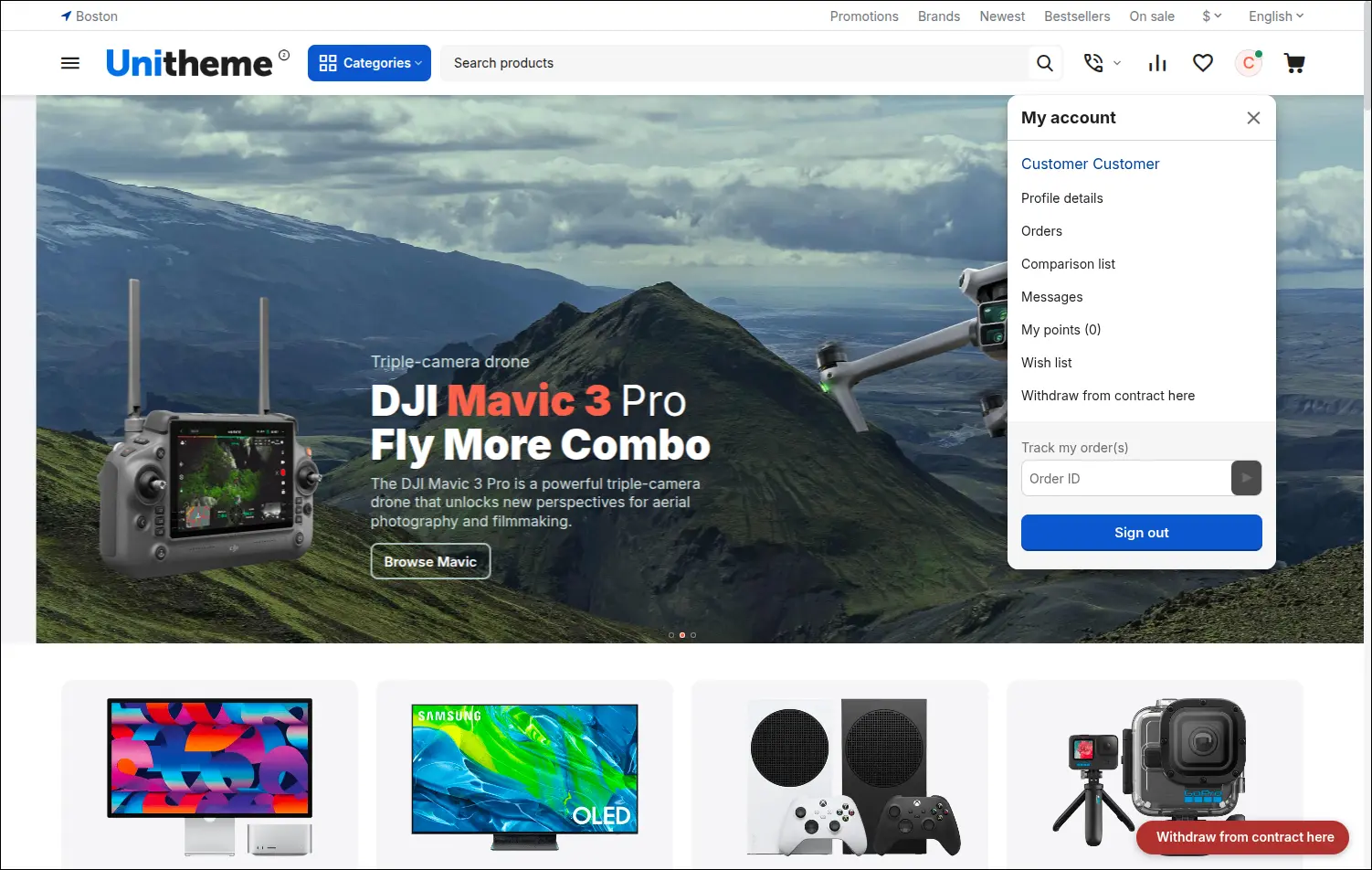
Entry to withdrawal statements in the customer account menu
The second entry works on every page of the store and takes the shape of a link or a badge pinned in the corner of the window. The link adapts its destination to the visitor: a logged in customer lands on the list of statements, a buyer without an account on the form that asks for a link:

Withdrawal entry available in the storefront footer
There are several entries in total and each has its own switch, so the store decides how loudly it speaks about returns. The overview below shows them side by side, along with the one that appears on its own, without any setting:
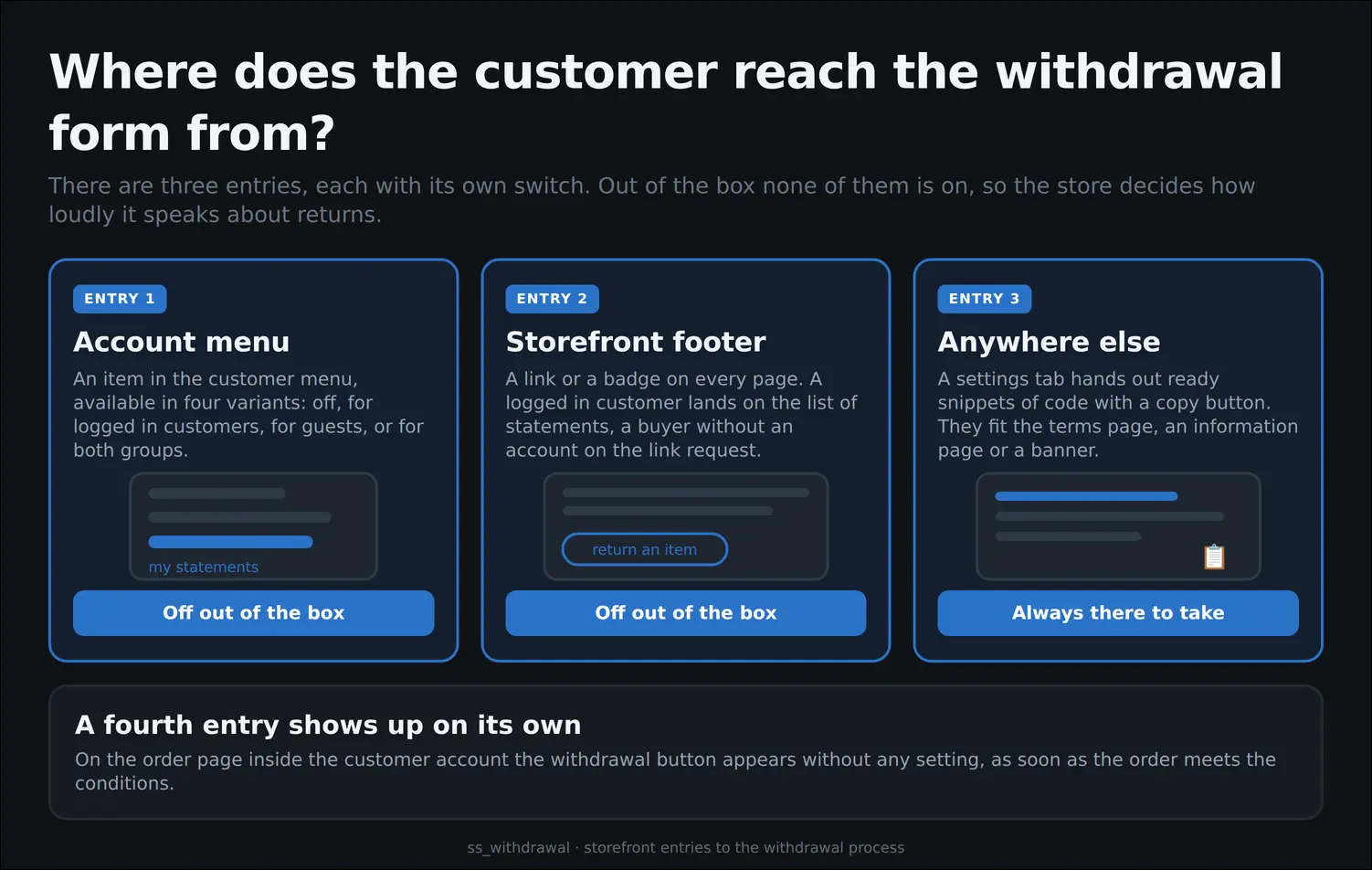
Where the customer reaches the withdrawal form from
The form itself leads the customer by the hand. It shows the filing deadline, the order items with quantity fields, the excluded items together with their justification and the list of reasons to choose from. The store receives the full set of data at once, with no exchange of messages and no follow up questions:
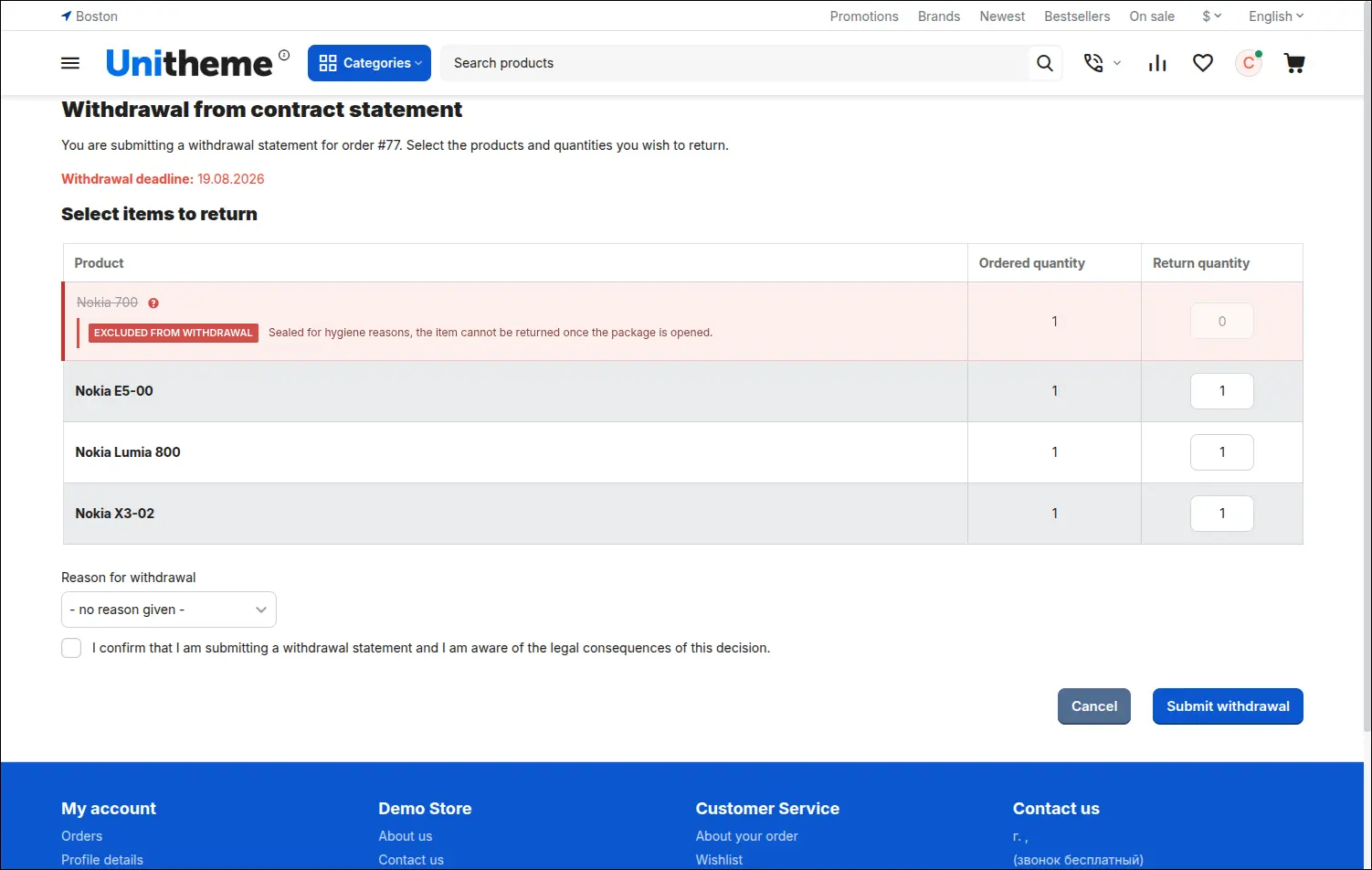
Withdrawal form with item selection, quantities and reason
Partial withdrawals are settled unit by unit. A claimed unit leaves the pool available for the next statement and returns to it only when the store rejects the request or the customer cancels it, which protects the team from settling the same item twice:
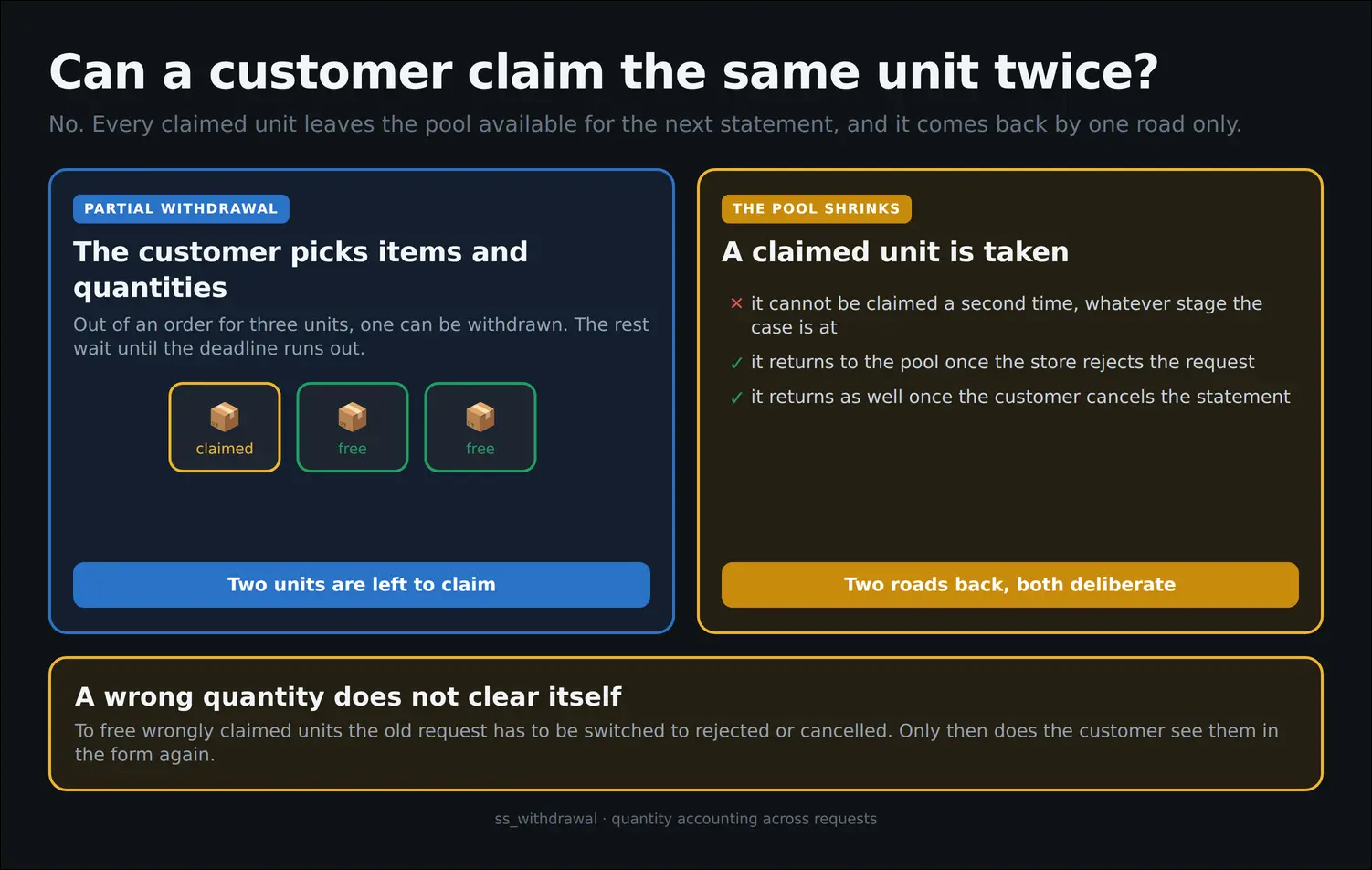
A claimed unit stays taken
After filing a statement the customer is not left in the dark. The list inside the account shows every case with its number, order, request type and current status, which noticeably reduces the questions reaching the support team:
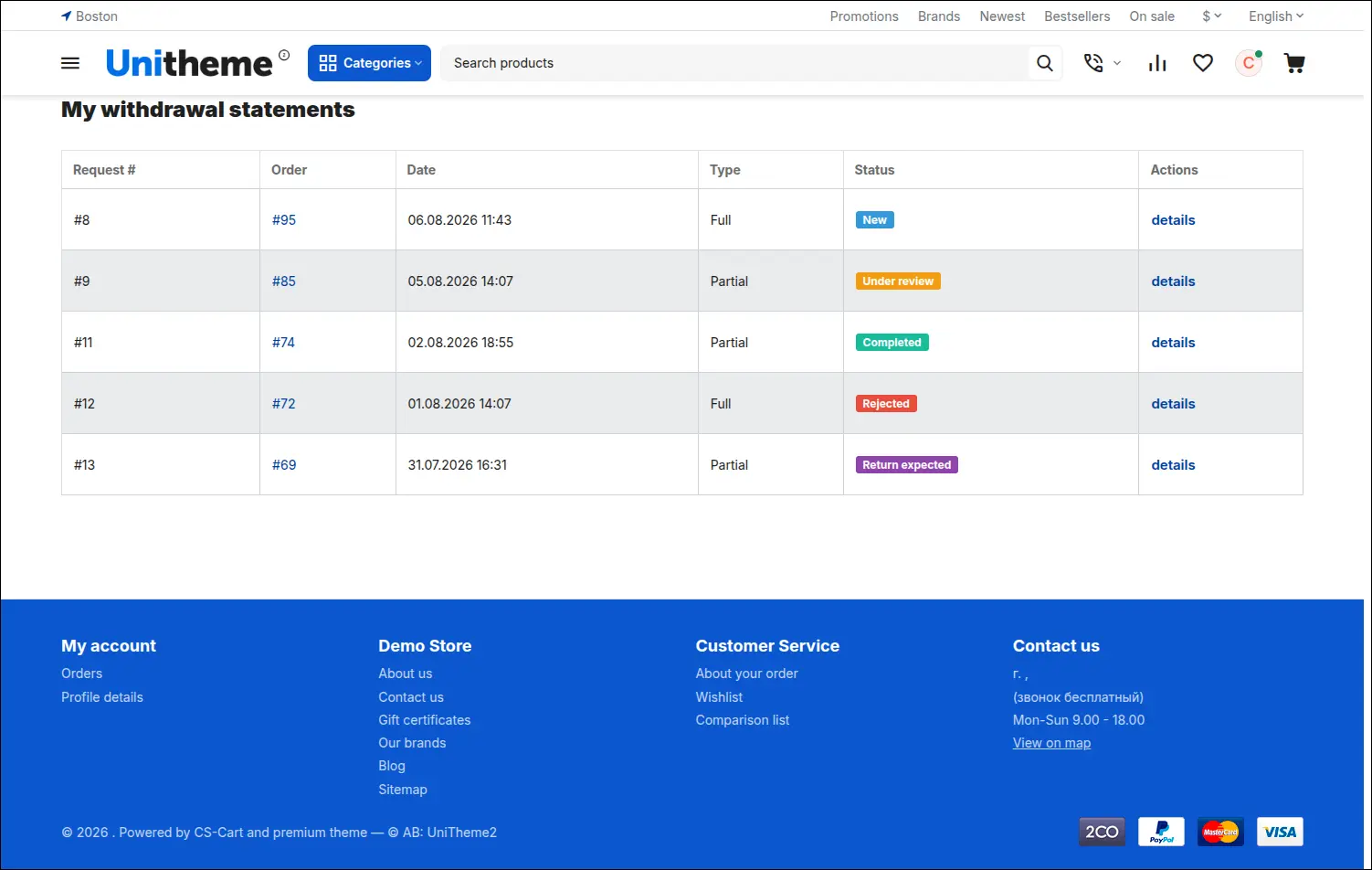
Customer list of statements with request type and status
Opening the details reveals the full picture of the case: the items, the reason and a timeline of status changes with messages from the store. Internal notes stay out of sight, so the team can record its own findings without hesitation:
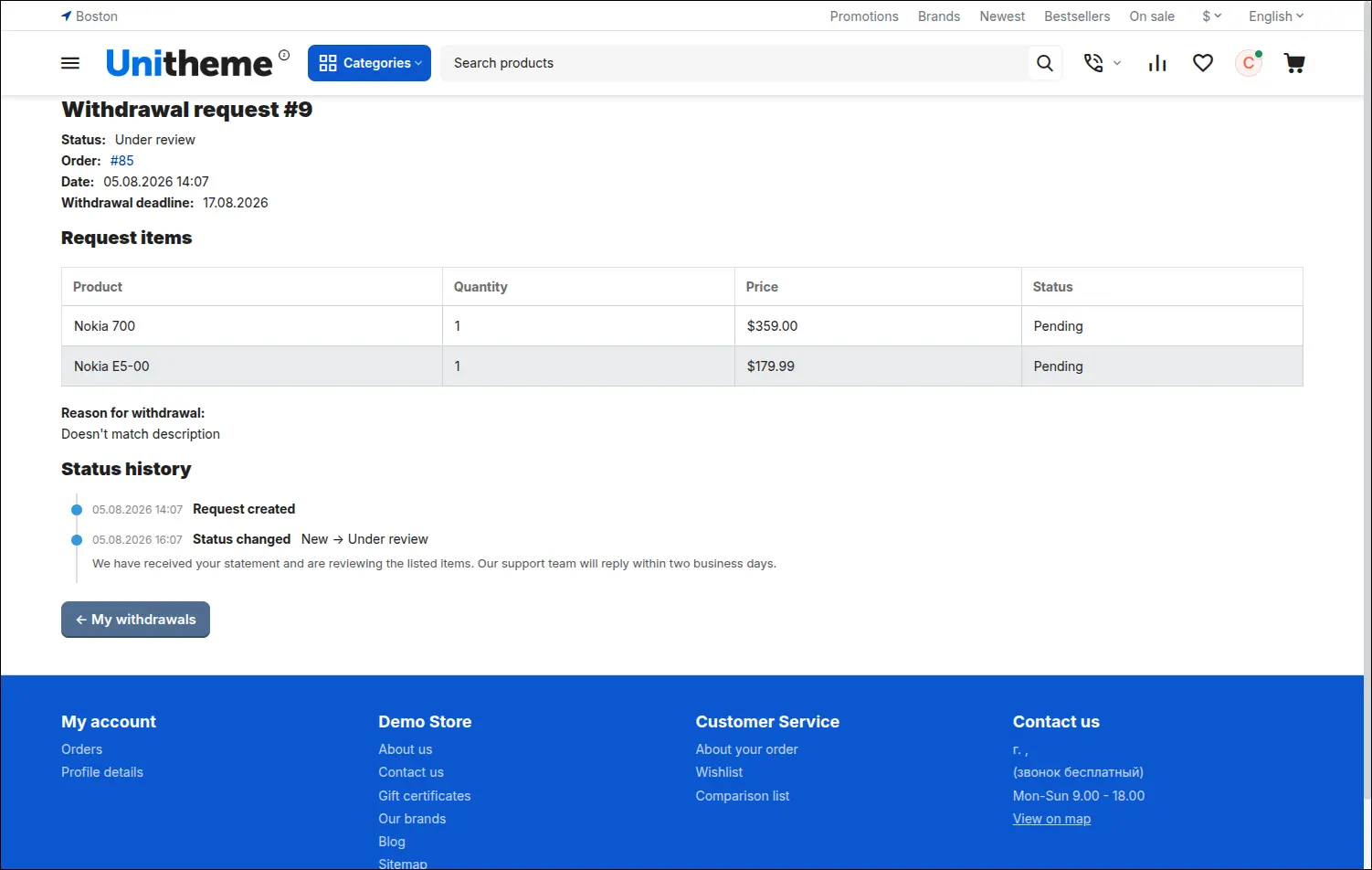
Statement details with status history and store comments
A buyer without an account starts with a short form asking for the order number and the email address. The answer is always the same, whether or not the given data match, so nobody will uncover other people's purchases by trial and error:
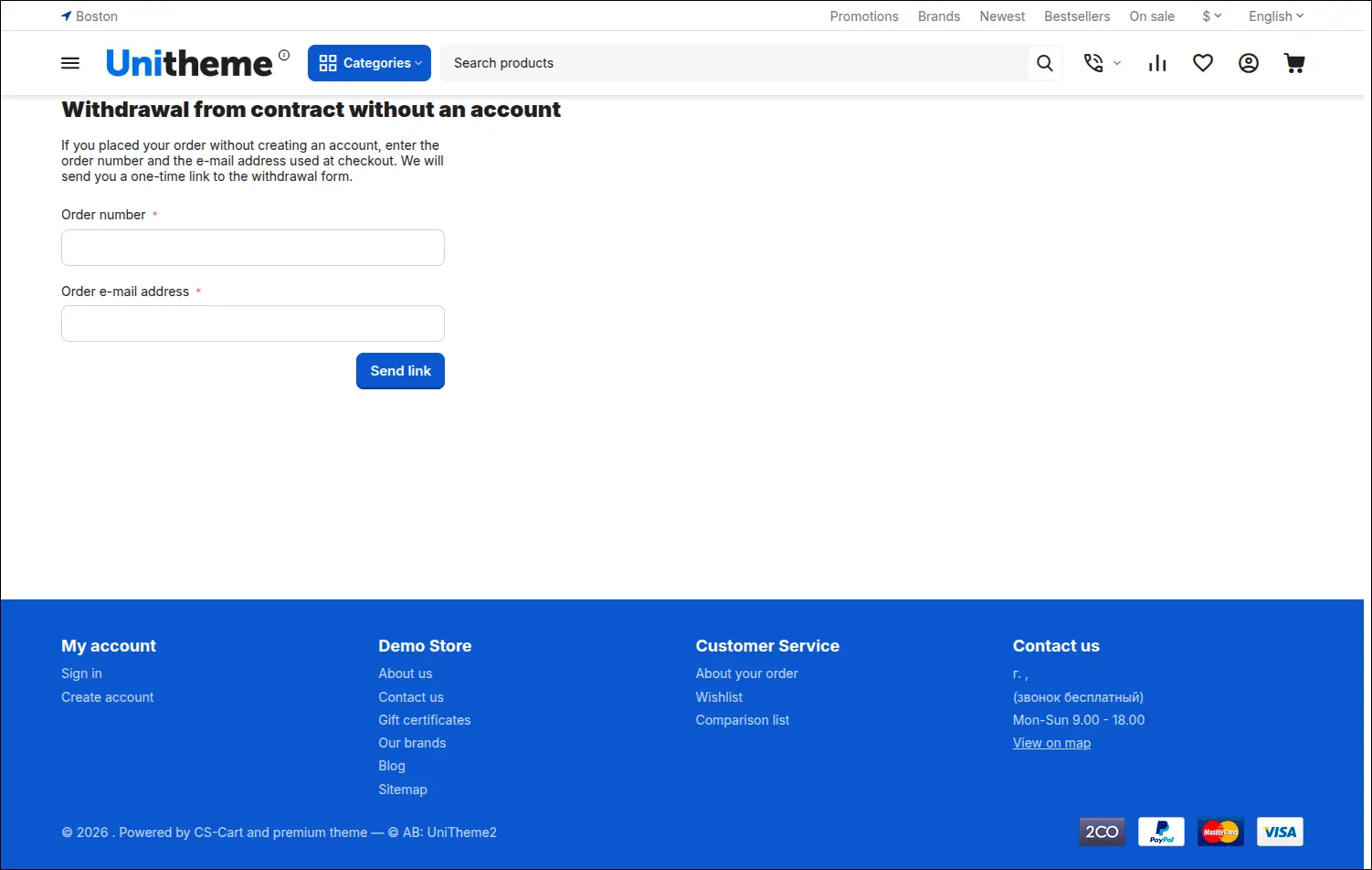
Guest access: requesting a one time link to the order email
The links sent to a buyer without an account come in two kinds and differ in their rules of use, although the address bar shows them the same way. One opens the form and dies once used, the other serves for tracking the case and works until it expires:
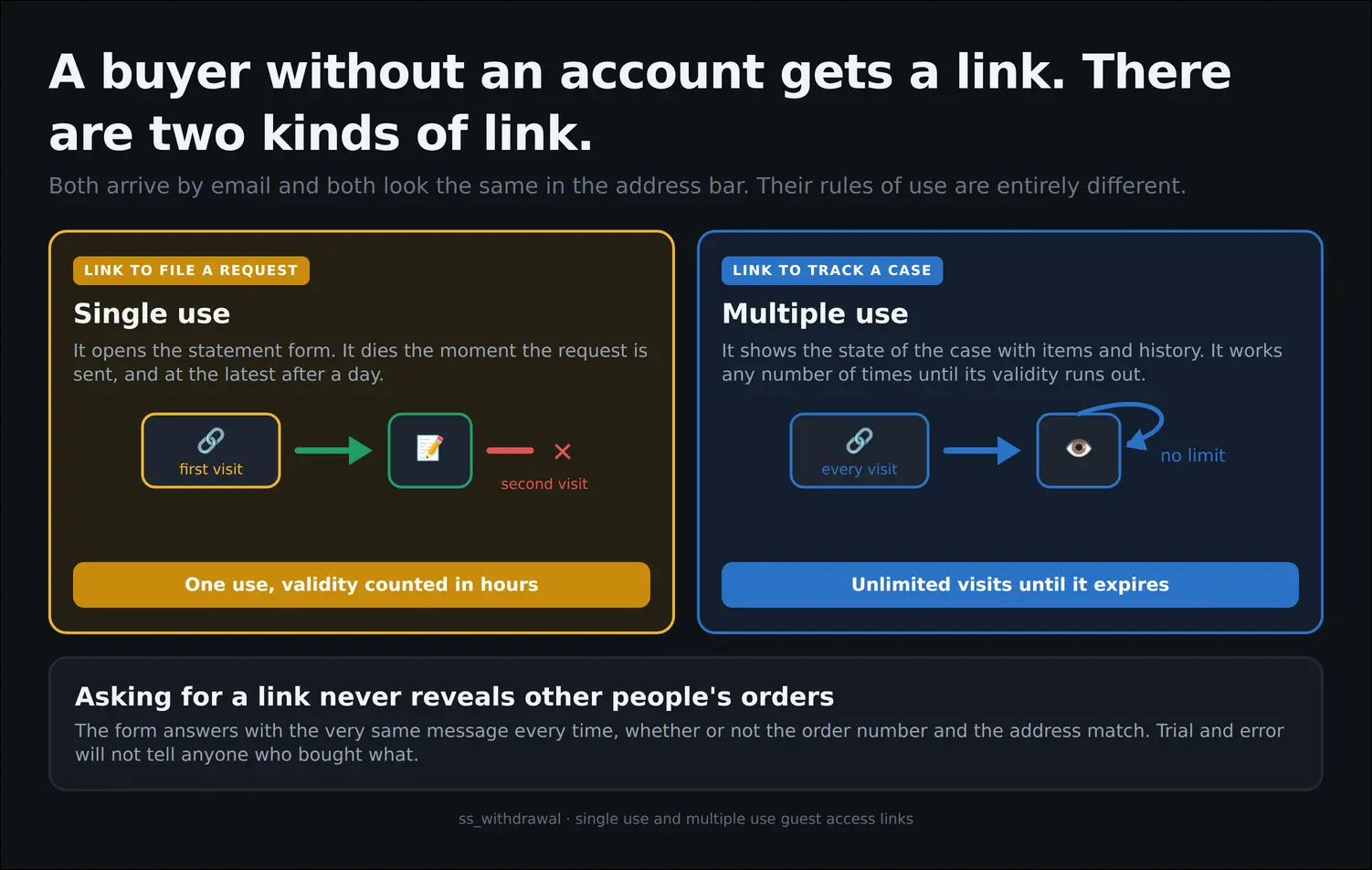
Two kinds of link for a buyer without an account
The guest preview shows the same picture a logged in customer sees: the claimed items, the reason and the current status of the case. The absence of an account stops meaning the absence of information:
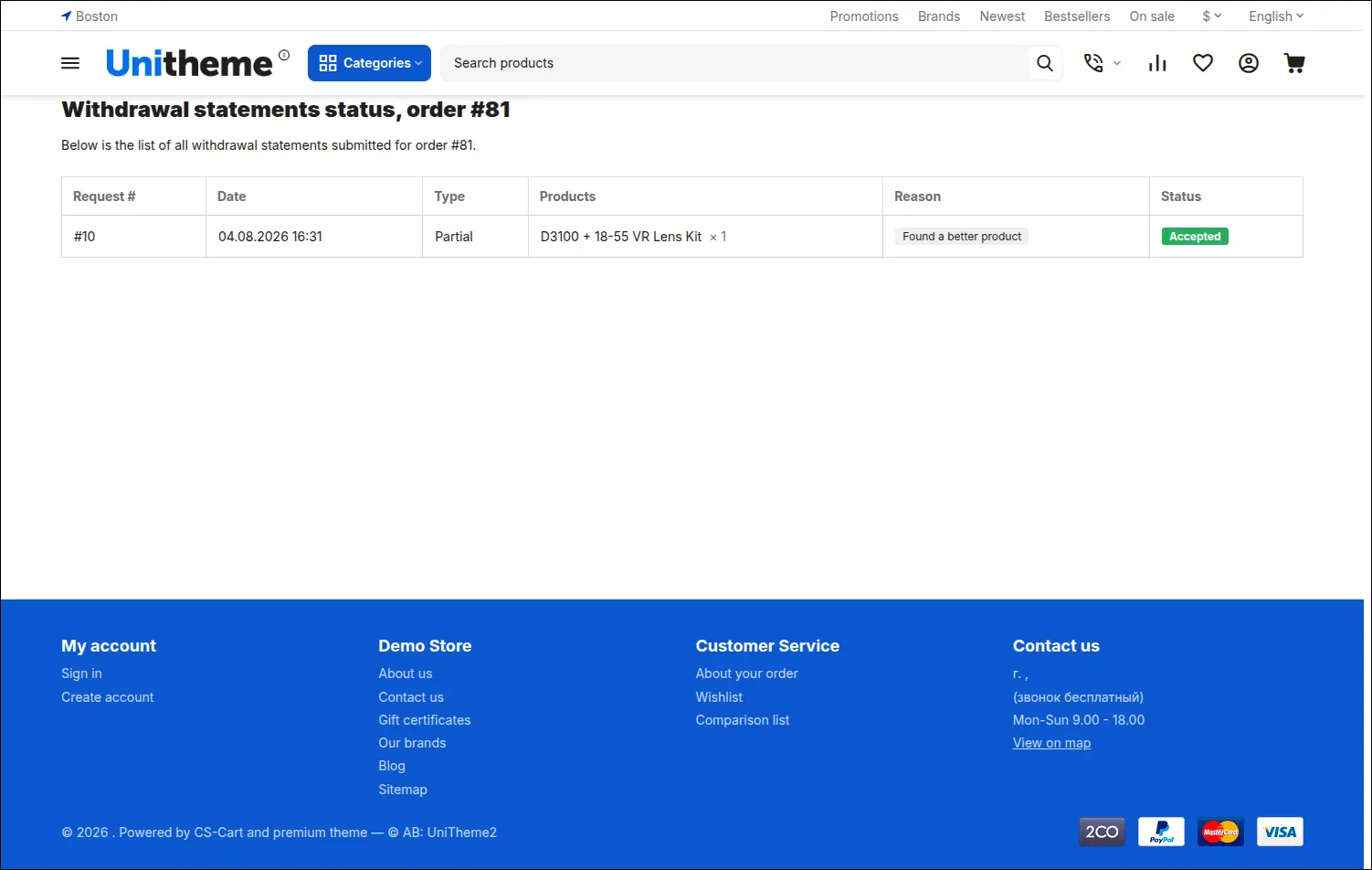
Status preview for a customer without an account
The law requires the statement to reach the consumer on a durable medium. The confirmation message sent right after the request carries the consumer details, the wording of the statement, the date and the list of returned items, which is exactly what the provision demands:
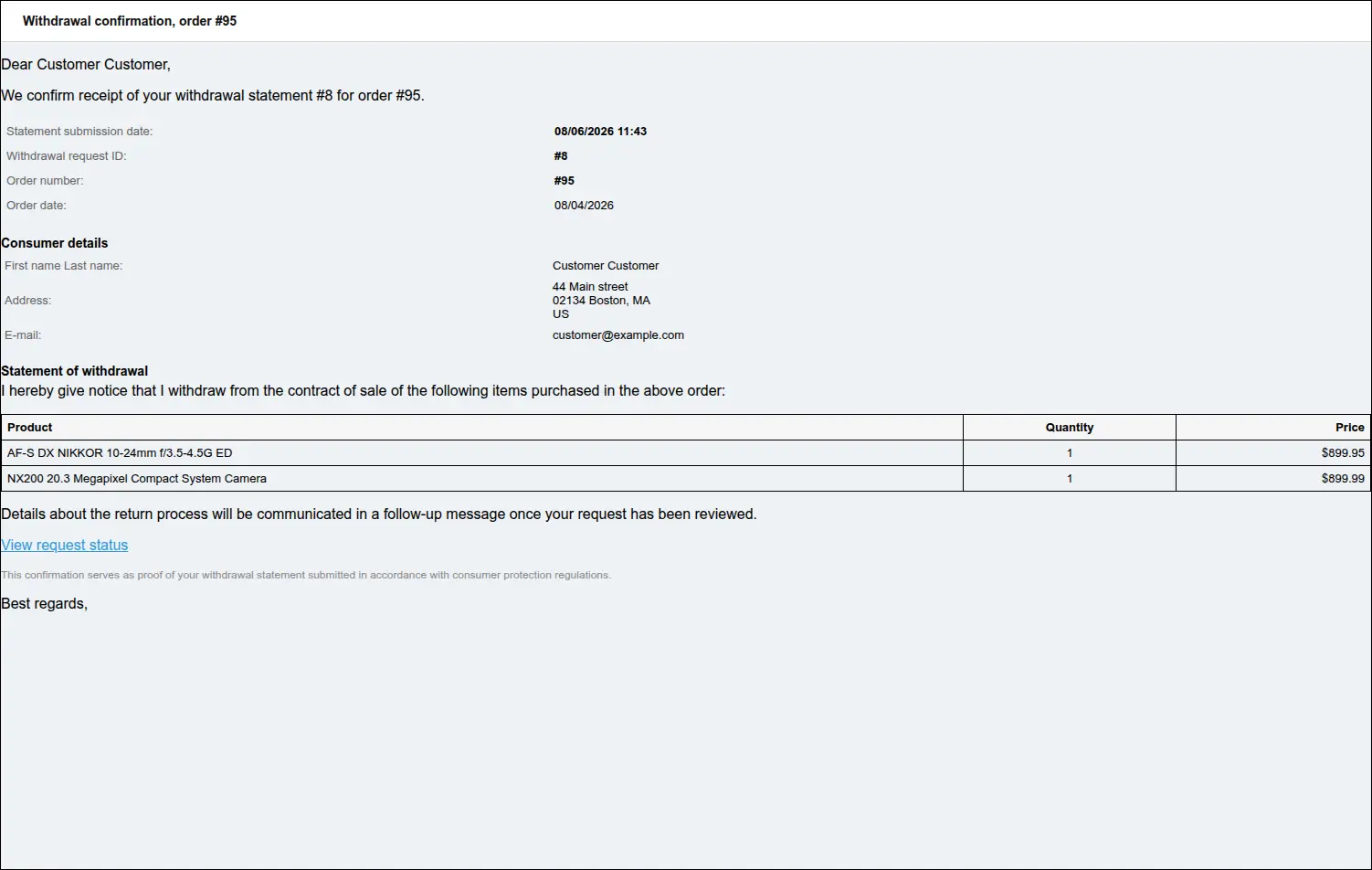
Confirmation email as the durable medium of the statement
The store learns about the case at the very same moment. The notification for the order department gathers the request details, the consumer details and the list of items, while a button in the body leads straight to the request page in the admin panel:
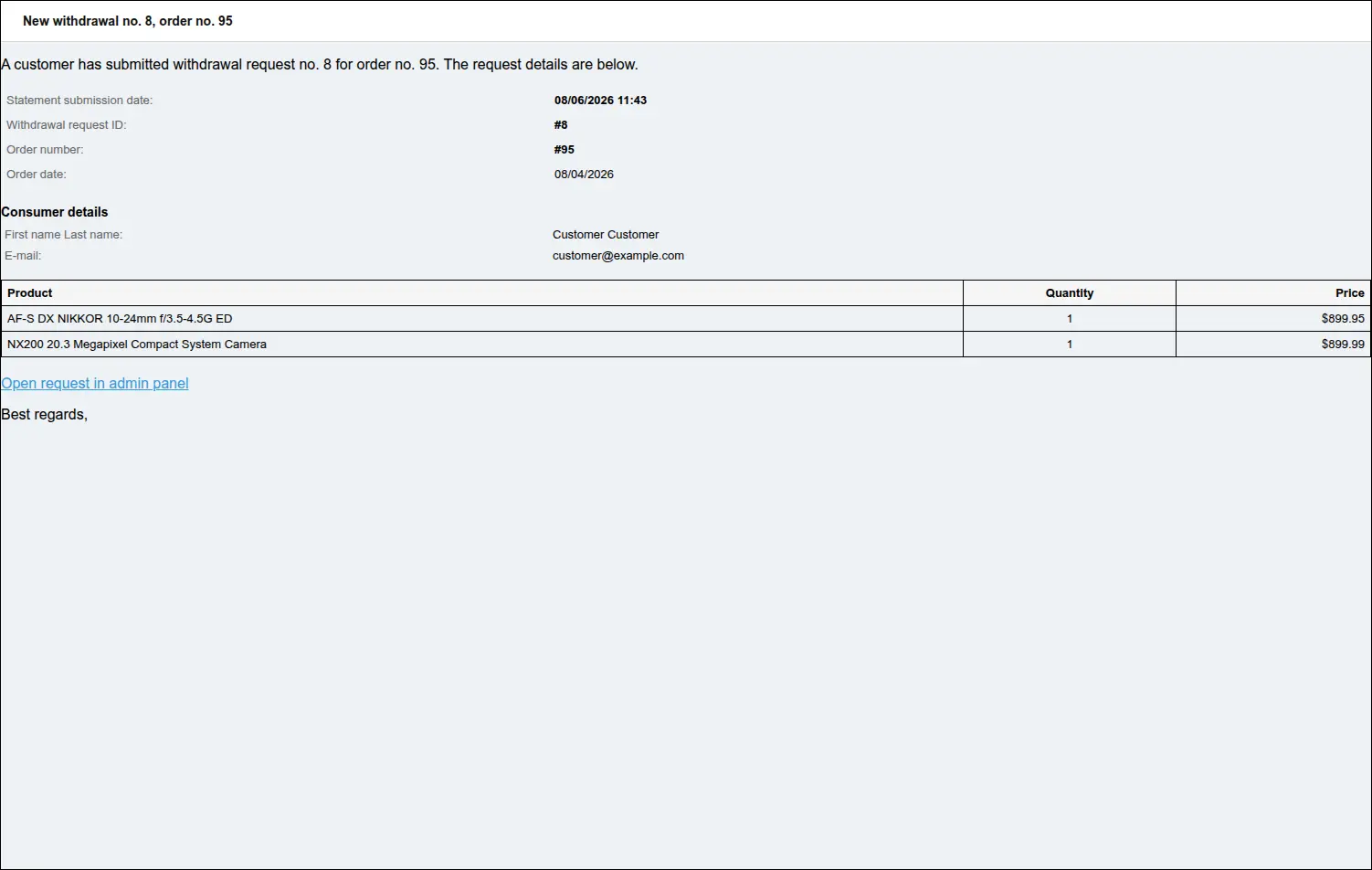
Store notification about a new customer statement
Every further step of the case is communicated as well, in the language the customer used when filing the statement. The message describes the new status and highlights the comment from the support team whenever one was written:
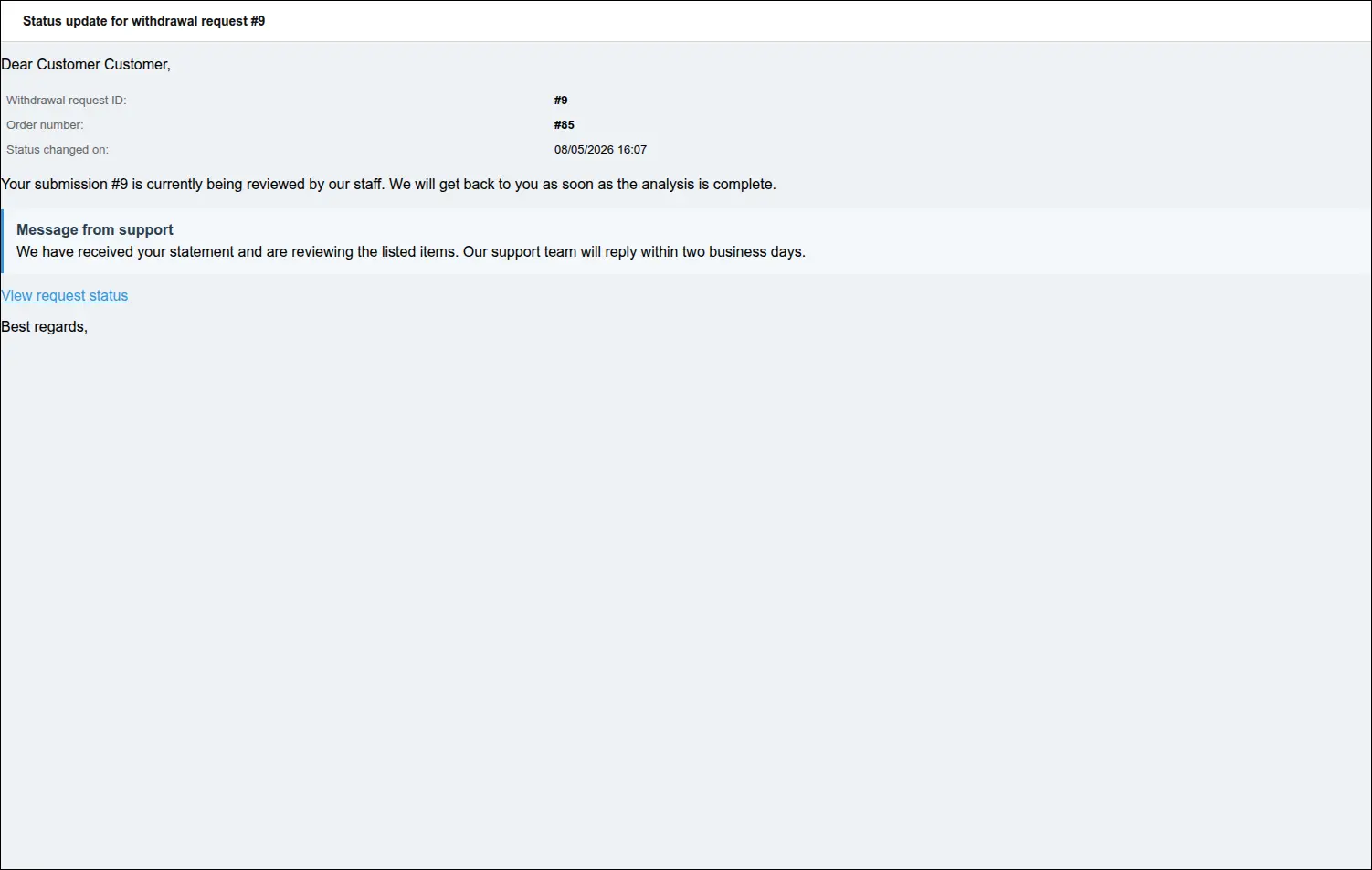
Customer notification about a status change with a store comment
How this differs from the RMA module
- A different legal ground. The RMA module handles complaints and after sales service, while our add-on runs the statutory withdrawal from a contract, which follows its own deadline and its own exclusions.
- The deadline watched automatically. RMA knows nothing about fourteen days counted from the order. Our add-on checks the deadline itself and closes the entry to the form once it has passed.
- Buyers without an account. RMA requires a login. Our add-on also serves orders placed without registration, and does so without forcing an account on anyone.
- Protection against duplicates. RMA allows several requests for the same items. Our add-on tracks the quantities already claimed and blocks a repeat claim until the active case has been closed.
- Peaceful coexistence. When a statement is accepted, our add-on opens a linked RMA request, provided the module is enabled in the store. The two solutions work together, each in its own area.
The Withdrawal from Contract add-on closes a gap that standard CS-Cart leaves to stores operating inside the European Union. The customer receives a straightforward way to file a statement and a full view of the case, the support team receives a single place to work with history and messages, and the owner receives real data on why buyers change their minds.
Feel free to contact us and purchase the add-on!
Choose the most convenient form of payment for the add-on. You can pay once and use the add-on. Choosing a subscription payment (monthly or annual) means that you pay for the add-on at regular intervals and have access to the latest versions of the addon and technical support.
- Store Bulider
- Multi-Vendor
- 4.21.x
- 4.20.x
- 4.19.x
- 4.18.x
- 4.17.x
- 4.16.x
- 4.15.x
- No changes
No reviews found