


Integration with Sellasist


- — 12 months guarantee for all our add-ons
- — add-ons sold to entire world
- — stable, flexible, high-quality products
- — competitive prices, attractive discounts
- — quick and competent technical support
- — installation in 24 hours
- — personalized solutions - we'll write any add-on for you
An extension for Store Builder and Multi-Vendor, which connects your store with the SellAsist platform and keeps the catalog, orders, stock levels and invoices fully in sync in both directions. The store stays your sales channel, while order handling, the warehouse and invoicing run wherever it suits you, with no manual re-keying between systems.
Key Features
- Product catalog export to SellAsist with variants, images and categories, in the change push mode you choose.
- Automatic order push to SellAsist the moment a status changes, with address data, line items and payment information.
- Statuses, tracking numbers, stock levels, prices and returns flowing back from SellAsist to the store, handled by a single CRON schedule.
- Automatic invoicing and order note forwarding, with no involvement of your team.
- Mapping of statuses, categories and product features in clear panel views.
- Built-in logs with the full operation history that speed up diagnosis.
Right after installation the add-on is active and visible in the panel, together with its version number and shortcuts to the key integration views. From here you go straight to the configuration and the mappings:
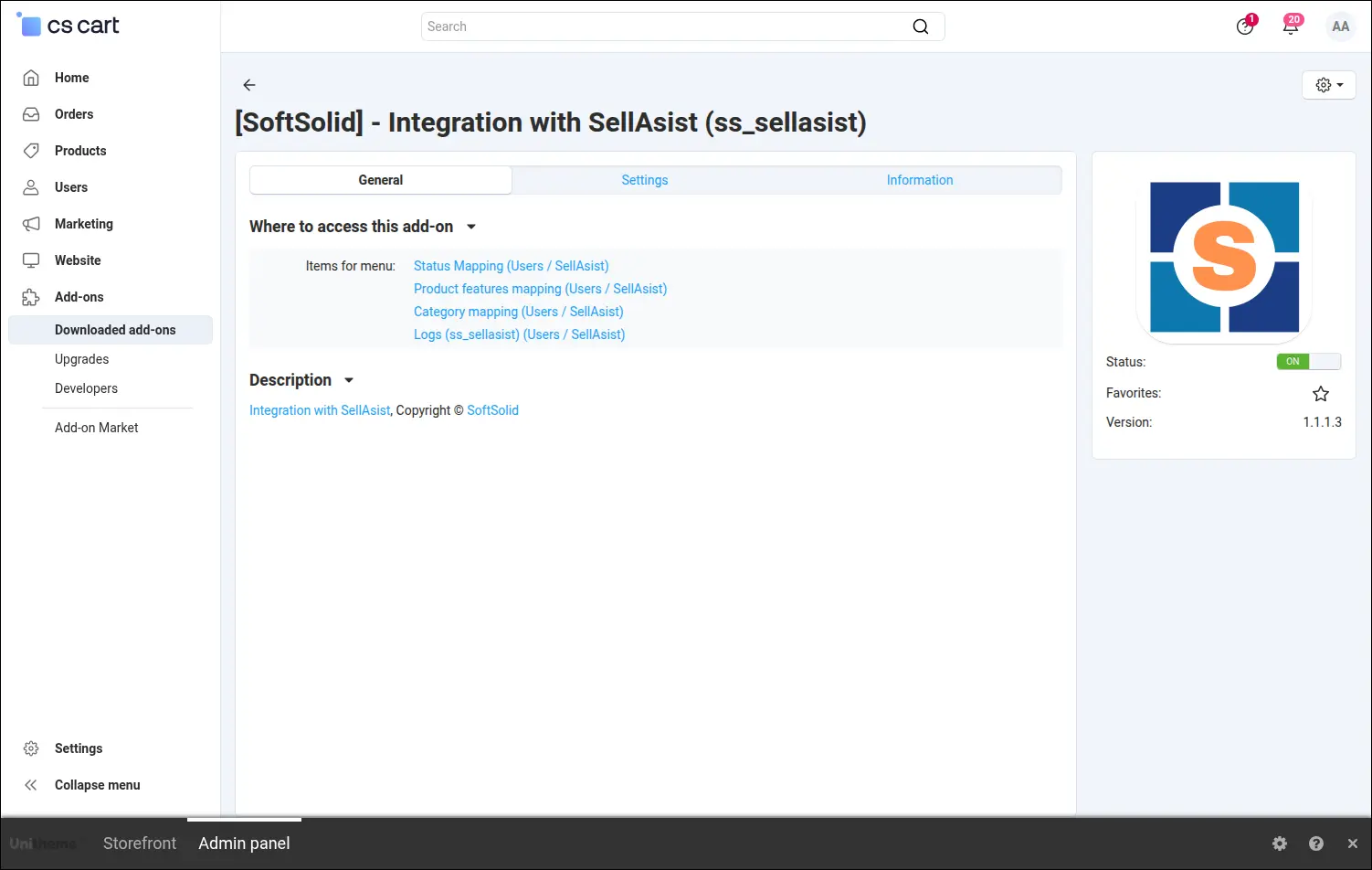
Screenshot 1
In the general section you enter the SellAsist account subdomain, the API key and the token that secures the connection. These are the only details you need to prepare to start exchanging information between the store and SellAsist:
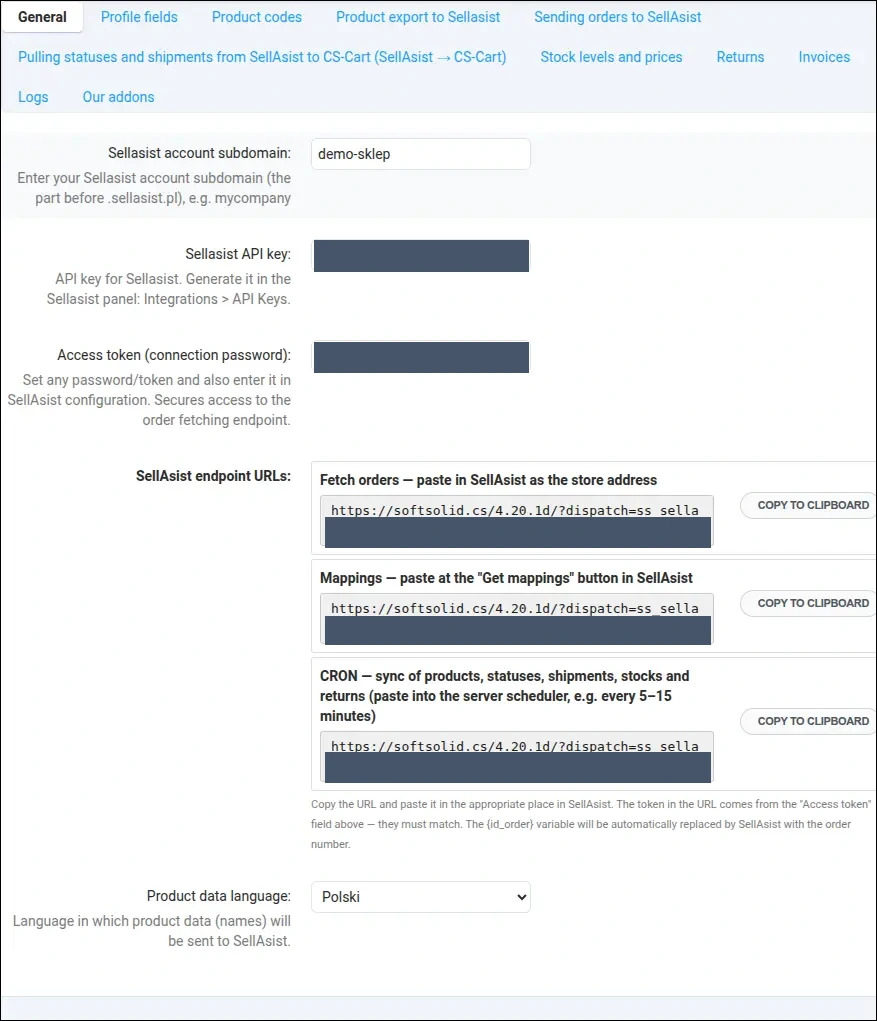
Screenshot 2
The add-on prepares ready endpoint URLs that you copy with a single click and paste into SellAsist and into the server scheduler. There is nothing to assemble by hand and no address syntax to remember:
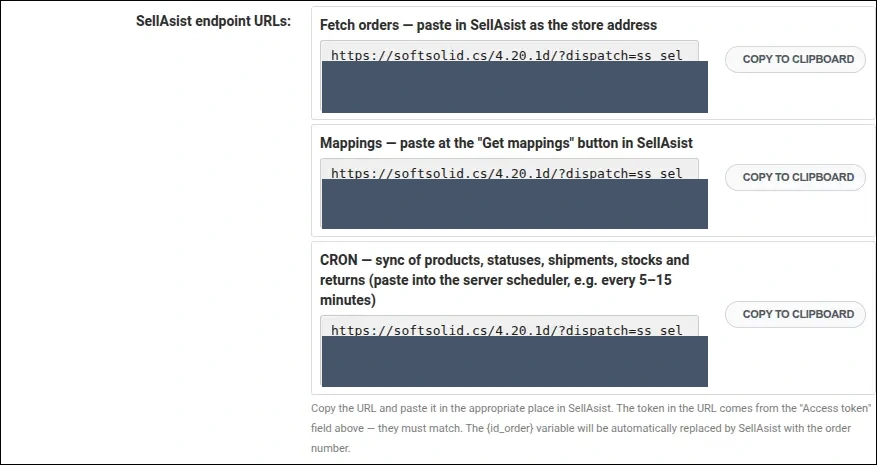
Screenshot 3
Here you point to the profile fields that hold the customer VAT number and company name. As a result, B2B invoice data reaches SellAsist on its own, even when you keep it in custom fields:
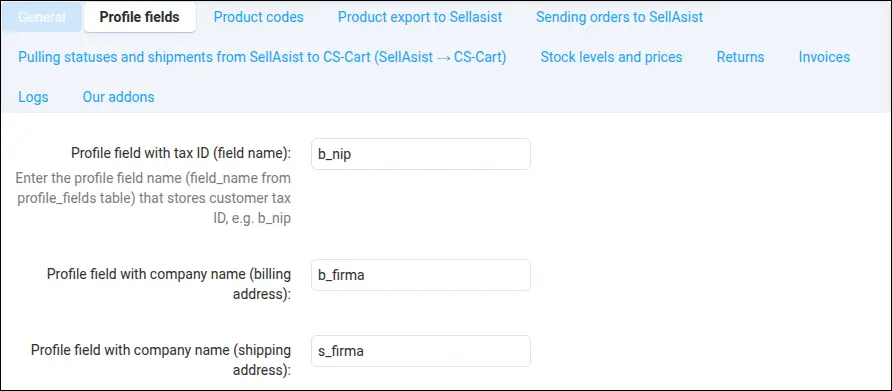
Screenshot 4
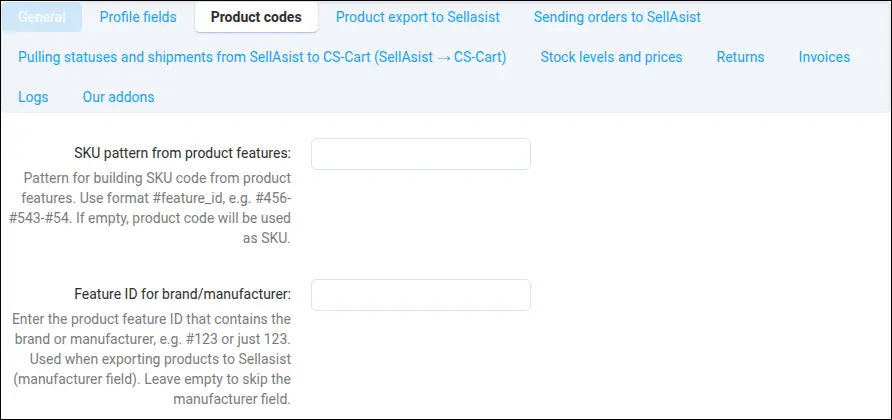
The SKU pattern lets you build the product code from selected features, while a separate field points to the brand feature. The store passes to SellAsist exactly the identifier that fits your warehouse processes:
Screenshot 5
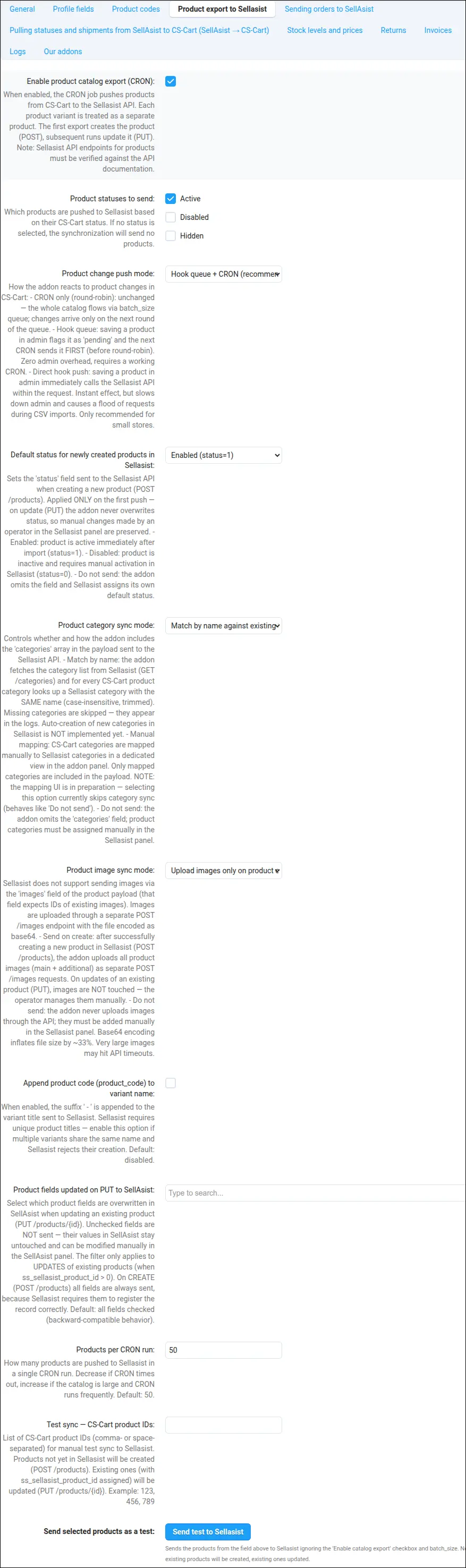
The product export section decides which products reach SellAsist and how quickly changes get there. You choose the push mode, the product statuses, the way categories and images are sent, and the batch size used in each run:
Screenshot 6
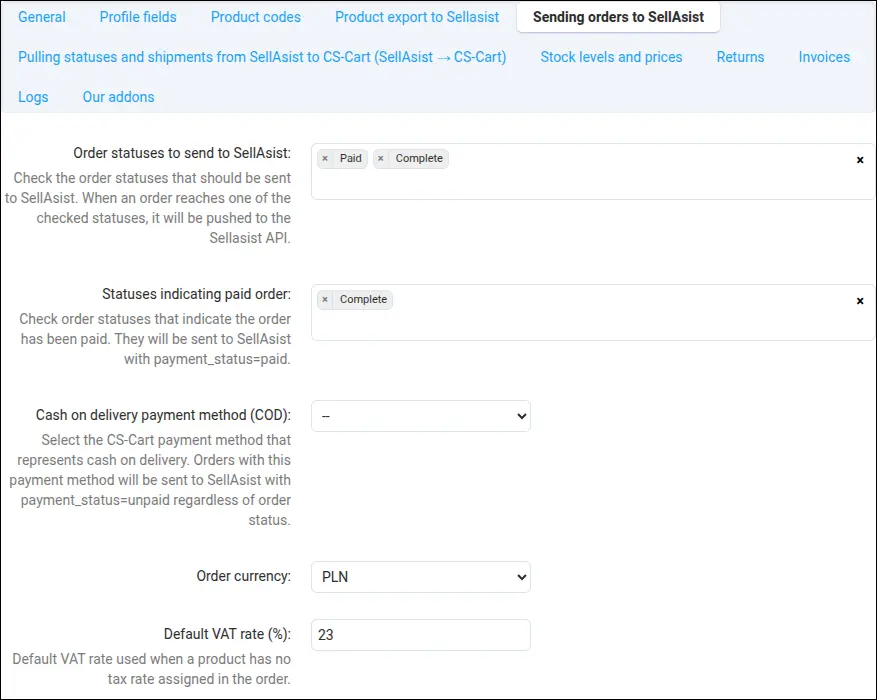
You select the order statuses whose arrival triggers a push to SellAsist, along with the statuses that mark payment. Only the orders you really want to hand over end up in SellAsist:
Screenshot 7
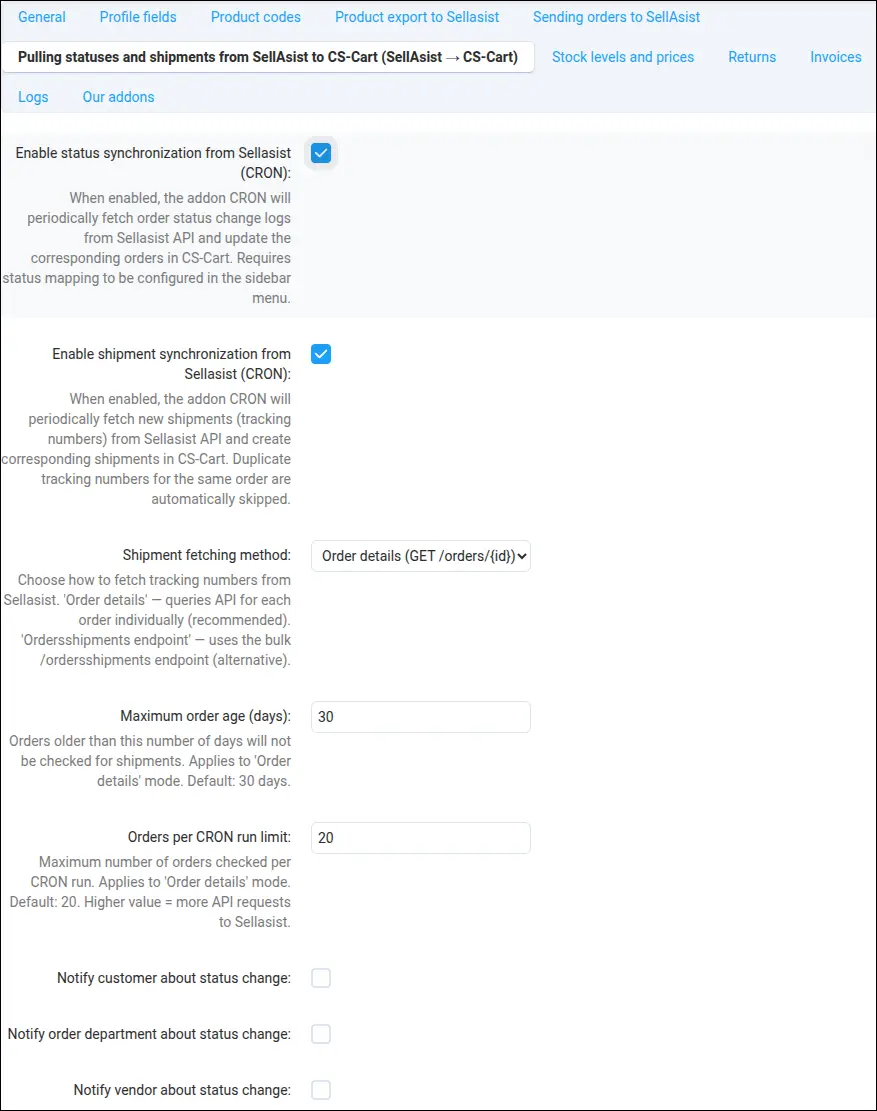
This part of the configuration handles the traffic in the other direction: pulling statuses and tracking numbers from SellAsist into the store. You can also decide who receives an email notification on a status change:
Screenshot 8
You enable stock and price synchronization so the store always shows values consistent with SellAsist. Stock is matched by product code and overwritten with the warehouse value, which reduces overselling:
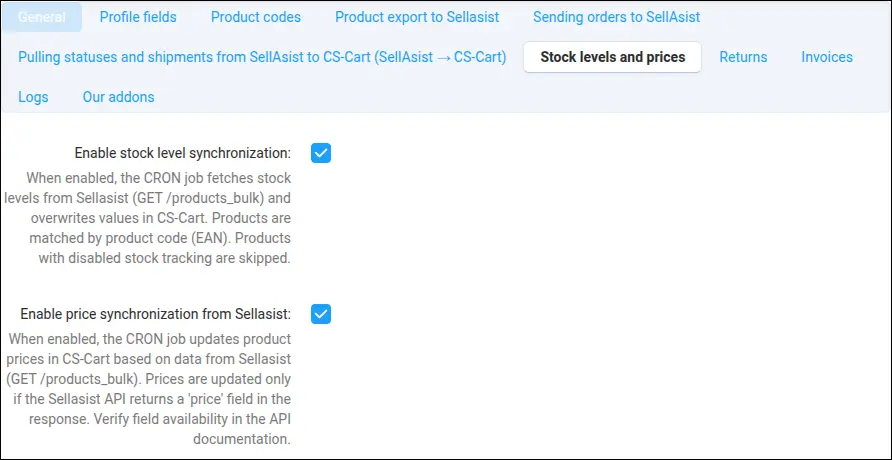
Screenshot 9
Once an order reaches a selected status, the add-on issues an invoice in SellAsist on its own. You pick the invoice statuses, and the system makes sure the invoice is created only once:
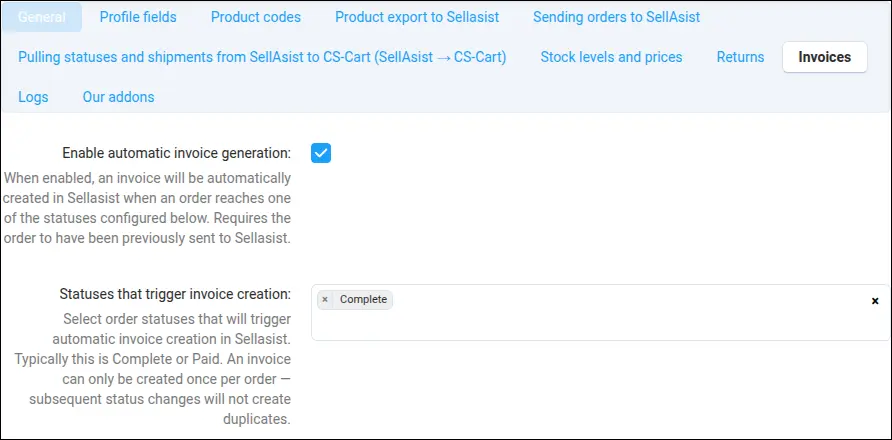
Screenshot 10
You turn on logging when you want full insight into how the integration behaves. It is a convenient switch that exposes diagnostics exactly when you need them:
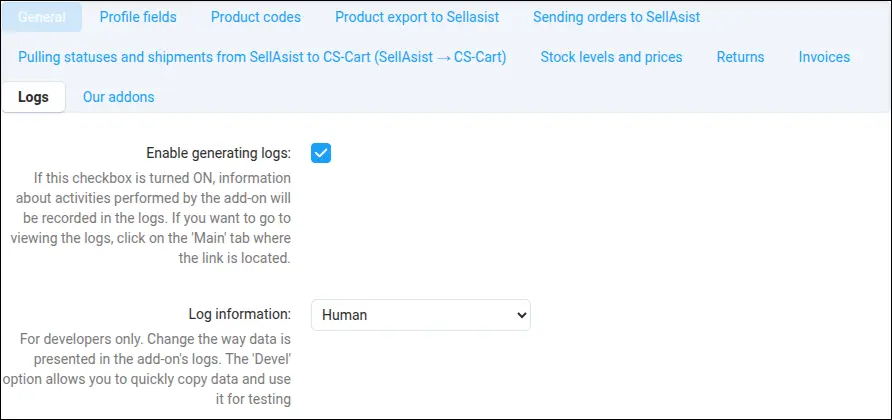
Screenshot 11
In the status mapping view you assign SellAsist statuses to store statuses. Thanks to this, a status change on the warehouse side comes back to the store in the right way:
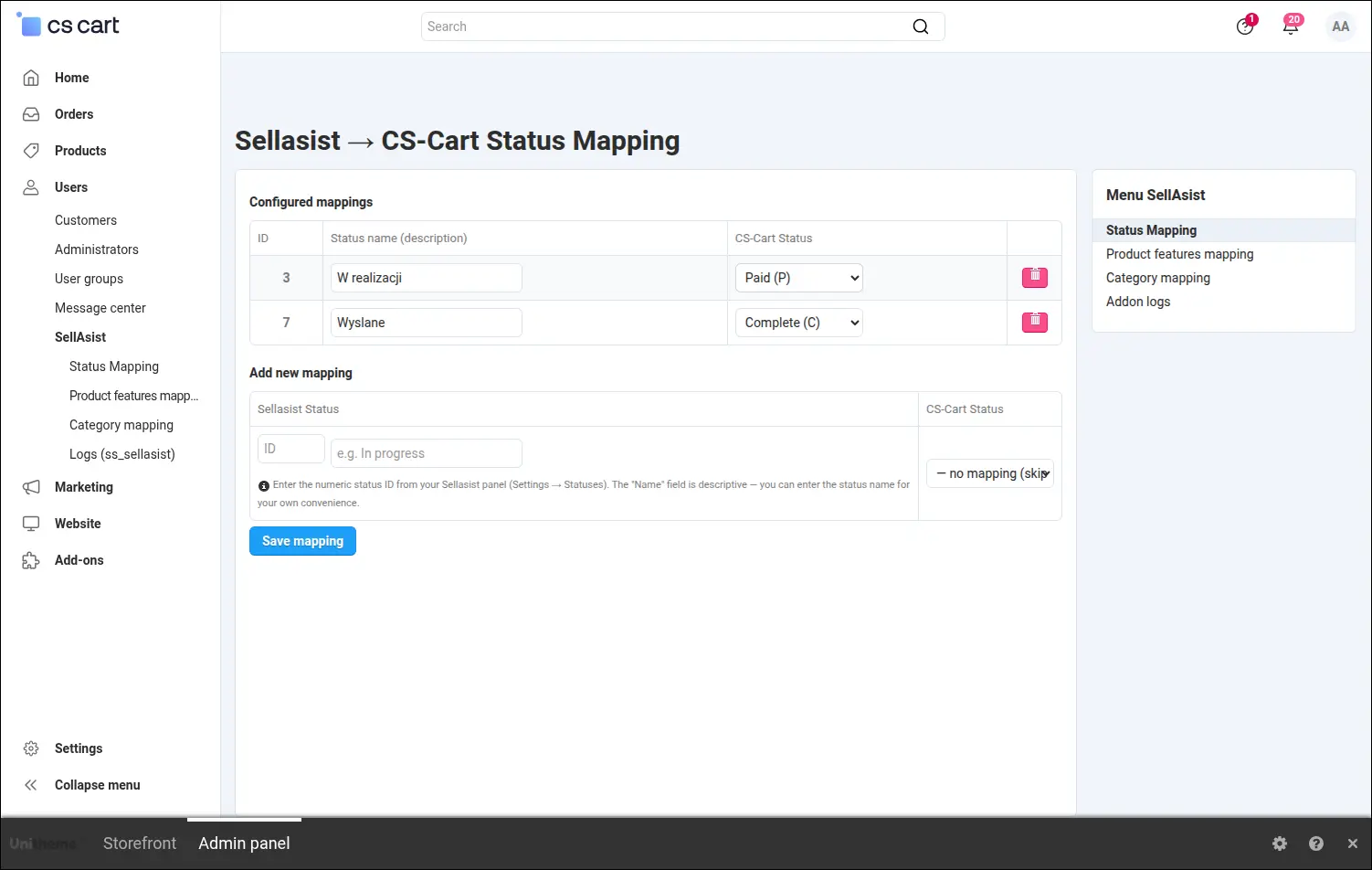
Screenshot 12
Here you map store categories to SellAsist categories, and the counter at the top shows the coverage. Automatic name matching is also available, so you handle most of the work with a single click:
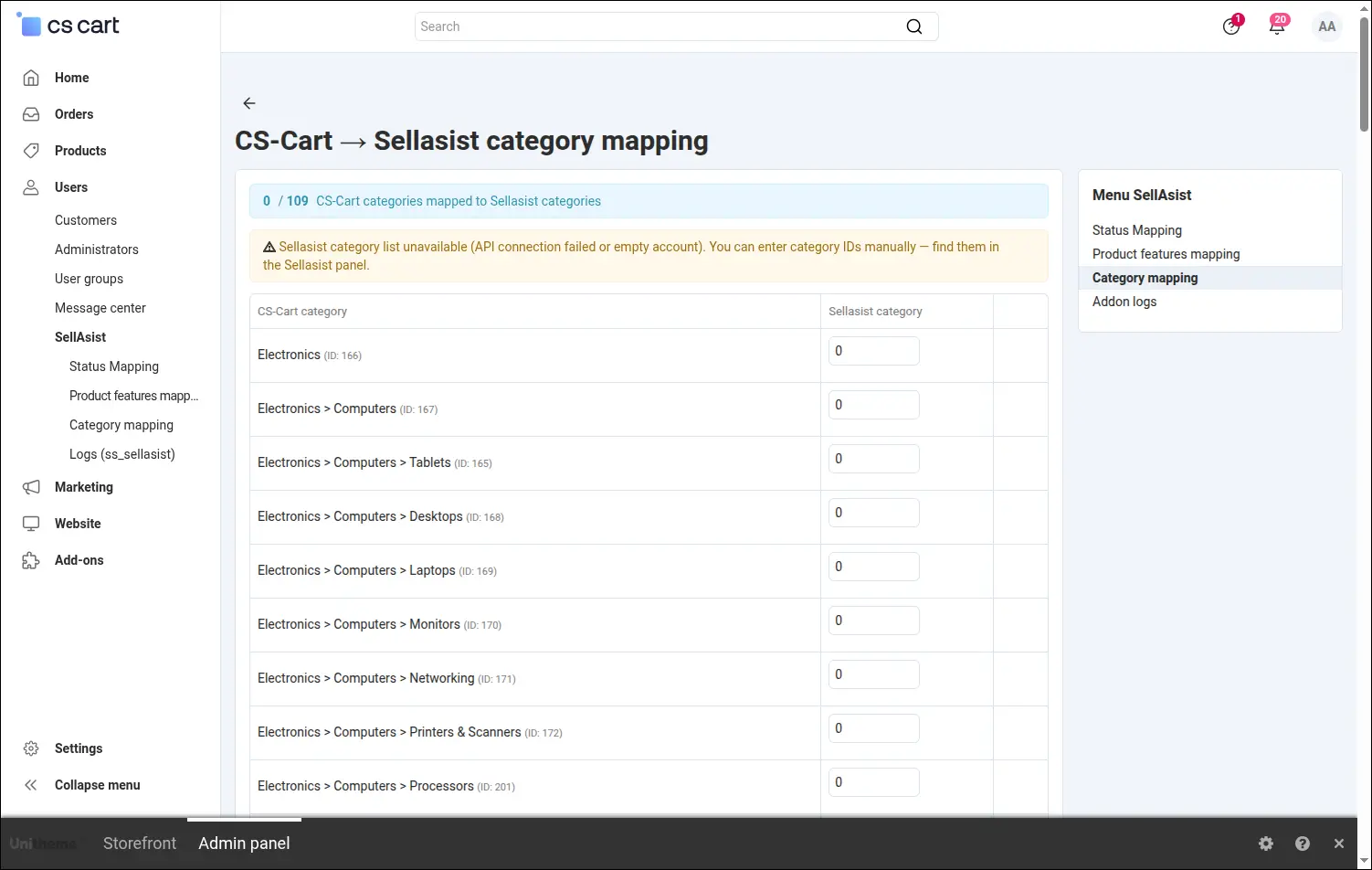
Screenshot 13
The feature mapping view links store product features with additional fields in SellAsist. The product description reaches the right fields, and the product card stays consistent on both sides:
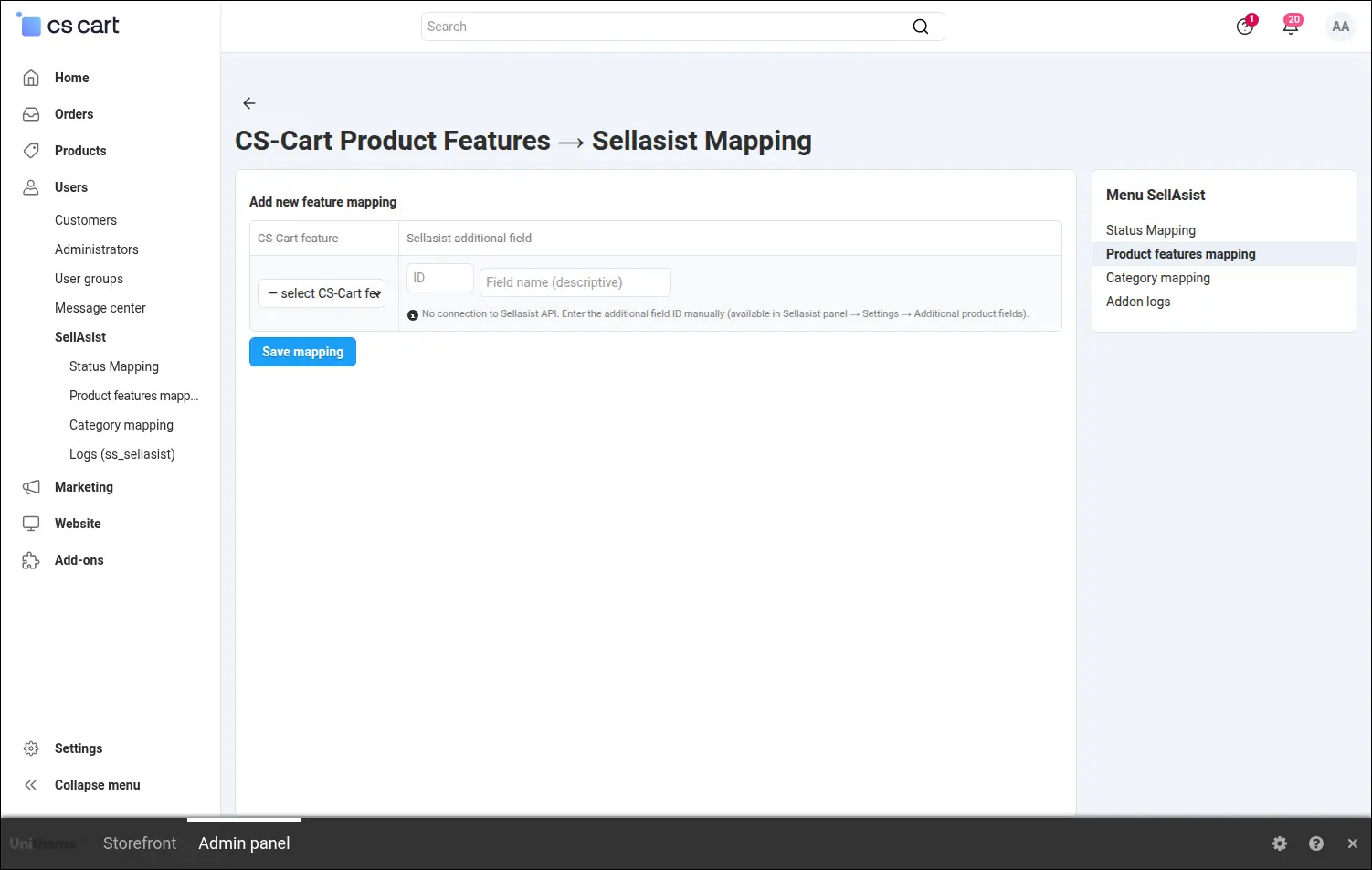
Screenshot 14
From the product list you select items and send them to SellAsist right away or queue them for the next run. It is a convenient way to force an export manually after a price or description fix:
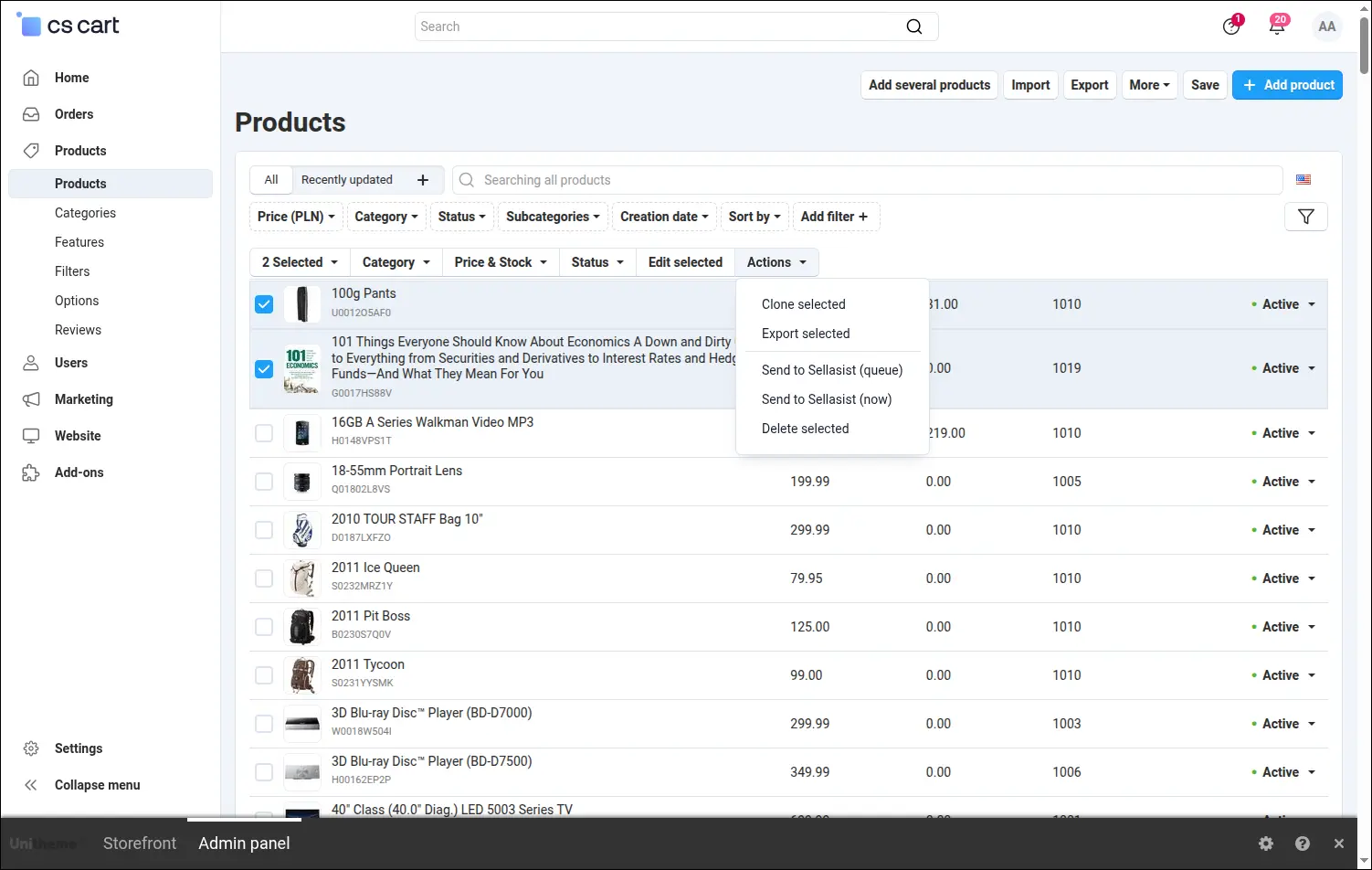
Screenshot 15
The logs panel shows the full operation history, including the start and end of every CRON run with the duration and the result of each stage. When something needs checking, you can see at once where to look:
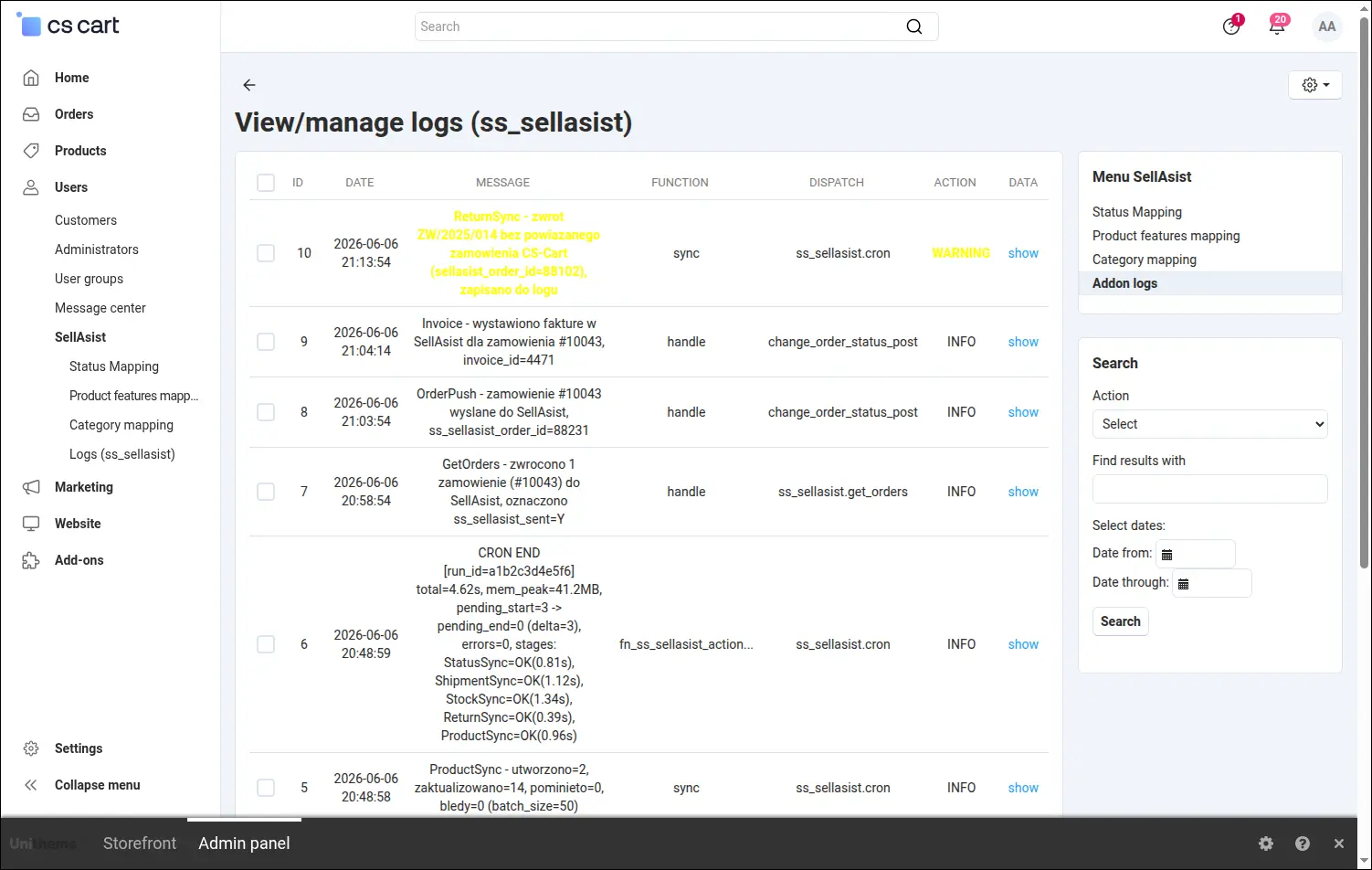
Screenshot 16
The SellAsist integration takes manual data re-keying off your team and keeps the catalog, orders, stock and documents as one consistent whole. You set it up once, and it keeps working in the background, in both directions.
Feel free to contact us and purchase the add-on!
Choose the most convenient form of payment for the add-on. You can pay once and use the add-on. Choosing a subscription payment (monthly or annual) means that you pay for the add-on at regular intervals and have access to the latest versions of the addon and technical support.
- Store Bulider
- Multi-Vendor
- 4.21.x
- 4.20.x
- 4.19.x
- 4.18.x
- 4.17.x
- 4.16.x
- 4.15.x
- No changes
No reviews found