


Isabella
Verified purchase

| CODE | Payment method | Price | ||
|---|---|---|---|---|

|
482
ss_adv_payment
2025-08-13
1.1.2.0
|
90.00 EUR
(Price without tax) |
||
|
|
624
ss_adv_payment_sub_1Y
2025-08-13
1.1.2.0
|
68.18 EUR
/year
(Price without tax) |
||
|
|
623
ss_adv_payment_sub_1M
2025-08-13
1.1.2.0
|
6.82 EUR
/month
(Price without tax) |

An extension for Multi-Vendor that turns a single fixed payment method fee into a clear surcharge price list. The surcharge depends on the vendor plan and the order value, and the marketplace operator decides who pays it: the customer in the cart or the vendor through the commission. Every amount comes with an explanation on the order page.
Key Features
- All surcharge rules of a payment method in one table, saved together with the payment method.
- Rates based on the vendor plan, with an "All plans" rule as the default rate.
- A percentage surcharge and a flat amount within order value ranges, checked when saved.
- A choice of who pays: the customer in the cart summary or the vendor through the marketplace commission.
- Calculated separately for each vendor, from the value of their part of the order.
- A "Payment surcharges" tab on the order that shows the rule, the base and the calculation behind every amount.
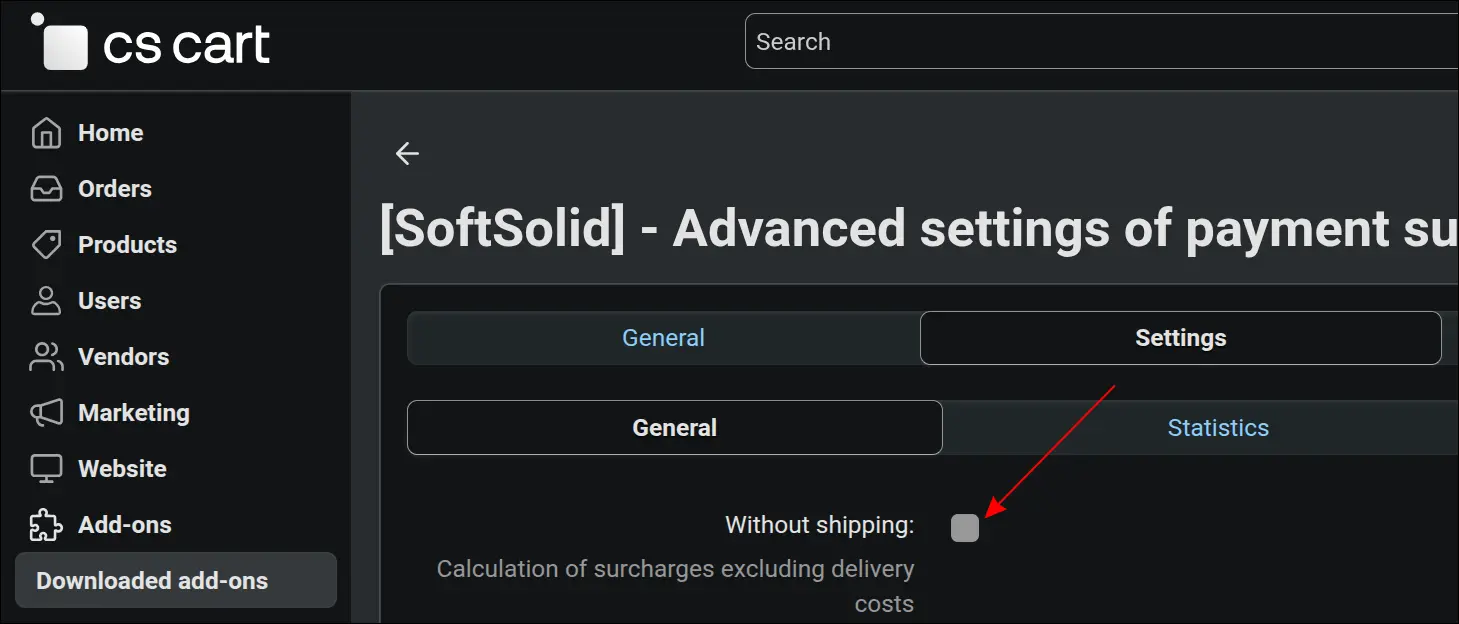
The first decision concerns the calculation base. A single field in the add-on settings sets whether the surcharge is calculated from products together with shipping and tax, or from the value of products alone, so customers do not pay a percentage on delivery unless the marketplace intends it:
Screenshot 1. Add-on settings with the option to calculate the surcharge without shipping costs
The heart of the add-on is the rules table on the payment method page. Each row states who pays, which vendor plan the rule covers, which order value range it applies to, and the percentage and flat amount. In the example, customers pay 3% plus a small fixed fee up to a threshold and only 1% above it, vendors on the Bronze plan have their own rate, and vendors on the Gold plan cover part of the cost from their commission. When the table is saved, the add-on rejects a range with reversed bounds and warns when ranges overlap:
Screenshot 2. All surcharge rules of a payment method in one table: who pays, plan, range, percentage and amount
On the order page, the "Payment surcharges" tab answers the question of where an amount came from. It shows the applied rule, the base made up of products, shipping and tax, the matched range and the calculation itself, separately for the customer surcharge and the vendor surcharge. When the order was edited later, the tab marks the recalculation and shows the amount charged before, and the administrator also sees the other vendors of the same order and the totals:
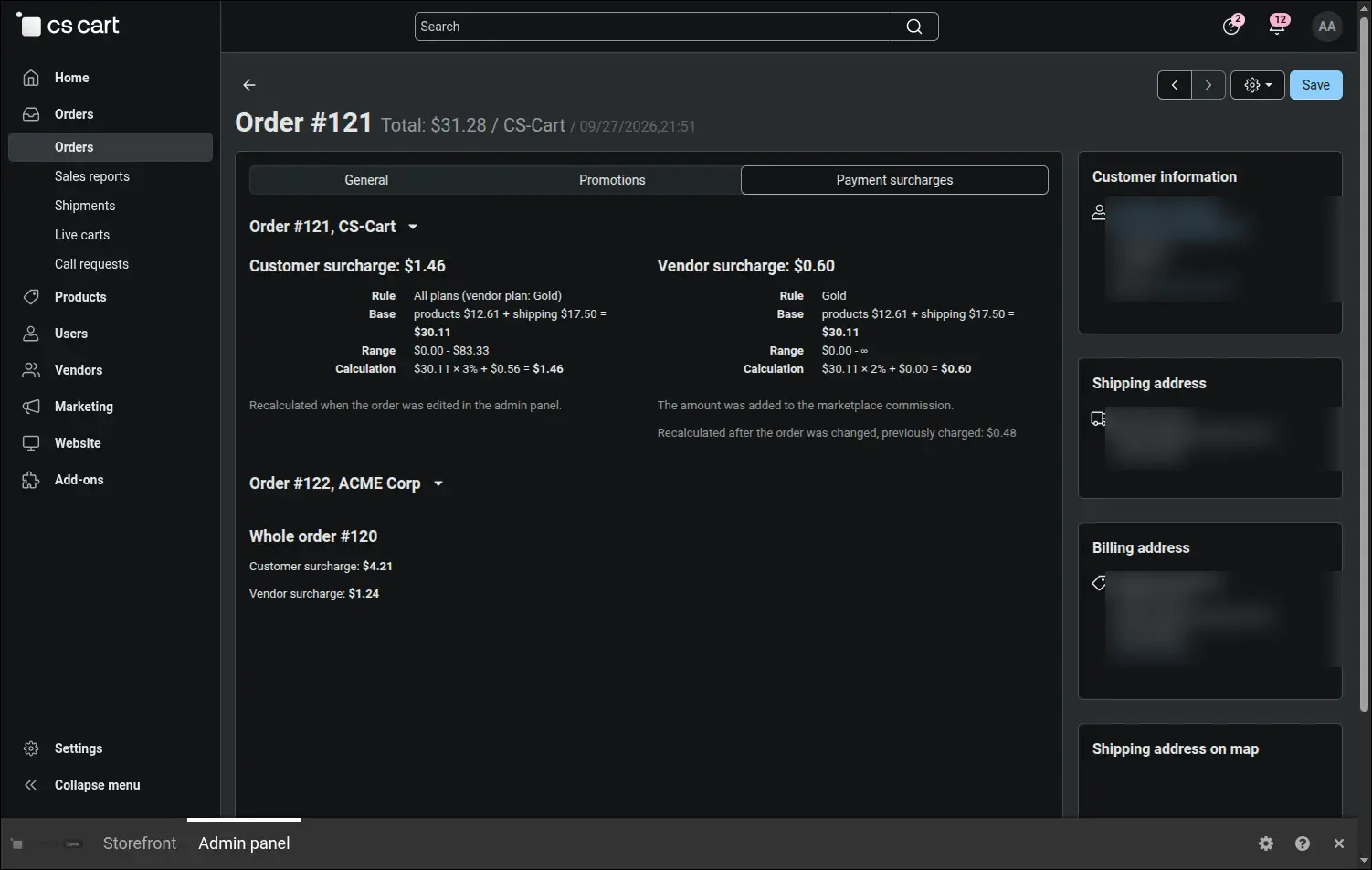
Screenshot 3. The order tab shows the rule, base and calculation behind every surcharge
When the customer pays the surcharge, it appears in the order summary before the order is placed. In a cart with products from two vendors, each vendor's surcharge is calculated from their own part of the order and by the rule of their plan, while the customer sees one combined line included in the amount due:
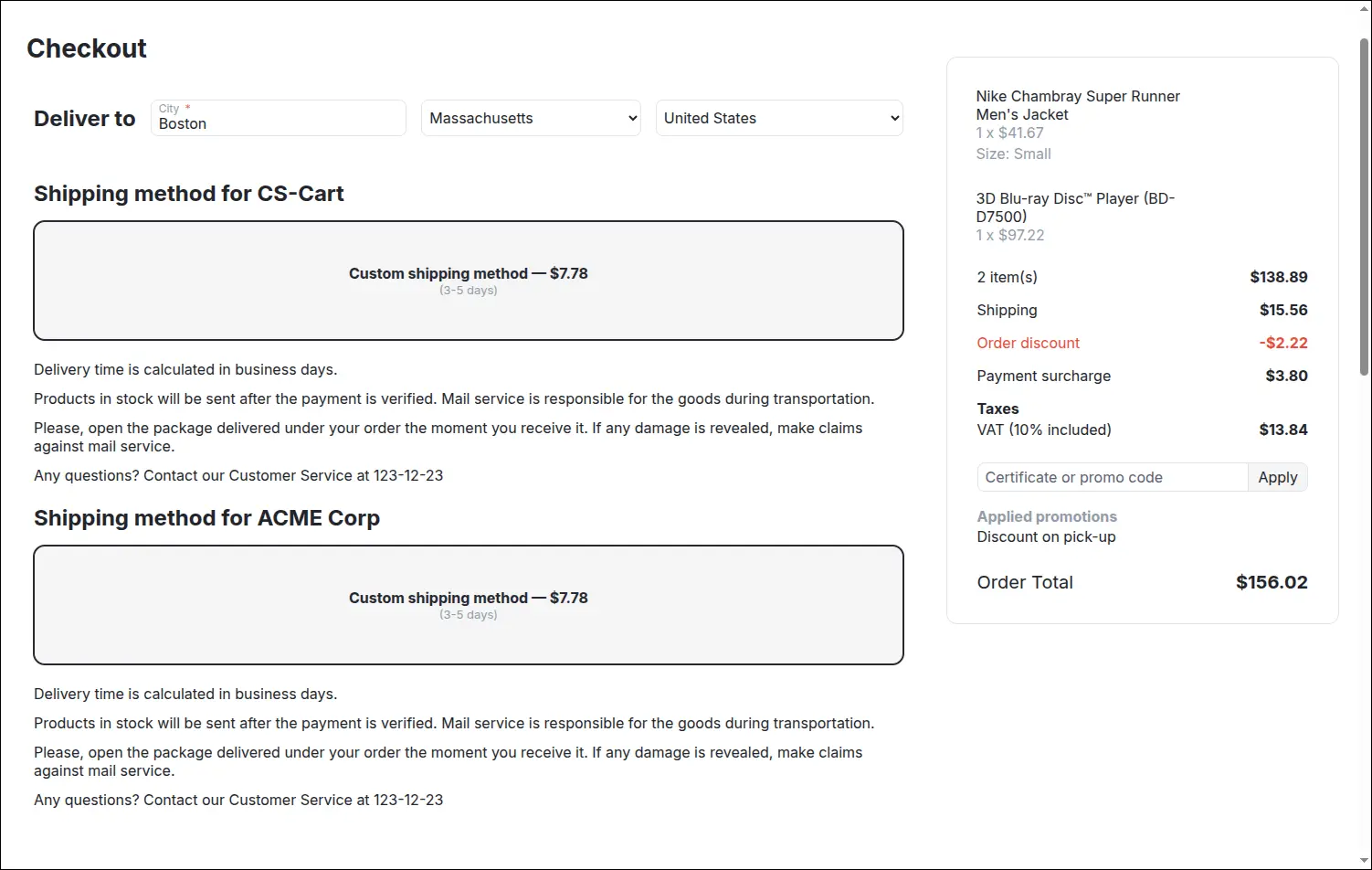
Screenshot 4. The surcharge for the chosen payment method shown in the order summary at checkout
The Advanced Payment Surcharge add-on gives the marketplace operator full control over the cost of handling payments. Rates vary by vendor plan and order value, the cost goes deliberately to the customer or to the vendor, and editing an order in the admin panel recalculates the surcharge instead of losing it. All of this works without creating a separate payment method for each group of vendors.
Feel free to contact us and purchase the add-on!
Choose the most convenient form of payment for the add-on. You can pay once and use the add-on. Choosing a subscription payment (monthly or annual) means that you pay for the add-on at regular intervals and have access to the latest versions of the addon and technical support.