


David Banaszkiewicz
Verified purchase

| CODE | Payment method | Price | ||
|---|---|---|---|---|

|
481
ss_deepl
2026-11-07
1.1.5.0
|
750.00 PLN
(Price without tax) |
||

|
569
ss_deepl_sub_1Y
2026-11-07
1.1.5.0
|
375.00 PLN
/year
(Price without tax) |
||

|
568
ss_deepl_sub_1M
2026-11-07
1.1.5.0
|
37.50 PLN
/month
(Price without tax) |

Extension for Store Builder and Multi-Vendor that connects your store with the DeepL translation service and translates product descriptions, categories, pages, promotions, features and their values, options, content blocks, menus and payment methods, as well as customer reviews and SEO addresses, into every language of your store. You translate the way that suits you: with a single click next to one field, in bulk from a list in the admin panel, or fully automatically right after you save content in the base language.
Running a store in several languages usually means hours of retyping the same descriptions over and over. This add-on takes that work off your hands: you pick one language to create content in, and the translations into the other languages are produced by DeepL, in high quality and with consistent terminology. Machine translation is a service billed by the character, so the add-on counts the characters DeepL has actually billed for, prices the current period and gives you an estimate before every bulk run. A large catalog does not have to go through one long request either: products join a queue, and the CRON job translates them in stages, language by language if you prefer.
See how it works
Key Features
- Single field translation straight from the product or page editor, and bulk translation straight from admin lists: products, categories, pages, promotions, features, filters, options, content blocks, menus and payment methods.
- A product page content screen that translates, from a single place, product tab titles, attachment descriptions, banners, shipping methods, text feature values, AlexBranding Stickers and the content of supported Cart-Power, AlexBranding and UniTheme add-ons, with record, character and gap counts for every language.
- Product review translation, by hand from the list or automatically in the CRON job: visitors read a review in their own language, and once its text is edited the storefront returns to the original until a new translation is ready.
- SEO names translated together with the name of a product, category or page, with a redirect from the old address and without touching addresses set by hand.
- Queueing products from the list, either the selected ones or the whole result of a list filter, with a choice of target languages and the character count shown before you confirm, so even a very large catalog can be translated in stages.
- Automatic translation of new and changed content in the base language, handled by a queue and a CRON job, with a status panel, a grace period for texts still being edited and a history of every run.
- A counter of the characters DeepL has billed for, the cost of the current period in your own currency, and a monthly limit that stops the automation before the invoice gets out of hand.
- The estimated cost of a run shown before it starts on every bulk translation form, counted from the fields that are genuinely missing rather than from whole records.
- Resilience to DeepL limits and respect for manual work: a temporary refusal or an exhausted character package no longer wastes anything, because items return to the queue and resume on their own, while the option to keep existing translations stops the next bulk run from overwriting your editors' corrections. In automatic mode the same role is played by the protection of manual corrections, which leaves alone the fields corrected in the target language since the last machine translation.
- Protection of proper names, which keeps brands and models in their original wording, from a list you type in or one taken from a product feature.
- Language packs of other add-ons gathered on a single screen, with a completeness measure, file downloads and gaps filled in one run.
- A translation cache that reuses DeepL results for identical content, so repeated work does not spend the character limit twice.
- A translation gaps dashboard for every object type and language, interface texts included, with drill-down, CSV export and a translate-all action.
- Translation quality controls, per-seller configuration in Multi-Vendor with each seller's own source language, multi-storefront support in the Ultimate edition, and integration with the Cart-Power Power Blog add-on.
- DeepL glossaries managed right in the store panel, with a CSV file, further language pairs and an entry preview, plus email content translation, covering status descriptions and template language variables, so the order confirmation reaches the customer in their own language.
- Cost control on Multi-Vendor: an individual character limit for each vendor, usage shown in the vendor profile, a summary of all vendors with CSV export, an email at 80% and 100% of the limit and the translation queue in the vendor panel. A choice of target languages for the automation, globally and per vendor, means you do not pay for languages nobody reads yet.
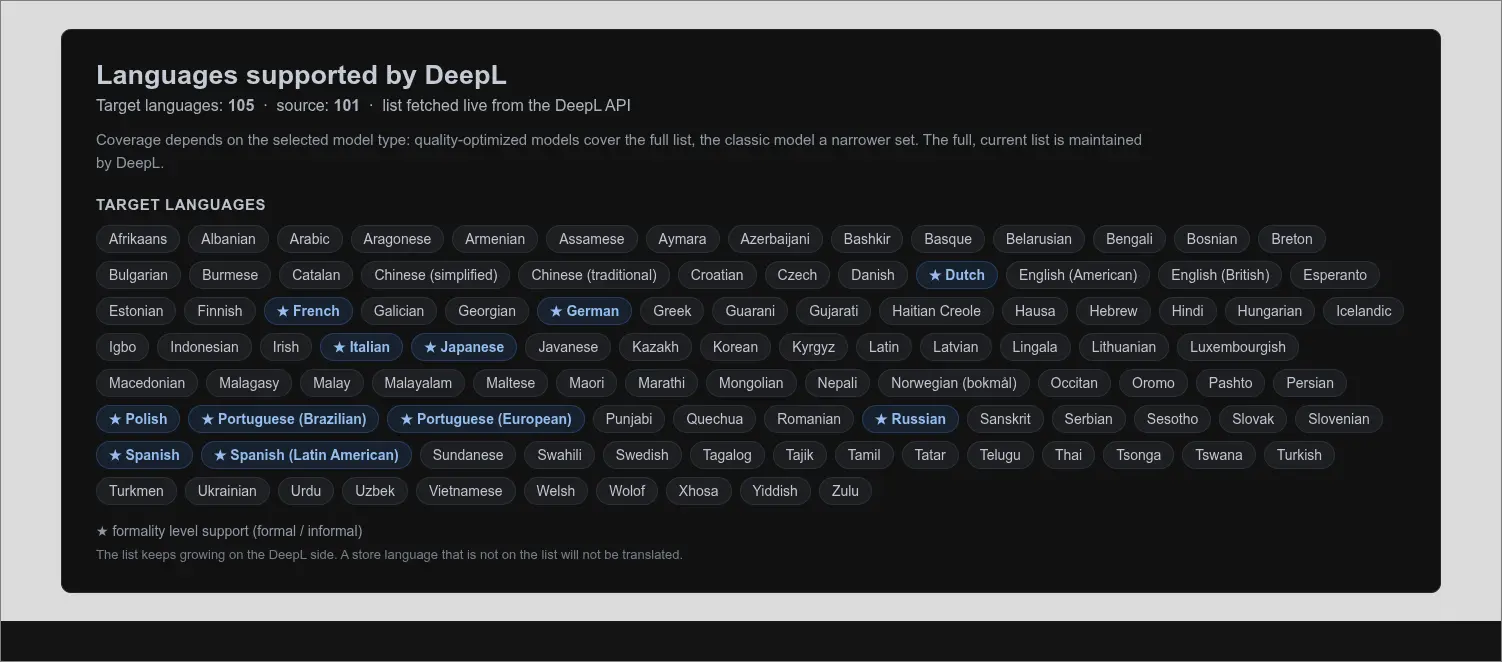
It helps to know up front which languages DeepL translates into. The list covers over a hundred target languages, and the formality level (a formal or informal tone) works for a selected subset, marked on the panel. The full coverage depends on the chosen model type, so it is worth starting by checking that your languages are supported
Screenshot 1
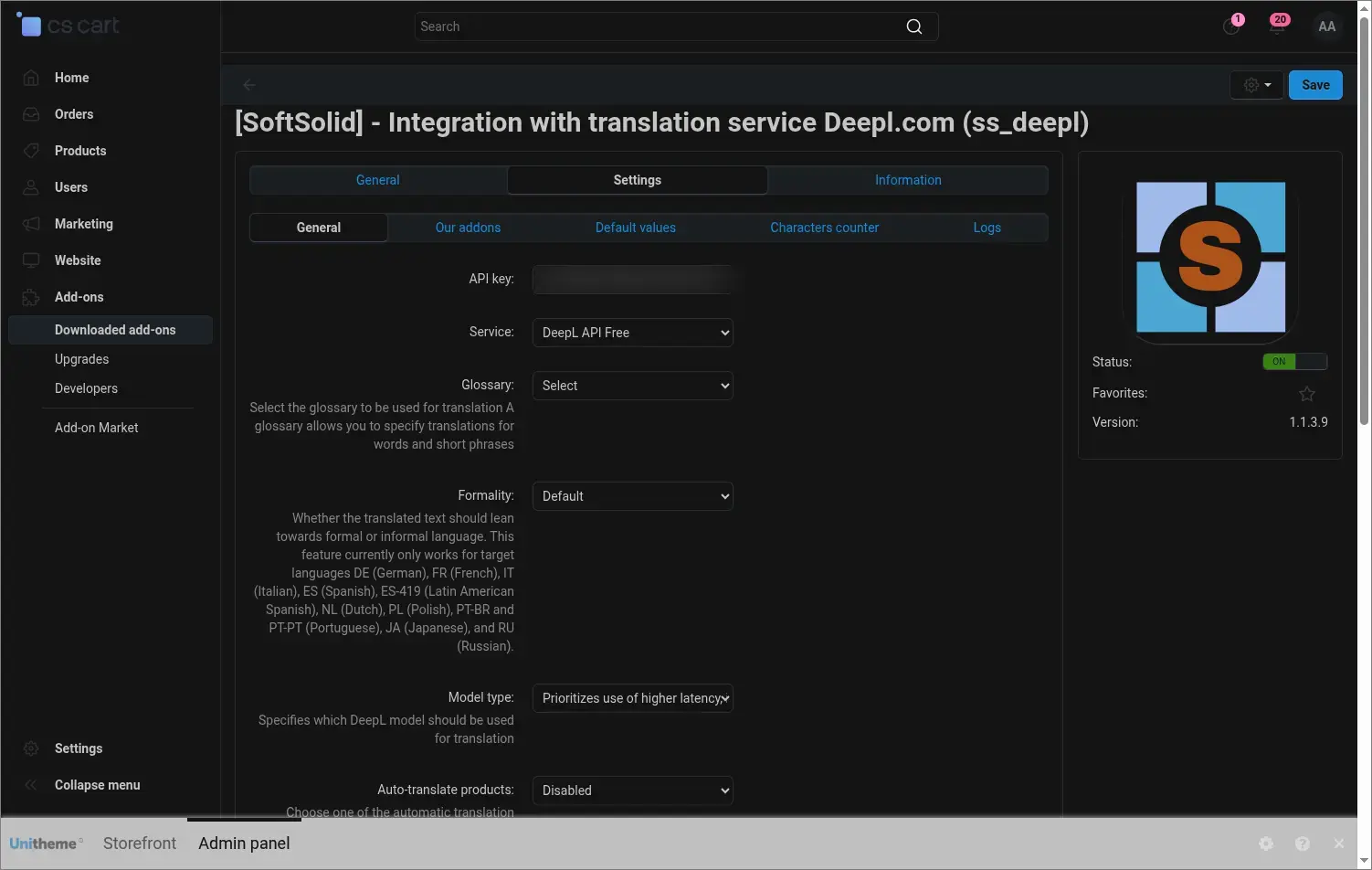
The general settings bring together the DeepL API key, the service type and the translation quality choices: a glossary with your own terminology, the formality level and the model type. This is also where you switch on automatic mode and choose which languages it translates into. If one of the store languages is still being prepared or serves only the staff, the automation skips it and you do not pay for a translation nobody will read. The grace period, the number of minutes the add-on waits after the last edit, means a description revised three times in a row is translated once. One field decides whether bulk translation may overwrite content translated by hand, and at the bottom a ready schedule line for the CRON job waits for you, including a console variant that runs longer than a web call on a large catalogue
Screenshot 2
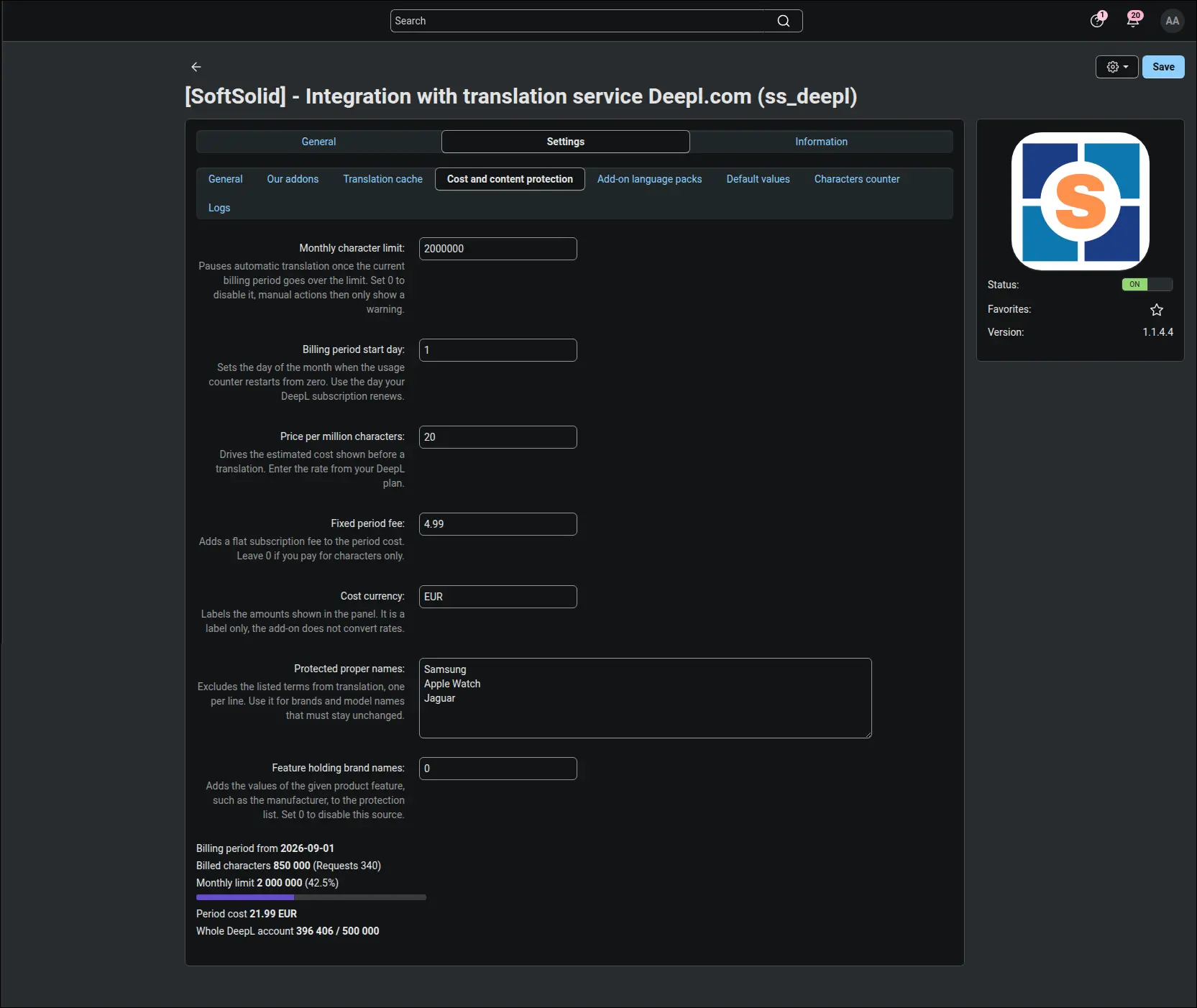
A separate tab gathers everything that concerns money and the content nobody should touch. You set the monthly character limit, the day the period starts, the price per million characters together with an optional fixed fee and a currency, and below that you list the brand and model names that must come back from translation untouched. The panel underneath reports the usage and cost of the current period next to the usage of the whole DeepL account, which makes it easy to separate what this installation has spent from the work of other applications sharing the same key
Screenshot 3
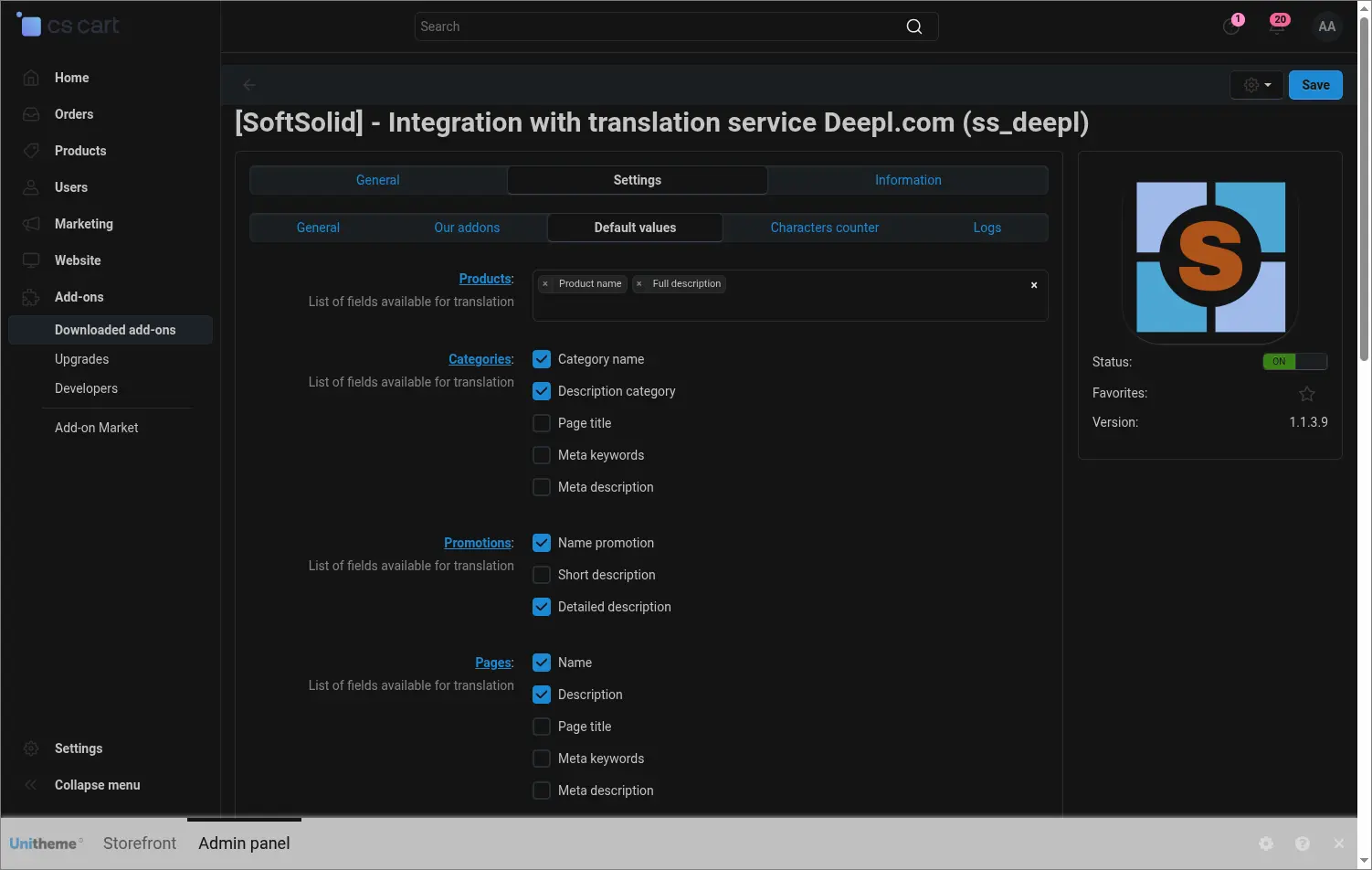
In the default values you decide which fields should be translated for each object type and what the default source and target language are. Translation forms then open with the right set of fields already in place, so repetitive work goes faster
Screenshot 4
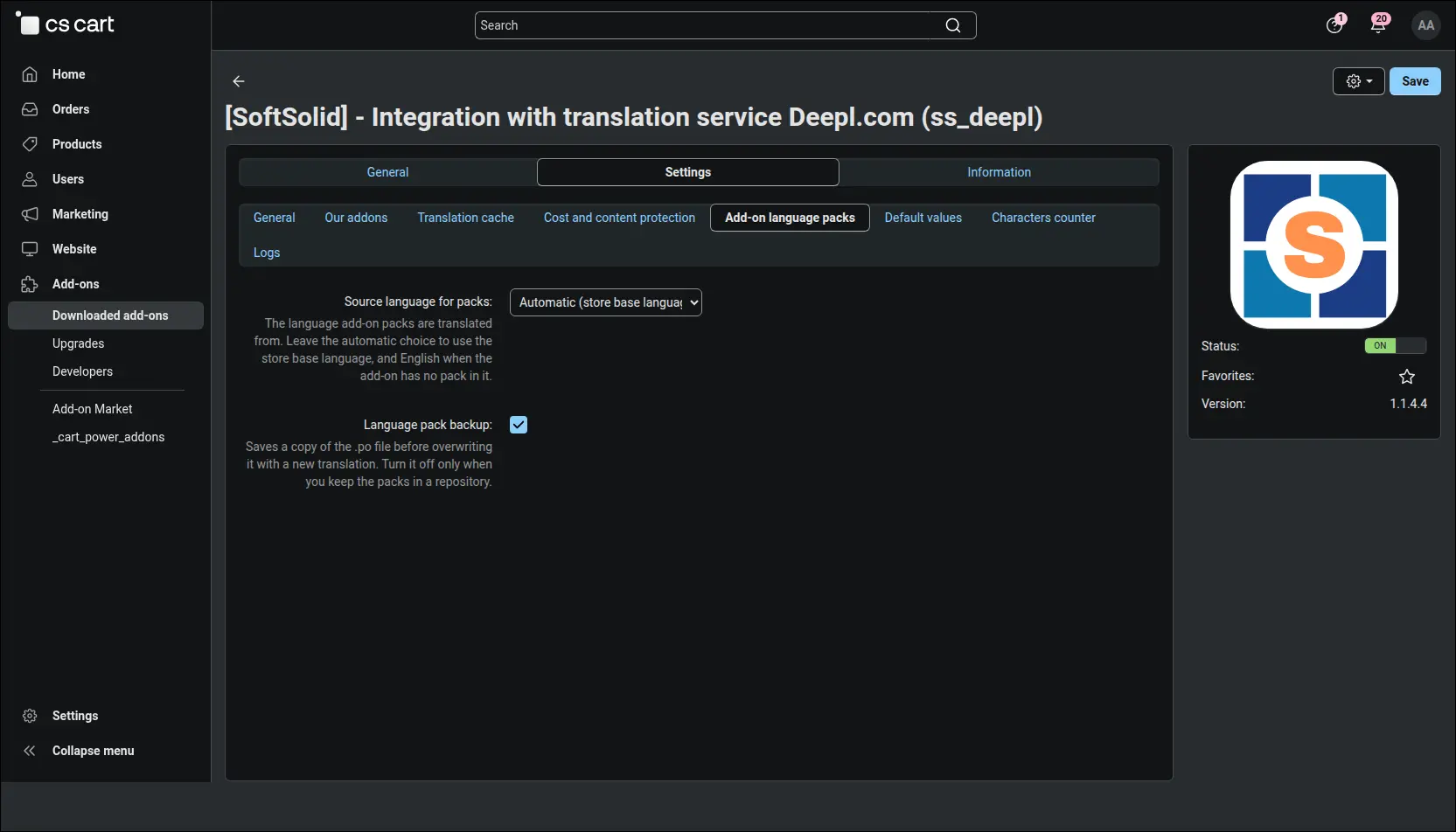
Translating the language files of other add-ons has settings of its own. You point to the source language of the packs, the one the missing entries are translated from, and decide whether a backup copy should be made before a file is overwritten. The copy is kept outside the store's pack directory and stays there in case you ever need to return to the previous version
Screenshot 5
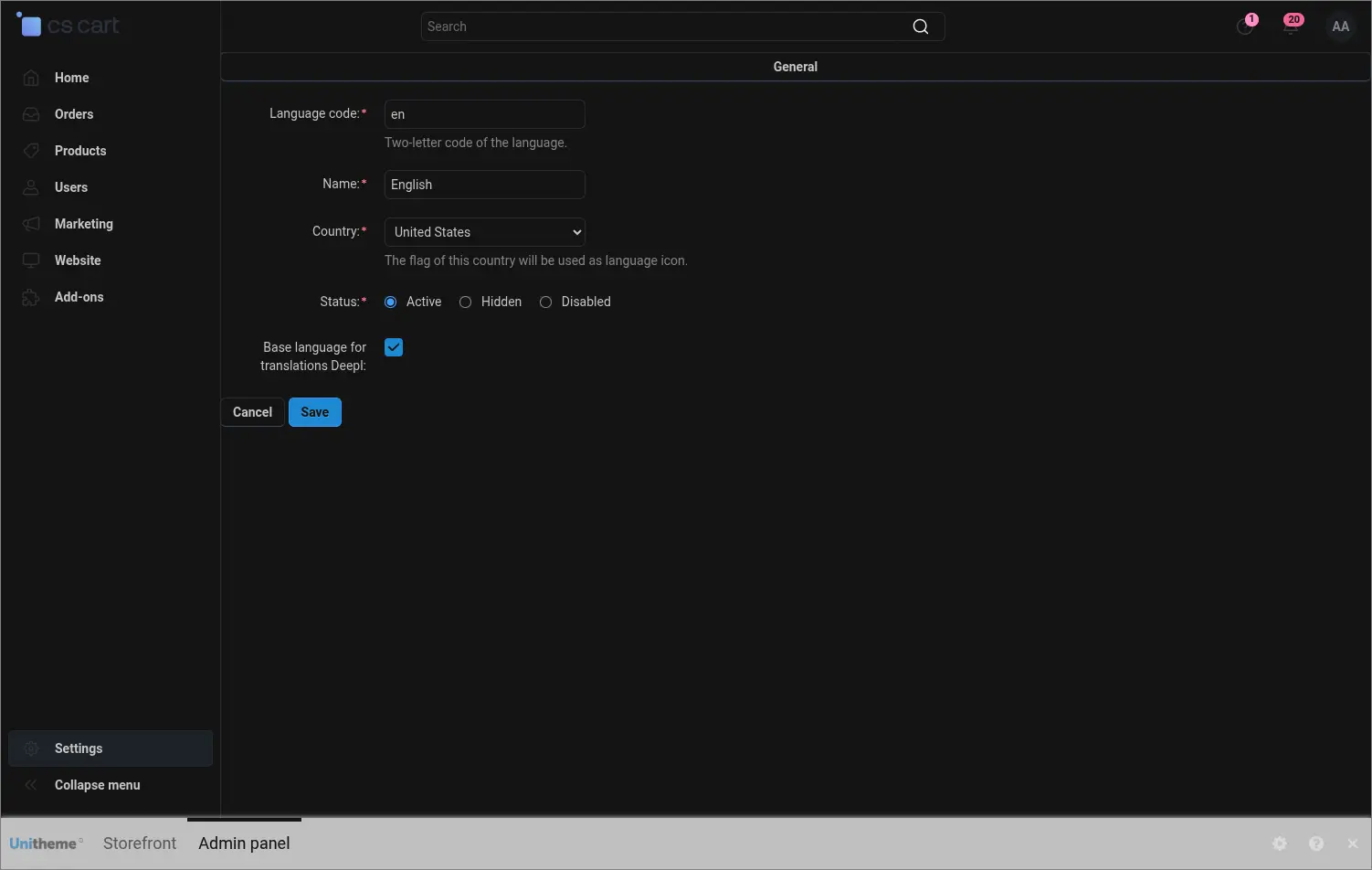
Translation starts by choosing one base language, the one you create your original content in. You simply tick a single field next to the chosen language, and every other active language becomes a target
Screenshot 6
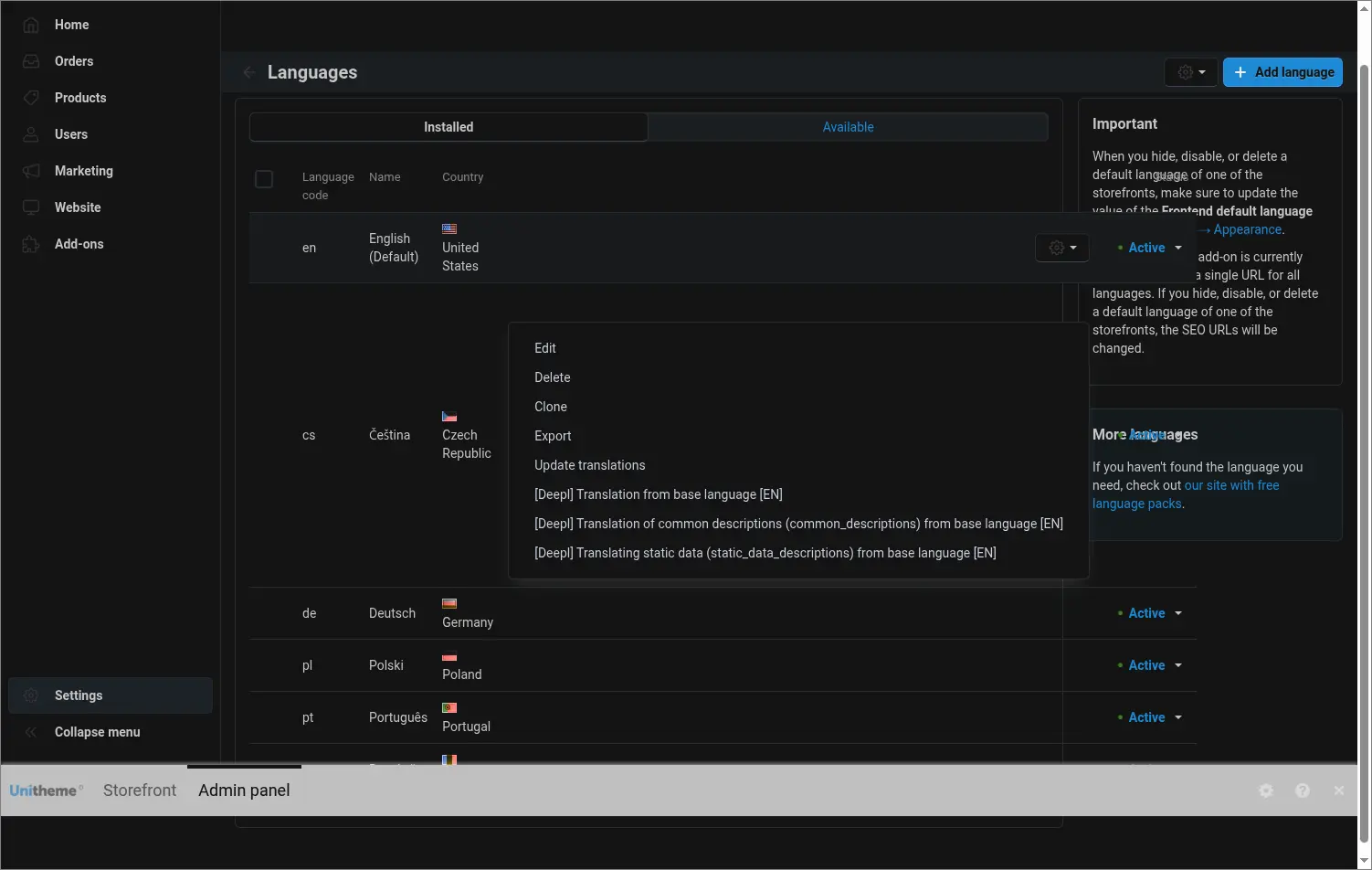
Translation covers more than the catalog. Next to every target language you get actions to translate interface variables, common descriptions and static data, so a new language version of the store is consistent from labels to descriptions. Placeholders, which the store replaces with values such as the customer's name or the order number, are protected along the way: if DeepL changed one of them, the translation is skipped and the label keeps its previous wording
Screenshot 7
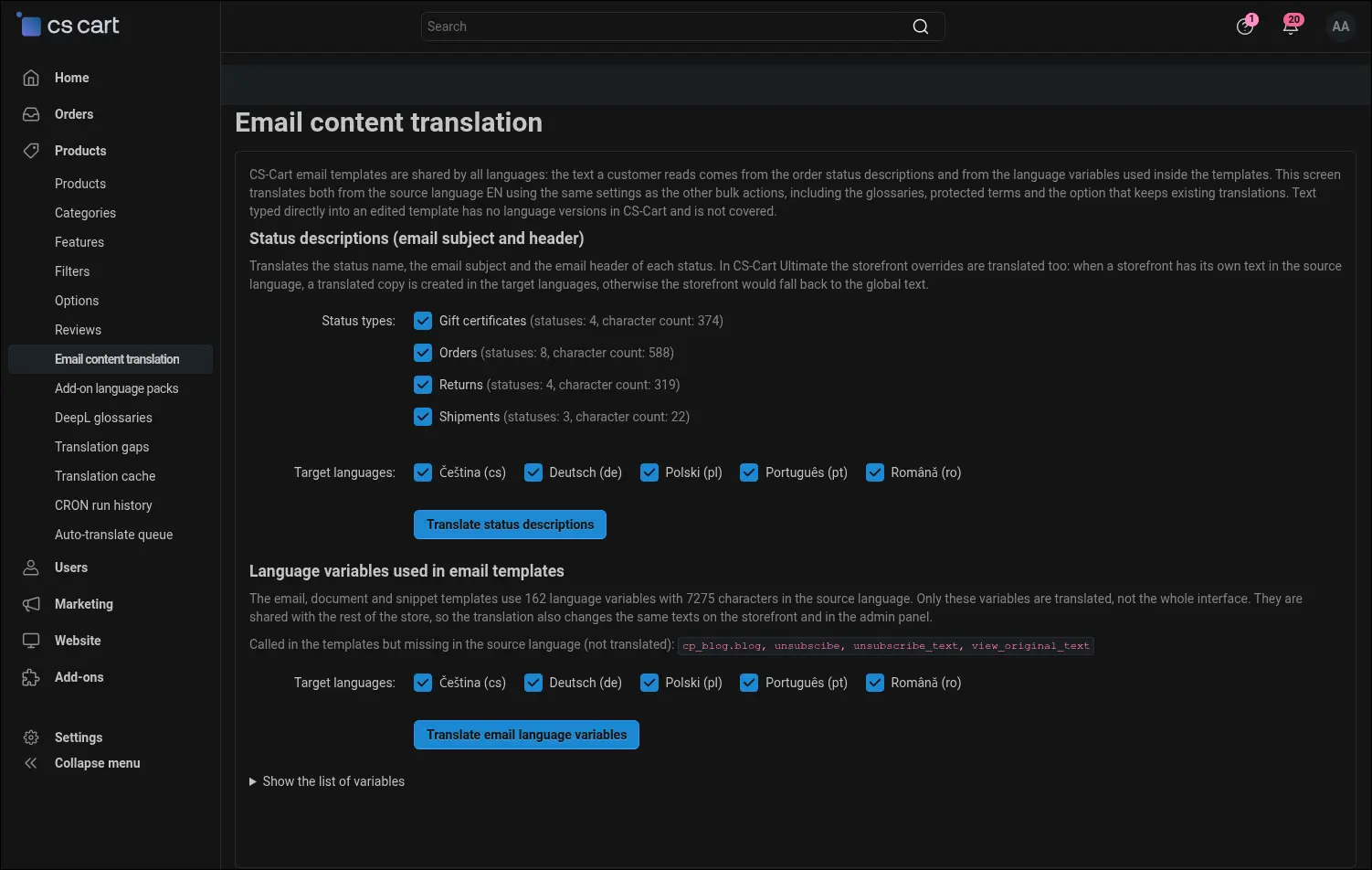
Email templates in CS-Cart are shared by all languages, and the text a customer reads comes from status descriptions and language variables. This screen translates both. You pick status descriptions by type, with the number of statuses and characters shown for each, and the add-on takes only the language variables that email templates actually use, instead of thousands of labels from the whole store. Once a new language goes live, the customer receives the order confirmation and status notifications in their language, without anyone retyping subjects and headers
Screenshot 8
A store itself is often translated better than the add-ons installed in it. This screen sets every active add-on against every language of the store and shows how far its language file is filled in, summing up the gaps separately for the add-on and for the language. The view can narrow the list down to the add-ons that actually have gaps, lets you download any pack, and above all fills those gaps in a single run. The header states the number of characters and the estimated cost of such an operation
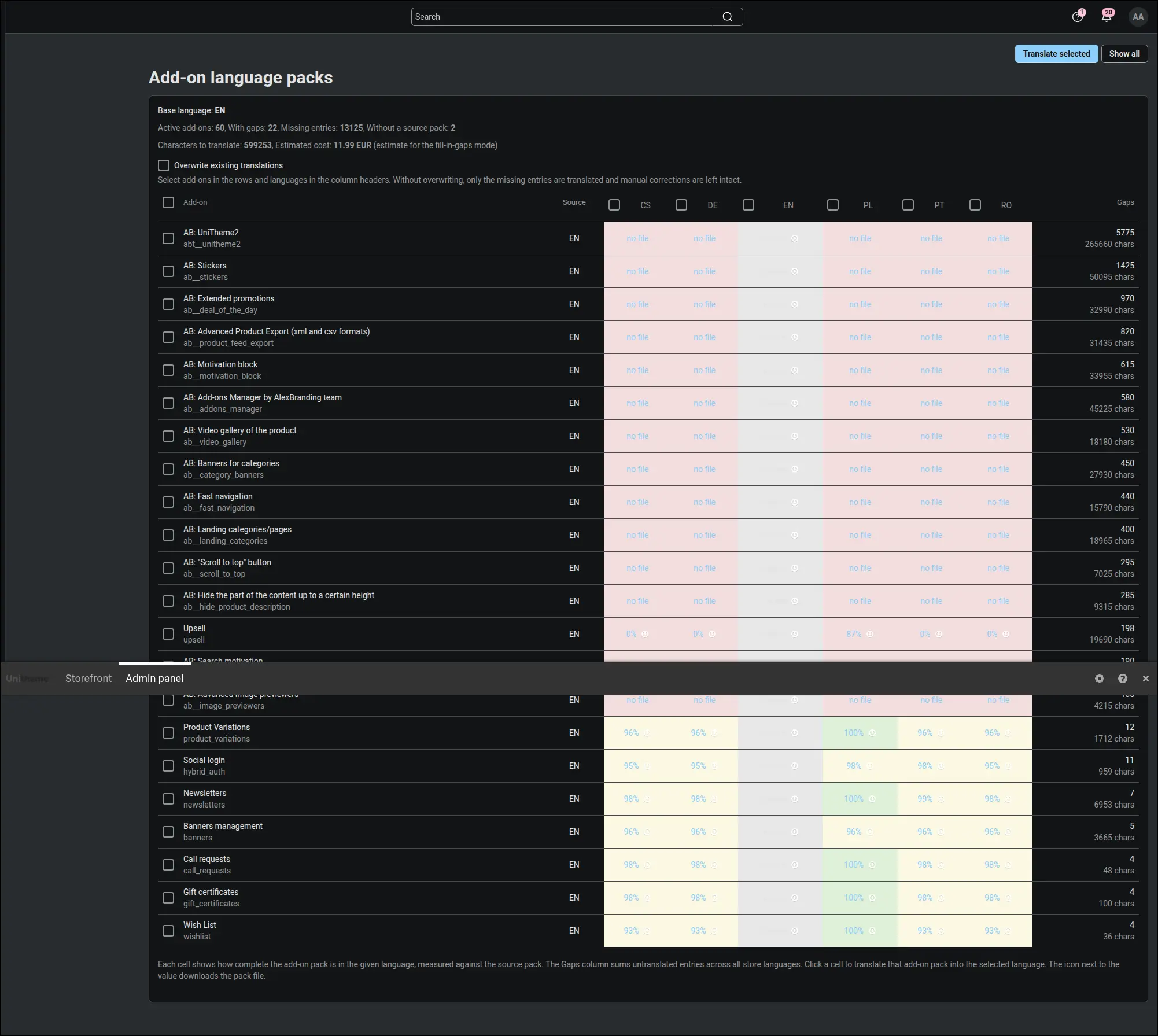
Screenshot 9
From the product list you launch translation of the selected items with one command from the menu. Next to it sit two queueing actions: adding the selected products to the queue, or all the products found by the list filter. Translating right away suits a handful of items, while the queue suits thousands, because the CRON job takes over and spreads the work across runs. Translation from the menu also works for categories, pages, promotions, features, filters, options, blocks, store menus, payment methods and product reviews
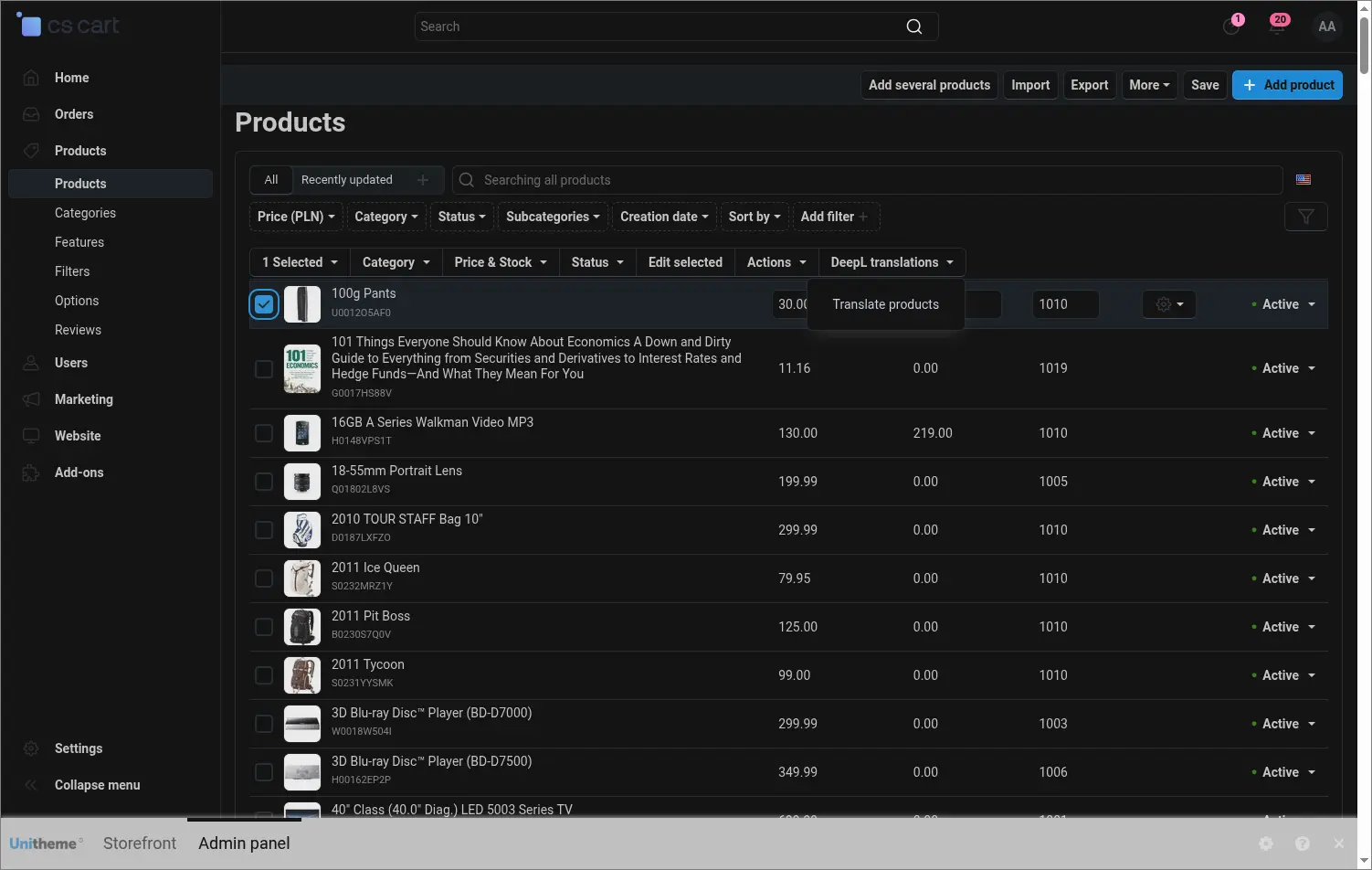
Screenshot 10
Before products join the queue, a short form asks for the target languages. An empty choice means every active language, and the list includes hidden languages as well, so a new language version can be prepared before customers see it. The table below gives the estimated number of characters for each language separately and for all of them together, with the balance of the DeepL account alongside. It is an upper bound, because texts already held in the cache cost nothing, and when the estimate exceeds the limit or the character package, the form warns you before you confirm. The catalog can be translated market by market this way, with the cost of each stage known in advance
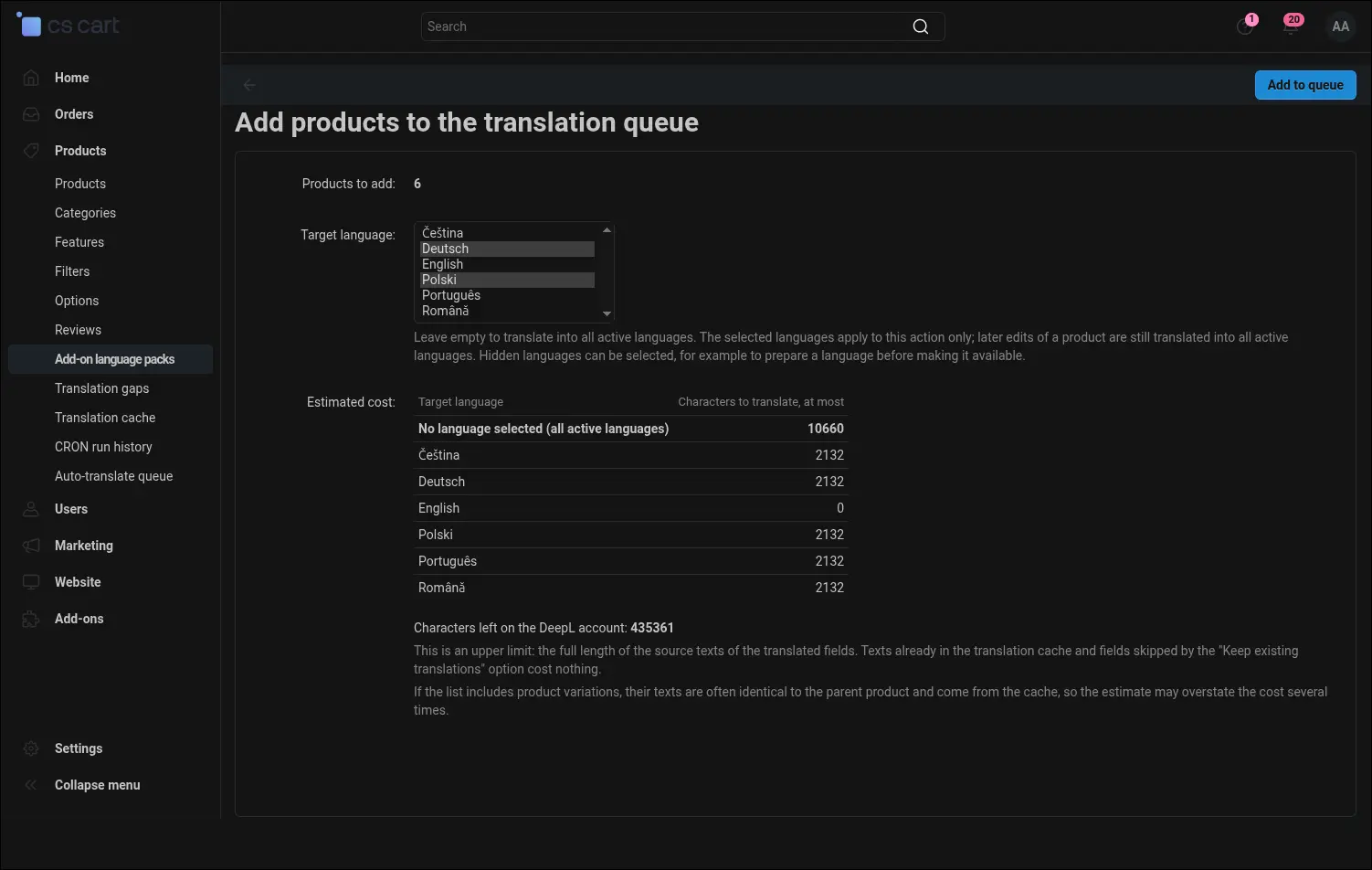
Screenshot 11
The bulk translation form lets you tick exactly the fields you want to translate and choose the source and target language. You translate only what you need and you do not spend the character limit on unnecessary content. Below the form you see at once how many characters the translation will take and what it will cost, and the figure follows the ticked fields and languages. When it exceeds the remaining monthly limit or the DeepL account balance, the form shows a warning, and the send button asks for confirmation with the amount
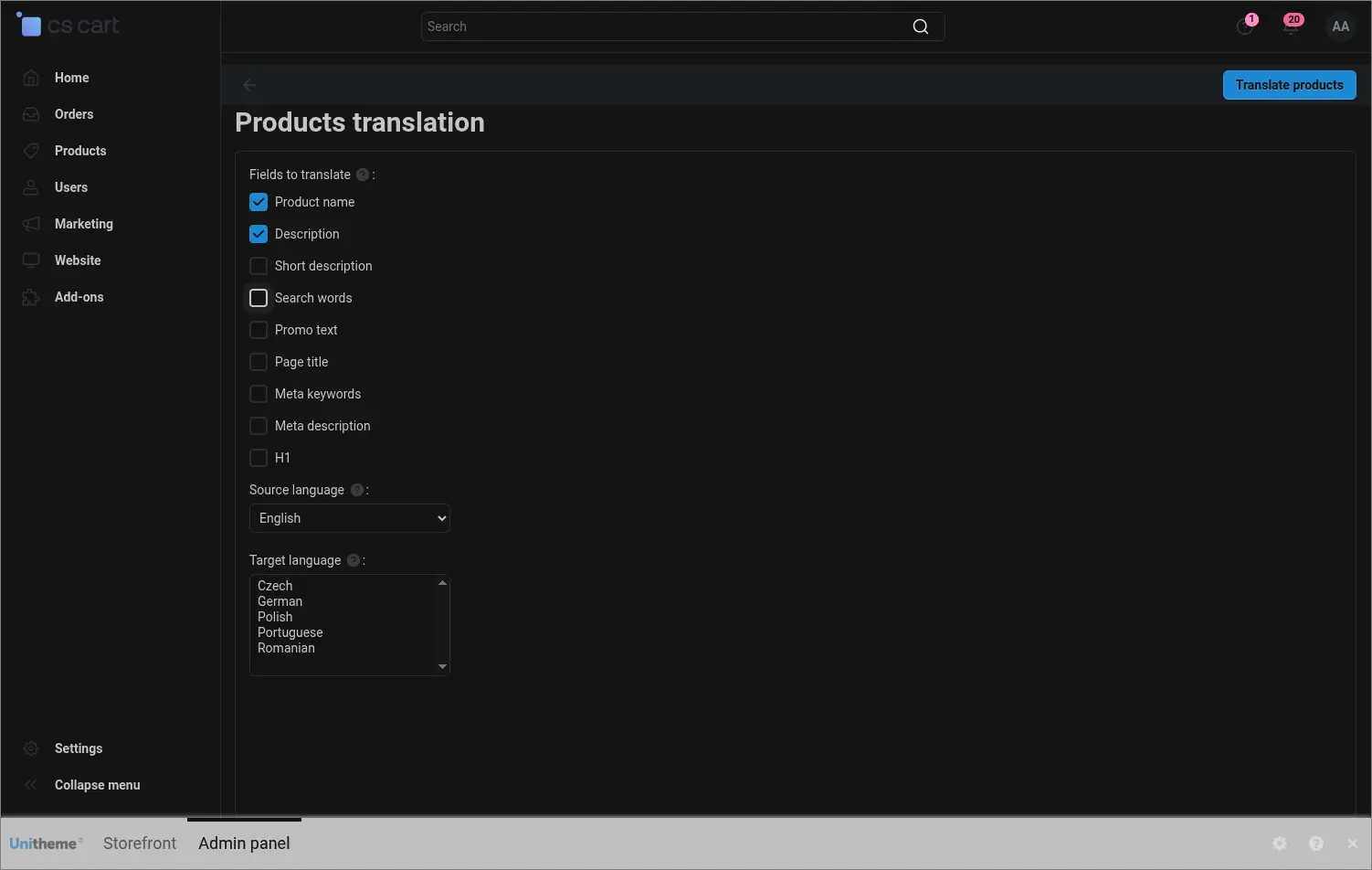
Screenshot 12
A glossary keeps product names and agreed terms consistent every time. You create it in the store panel from a name, a language pair and a simple CSV file, without logging in to the DeepL account. The list shows the language pairs, the number of entries and where each glossary is selected, so before deleting one you can see what it will affect
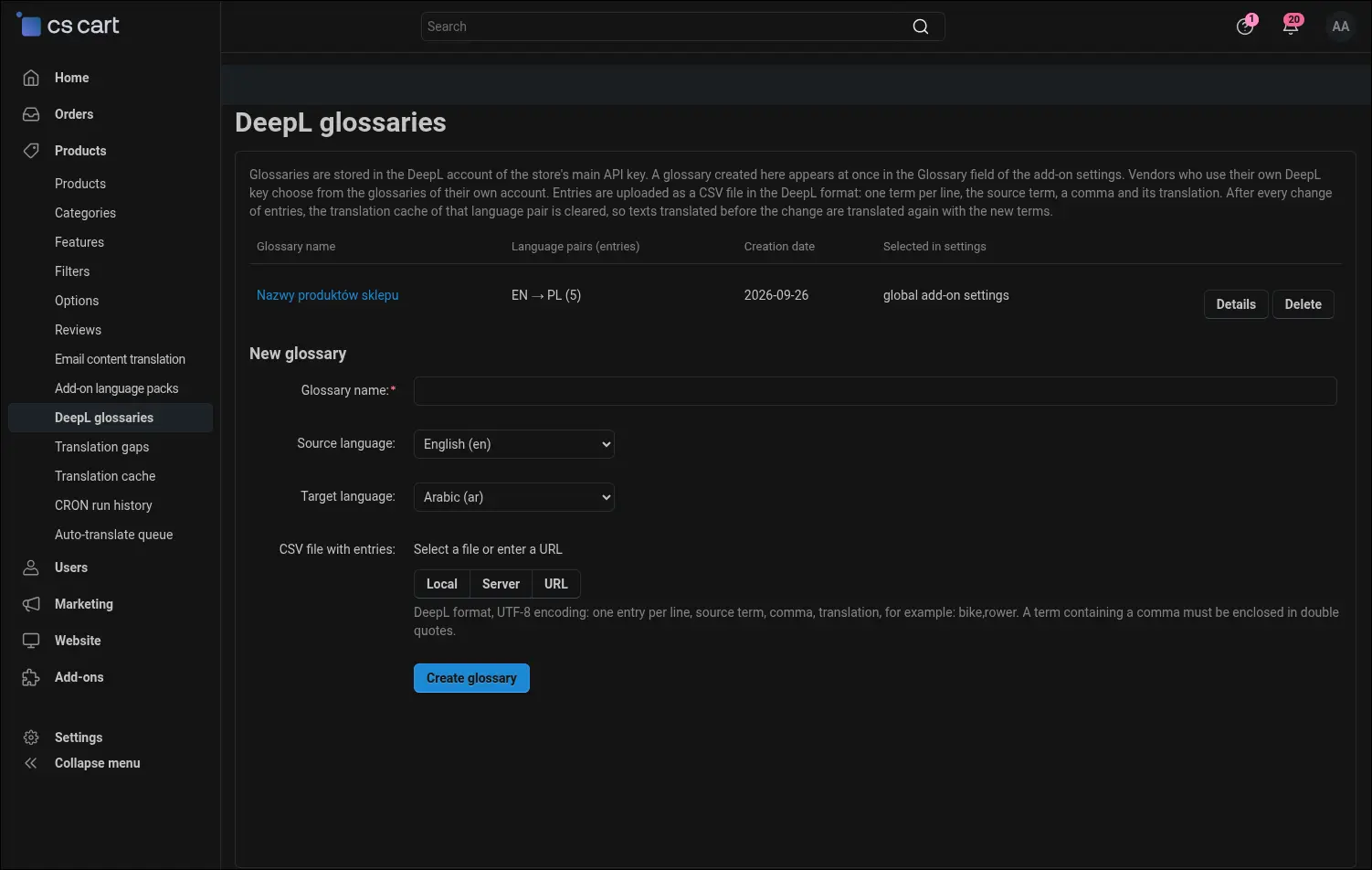
Screenshot 13
The glossary details let you browse the entries of every language pair, download them as CSV and add another pair with the same form. Uploading a corrected file replaces the pair's entries, and the glossary choice in settings stays valid. After every change the add-on clears the stored translations of that pair, so a corrected term takes effect at once, also in content translated earlier
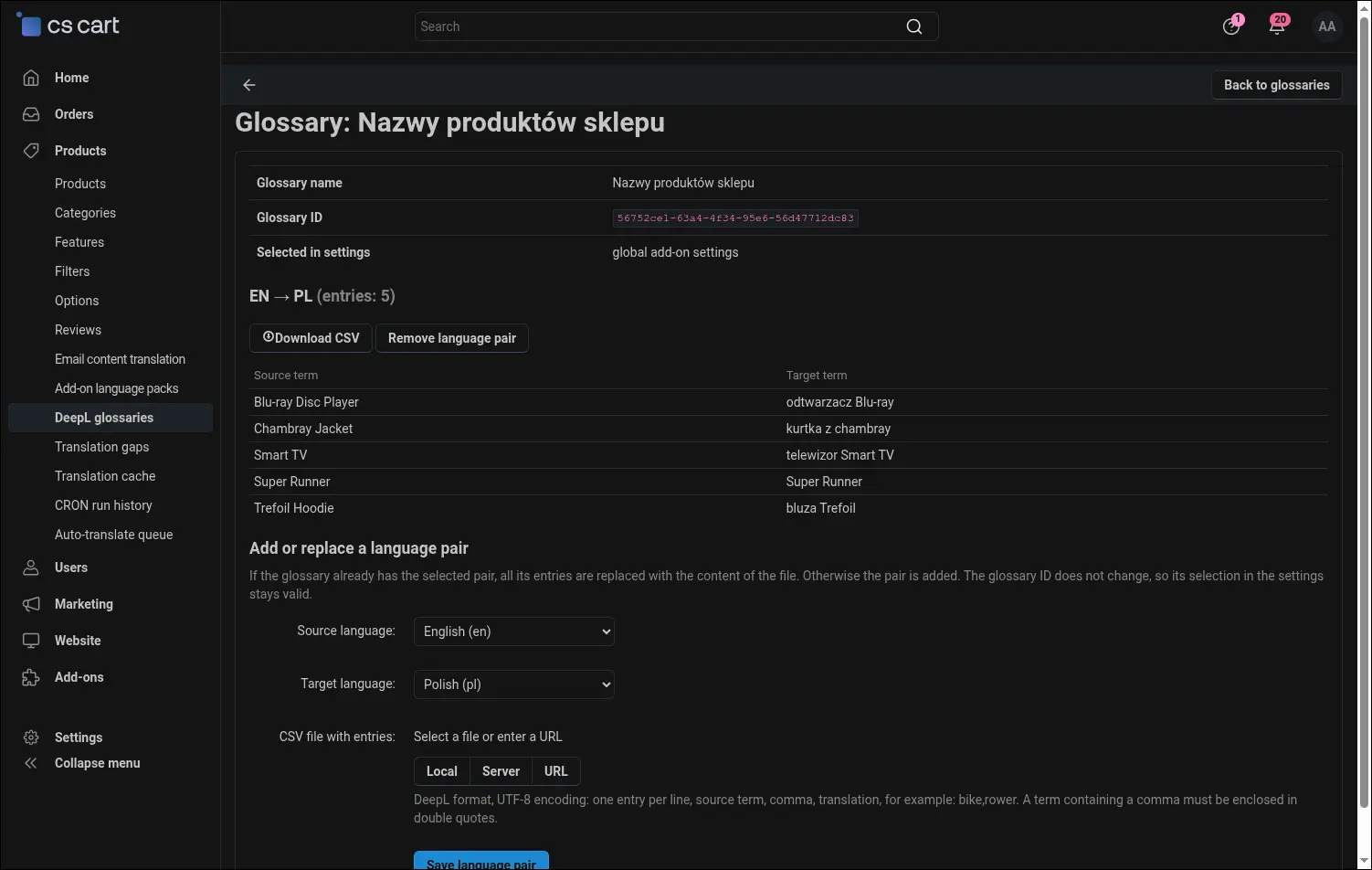
Screenshot 14
When you fill in one missing field, you open the translation window right next to it, without leaving the editor. You choose the source language and one or more target languages, and the content is translated in a few seconds
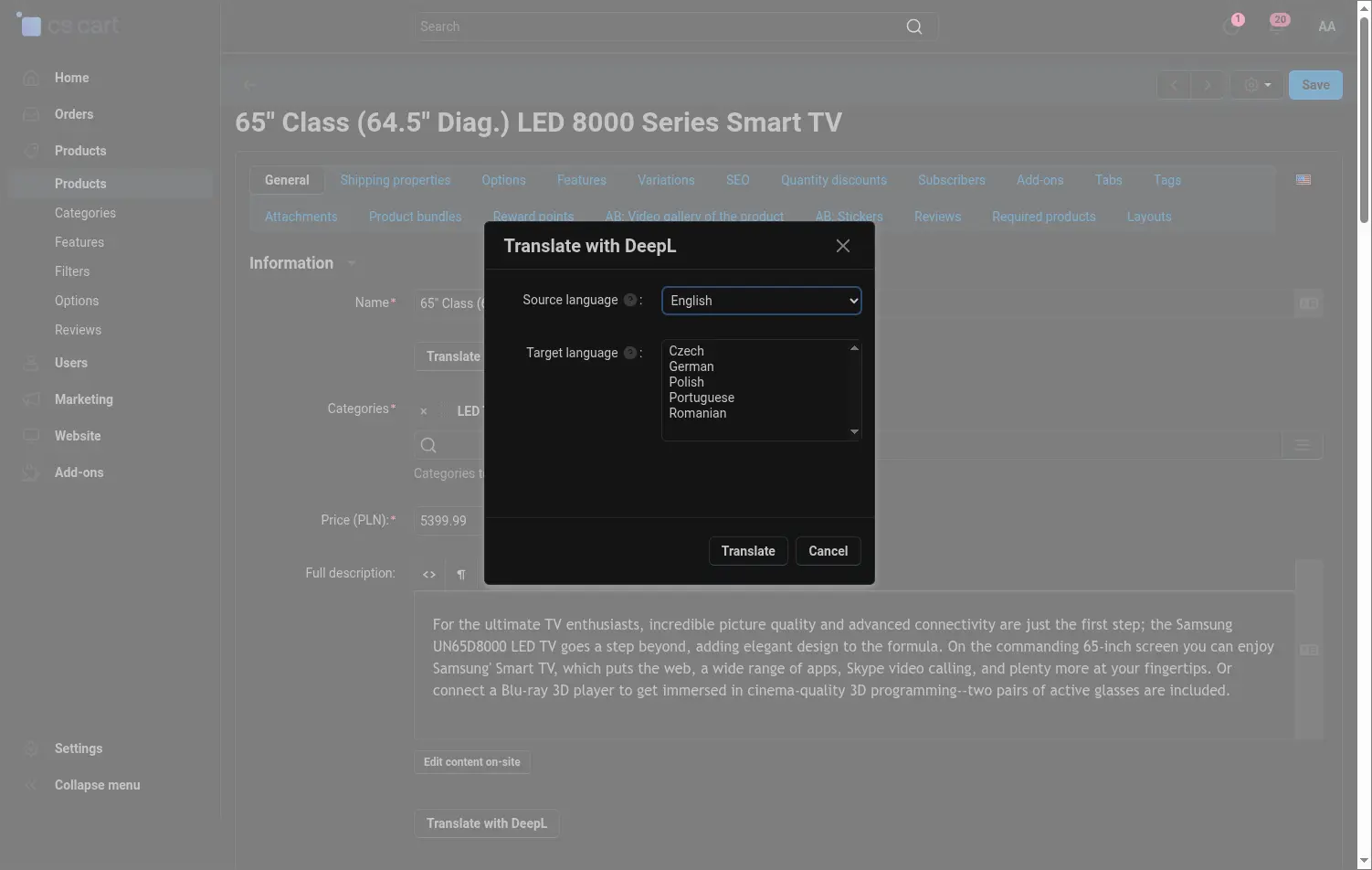
Screenshot 15
In the automatic mode the changed content lands in a queue, and a CRON job processes it in batches. The queue panel shows what is waiting, what succeeded and what failed along with the reason, with filters by type and status. Each item also lists the languages it will be translated into, so a catalog translated in stages is easy to follow. Once the monthly limit is passed, items wait in the queue instead of being marked as failed, so they carry on as soon as the limit frees up, without anyone having to step in
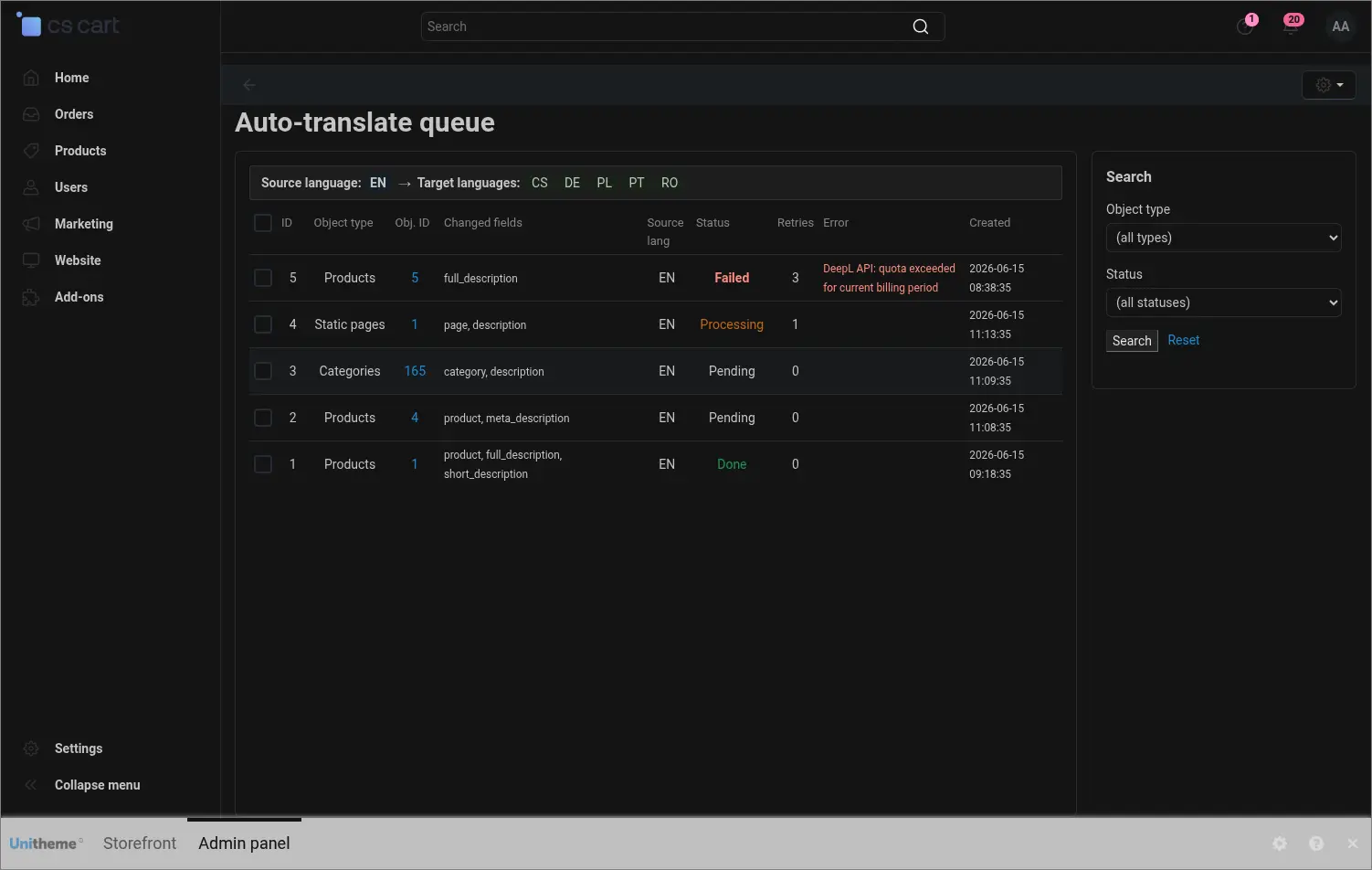
Screenshot 16
The run history answers two questions at once: is the automation really working, and what does it cost. Every run that had something to translate or ended in an error leaves a row with the start time, the duration, the outcome, the number of processed and failed items, and the characters billed by DeepL next to those that came from the cache free of charge. The date of the job's last call appears above the table, and when DeepL refuses to continue because the character package has run out, the history names that reason plainly. Items held back this way return to the queue without losing an attempt and resume on their own once the characters are renewed
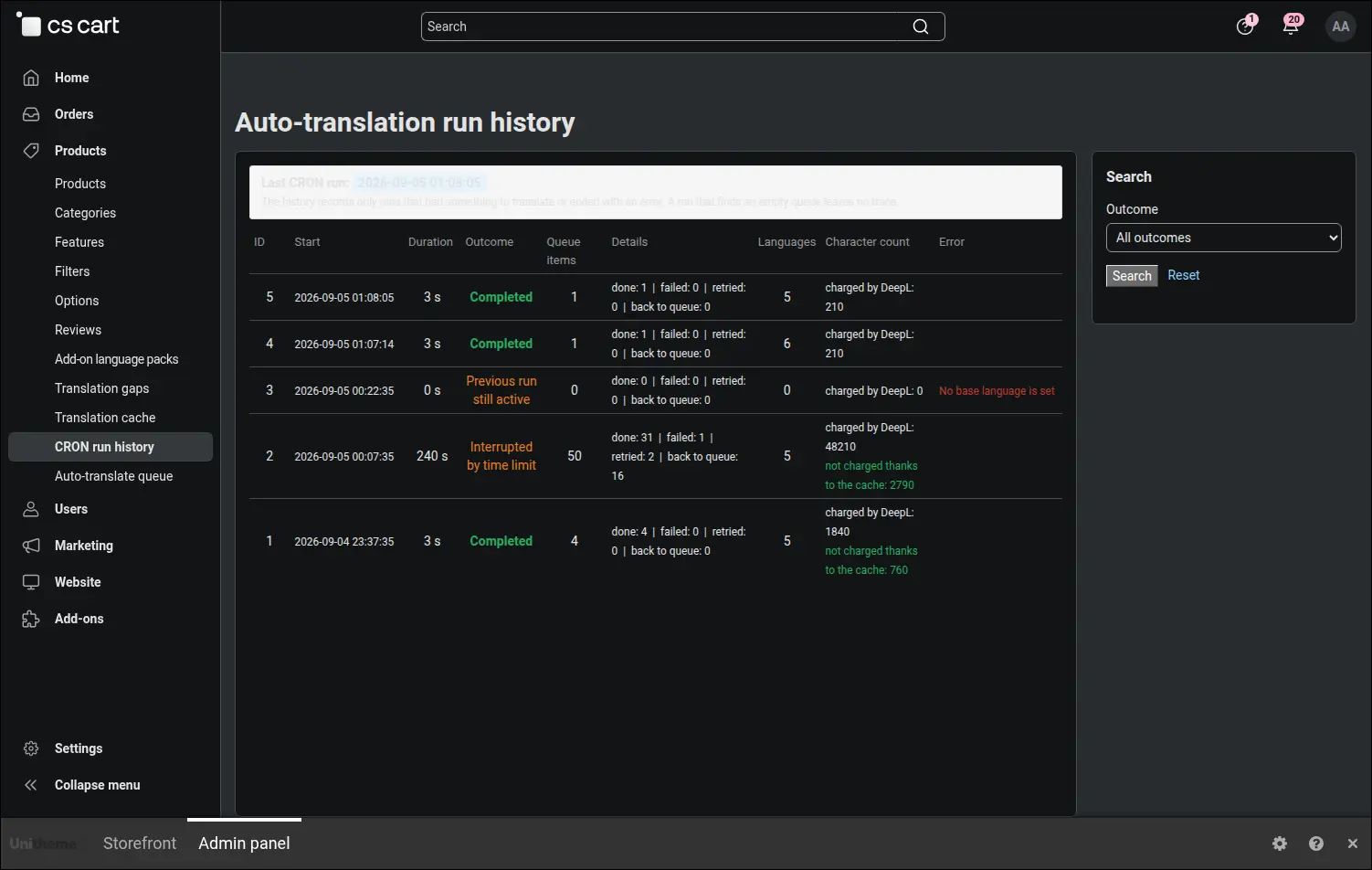
Screenshot 17
The character counter pulls the number of used characters and the limit from your DeepL account, so you can plan larger operations ahead of time and avoid an unexpected package exhaustion during translation
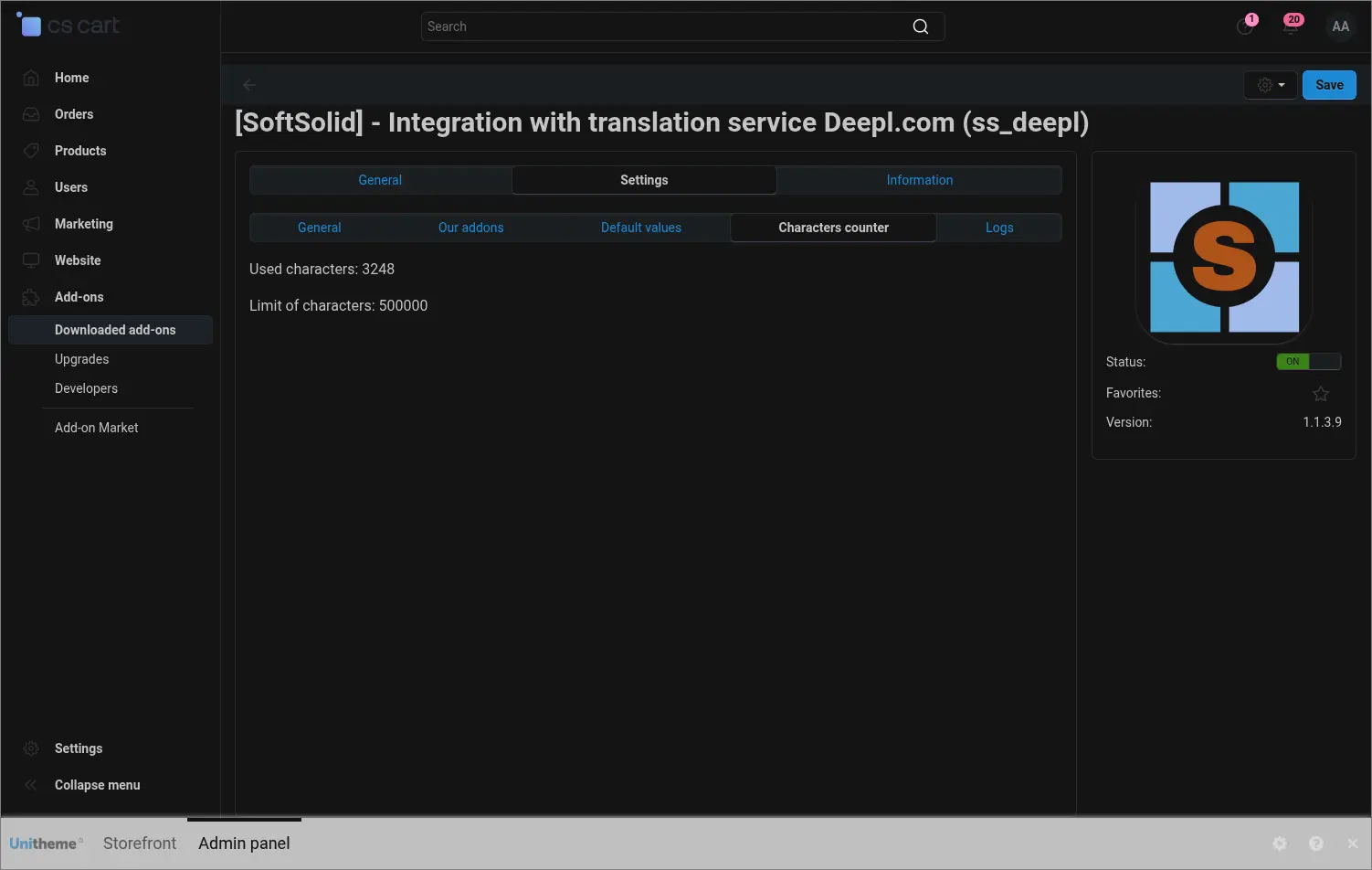
Screenshot 18
The result shows where it matters most, on the storefront. The product page displays a description translated by DeepL in the customer's language, ready to sell on the next market
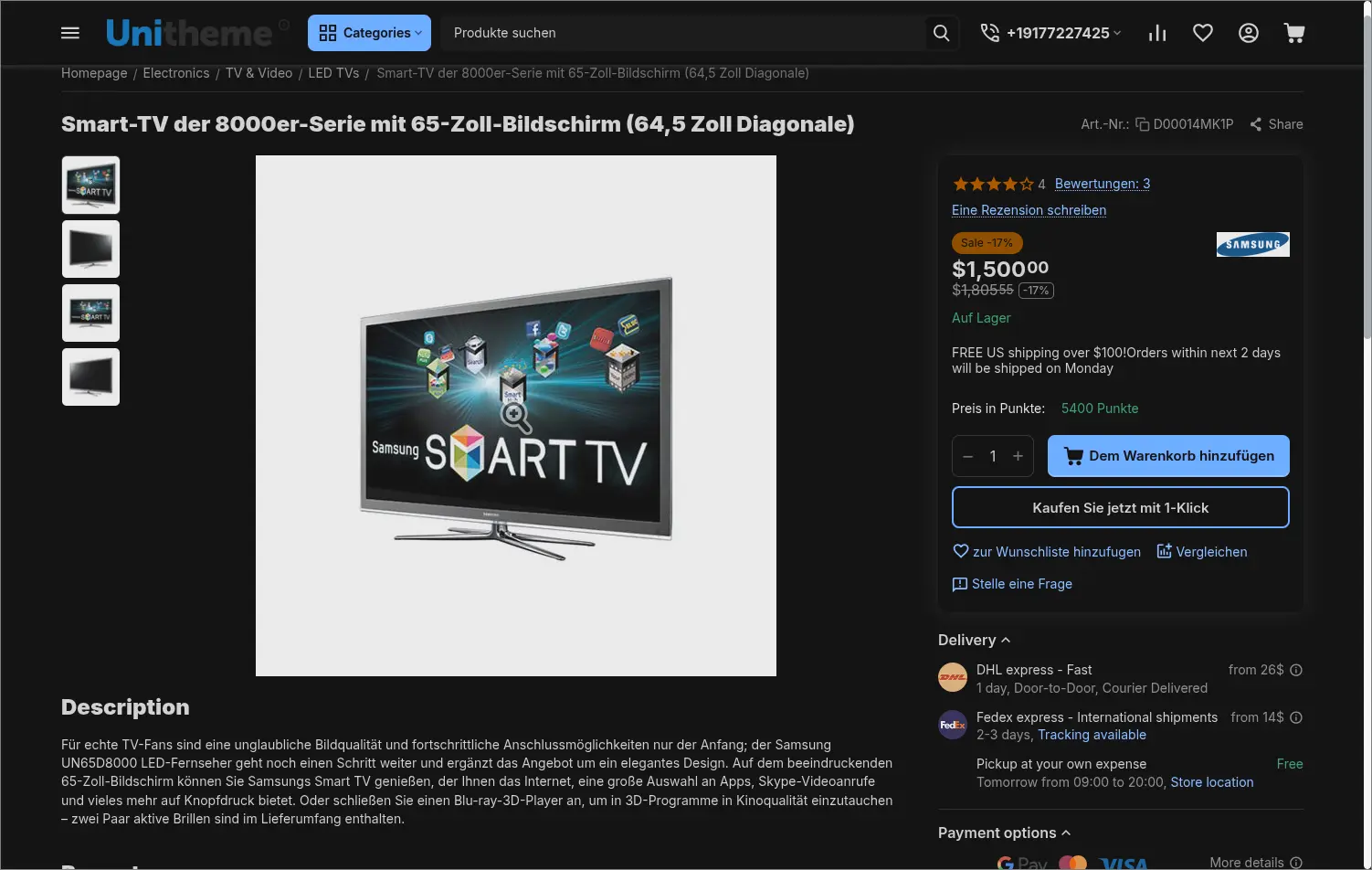
Screenshot 19
The translation cache stores DeepL results and reuses them whenever the same content comes up again. The panel shows how many entries are stored, the hit ratio and the characters saved, so you can see the cache paying off and clear old entries when it suits you
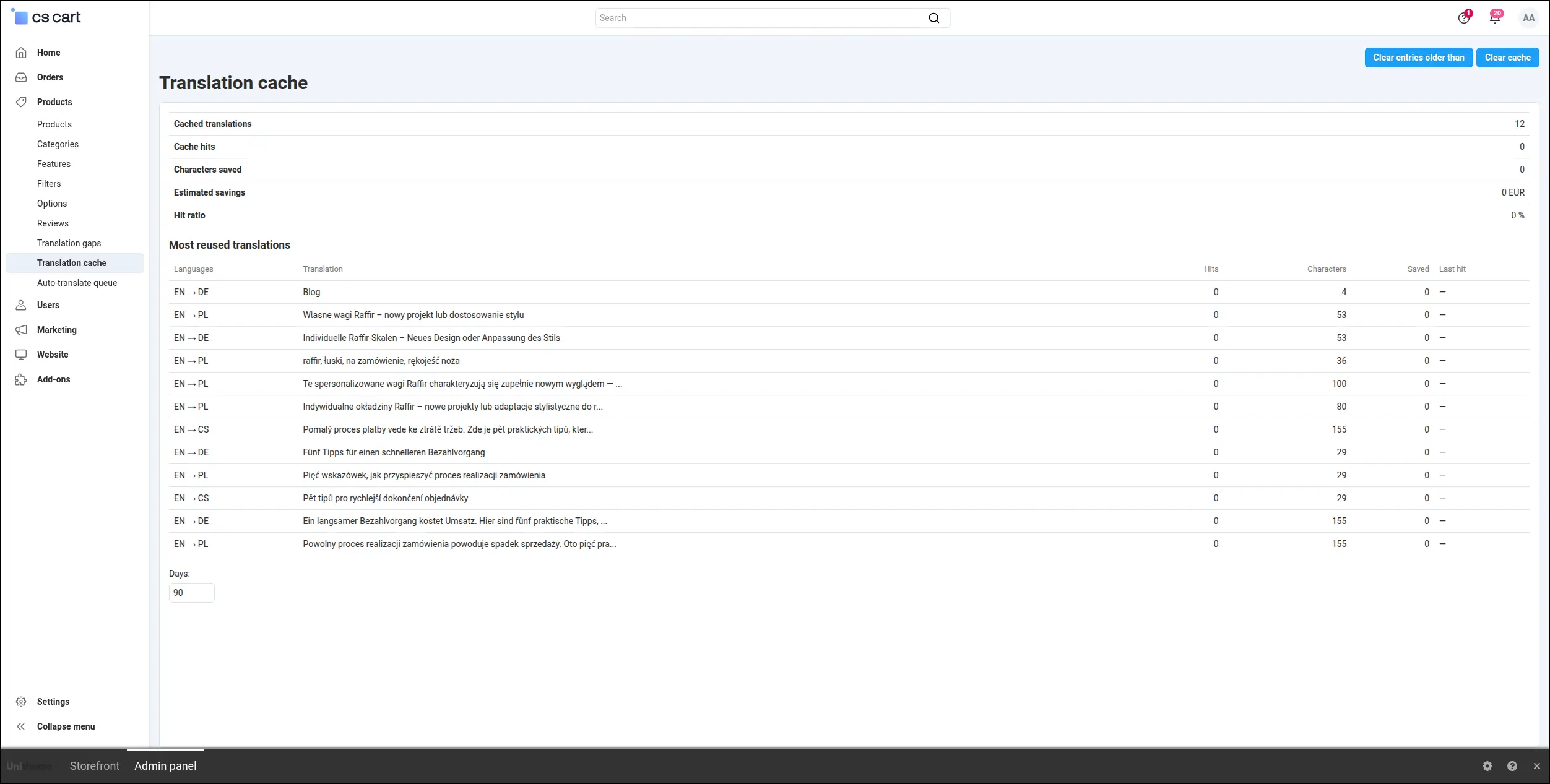
Screenshot 20
The upper part of that same screen sets the saving produced by the cache against the real spending of the period. Content served from memory never reaches DeepL, so a cache hit leaves the counter untouched, and the difference between the two figures shows how many characters the cache has really saved
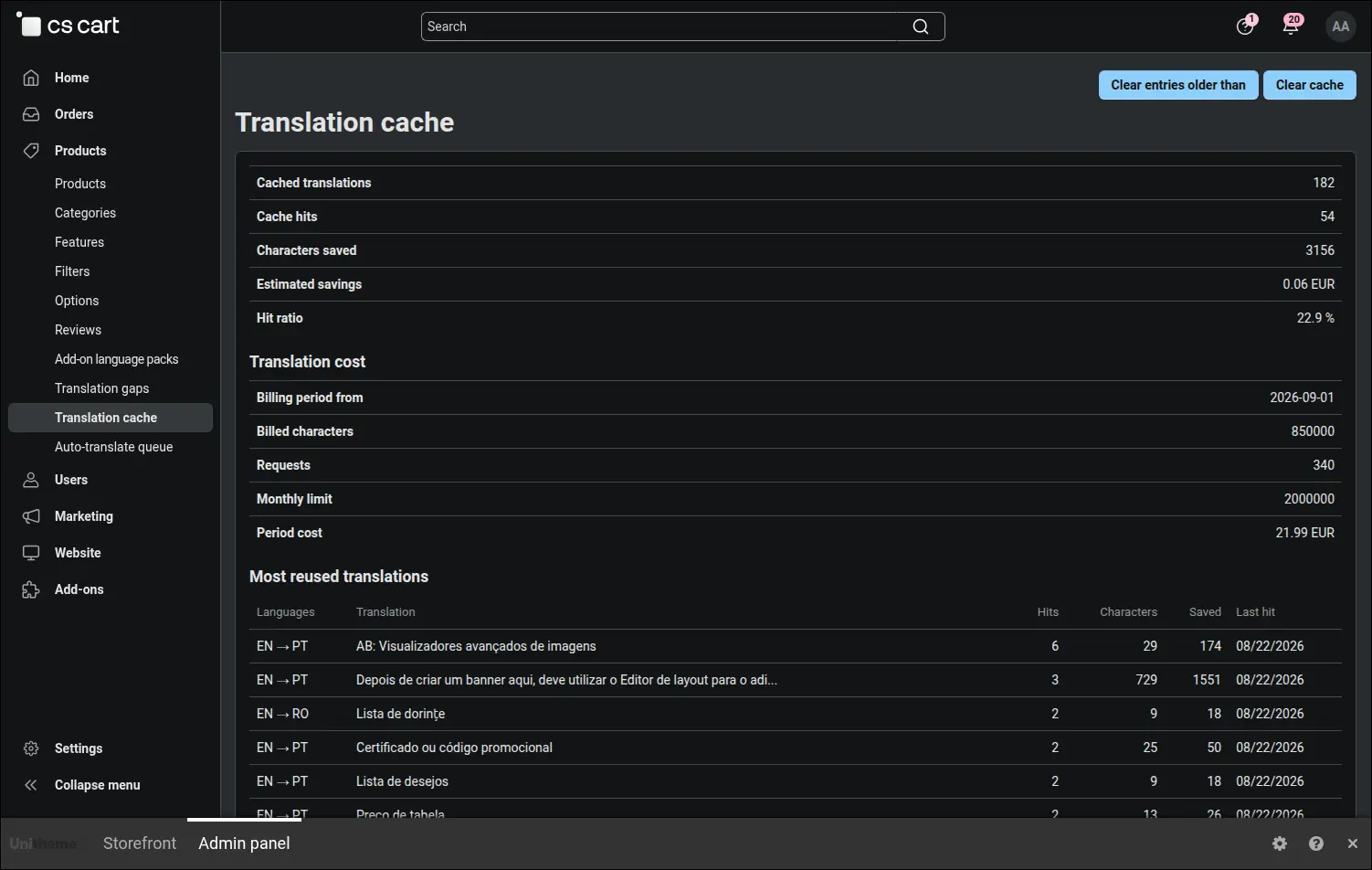
Screenshot 21
The translation gaps dashboard lays out a simple matrix: every object type against every store language, with the number of items that still lack a translation in each cell. One glance tells you where a language version is complete and where work remains. A separate row covers interface texts, the labels of the admin panel and the storefront
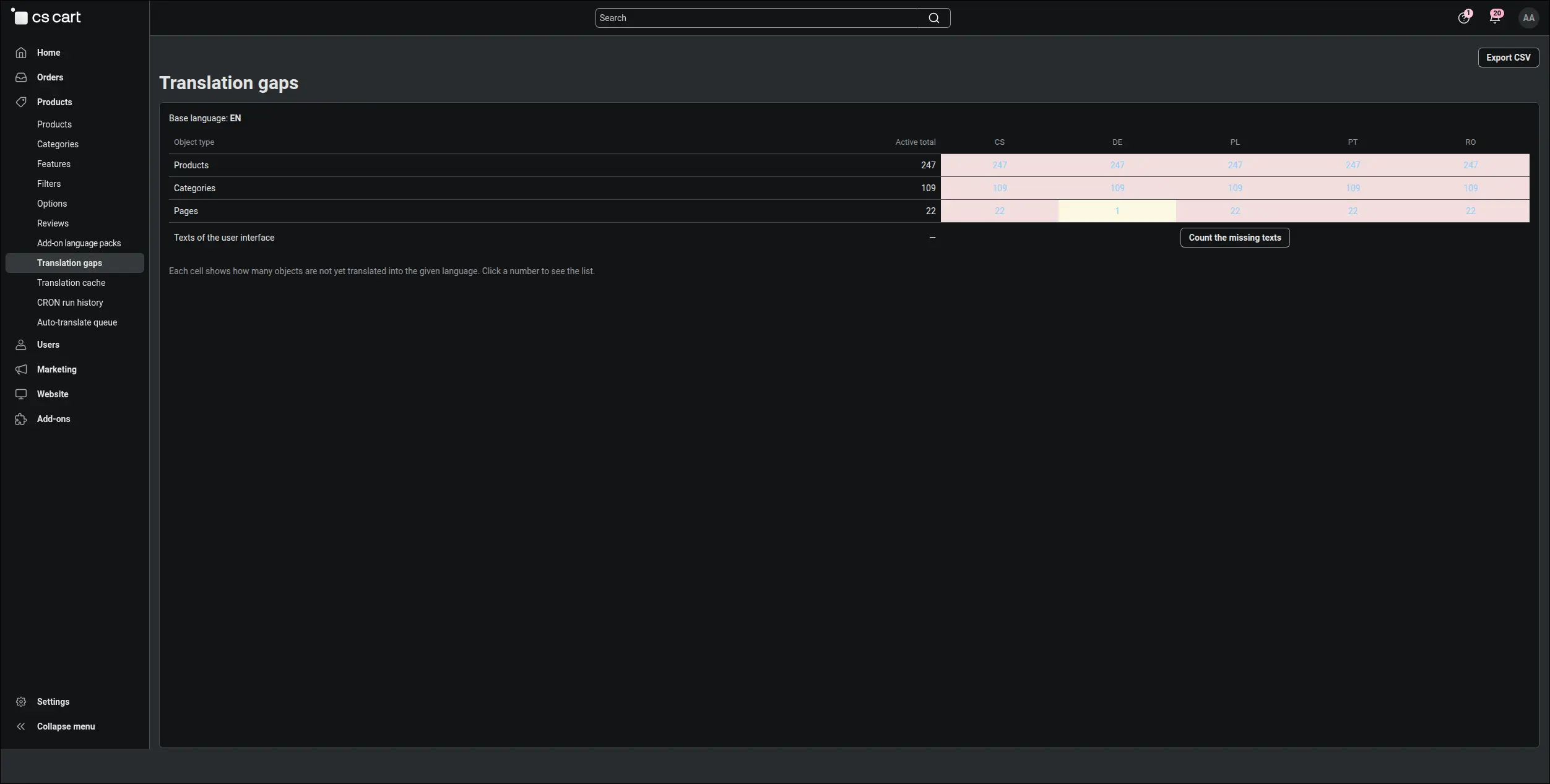
Screenshot 22
Interface texts have a summary of their own, calculated only on request so that the dashboard opens instantly. Every store language gets a row with the number of labels still lacking a translation, and a button leads straight to translating the language values. The translation then also covers the buttons, messages and headings a customer sees on every page
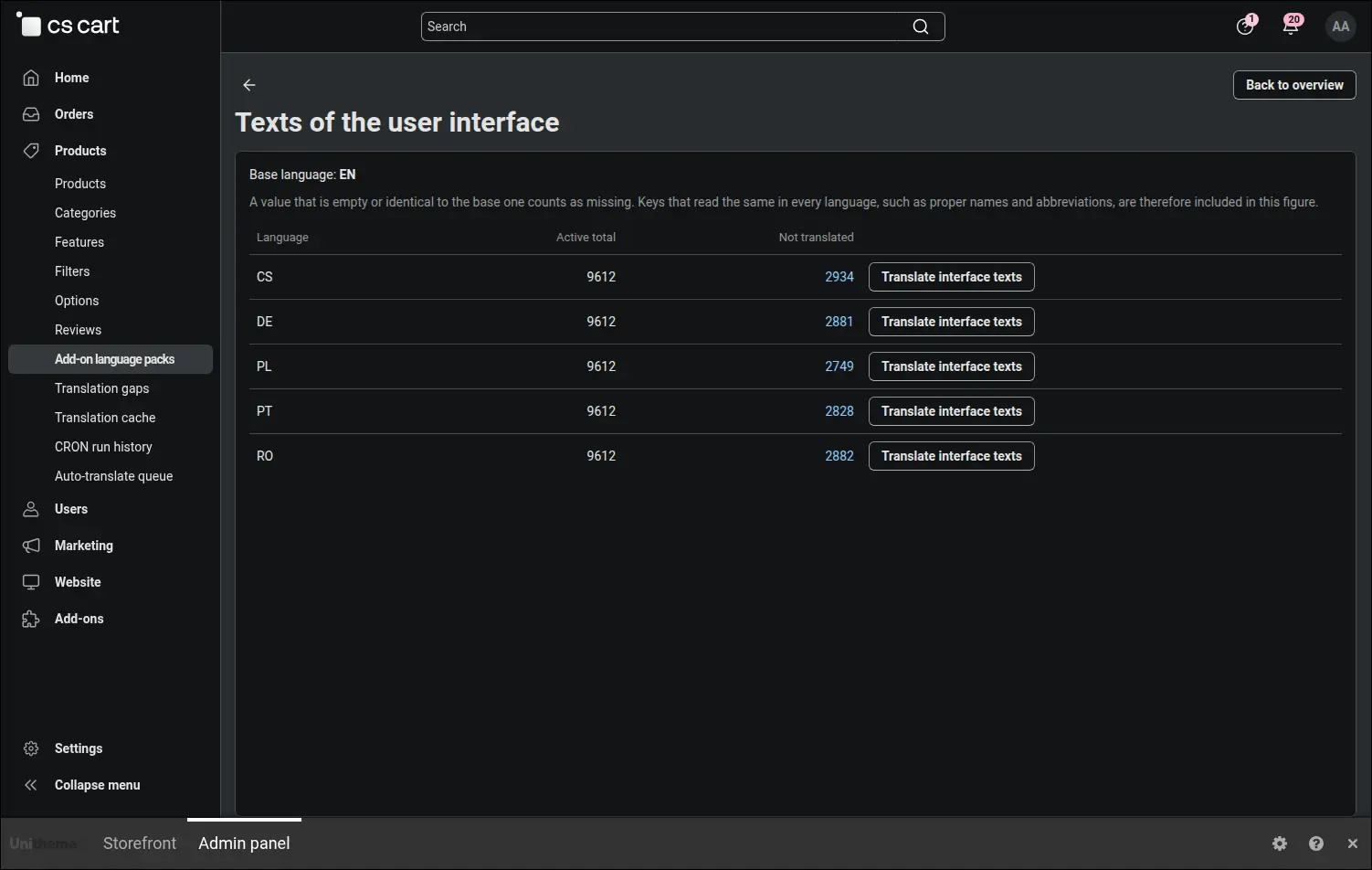
Screenshot 23
Clicking a number opens the list behind it, the exact items missing a translation for that type and language. You can export the list to CSV for reporting, or translate every gap at once with a single action
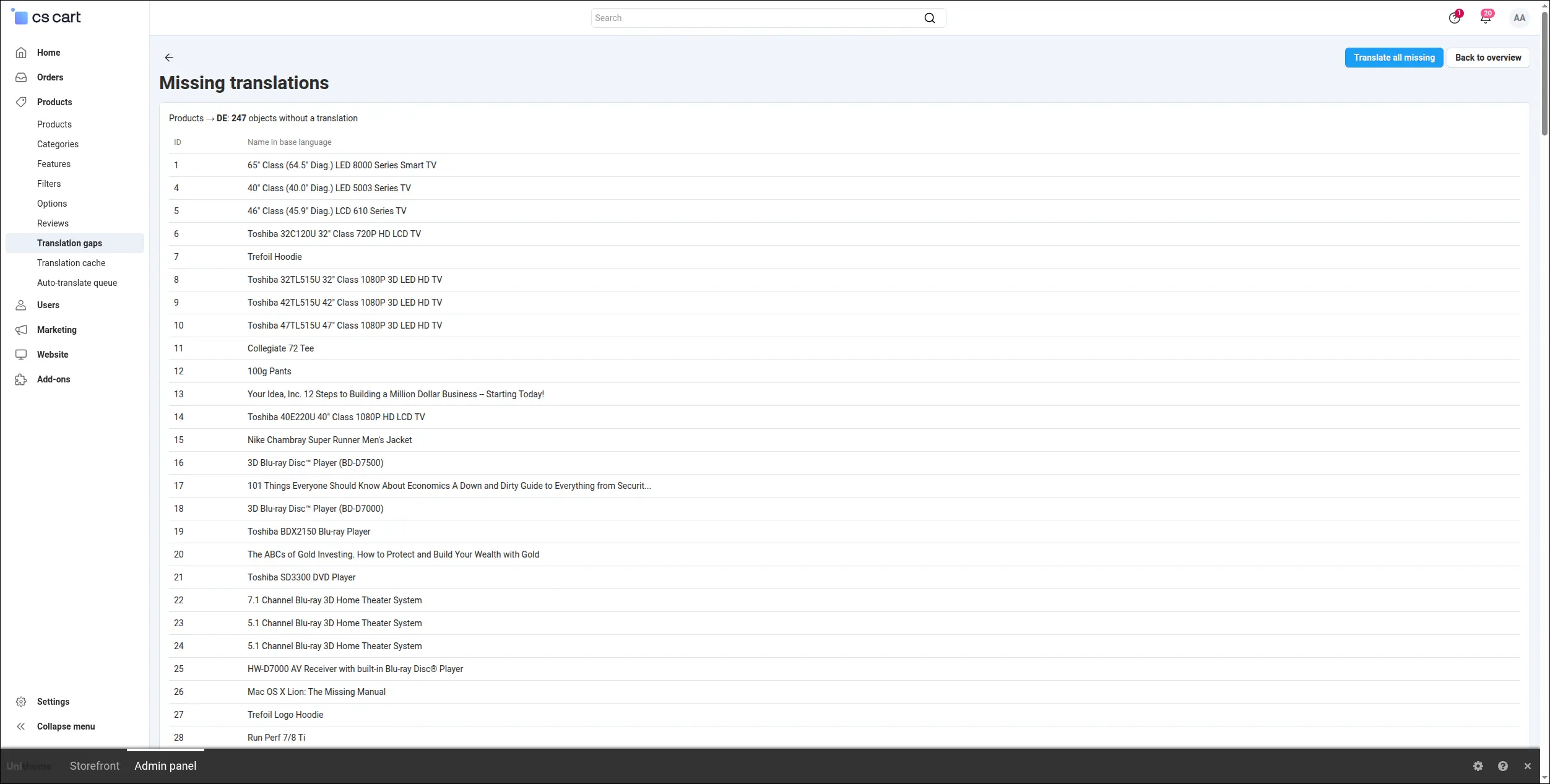
Screenshot 24
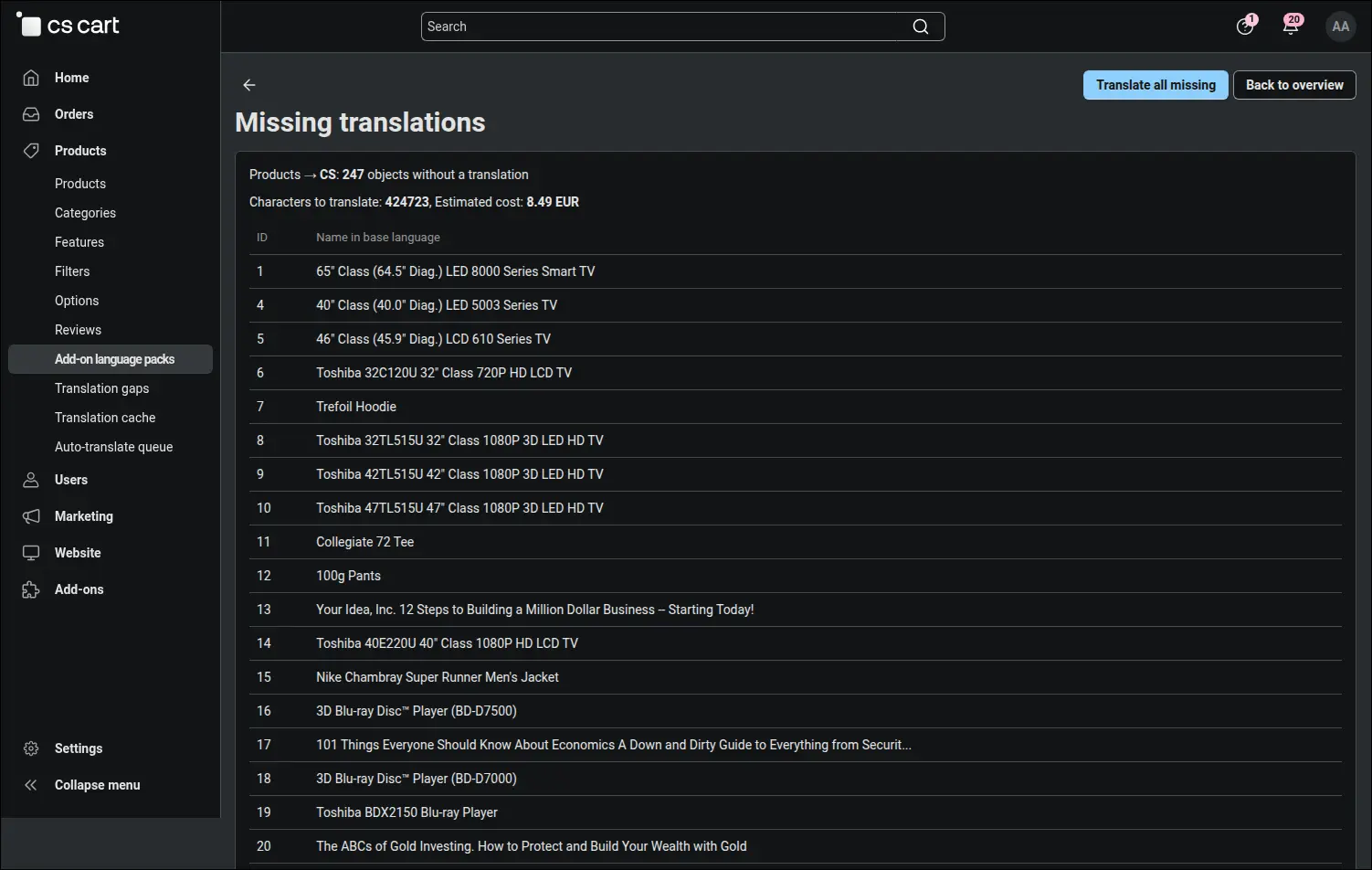
Above that same list stands the answer to the question of what the run will cost: the number of objects, the number of missing characters and the estimated amount, all of it before you click. Characters are counted field by field rather than by whole records, so a product missing a single sentence, with its other descriptions already translated, is not priced as though it had to be translated from scratch
Screenshot 25
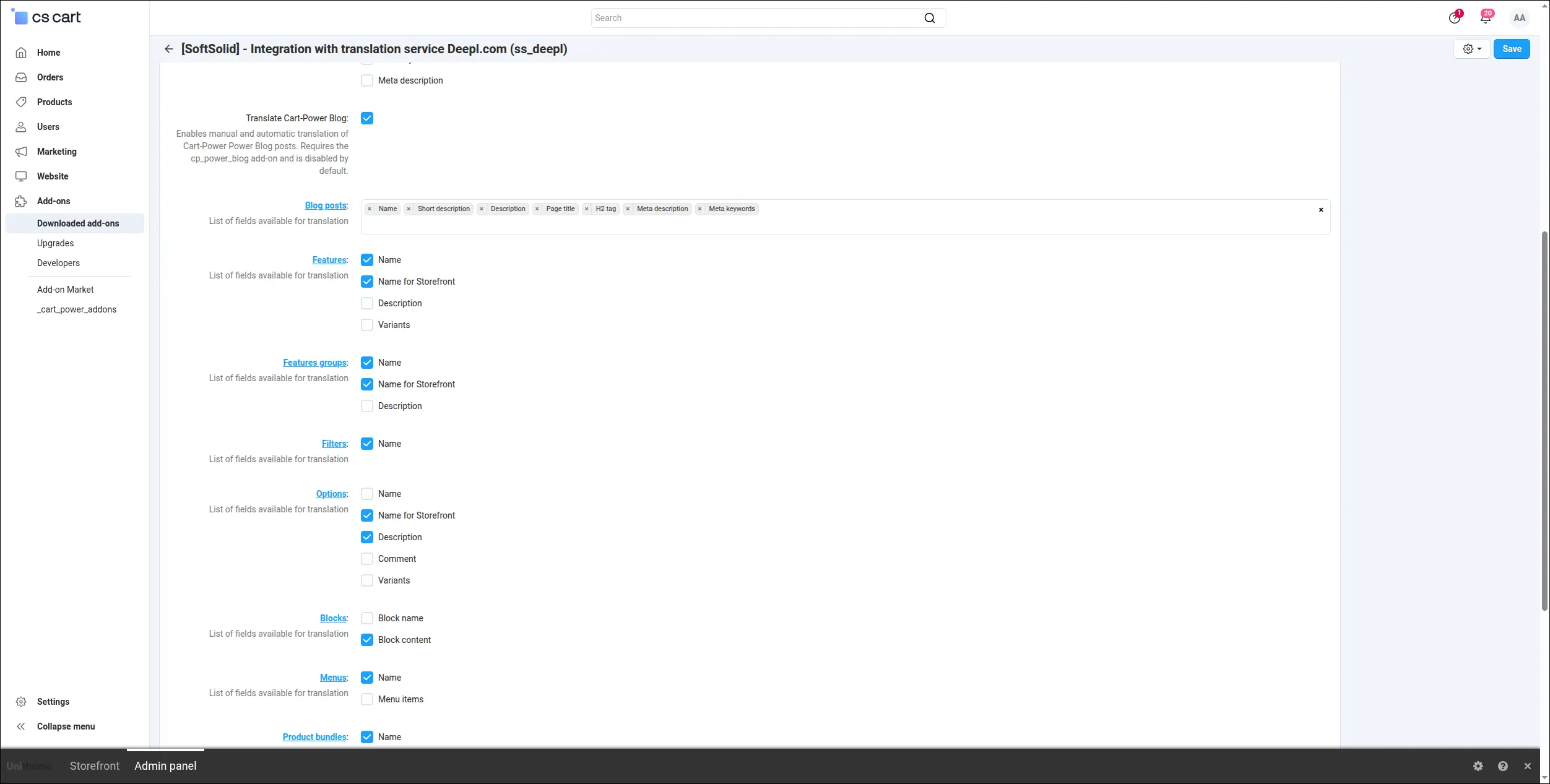
Blog translation is a feature you switch on in the settings, and then you pick which post fields to translate: the name, the descriptions, the page title, the H2 heading and the meta tags. Nothing runs until you enable it, so the character limit stays under your control
Screenshot 26
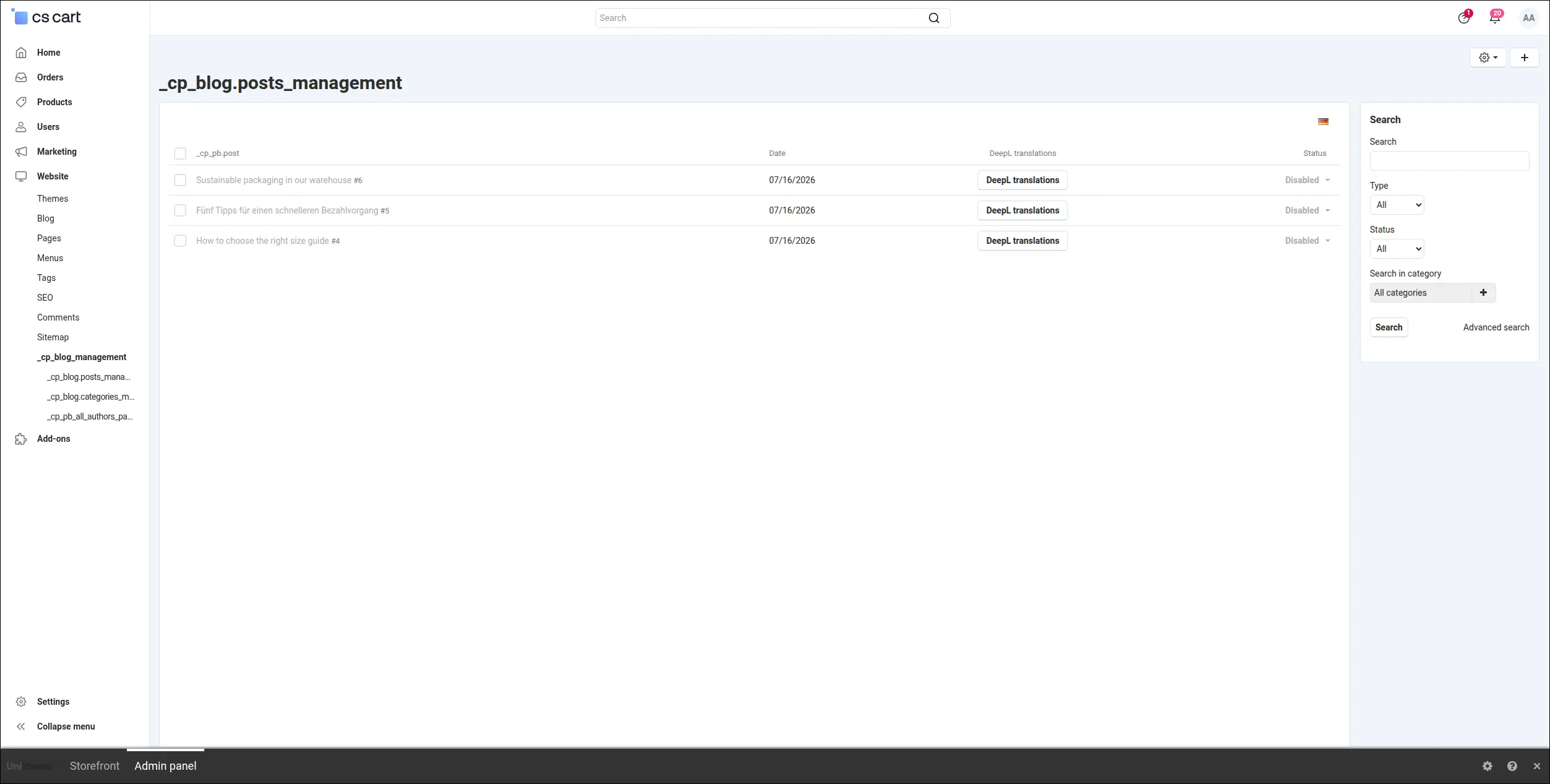
On the Cart-Power Power Blog post list every post gets a DeepL translations action. You open the translation form for a single post straight from the list, without hunting through separate menus
Screenshot 27
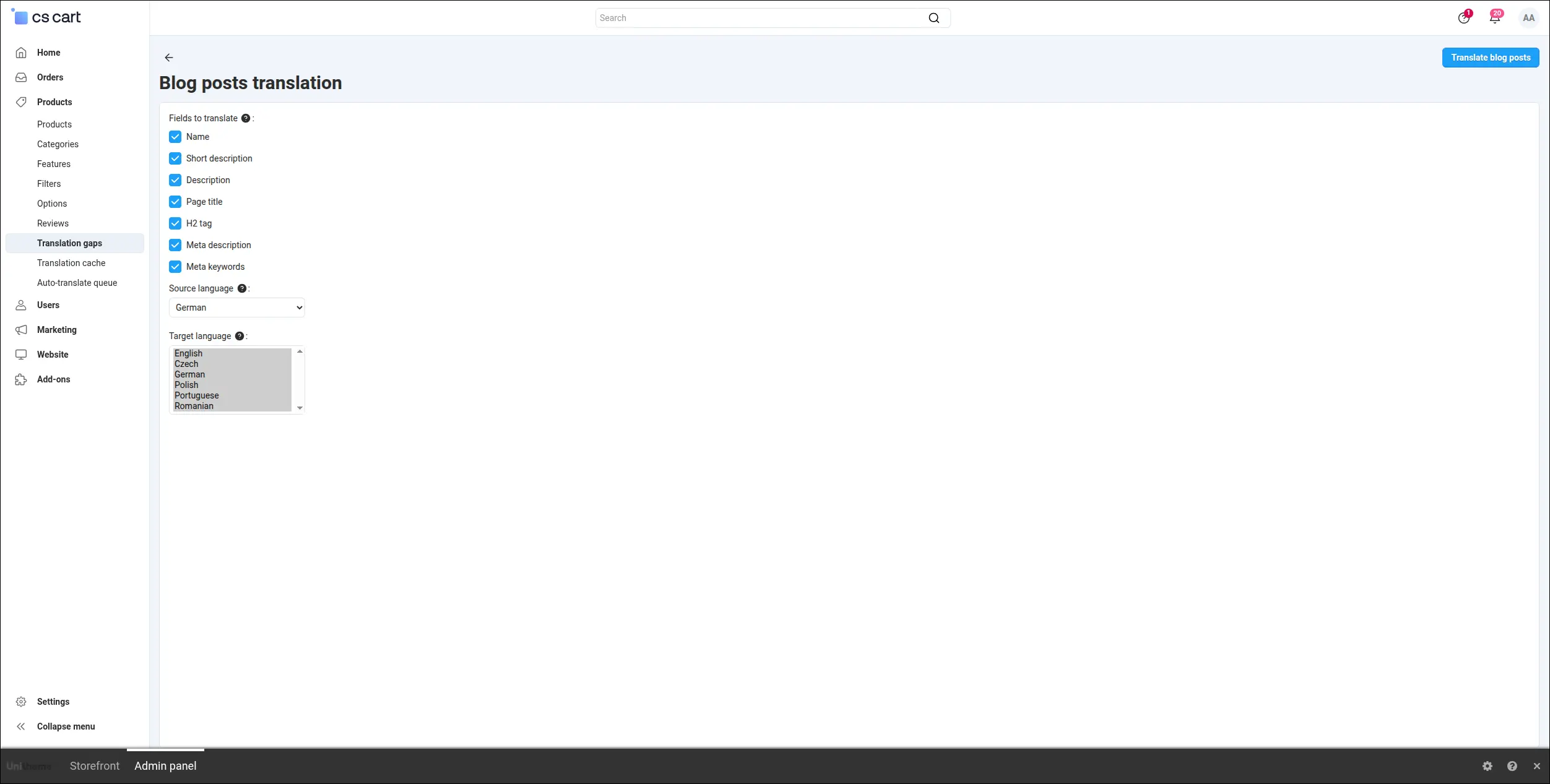
The blog translation form works like the rest of the add-on: you tick the fields to translate and choose the source and target languages. The source starts from the language you are currently viewing, so an article written in any language translates into the others correctly
Screenshot 28
In Multi-Vendor sellers often write in different languages, so each of them sets, in their own profile, the language they create content in. It applies to manual translation and to the automatic mode alike, so a seller writing in German is no longer translated into their own language. A button next to it checks a few of the seller's product names to see which language they are really written in, and warns you when the result does not match the setting. A mistake comes to light before the catalog is translated rather than after it has been paid for
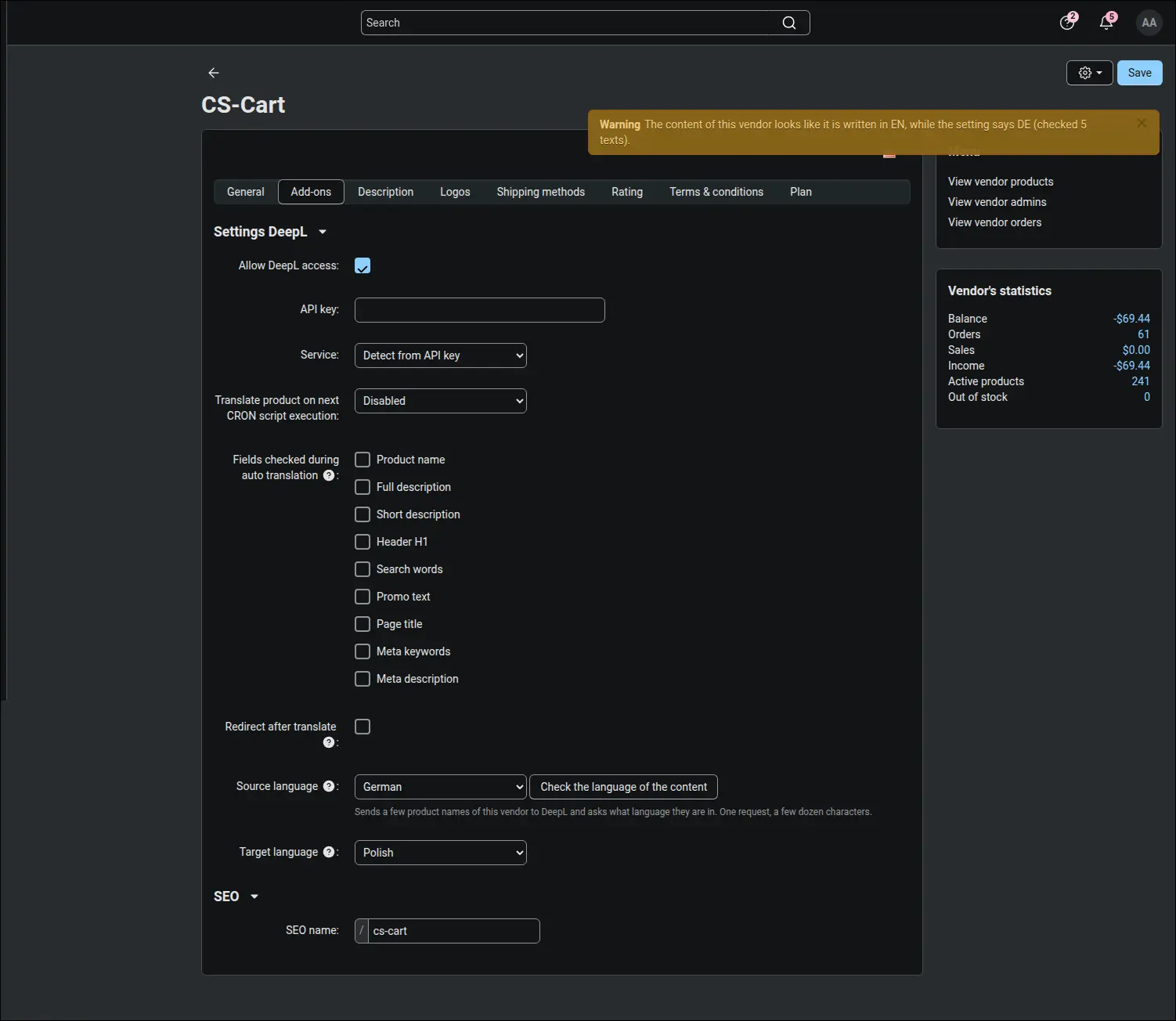
Screenshot 29
On a Multi-Vendor platform you assign a translation budget to each vendor separately. In the company profile you enter the vendor's monthly character limit, and right next to it you see how much has been used, how many requests there were and when the limit renews. The vendor sees the same block in its own panel but cannot change the limit. This is also where the automation's languages can be narrowed for a vendor selling to chosen markets only. A vendor with its own DeepL key is not covered by the store limit, because it pays for its translations itself
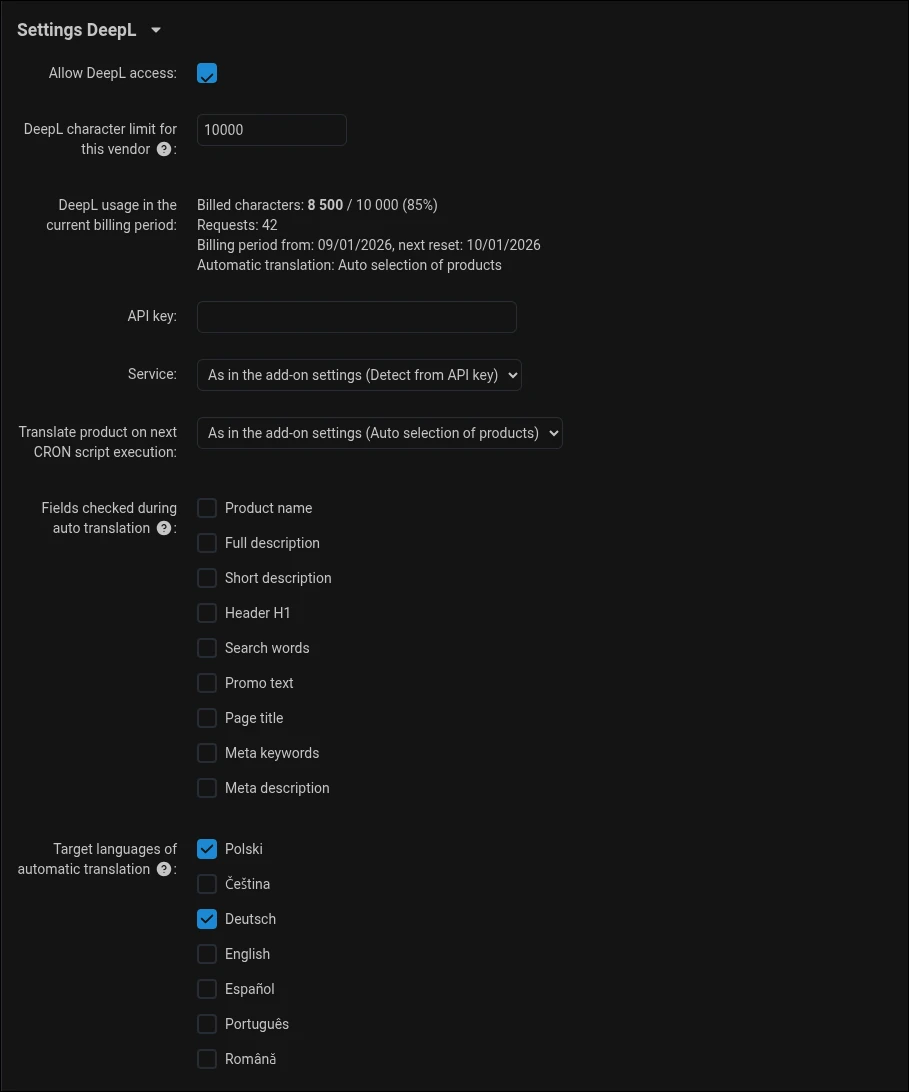
Screenshot 30
The usage summary shows all vendors in one place: characters billed by DeepL, the number of requests and each company's limit with the percentage used. Anyone over the limit carries a red marker. You choose the billing period, and one button downloads the data to a spreadsheet, ready for settling costs with vendors
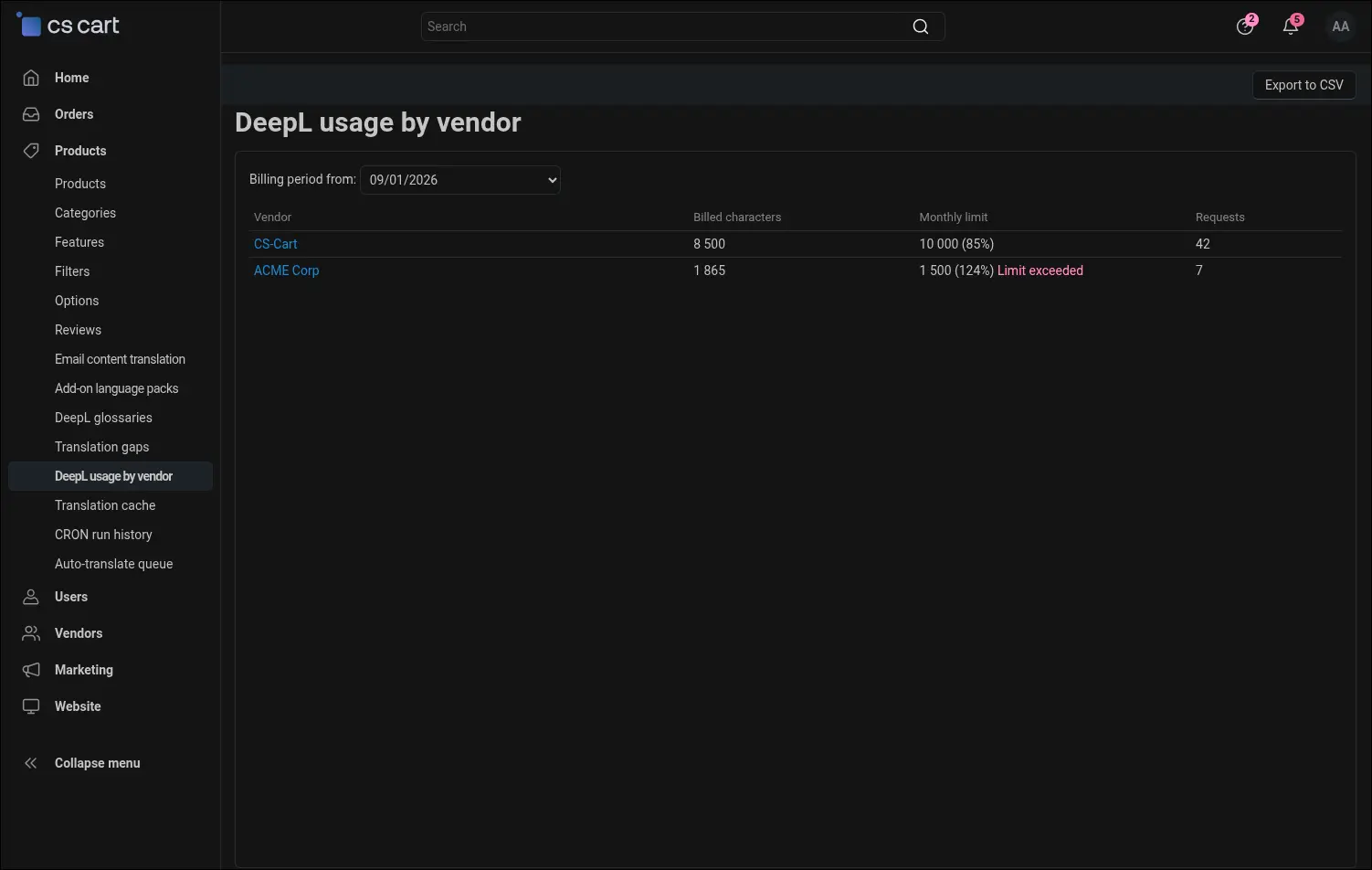
Screenshot 31
A vendor has the automatic translation queue in its own panel and sees only its own company's entries: what is waiting, what is in progress, what is done and what failed. The bar above the table recalls which languages the automation translates into. The vendor checks progress alone instead of asking the platform staff
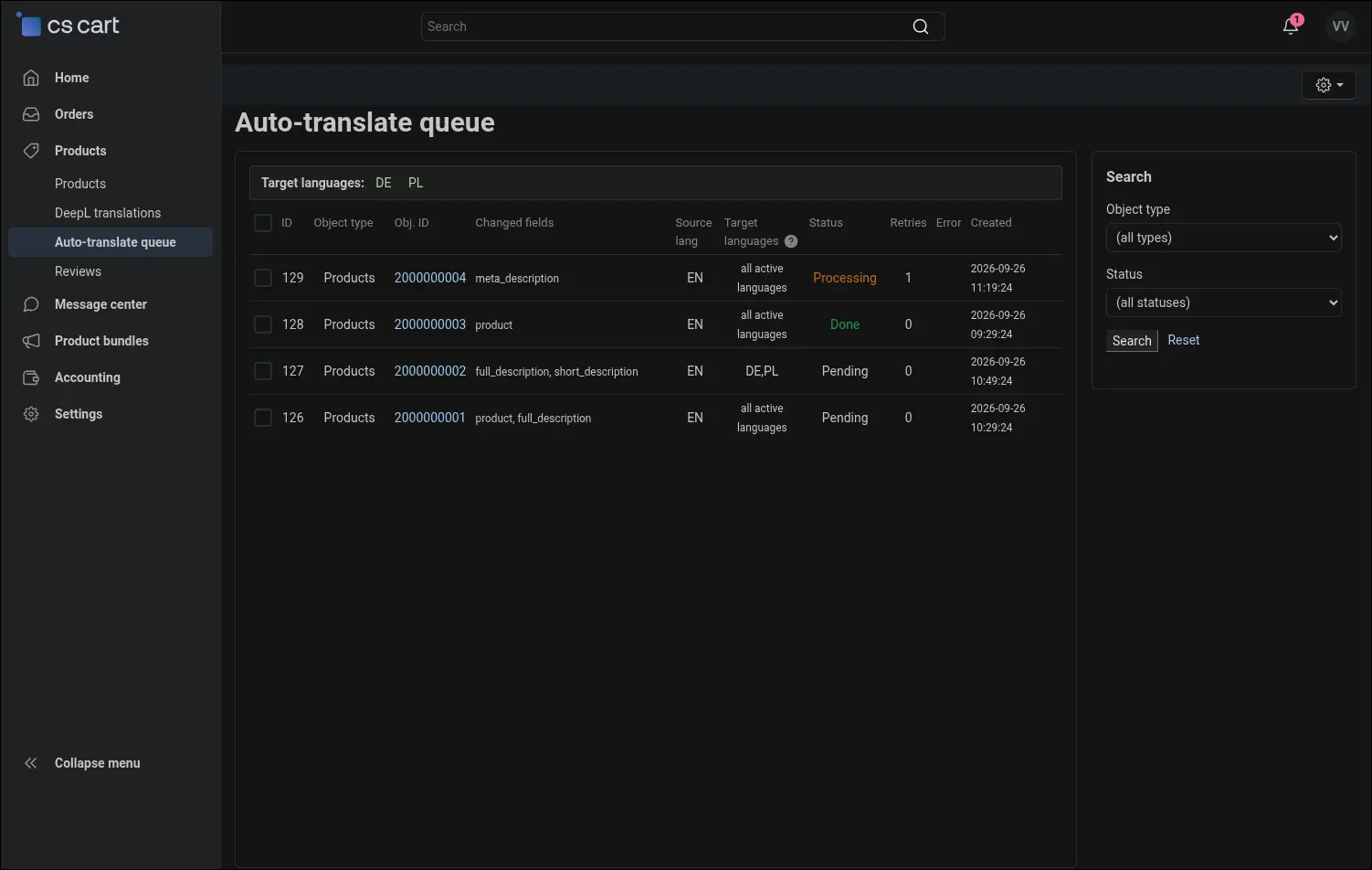
Screenshot 32
When a vendor uses 80% and then 100% of its limit, the vendor and the administrator receive an email with the characters used, the limit and the renewal date. The vendor knows before the automation stops translating its products, and the administrator gets a signal that it is time to raise the limit. The notification runs on the CS-Cart mechanism, so you switch it off, change receivers and edit its text like any other
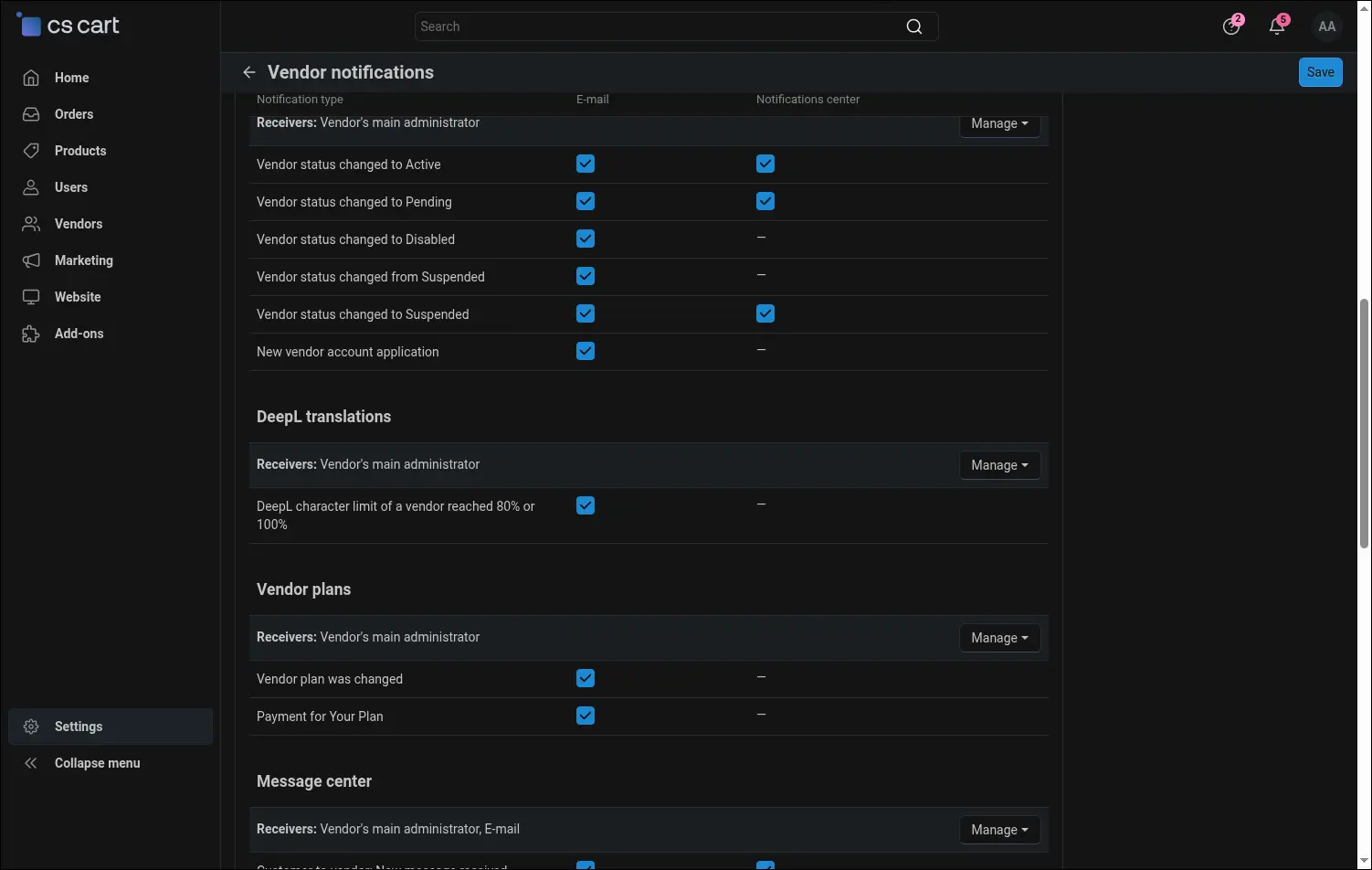
Screenshot 33
The whole product page, reviews and addresses in a new language
A new language version of a store rarely ends with the product description. Customers also see tab names, descriptions of downloadable files and banners, and at checkout the name and delivery time of the chosen shipping method. The Product page content translation screen gathers these scattered texts in one place and, for each type, gives the number of records, characters and rows missing in each language, so you know the scale of the work before anything reaches DeepL. This is also where you translate text feature values: the add-on creates the missing rows in the target language itself and covers all products of a variation group in a single run, while a translation longer than the 255 characters the value field holds is not saved truncated but recorded in the log. Feature values can also be included in the bulk product translation, and on Multi-Vendor a vendor translates only the values of its own products this way.
When supported add-ons from other developers are active in the store, the same screen also shows their content: Cart-Power FAQ sections and questions, Cart-Power Power Blog authors, AlexBranding Motivation block items, AlexBranding product videos, UniTheme block links and tooltips, UniTheme banner texts, and the names and descriptions of AlexBranding Stickers. In stickers, the placeholders filled in by that add-on, such as the discount amount, a line break or a feature value, as well as formulas, stay untouched, so a sticker in the new language still fills in the right values, just like the original.
The admin lists you translate from with a single command now include the payment methods list. The name, description, payment instructions and surcharge title move into the customer's language, so the last step of a purchase does not surprise anyone with a message in a foreign language. Block content translation also respects the variants assigned to individual products, categories and pages: each variant is translated and saved separately, and one missing in the target language is created.
Reviews from other buyers often decide a purchase, yet in CS-Cart they have no language versions. The add-on keeps their translations separately and replaces the text only on the storefront, so a visitor reads a review in their own language while the admin panel always shows the original. DeepL detects the review language on its own, the store reply is translated separately, and when someone edits a review the storefront returns to the original at once and never shows an outdated translation. You translate selected reviews from the list in the panel, all pending ones with a single button, and with the Translate reviews automatically option switched on, new and edited reviews are translated by the CRON job right after the queue, within the same time budget. On Multi-Vendor, product page content, payment methods and reviews are translated by the platform administrator, and vendors do not see these actions.
A translated name can give the page a new address straight away. The bulk translation forms for products, categories and pages have an SEO name field, and the Translate SEO names automatically option does the same in automatic mode. A German product page gets an address built from its German name, the old address redirects to the new one, and SEO names set by hand stay as they are. The feature requires the SEO add-on with separate URLs for each language.
Protecting your editors' work matters just as much. The Protect manual corrections option, enabled by default, makes sure that after a change to the base language text the automation does not overwrite fields someone has corrected by hand in the target language since the last machine translation. The queue list shows which fields were kept this way, and everything nobody has touched is translated as before. An editor who polished a German description will not lose that work the next time the Polish text changes.
Security has improved too. When the key you enter belongs to the free DeepL API Free plan, a notice under the key field explains that DeepL may use the submitted texts to improve its models under this plan, so you know it before sending store content through it. The key reaches DeepL only in the authorization header and never appears in request addresses, and the add-on, freed from an unneeded SDK library, is about 1.9 MB smaller.
The DeepL integration takes the most tedious part of multilingual work off your team and keeps content consistent across languages, because it all comes from a single source. Bulk translation has also stopped being an operation of unknown cost: you can see how much is missing, what it will cost and where the fuse sits, while a large catalog goes through the queue in stages, resilient to interruptions and to an exhausted character package. Translation covers the customer's whole path, from the product page with its tabs, features and reviews, through the page address, to the payment method at checkout, and your editors' manual corrections survive the following runs of the automation. In Multi-Vendor each seller can use their own key, their own settings and their own source language, while the platform operator assigns limits to vendors and sees their costs in one summary. In the Ultimate edition translation also covers the split across storefronts. The license needs no key to be entered, and a missing license does not stop translation, it only shows a notice on the dashboard and on the add-on screens.
Full walkthrough, 7 minutes
Feel free to contact us and purchase the add-on!
Choose the most convenient form of payment for the add-on. You can pay once and use the add-on. Choosing a subscription payment (monthly or annual) means that you pay for the add-on at regular intervals and have access to the latest versions of the addon and technical support.