


ORLEN Paczka for CS-Cart and Multi-Vendor: a new add-on for pickup point delivery
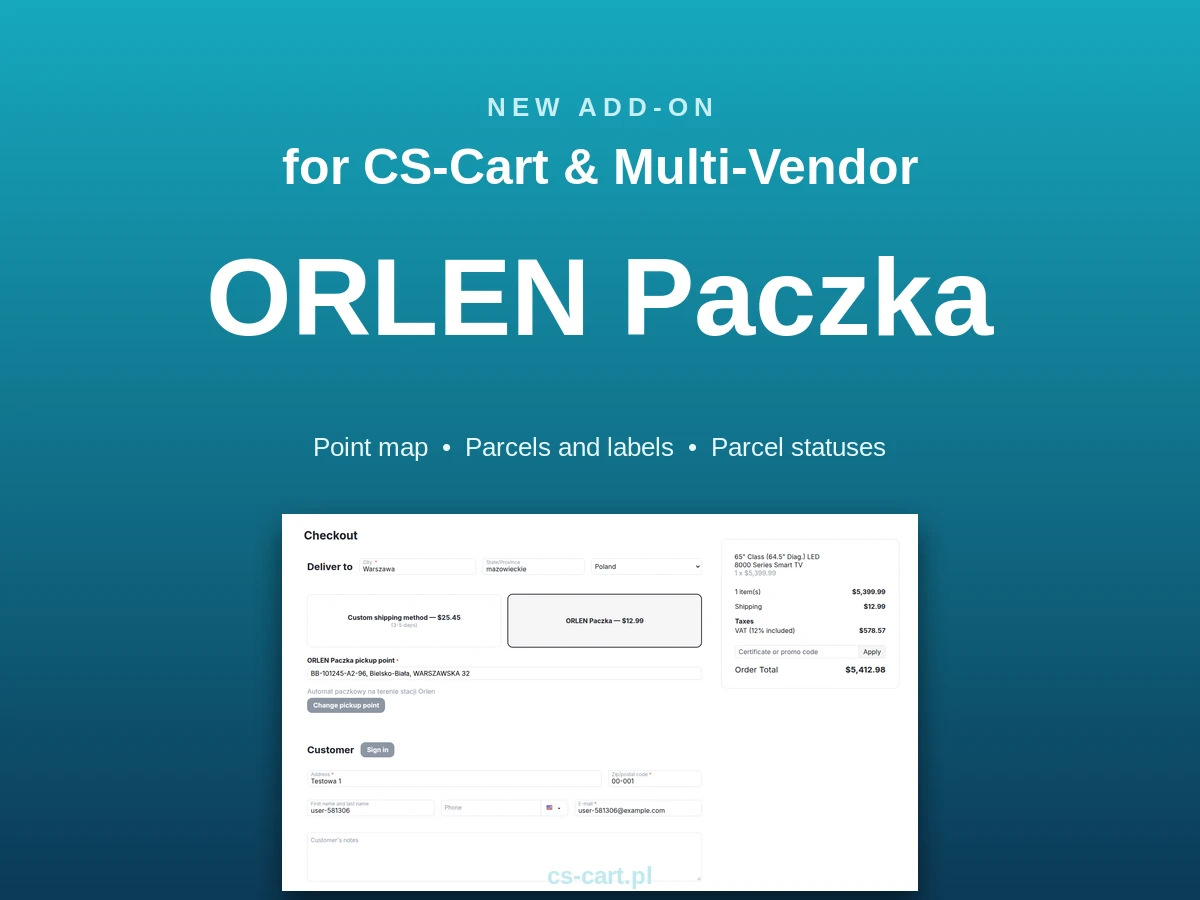
On 29 September 2026 we released a new add-on, ORLEN Paczka, for CS-Cart and Multi-Vendor. It connects your store to the ORLEN Paczka web service and covers the whole pickup point delivery flow: the customer picks a parcel locker or pickup point on the official map at checkout, your staff create the parcel straight from the order and print the label, and parcel statuses come back to the store on their own. The add-on works with CS-Cart and Multi-Vendor 4.14.1 and newer.
ORLEN Paczka is one of the most popular parcel locker and pickup point networks in Poland, and many shoppers choose it when buying online. Until now, handling this delivery method in CS-Cart usually meant copying addresses into the carrier panel, pasting tracking numbers by hand and checking whether the parcel had arrived. The new add-on moves all of that into the store admin panel. Below we show how it looks from the point of view of the customer, the order team and the marketplace owner.
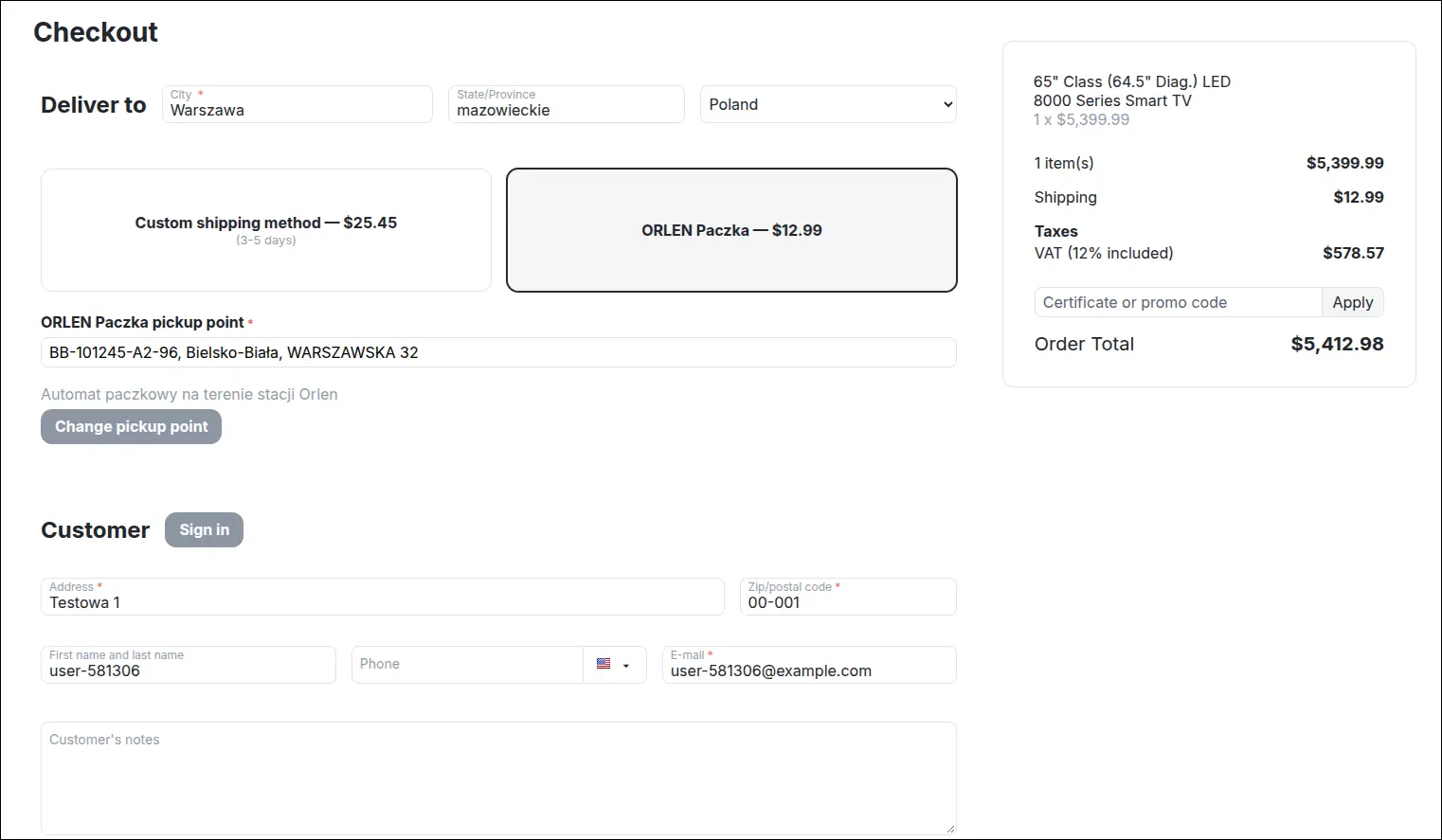
Pickup point chosen at checkout
After installation, the ORLEN Paczka carrier appears in the CS-Cart shipping module. You create the shipping method like any other, with rates set in rate areas, and choose a default parcel size for it. A customer who selects this method at checkout sees a pickup point field below it and a button that opens the map. The chosen point, with its code and address, stays with the order, and if the customer changes their mind, they can pick another one in a single click.
The order cannot be placed without a pickup point. The store checks the point code against a local copy of the ORLEN Paczka point list, refreshed regularly by a CRON task, so a point that does not exist or has been taken out of service will not end up in an order.
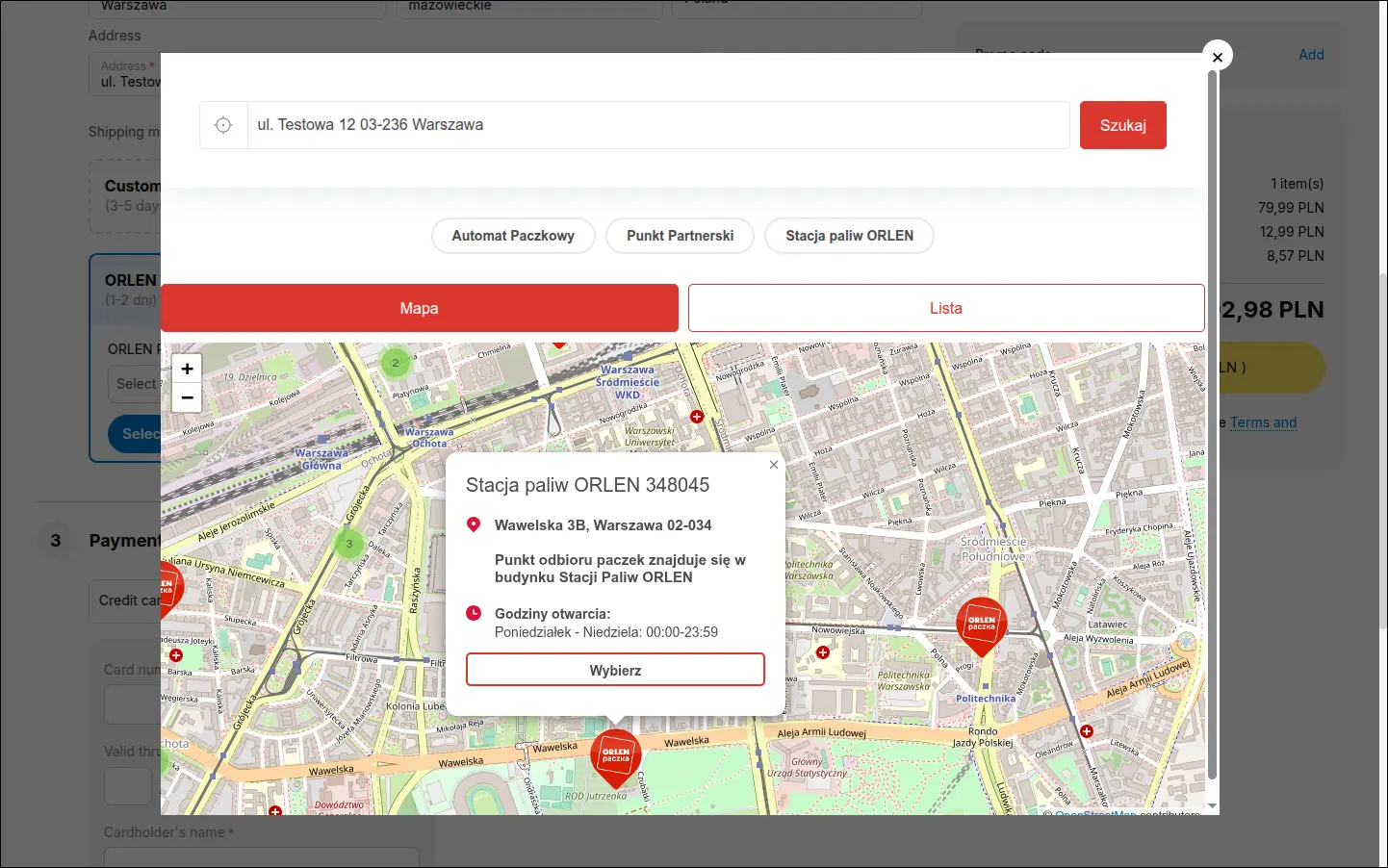
The official ORLEN Paczka point map
The map opens in a window over the checkout and is the official widget provided by ORLEN Paczka. Customers therefore see the same carrier map they already know from other stores. The map token is set separately for each storefront, so the add-on also fits installations with several stores. Please note that the widget interface is available in Polish only, even in a store displayed in another language, because ORLEN Paczka does not offer a version in other languages.
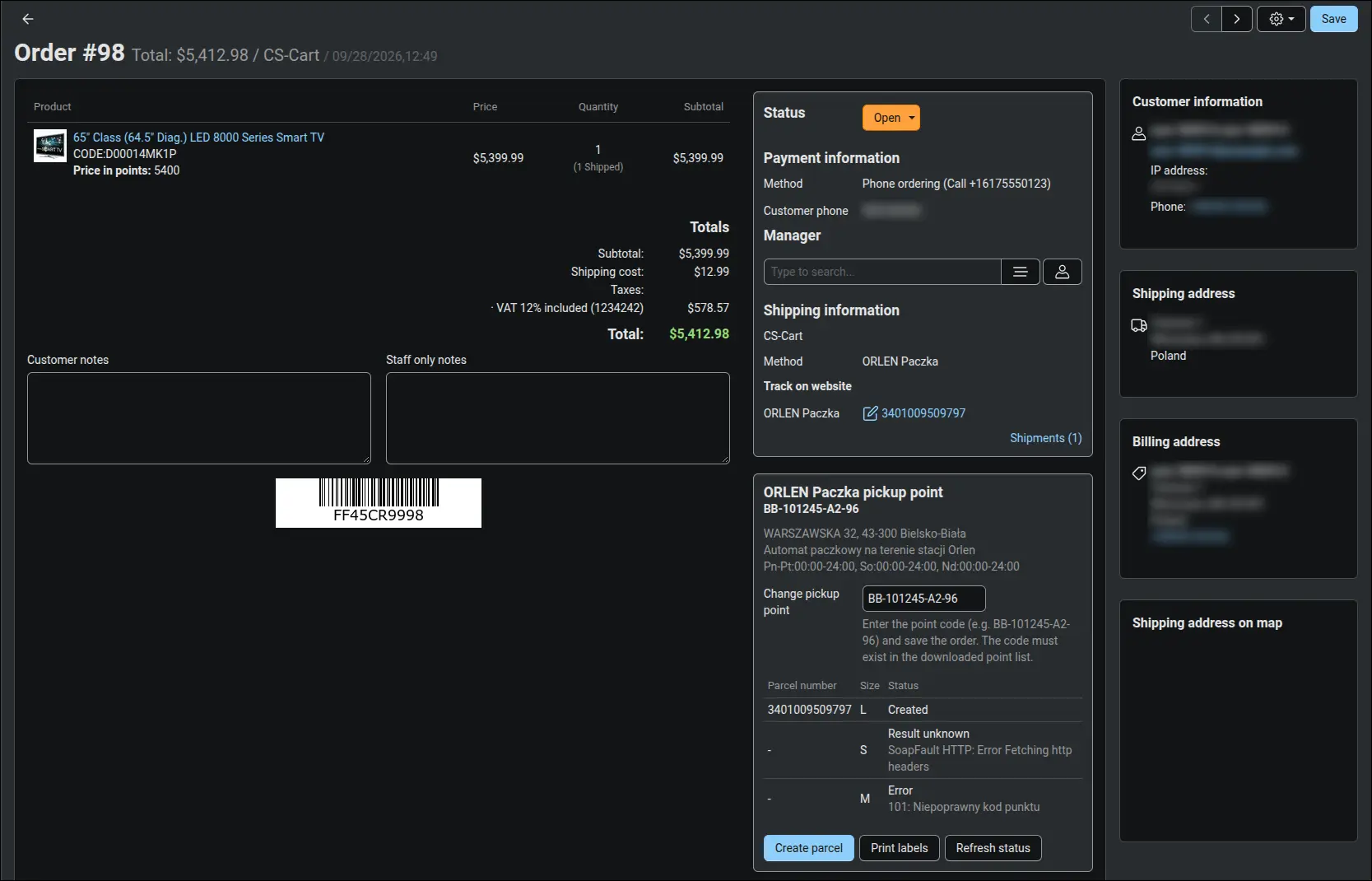
Parcel and label without leaving the order
The order details page gets an ORLEN Paczka block. It shows the pickup point with its address and opening hours, lets you change the point, lists the parcels with their state and number, and offers buttons to create a parcel, print labels and refresh the status. The parcel form suggests the size from the shipping method and the recipient phone from the order, so in most cases you only need to confirm it. The parcel number goes into a CS-Cart shipment together with a tracking link.
You can download labels at any time, as PDF A6 or 10x15 cm, or as ZPL (203 and 300 dpi) and EPL for thermal printers. The pickup point is also shown on the invoice, in e-mails and in the customer account, so nobody has to look for it in notes.
Many orders at once
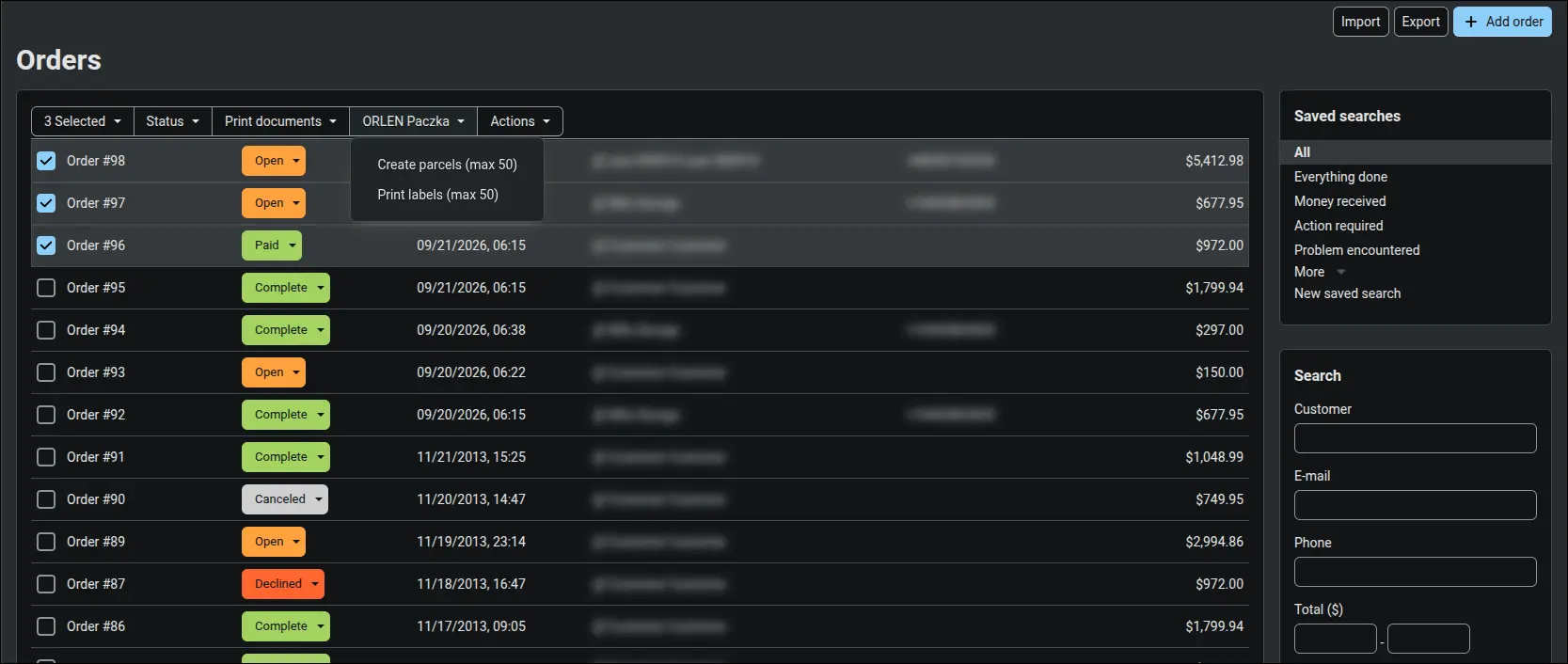
With a larger number of orders you do not have to open each one. On the order list you select the orders and choose parcel creation or label printing from the ORLEN Paczka button. One action covers up to 50 orders, and any extra orders are skipped with a clear message instead of stopping the whole operation. This comes in handy for the morning dispatch, when packing time matters more than clicking through the panel.
Parcel statuses that update orders
ORLEN Paczka sends the store a notification about every parcel status change. You register the notification address once with a button in the add-on settings, and the store starts recording the event history of each parcel, with its current status shown in the order. When there has been no news about a parcel for a day, an hourly CRON task asks the API about it, so a lost notification does not hold up the order. You can also refresh the status manually from the order at any time.
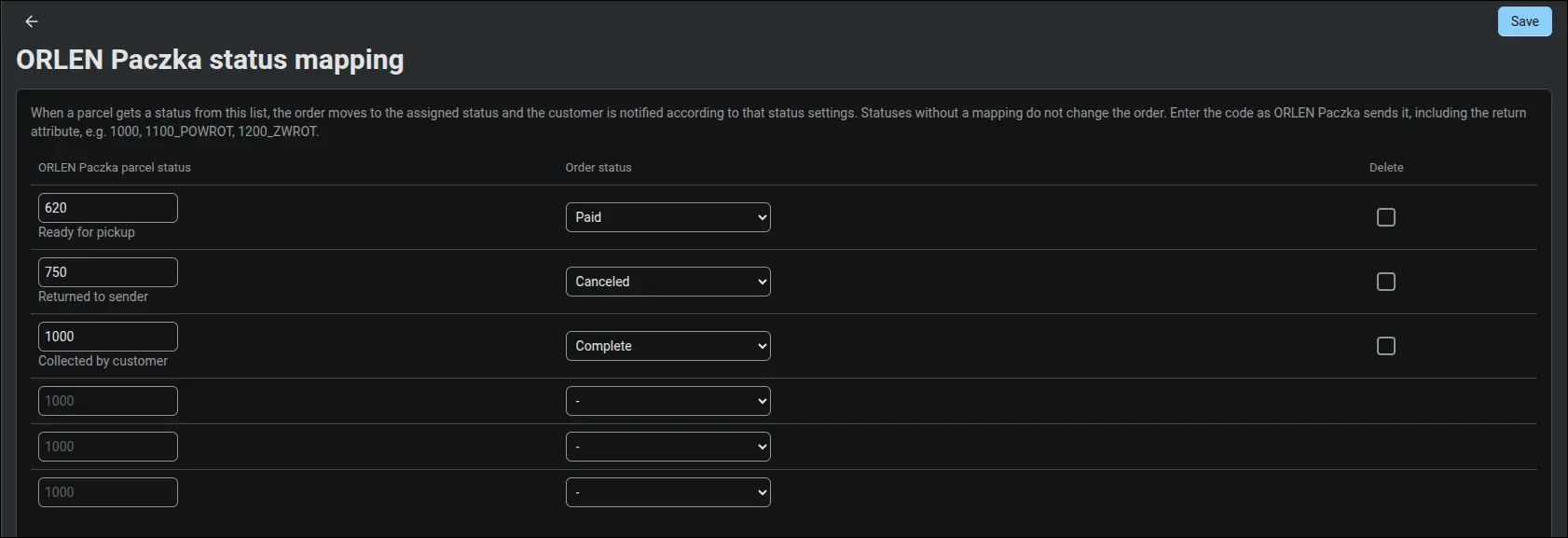
You can map selected parcel statuses to order statuses. Most often the team wants the customer picking up the parcel to complete the order, and that mapping takes a few seconds to set. The order status changes only when a newer parcel status arrives and it has a mapping, so older notifications will not move the order back to an earlier stage.
Multi-Vendor: every vendor ships their own parcels
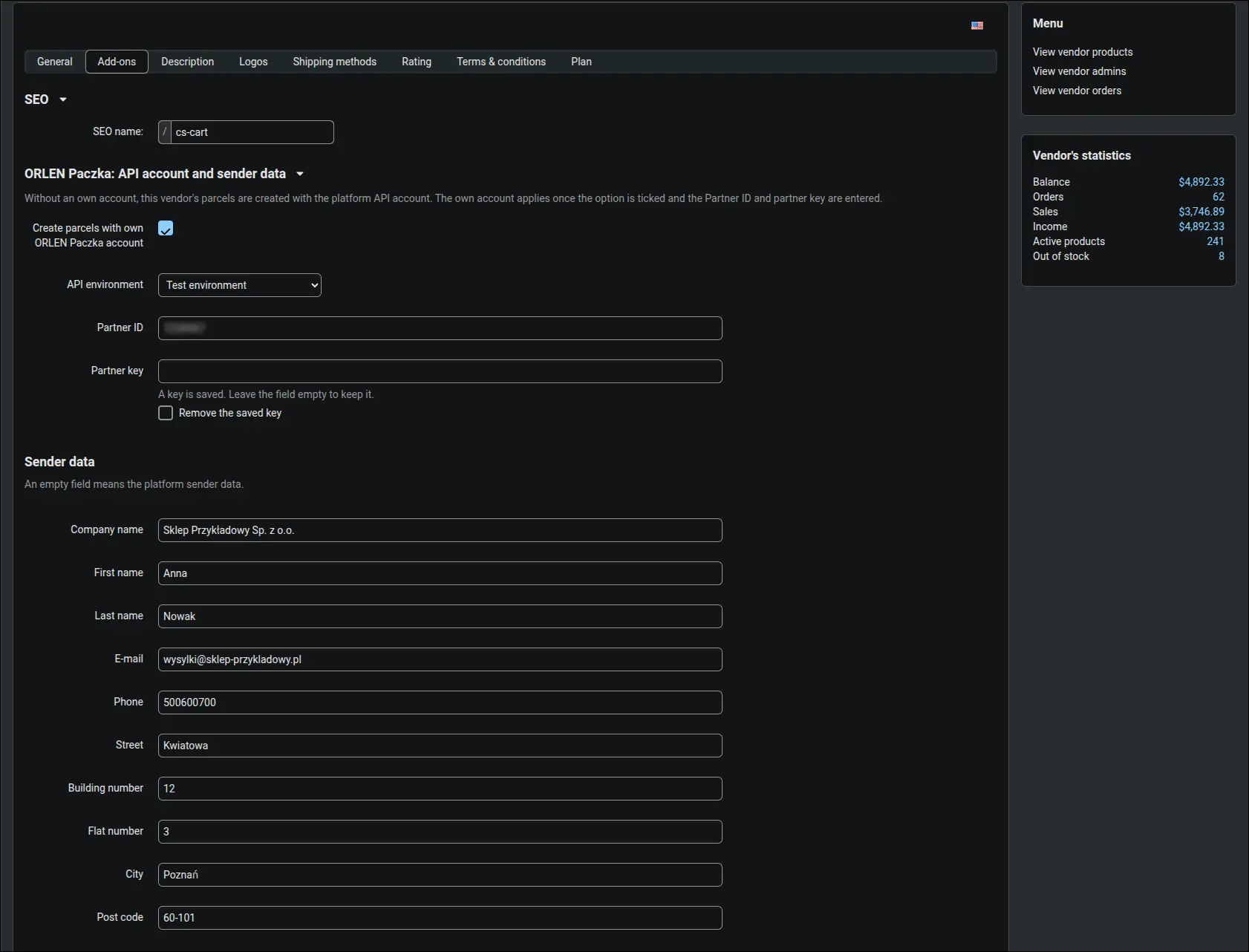
On a Multi-Vendor marketplace the customer picks a separate pickup point for each vendor's products in the cart, and the point and the parcel belong to that vendor's suborder. Vendors create parcels and print labels only for their own orders, in their own panel. They can use the marketplace ORLEN Paczka account or connect their own account and override the sender data field by field in their profile. If their own account data is incomplete, shipping falls back to the marketplace account and the vendor gets a warning when saving. Registering the notification address and mapping statuses remain with the marketplace administrator.
Good to know before you start
- You need a business agreement with ORLEN Paczka, API account data (Partner ID and partner key) and a map token for your store domain.
- The server must have the PHP SOAP extension enabled, which the add-on uses to talk to the ORLEN Paczka service.
- The add-on handles pickup point delivery. Cash on delivery, insurance, courier delivery and returns are not covered in this version.
- A parcel can weigh up to 20 kg, in sizes S, M or L.
- Shipping cost comes from the method rates in rate areas, the add-on does not fetch the ORLEN Paczka price list.
- Detailed API call logs can be enabled in the settings, which helps when checking the first parcels.
The ORLEN Paczka add-on is available on our product page, with a lifetime license or a monthly or yearly subscription: ORLEN Paczka integration. If you would like us to install and configure it in your store or on your Multi-Vendor marketplace, get in touch. We will help you connect the account, set up the shipping method and status mappings, and create the first parcels together with you.