


Shortcode - dynamiczna podmiana treści

- Zobacz wszystkie warianty jako listę
| KOD | Forma płatności | Cena | ||
|---|---|---|---|---|

|
667
ss_content_replace
2026-06-14
1.1.1.2
|
500.00 PLN
(Cena netto) |
||
|
|
670
ss_content_replace_sub_1Y
2025-08-28
1.1.1.1
|
375.00 PLN
/rok
(Cena netto) |
||
|
|
669
ss_content_replace_sub_1M
2025-08-28
1.1.1.1
|
37.50 PLN
/miesiąc
(Cena netto) |

- — 12 miesięcy gwarancji na wszystkie dodatki
- — sprzedajemy nasze dodatki na całym świecie
- — stabilne, elastyczne, wysokiej jakości produkty
- — konkurencyjne ceny, atrakcyjne rabaty
- — szybkie i kompetentne wsparcie techniczne
- — instalacja w 24h
- — indywidualne rozwiązania - moduły na zamówienie
Rozszerzenie do Store Builder oraz Multi-Vendor, które pozwala osadzać treść bloku z Menedżera bloków oraz zawartość strony statycznej wprost w opisach produktów, kategorii i stron. Redaktor wstawia w opis krótki znacznik, na przykład [block #45], a na sklepie w jego miejscu pojawia się pełna zawartość wskazanego bloku. Ten sam fragment treści, baner, informację o dostawie czy tabelę gwarancji, utrzymujesz w jednym miejscu i reużywasz w dowolnej liczbie opisów. Zmiana bloku natychmiast aktualizuje wszystkie produkty i kategorie, w których został użyty, bez ręcznego przepisywania każdego opisu z osobna.
Najważniejsze funkcje
- Osadzanie treści bloku w opisie przez prosty znacznik [block #ID], a zawartości strony statycznej przez [page #ID]
- Panel "Wstaw blok treści" w edytorze produktu, kategorii i strony, z wyszukiwarką, filtrem typów i kopiowaniem gotowego shortcode'a jednym kliknięciem
- Osobne włączanie podmiany dla każdego pola: pełny opis, skrócony opis, szukane słowa i tekst promocyjny produktu oraz opis kategorii i strony
- Automatyczne usuwanie znaczników z pól, w których podmiana jest wyłączona, więc klient nigdy nie zobaczy surowego kodu
- Podgląd treści bloku wprost w panelu dzięki znacznikom backendowym [block_backend #ID] i [page_backend #ID]
- Konfiguracja podmiany per sprzedawca w wersji Multi-Vendor, z listą bloków zawężoną do firmy sprzedawcy
Po instalacji dodatek jest od razu gotowy do pracy i nie wymaga połączeń z usługami zewnętrznymi. W zakładce Główne ustawień znajdziesz krótkie przypomnienie, jakie pola obejmuje podmiana i jak zbudowany jest znacznik [block #ID]:

Ustawienia dodatku, zakładka Główne z opisem działania i składnią znacznika
Podmianę uruchamiasz dokładnie tam, gdzie jej potrzebujesz. Dla produktu osobno włączasz pełny opis, skrócony opis, szukane słowa i tekst promocyjny, a dla kategorii i stron ich opisy. Domyślnie aktywna jest tylko podmiana w pełnym opisie produktu, więc pozostałe pola pozostają nietknięte, dopóki sam ich nie włączysz:

Konfiguracja podmiany osobno dla każdego pola produktu
Panel wstawiania możesz zawęzić do wybranych typów bloków. W zakładce Wstawianie bloków wskazujesz, które typy mają być widoczne pod opisem, na przykład tylko bloki HTML. Puste pole pokazuje wszystkie typy, więc domyślnie niczego nie ukrywasz, a przy bogatym sklepie ograniczasz listę do tych bloków, które redaktor faktycznie osadza:
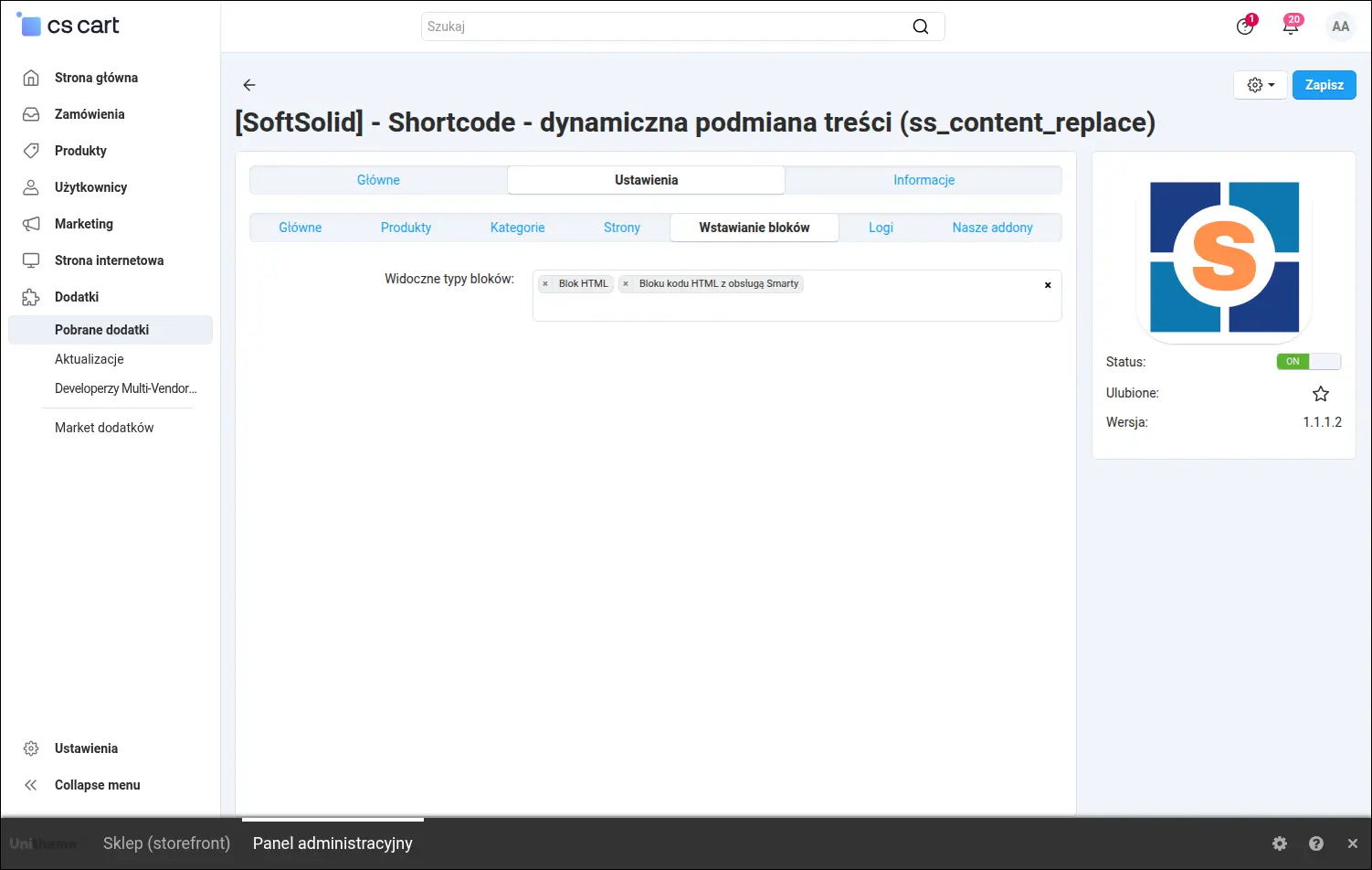
Ustawienia, ograniczenie panelu wstawiania do wybranych typów bloków
Dla potrzeb diagnostyki dodatek udostępnia opcjonalne logowanie z dedykowaną przeglądarką logów w panelu. Tryb prezentacji danych przełączasz między czytelnym dla człowieka a deweloperskim, przydatnym podczas testów:

Opcjonalne logowanie diagnostyczne i wybór trybu prezentacji
Sercem rozwiązania jest pojedynczy blok treści. Bloki tworzysz i edytujesz w standardowym Menedżerze bloków CS-Cart, a każdy z nich ma swój identyfikator, którego używasz w znaczniku. Wystarczy zmienić treść tego jednego bloku, a zaktualizuje się ona wszędzie tam, gdzie został osadzony:
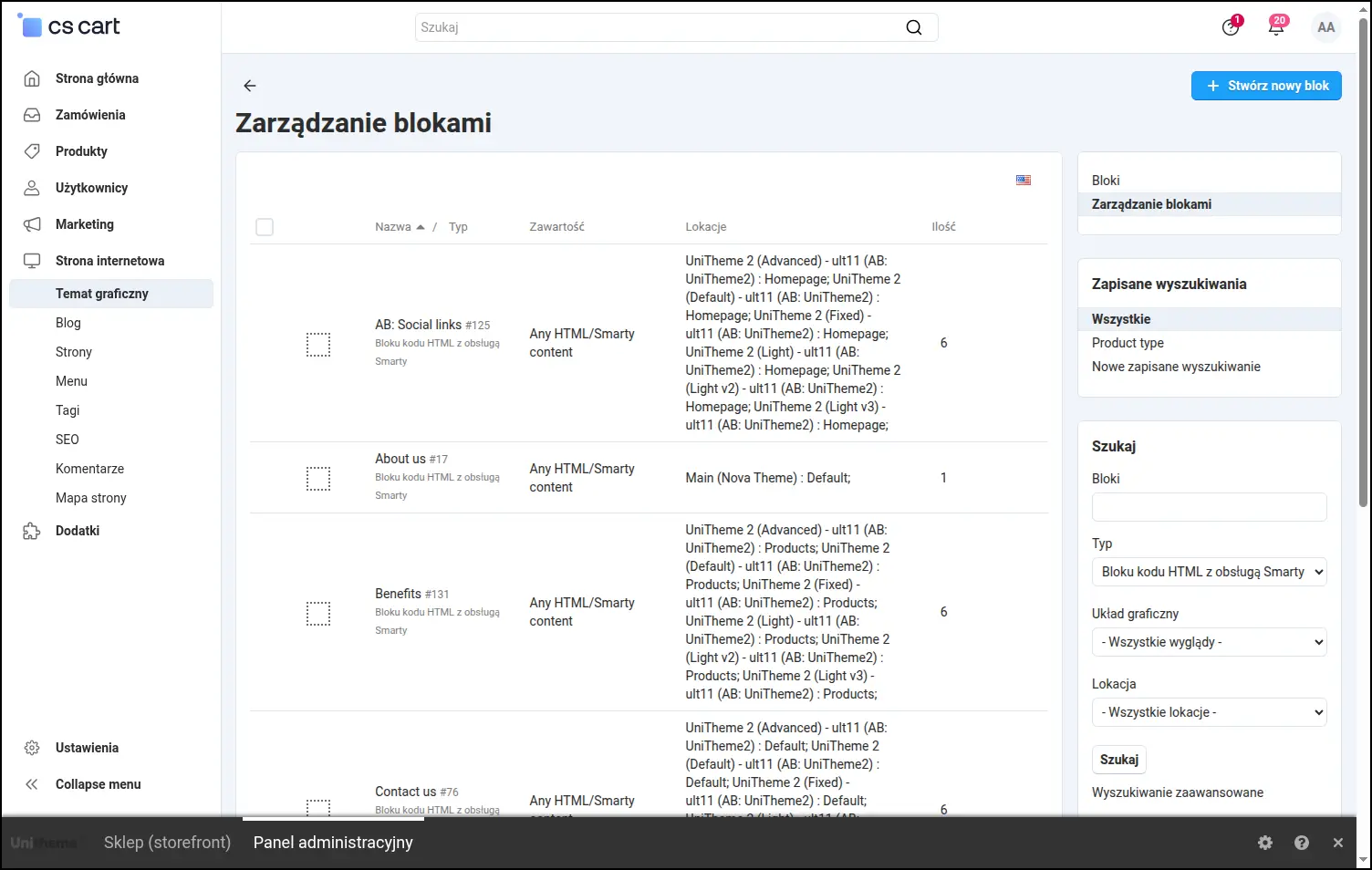
Zarządzanie blokami, lista bloków treści z identyfikatorem używanym w znaczniku
Wstawienie współdzielonej treści jest wygodne i nie wymaga zapamiętywania identyfikatorów. Bezpośrednio pod polem opisu pojawia się panel "Wstaw blok treści" z wyszukiwarką i filtrem typów, a każdy wiersz listy ma przycisk kopiujący gotowy shortcode do schowka. Nawet w sklepie z setkami bloków właściwy odnajdziesz w kilka sekund, a mechanizm działa niezależnie od używanego edytora:

Edytor produktu, panel kopiowania shortcode'a z wyszukiwarką i filtrem typów
Na stronie produktu w sklepie znacznik zamienia się w pełną treść bloku. W tym przykładzie w miejscu znacznika pojawia się baner informacyjny, utrzymywany jako pojedynczy blok i osadzony w opisie:

Front sklepu, treść bloku osadzona w opisie produktu
Ten sam blok reużywasz w innych miejscach sklepu. Tutaj baner z tego samego źródła pojawia się w opisie kategorii. Jedna zmiana treści bloku odświeży go zarówno w opisach produktów, jak i kategorii, w których został użyty:
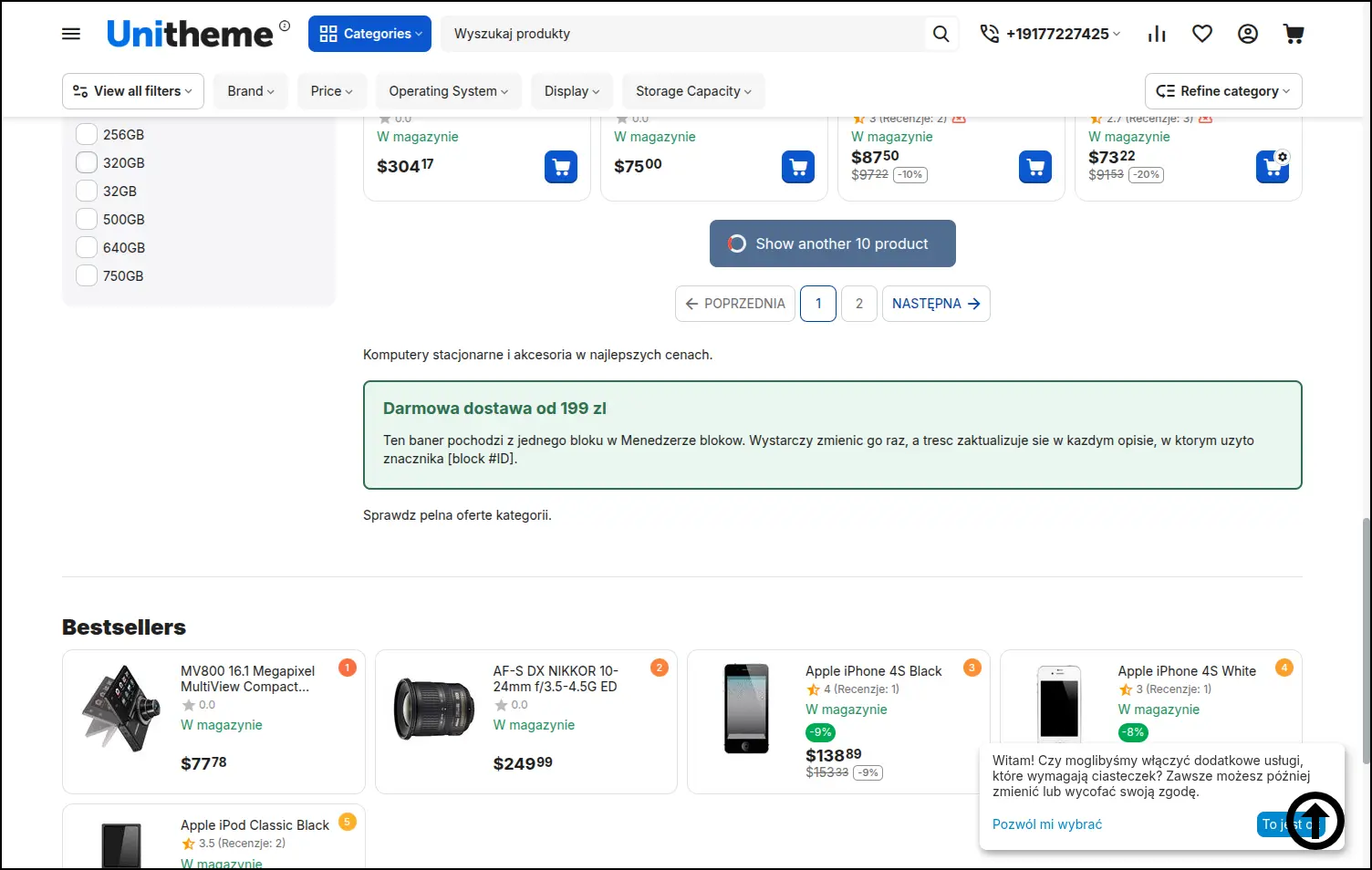
Front sklepu, ten sam blok osadzony w opisie kategorii
Oprócz bloków możesz osadzać także treść strony statycznej. Znacznik [page #ID] wstawia w opis zawartość wskazanej strony, dzięki czemu dłuższe sekcje, jak informacje o sklepie czy zasady zwrotów, redagujesz w jednym miejscu i osadzasz tam, gdzie są potrzebne:
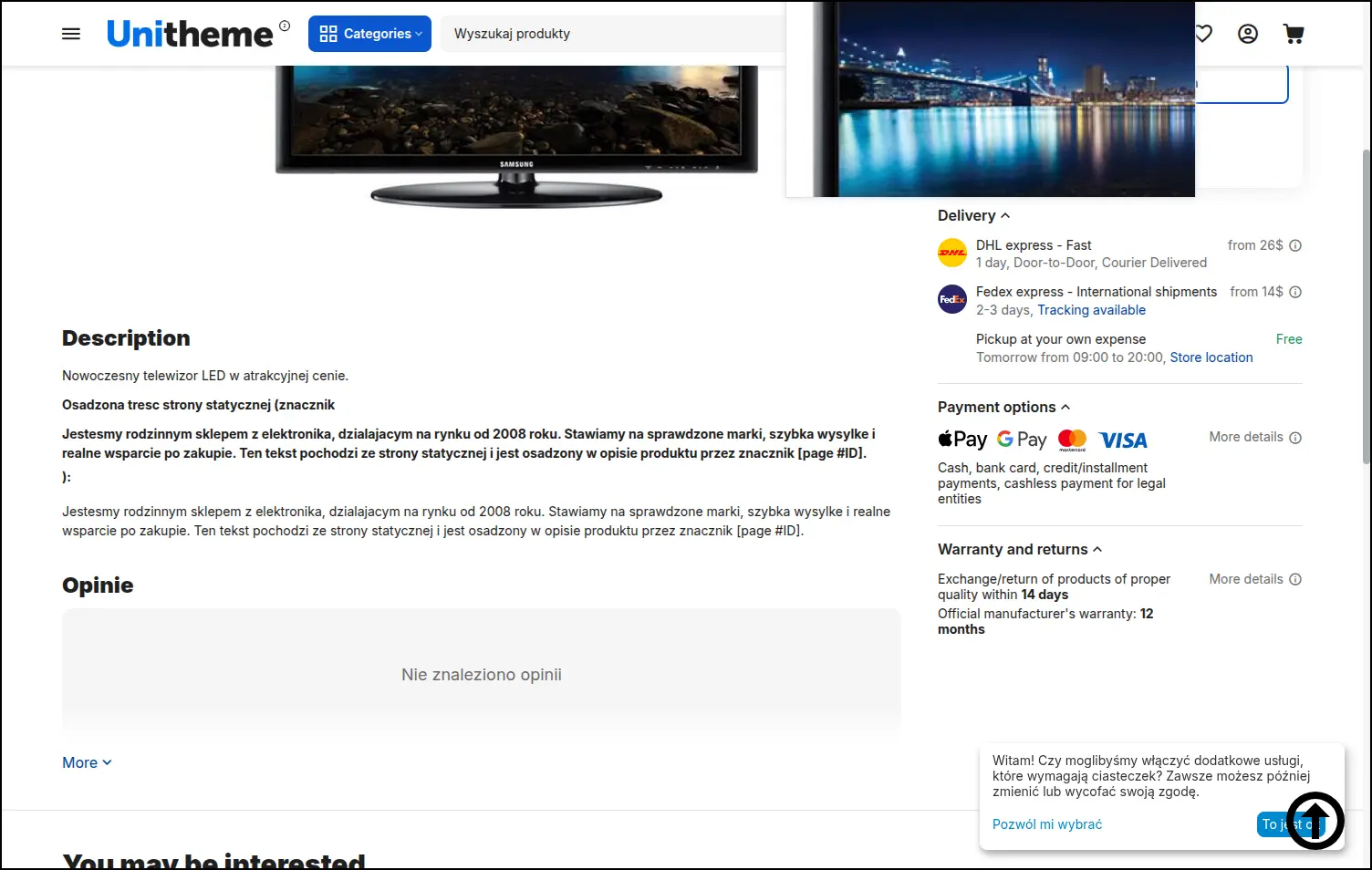
Front sklepu, treść strony statycznej osadzona przez znacznik [page #ID]
Gdy chcesz podejrzeć osadzoną treść bez przechodzenia na storefront, użyj znacznika backendowego. W panelu, w polu opisu, znacznik [block_backend #ID] pokazuje faktyczną zawartość bloku, dzięki czemu od razu widzisz, jak treść będzie wyglądać:

Podgląd treści bloku w panelu dzięki znacznikowi backendowemu
Dodatek Shortcode - dynamiczna podmiana treści porządkuje utrzymanie powtarzalnych fragmentów w opisach. Zamiast kopiować ten sam baner czy sekcję informacyjną do dziesiątek produktów i kategorii, redagujesz je raz jako blok albo stronę i osadzasz znacznikiem. Mniej ręcznej pracy, spójna treść we wszystkich opisach i pełna kontrola nad tym, które pola obejmuje podmiana. W Multi-Vendor każdy sprzedawca zarządza własnymi blokami i własną podmianą niezależnie.
Zapraszamy do kontaktu i zakupu!
Wybierz najbardziej korzystaną dla siebie formę płatności za dodatek. Możesz zapłacić raz i korzystać z dodatku. Wybranie płatności subskrypcyjnej (miesięcznej lub rocznej) oznacza, że za dodatek płaci się w regularnych interwałach czasu i ma się dostęp do najnowszych wersji addona oraz wsparcia technicznego.
- Store Bulider
- Multi-Vendor
- 4.21.x
- 4.20.x
- 4.19.x
- 4.18.x
- 4.17.x
- 4.16.x
- 4.15.x
- 4.14.x
- 4.13.x
- 4.12.x
- 4.11.x
- 4.10.x
- 4.9.x
- 4.8.x
- 4.7.x
- 4.6.x
- 4.5.x
- 4.4.x
- 4.3.x
- 4.2.x
- 4.1.x
- 4.0.x
- Bez zmian w kodzie
Nie znaleziono opinii