


Removes selected products from a category directly in the product list


- — 12 months guarantee for all our add-ons
- — add-ons sold to entire world
- — stable, flexible, high-quality products
- — competitive prices, attractive discounts
- — quick and competent technical support
- — installation in 24 hours
- — personalized solutions - we'll write any add-on for you
Extension for Store Builder and Multi-Vendor lets you detach products from a category straight from the product list in the admin panel, without opening each item for editing. Stock CS-Cart changes product to category links only from the product side, so pulling a few dozen items out of one category means opening a few dozen edit screens. Remove Products from Category reverses that direction: filter the list by one category, tick the products or cover the whole department at once, then click a single button.
Every product is handled on its own terms. An item that still belongs to other categories simply loses one link, while a product whose only category was the filtered one moves to the fallback category set in the configuration, because CS-Cart cannot store a product with no category at all. Everything the add-on changes is written to the operation history first, so a whole batch can be undone with one click, and in Multi-Vendor a vendor gets the same convenience within their own assortment.
See how it works
Key Features
- A "Remove from category" button in the bulk action bar, showing up only when the list is filtered by exactly one category.
- A "Whole category" switch that covers every product of the department in one click, including the ones on further pages, guarded by a configurable safety limit.
- A fallback category for products losing their last link, with the option to disable such items automatically.
- Promotion of the next category to main whenever the product's main category is the one being detached.
- Operation history with one-click undo for a whole batch or restore for a single product.
- Vendor work in Multi-Vendor within their own products, with the option to pick a fallback category of their own in the company profile.
Everything starts where the administrator already spends time tidying up the catalogue: the product list. Filter it by one category and tick a few items, and the "Remove from category" button appears in the bulk action bar, carrying the category name, next to the "Whole category" switch:
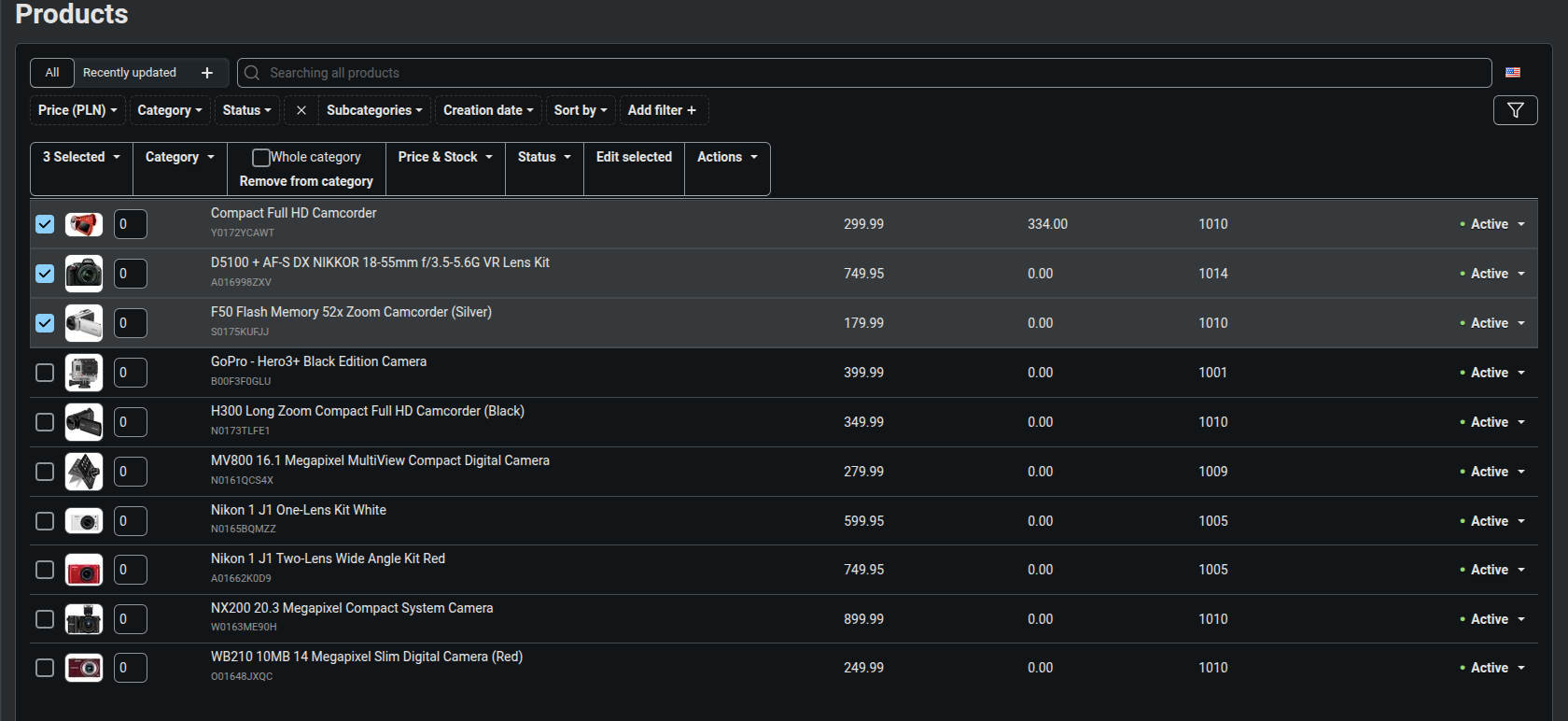
The "Remove from category" bulk action on the product list.
When a department holds several hundred products, ticking them one by one stops paying off. Turning the "Whole category" switch on covers the entire department, even with nothing selected, including items on further pages of the list:
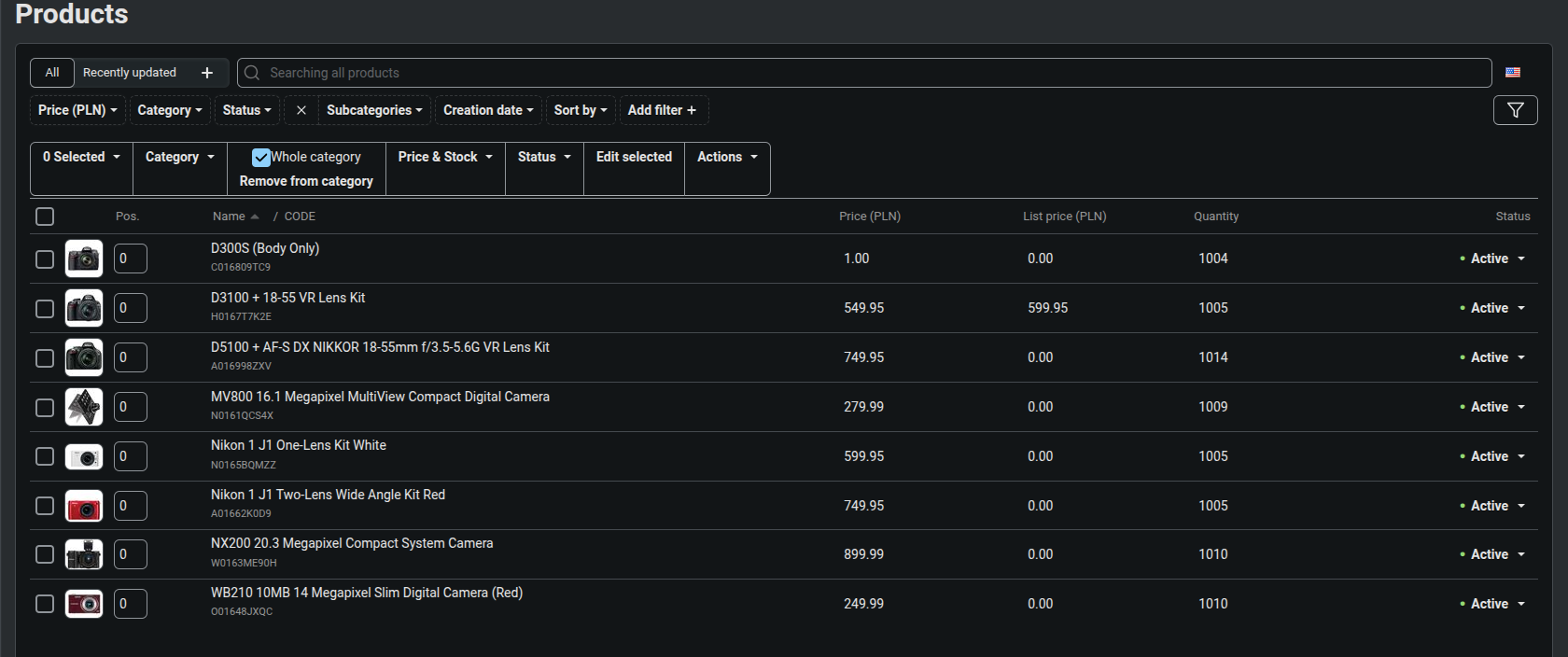
The "Whole category" switch covers every product of the department.
Once the operation is confirmed, the panel returns to the same filtered list with a summary notification: how many products were detached, how many moved to the fallback category and how many were skipped, and why:
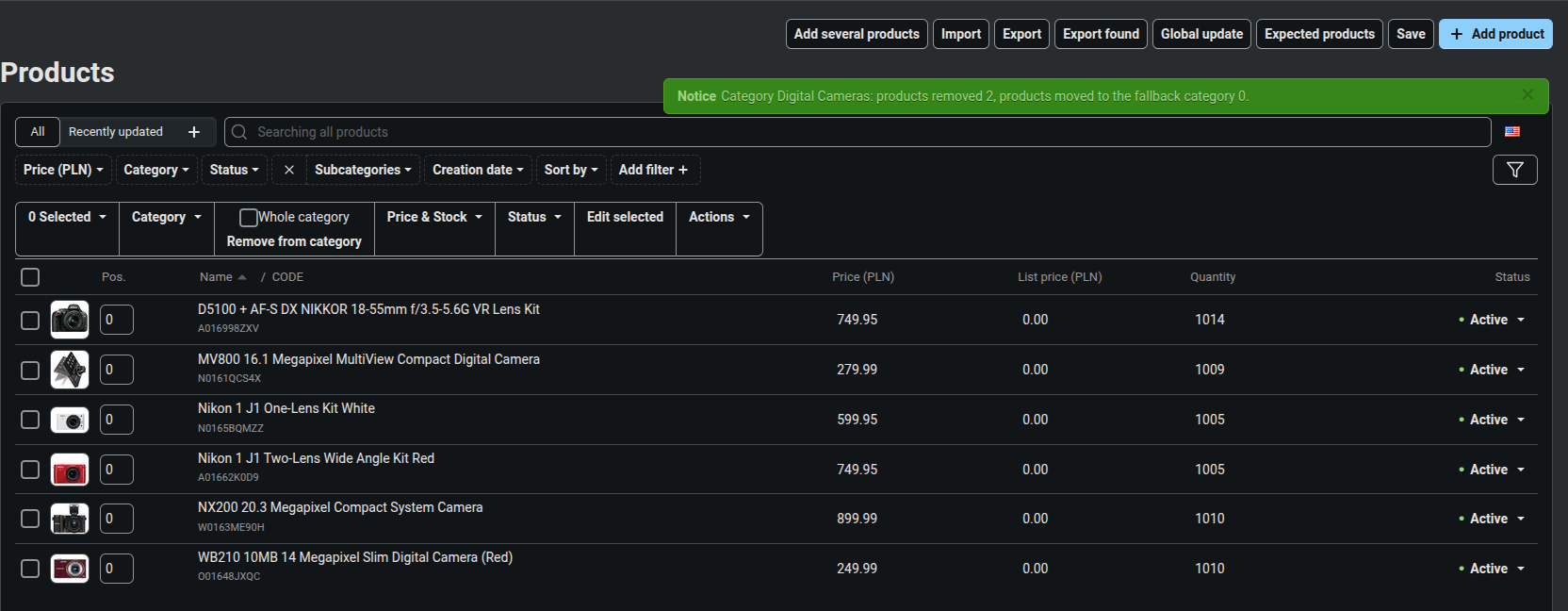
Operation summary with removed, moved and skipped product counts.
The add-on behavior is set in one place. The General section lets you choose what happens to the main category, pick the fallback category and its effect on product status, set a fallback category for vendors and cap the number of products per operation:

Fallback category, main category behavior and operation limit settings.
Every operation lands in a history reviewed like an ordinary panel list: batch number, date, category, product count and operator, with an "Undo" button on batches waiting for a decision and a date label on the ones already undone. The filter panel on the right narrows the view down to a category, an operator or a date range:
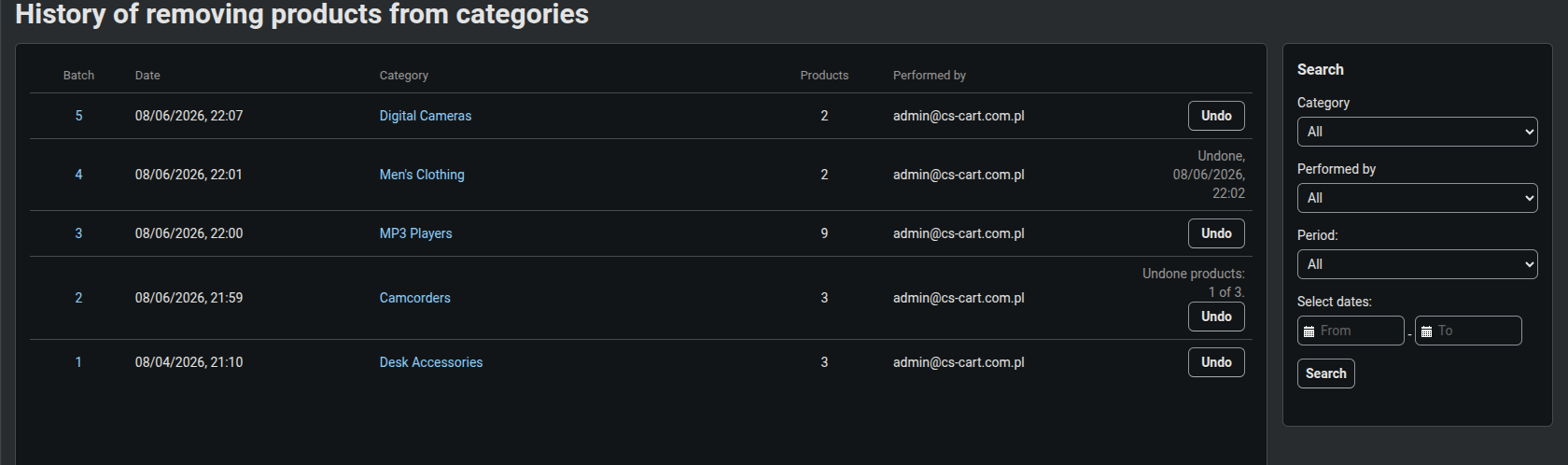
Operation history with filters and one-click undo for a whole batch.
The batch number opens its details, showing every product together with the links from before the operation and a mark for the one that was main. Each product carries its own undo button, so a batch can be taken apart item by item instead of only as a whole:
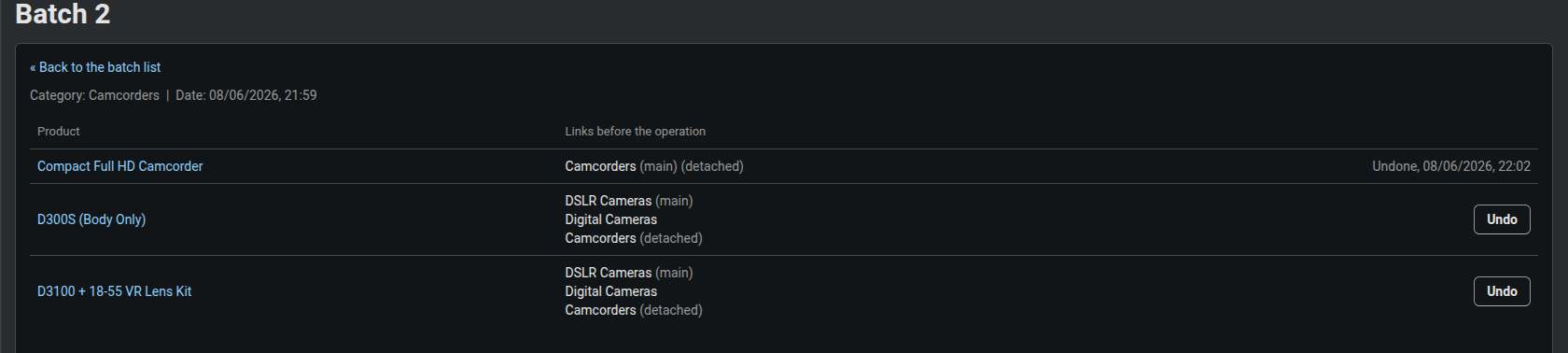
Batch details with links from before the operation and per-product undo.
History does not have to grow forever. The CRON section sets the retention threshold, an optional token for calling the task over HTTP, and a "Run now" link together with a ready command for the server scheduler:
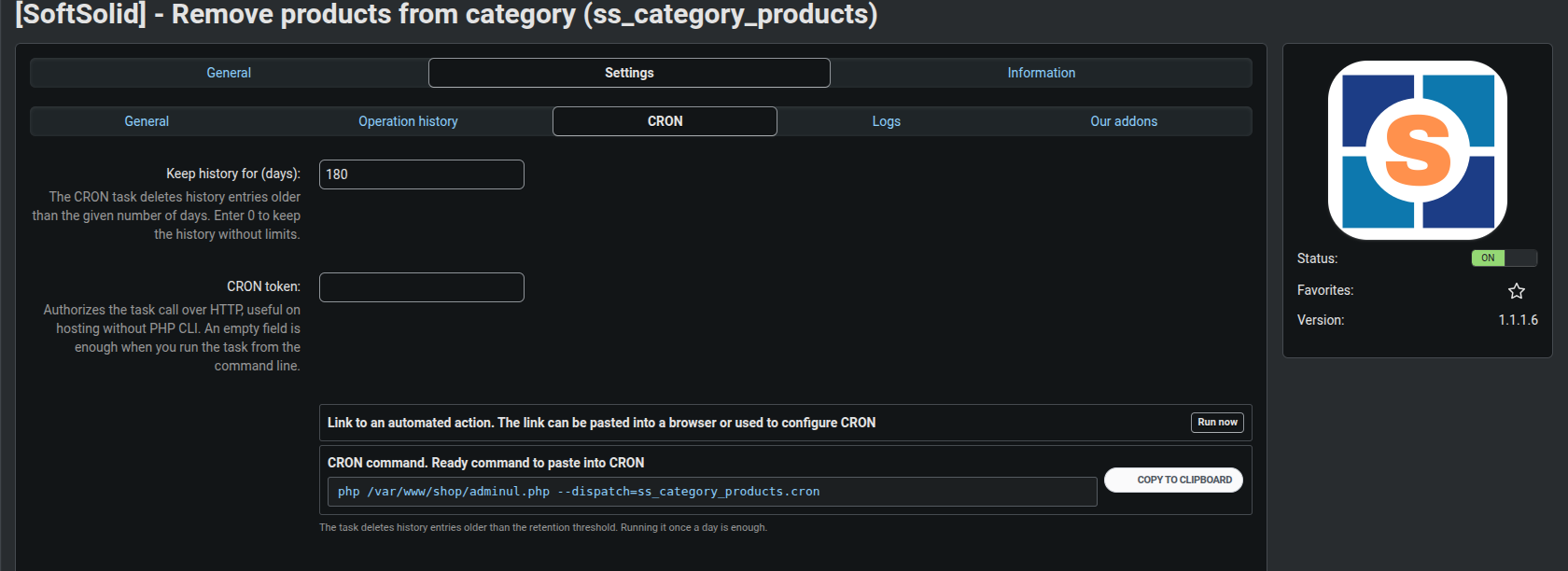
History retention run from CRON or manually from the admin panel.
In Multi-Vendor the administrator can hand the fallback category decision to the vendor. In the "Vendor picks their own category" mode, the company profile gains a "Fallback category for products" field where the vendor points to their own destination for items losing their last category:
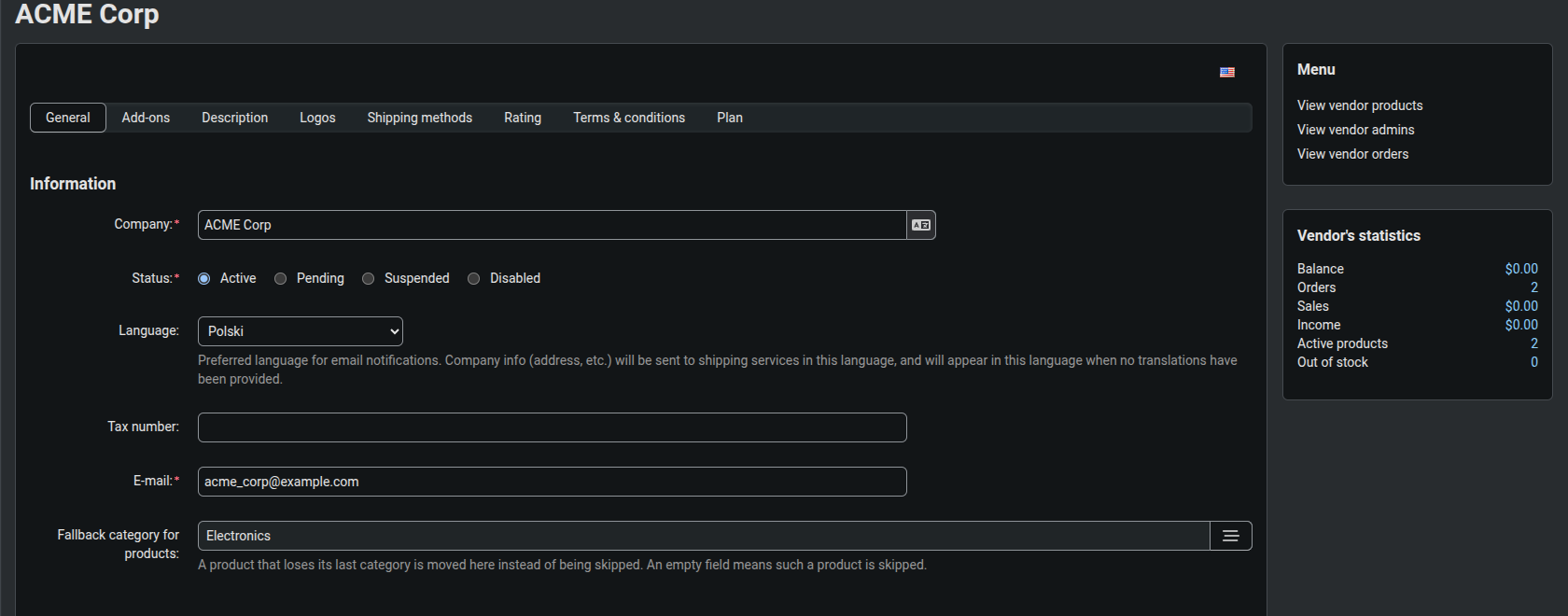
Fallback category picked by the vendor in their company profile.
Remove Products from Category turns catalogue cleanup from a slog through individual products into a handful of clicks on the list, and any operation can be undone the moment it turns out to be a mistake. In Multi-Vendor a vendor gets the same convenience within their own assortment.
Full walkthrough, 4 minutes
Feel free to contact us and purchase the add-on!
Choose the most convenient form of payment for the add-on. You can pay once and use the add-on. Choosing a subscription payment (monthly or annual) means that you pay for the add-on at regular intervals and have access to the latest versions of the addon and technical support.
- Store Bulider
- Multi-Vendor
- 4.21.x
- 4.20.x
- 4.19.x
- 4.18.x
- 4.17.x
- 4.16.x
- 4.15.x
- 4.14.x
- 4.13.x
- No changes
No reviews found