


Display potential product delivery time


- — 12 months guarantee for all our add-ons
- — add-ons sold to entire world
- — stable, flexible, high-quality products
- — competitive prices, attractive discounts
- — quick and competent technical support
- — installation in 24 hours
- — personalized solutions - we'll write any add-on for you
An extension for Store Builder and Multi-Vendor that tells customers on the product page how long they have to place an order so the parcel still leaves today. A shopper torn between two stores often picks the one that promises faster dispatch, yet that promise usually hides in the terms of service or on a shipping information page. Our add-on places it right where the buying decision is made. Before the cut-off hour the customer reads that ordering today before 17 means the parcel is sent the same day. After that hour the message switches to tomorrow on its own, and for products that need preparation it shows the exact dispatch date.
Key Features
- The message on the product page changes from today to tomorrow the moment the cut-off hour passes, with no action from the store team.
- You set the cut-off hour separately for every shipping method, between 15 and 19, and the product page shows the latest of them.
- Every product has its own shipping speed, from instant dispatch up to 21 days, and the customer then sees the exact dispatch date.
- A single button on the product list sets the shipping speed for the whole catalog at once.
- In Multi-Vendor each vendor sets the hours in their own shipping methods and the days in their own products, so the customer sees the timing of the store they are actually buying from.
- The message text comes from language variables, so you can rewrite it in your store's own voice, separately for every language.
The whole mechanism rests on one simple rule. The store knows the hour by which the warehouse can still pack and hand over a parcel, and the add-on compares it with the current time. A customer who lands on the product before that line gets a reason to order today. A customer who arrives in the evening receives no empty promise, only honest information about tomorrow's dispatch:
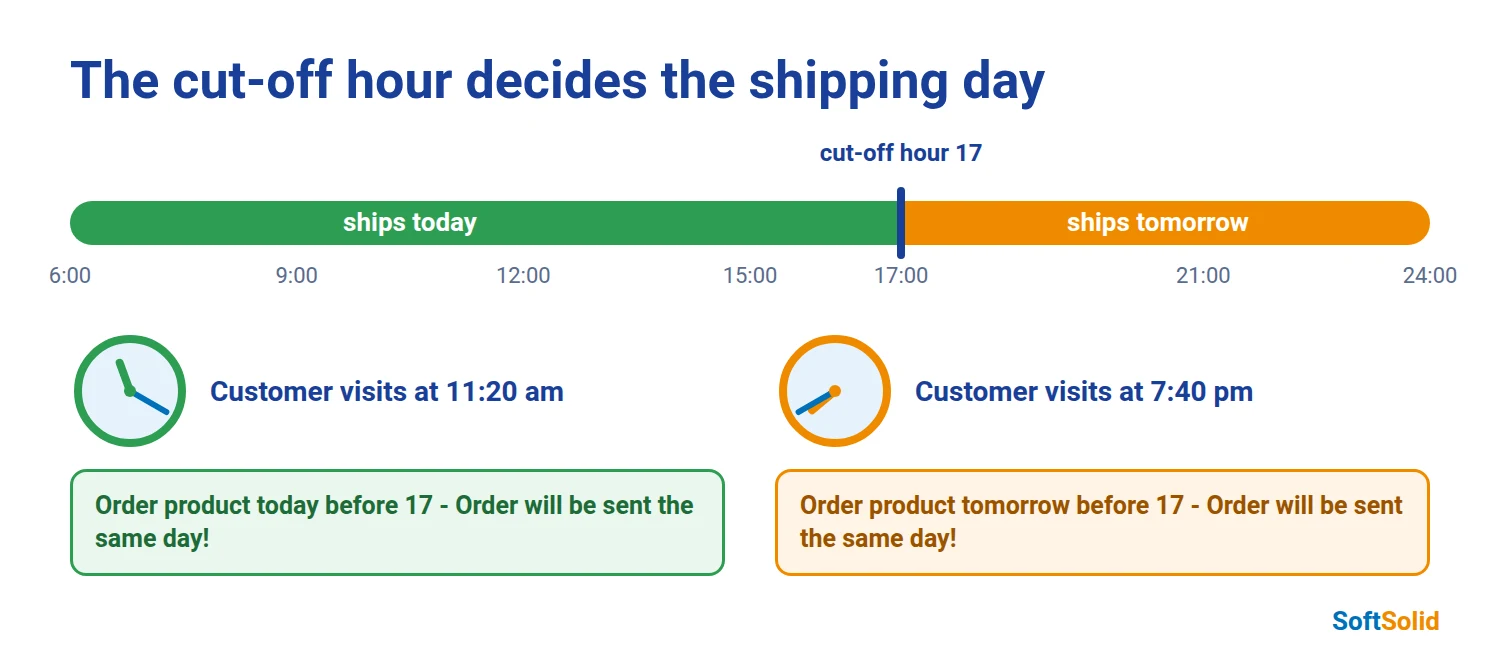
Diagram 1
You choose the cut-off hour in the shipping method settings. The courier may leave at 15 while parcel lockers accept shipments until 17, which is why every method has its own setting and mirrors the real rhythm of your warehouse:
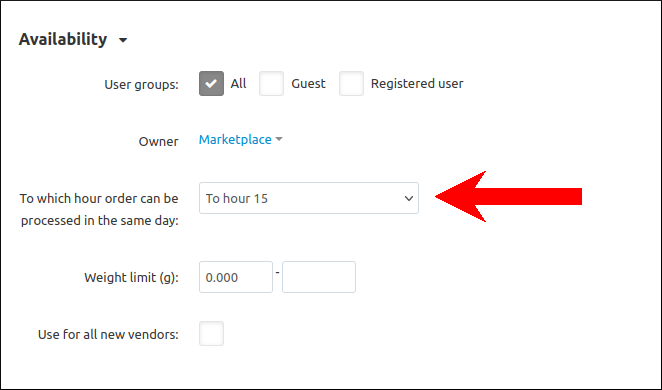
Screenshot 1
On the product page in the admin panel you define the shipping speed. Items from the shelf are set to Instant, while products made to order or brought in from a supplier receive the right number of days. When you want the same value for every product, use the button in the sidebar of the product list. This operation overwrites the settings of individual products, so it is best done first, with exceptions corrected afterwards:
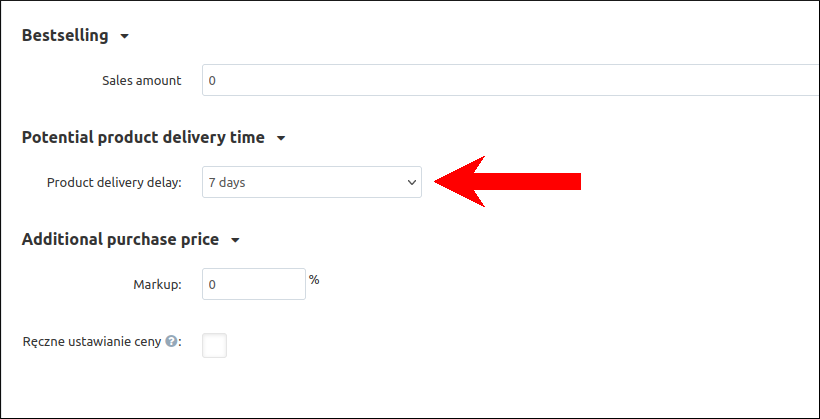
Screenshot 2
On the storefront both settings meet in a single message. Among the active shipping methods the add-on picks the one that allows ordering the latest, and shows its hour to the customer. The product's shipping speed shapes the second half of the sentence: with instant dispatch the customer reads that the order will be sent the same day, with several days the customer sees the dispatch date:
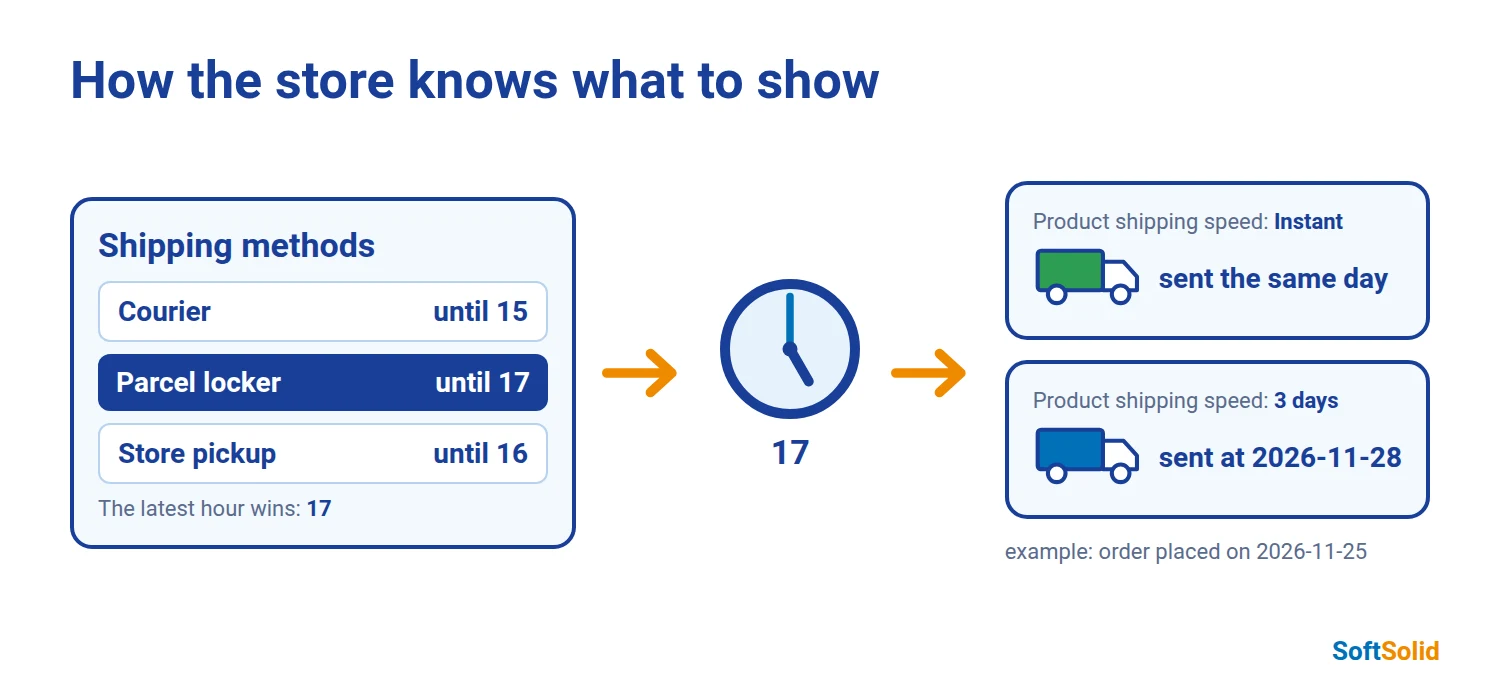
Diagram 2
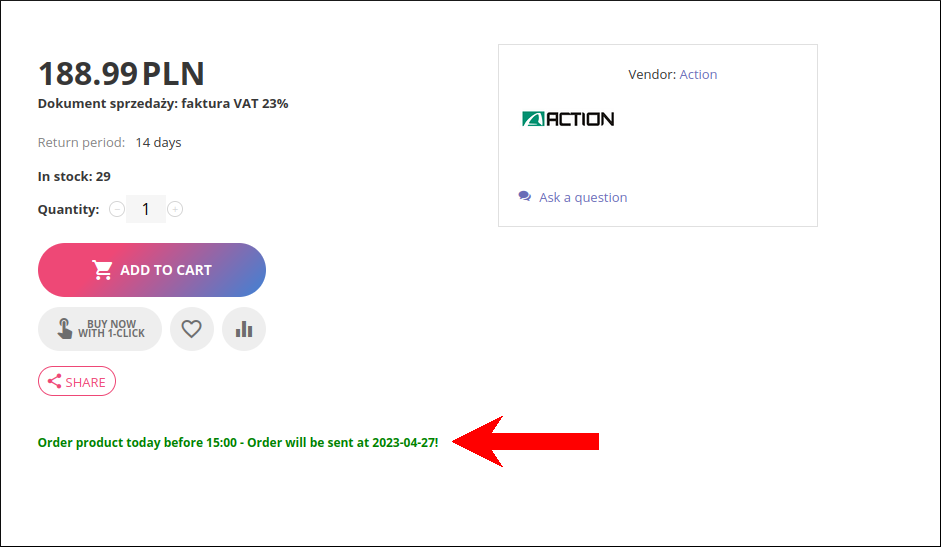
This is what the customer sees on the product page. The information sits close to the add to cart button, exactly where the shopper decides whether to order now. The screenshot shows a store that rewrote the message in its own words, because the text is an ordinary language variable you can change in the admin panel without touching any code:
Screenshot 3
On a Multi-Vendor marketplace every vendor works at its own pace. One hands over parcels until 15, another has a courier pickup at 19. The add-on takes the shipping methods of the given vendor into account, so each vendor's products show that vendor's own hour. Vendors can also set the shipping speed in bulk, and the change applies to their products only:
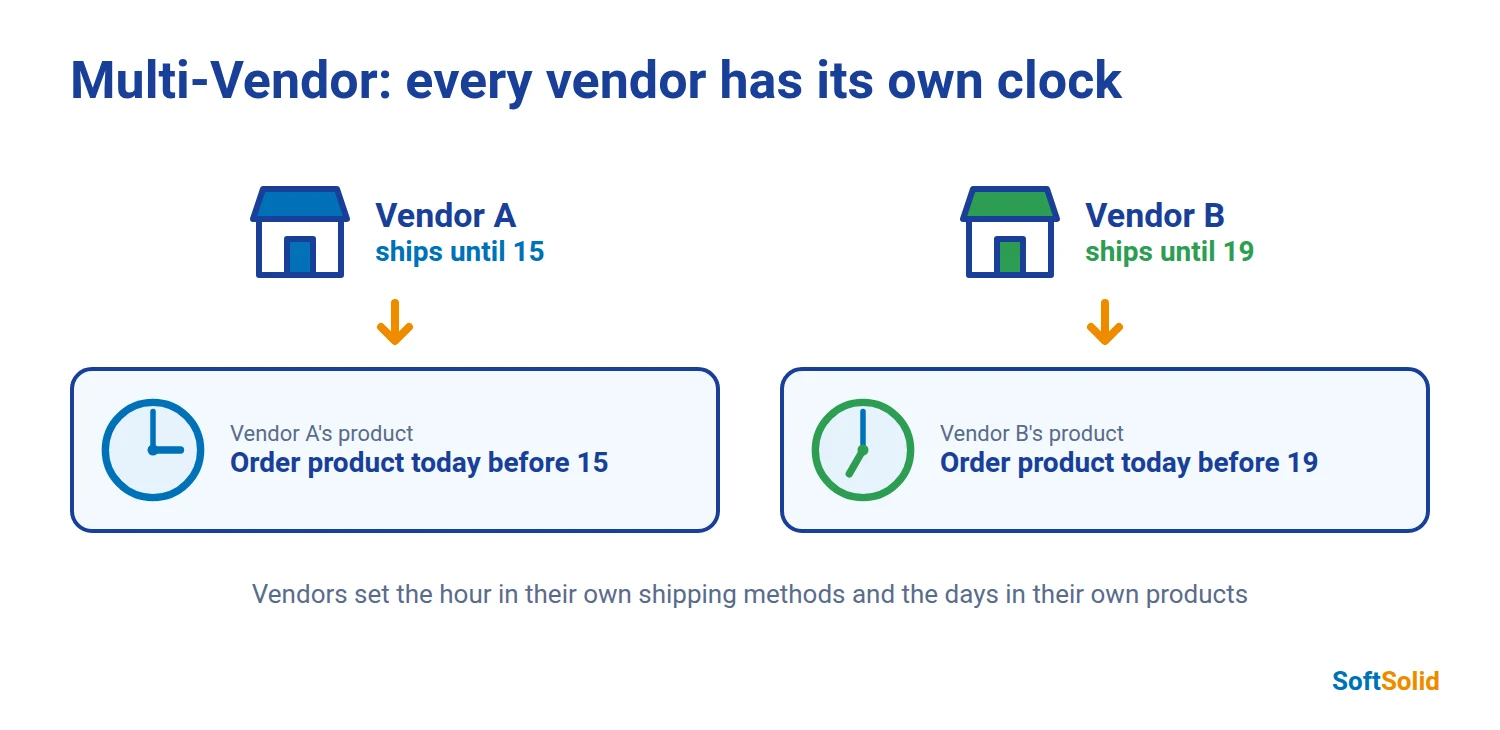
Diagram 3
The Display potential product delivery time add-on turns knowledge your store already has, the courier pickup hours and the time needed to prepare the goods, into a clear promise for the customer. Setup takes a few minutes, and the message keeps itself up to date all day long. Shoppers know when their parcel will be on its way, the store team answers fewer questions about dispatch dates, and before the cut-off hour the product gains a strong argument for ordering right away.
Feel free to contact us and purchase the add-on!
- Store Bulider
- Multi-Vendor
- 4.22.x
- 4.21.x
- 4.20.x
- 4.16.x
- 4.15.x
- 4.14.x
- 4.13.x
- 4.12.x
- 4.11.x
- 4.10.x
- 4.9.x
- 4.8.x
- 4.7.x
- 4.6.x
- 4.5.x
- 4.4.x
- 4.3.x
- 4.2.x
- 4.1.x
- 4.0.x
- No changes
No reviews found