


Pobieraj informacje o klientach z GUS

- View all variations as list
| CODE | Payment method | Price | ||
|---|---|---|---|---|

|
543
ss_gus
2026-10-08
1.1.1.5
|
990.00 PLN
(Price without tax) |
||

|
618
ss_gus_sub_1Y
2026-10-08
1.1.1.5
|
425.00 PLN
/year
(Price without tax) |
||

|
617
ss_gus_sub_1M
2026-10-08
1.1.1.5
|
42.50 PLN
/month
(Price without tax) |

- — 12 months guarantee for all our add-ons
- — add-ons sold to entire world
- — stable, flexible, high-quality products
- — competitive prices, attractive discounts
- — quick and competent technical support
- — installation in 24 hours
- — personalized solutions - we'll write any add-on for you
An extension for Store Builder and Multi-Vendor that downloads company data from the REGON register kept by Statistics Poland (GUS) and enters it into store forms once the customer provides their tax ID (NIP). A business customer buying on an invoice no longer retypes the company name, street, postcode and town, and typos no longer reappear in sales documents.
All it takes is a valid NIP and a move to the next field. The add-on asks GUS about the company on its own and fills in the empty form fields as well as those still holding the default store address, while data the customer entered deliberately stays untouched. The Load info from GUS button downloads the data on demand and refreshes every mapped field. This is how the lite checkout, the customer profile in the admin panel and in the storefront work, and in Multi-Vendor the vendor registration form as well.
Key Features
- Company data fills in on its own once a valid NIP is entered, with no button to look for and without overwriting what the customer has already typed.
- The GUS button sits right after the NIP field at checkout, as well as in the customer profile and on the Multi-Vendor vendor registration form.
- Field mapping decides which piece of GUS data goes to which customer or vendor field, custom profile fields included, and a typical set of mappings is created with a single form.
- The GUS search in the admin panel finds a company by NIP, REGON or KRS and creates a customer account from it with one click.
- The NIP is checked before any query is sent, and messages in the store language tell the customer what happened and what to do next.
- GUS reports in version BIR 1.2, a test mode with the public key and an hourly limit of queries per IP address that protects the API key.
Everything starts at checkout. The business customer enters the NIP in the customer details, and the Load info from GUS button sits right after that field, so there is no need to look for it on the page. The address and company fields are still empty, while the town and postcode show the default store address from the checkout settings:
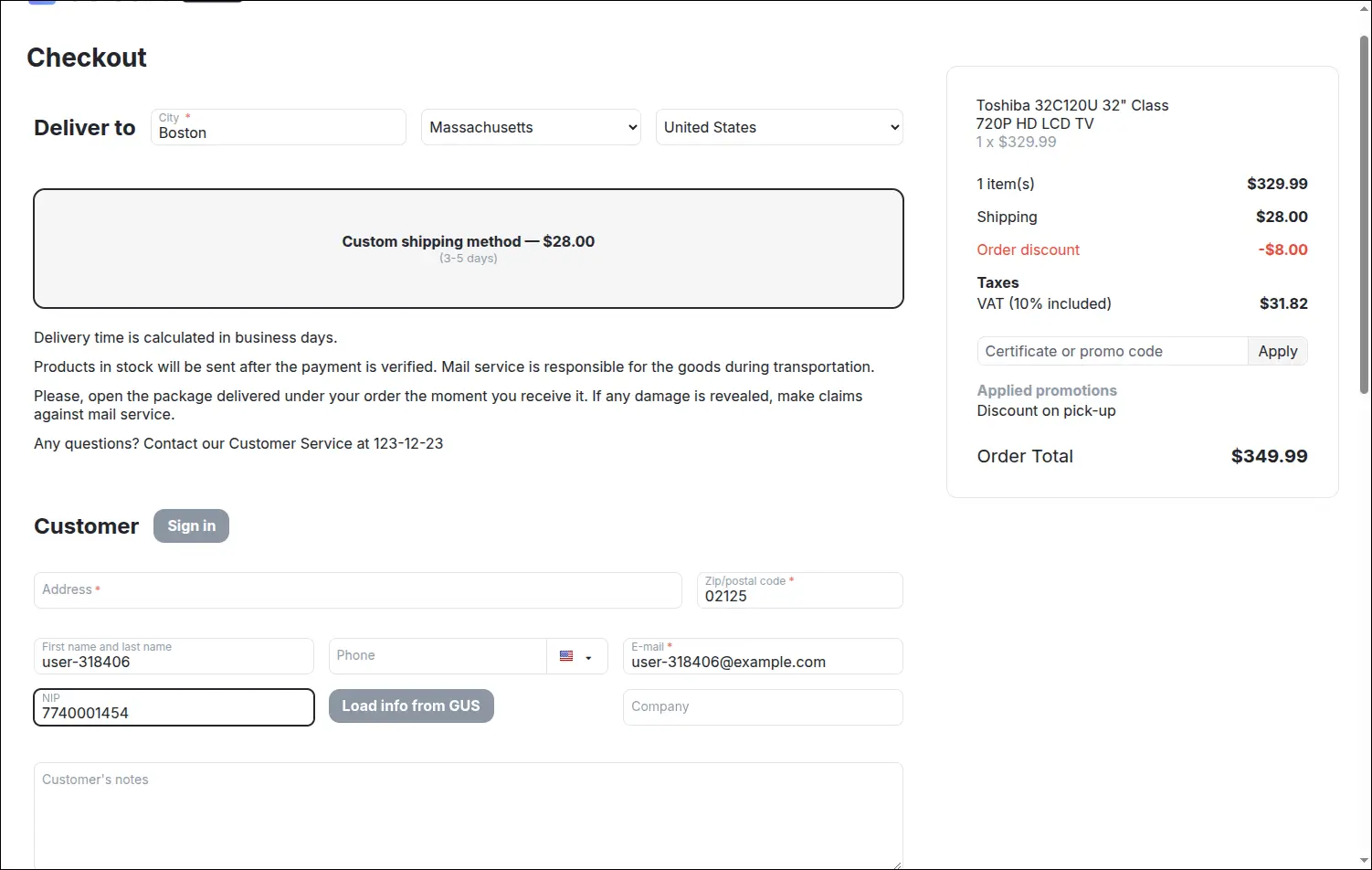
At checkout the customer only enters the company NIP, with the GUS button right next to it.
When the customer leaves the NIP field, the add-on checks the number, queries GUS and completes the form without a single click. The company name, street, postcode and town land in the empty fields, and the default store address gives way to the address from the register. A message in the corner asks the customer to check the data before saving, and the checkout immediately recalculates shipping for the new town:
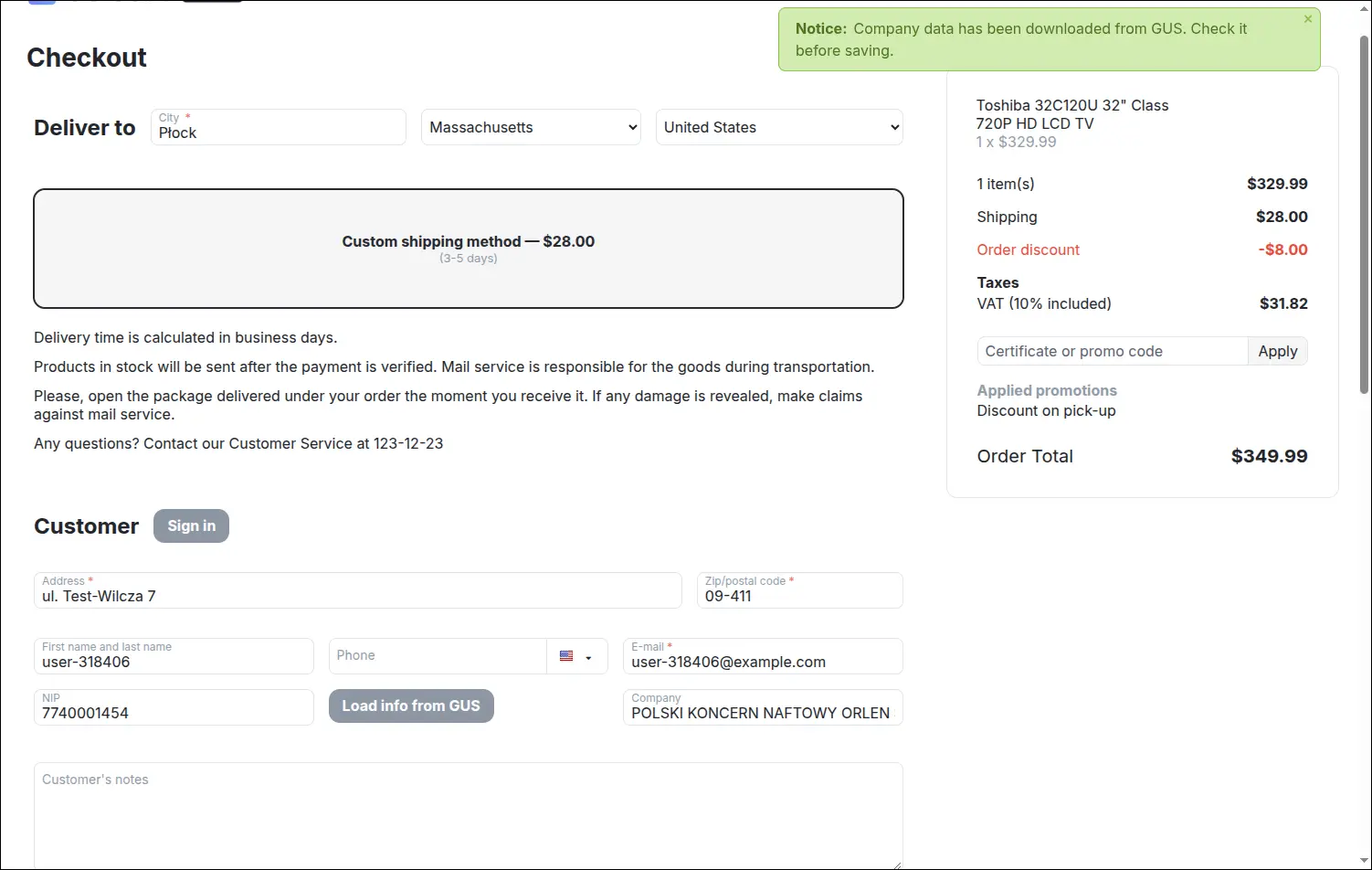
After leaving the NIP field, GUS company data fills the empty checkout fields on its own.
The form does not stay silent when the customer clicks the button too early. With an empty NIP field, a clear hint explains that the company number has to be entered first. While downloading, the button shows that work is in progress and ignores a second click, which saves the query limit:
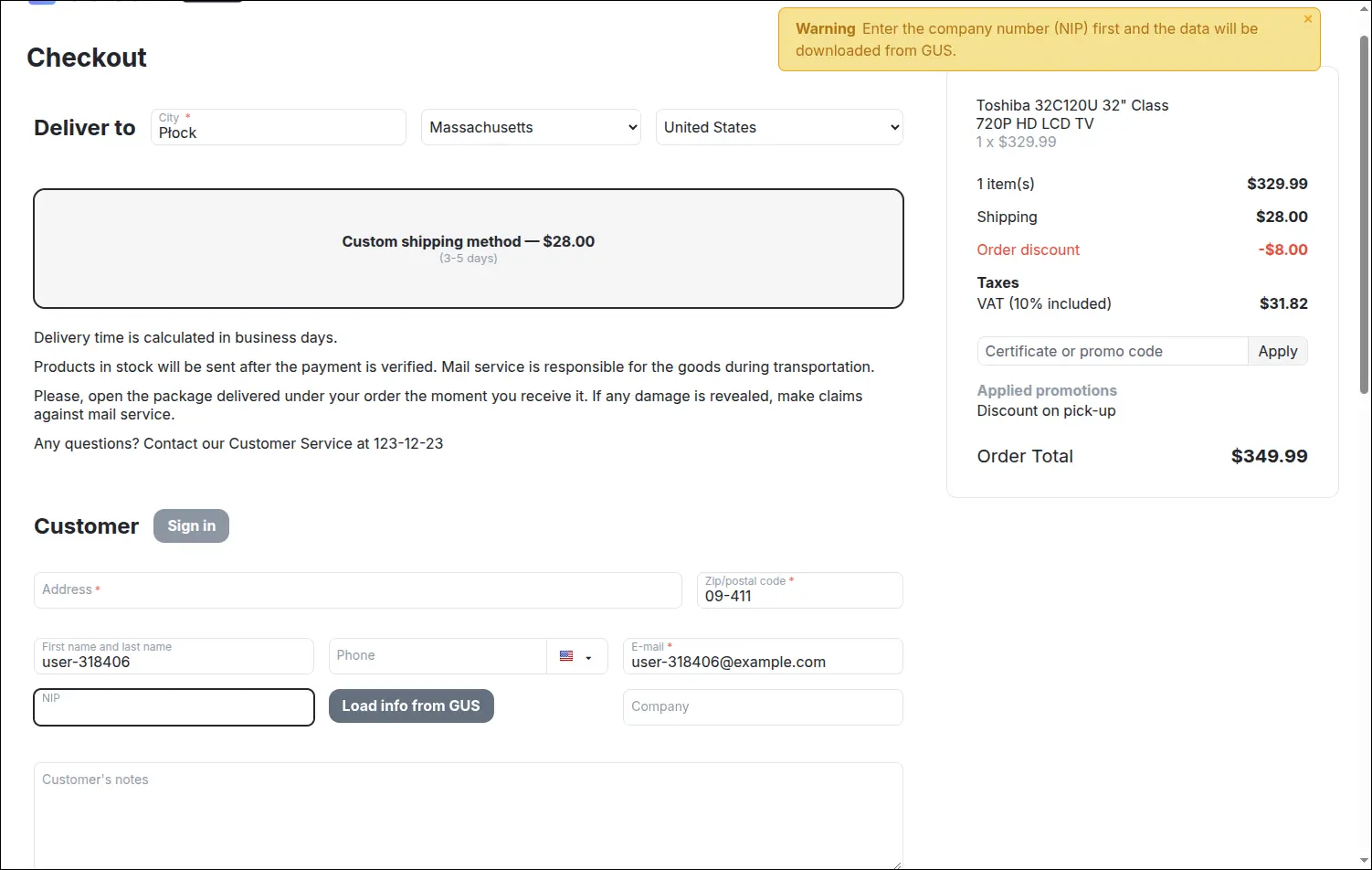
Clicking with an empty NIP shows a clear hint instead of no reaction at all.
The two ways of downloading differ in one important detail. The automatic download after entering the NIP fills only empty fields and fields with the default store address, so a company name the customer typed in their own way stays unchanged, and the same number is not sent to GUS a second time. The button is decisive and overwrites every mapped field with register data whenever the customer wants to refresh it:
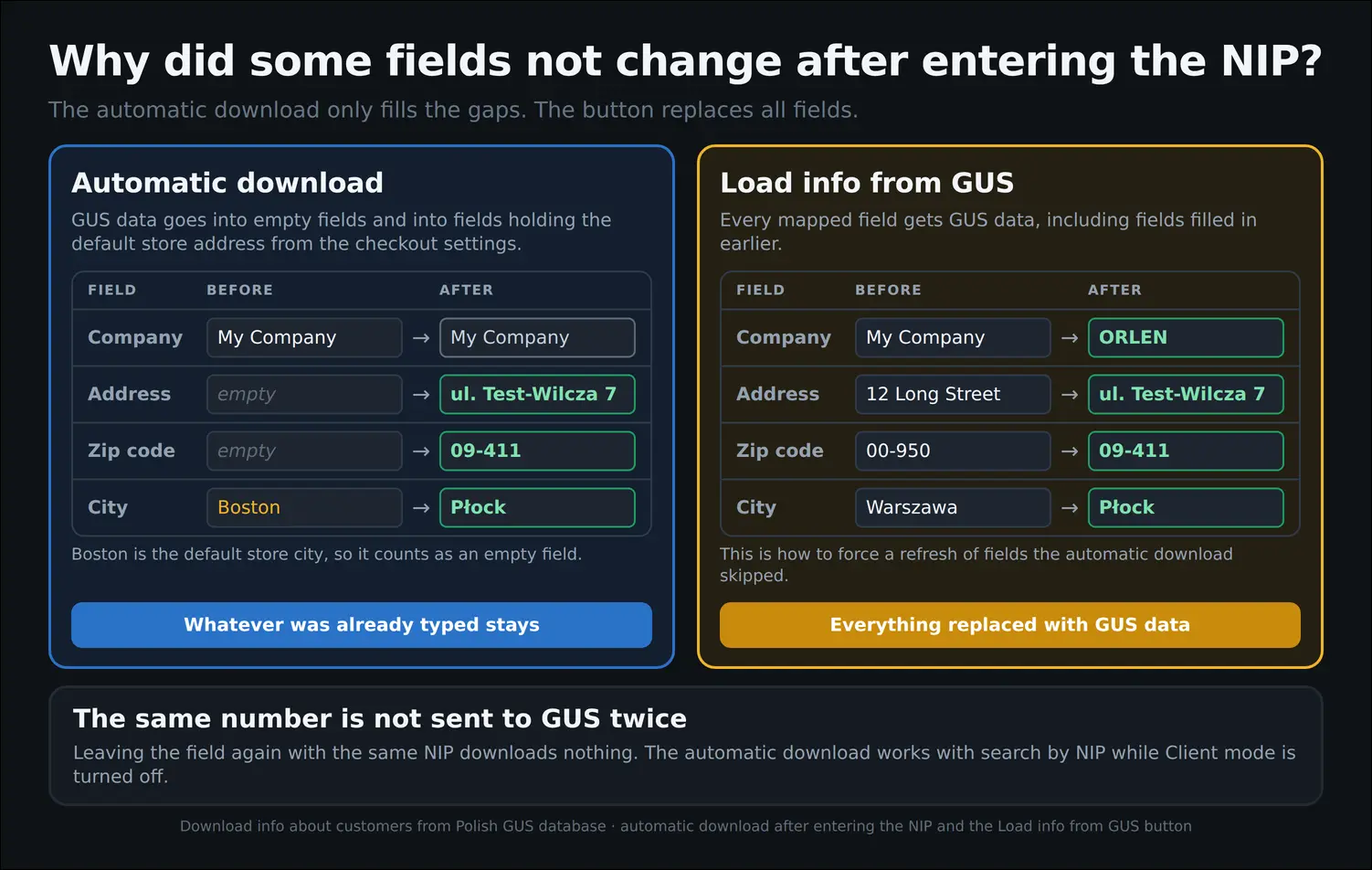
The automatic download fills only empty fields, the button overwrites them with GUS data.
Store staff use the same mechanism in the admin panel. In the customer profile the GUS button sits above the contact details, and after entering the NIP and clicking it, the company address is filled in according to the mapping, with nothing copied over from the REGON search engine. Customers can also update their company data themselves in their storefront profile:
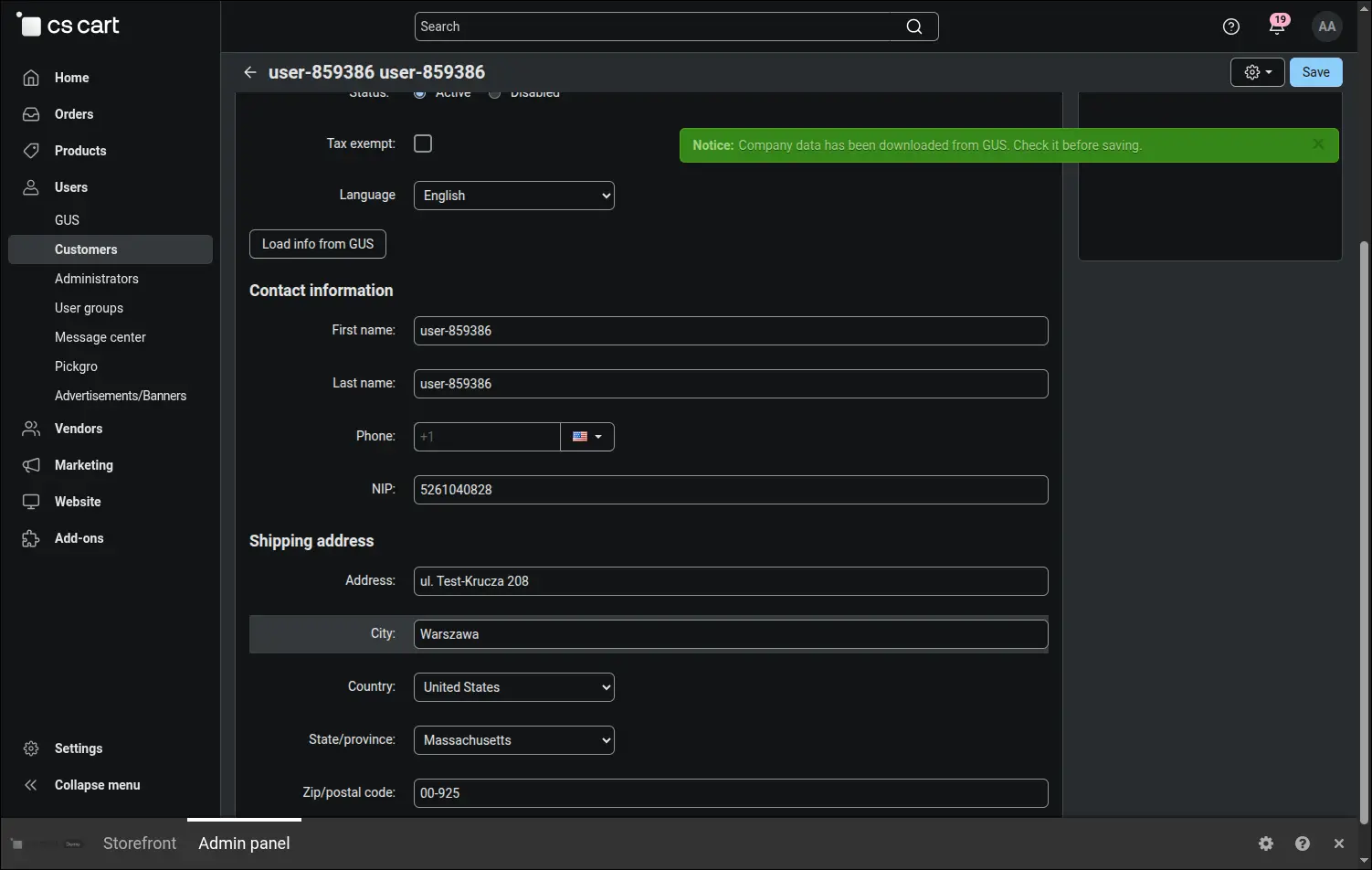
In the customer profile in the admin panel, company data is loaded with one click.
When a business account has to be created from scratch, the GUS search in the admin menu comes to help. You find a company by NIP, REGON or KRS, and the result shows its number and full name. The entered number and the selected type stay in the form after searching, so the next attempt starts right away:
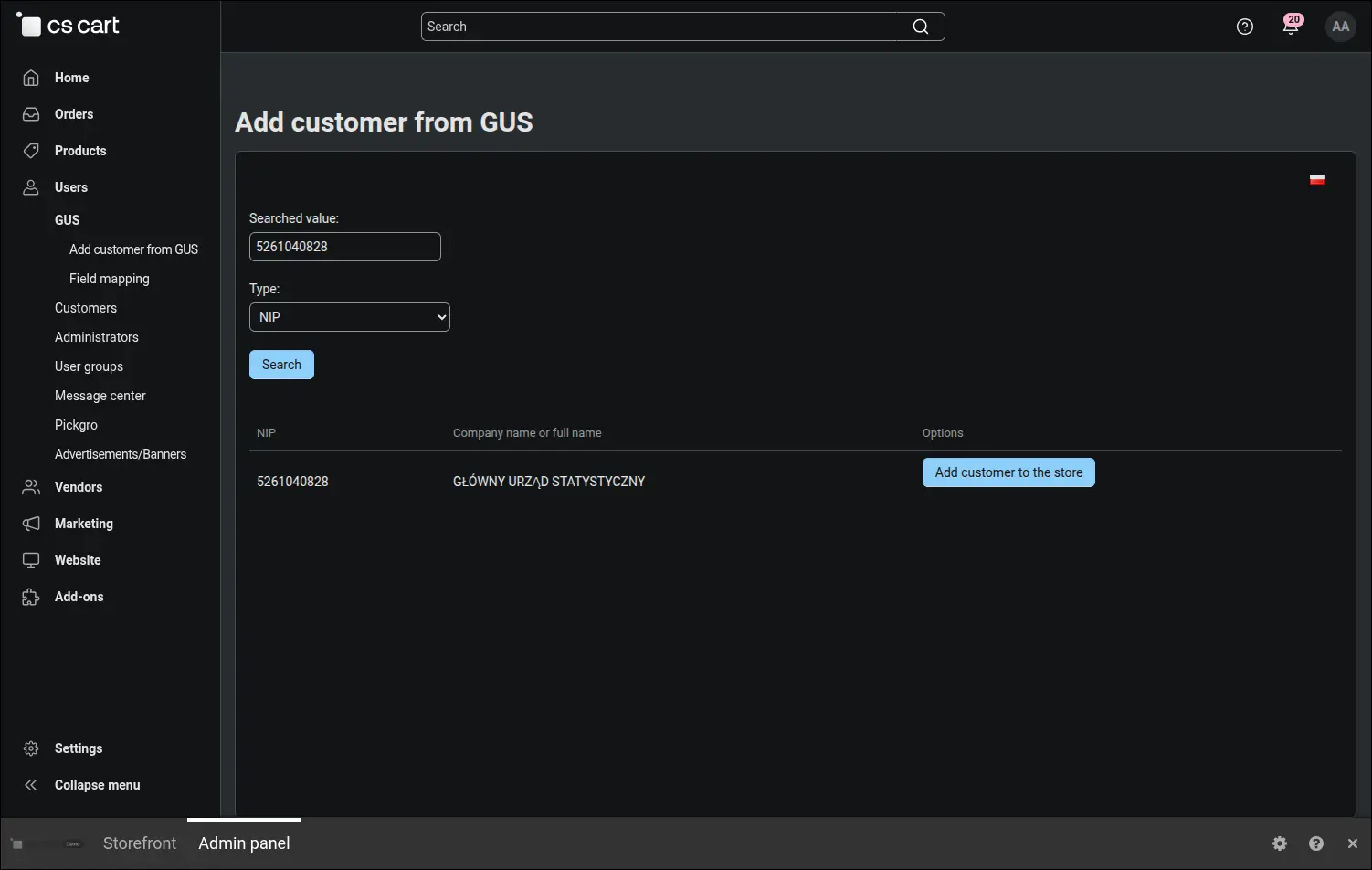
The GUS search in the admin panel finds a company by NIP, REGON or KRS.
The Add customer to the store button creates an active customer account with company data entered according to all mappings, including an address combined from the street and house number and the NIP in a custom profile field. The e-mail address and password receive random values, and a message reminds you to set the final ones before handing the account over to the customer. In CS-Cart with several stores, the new customer is assigned to the store the administrator is working in:
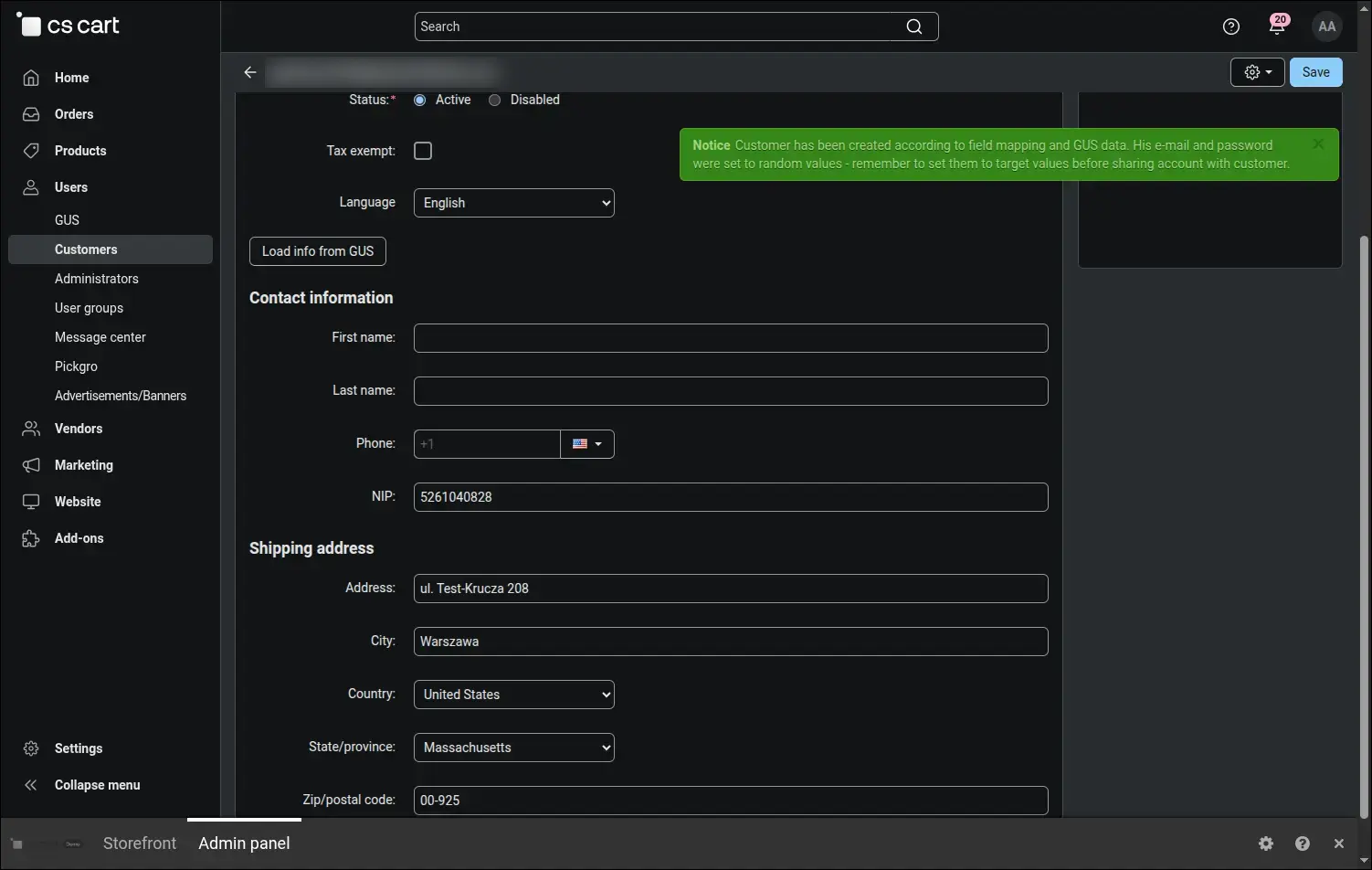
The customer account is created from GUS data, only the e-mail and password remain to set.
On a Multi-Vendor marketplace the GUS button also appears on the vendor application form, below the tax number field. The vendor enters the NIP, and their company data reaches the form according to separate mappings prepared for vendors. The marketplace operator receives applications with the correct company name and verifies them faster:
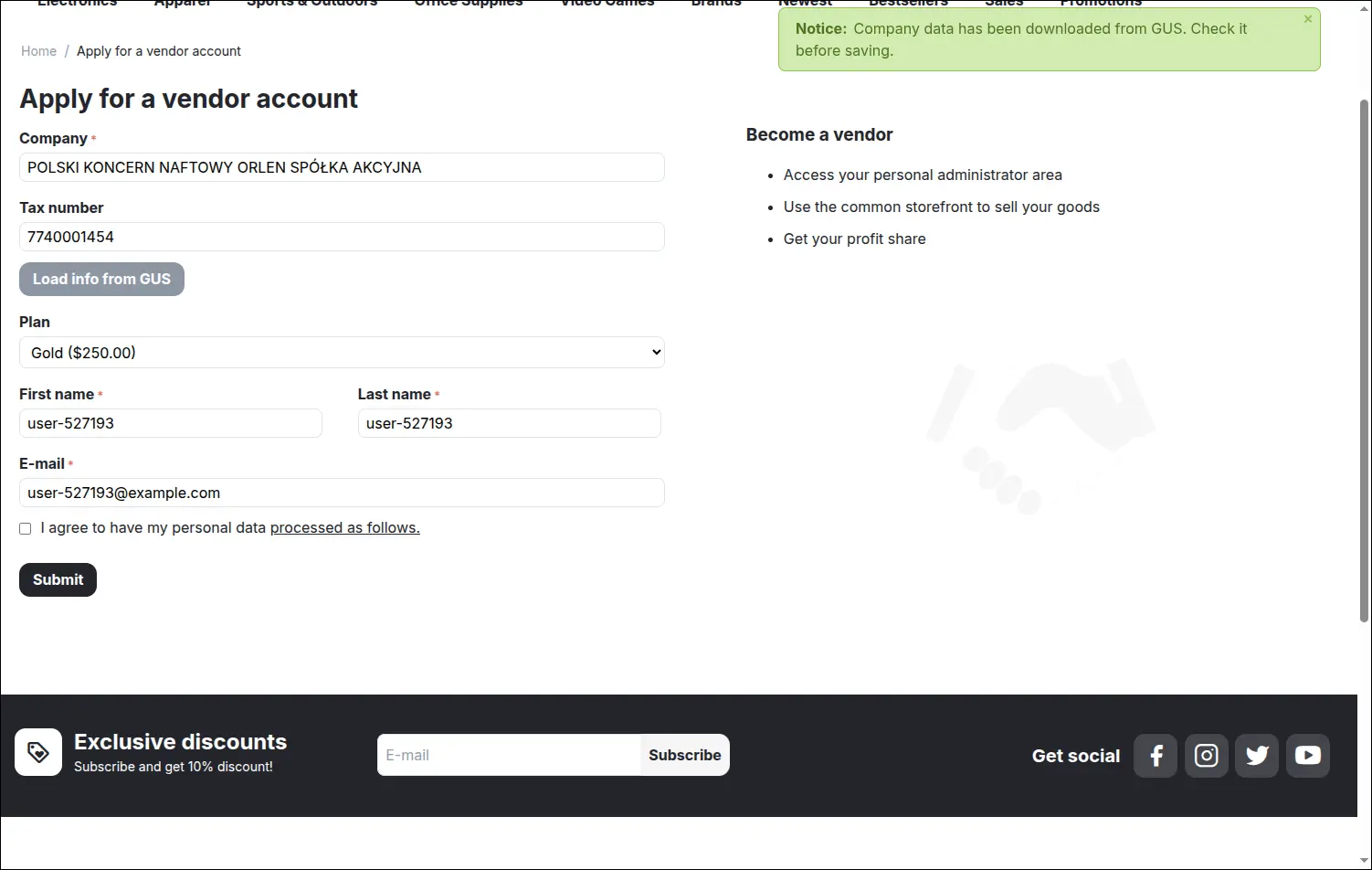
A Multi-Vendor vendor downloads their company data from GUS right at registration.
You decide which piece of GUS data goes to which field. The mapping list shows every rule with its GUS field, profile field, data combination template and status, and rules can be edited, cloned and deleted. This way the add-on adapts to the store form, not the other way round:
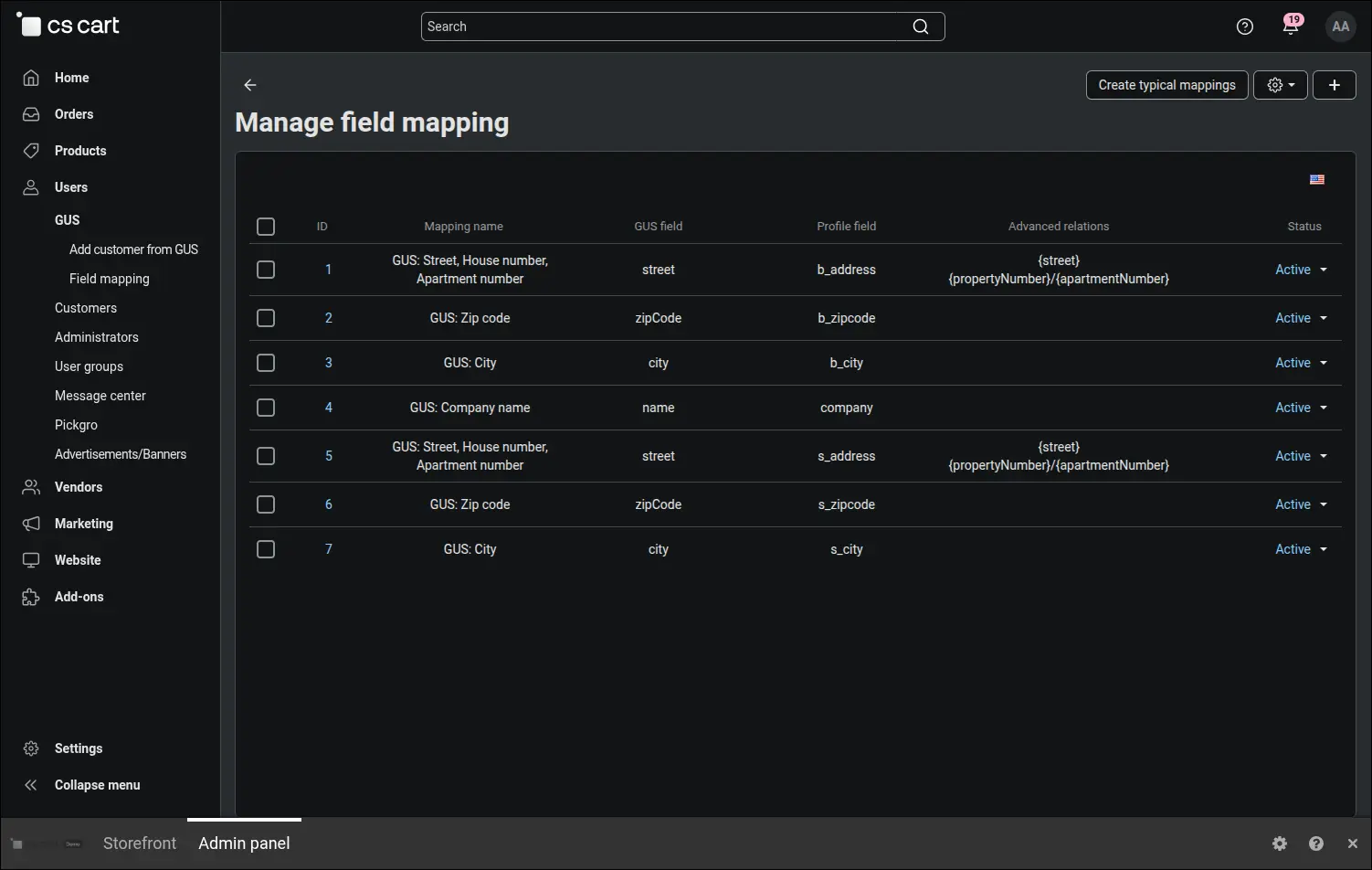
Field mapping decides which piece of GUS data goes to which profile field.
Setting up does not require creating rules one by one. The typical mappings form suggests profile fields for the street, house and apartment number, postcode, town, company name and NIP, and it selects the NIP field set in the add-on settings by itself, even when it is a custom profile field. Data pointed at the same field is combined into one address, the mappings receive names in every store language, and fields that already have a rule are skipped, so using the form again creates no duplicates:
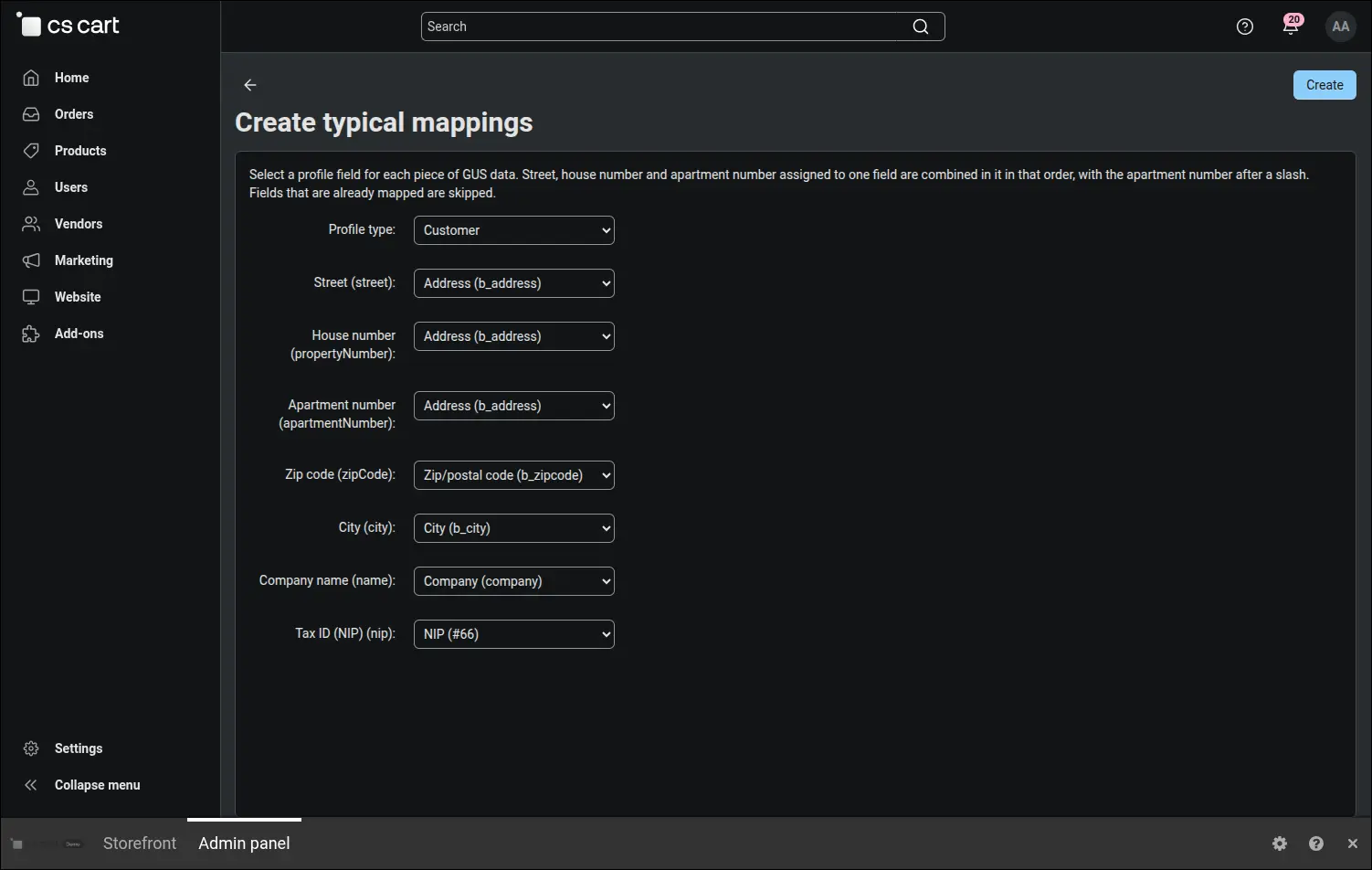
Typical mappings for address, company name and NIP are created with one form.
In Multi-Vendor the same form prepares a full set of mappings for vendors. Simply choose the Vendor profile type, and the list suggests the address, company name and tax number fields from the vendor profile:
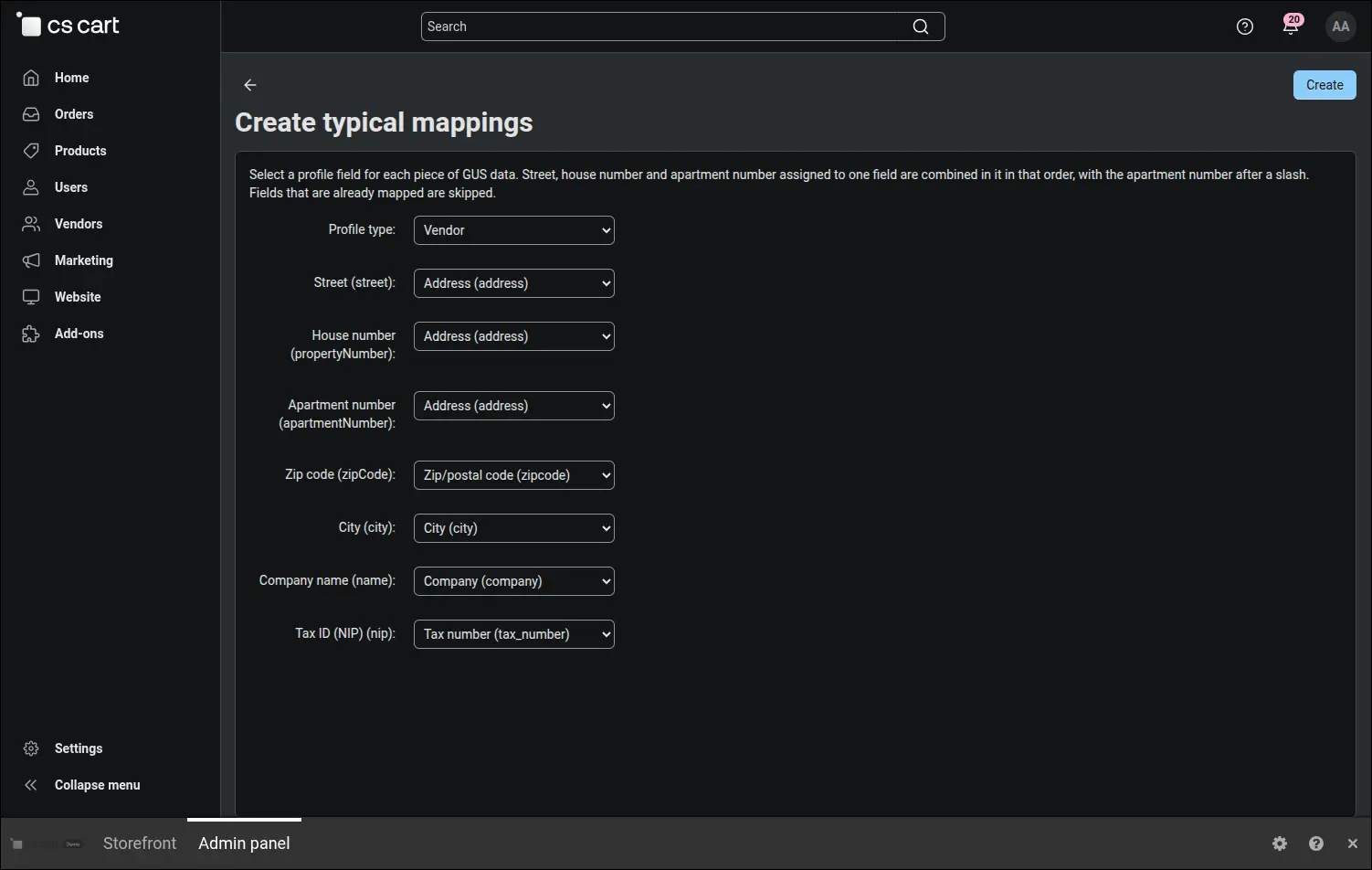
In Multi-Vendor typical mappings can also be created for vendor fields.
An unusual form layout is no obstacle. In the Advanced relations field a rule combines several pieces of GUS data in one field, for example the street, house number and apartment number in a single address. When GUS returns no apartment number, the add-on skips it together with the slash, so the address does not end with a stray character. Below the form there is a table of all available data with a description of each item:
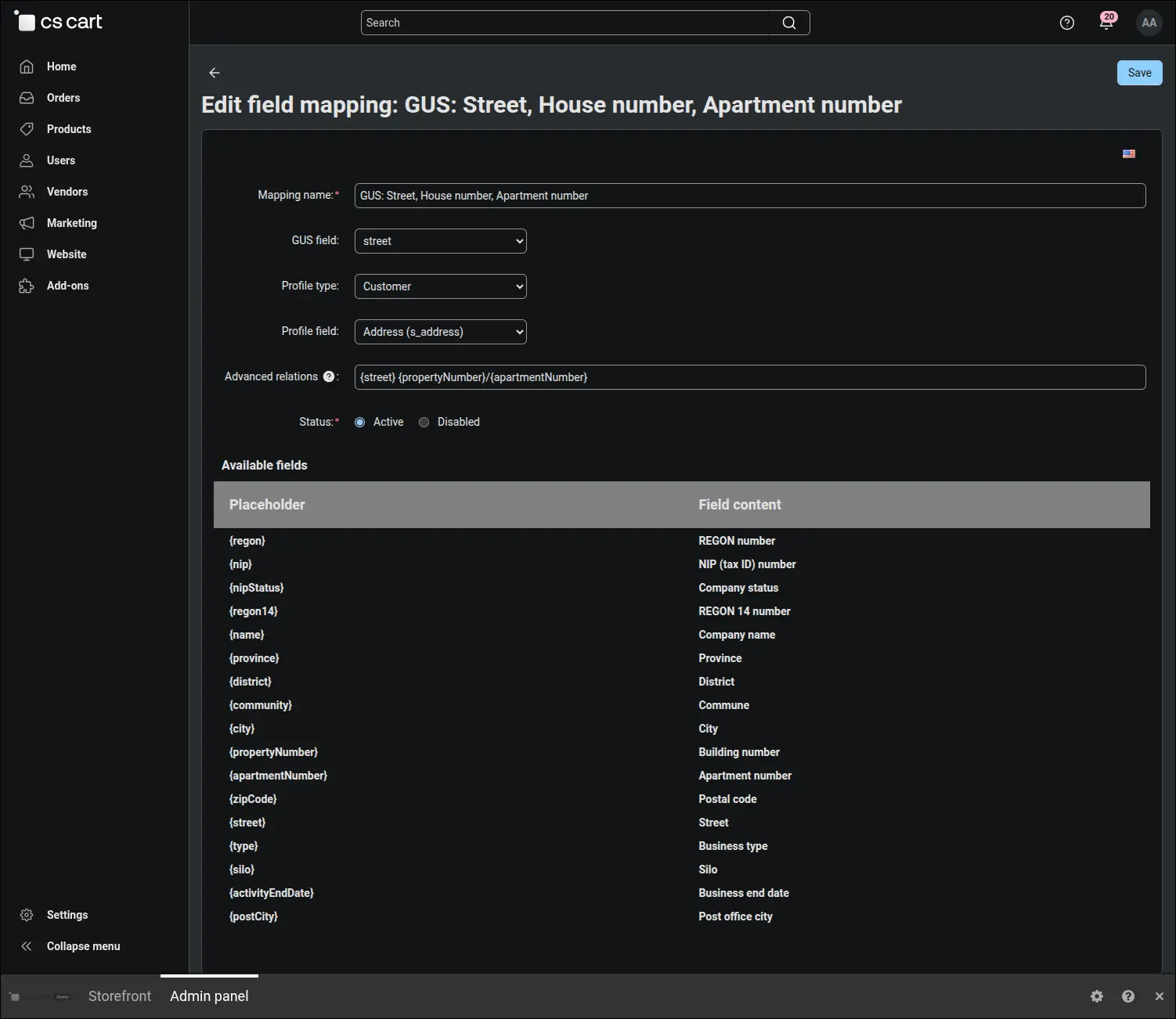
Advanced relations combine street, house and apartment number in one address field.
The whole configuration is set on a single tab. Test mode with the public GUS key lets you check forms and mappings before going live, and GUS issues the production key free of charge on request, sent as a plain e-mail to regon_bir@stat.gov.pl. Here you also choose the basic or full report, the number the buttons search by (NIP, REGON or KRS), and the profile fields in which customers and vendors enter their NIP:
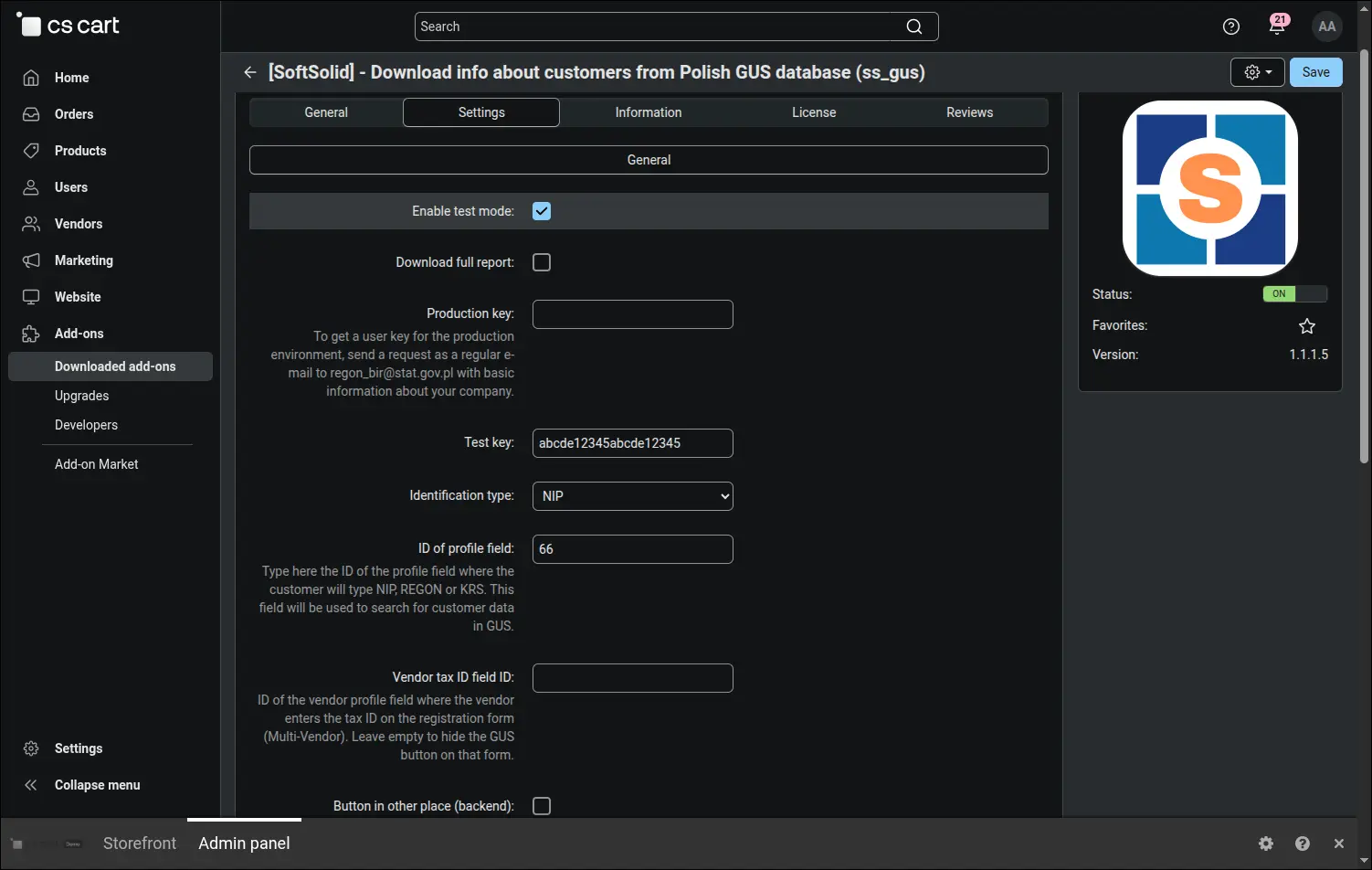
The whole add-on configuration is set on a single settings tab.
The rest of the settings govern the buttons and the protection of the key. The checkout button is switched on with one field, and the profile button can be moved to a template of your own. Client mode hides the buttons and makes data downloading available to other add-ons. The City as street option completes addresses in towns without streets, and the hourly limit of queries per IP address protects the API key from automated traffic:
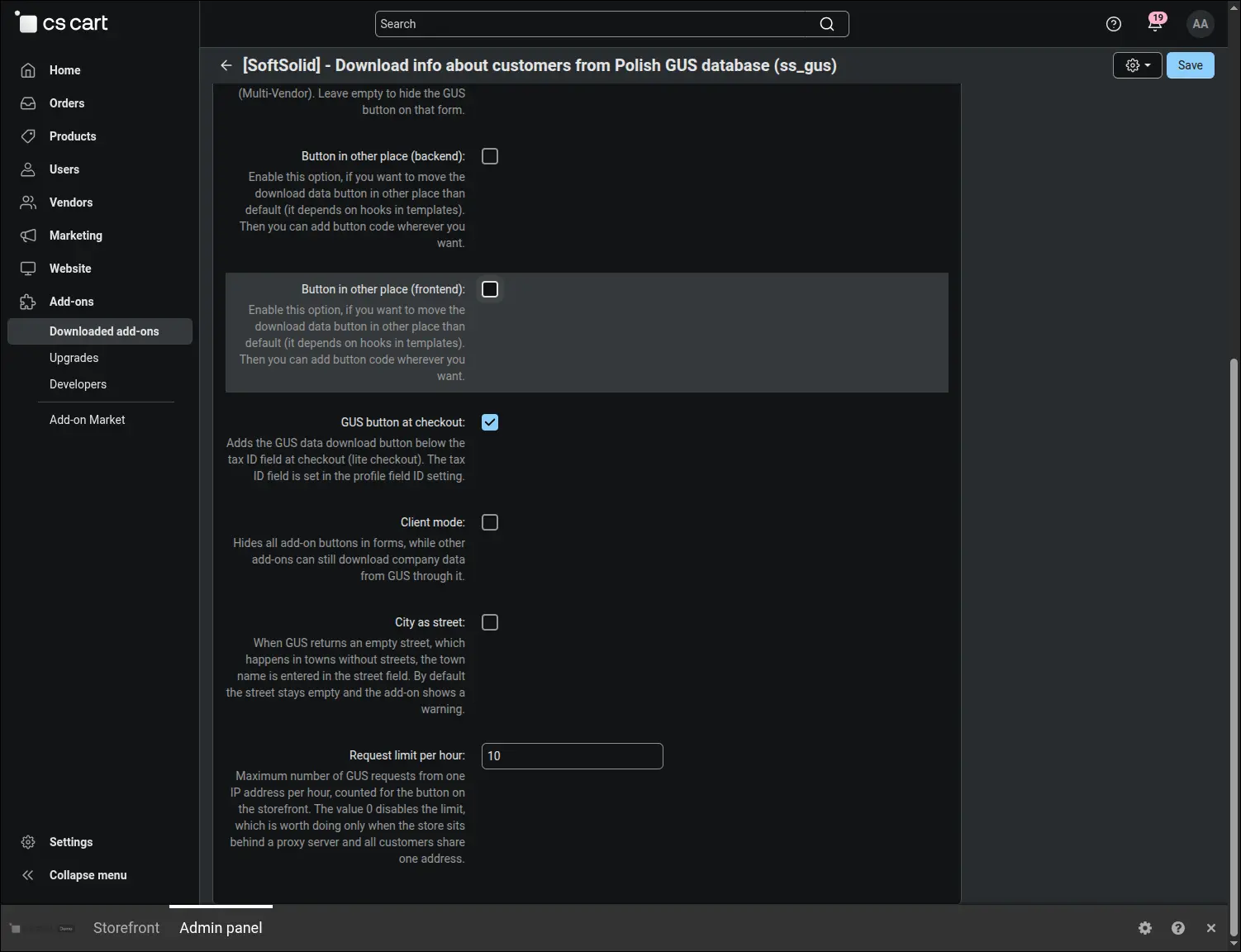
The checkout button, client mode and query limit are set in the same place.
The Download info about customers from Polish GUS database add-on suits every store that sells to businesses: a wholesaler, a B2B shop or a Multi-Vendor marketplace with Polish vendors. Customers complete their purchase faster, staff no longer correct addresses after the fact, and from the very first order the store works with official data from the REGON register.
Feel free to contact us and purchase the add-on!
- Annual subscription
Choose the most convenient form of payment for the add-on. You can pay once and use the add-on. Choosing a subscription payment (monthly or annual) means that you pay for the add-on at regular intervals and have access to the latest versions of the addon and technical support.
- Store Bulider
- Multi-Vendor
- 4.21.x
- 4.20.x
- 4.18.x
- 4.17.x
- 4.16.x
- 4.15.x
- 4.14.x
- 4.13.x
- 4.12.x
- 4.11.x
- 4.10.x
- 4.9.x
- 4.8.x
- 4.7.x
- 4.6.x
- 4.5.x
- 4.4.x
- 4.3.x
- 4.2.x
- 4.1.x
- 4.0.x
- No changes
No reviews found