


Sugarcrafter
Verified purchase

| CODE | Payment method | Price | ||
|---|---|---|---|---|

|
329
ss_product_measure
2026-11-13
1.1.6.6
|
875.00 PLN
(Price without tax) |
||
|
|
633
ss_product_measure_sub_1Y
2026-11-13
1.1.6.6
|
375.00 PLN
/year
(Price without tax) |
||
|
|
632
ss_product_measure_sub_1M
2026-11-13
1.1.6.6
|
37.50 PLN
/month
(Price without tax) |

An extension for Store Builder and Multi-Vendor that shows customers what they are actually paying for. Floor panels per square metre, cable per running metre, adhesive per kilogram: a bare amount says little until a unit stands next to it. The Measures of selling products add-on brings your own dictionary of units to the store, places the symbol after the price and, for goods sold in packages, tells the customer at once how much a package holds and what it costs in full. Customers no longer need to ask the store team, and the cart stops surprising them at checkout.
See how it works
Key Features
- Your own sales units with a name and a symbol in every store language, such as m², kg, pcs or m.
- The unit symbol after the price on the product page and, if you wish, on product lists and in blocks.
- Package mode: the package size and the price of a whole package, calculated from the current price including promotions, shown on the product page, on lists and in the cart.
- A default unit that new products receive on their first save.
- The quantity with its unit in the order confirmation email, the invoice and the packing slip, with no manual editing of document templates.
- In Multi-Vendor, units maintained by vendors or one shared dictionary run by the marketplace administrator.
Everything starts with the dictionary. Under Products the store creates the units it really trades in and sees them in one place, together with the symbols the customer will find after the price. A single list serves the whole catalogue, so naming stays consistent no matter who adds the products:
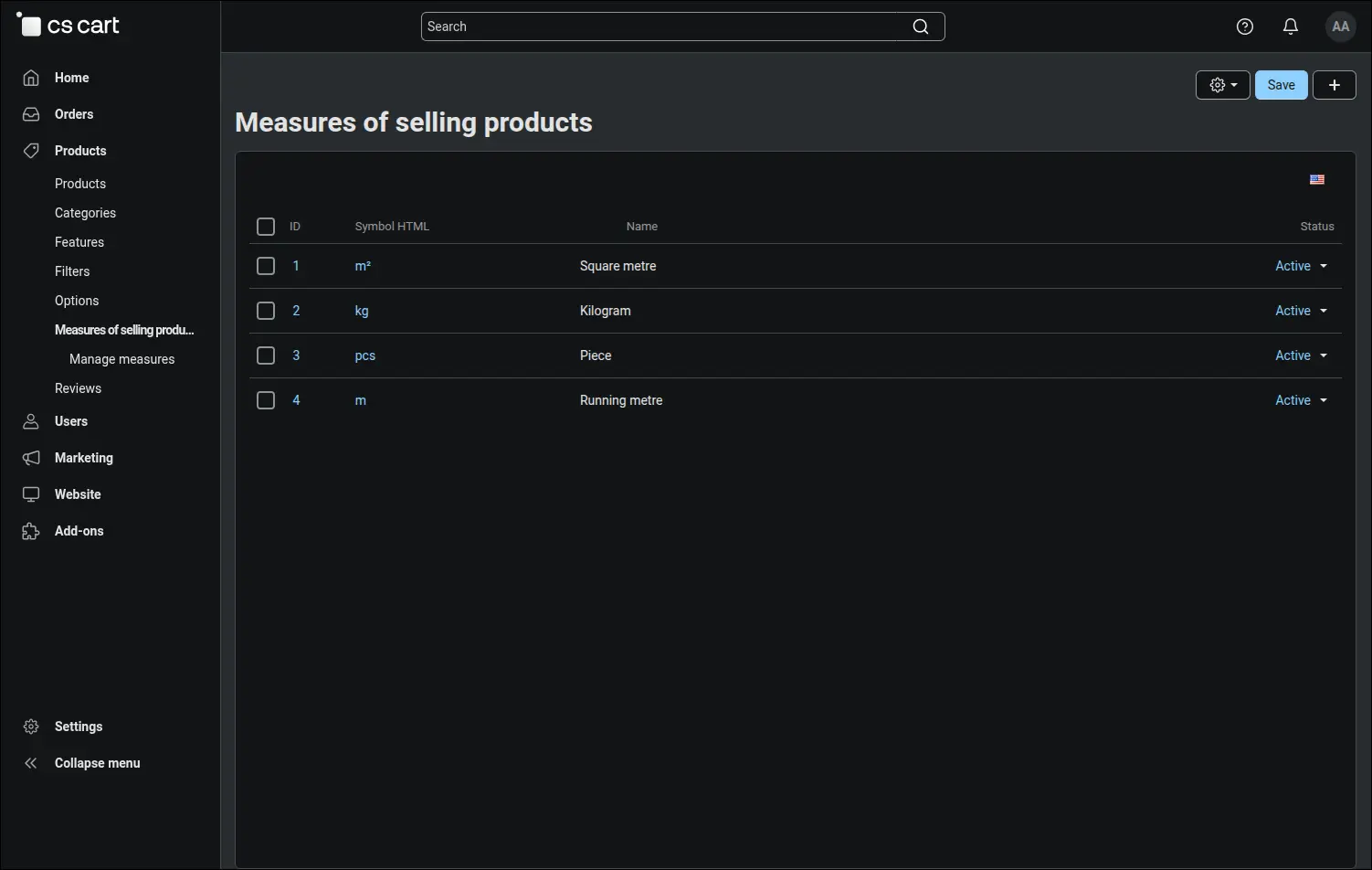
Screenshot 1
The unit editor holds the name and the symbol, separately for each language, so an English-speaking customer reads pcs where a Polish one sees szt. The key switch is the package cost: a unit with this option turns the product's quantity step into the package content and shows the customer the price of the whole package. A second option marks the default unit for new goods:
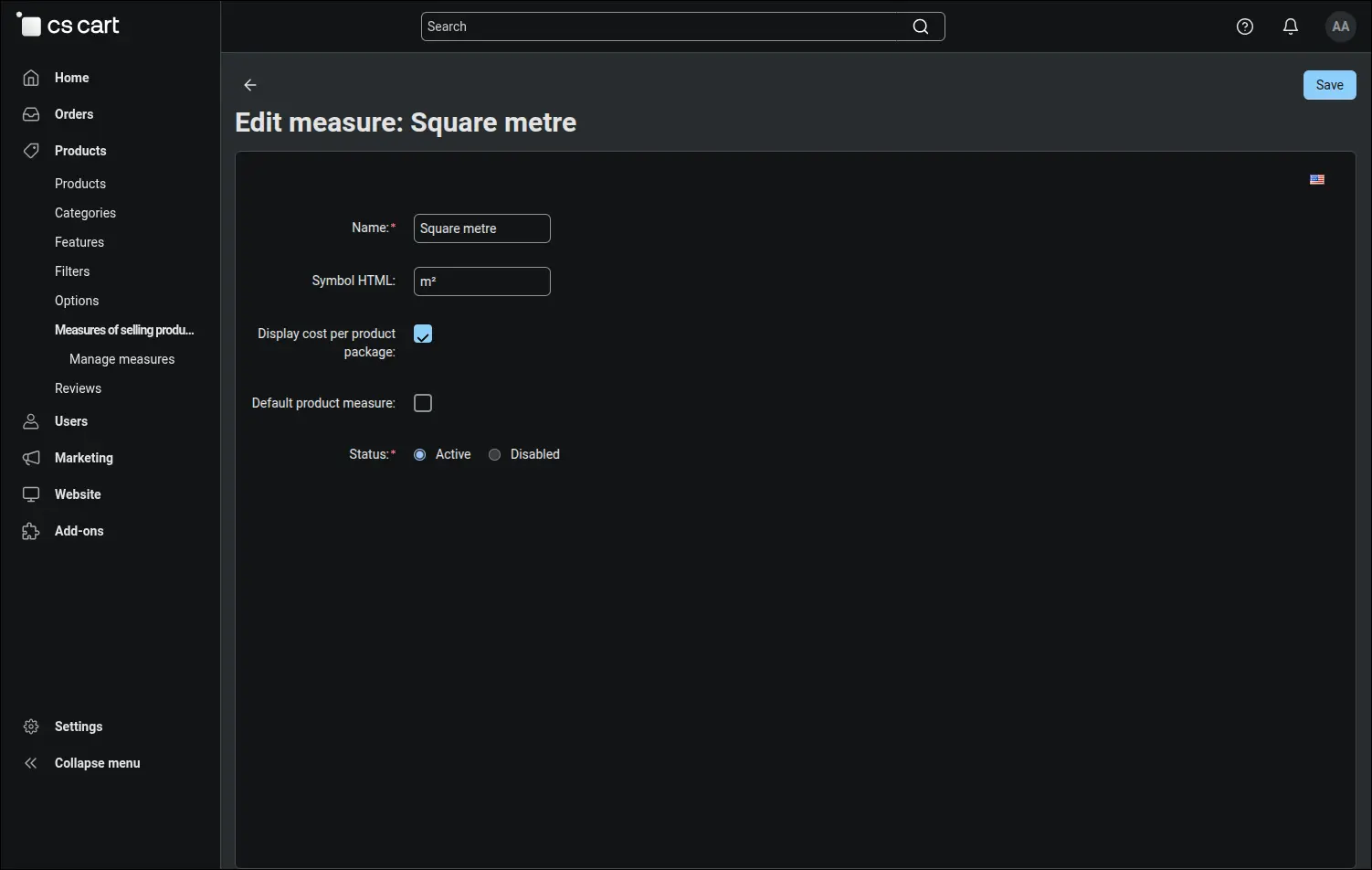
Screenshot 2
In the add-on settings the store decides where the unit should appear: on the product page, on product lists, or in both places. This is also where you choose the spot in the product form where units are assigned, the Add-ons tab, a separate tab or the General section right below categories, so the form matches the way your team works:
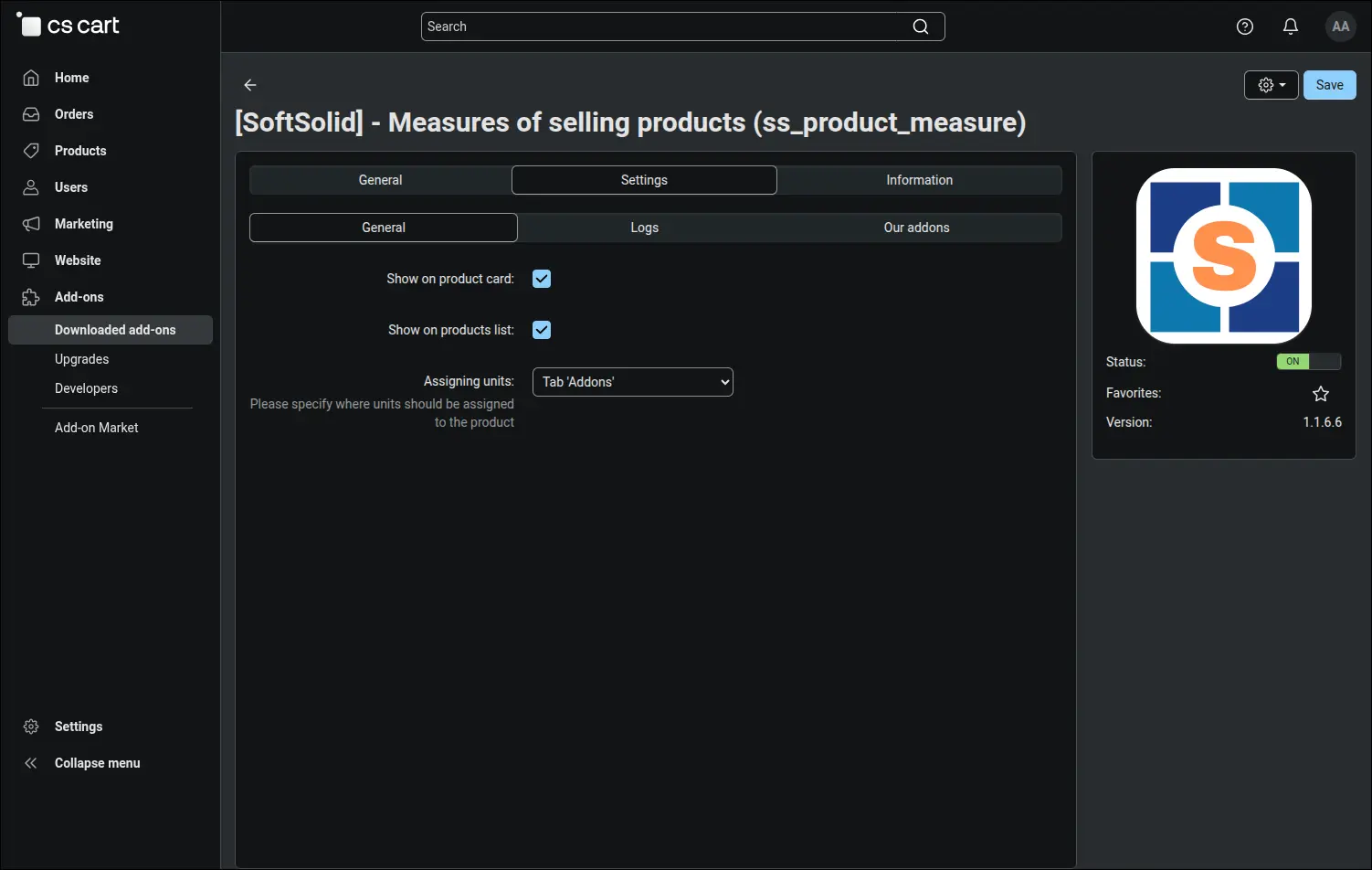
Screenshot 3
Assigning a unit takes one click in the product editor. Select square metre for the floor panels and set the quantity step equal to the package content. On save the add-on calculates the package price itself and stores it with the product data:
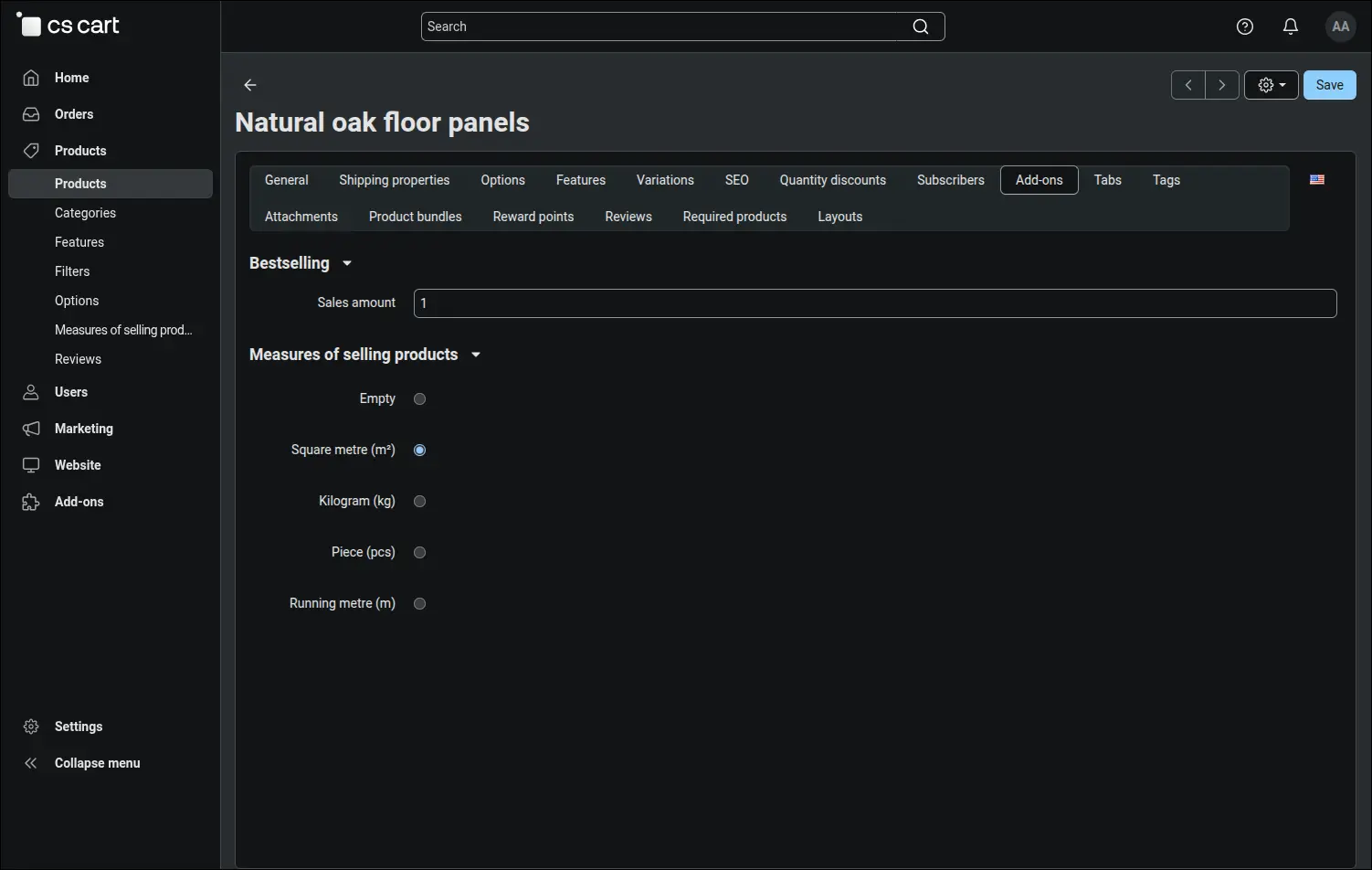
Screenshot 4
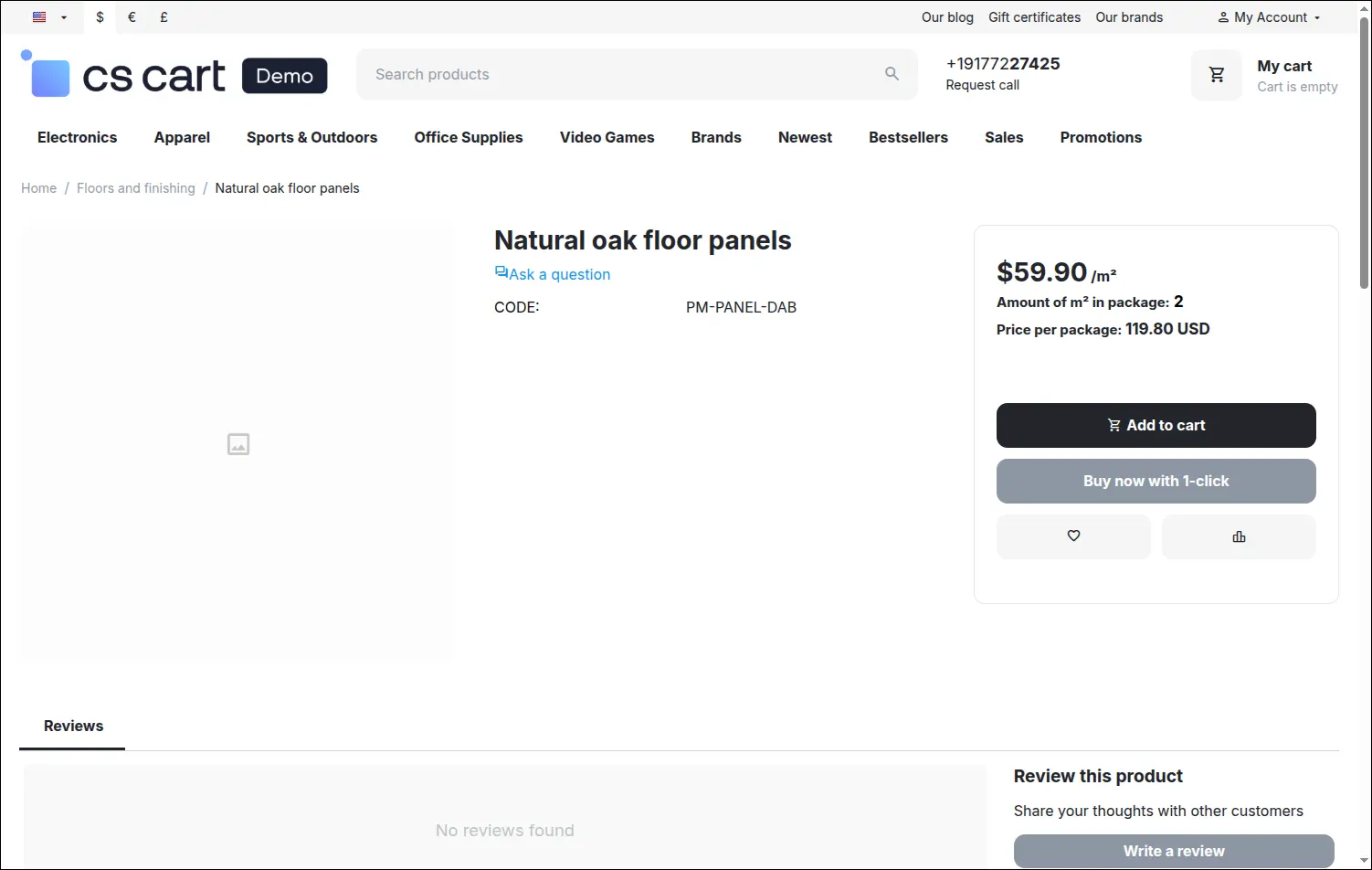
This is what the customer sees on the product page. The price of 59.90 per square metre gains the /m² suffix, and right below it the page states that a package holds 2 m² and costs 119.80. The package amount follows the current price, so when a promotion lowers the price, the package price falls with it and never drifts away from the unit price:
Screenshot 5
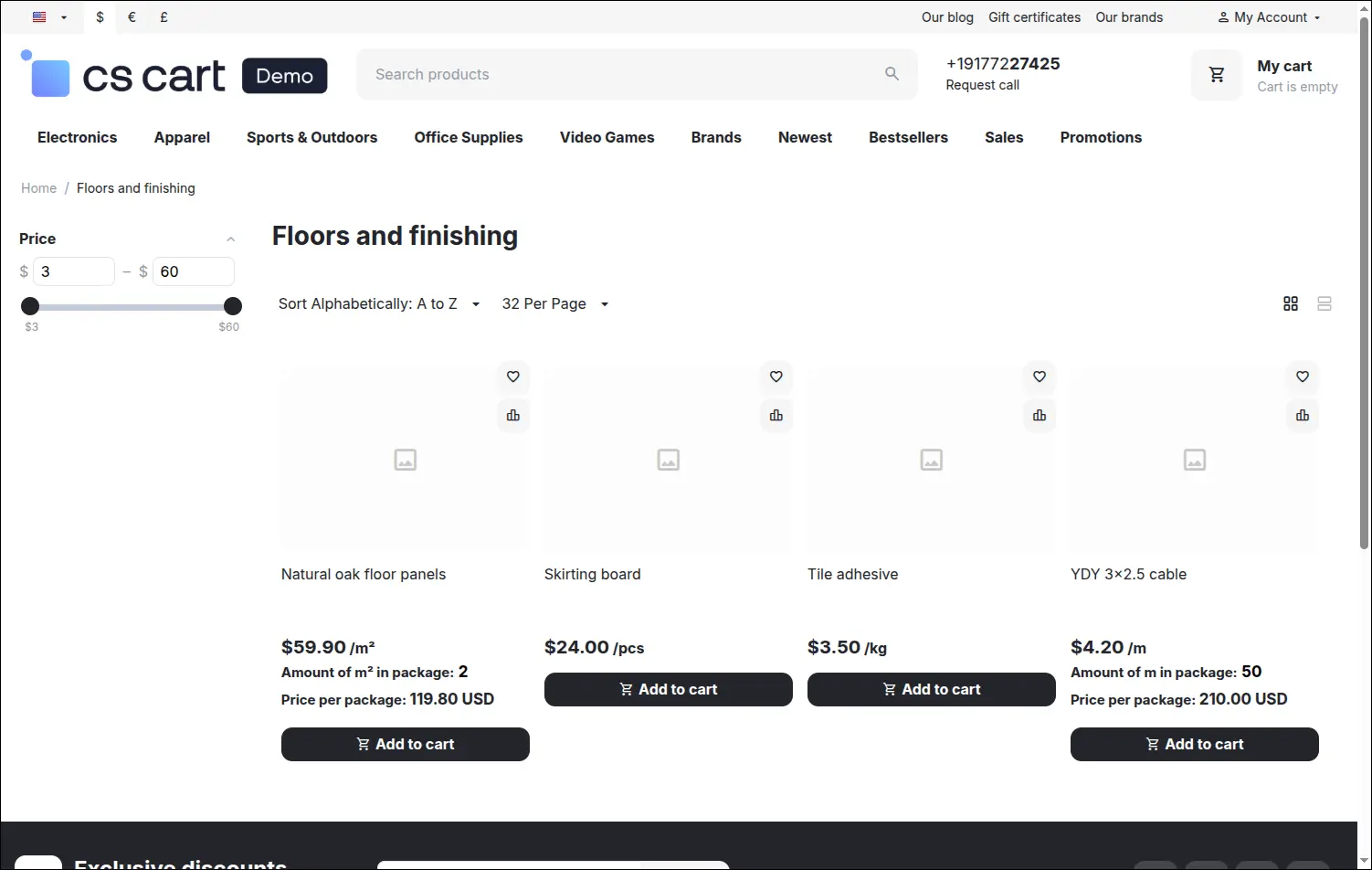
On the category page every item speaks its own language: adhesive per kilogram, skirting board per piece, panels per square metre, cable per running metre. Customers compare offers before opening a single product page, and for packaged goods they see the content and the price of the package straight away:
Screenshot 6
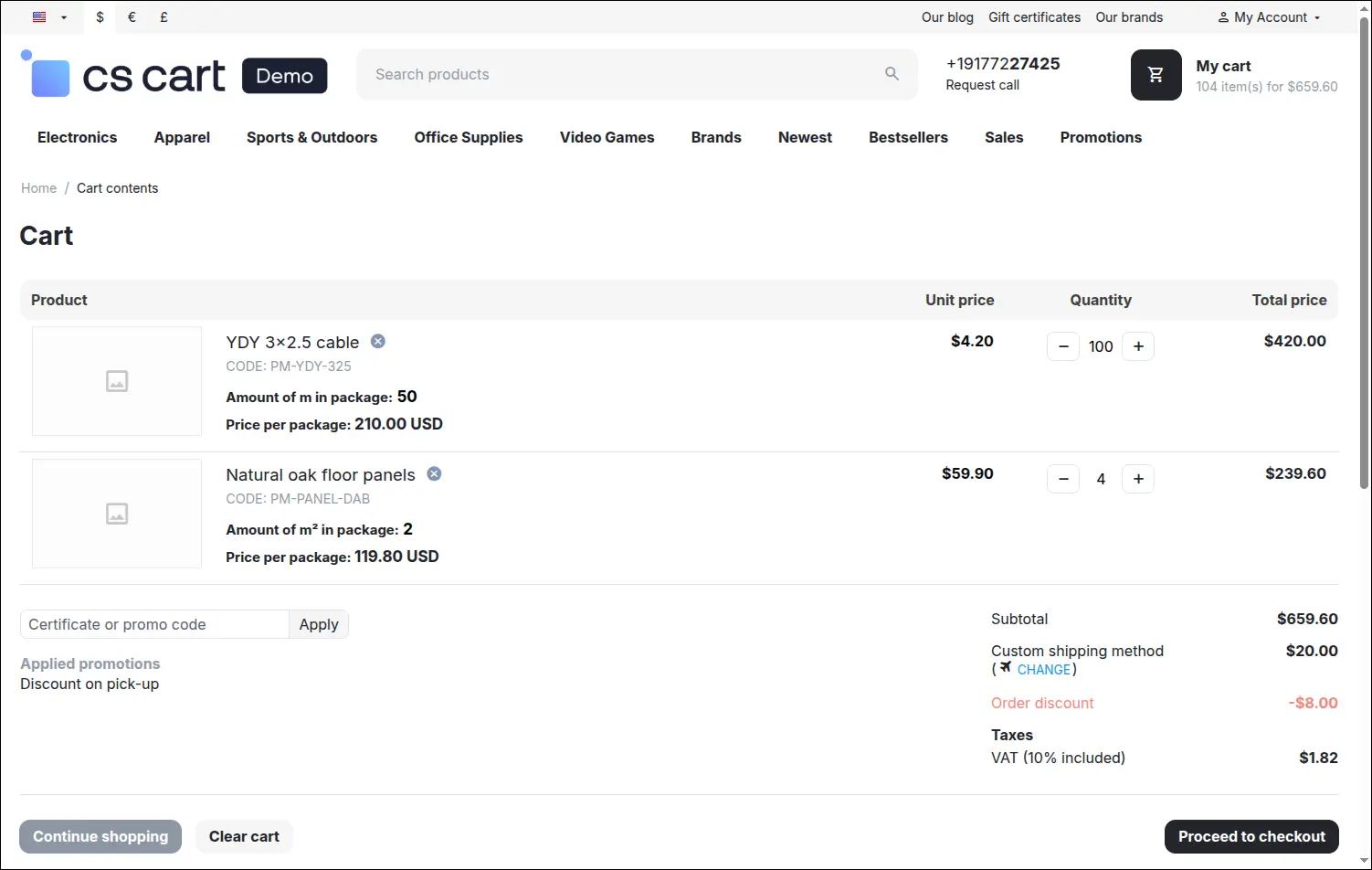
Package information stays with the customer all the way to the cart. Each line shows how many units a package holds and what it costs, so 100 metres of cable reads plainly as two drums of 50 metres rather than a number to work out in your head. The same unit returns later in the order confirmation email, the invoice and the packing slip, so the customer and the warehouse read the order the same way:
Screenshot 7
In Multi-Vendor every vendor can keep their own units and sees only their own, while the marketplace owner can switch the whole site to a shared dictionary with a single setting, leaving vendors to choose from it. The Measures of selling products add-on brings order to prices in building supply stores, wholesalers, garden shops and anywhere goods are sold by the metre, by the kilogram or in whole packages.
Full walkthrough, 6 minutes
Feel free to contact us and purchase the add-on!
Choose the most convenient form of payment for the add-on. You can pay once and use the add-on. Choosing a subscription payment (monthly or annual) means that you pay for the add-on at regular intervals and have access to the latest versions of the addon and technical support.