


David Banaszkiewicz
Verified purchase

| CODE | Payment method | Price | ||
|---|---|---|---|---|

|
481
ss_deepl
2026-09-25
1.1.4.4
|
150.00 USD
(Price without tax) |
||

|
569
ss_deepl_sub_1Y
2026-09-25
1.1.4.4
|
75.00 USD
/year
(Price without tax) |
||

|
568
ss_deepl_sub_1M
2026-09-25
1.1.4.4
|
7.50 USD
/month
(Price without tax) |
Extension for Store Builder and Multi-Vendor that connects your store with the DeepL translation service and translates product descriptions, categories, pages, promotions, features, options, content blocks and menus into every language of your store. You translate the way that suits you: with a single click next to one field, in bulk from a list in the admin panel, or fully automatically right after you save content in the base language.
Running a store in several languages usually means hours of retyping the same descriptions over and over. This add-on takes that work off your hands: you pick one language to create content in, and the translations into the other languages are produced by DeepL, in high quality and with consistent terminology. Translation covers the languages DeepL supports, and you launch new language markets in hours rather than weeks.
Key Features
- Single field translation straight from the product or page editor, in a convenient window with a choice of source and target languages.
- Bulk translation straight from admin lists: products, categories, pages, promotions, features, feature groups, filters, options, content blocks and menus.
- Automatic translation after you save content in the base language, handled by a queue and a CRON job, with no manual involvement.
- A queue panel with status preview, filters and manual record removal, so you stay in full control of what gets translated.
- Translation quality controls: DeepL glossary, formality level and model type, so the content sounds the way your brand does.
- A used character counter, plus per-seller configuration in Multi-Vendor and multi-storefront support in the Ultimate edition.
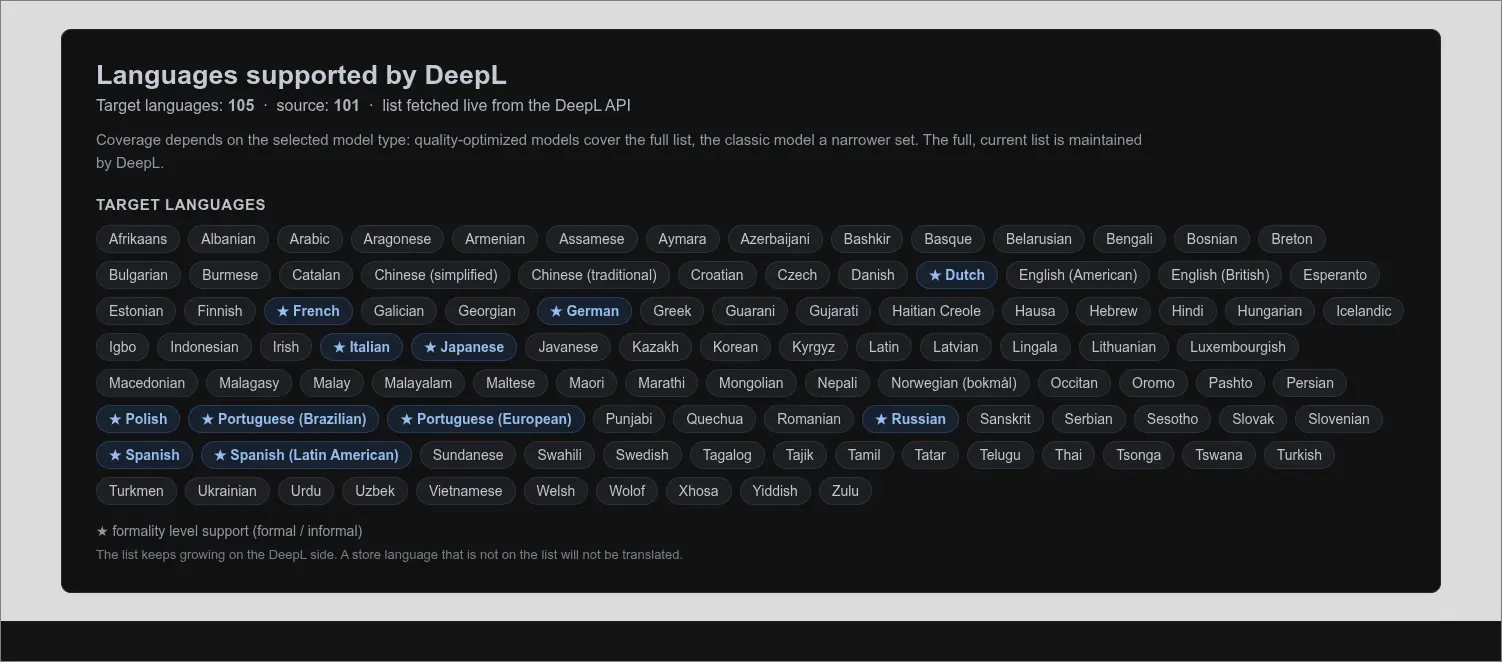
It helps to know up front which languages DeepL translates into. The list covers over a hundred target languages, and the formality level (a formal or informal tone) works for a selected subset, marked on the panel. The full coverage depends on the chosen model type, so it is worth starting by checking that your languages are supported
Screenshot 1
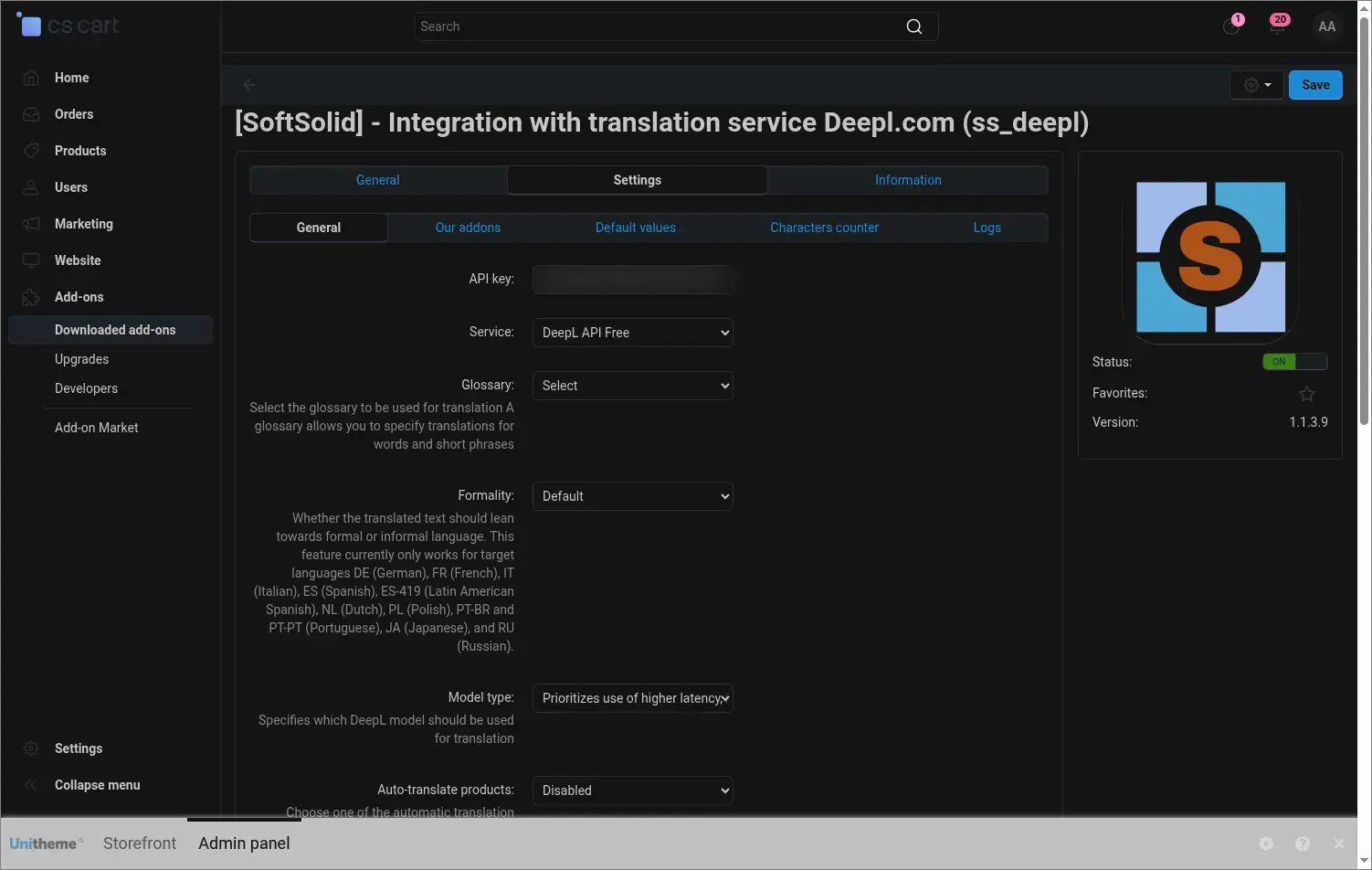
In the general settings you enter the DeepL API key in one place, choose the Free or Pro service type and decide on translation quality: the glossary with your own terminology, the formality level and the model type. This is also where you switch on the automatic mode and set up how the queue works
Screenshot 2
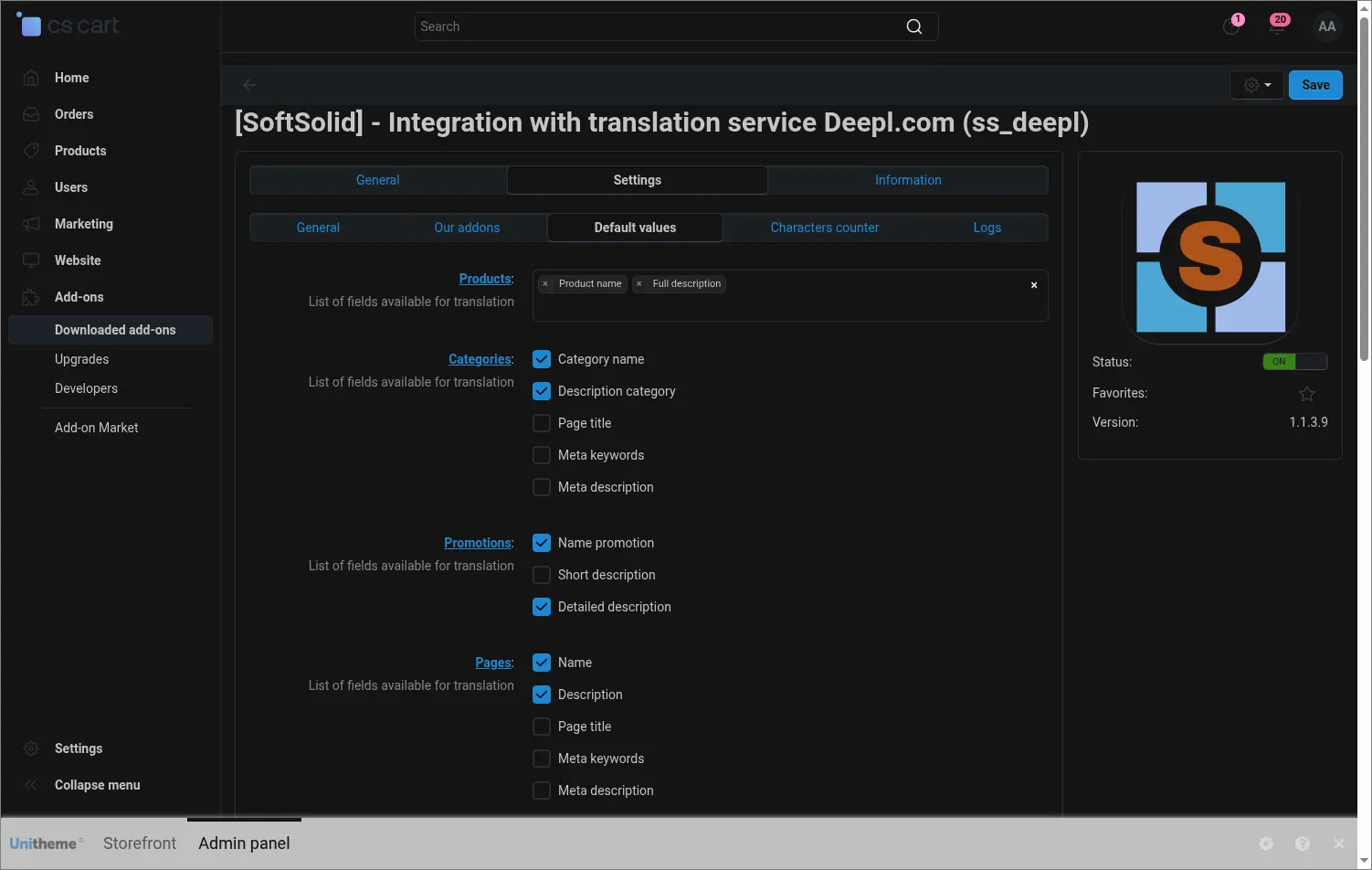
In the default values you decide which fields should be translated for each object type and what the default source and target language are. Translation forms then open with the right set of fields already in place, so repetitive work goes faster
Screenshot 3
Translation starts by choosing one base language, the one you create your original content in. You simply tick a single field next to the chosen language, and every other active language becomes a target
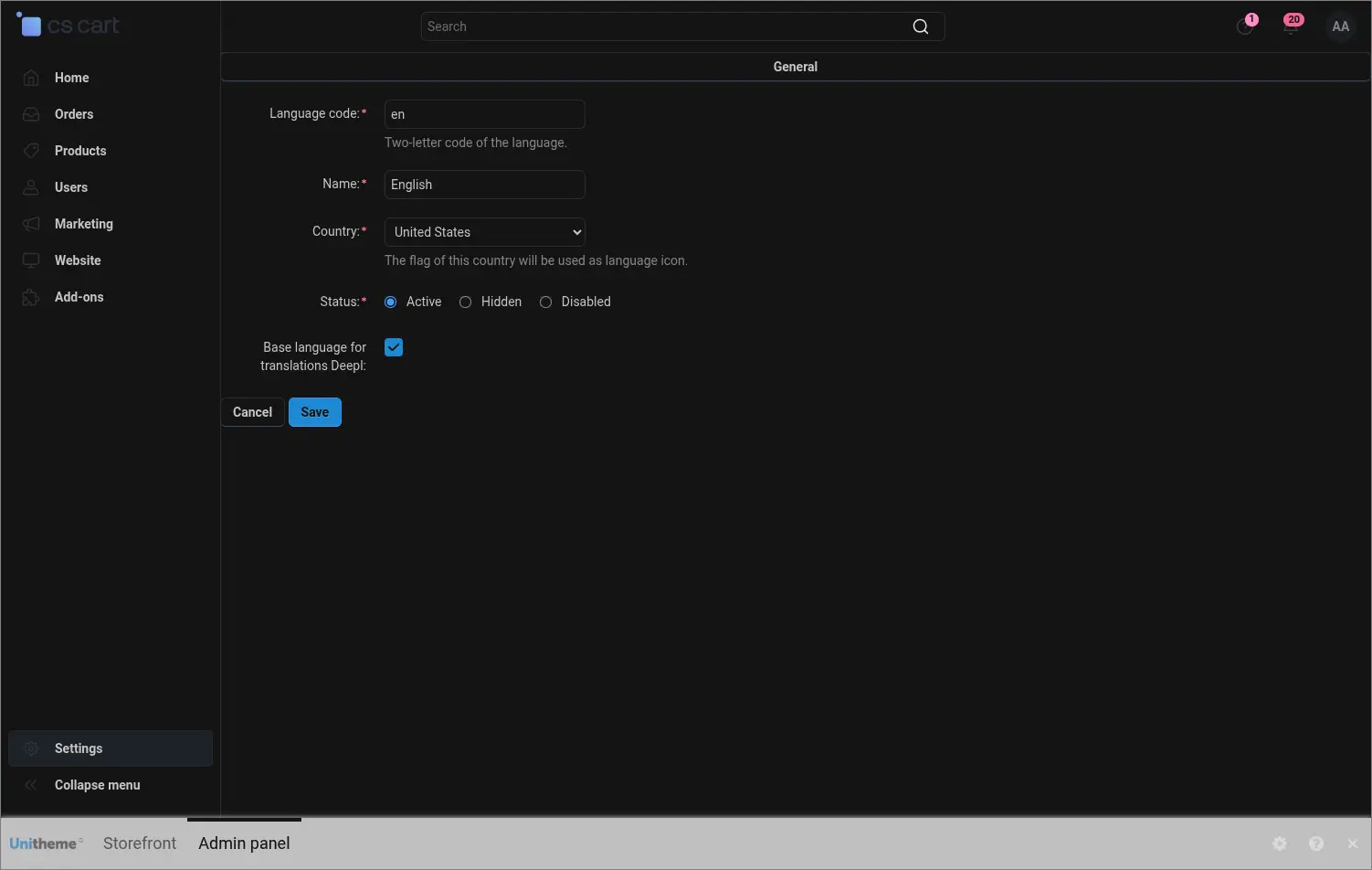
Screenshot 4
Translation covers more than the catalog. Next to every target language you get actions to translate interface variables, common descriptions and static data, so a new language version of the store is consistent from labels to descriptions
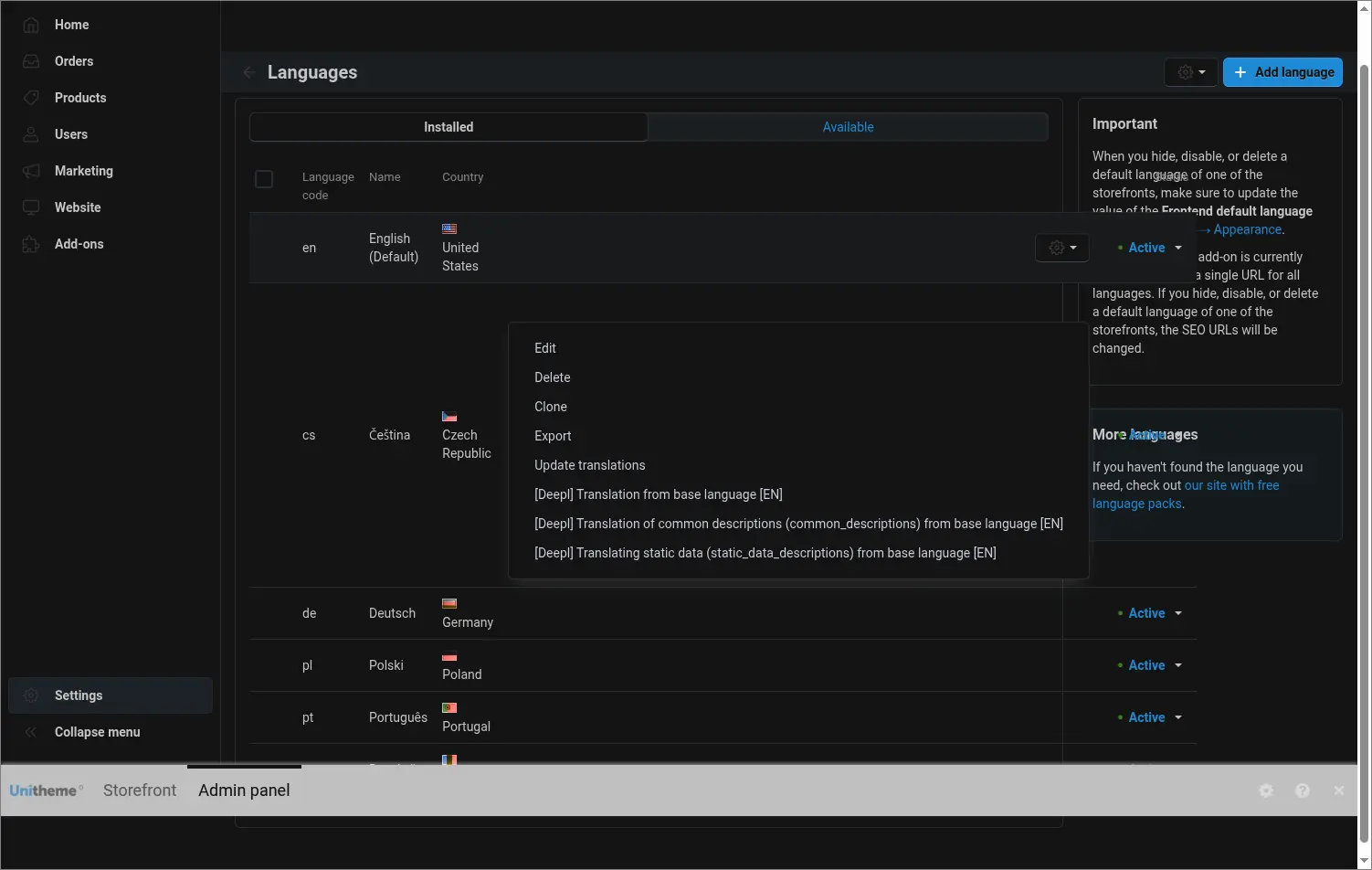
Screenshot 5
From the product list you launch translation of the selected items with one command from the menu. The same menu works for categories, pages, promotions, features, filters, options, blocks and store menus
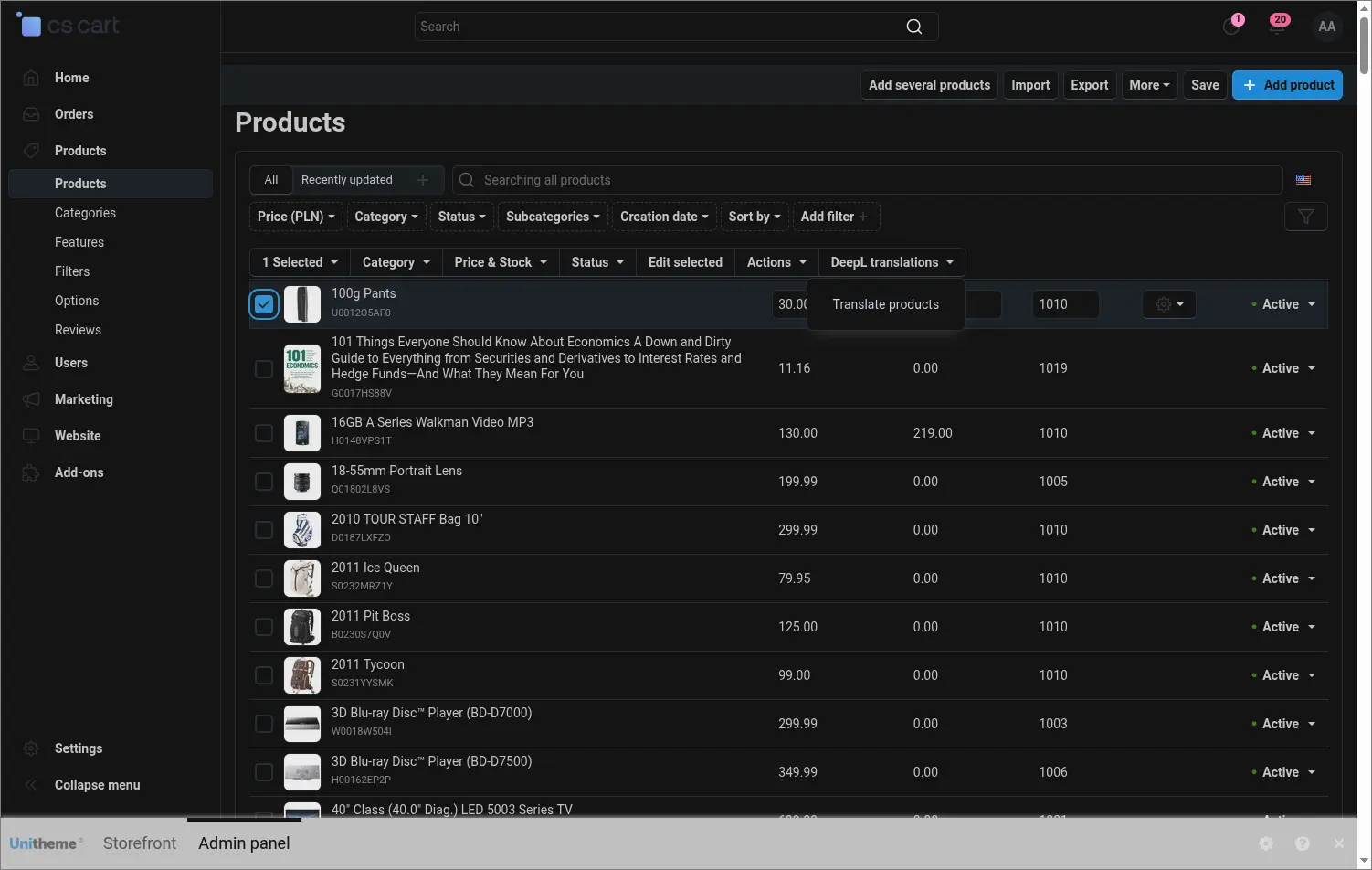
Screenshot 6
The bulk translation form lets you tick exactly the fields you want to translate and choose the source and target language. You translate only what you need and you do not spend the character limit on unnecessary content
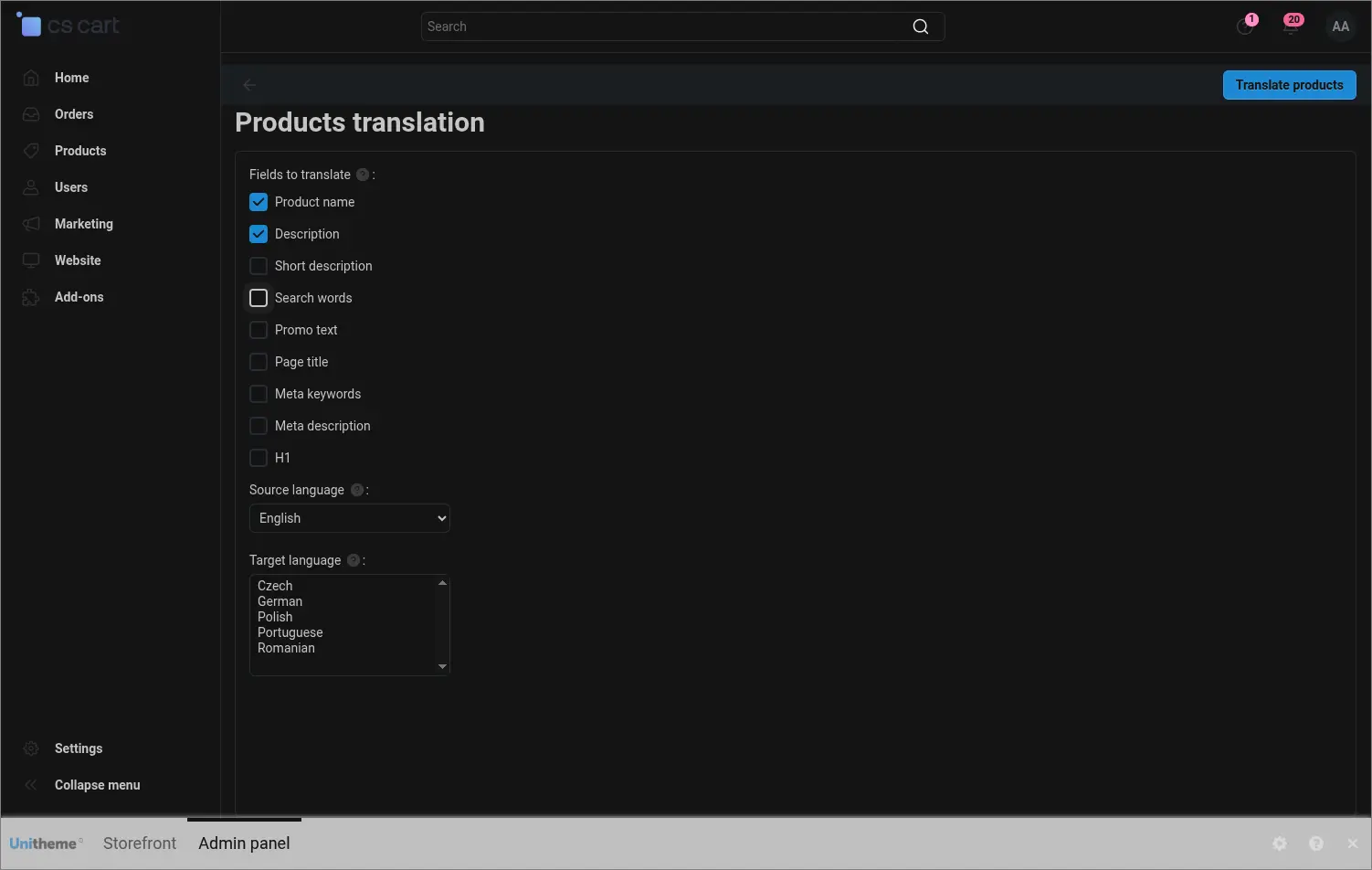
Screenshot 7
When you fill in one missing field, you open the translation window right next to it, without leaving the editor. You choose the source language and one or more target languages, and the content is translated in a few seconds
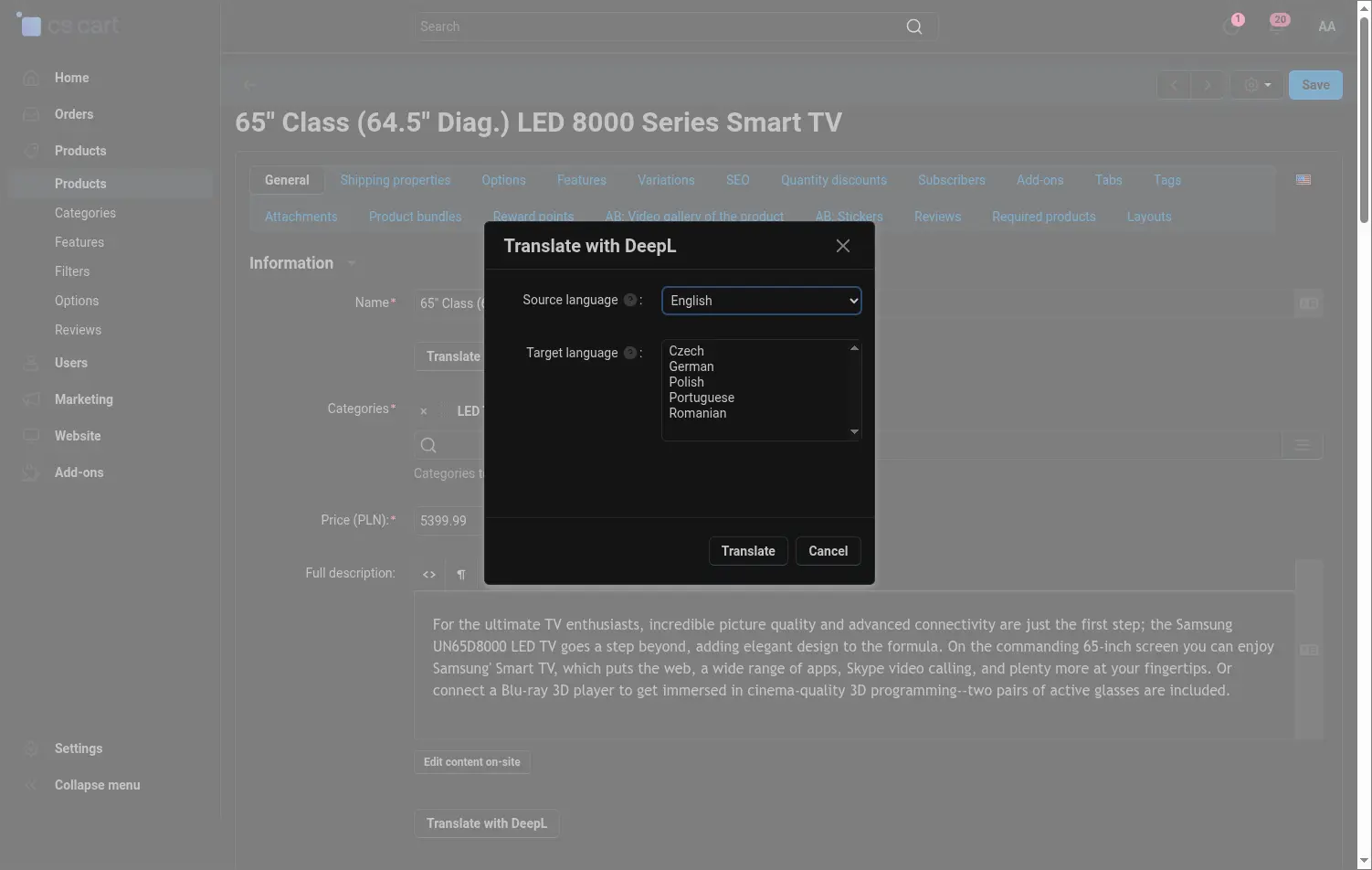
Screenshot 8
In the automatic mode the changed content lands in a queue, and a CRON job processes it in batches. The queue panel shows what is waiting, what succeeded and what failed along with the reason, with filters by type and status
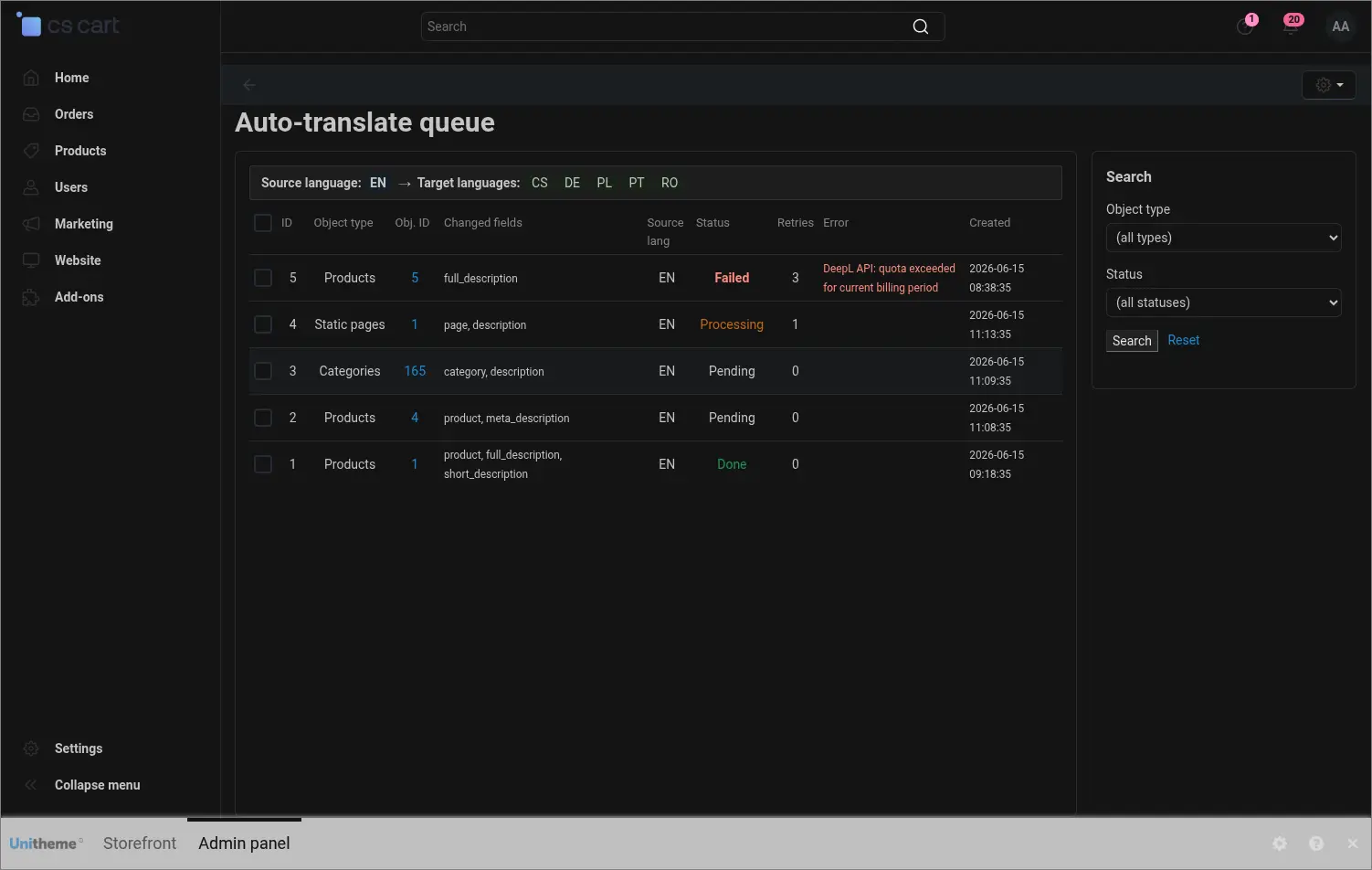
Screenshot 9
The character counter pulls the number of used characters and the limit from your DeepL account, so you can plan larger operations ahead of time and avoid an unexpected package exhaustion during translation
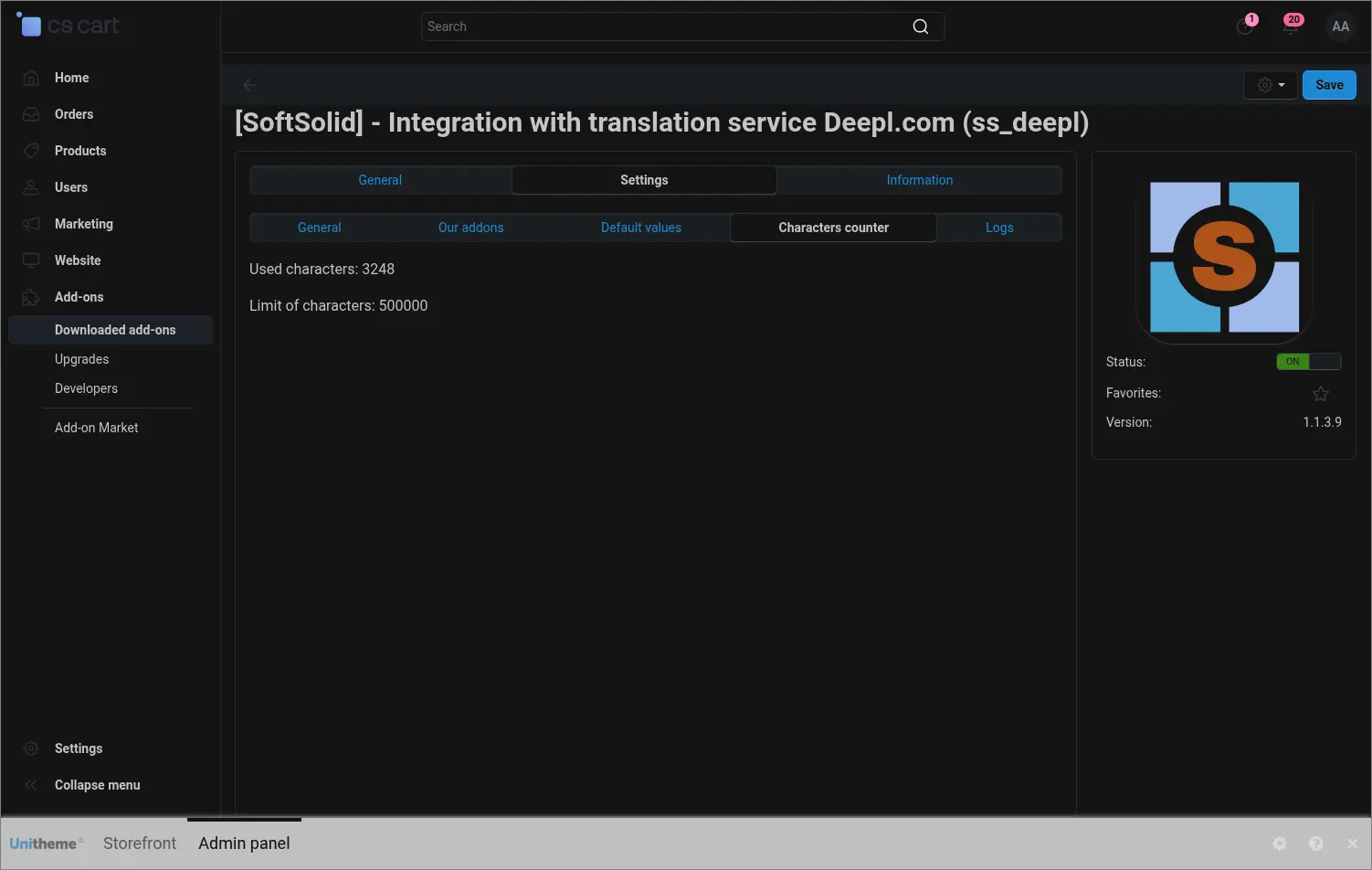
Screenshot 10
The result shows where it matters most, on the storefront. The product page displays a description translated by DeepL in the customer's language, ready to sell on the next market
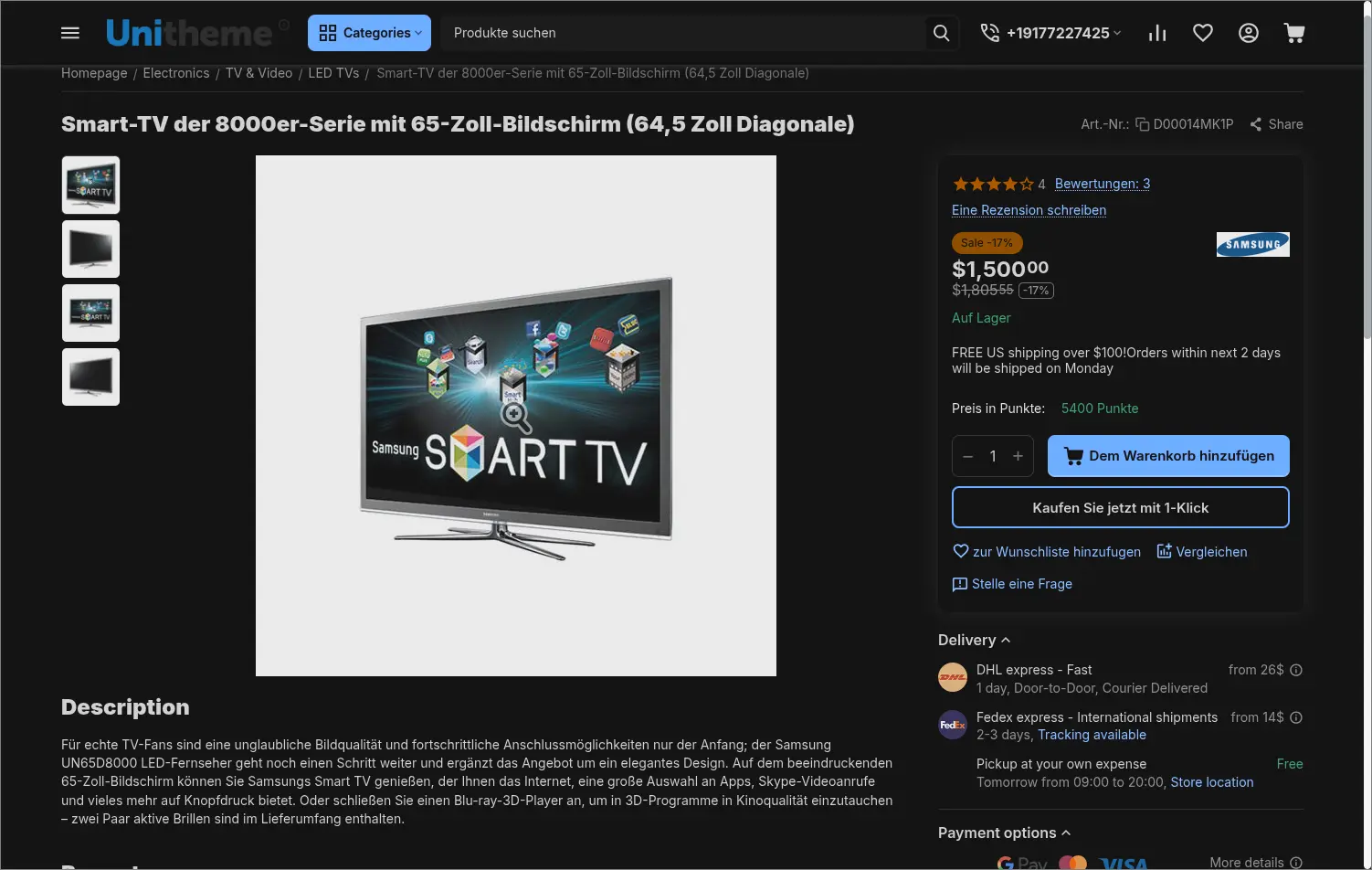
Screenshot 11
The DeepL integration takes the most tedious part of multilingual work off your team and keeps content consistent across languages, because it all comes from a single source. In Multi-Vendor each seller can use their own key and their own settings, and in the Ultimate edition translation also covers the split across storefronts.
Feel free to contact us and purchase the add-on!
Choose the most convenient form of payment for the add-on. You can pay once and use the add-on. Choosing a subscription payment (monthly or annual) means that you pay for the add-on at regular intervals and have access to the latest versions of the addon and technical support.