


Gustavo Henrique dos Santos
Verified purchase

| CODE | Payment method | Price | ||
|---|---|---|---|---|

|
326
ss_ncinv
2026-11-12
1.1.3.8
|
625.00 PLN
(Price without tax) |
||

|
763
ss_ncinv_sub_1Y
2026-11-12
1.1.3.8
|
375.00 PLN
/year
(Price without tax) |
||

|
762
ss_ncinv_sub_1M
2026-11-12
1.1.3.8
|
37.50 PLN
/month
(Price without tax) |

An extension for Store Builder and Multi-Vendor for stores in which an order sometimes has to wait. An unclear payment, a question for the customer, a check before shipping: in standard CS-Cart every order status either takes goods out of stock or puts them back, so even a short hold changes the quantities in the catalog. The Do not change inventory add-on gives order statuses a third choice and remembers the state in which each order arrived there. An order on hold waits quietly for a decision, and once the decision is made, stock settles itself without mistakes: goods leave the shelf only once and come back only if they really left it.
Key Features
- A Do not change variant in the Inventory field of every order status, next to the standard Increase and Decrease.
- Stock memory: the add-on records whether the goods of an order on hold had already been taken out, and settles the order accordingly when it leaves the hold.
- Goods leave stock at most once, even when an order goes back on hold several times and is confirmed again.
- Goods return to stock only if they actually left it, also when an order is cancelled, deleted or edited.
- An order is taken out of stock in full or not at all: on a shortage it moves to Backordered with a low stock warning.
- Do not change statuses count as paid, so orders on hold do not drop out of statistics.
Memory lies at the heart of the add-on. Two orders can sit in the same On hold status with completely different histories behind them. The first came from the Paid status, so its goods have already left the shelf. The second was placed directly on hold or moved there from Canceled, so its goods are still waiting in the warehouse. The CS-Cart panel does not show this difference, but the add-on knows it and settles each order according to its own history when it leaves the hold. The same rule applies when an order is deleted or edited:
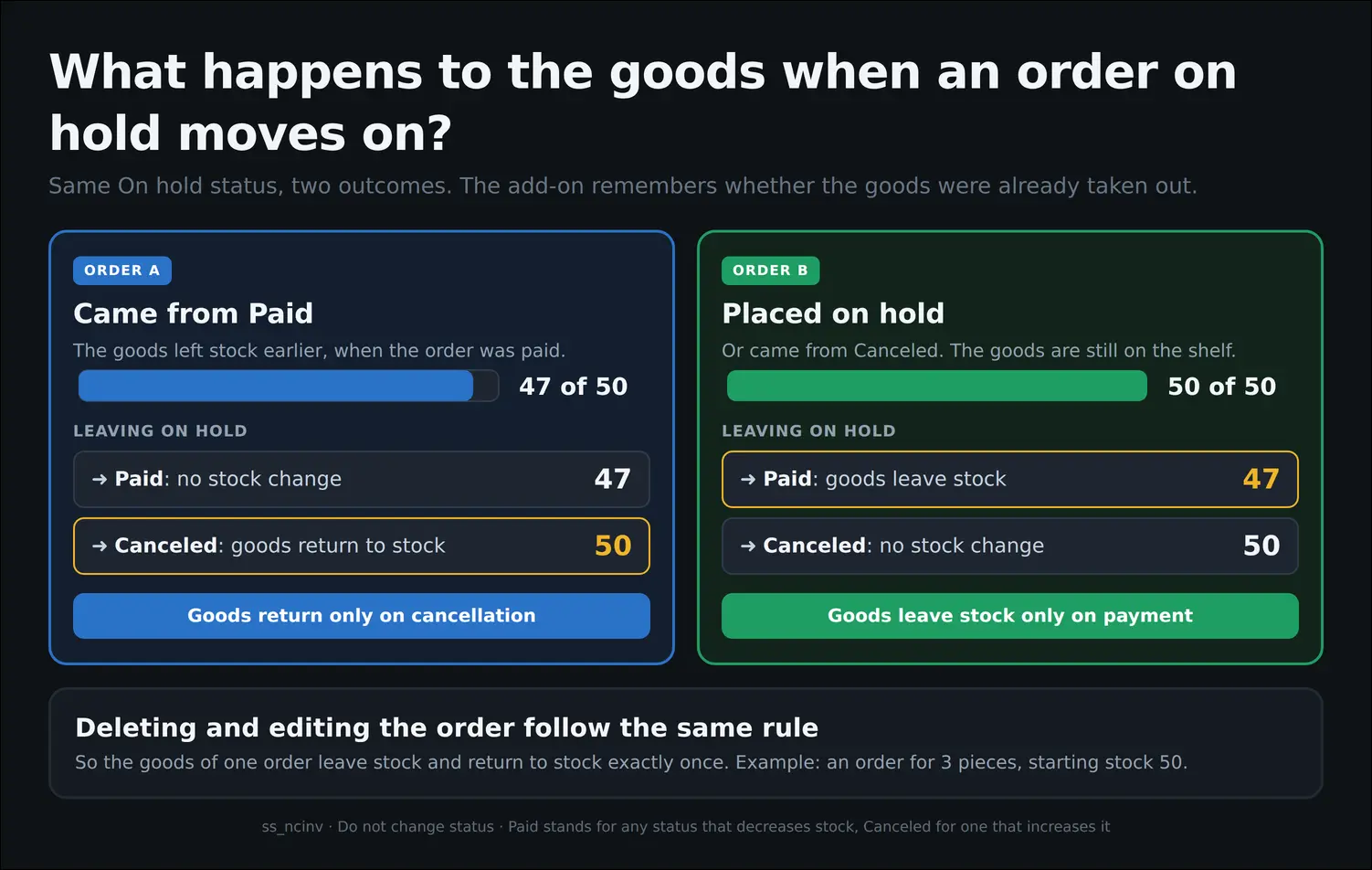
Screenshot 1
Stores that used earlier versions of the add-on should keep one detail in mind. The stock memory is created when an order enters a Do not change status, so orders put on hold before the update to version 1.1.3.8 have none, and the add-on assumes that their goods are still on the shelf. For orders placed directly on hold or moved there from Canceled, this assumption is correct. Orders that went on hold straight from Paid are best reviewed after the update, with their stock corrected by hand where needed:
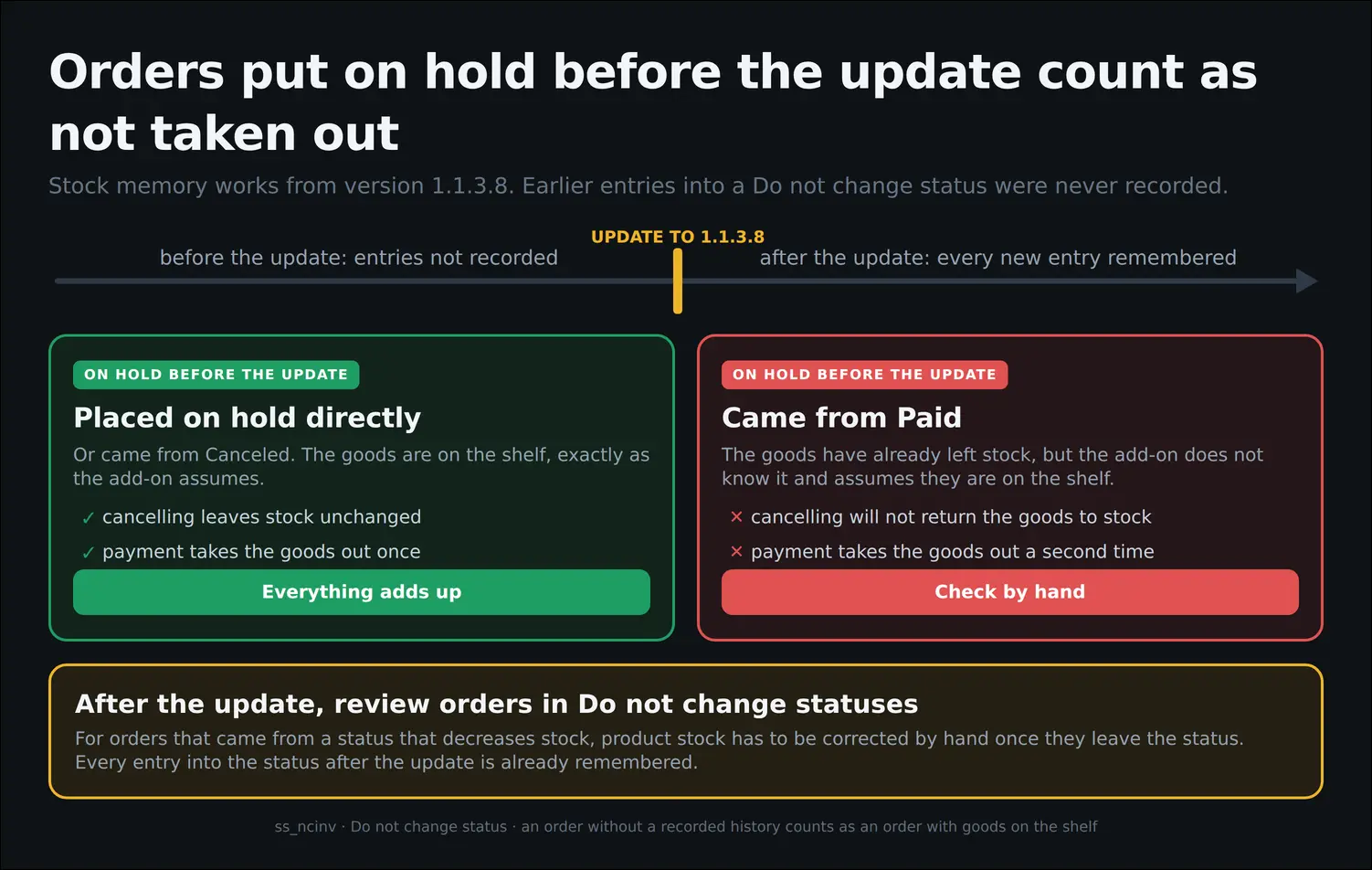
Screenshot 2
The add-on handles shortages with the same care. When an order on hold moves to the Paid status and one of its products is short, no part of the order leaves stock. The add-on puts back the items it had already taken out, moves the order to Backordered and shows a low stock warning with the name of the missing product. Stock stays untouched, and the team knows at once what ran out, exactly as with regular orders in CS-Cart:
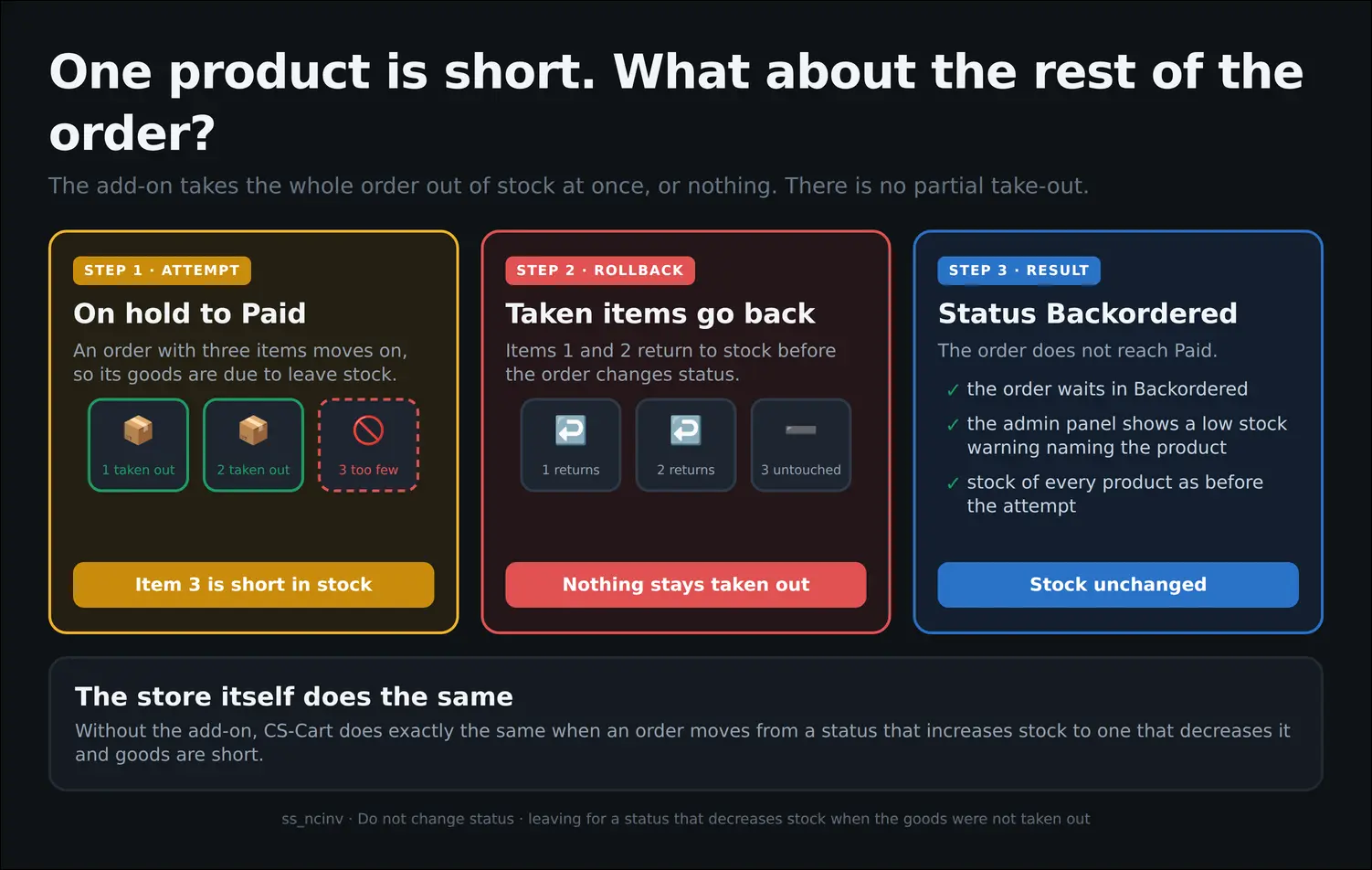
Screenshot 3
All configuration happens in the order status editor, under Administration, Statuses. The Inventory field, which in CS-Cart knows only Increase and Decrease, receives a third variant, Do not change. You can assign it to one of the existing statuses or create a new one, such as On hold, and set it with a single choice from the list, with no programming and no extra settings:
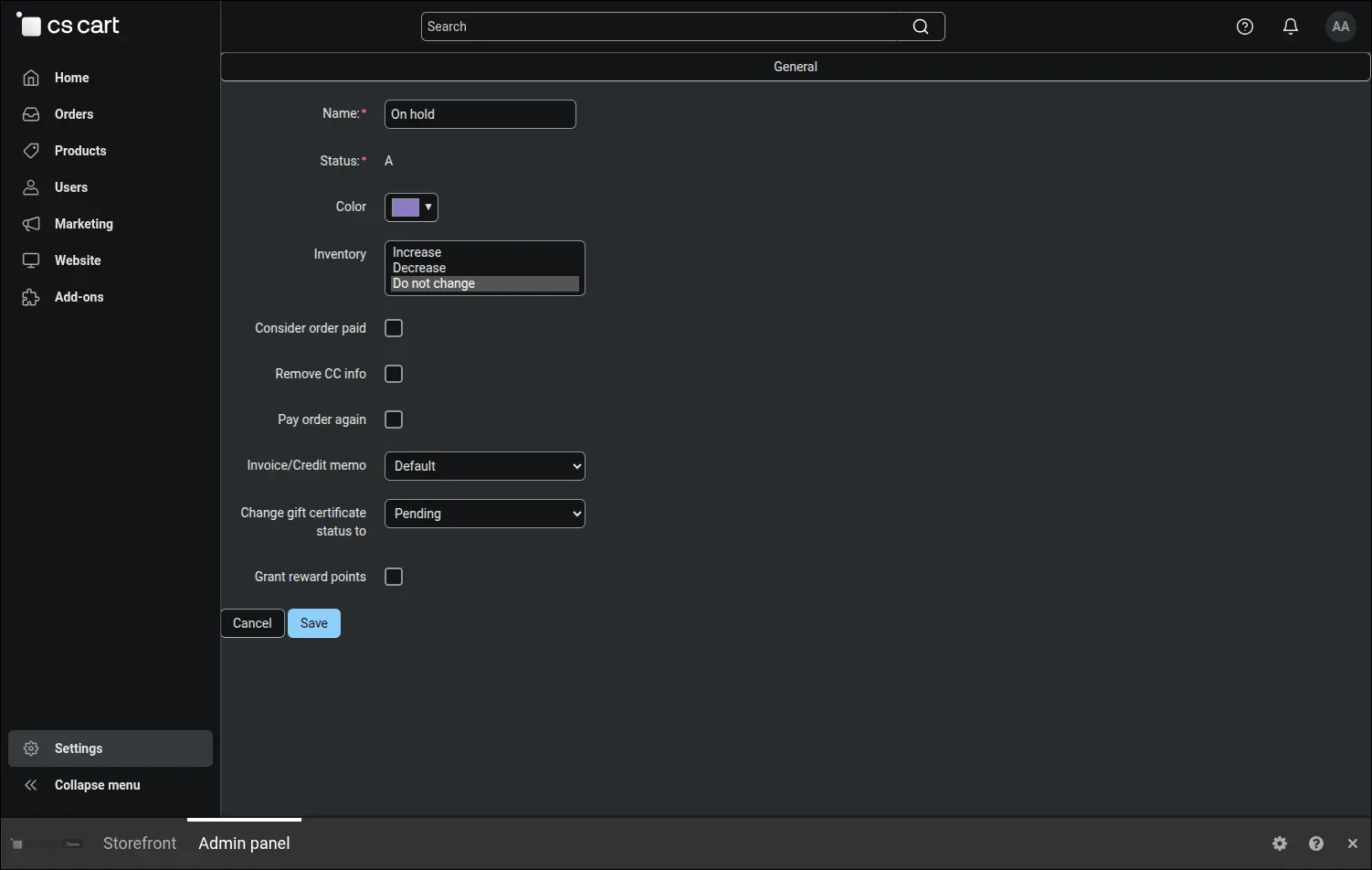
Screenshot 4
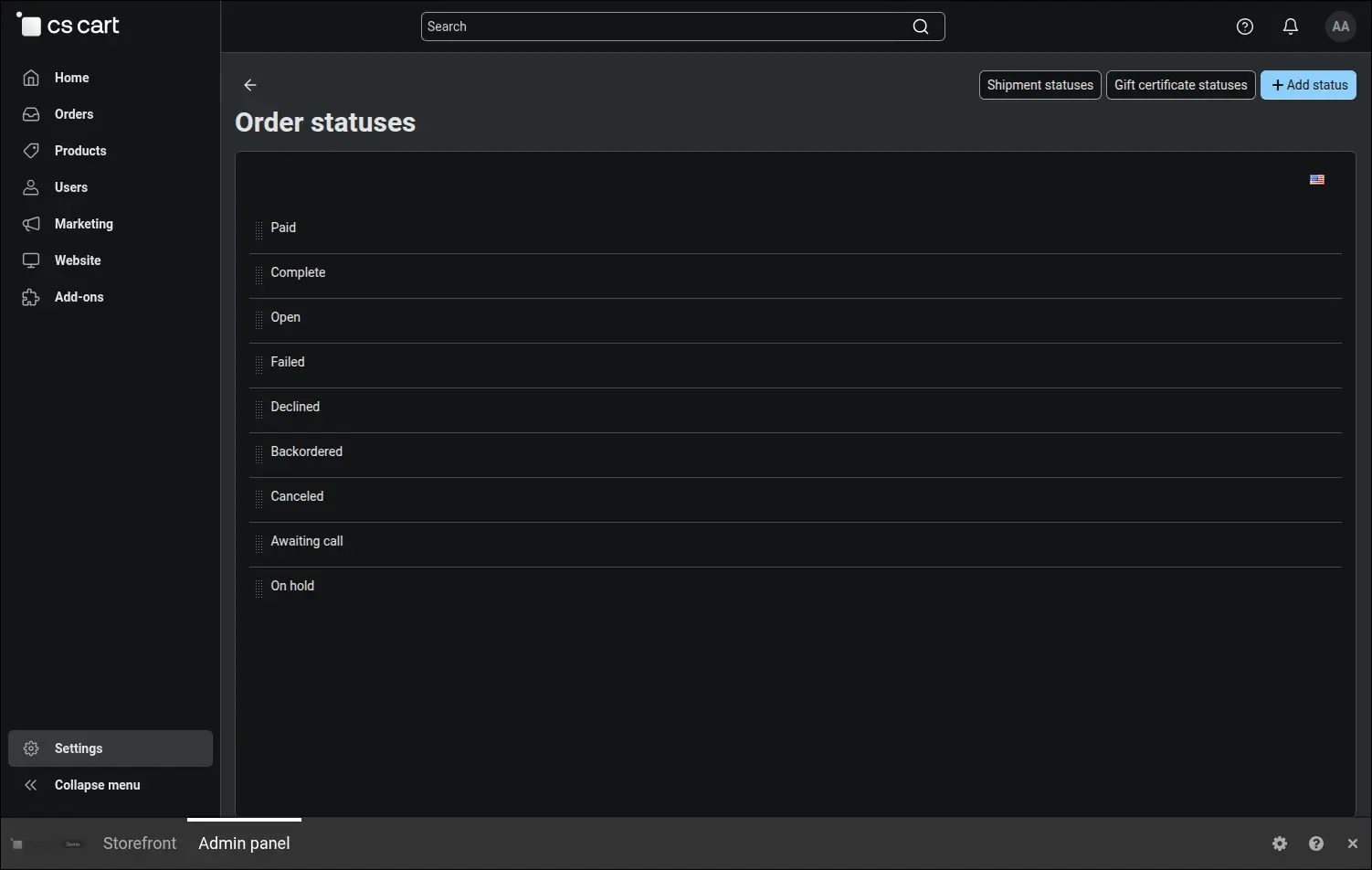
The new status takes its place in the list of order statuses next to Paid, Open and Canceled, and behaves just like them. It has its own name and colour, it can send notifications, and the team selects it on an order in the usual way. The only difference is that entering it leaves stock alone:
Screenshot 5
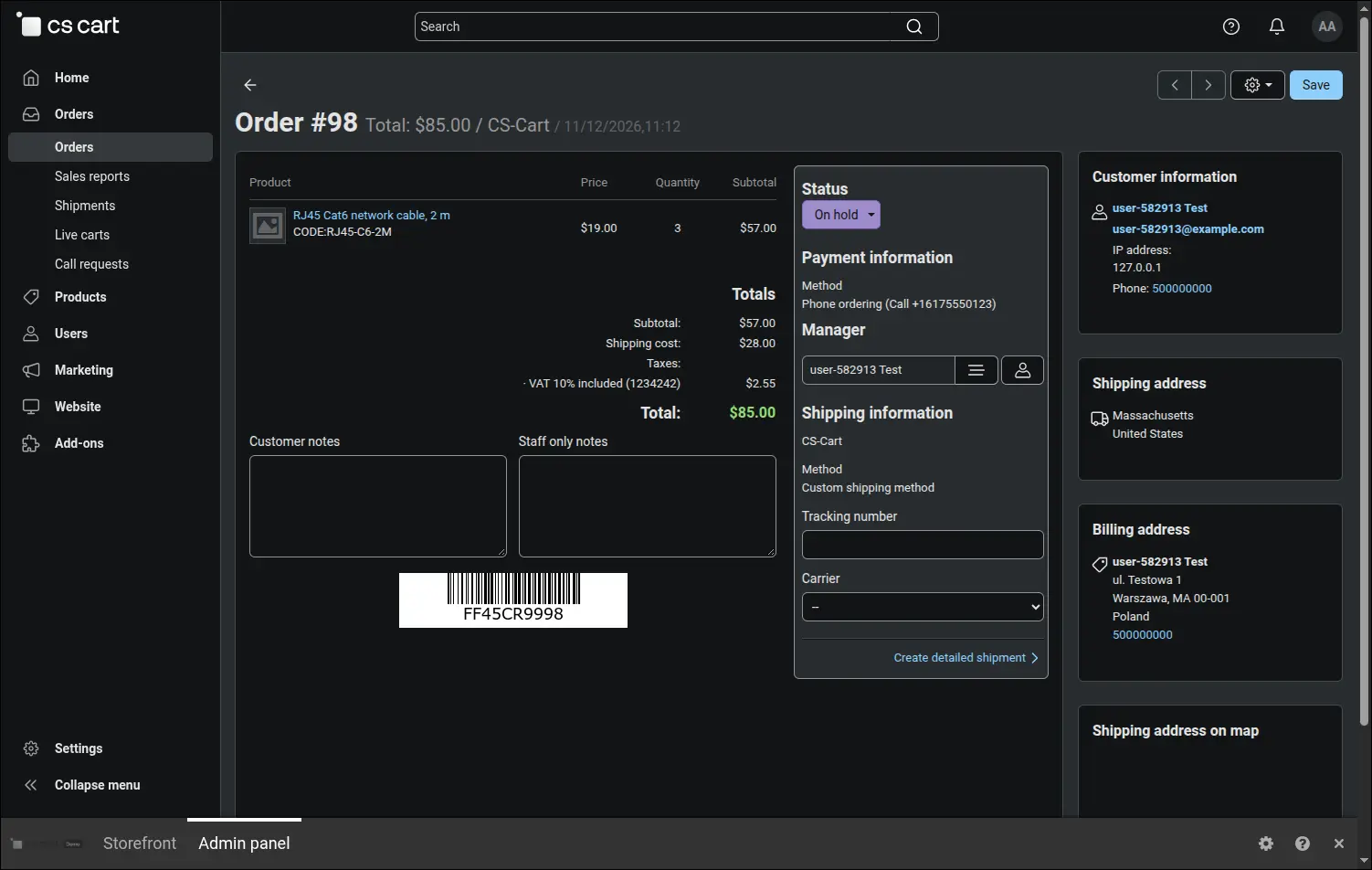
In everyday work it looks like this: an order for three network cables needs clarification, so the team moves it to the On hold status. The purple label in the order details tells every colleague at a glance that the matter is waiting for a decision, while the warehouse stays untouched:
Screenshot 6
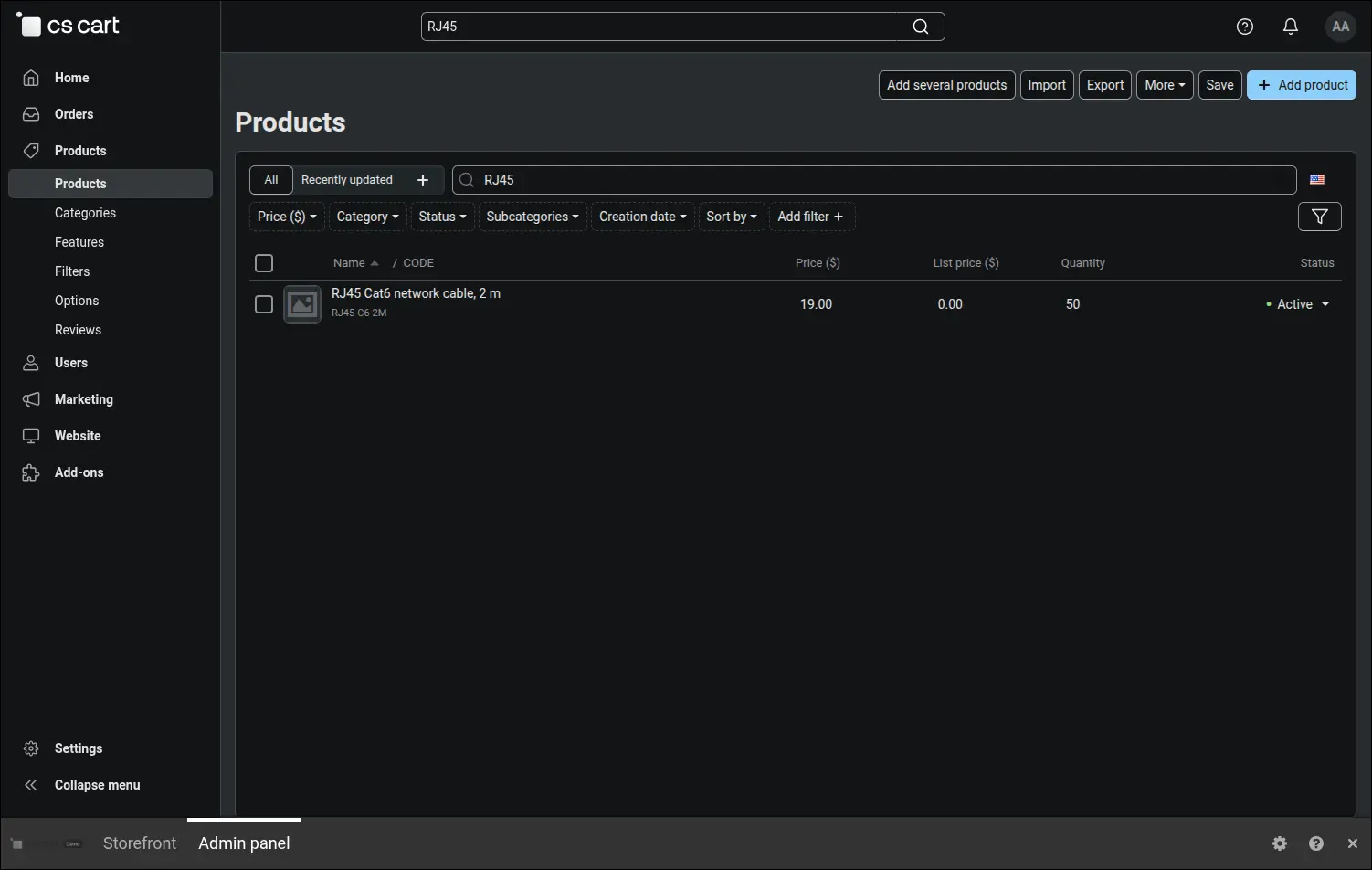
The product list confirms that the hold changed nothing. With the order for three units on hold, the cable stock is still 50, the same as before the order entered the On hold status. The goods remain on offer, and nobody has to correct the quantity by hand later:
Screenshot 7
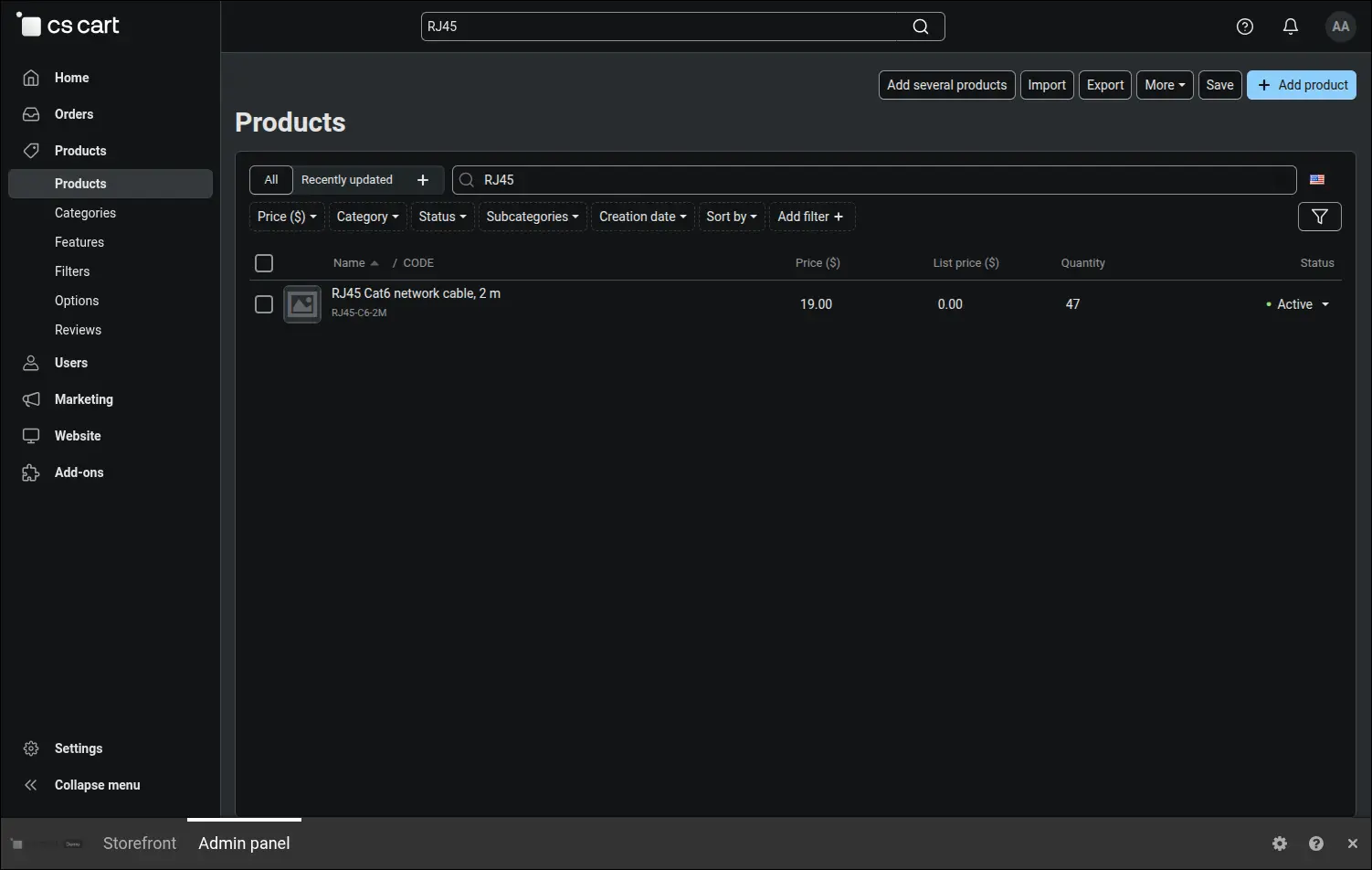
Once the matter is settled, the team moves the order to the Paid status. The add-on reads from its memory that the goods of this order have not been taken out yet, and only now does it take them out of stock, by exactly the three units ordered, so stock drops to 47. If the same order went back on hold and was paid again, stock would not change by a single unit. Moving it to a status that increases inventory, such as Canceled, would instead return the goods to stock, because they really did leave it:
Screenshot 8
The Do not change inventory add-on adds no screens of its own and does not change the way orders are handled. It extends a mechanism the store already knows and works with inventory tracking enabled. Do not change statuses are also treated as paid, so orders on hold do not drop out of customer statistics. The team can hold, confirm, cancel and correct orders in whatever order the situation calls for, and product stock still matches what is really in the warehouse.
Feel free to contact us and purchase the add-on!
Choose the most convenient form of payment for the add-on. You can pay once and use the add-on. Choosing a subscription payment (monthly or annual) means that you pay for the add-on at regular intervals and have access to the latest versions of the addon and technical support.