


Display history of product price changes (Omnibus directive)


- — 12 months guarantee for all our add-ons
- — add-ons sold to entire world
- — stable, flexible, high-quality products
- — competitive prices, attractive discounts
- — quick and competent technical support
- — installation in 24 hours
- — personalized solutions - we'll write any add-on for you
Extension for Store Builder and Multi-Vendor that keeps your store automatically compliant with the EU Omnibus Directive. The Omnibus add-on records the price history of your products every day and, on every discount, shows the customer the lowest price from the last 30 days, exactly as the law requires. The whole process runs in the background, with no daily manual work and no risk that you forget about something.
Key Features
- Automatic daily tracking of price history for every product, including active catalog promotions.
- The Omnibus price appears on the product page and on listings, but only when the product is genuinely discounted.
- A smart algorithm finds the lowest price from the last 30 days and calculates the real savings percentage on its own.
- Configurable box look: background, label and price colors, border, price strikethrough, discount badge and list visibility, all from the panel with no code.
- Instant reaction to changes: saving a product or activating a promotion updates the price history right away.
- Diagnostic panel, editable storefront texts, a ready-to-paste CRON command and full support for CS-Cart and Multi-Vendor.
This is how the add-on looks to your customer. On a discounted product page, right next to the price, a clear note shows the lowest price from the 30 days before the discount, together with the real savings percentage.
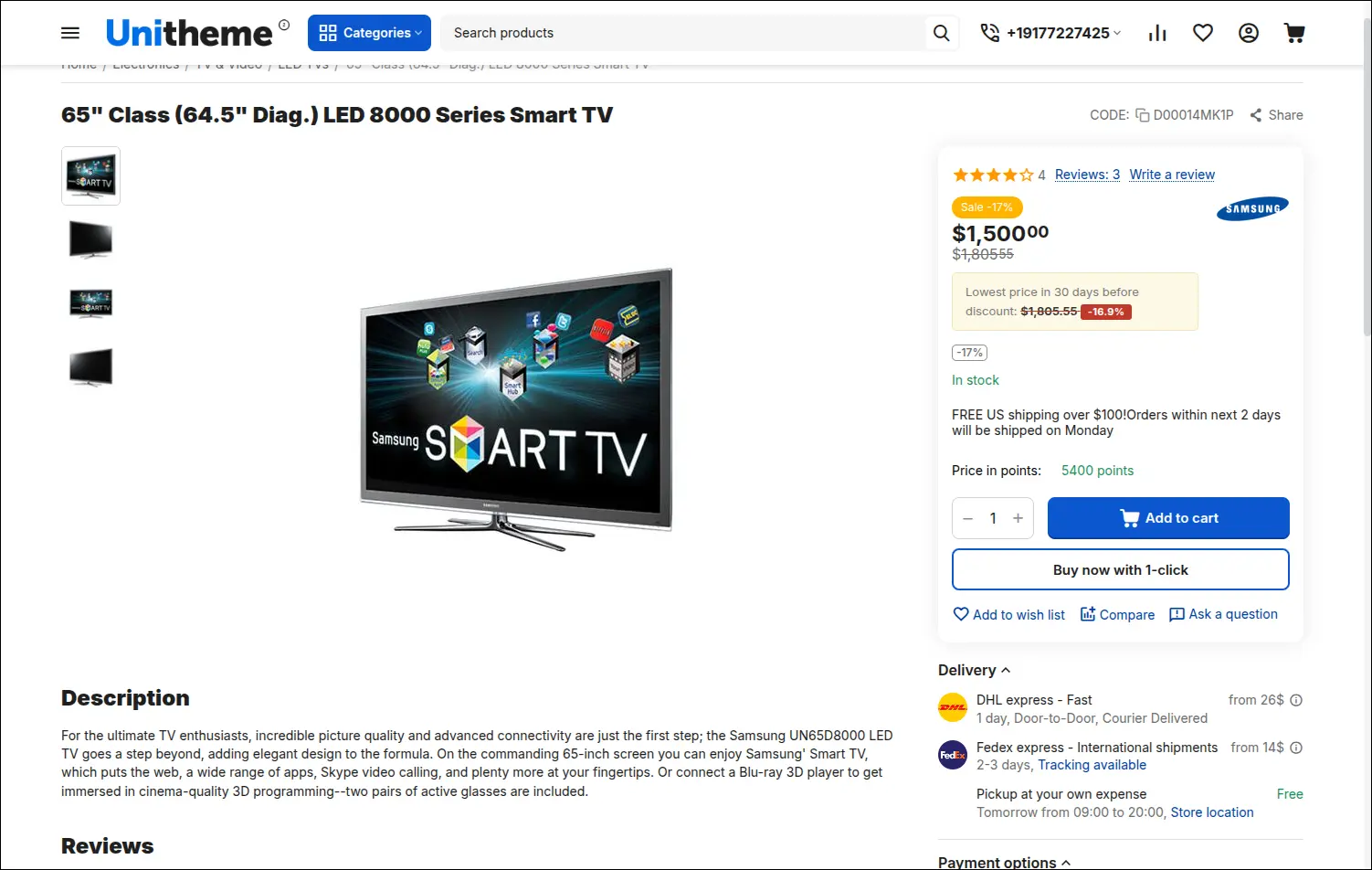
Screenshot 1 - Omnibus price on the product page during a discount
You can match the box to your store. The same Omnibus note, after changing the colors in the panel with no code, blends into the theme palette.
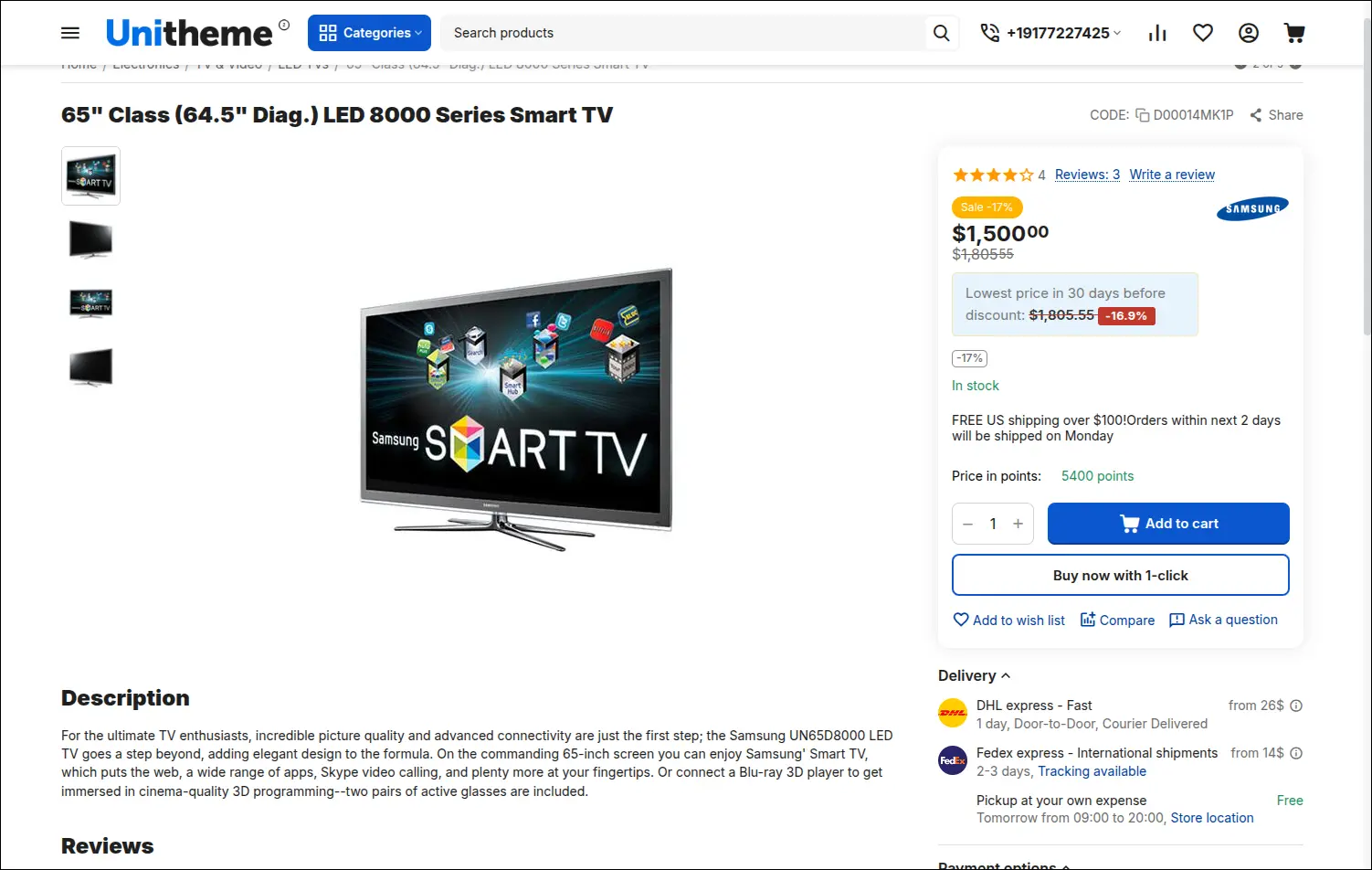
Screenshot 2 - custom Omnibus box colors matched to the theme
The lowest price from 30 days follows your products on category lists and search results too. Shoppers get trustworthy information even before they open the product page.
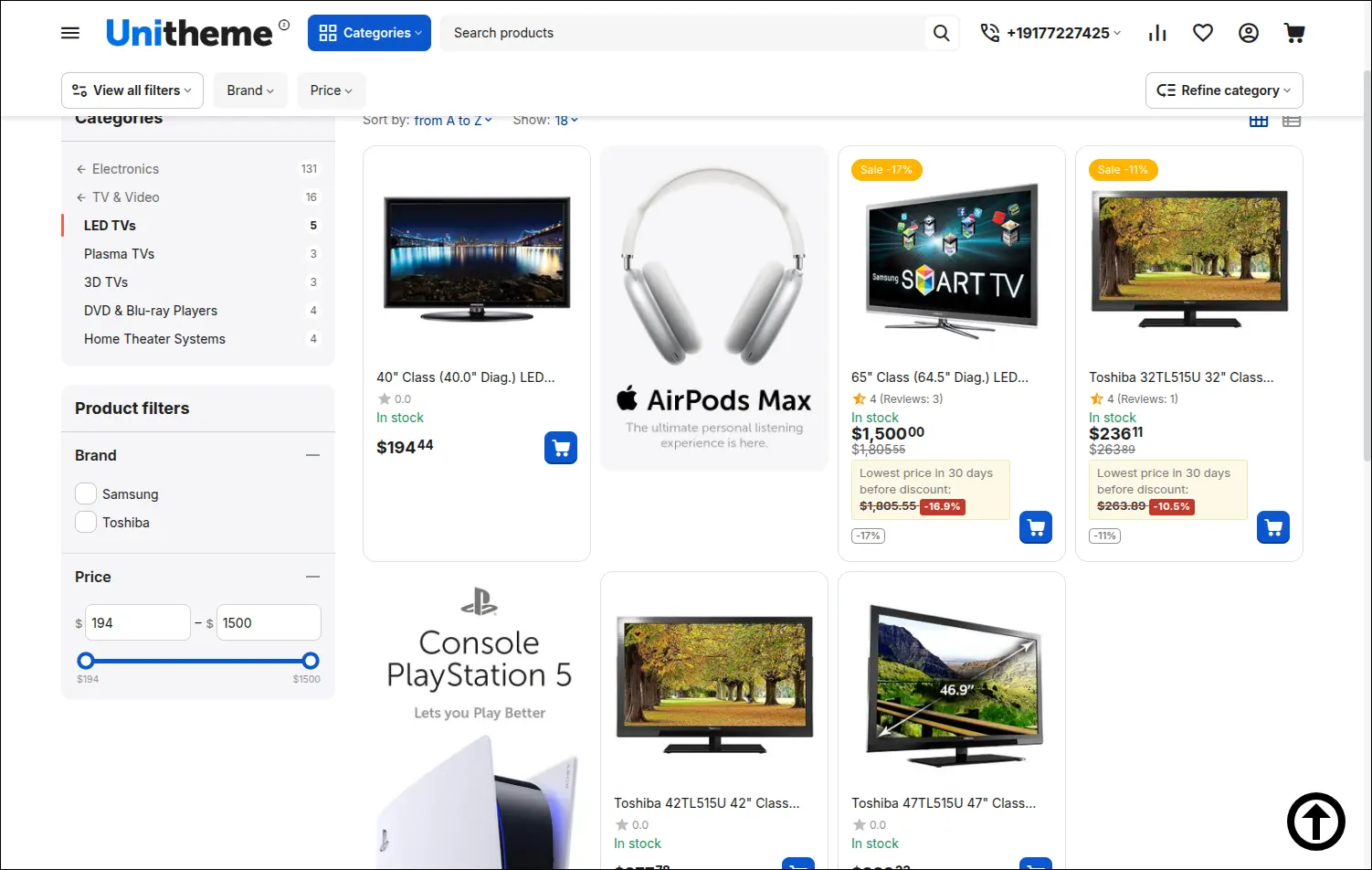
Screenshot 3 - Omnibus price on product listings
When a product is not on sale, the add-on stays completely out of the way. The page looks standard, with no extra notes, so the Omnibus message shows up only where it actually makes sense.
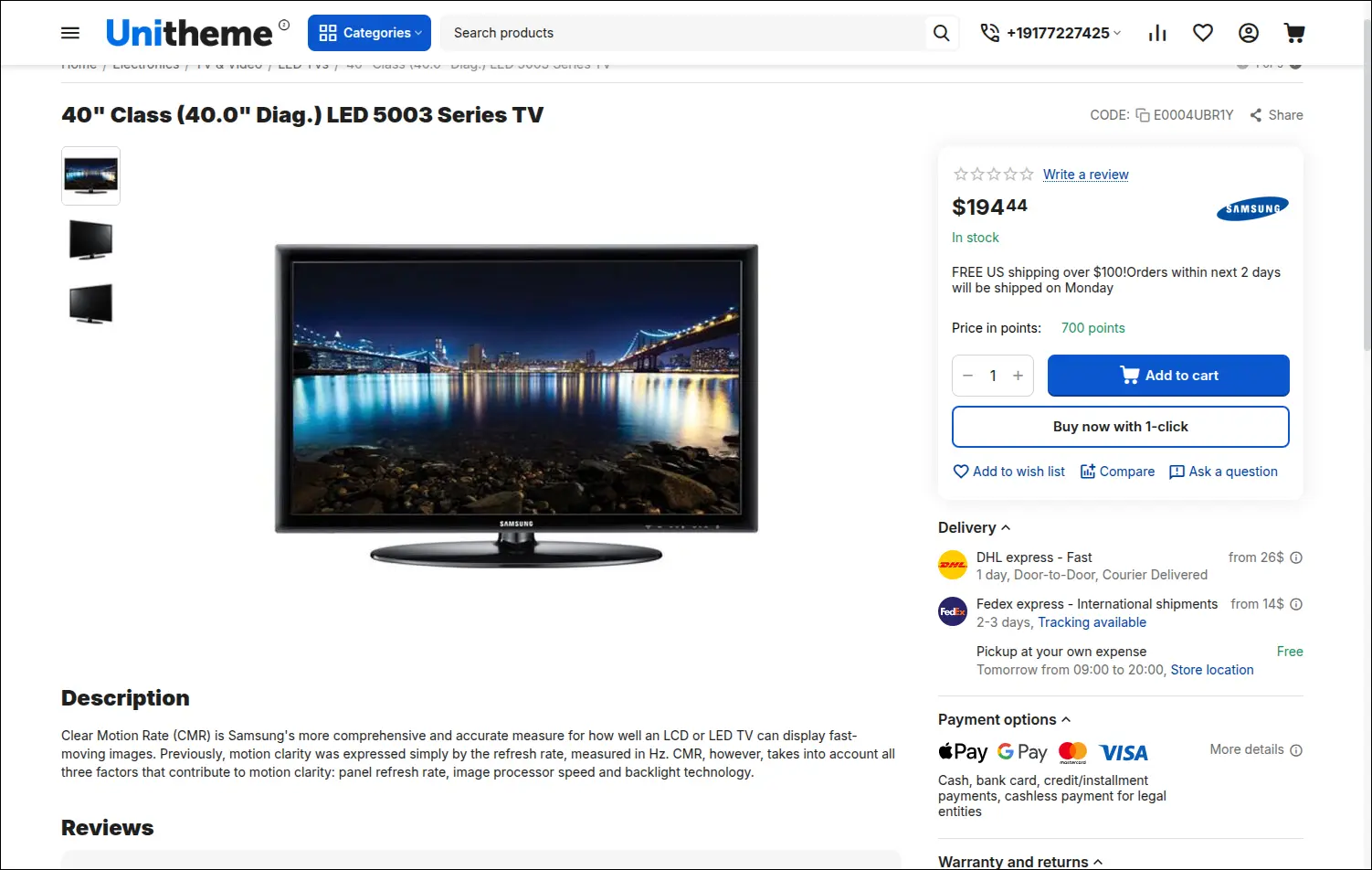
Screenshot 4 - a product without a discount, the Omnibus section stays hidden
In the add-on settings you set how many days are taken into account (30 by default), jump to editing the storefront texts, and copy a ready CRON command to paste into the server schedule.
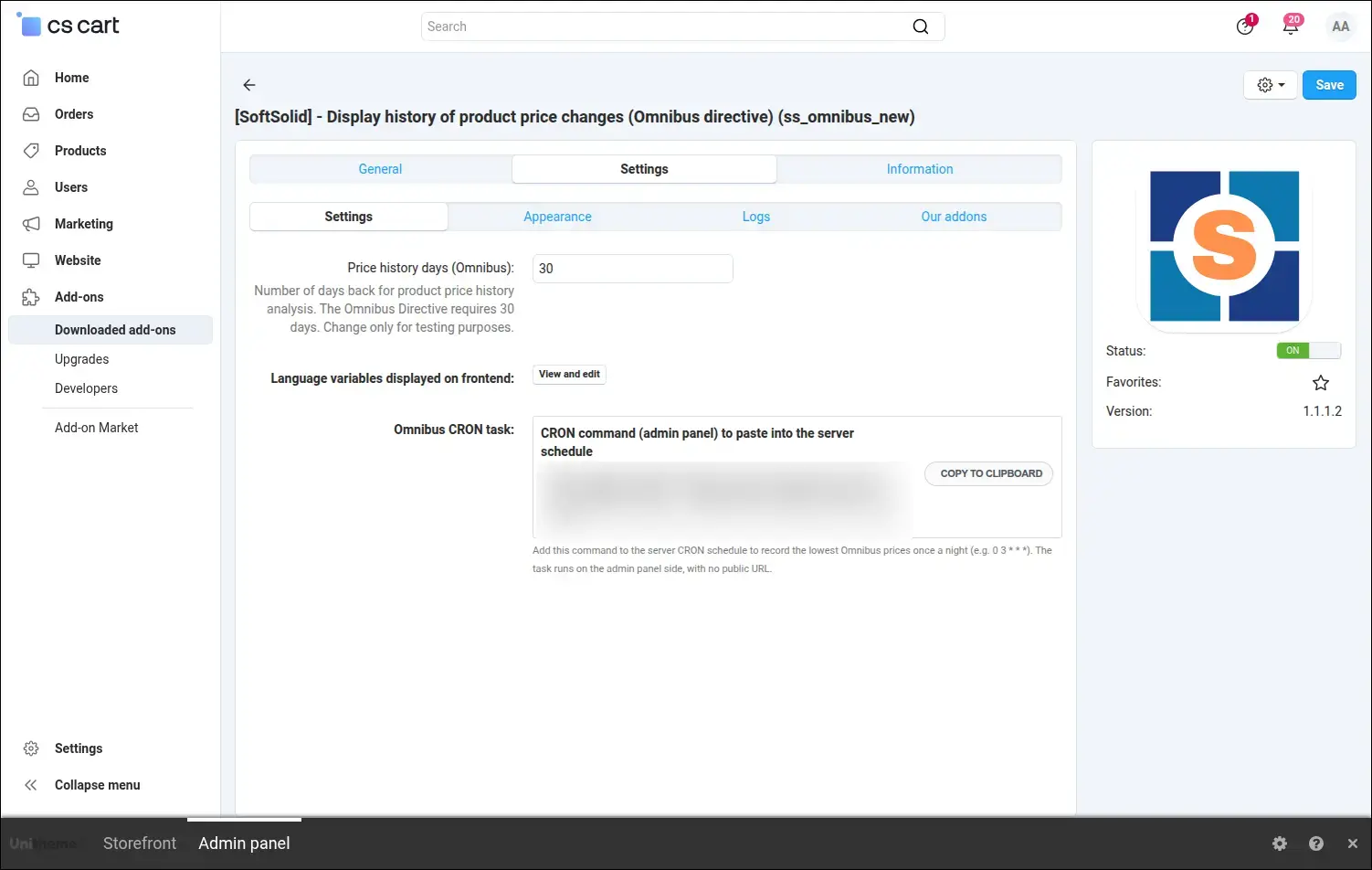
Screenshot 5 - add-on settings and the ready CRON command
The Appearance tab gives you full control over the box colors and typography: background color (transparent too), a separate color for the label and for the Omnibus price, plus font size. You can match the box to your theme palette without touching code.
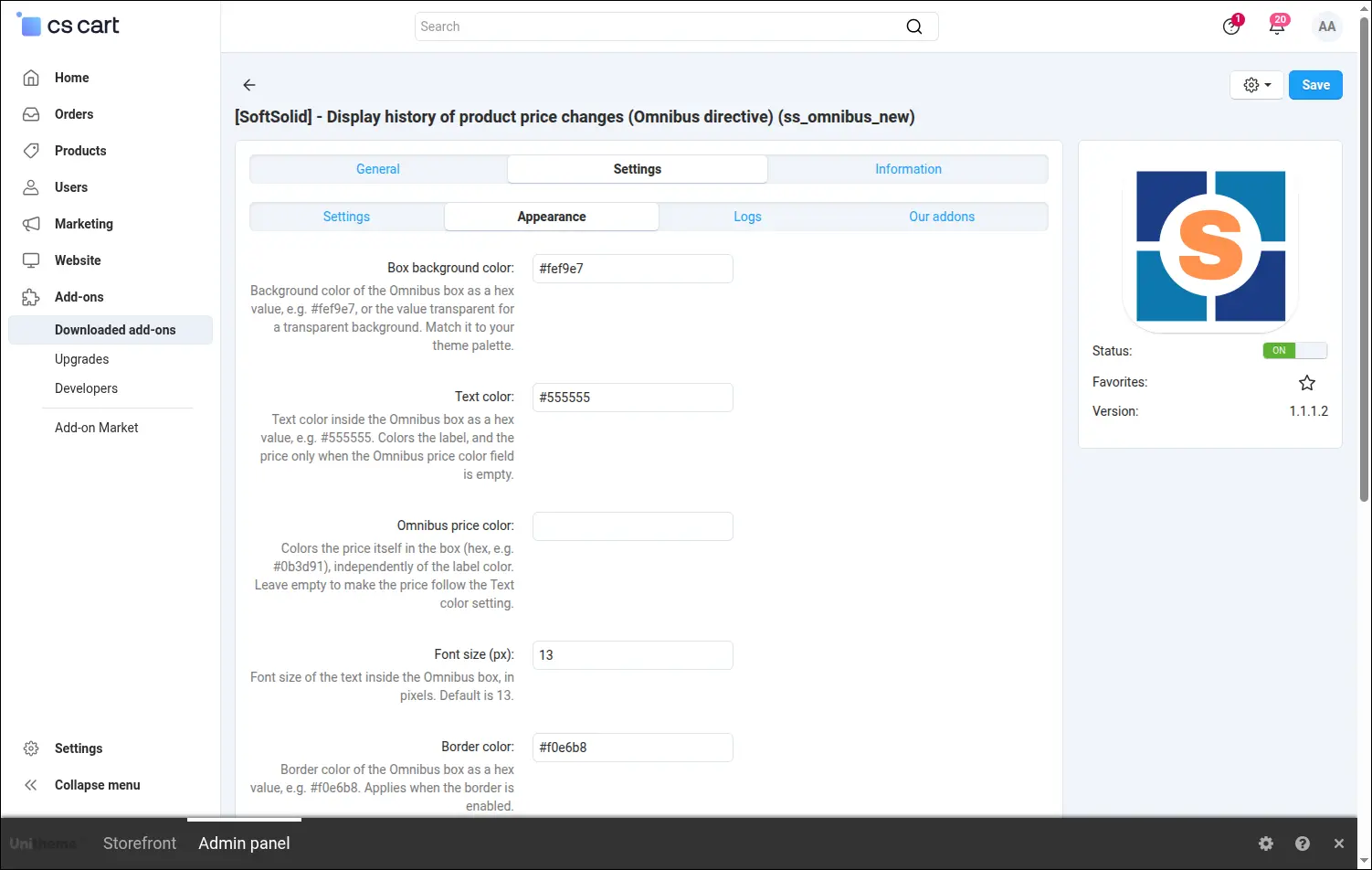
Screenshot 6 - Omnibus box appearance: colors and font size
In the same tab you turn the border on or off and set its color, the Omnibus price strikethrough, a help icon with a tooltip, the red discount percentage badge and whether the box appears on product lists.
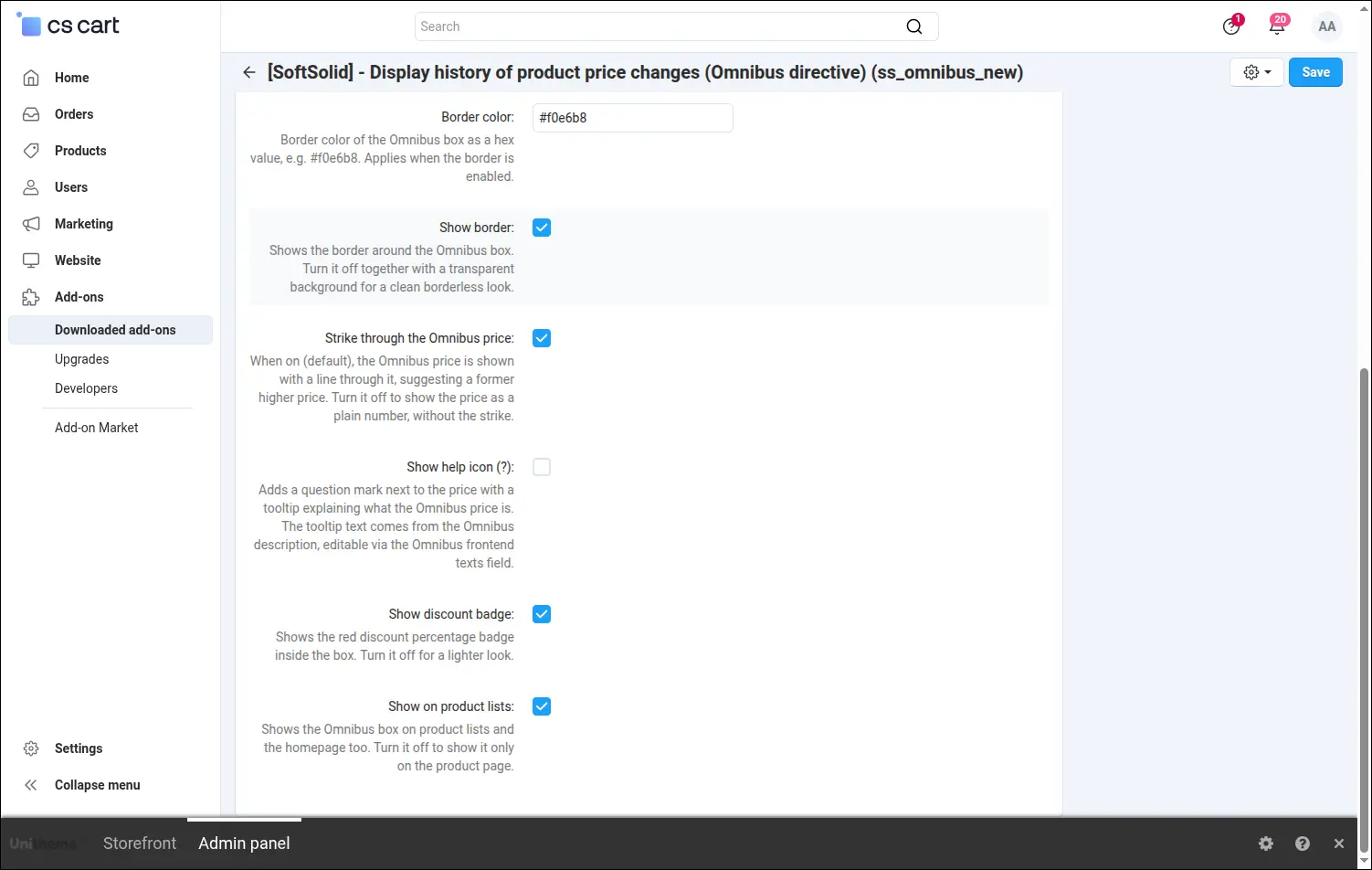
Screenshot 7 - Omnibus box appearance: border, strikethrough, badge and lists
The logs tab lets you turn on event logging and choose the entry format. A handy tool when you want to trace how prices are collected and whether the CRON job runs correctly.
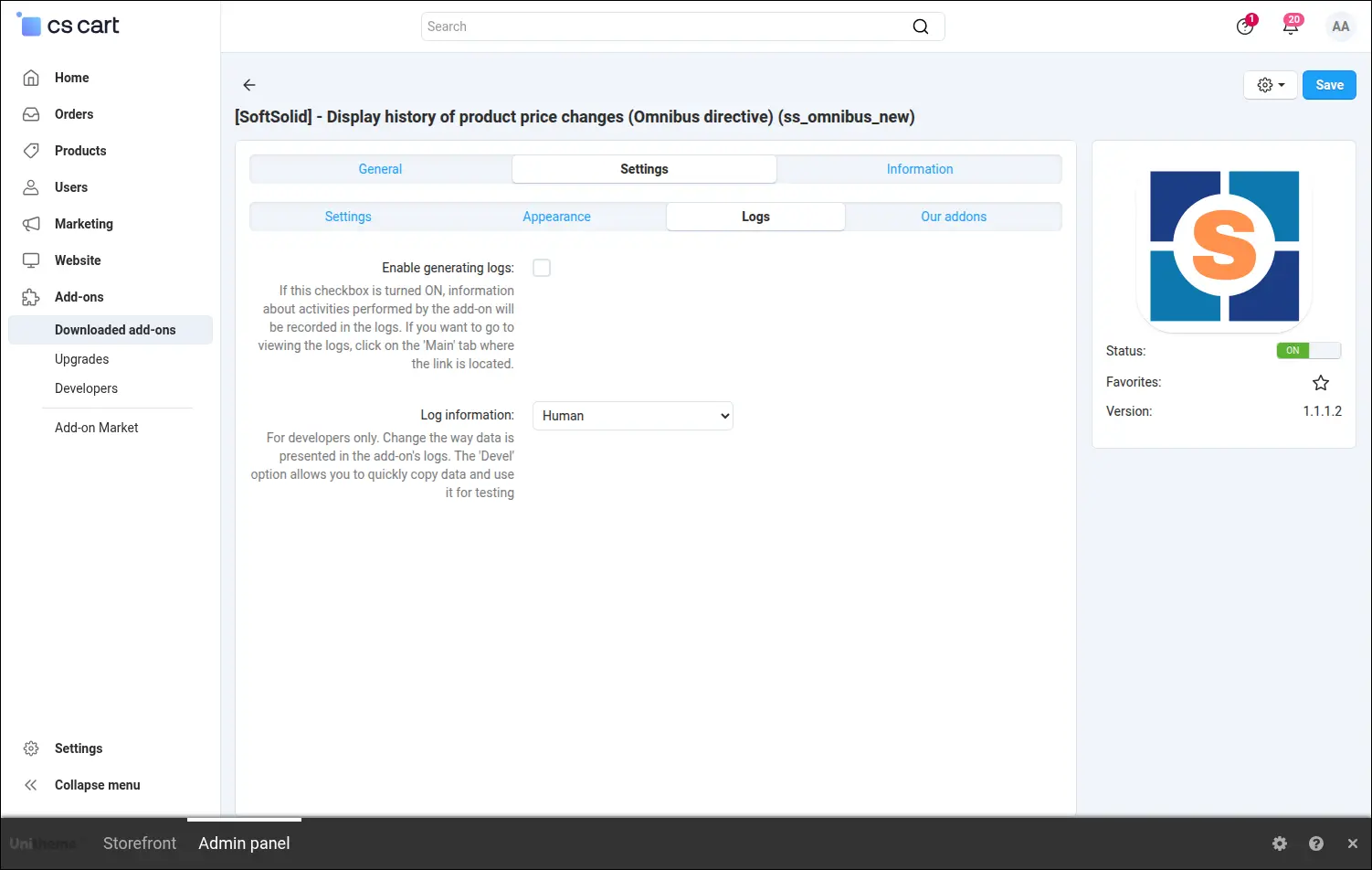
Screenshot 8 - enabling logs and choosing the log mode
The diagnostic panel shows at a glance whether everything is in place: whether the price history table exists, how many entries are already collected, and whether the add-on's key classes and hooks are active.
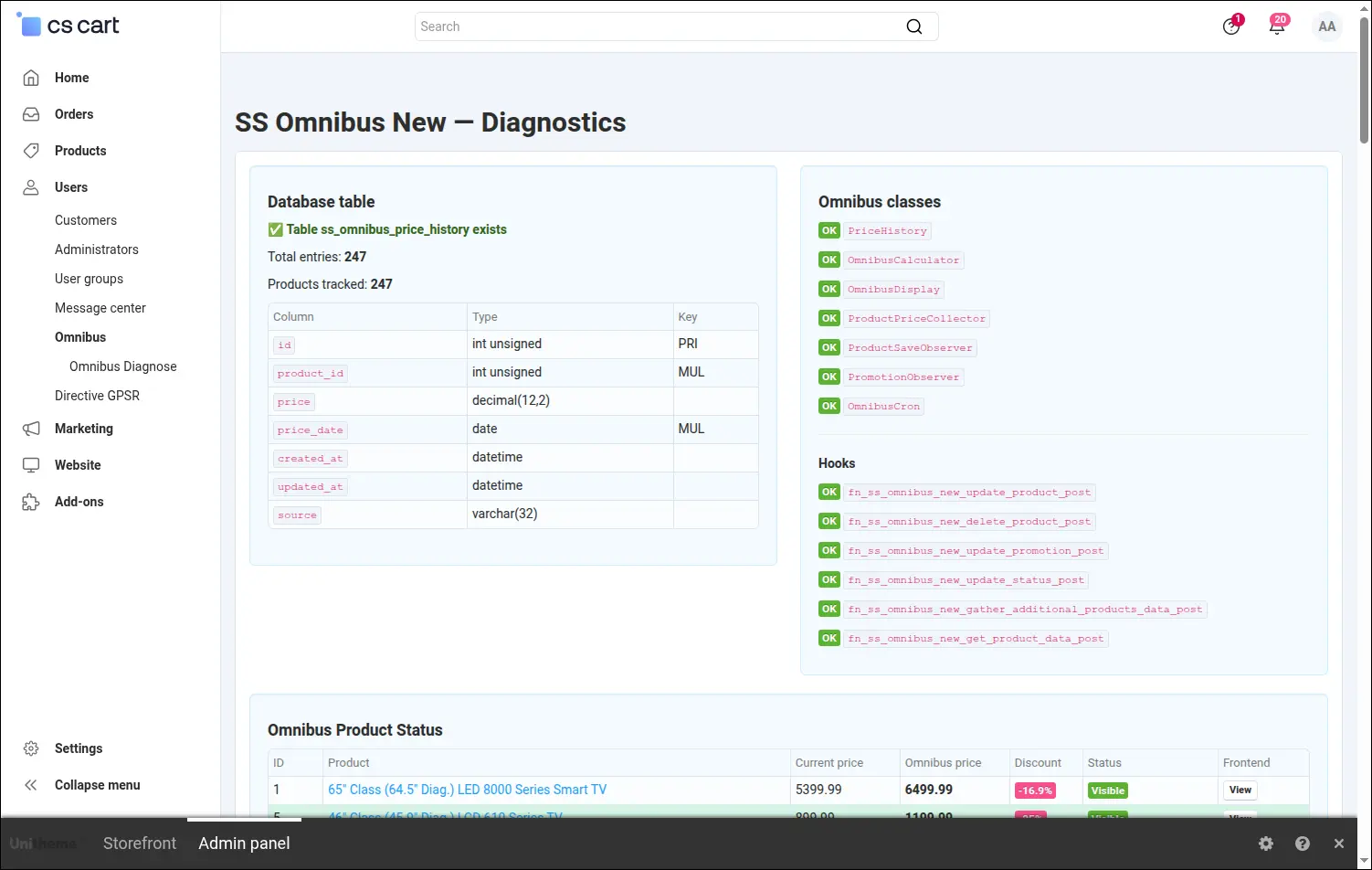
Screenshot 9 - diagnostic panel, installation and data status
A summary of products shows the calculated Omnibus price, the current price, the discount percentage and whether the note will be visible on the storefront. Perfect for a quick review of the whole catalog.
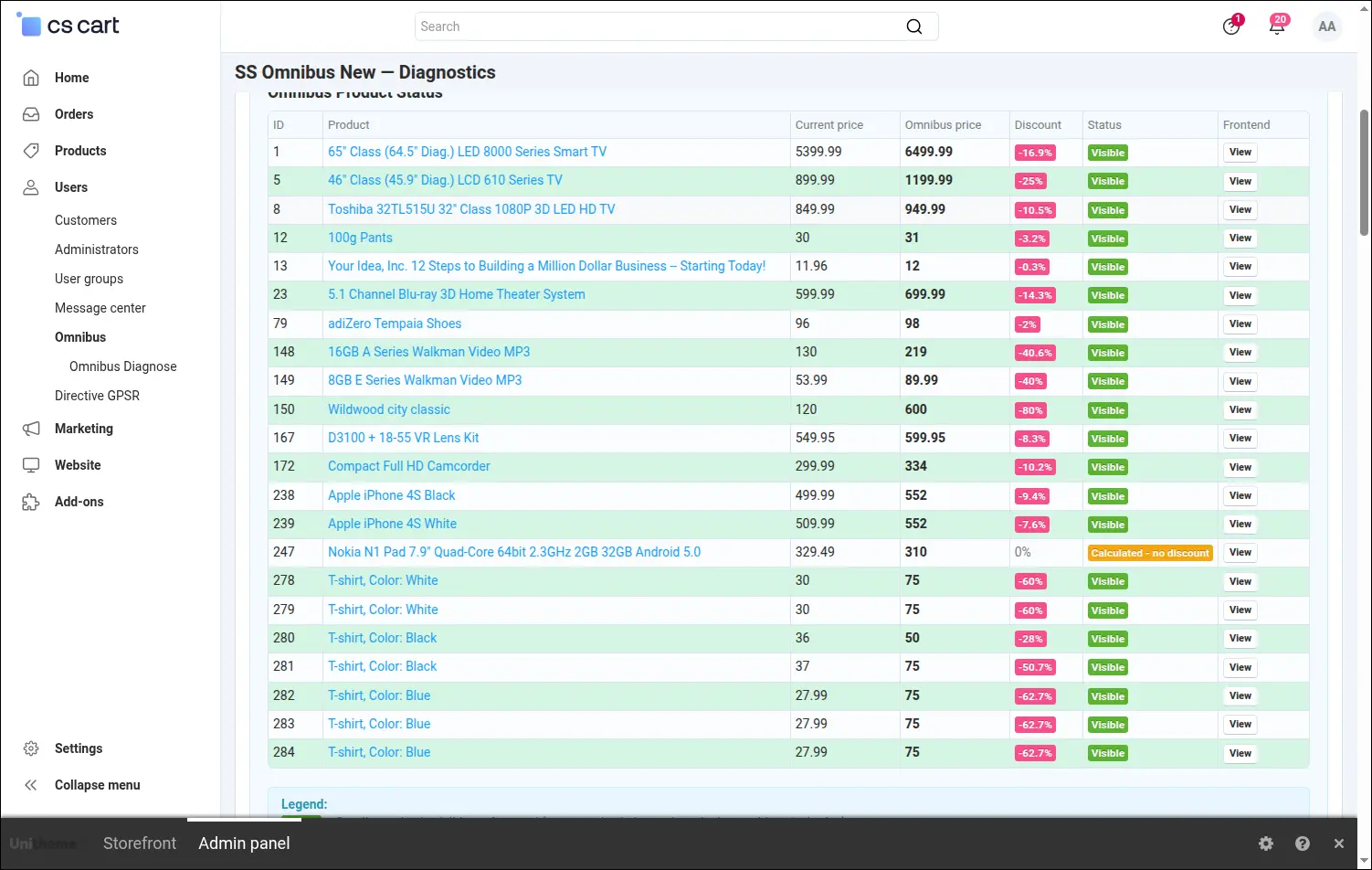
Screenshot 10 - Omnibus price overview for products
For a chosen product you see the full calculation result along with a preview of what the customer will see. Next to it are manual actions: initial run, seeding test data, a manual CRON run or clearing the history.
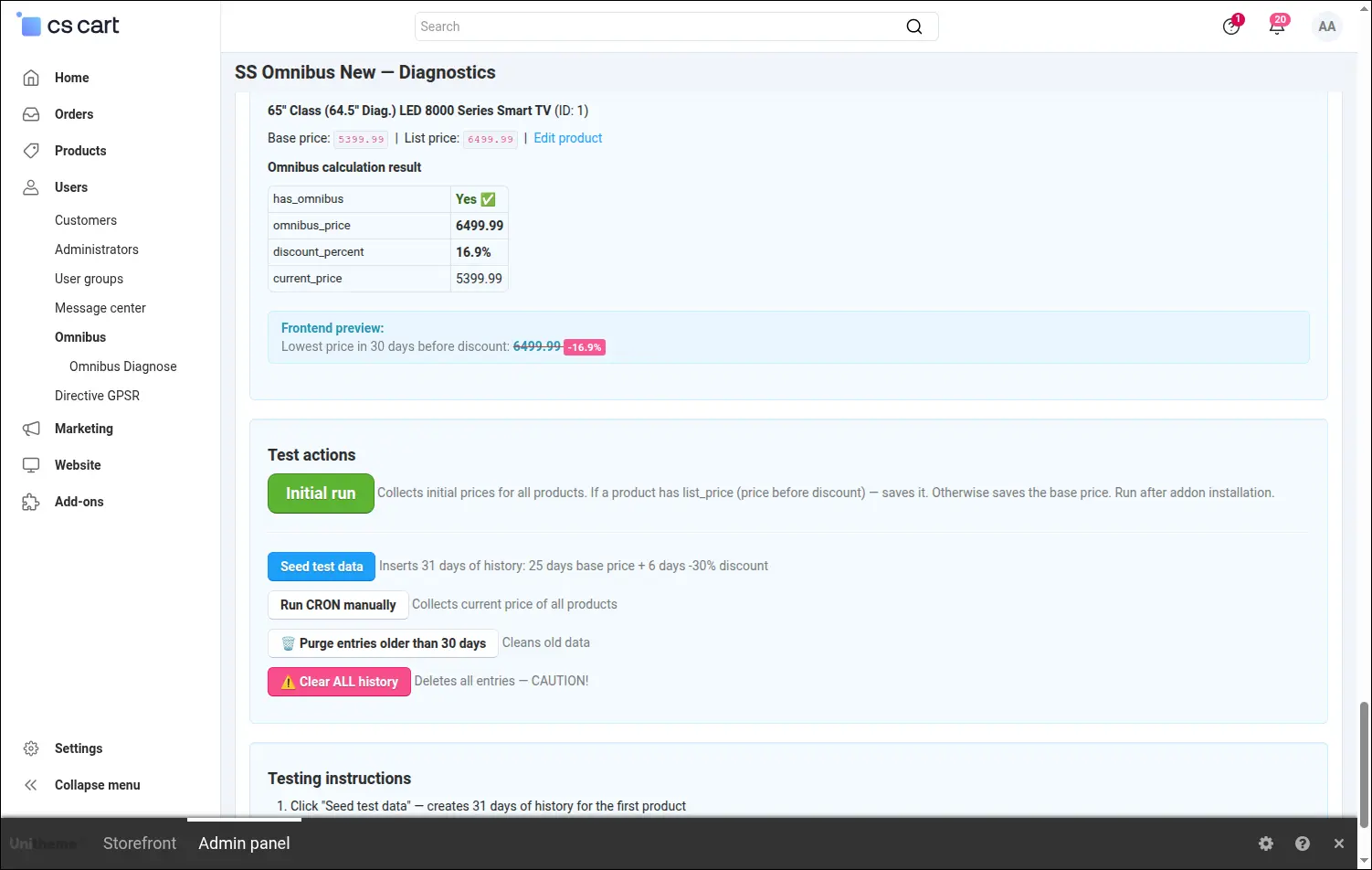
Screenshot 11 - product test and manual actions
Every text shown on the storefront is fully editable. In one place you adapt the lowest-price label, the directive-compliant description or the words You save to the language and tone of your store.
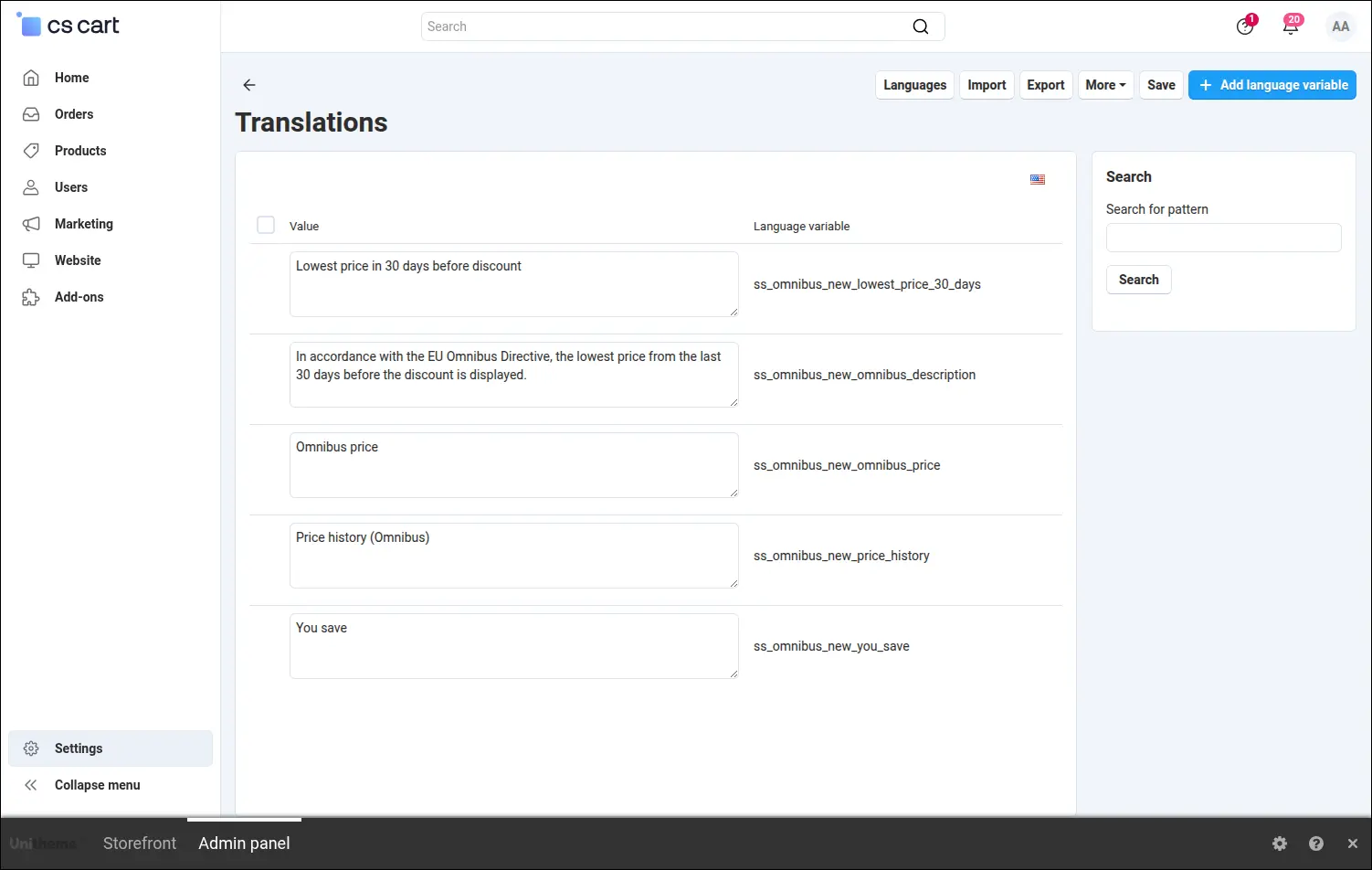
Screenshot 12 - editing the Omnibus texts visible to customers
The Omnibus add-on takes the burden of manual price watching off your shoulders and protects your store from the consequences of non-compliance with the Omnibus Directive. Prices are collected automatically, and your customer always sees accurate, lawful information about the lowest price before the discount.
Feel free to contact us and purchase the add-on!
Choose the most convenient form of payment for the add-on. You can pay once and use the add-on. Choosing a subscription payment (monthly or annual) means that you pay for the add-on at regular intervals and have access to the latest versions of the addon and technical support.
- Store Bulider
- Multi-Vendor
- 4.21.x
- 4.20.x
- 4.18.x
- 4.17.x
- 4.16.x
- 4.15.x
- 4.14.x
- 4.13.x
- 4.12.x
- 4.11.x
- 4.10.x
- 4.9.x
- 4.8.x
- 4.7.x
- 4.6.x
- 4.5.x
- 4.4.x
- 4.3.x
- 4.2.x
- 4.1.x
- 4.0.x
- No changes
No reviews found