


Product/advertisement/vendor payment - pay monthly (subscription)


- — 12 months guarantee for all our add-ons
- — add-ons sold to entire world
- — stable, flexible, high-quality products
- — competitive prices, attractive discounts
- — quick and competent technical support
- — installation in 24 hours
- — personalized solutions - we'll write any add-on for you
An extension for Multi-Vendor that brings to the marketplace the model known from classified ad portals: the vendor pays for the time their offer stays visible in the store. Sales commission is not always enough, and on a classifieds site there is often none at all, so the operator needs another source of revenue. Our add-on gives them a price list of publication plans and banner plans, which the vendor sees as tiles on their own product page. The vendor pays for the chosen plan with a balance refill at the store checkout or, when the operator allows it, straight from the balance. The product goes live only once the payment is settled, the fee stays with the operator as revenue, and a CRON job takes care of deadlines, reminders and renewals.
See how it works
Key Features
- A price list for publishing products and ads: plans with a number of days, price and priority, including plans offered to selected vendors only.
- Plan tiles on the vendor's product page, paid at the store checkout or with a single click from the balance.
- The price always taken from the plan stored in the database, and the fee booked in payouts as the operator's revenue.
- Unpaid and expired products cannot be activated, whether through the product form, an import, a status change from the list or a copy of the product.
- Promotion plans that place paid products at the start of chosen storefront blocks, plus the sale of banner space.
- Expiry reminders in the vendor's language, automatic renewal from the balance, and a history of renewals and banner purchases.
The most important part of the add-on happens off screen. A click on a plan tile stores the payment with the price taken from the price list, and only its number travels in the page address, so the vendor cannot lower the price or pay for a plan on someone else's product. Once the order is settled, the publication days are added to the current deadline, and the fee is booked in payouts as the operator's revenue, so it does not return to the vendor at the next settlement:
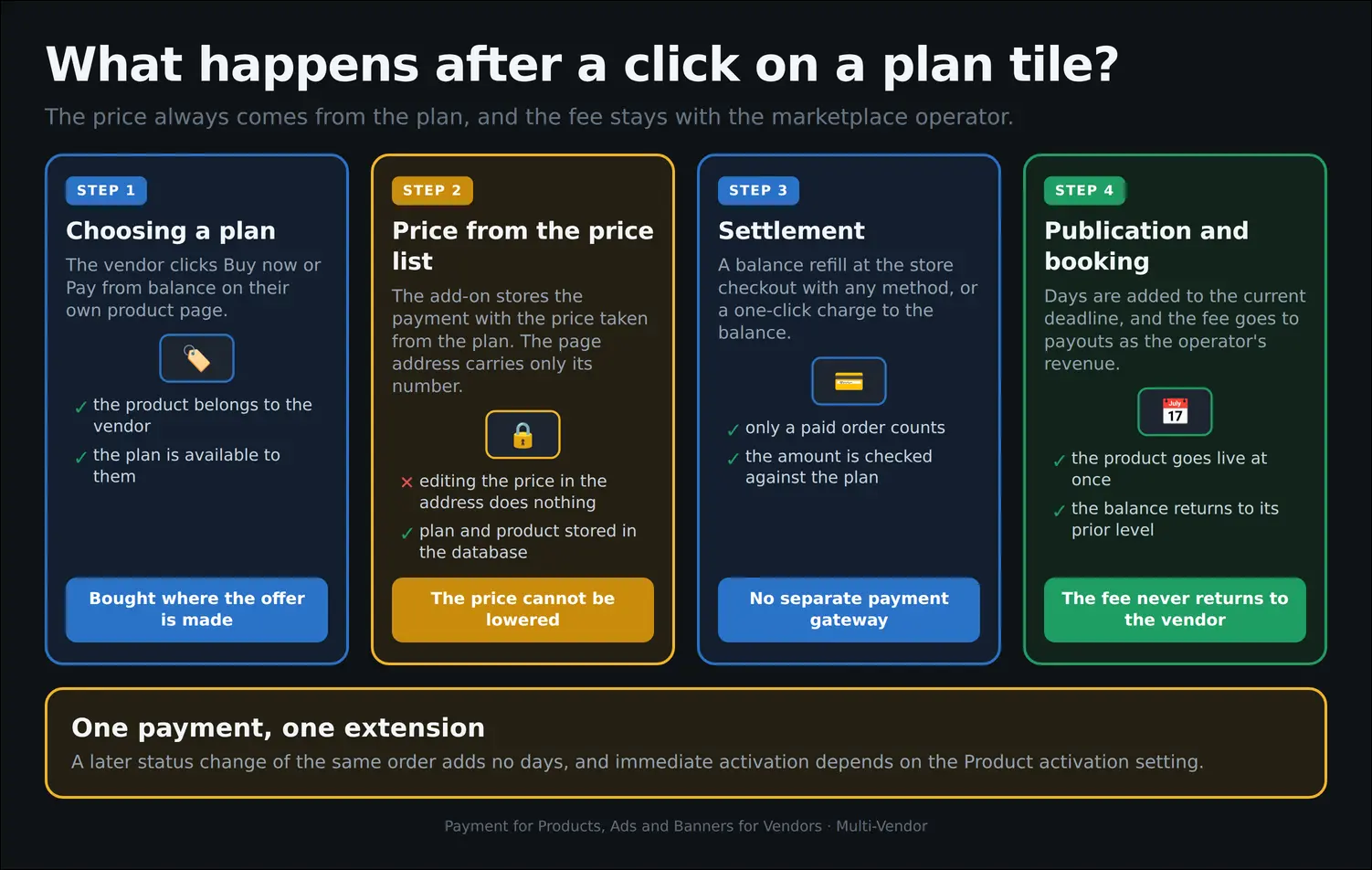
Diagram
The settings hold the decisions the operator makes once, at rollout. Here they choose the store sections whose blocks can be sold in promotion plans, decide whether a product goes live immediately after payment, and settle the fate of products added before installation: they can stay free or become subject to fees right away. This is also where balance payments and skipping approval for friendly vendors are switched on. At the bottom sits a ready CRON command that copies with one button:
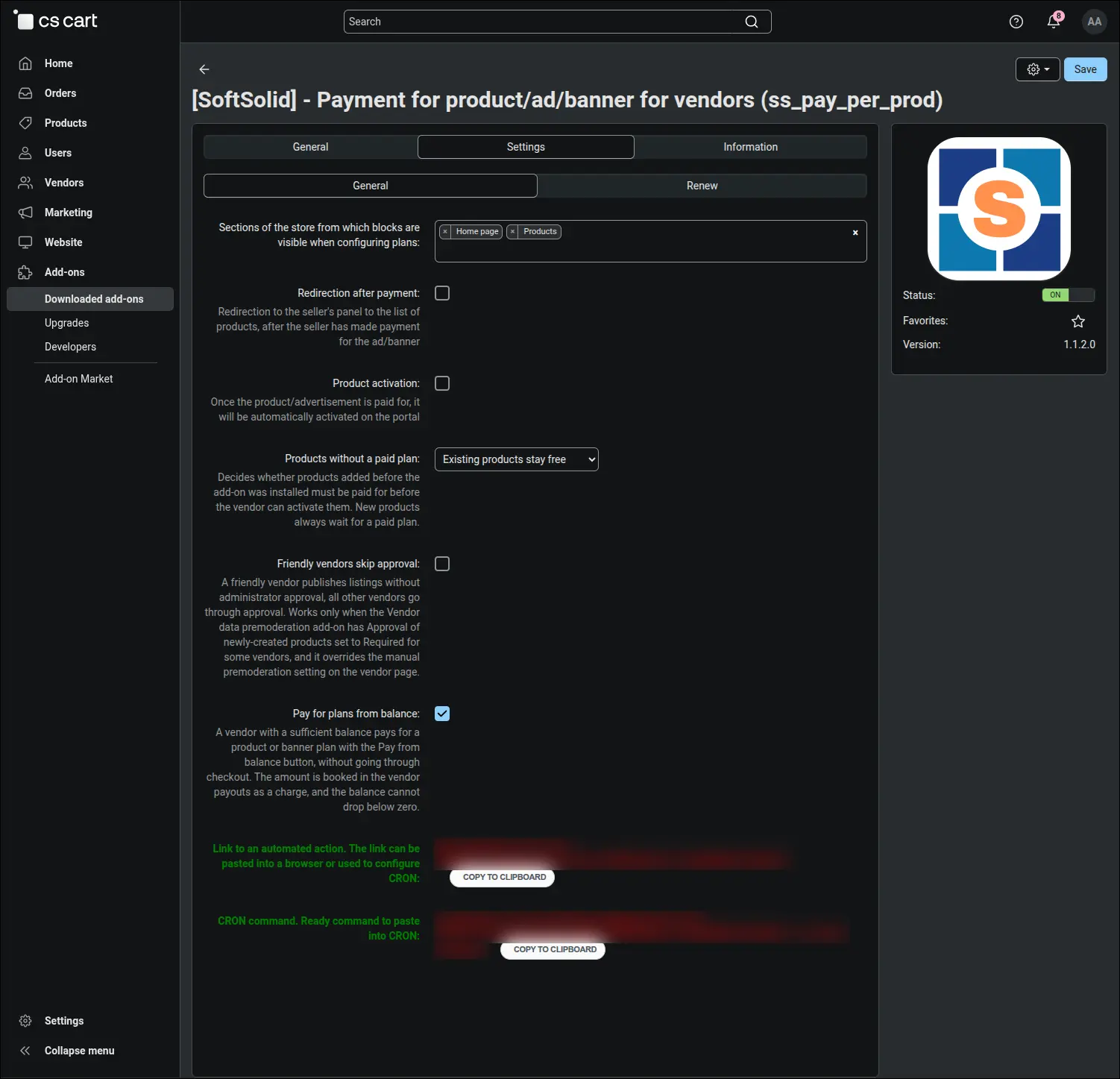
Screenshot 1
The publication price list is ready right after installation. Four sample plans, from a three-day trial to a monthly plan, come with a name, number of days, price and status, and the operator adjusts them as they see fit, without a developer. Plans of different lengths are a natural way to offer a short trial alongside a longer, better value period of visibility:
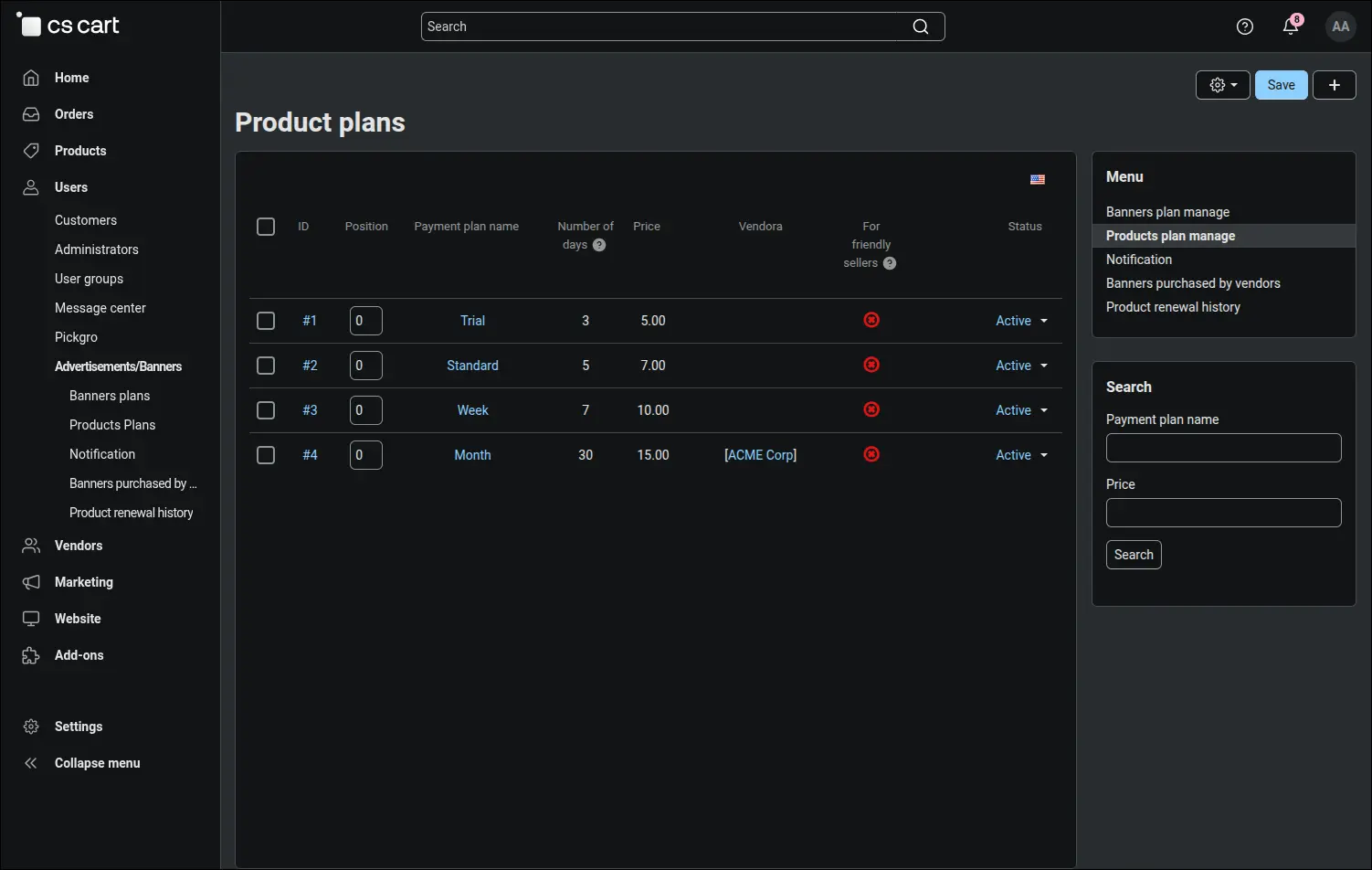
Screenshot 2
A plan can include more than publication time. In the plan form the operator ticks the storefront product blocks, for example the most popular products block on the home page, where paid products should appear. This is how higher priced promotion plans come about, and the vendor gains visibility where customers actually look:
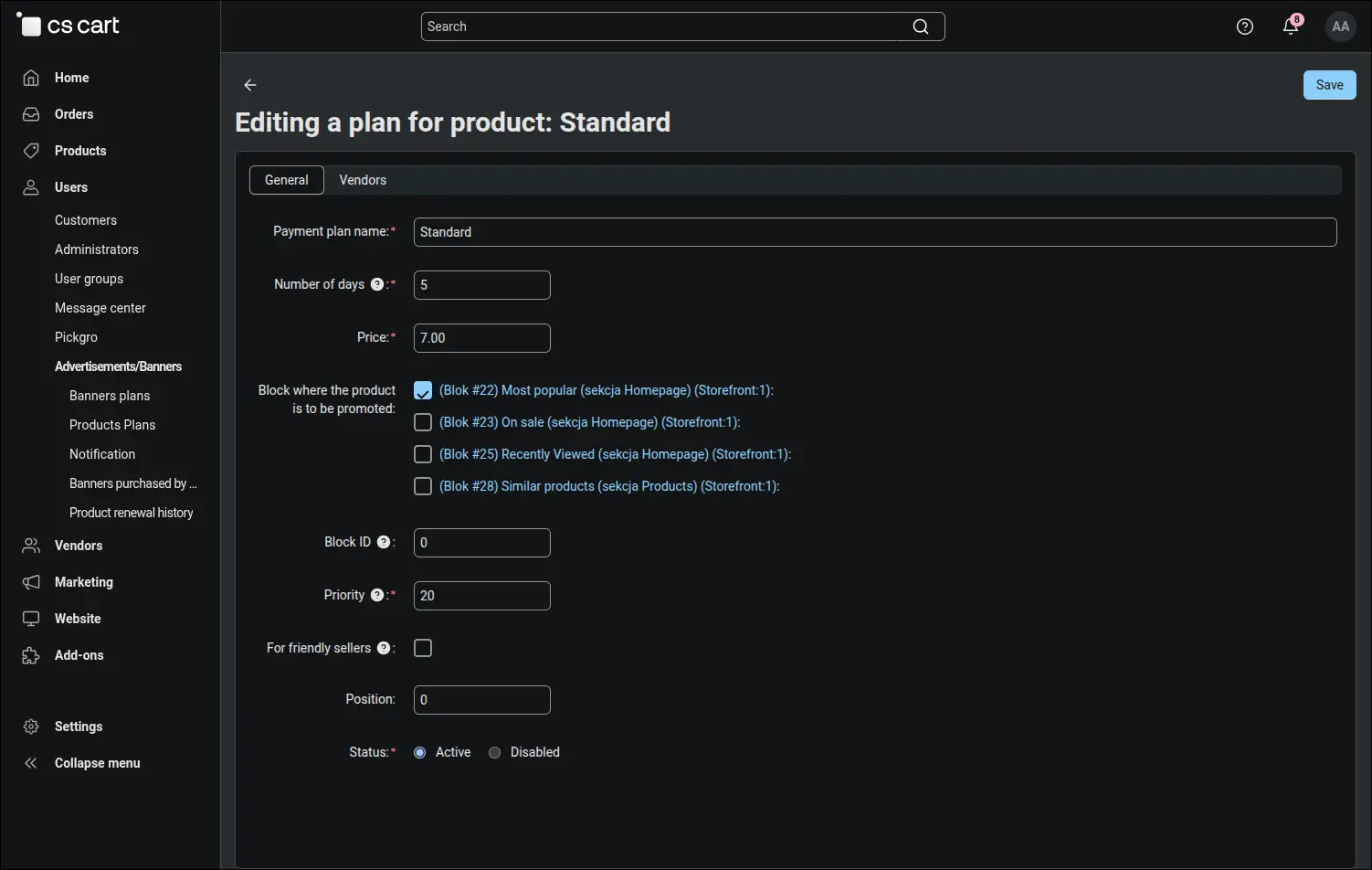
Screenshot 3
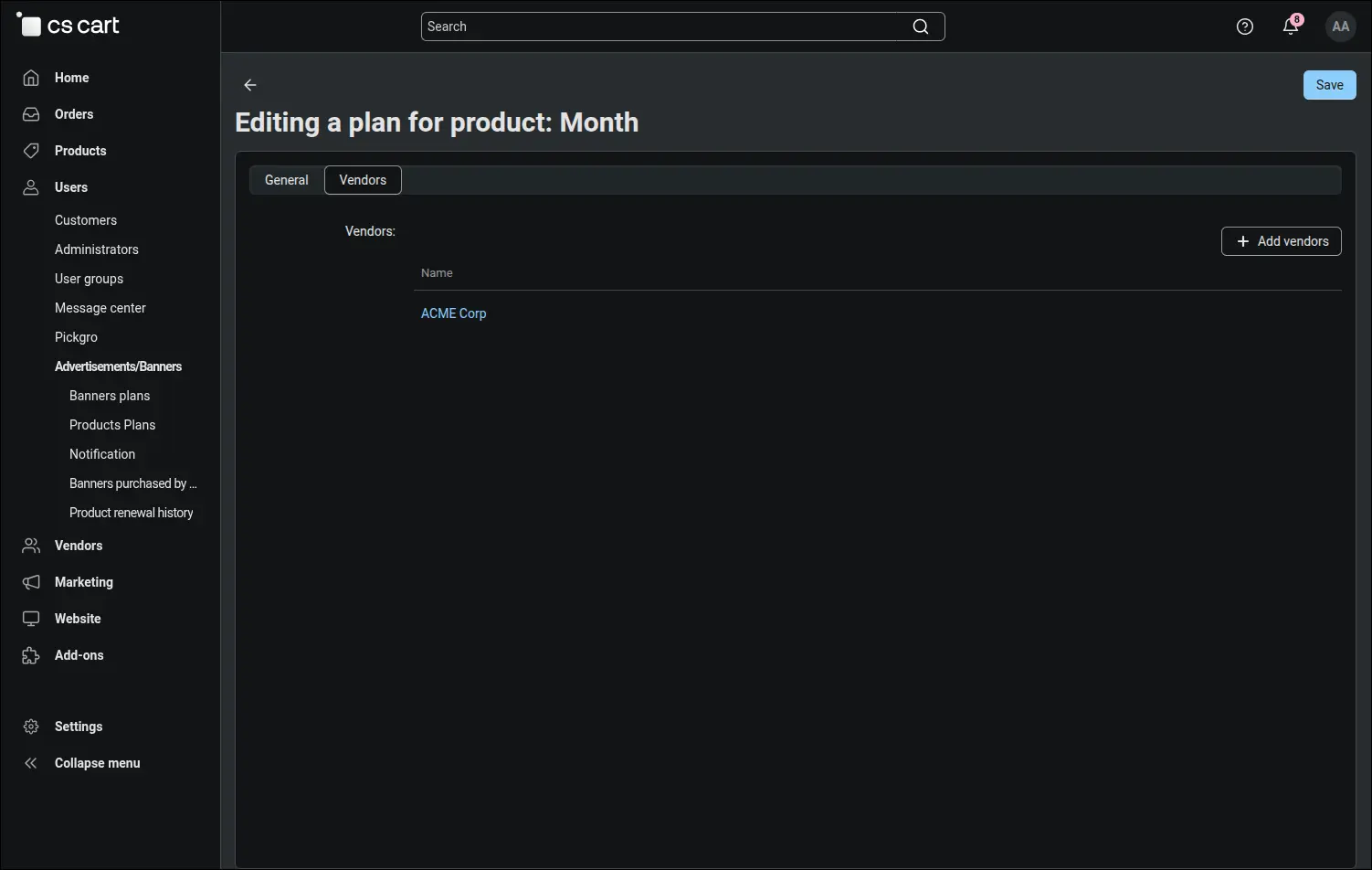
On the Vendors tab a plan can be assigned to specific companies. The operator prepares an individual price list for a chosen partner this way, and other vendors do not see that plan at all:
Screenshot 4
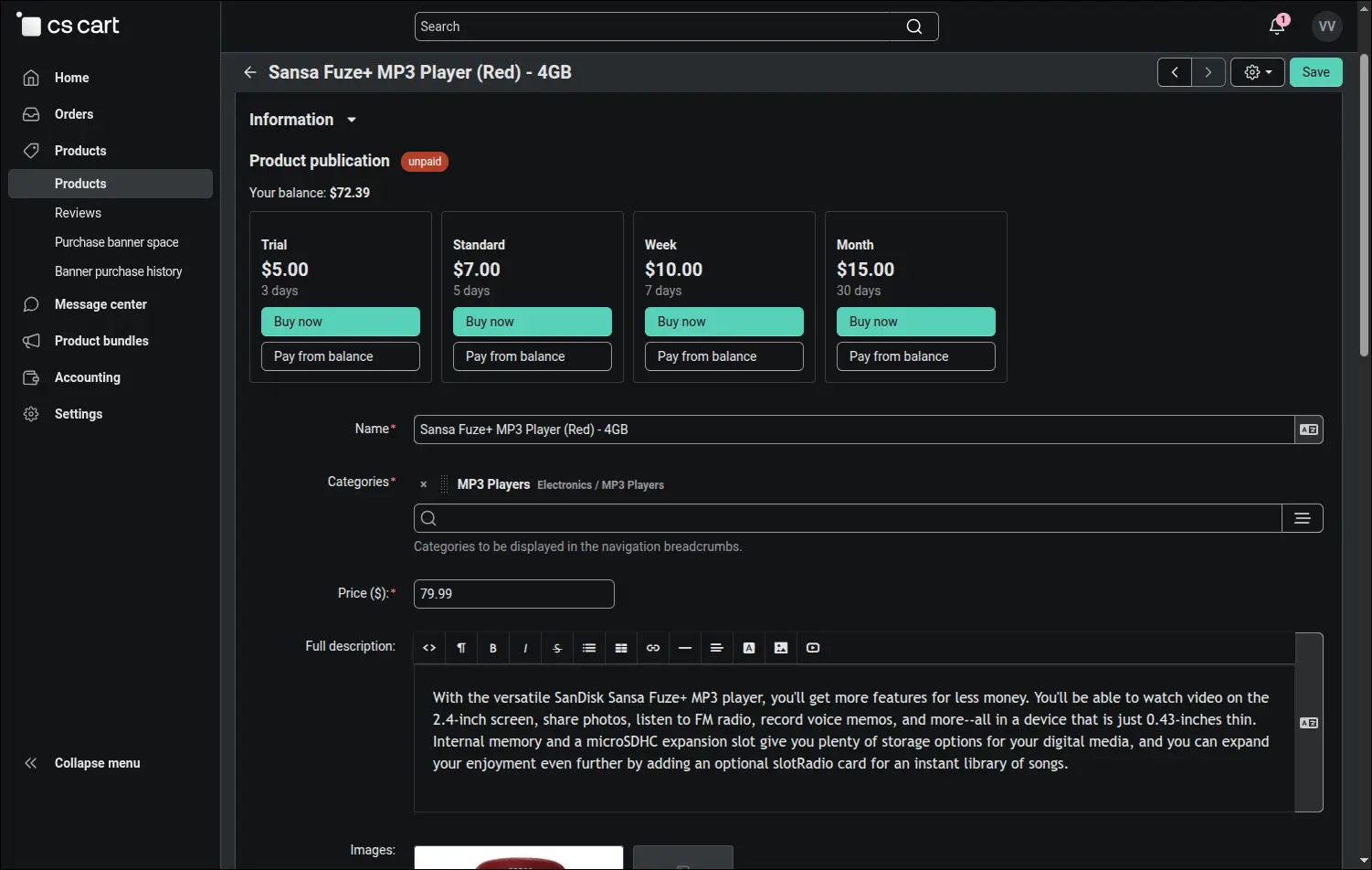
The vendor buys a publication where they already work on the product. The Product publication section shows the state of the offer, marked here as unpaid, the current balance and plan tiles with the price and number of days. The Buy now button leads to the store checkout, where the vendor pays for a balance refill with any available method. When the balance covers the plan price, a Pay from balance button appears beside it and, after confirmation, activates the plan without going through checkout:
Screenshot 5
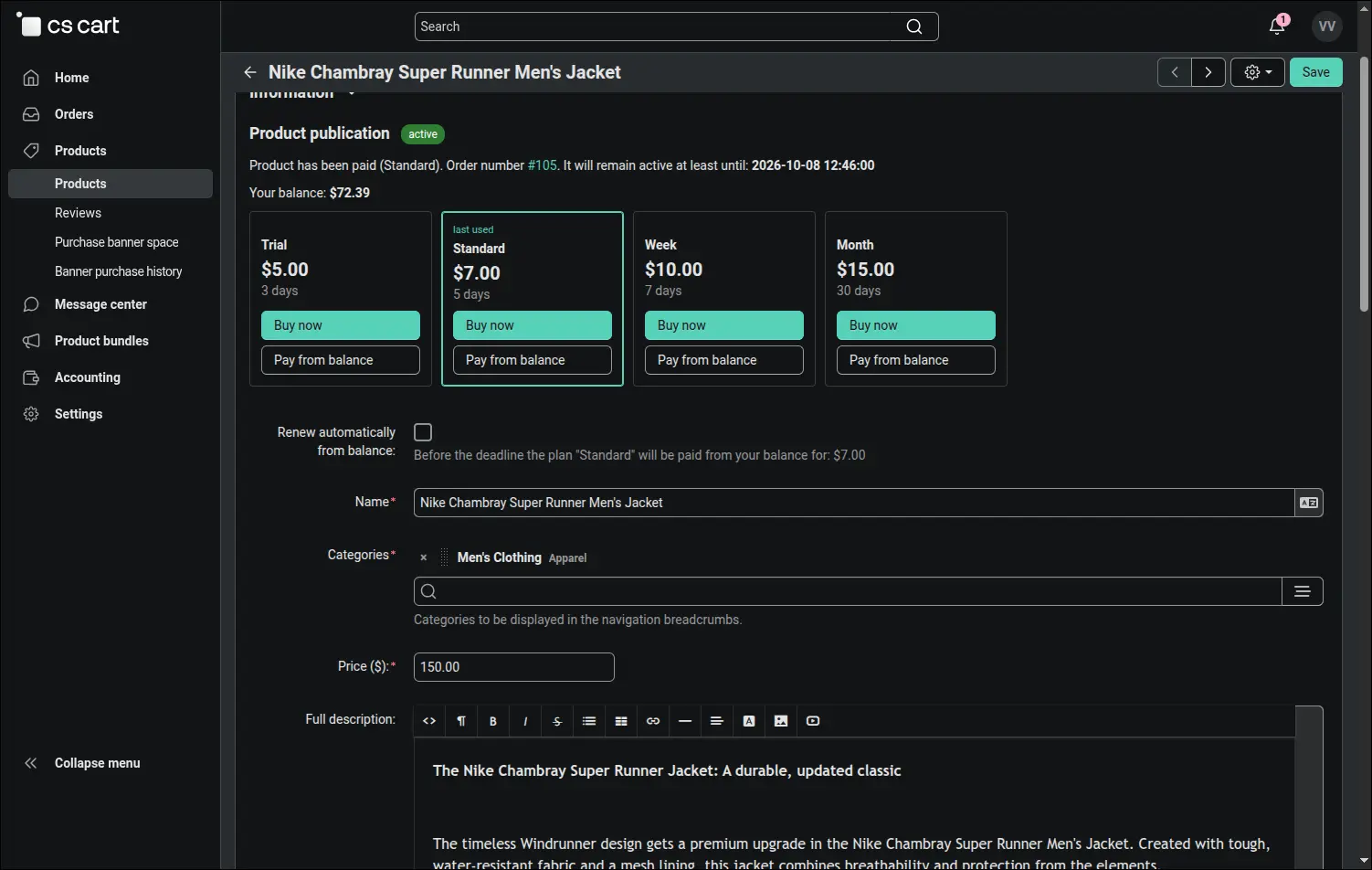
For a paid product the vendor sees the plan, the order number and the end of publication, and the tile of the last used plan is highlighted. Renewing early wastes nothing, because the new days are added to the time that remains. Ticking Renew automatically from balance hands renewals over to the add-on: before expiry the same plan is paid from the balance, and the vendor receives an email with the amount and the new deadline:
Screenshot 6
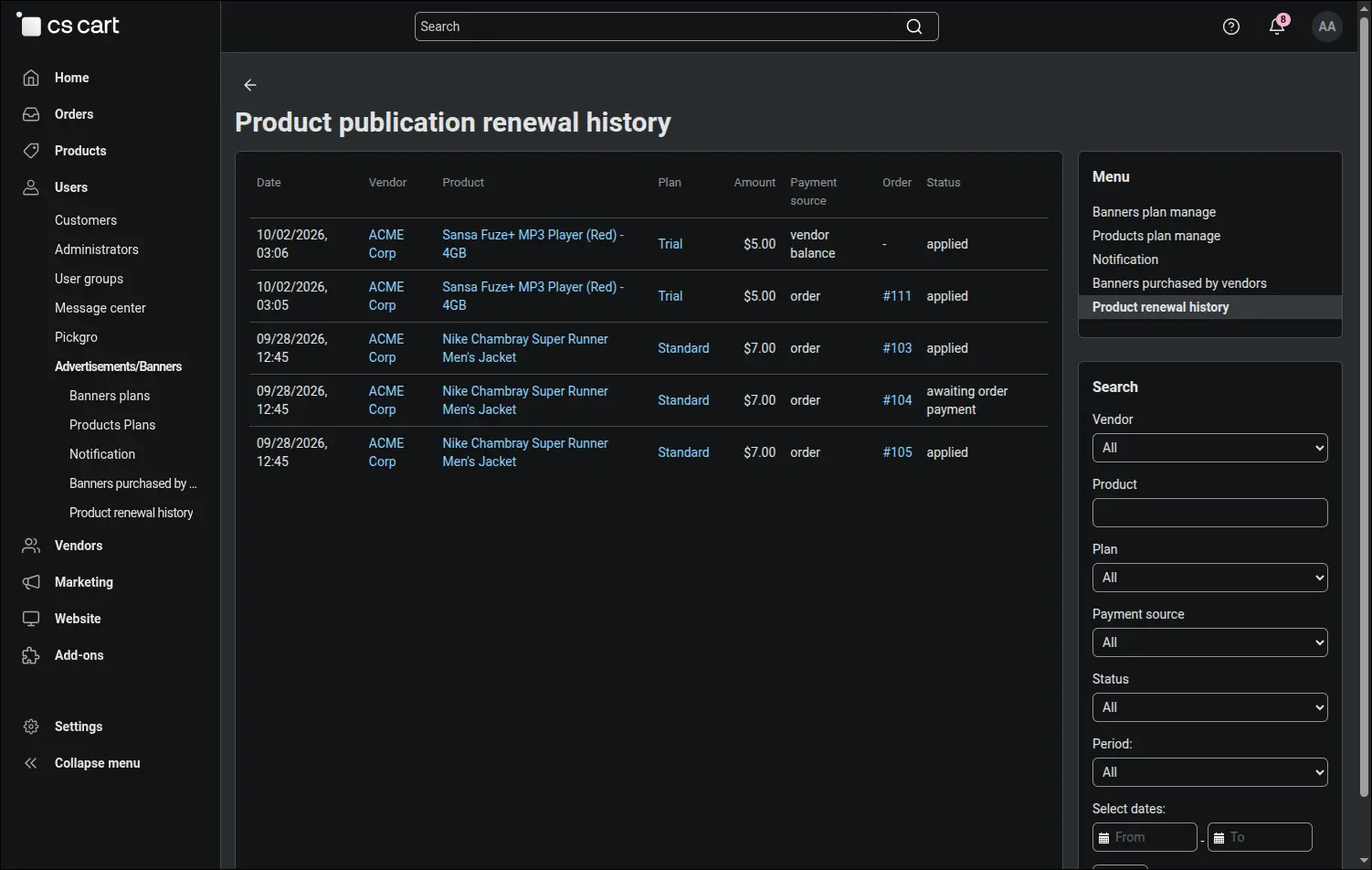
The renewal history gathers listing revenue in one place: who paid, for which product and plan, how much, from which source and in what state the payment is. When a vendor says they have already paid, the answer takes a moment, because the list shows whether the payment is awaiting order payment or has already been applied. Filters cover the vendor, product, plan, source, status and period:
Screenshot 7
Every fee leaves a clear trace in Multi-Vendor accounting. The balance refill and the plan fee form a pair of entries for the same amount, and the comment names the plan, the product and the order. The vendor's balance returns to where it was before the purchase, so the fee stays with the operator and is not paid out to the vendor at the next settlement:
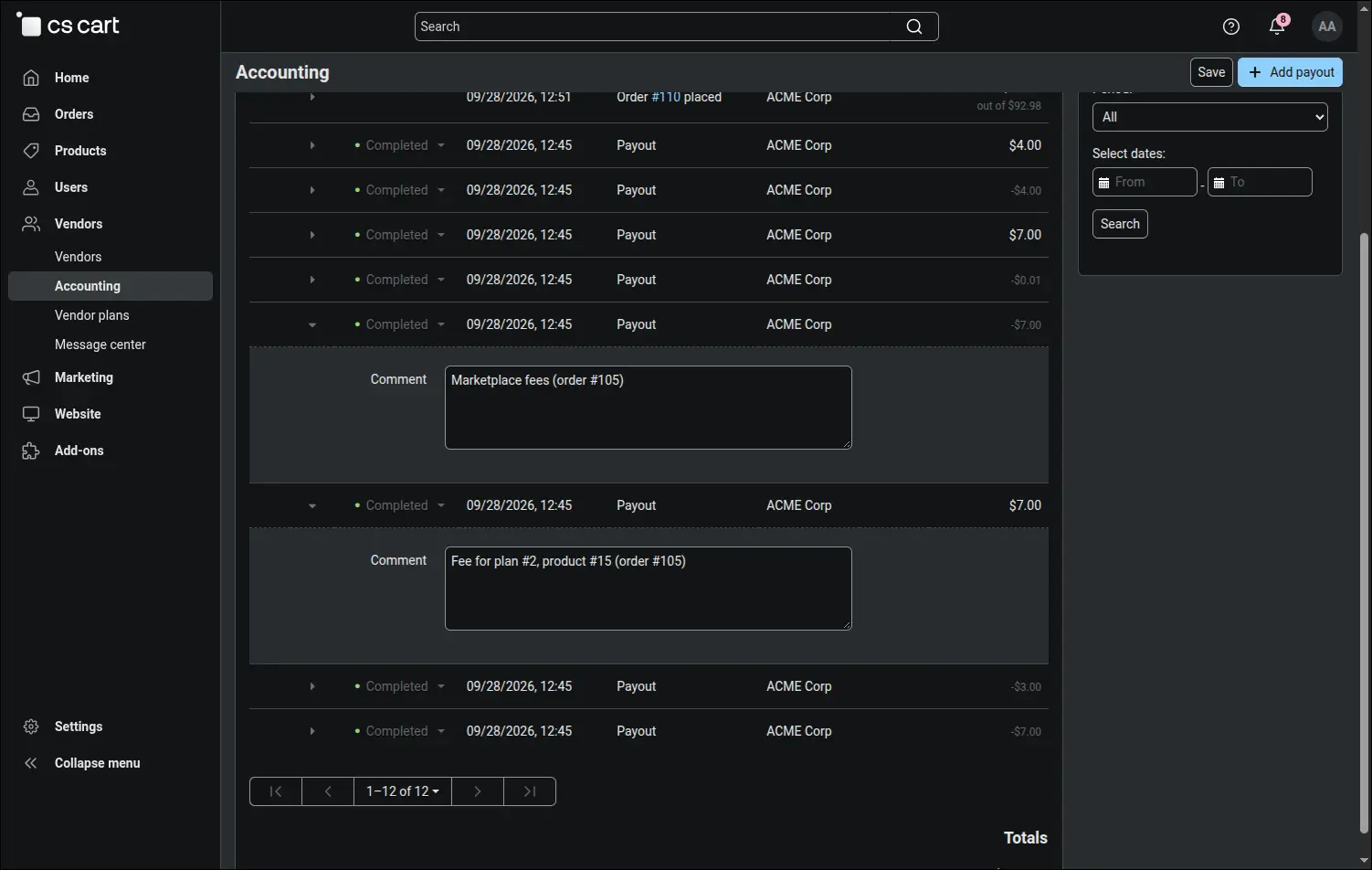
Screenshot 8
Advertising space is the operator's second product. Banner plans have a name, description, number of days, price and a list of banner blocks where the advertisement is displayed. Installation loads three sample plans, for 7, 14 and 30 days:
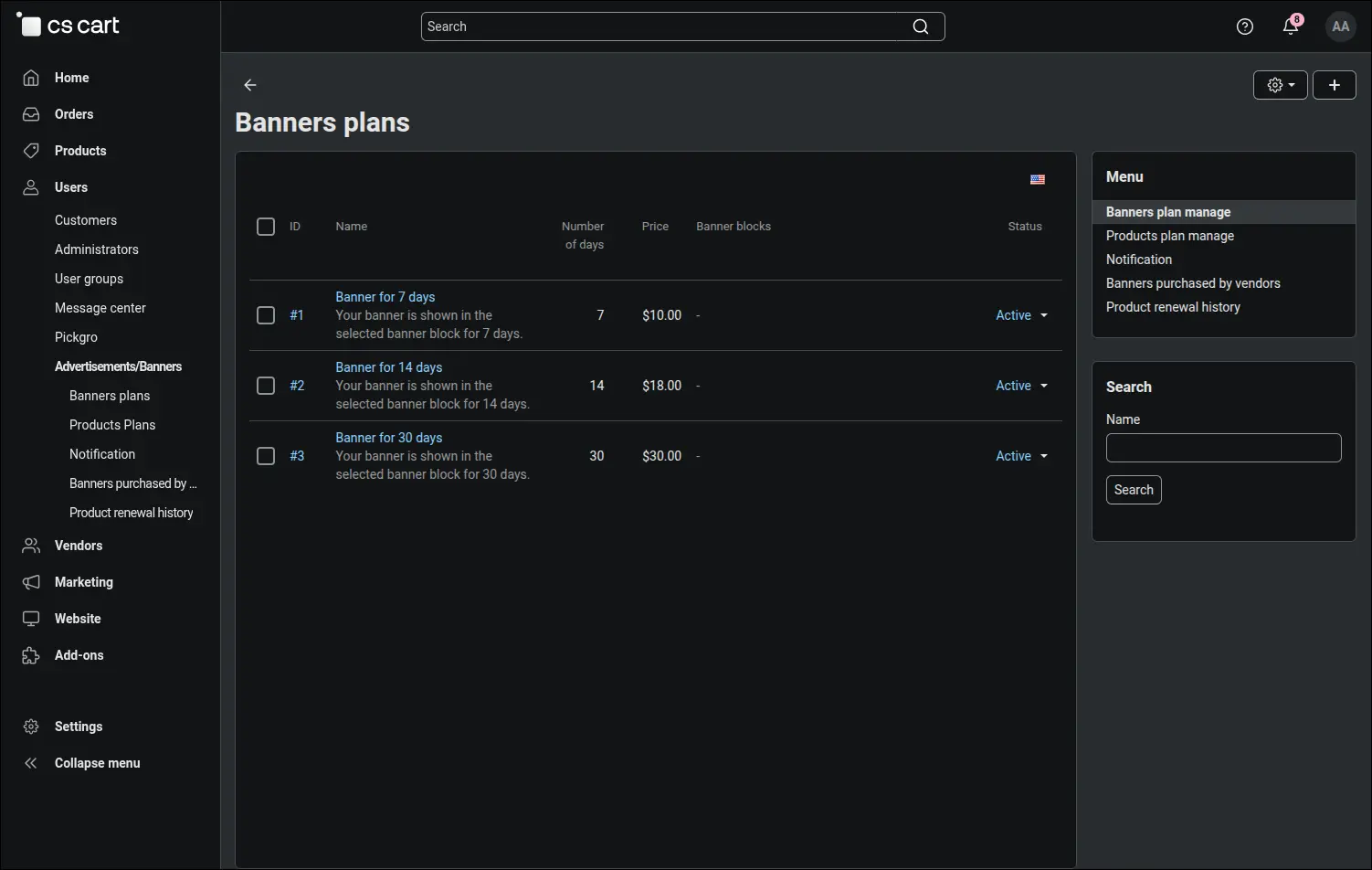
Screenshot 9
The vendor buys advertising on their own, without writing to marketplace support. The Purchase banner space page in the Products menu shows the balance and a table of plans with the price for the period, and the purchase goes through the same payment channel as a product publication, at checkout or from the balance:
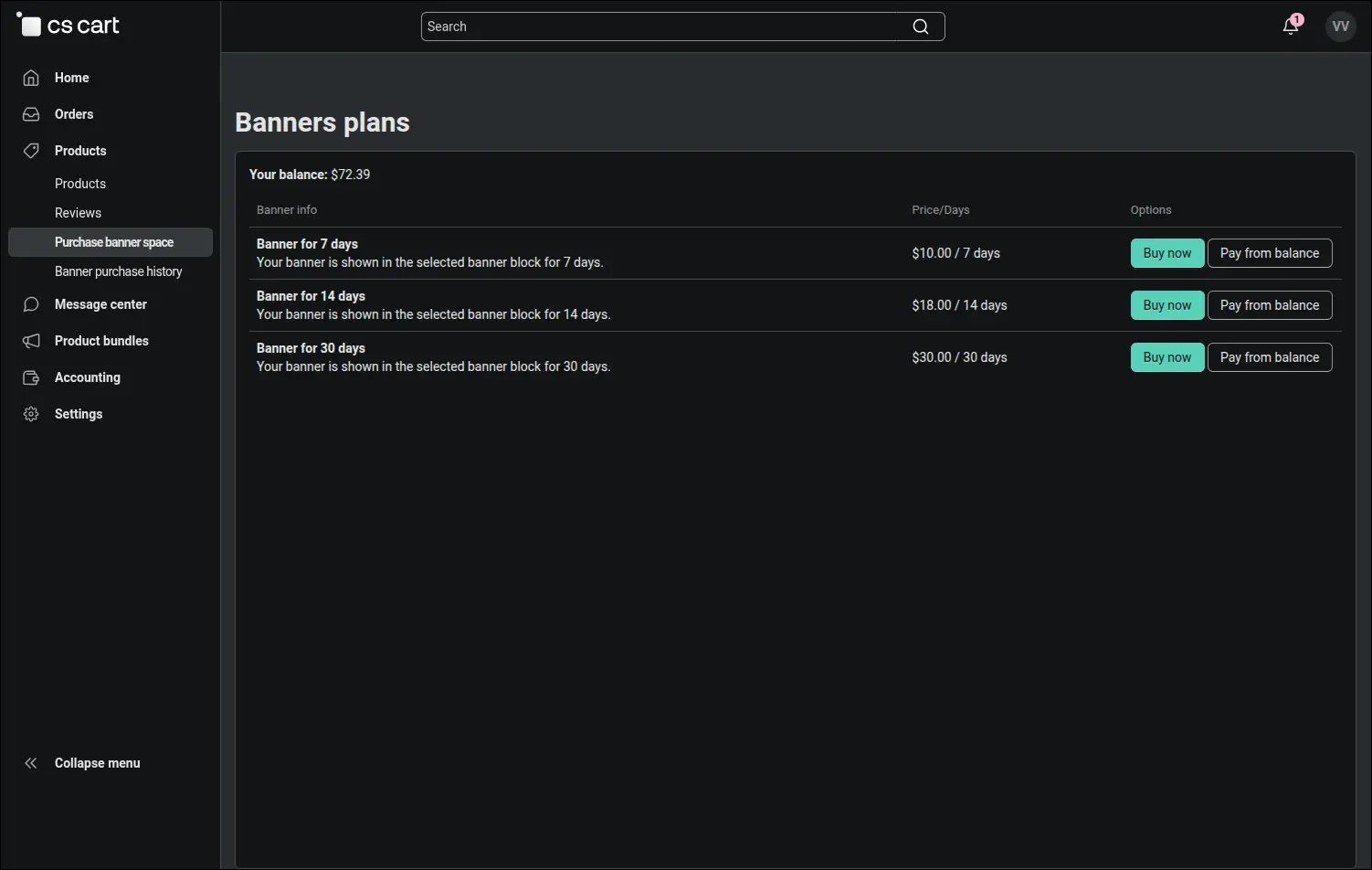
Screenshot 10
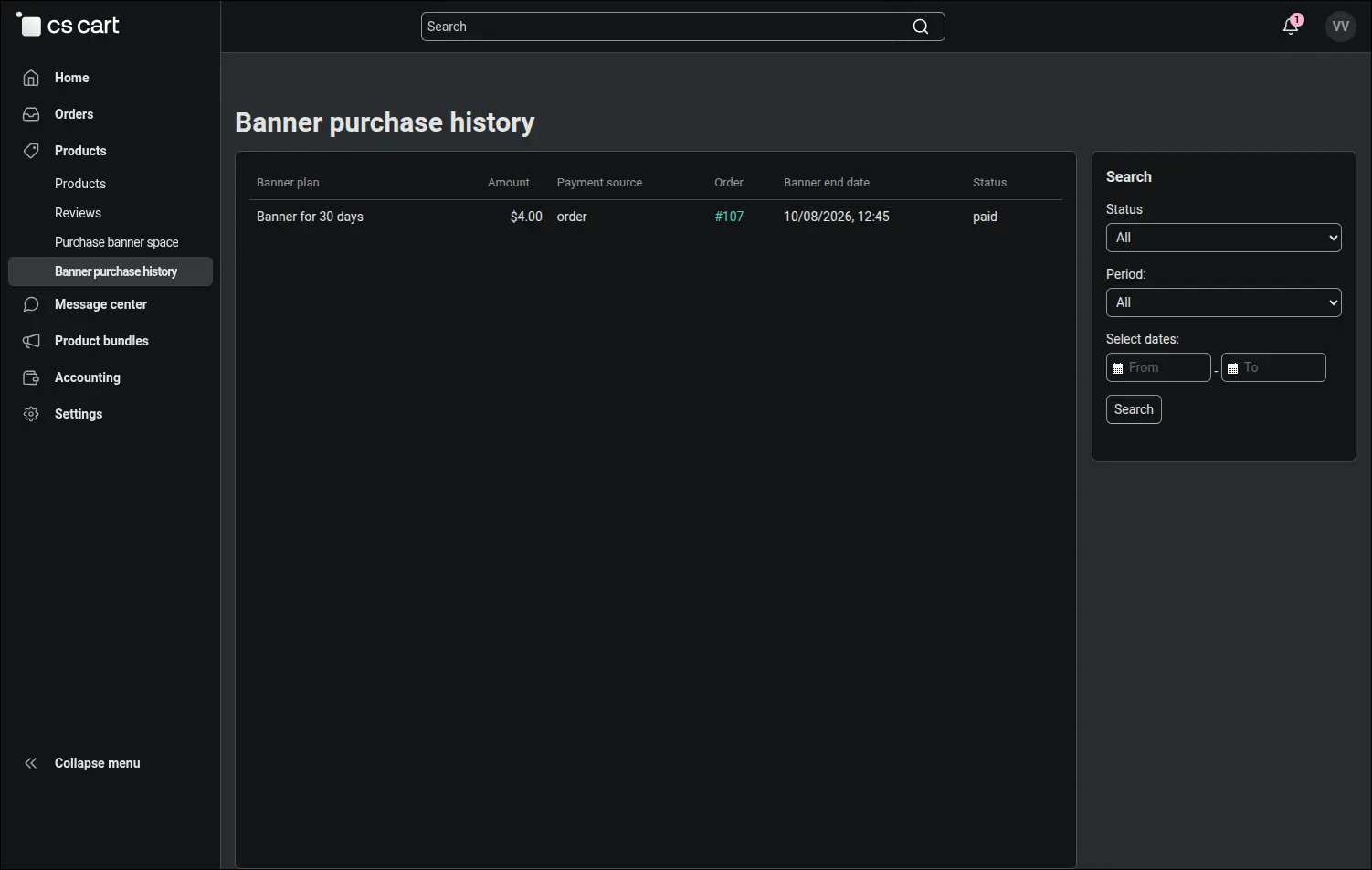
The administrator knows which banner to place and until when. The banner purchase history shows the vendor, plan, amount, payment source, order number, expiry date and paid state, and the expiry period filter immediately points to banners that end soon:
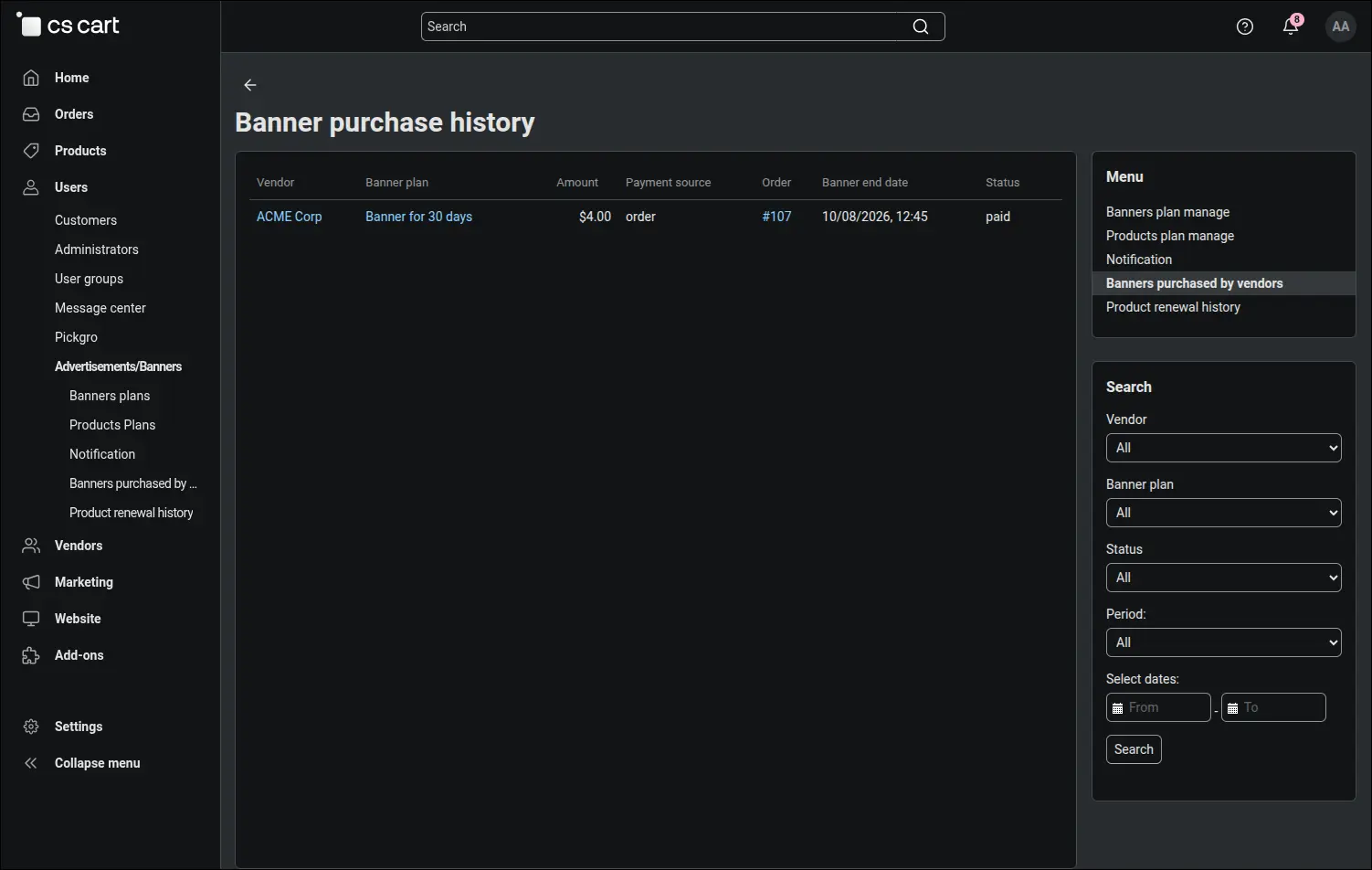
Screenshot 11
The vendor has their own version of this history. It lists only their purchases, with the expiry date and payment state, so they can check what they bought and until when without asking the operator:
Screenshot 12
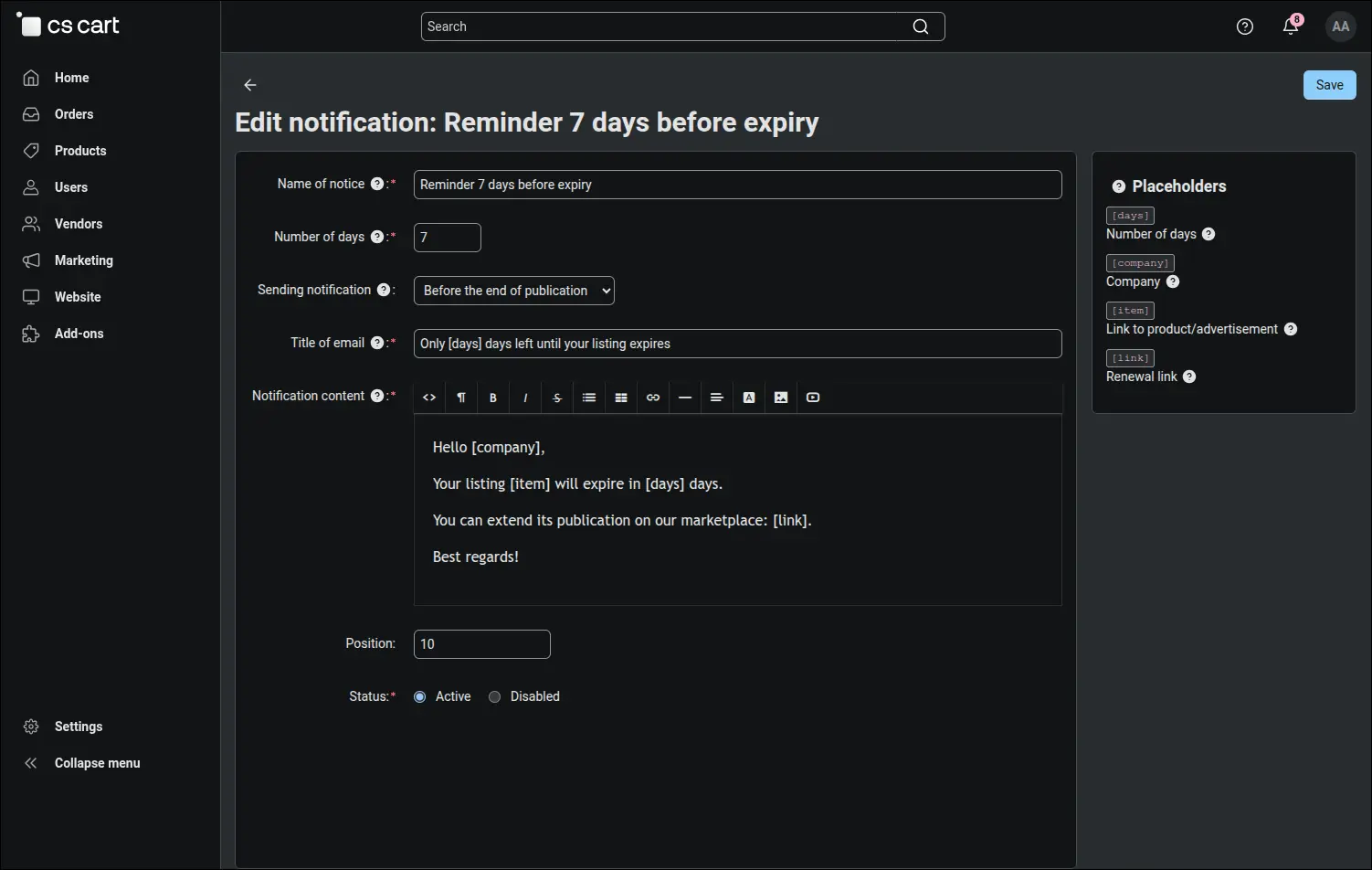
Deadlines take care of themselves. The CRON job disables expired products and sends the reminders defined in the panel, a set number of days before or after the end of publication. The subject and body are multilingual, the email reaches the vendor in their language, and the placeholders from the legend in the side panel fill in the number of days, the company name, the listing link and the renewal link. The reminder arrives at the moment when it is easiest to persuade the vendor to extend:
Screenshot 13
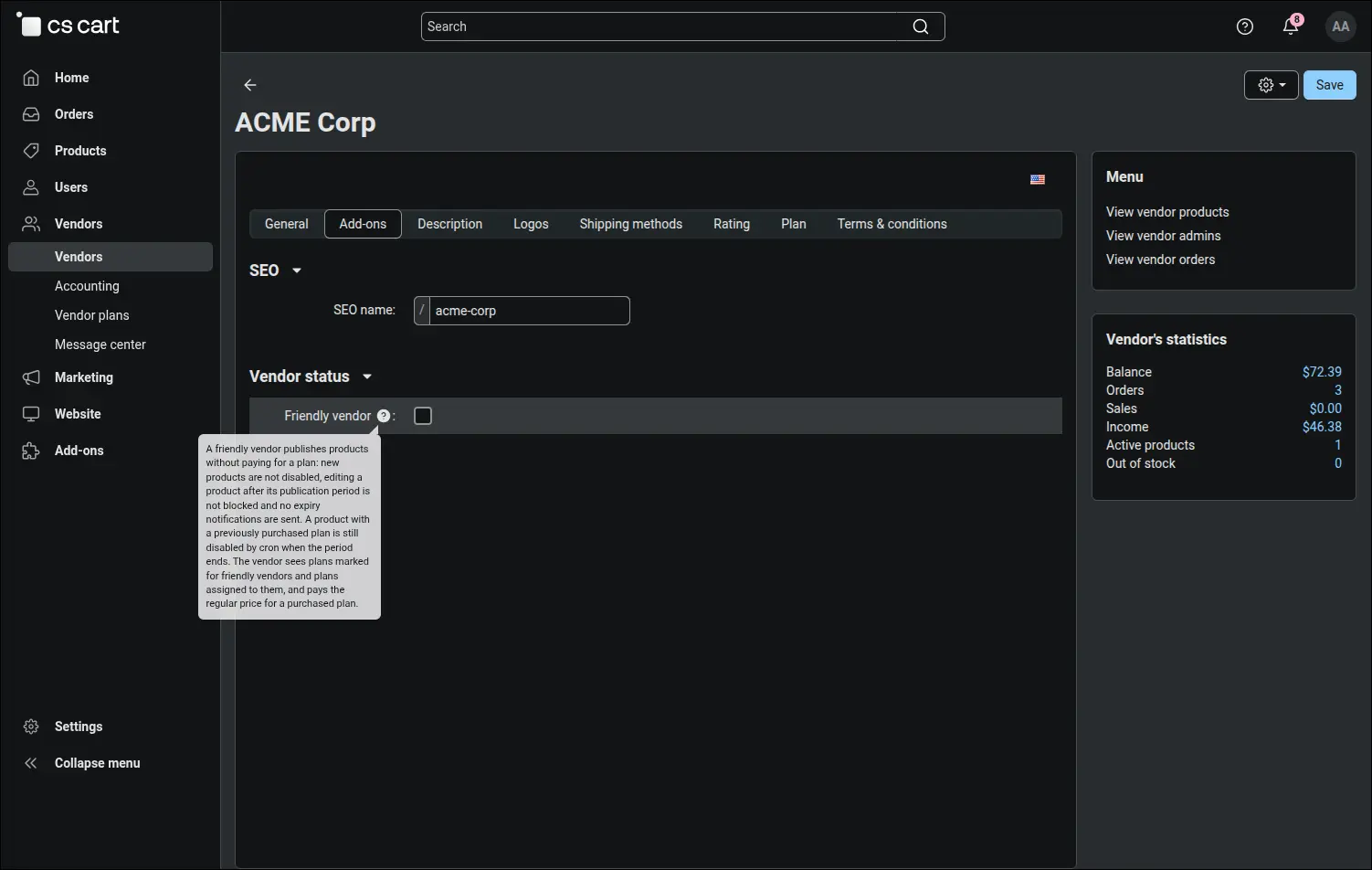
Strategic partners or the operator's own stores are exempted from fees with a single field in the company profile. A friendly vendor publishes without product blocking and receives no expiry notifications, while seeing the plans reserved for such vendors. Only the administrator sees and saves this field:
Screenshot 14
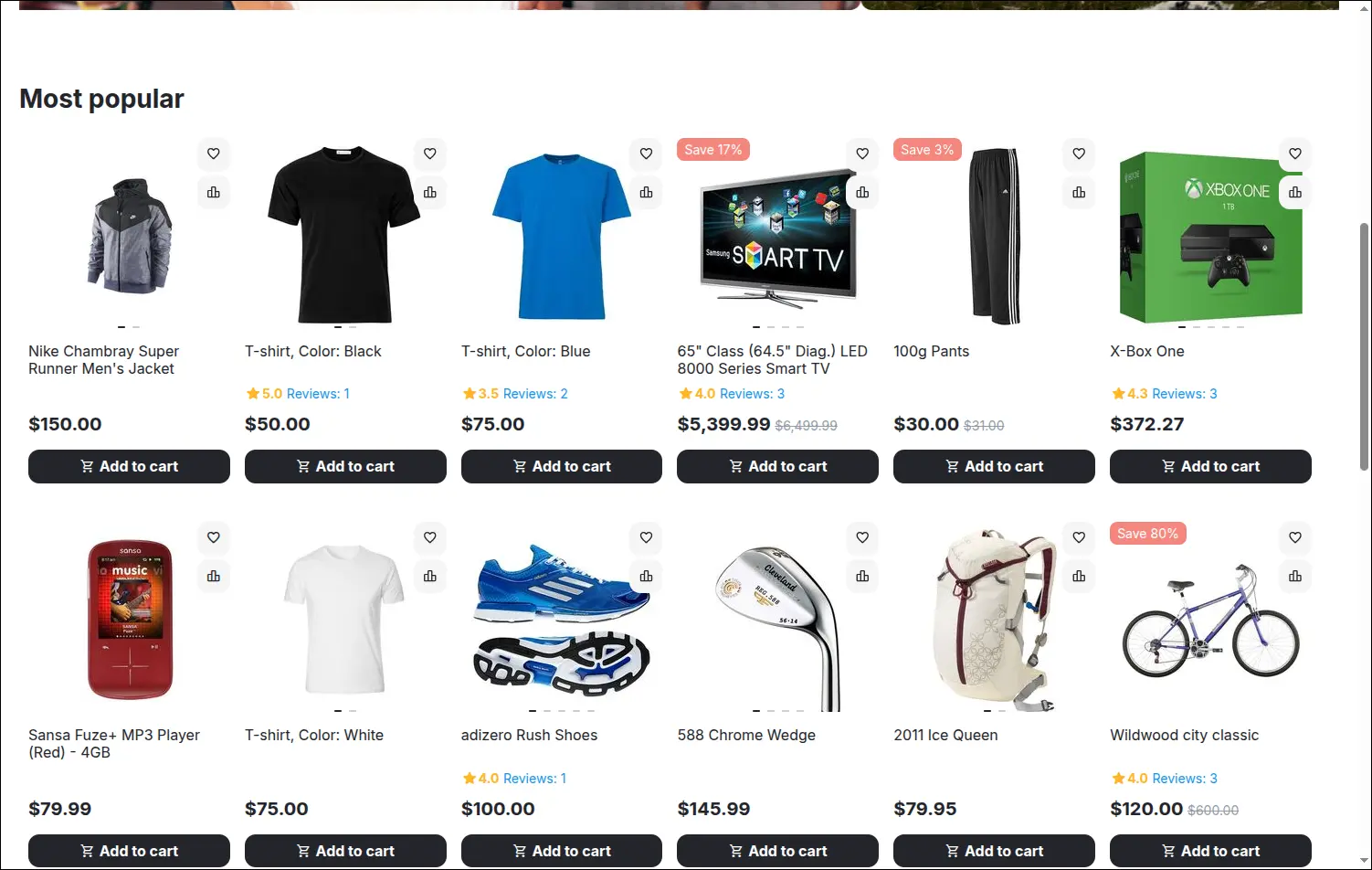
This is how a promotion plan looks to the customer. The paid product stands at the start of the chosen block on the home page, and after it the block shows its usual content, with the same number of items as before:
Screenshot 15
The Payment for Products, Ads and Banners for Vendors add-on turns Multi-Vendor into a service that earns from the visibility of offers and from advertising space, independently of sales commission. A vendor cannot get around the fee by enabling a product by hand, importing it from a file or copying a paid offer, and the operator decides whether the existing catalog stays free. The add-on requires Multi-Vendor 4.15.1 or later and the core Vendor-to-admin payments add-on. It starts with a ready price list and eight notifications, and its panel and sample data are translated into twelve languages.
Full walkthrough, 7 minutes
Feel free to contact us and purchase the add-on!
- Monthly subscription
Choose the most convenient form of payment for the add-on. You can pay once and use the add-on. Choosing a subscription payment (monthly or annual) means that you pay for the add-on at regular intervals and have access to the latest versions of the addon and technical support.
- Multi-Vendor
- 4.21.x
- 4.20.x
- 4.18.x
- 4.17.x
- 4.16.x
- 4.15.x
- 4.14.x
- 4.13.x
- 4.12.x
- 4.11.x
- 4.10.x
- 4.9.x
- 4.8.x
- 4.7.x
- 4.6.x
- 4.5.x
- 4.4.x
- 4.3.x
- 4.2.x
- 4.1.x
- 4.0.x
- No changes
No reviews found