


Integration with Apilo


- — 12 months guarantee for all our add-ons
- — add-ons sold to entire world
- — stable, flexible, high-quality products
- — competitive prices, attractive discounts
- — quick and competent technical support
- — installation in 24 hours
- — personalized solutions - we'll write any add-on for you
An extension for Store Builder and Multi-Vendor that connects your store with the Apilo platform and takes over the daily flow of orders. Instead of re-typing every order into your warehouse and invoicing, you let the store and Apilo talk to each other on their own.
When an order reaches a status you choose, for example after payment, it is sent to Apilo together with its items, customer data, payment and shipping. In the other direction a scheduled synchronization pulls current statuses and documents from Apilo, updates the orders in your store and makes sure it never overwrites what you set by hand. The whole flow is idempotent, so the same order never reaches Apilo twice.
Key Features
- Orders reach Apilo automatically once they hit a chosen status, with no manual re-entry.
- Statuses and documents flow back from Apilo, while statuses set by hand stay protected from being overwritten.
- Invoices and receipts from Apilo are visible right on the order page, ready to download.
- Products and stock levels synchronize to Apilo in the background, through cron, in a queue.
- A dashboard and an event log show the synchronization state and any errors at a glance.
- Full Multi-Vendor support: separate API credentials and isolated synchronization for each seller.
It all starts here. In one place you enter your Apilo credentials and check with a single click whether the connection works. The response timeout and request retry settings mean a passing server hiccup does not end in lost synchronization:
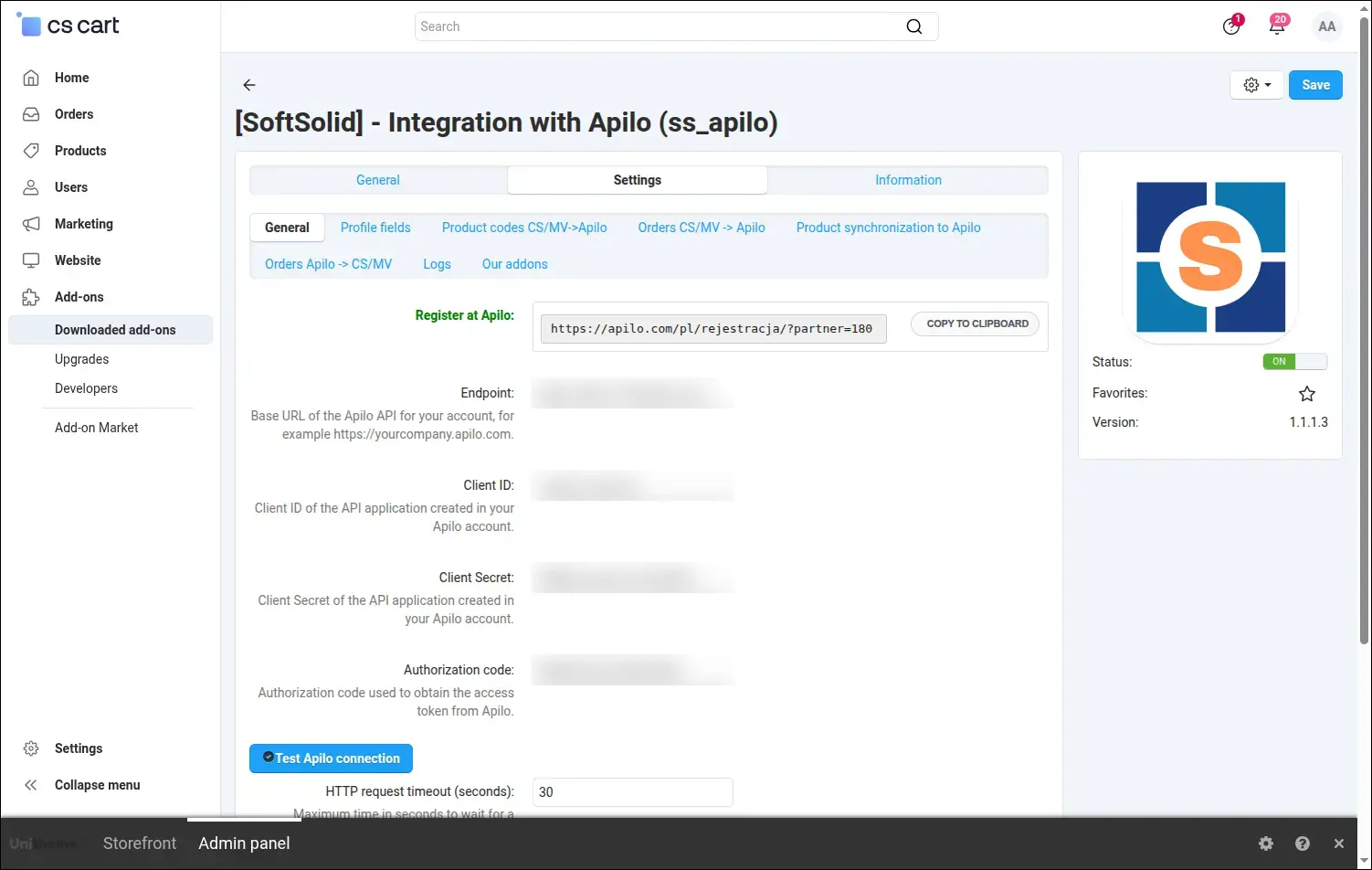
Screenshot 1: Apilo connection setup with a one-click test.
Apilo expects invoice data in a specific structure. In this section you point to the customer profile fields the add-on should read the tax ID, company name and invoice declaration from, and decide what to append to the city in the address:
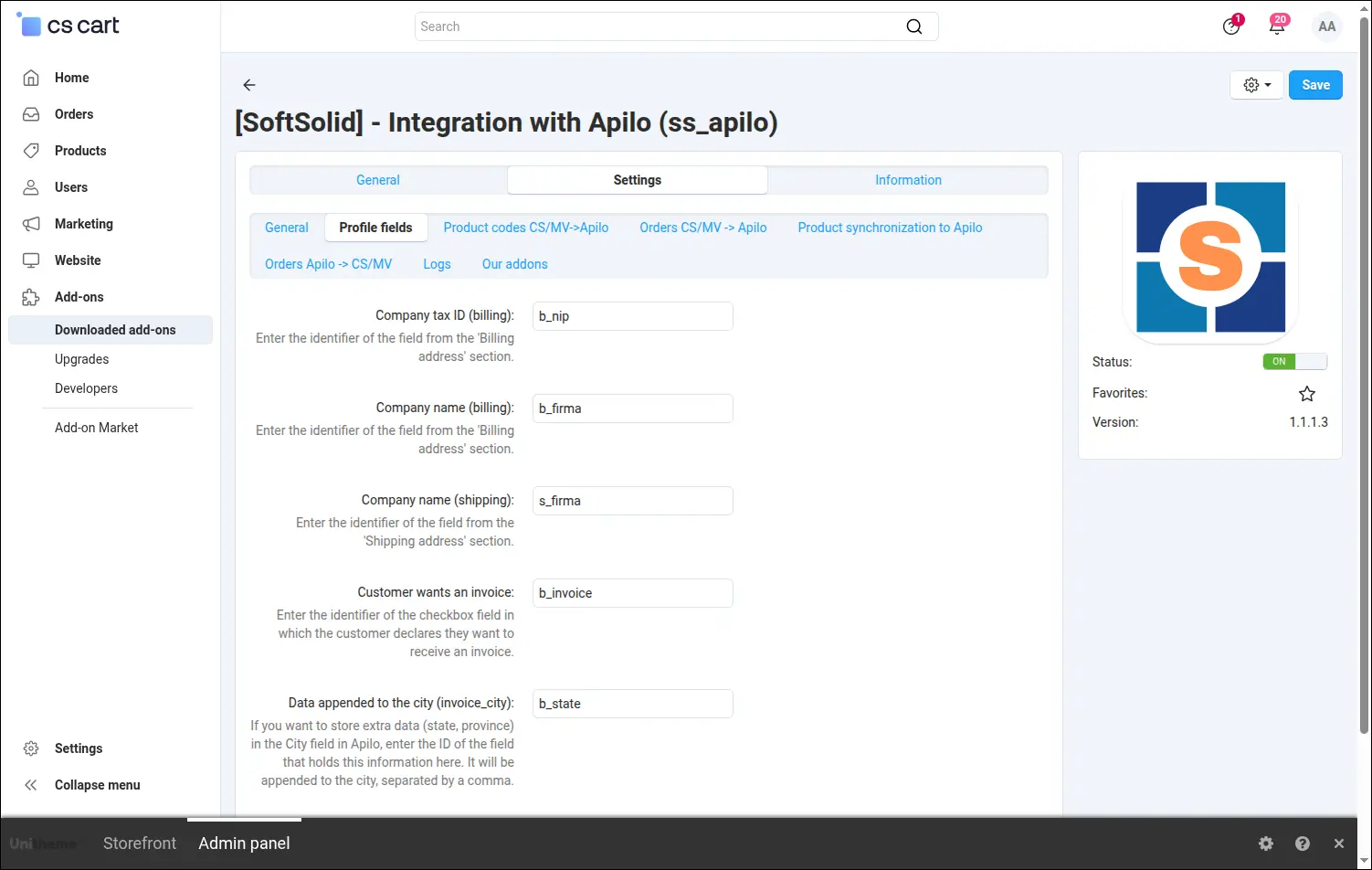
Screenshot 2: mapping customer profile fields to Apilo data.
Every store keeps product codes its own way. Here you decide where the add-on takes the EAN, SKU and brand from: the product code or a feature. The SKU can even be assembled from features by your own pattern:
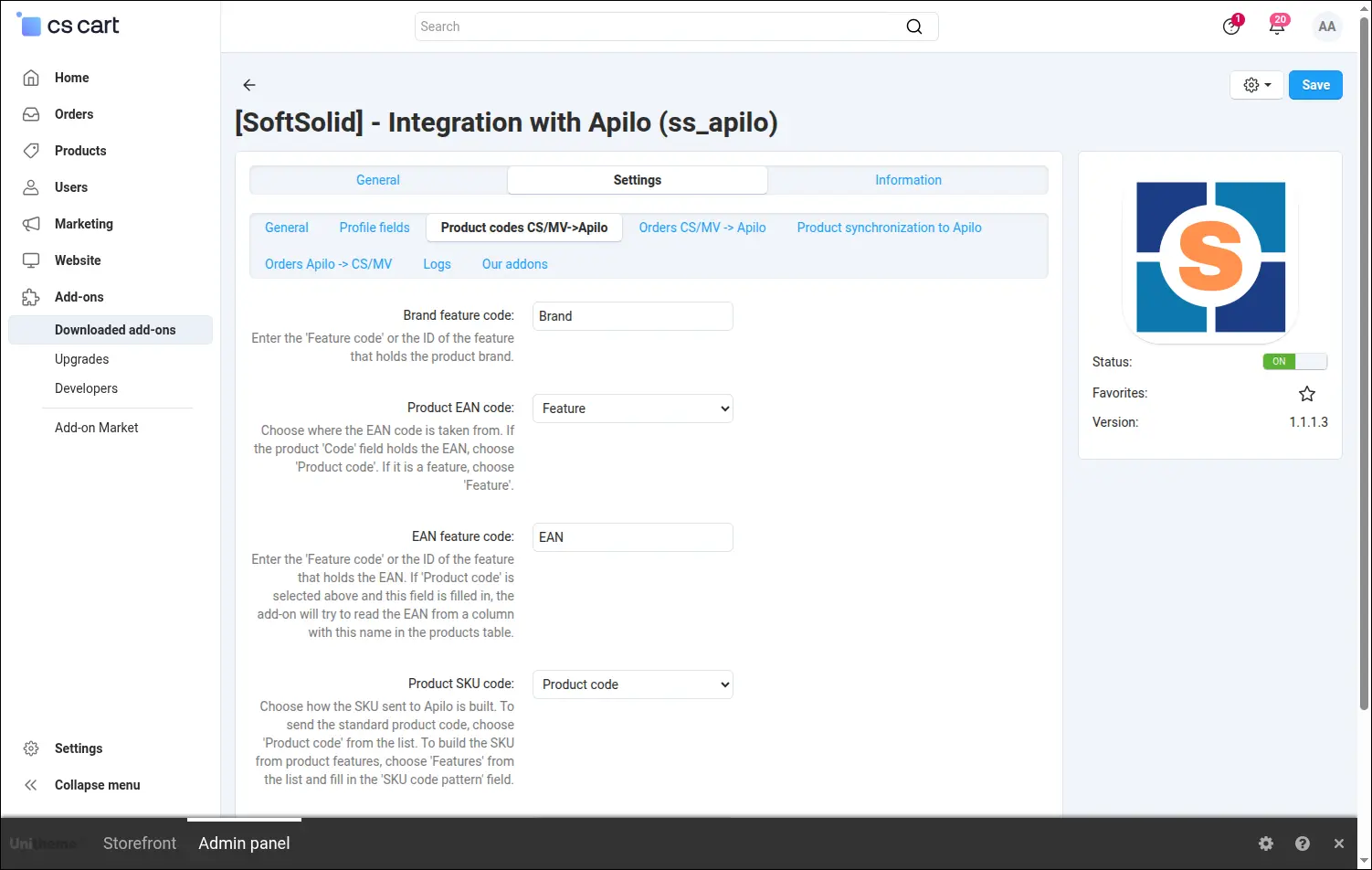
Screenshot 3: choosing the source of EAN, SKU and brand codes.
You decide when an order should reach Apilo. You check the statuses that trigger the export, for example a status that means payment, and set a default tax rate for products with no VAT assigned:
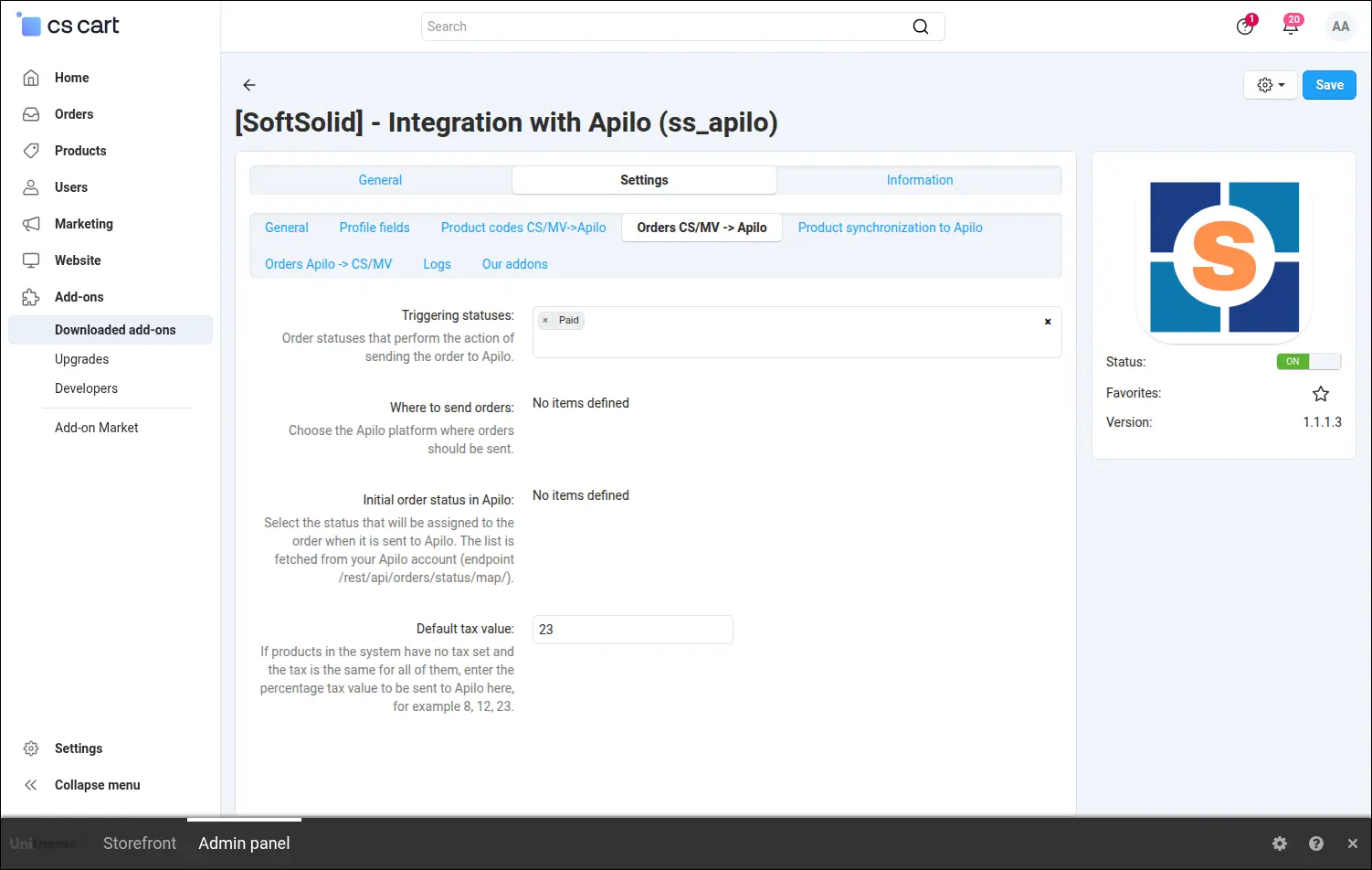
Screenshot 4: statuses that trigger order export, plus the default tax.
Your catalog and stock levels can travel to Apilo as well. Once product and stock synchronization is enabled, the add-on provides ready-made cron commands to paste into the server schedule, and the rest happens in the background:
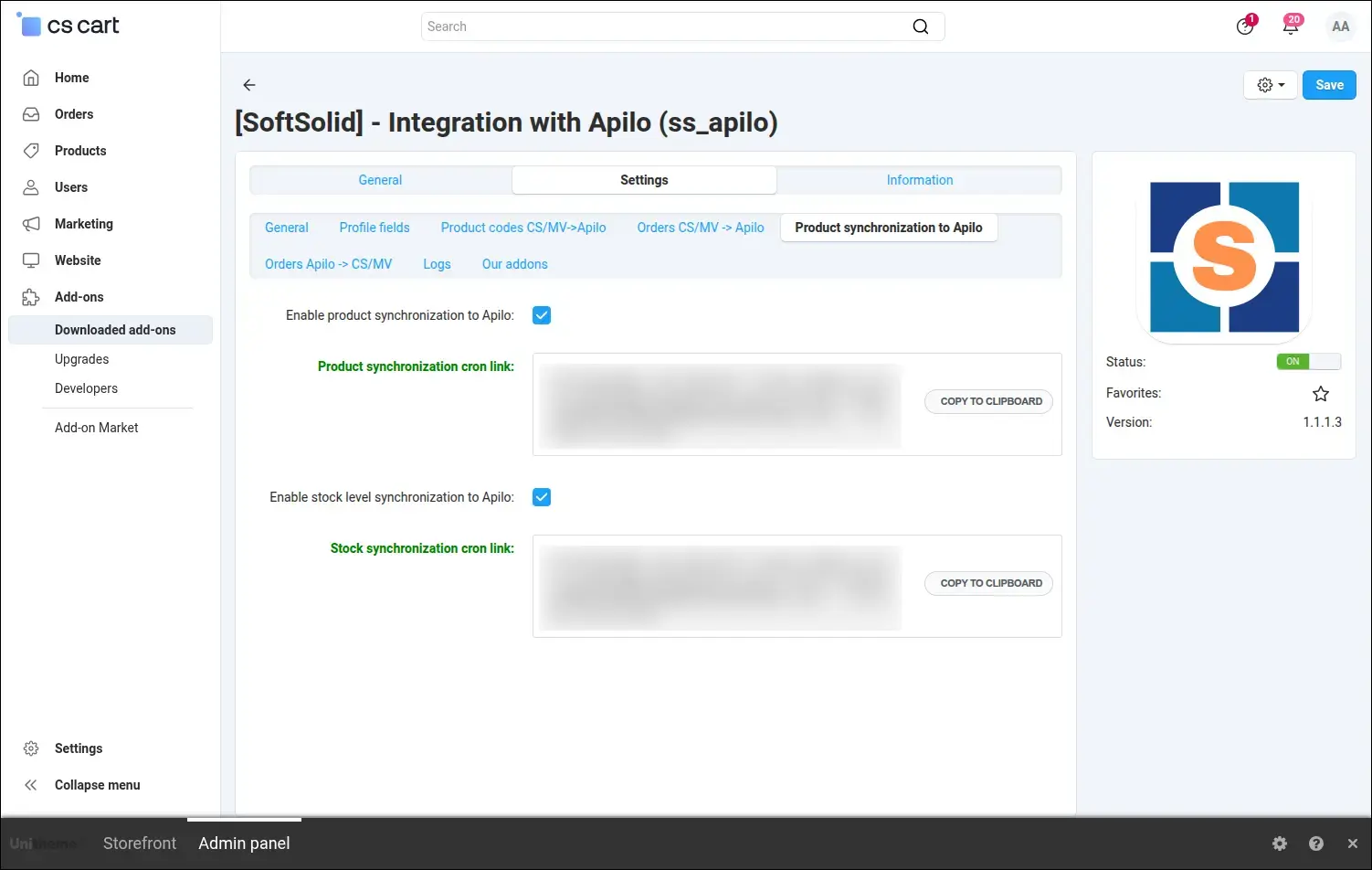
Screenshot 5: enabling product and stock synchronization with cron commands.
The return of data from Apilo stays under control. You pick the statuses the synchronization may update, and the protected statuses the automation will never touch, so a manual decision by your team stays untouched:
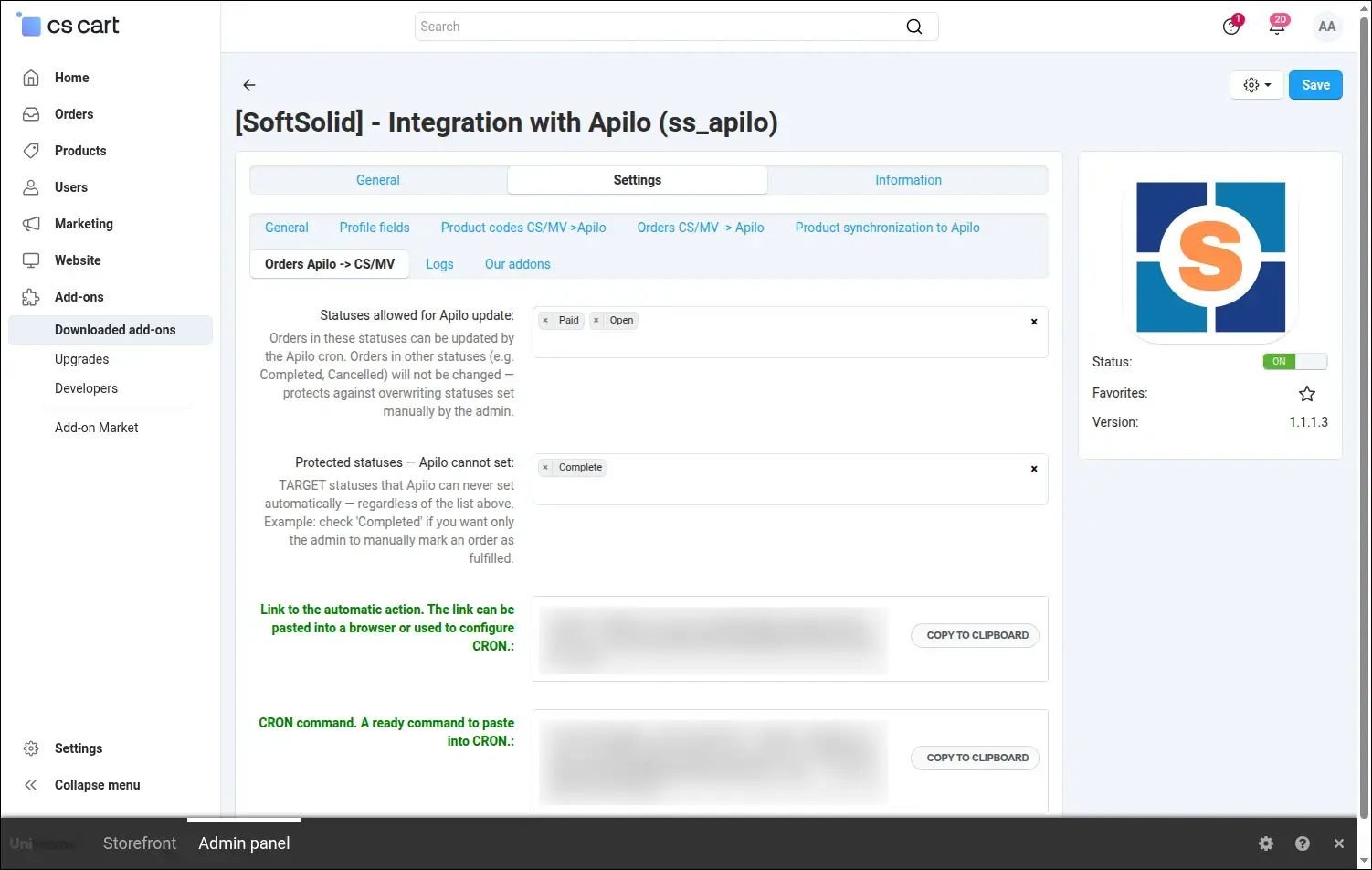
Screenshot 6: status synchronization from Apilo with protection of manual statuses.
When you want to look under the hood, you turn logging on with a single switch. You choose the presentation mode depending on whether the log should be easy to read for staff or ready to copy during testing:
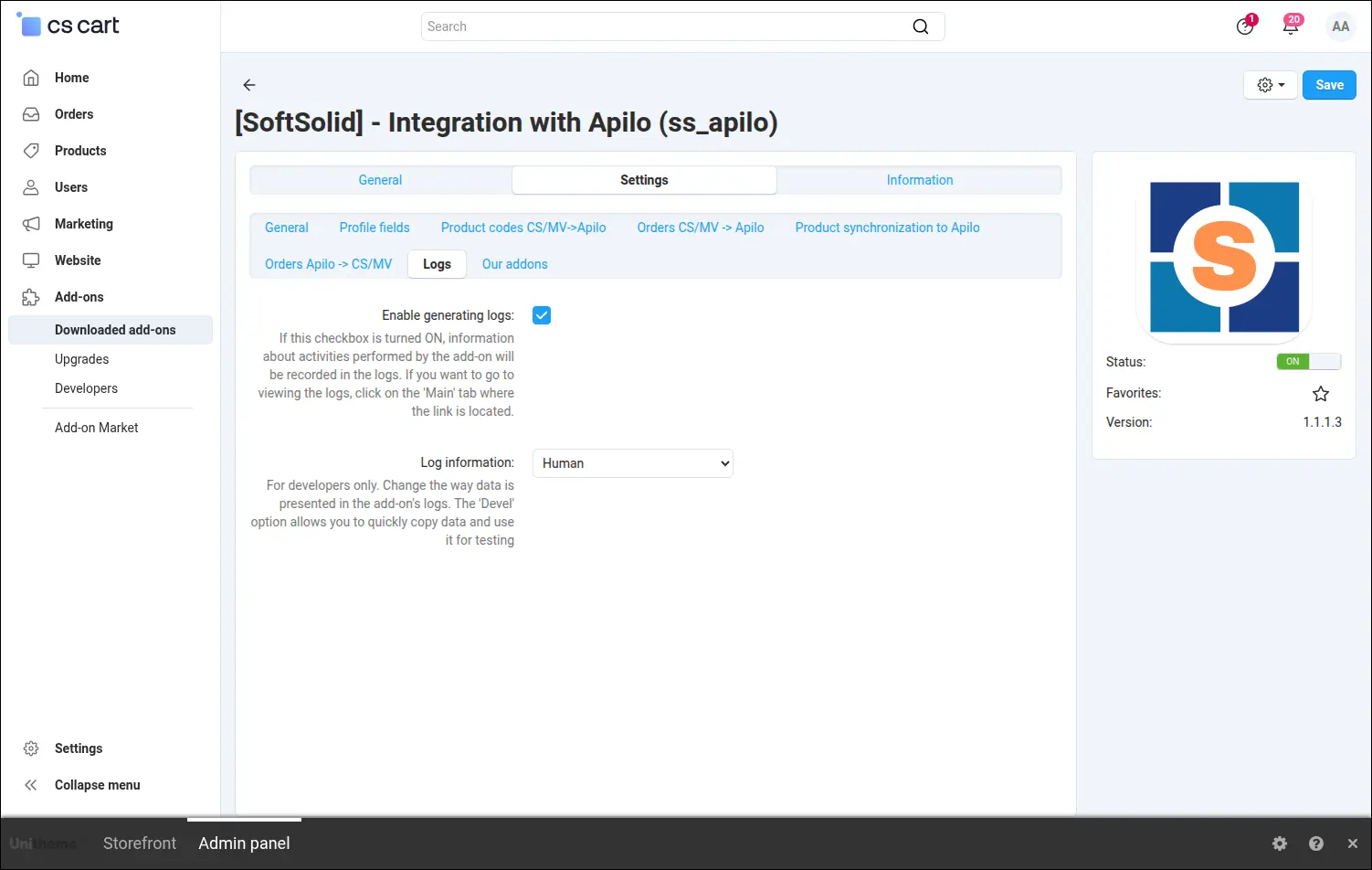
Screenshot 7: enabling the event log and choosing the presentation mode.
The panel also shows other SoftSolid solutions that can complement your store, without leaving the configuration:
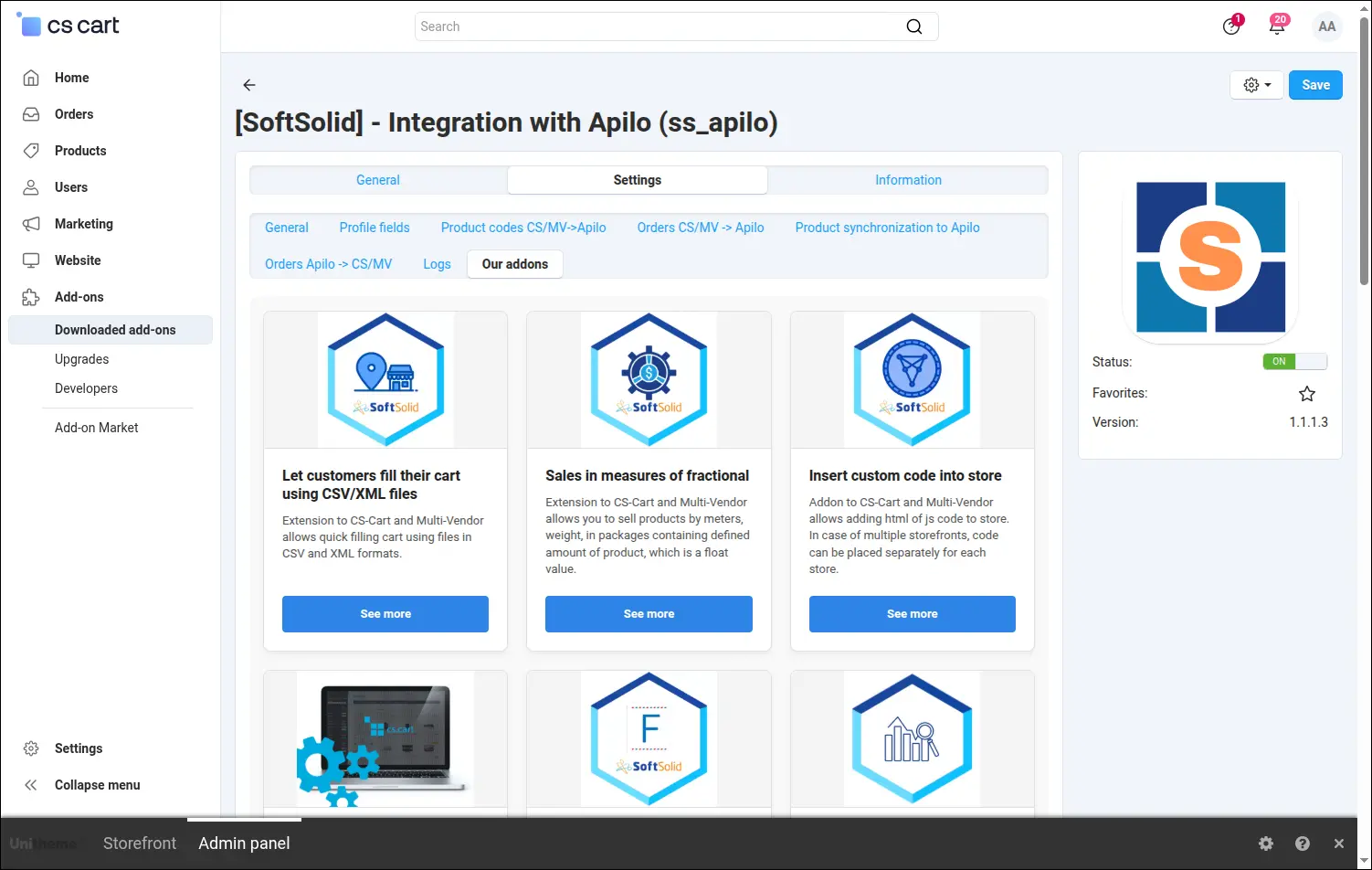
Screenshot 8: suggestions of other SoftSolid add-ons.
The dashboard gives you peace of mind. On a single screen you see the cron status, the last synchronization date, the number of orders sent, pending and failed, and the latest warnings. It is the first place you open in the morning:
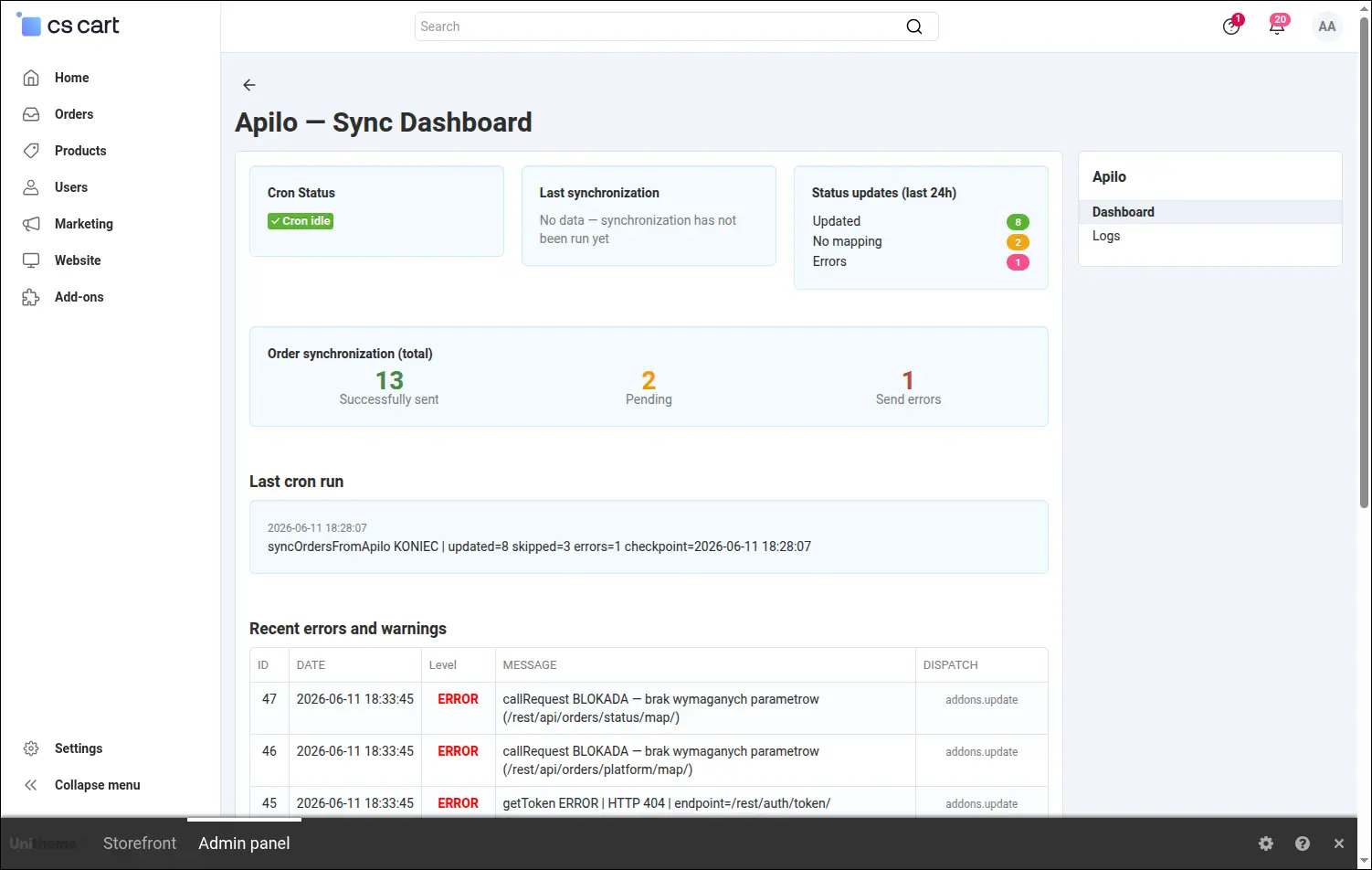
Screenshot 9: the dashboard with synchronization state and recent errors.
When something needs checking, the event log has the answer. You search and filter the list by function and level, and opening a single entry shows the full context of the operation: the input data, the API response and the decisions that led to it:
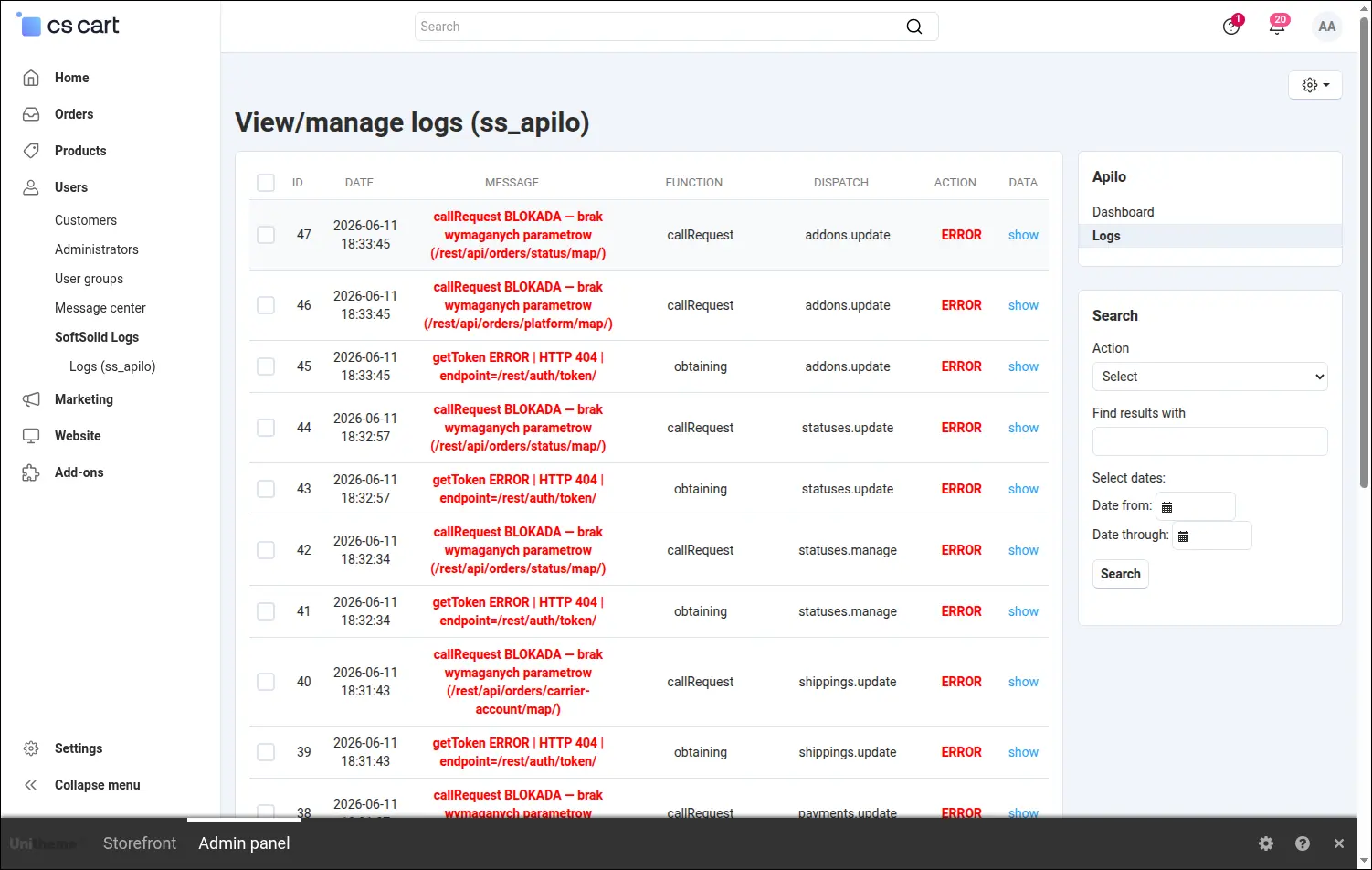
Screenshot 10: the log list with filtering by function and event level.
So that an order on the Apilo side has the right payment from the start, on the payment method page you map it to its Apilo counterpart and pick the paid status:
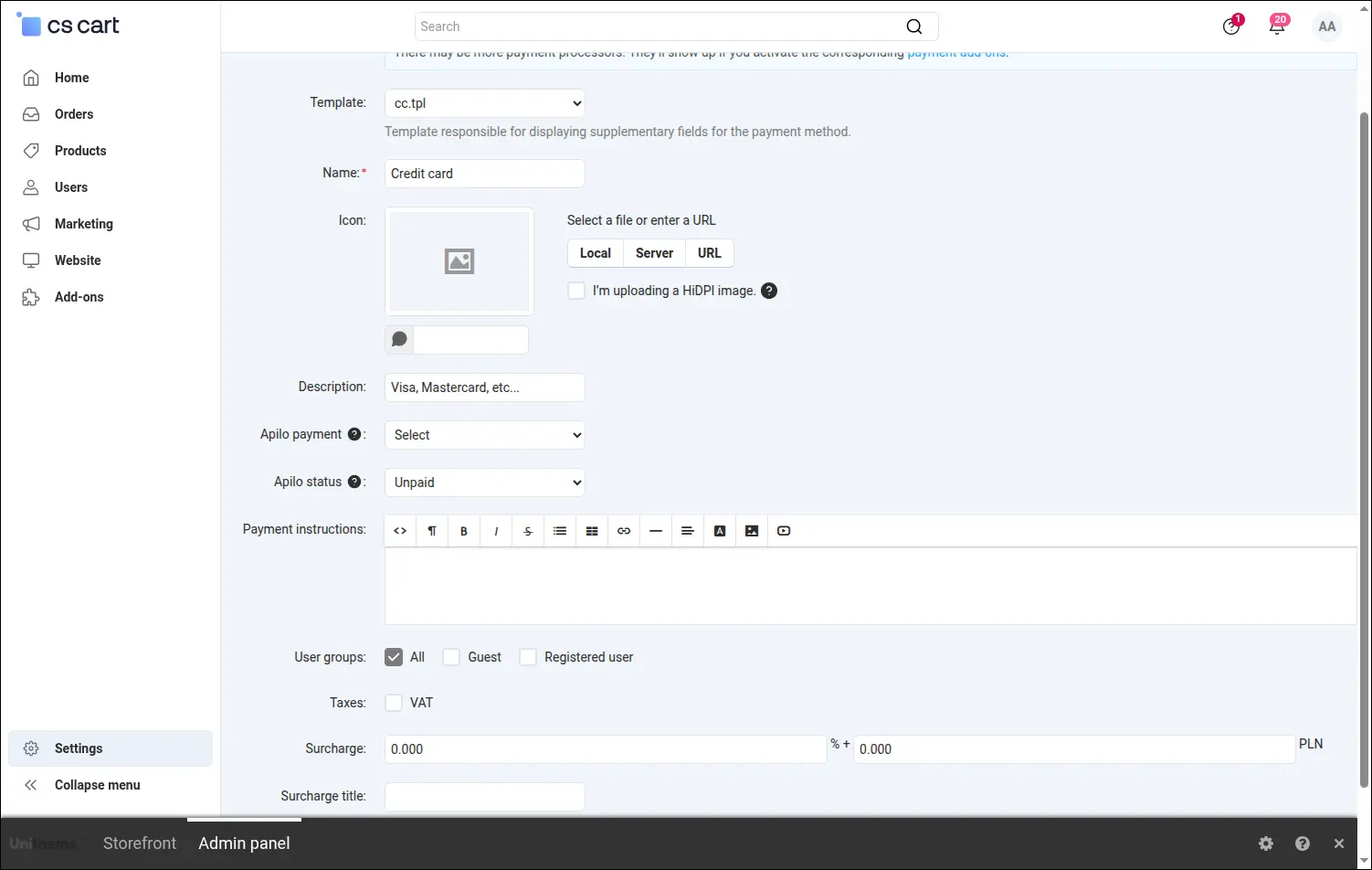
Screenshot 11: mapping a store payment method to an Apilo payment and status.
The same pattern covers shipping. You link a store shipping method to a carrier account in Apilo, so the parcel is described correctly right away:
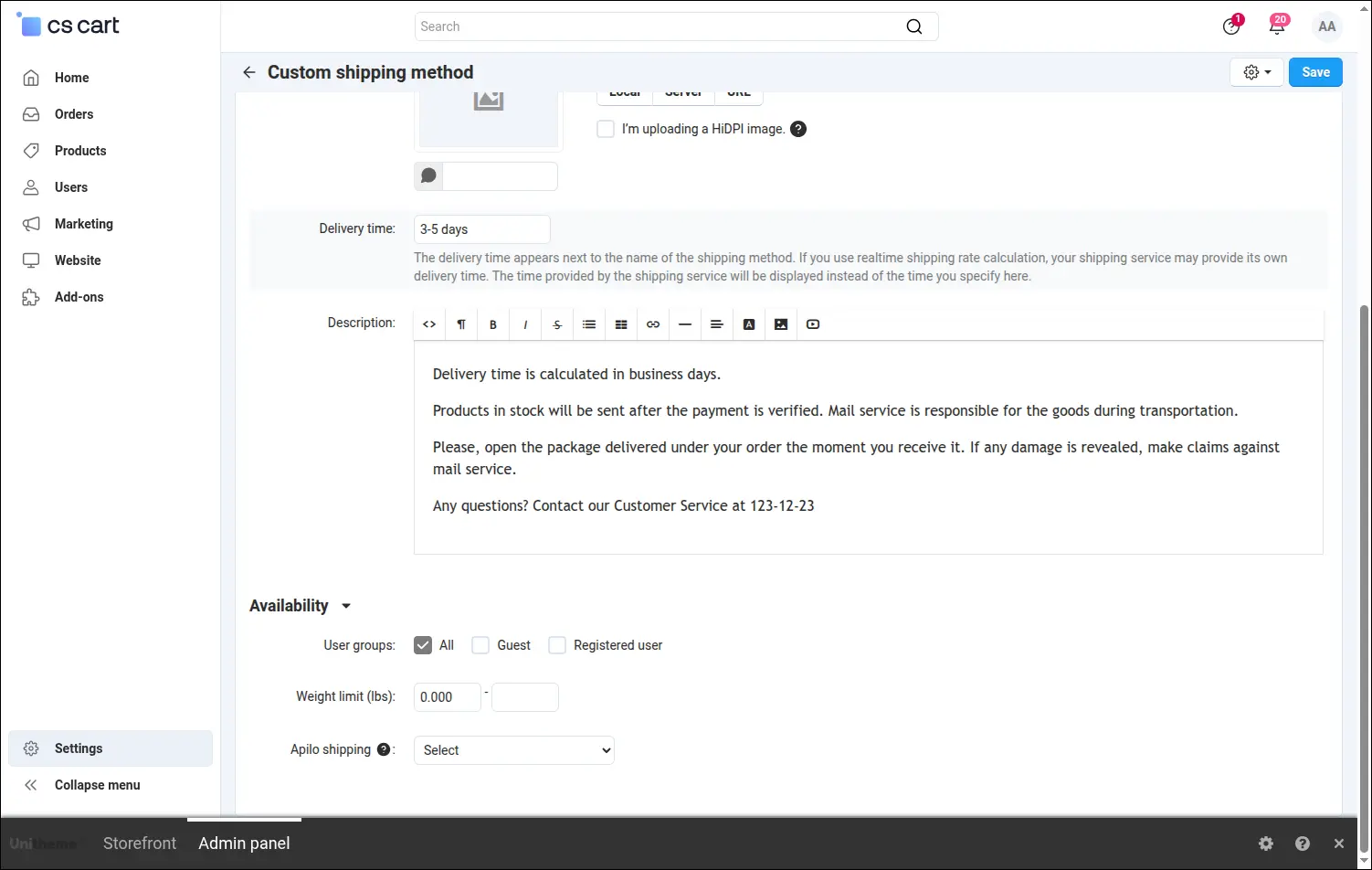
Screenshot 12: mapping a store shipping method to an Apilo carrier account.
Order statuses speak a common language too. When editing a store status you point to its counterpart in Apilo, so both sides understand each other without translation:
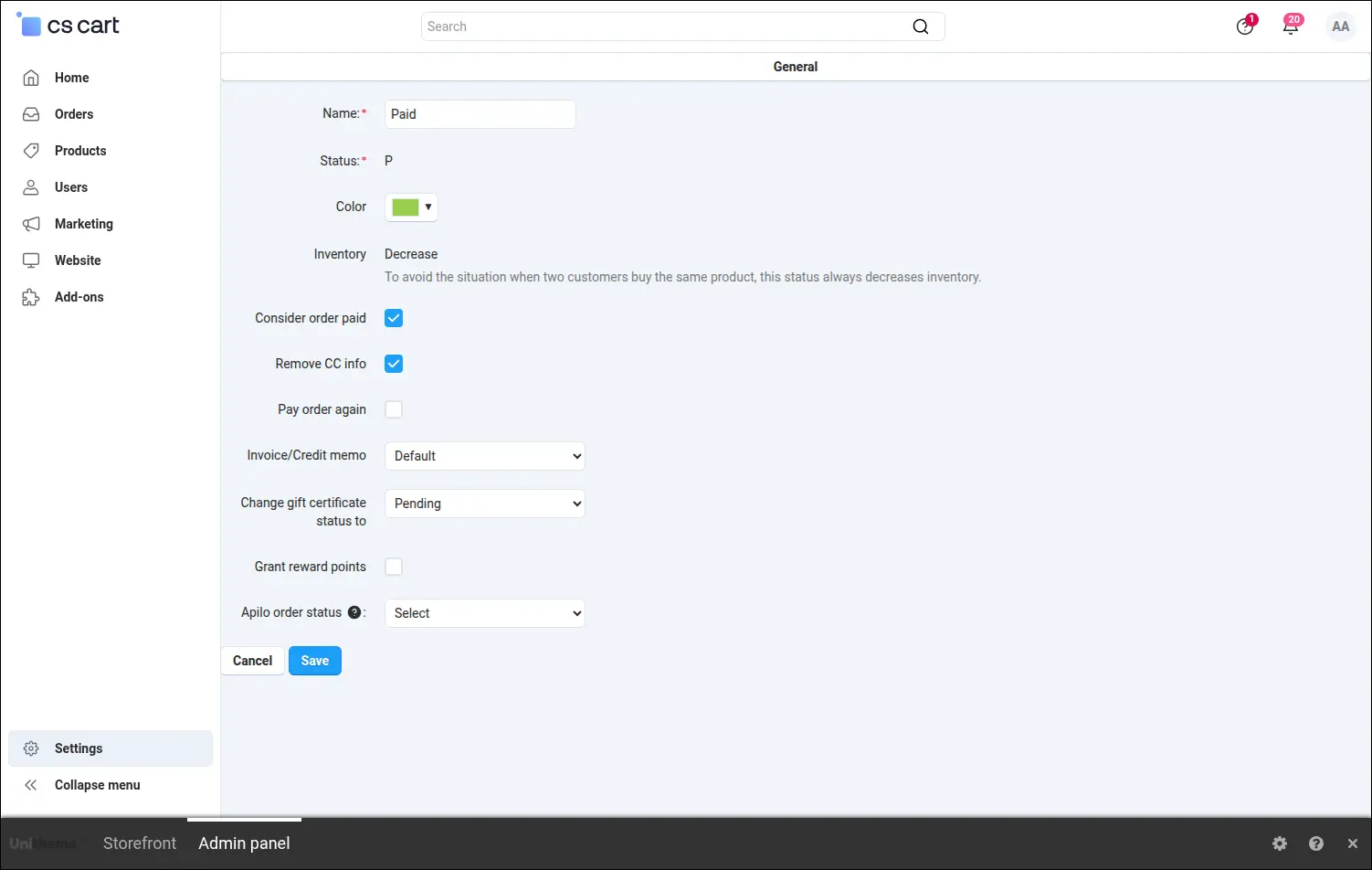
Screenshot 13: mapping a store order status to an Apilo order status.
Invoices and receipts issued in Apilo appear right on the order page, in a clear table with the number, date and a download button. Your team does not have to log into Apilo to answer a customer question about a document:
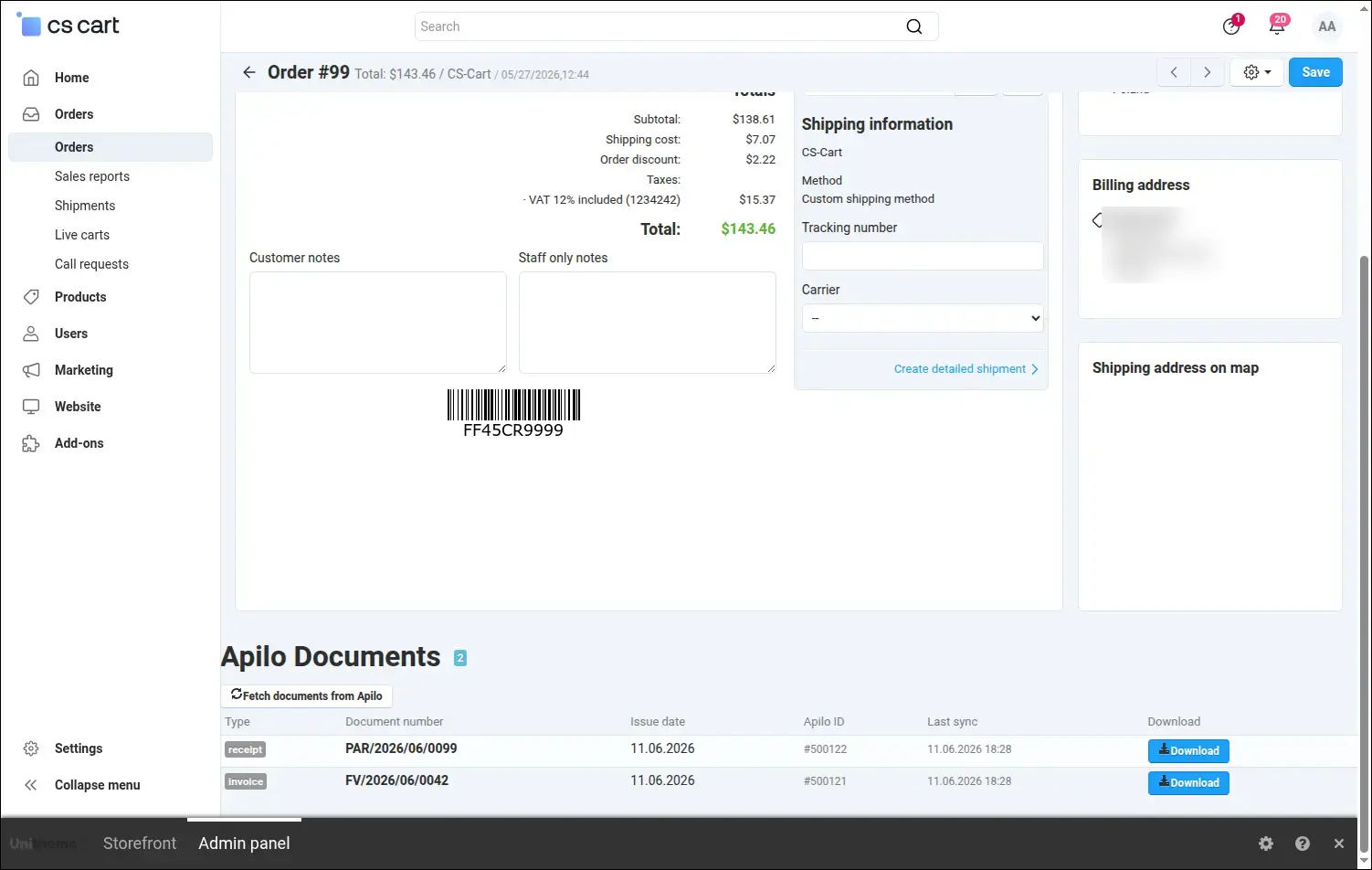
Screenshot 14: Apilo documents available directly on the order.
The Apilo Integration takes the tedious data re-entry off your team and gives you confidence that orders, statuses, documents and stock levels stay consistent on both sides. It works equally well in a single Store Builder shop and on a Multi-Vendor platform, where each seller runs on their own Apilo account.
Feel free to contact us and purchase the add-on!
- Store Bulider
- Multi-Vendor
- 4.21.x
- 4.20.x
- 4.19.x
- 4.18.x
- 4.17.x
- 4.16.x
- 4.15.x
- 4.14.x
- 4.13.x
- 4.12.x
- 4.11.x
- 4.10.x
- 4.9.x
- 4.8.x
- 4.7.x
- 4.6.x
- 4.5.x
- 4.4.x
- 4.3.x
- 4.2.x
- 4.1.x
- 4.0.x
- No changes
No reviews found