


InPost Von Halsky (InPost Marketplace)

- — 12 months guarantee for all our add-ons
- — add-ons sold to entire world
- — stable, flexible, high-quality products
- — competitive prices, attractive discounts
- — quick and competent technical support
- — installation in 24 hours
- — personalized solutions - we'll write any add-on for you
Extension for Store Builder and Multi-Vendor that connects the store catalog to the InPost Von Halsky shopping channel, the buying assistant that lives inside the InPost application. Customers browse and pay for products without ever opening the store website, and the merchant receives a paid order in the familiar admin panel. Publishing offers, refreshing prices and stock, and collecting orders all run in the background, so there is no second catalog to maintain by hand.
Key Features
- Automatic publication and update of offers in the InPost catalog, limited to products that have actually changed.
- An offers screen with the status of every listing and the exact reason whenever the channel refused publication.
- Category mapping picked from a tree fetched from the API, with the setting inherited down to subcategories.
- A dedicated offer name and description written for the channel policy, drafted by a language model when needed.
- Channel pricing calculated gross according to the tax rate, with a percentage markup and automatic bundling.
- Import of paid orders with buyer details, the pickup point and invoice data, with no risk of duplicates.
The rollout begins on the Connection tab, where the store keeps two independent sets of credentials: one for the test environment and one for production. A single field decides which API the store talks to, and just below it waits a ready to use scheduled task command to paste into the server task scheduler
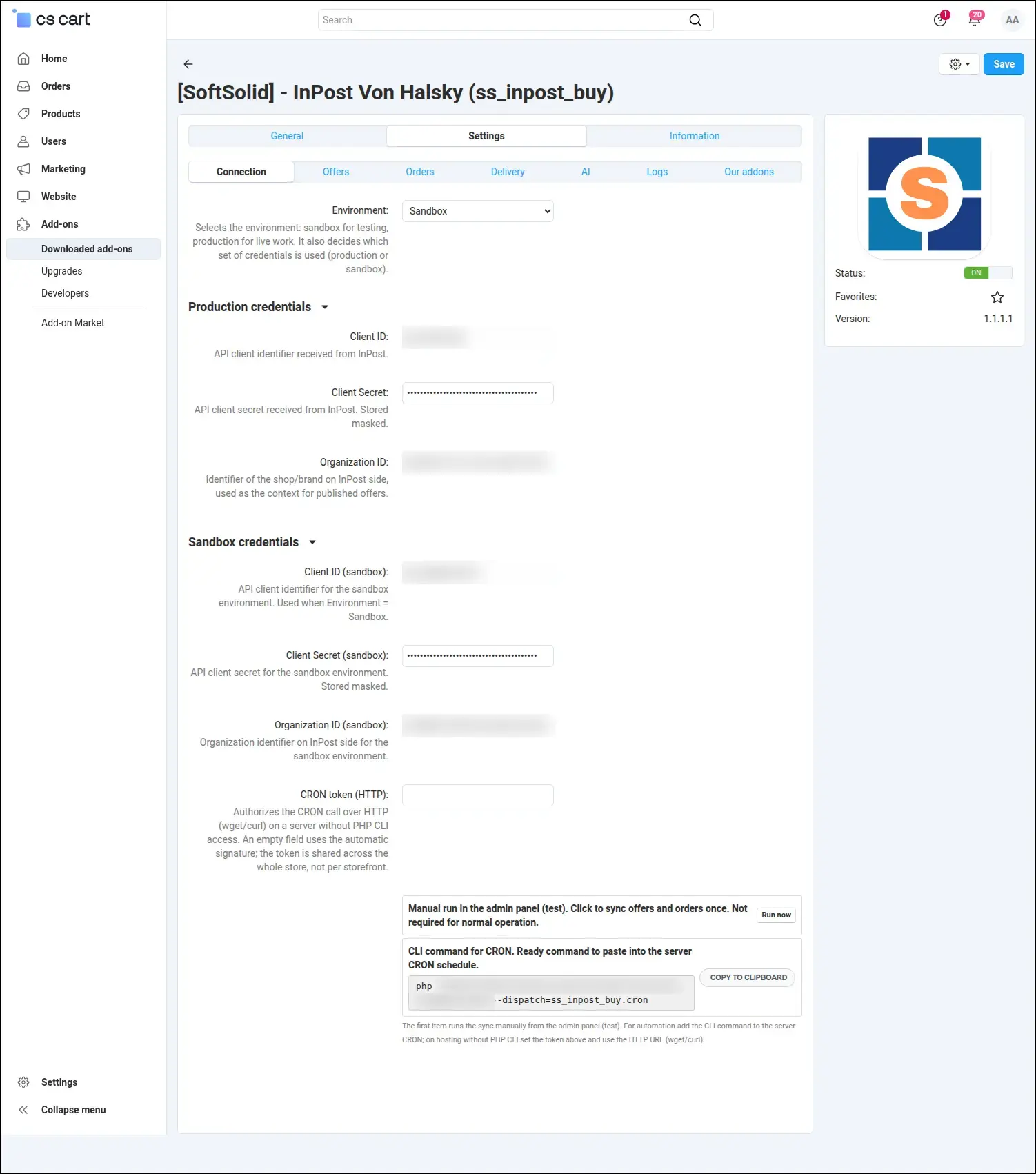
Separate sandbox and production credentials, with a ready to use scheduled task command.
Selling through a channel follows a different economy than selling in your own store, so the price shown on Von Halsky can be tuned without touching the store price list. One screen holds the price source, the percentage markup, the shipping time and the automatic bundling of products sold from several units up
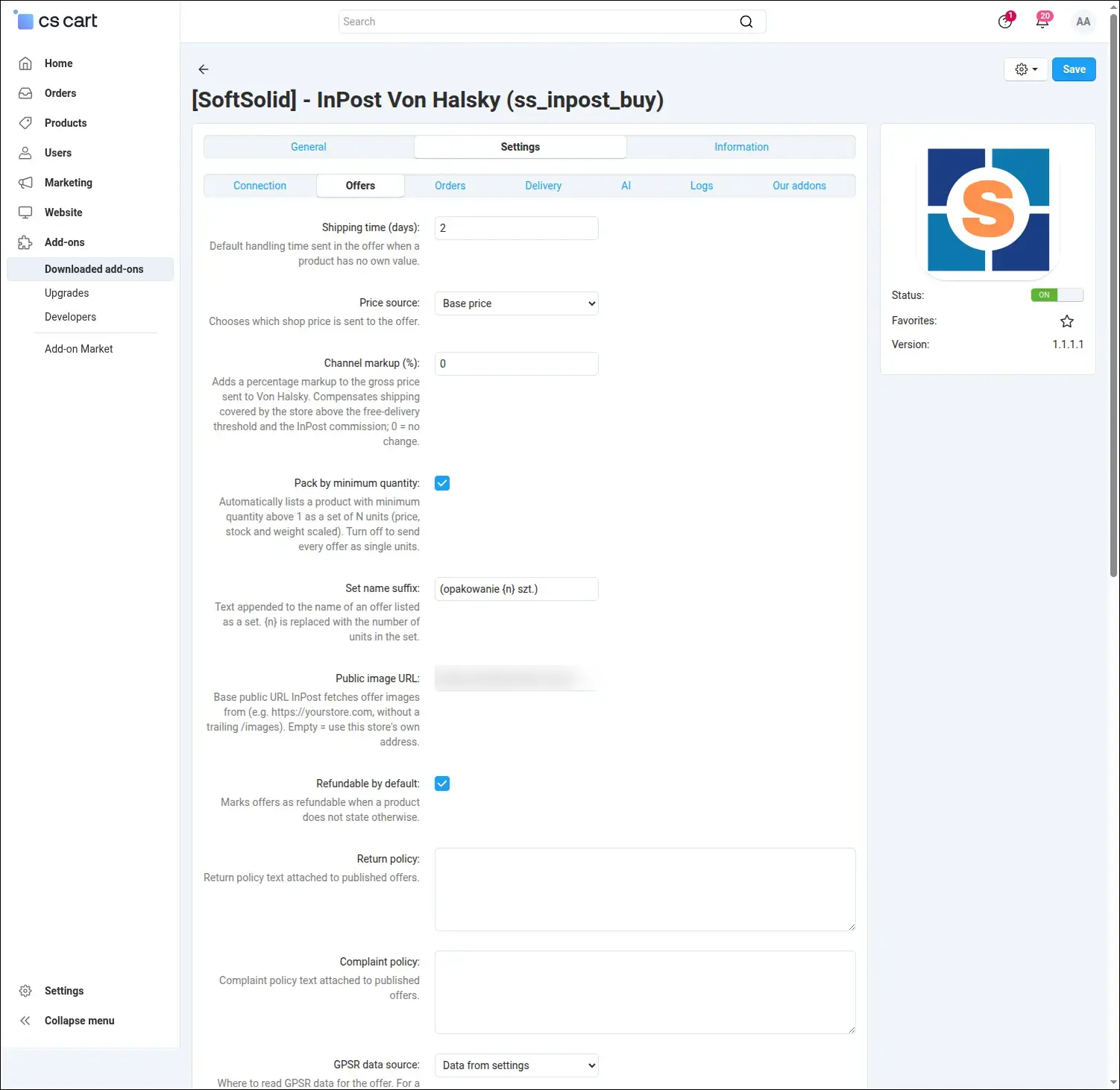
Channel pricing, markup, and automatic bundling based on the minimum order quantity.
The InPost catalog expects manufacturer details compliant with GPSR, along with the keys used to match an offer: the EAN code, the brand and the manufacturer part number. Stores usually keep this information in product features already, so it is enough to point to the right fields and fill in the company data
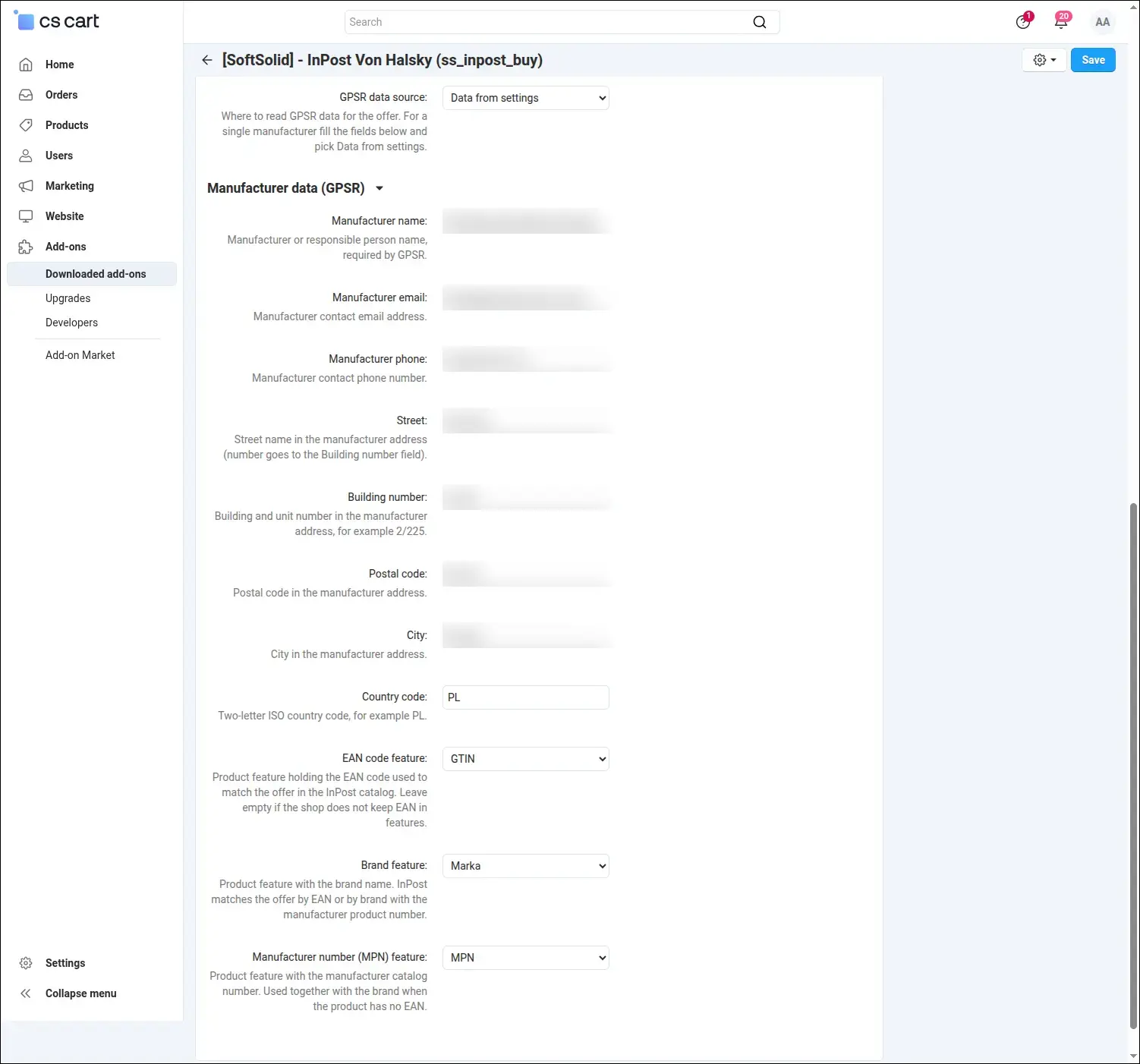
GPSR manufacturer details and the product features that carry the offer matching keys.
An order coming from the channel should enter the existing fulfilment process rather than run beside it. The orders tab decides which status a new order starts on, which status change sends the acceptance back to InPost, and which profile field stores the buyer tax number needed for the invoice
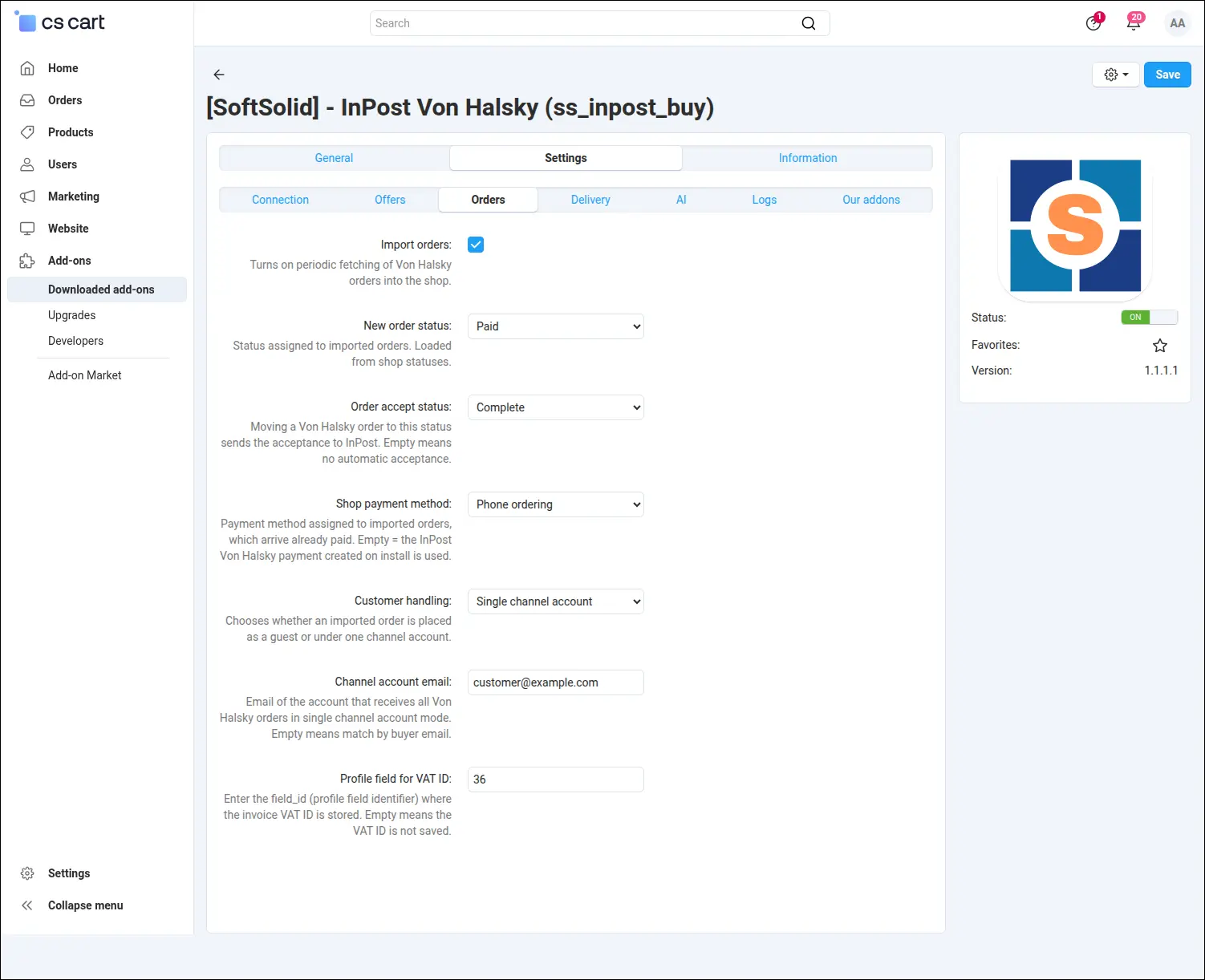
Channel order import: initial status, acceptance triggered by a status change, and invoice data.
InPost reports the delivery choice as either a parcel locker or a courier, and the store needs to know which of its own methods should handle it. Two fields translate one into the other, so the parcel travels the same route as every other order, including through the ShipX integration
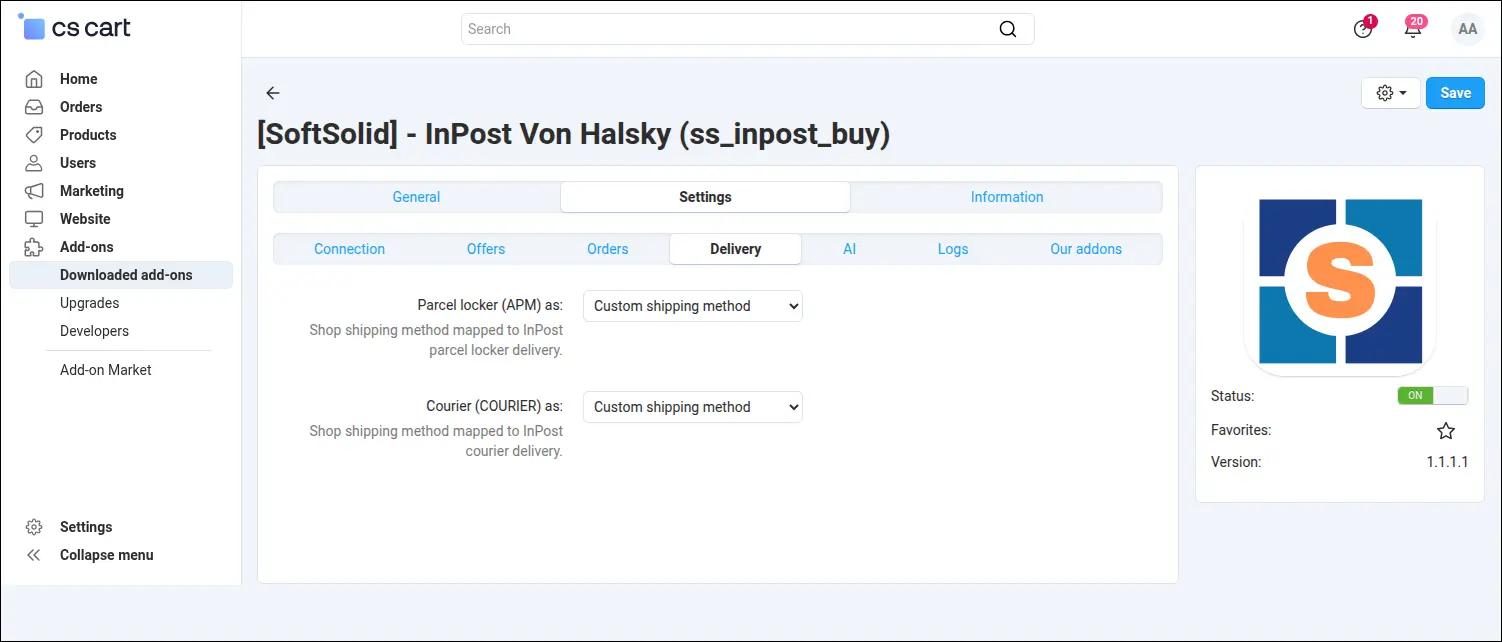
Parcel locker and courier delivery mapped onto the store's own shipping methods.
Publication is decided by a classifier on the InPost side, and it can turn down a perfectly correct product simply because of how the description reads. That is why the channel copy deserves to be written separately, and the generator configuration screen gathers everything it needs: the model provider, the key, the chosen model and your own editorial guidelines. A single button verifies the connection before the first offer travels to the channel
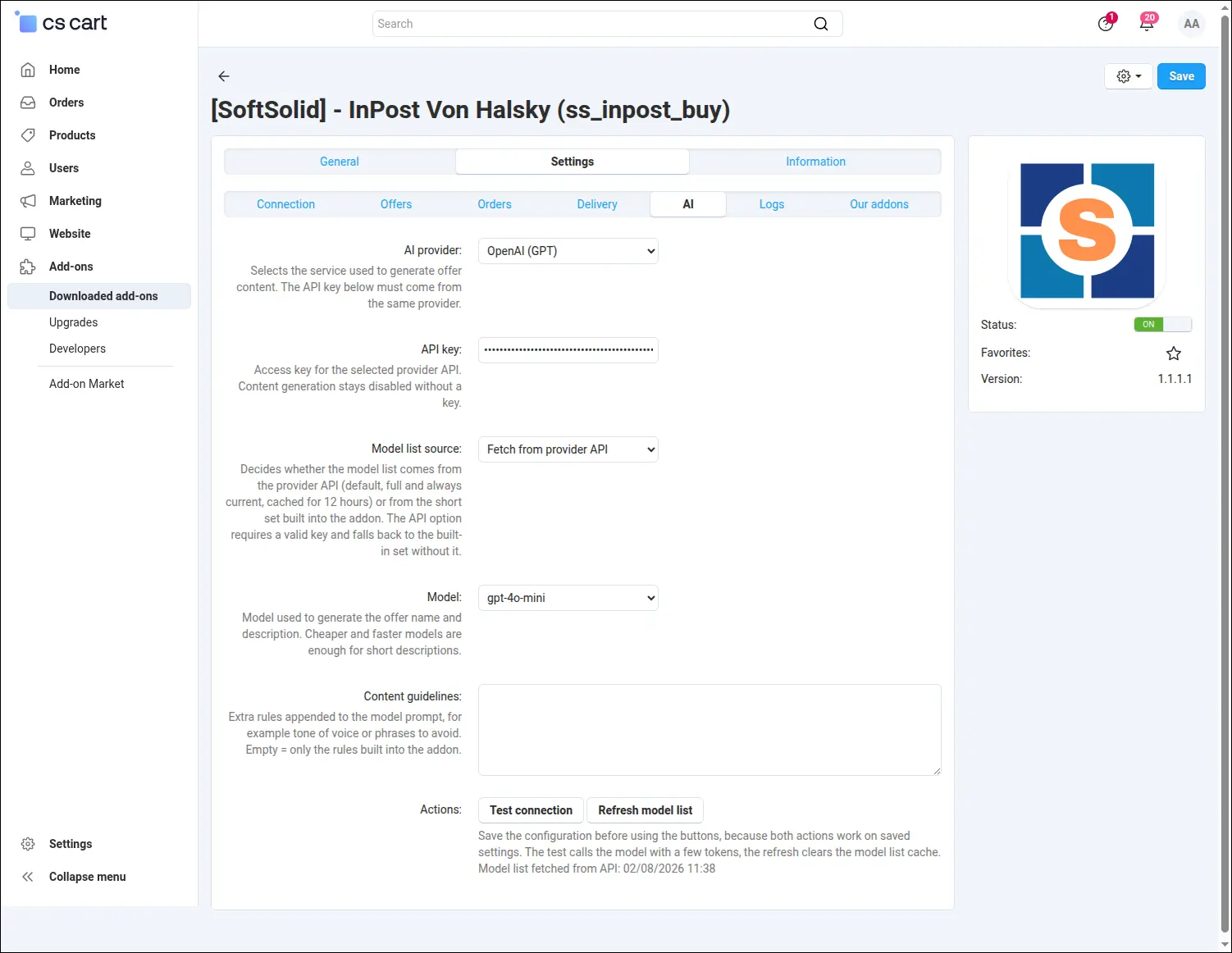
Offer content generator setup with provider and model selection plus custom writing guidelines.
On the product page everything comes down to a single checkbox: from that moment the product belongs to the channel. Next to it sit the channel copy fields, where the offer receives its own name and description, and the generate button fills them with a draft ready for review before saving. Leaving the fields empty keeps the catalog copy, so a separate text is written only where it earns its place
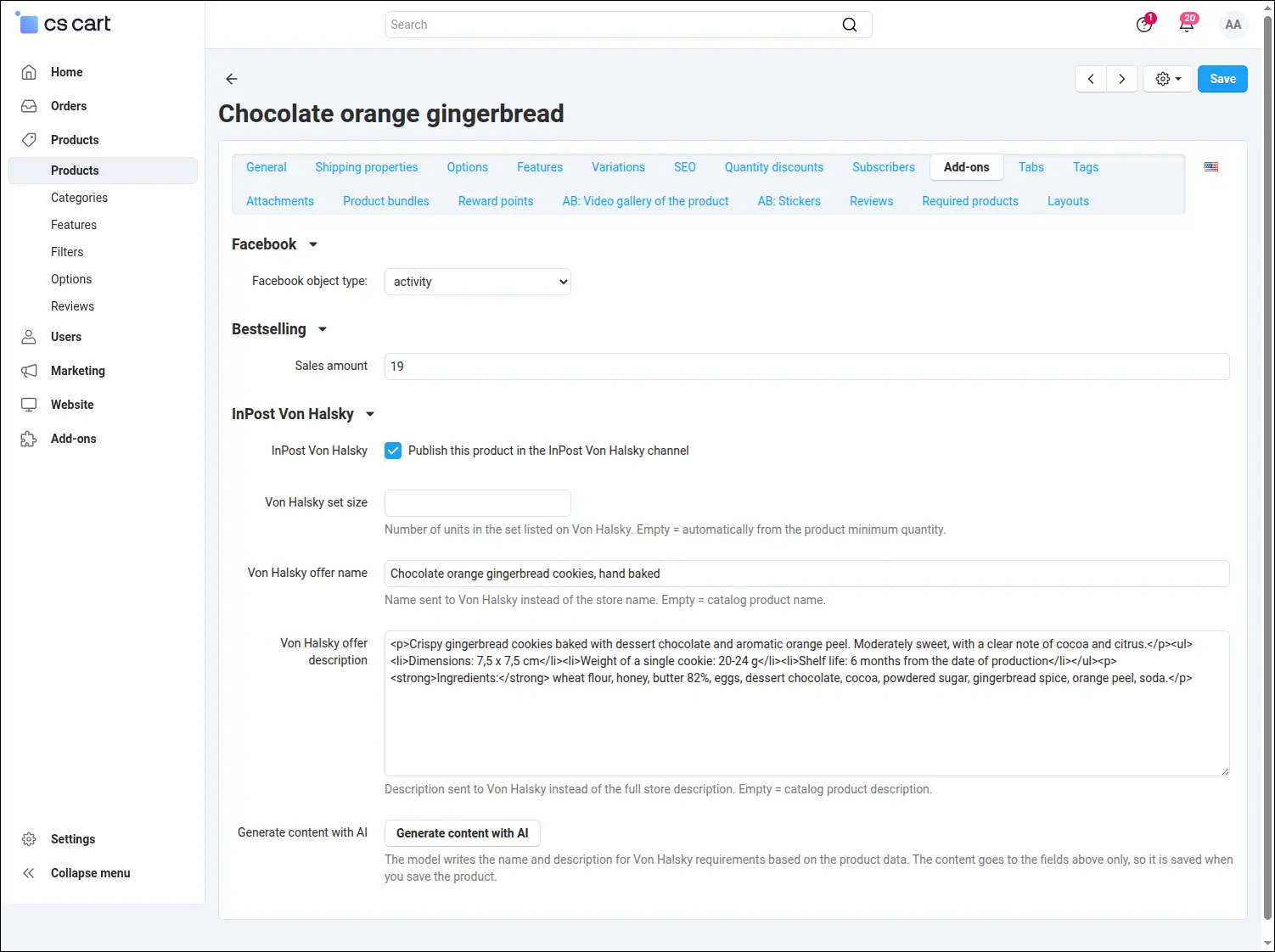
Publishing a product to the channel, with a dedicated offer name and description written for Von Halsky.
With a wide assortment, opening every product page would cost far too much time. Straight from the product list, publishing and withdrawing act on all selected rows at once, so an entire category reaches the channel with one command
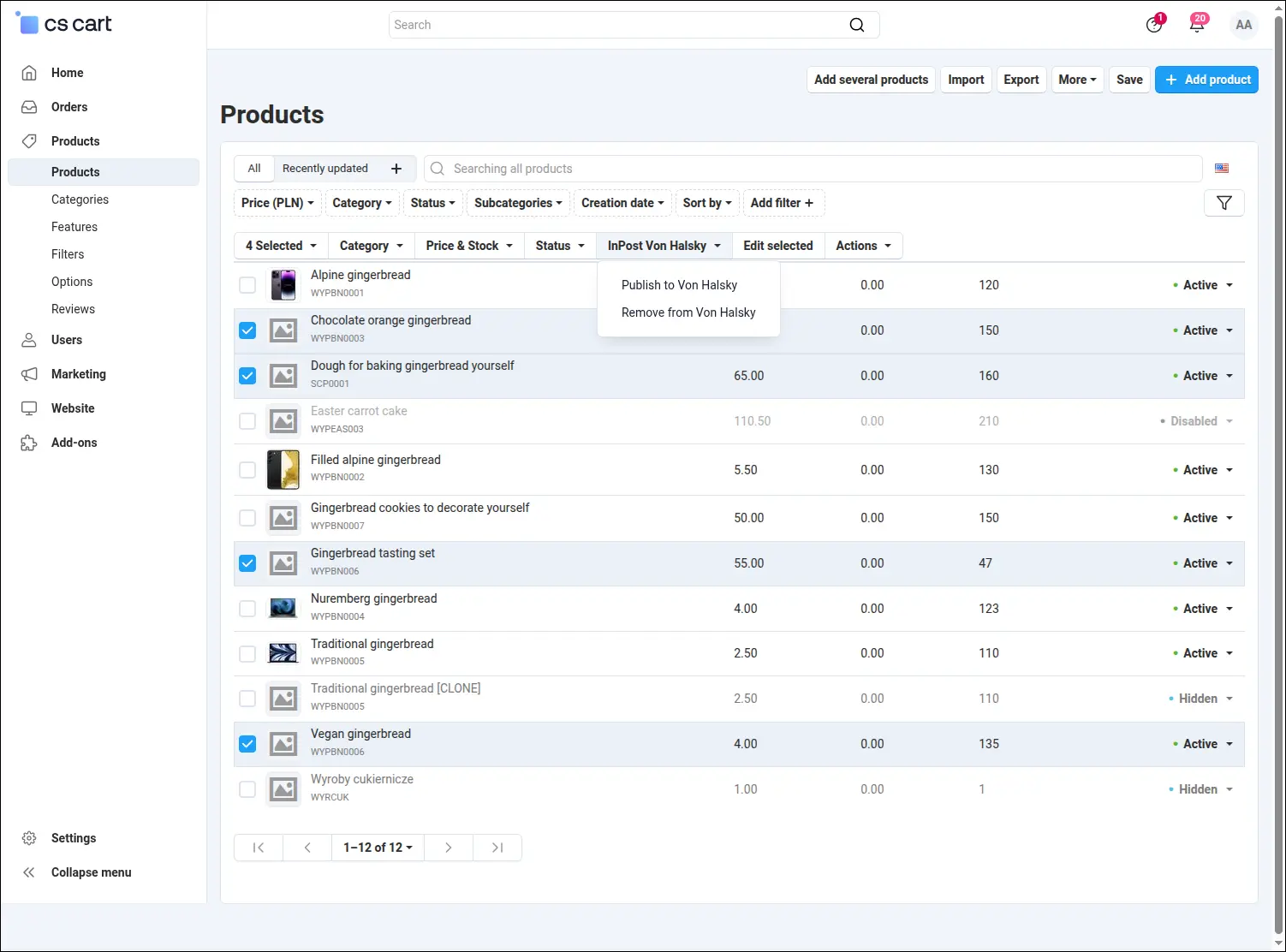
Publishing or withdrawing many products at once straight from the product list.
The offers screen is where the merchant checks the state of the channel every day. It shows the status of each listing, its identifier on the InPost side, the last synchronization date and the refusal message whenever the channel declined to publish. A synchronization run can be started by hand, and offers listed earlier by another tool can be linked to the store with one button
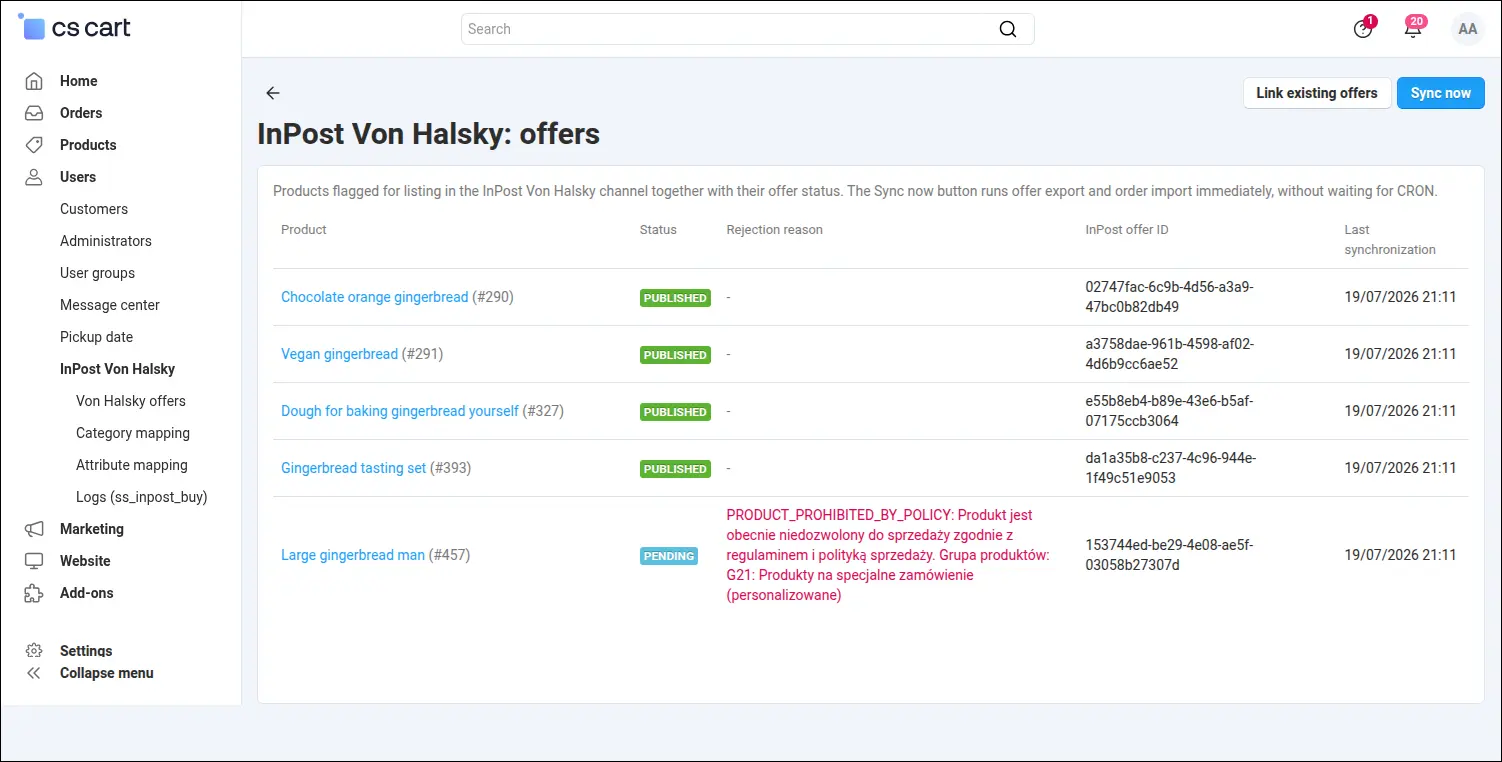
The status of every channel offer, together with the exact reason when publication failed.
The channel catalog is shallower than the store category tree, so the mapping does not have to cover every leaf. An entry given to a parent branch travels down to its subcategories, and each of them shows where the setting was inherited from and which full channel path stands behind it. That path preview catches a mistake before an offer comes back refused
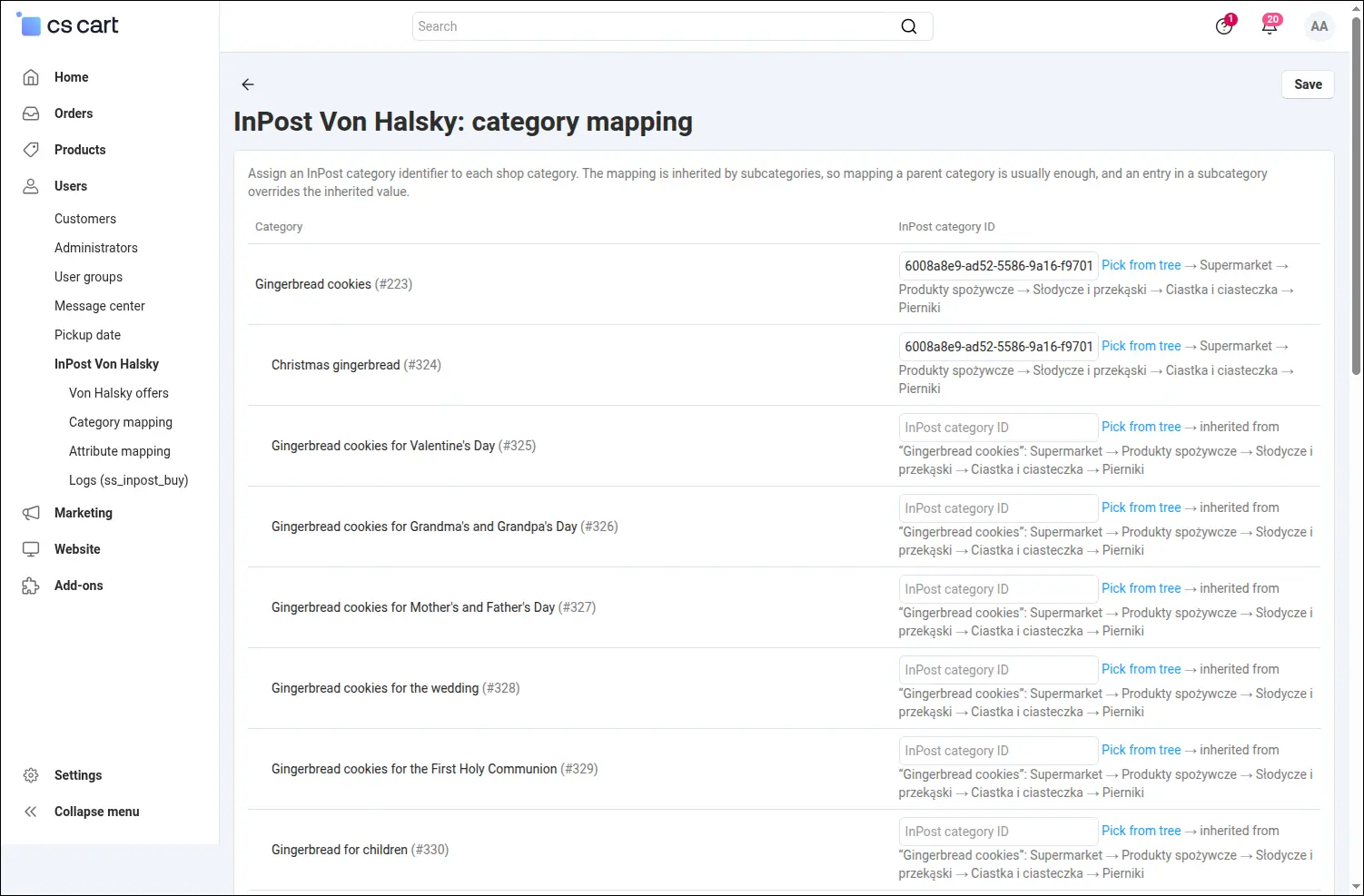
Category mapping with a full path preview and inheritance of the setting down to subcategories.
InPost category identifiers never have to be copied by hand or hunted down in documentation. The picker fetches the tree straight from the API, lets you walk down level by level, and ends with the right leaf landing in the mapping field on its own
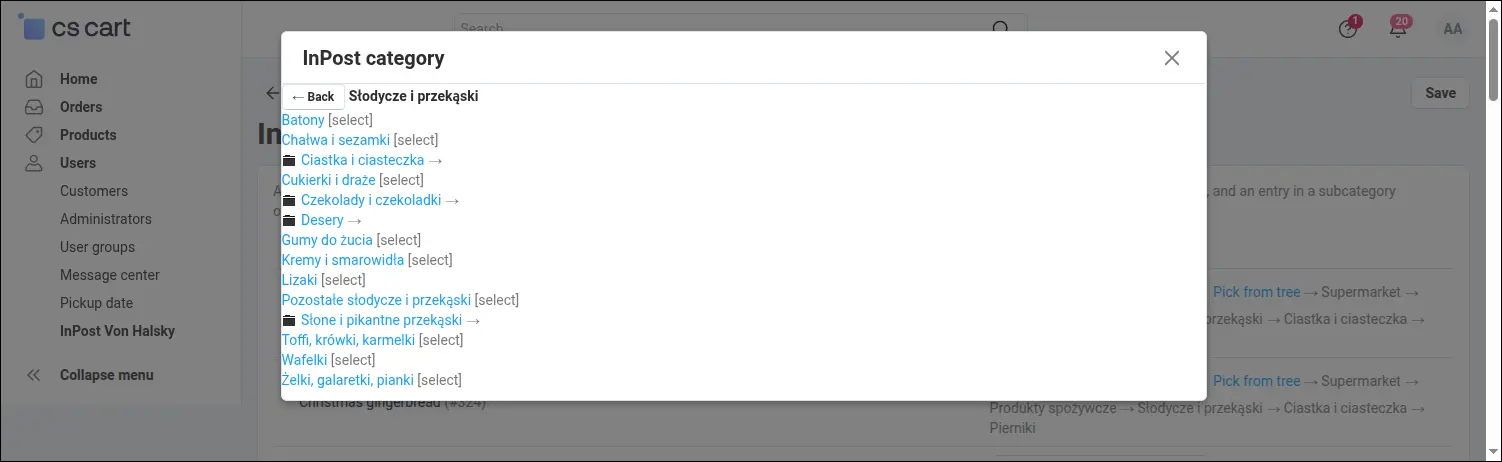
The channel category is picked from a tree fetched from the API, with no identifiers to copy by hand.
Some channel categories expect attributes the store does not keep explicitly, such as the weight expressed in grams. The mapping screen points to the source of every value: a product feature, a constant entered once for the whole category, or the weight taken from the product page and converted automatically
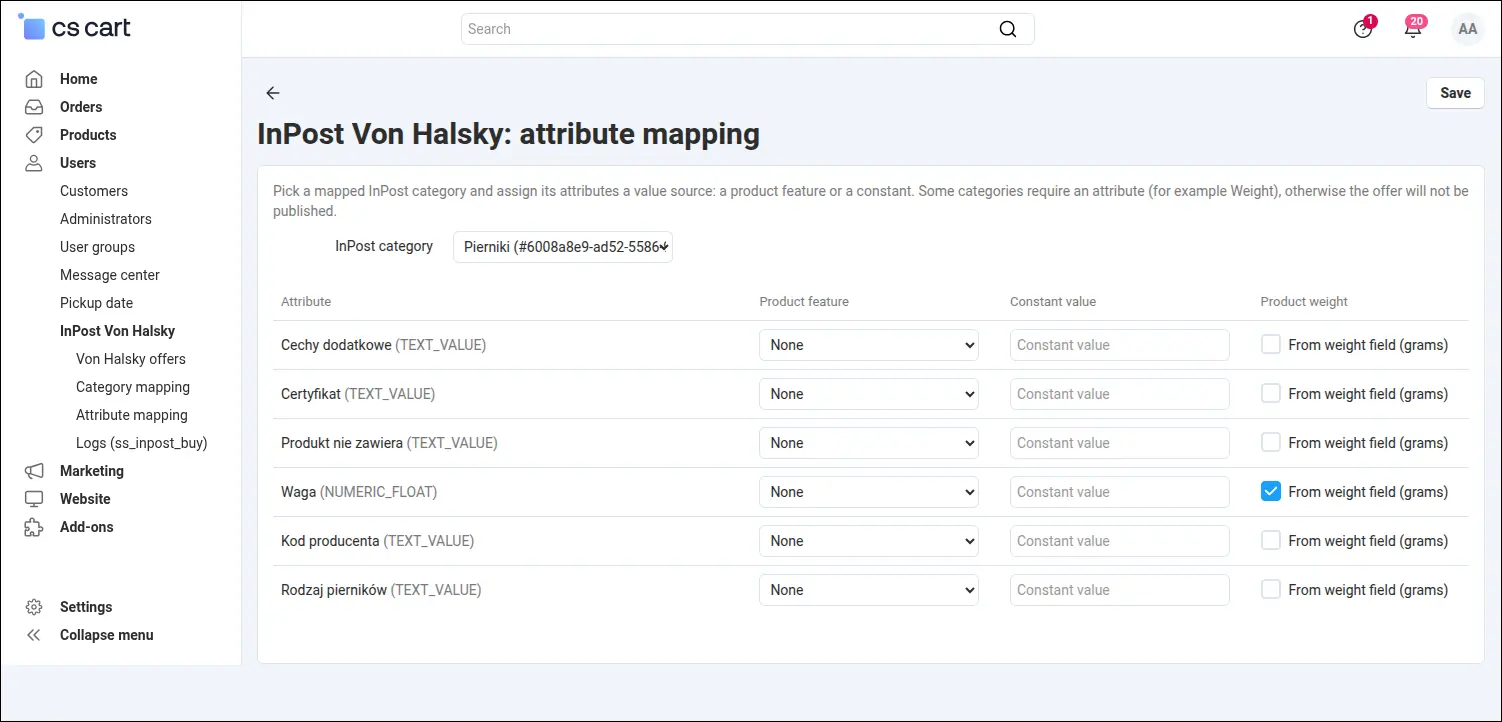
Attributes of the channel category, fed from a product feature, a constant, or the product weight.
The result of the whole integration shows best on the order page. A transaction paid inside the InPost application appears in the panel as a regular store order, with line items, the channel payment method, the shipping method and the parcel locker code recorded with the order, ready for the parcel to be dispatched
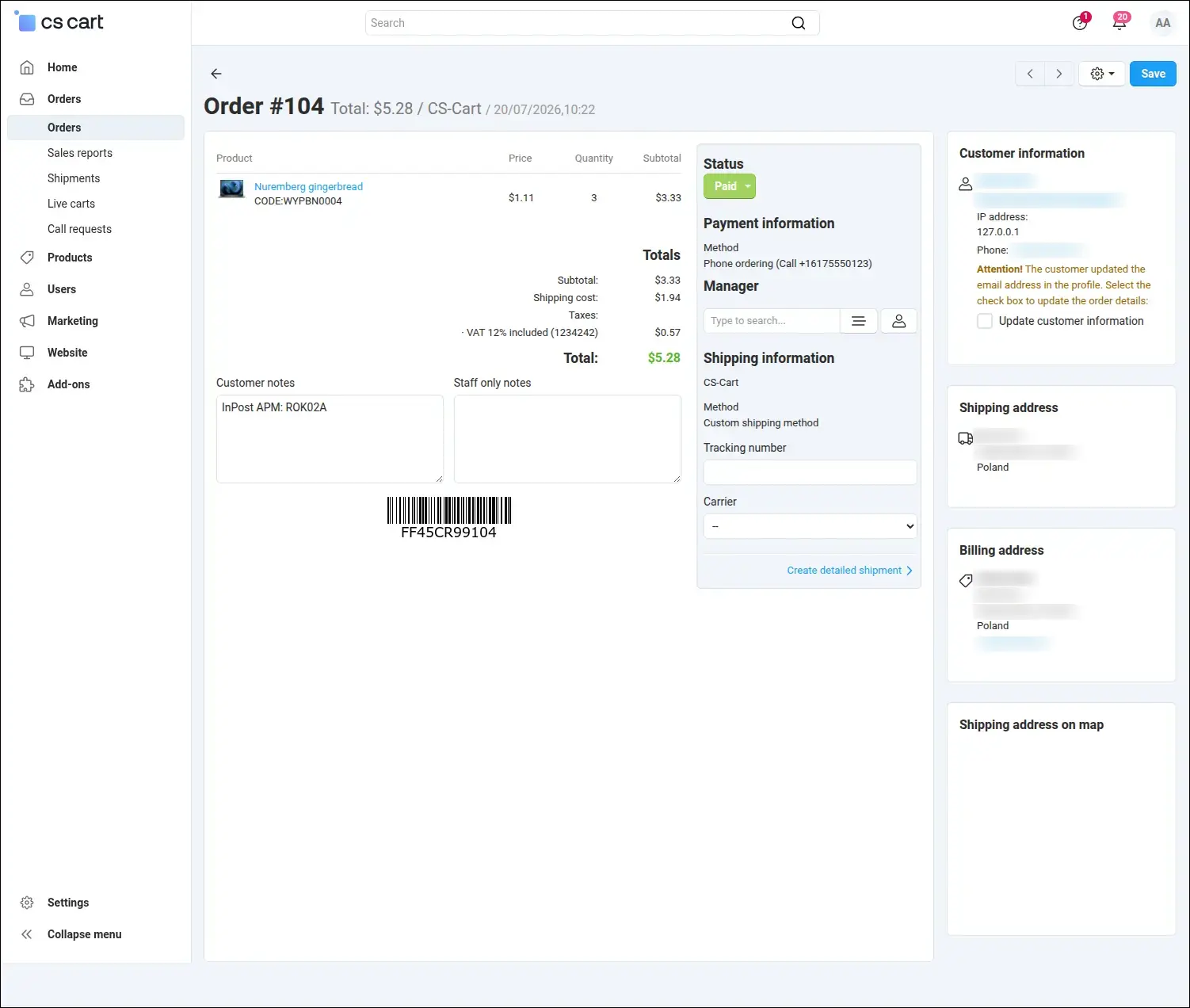
A paid channel order lands in the admin panel as a regular store order, ready to be shipped.
InPost Von Halsky spares the staff from running a second catalog. The store marks the products, and the add-on handles the rest: it builds offers from real store data, sends only genuine changes, turns a refusal into a message anyone can act on, and delivers paid orders where the team already works every day. The channel is open to merchants who have signed an integration agreement with InPost and received their API credentials.
Feel free to contact us and purchase the add-on!
Choose the most convenient form of payment for the add-on. You can pay once and use the add-on. Choosing a subscription payment (monthly or annual) means that you pay for the add-on at regular intervals and have access to the latest versions of the addon and technical support.
- Store Bulider
- Multi-Vendor
- 4.21.x
- 4.20.x
- 4.19.x
- 4.18.x
- 4.17.x
- 4.16.x
- 4.15.x
- No changes
No reviews found