


Force a payment method usage for orders created through admin panel


- — 12 months guarantee for all our add-ons
- — add-ons sold to entire world
- — stable, flexible, high-quality products
- — competitive prices, attractive discounts
- — quick and competent technical support
- — installation in 24 hours
- — personalized solutions - we'll write any add-on for you
An add-on for Store Builder and Multi-Vendor for stores that agree the payment method with the customer before checkout even begins. An order taken by phone, an offer sent by email, a regular partner paying by bank transfer on terms: in each case the merchant knows how the customer should pay, yet the store still shows every payment method. The Force payment method add-on puts this in order. The administrator chooses one method for an order created in the admin panel, or permanently for a specific customer, and the store offers only that method.
See how it works
Key Features
- Assign a payment method to an order created or edited in the admin panel, with a single field next to the payment selection.
- Repayment from the order details with the method agreed with the store, and nothing else.
- A permanent payment method in the customer profile, applied at checkout for every order.
- A clear notice in the order details that protects the agreement from accidental changes.
- Works with the payment methods already configured in the store, with no extra settings.
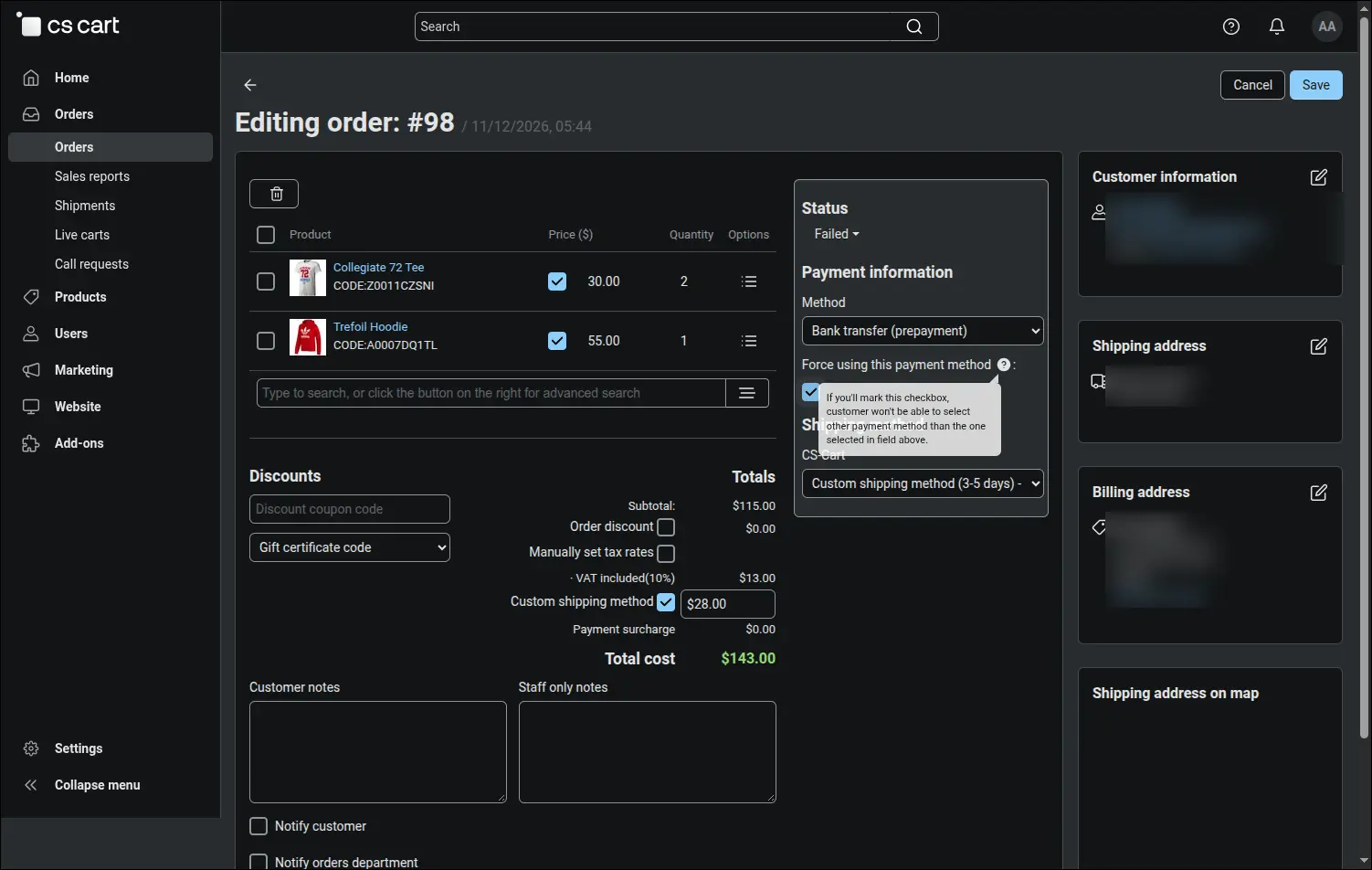
Everything starts in the order editor, where staff enter the order taken from the customer anyway. Next to the payment method selection there is a Force using this payment method field with a short tooltip. Choose the agreed method, for example prepaid bank transfer, tick the field and save the order. The setting can be changed at any later edit:
Screenshot 1
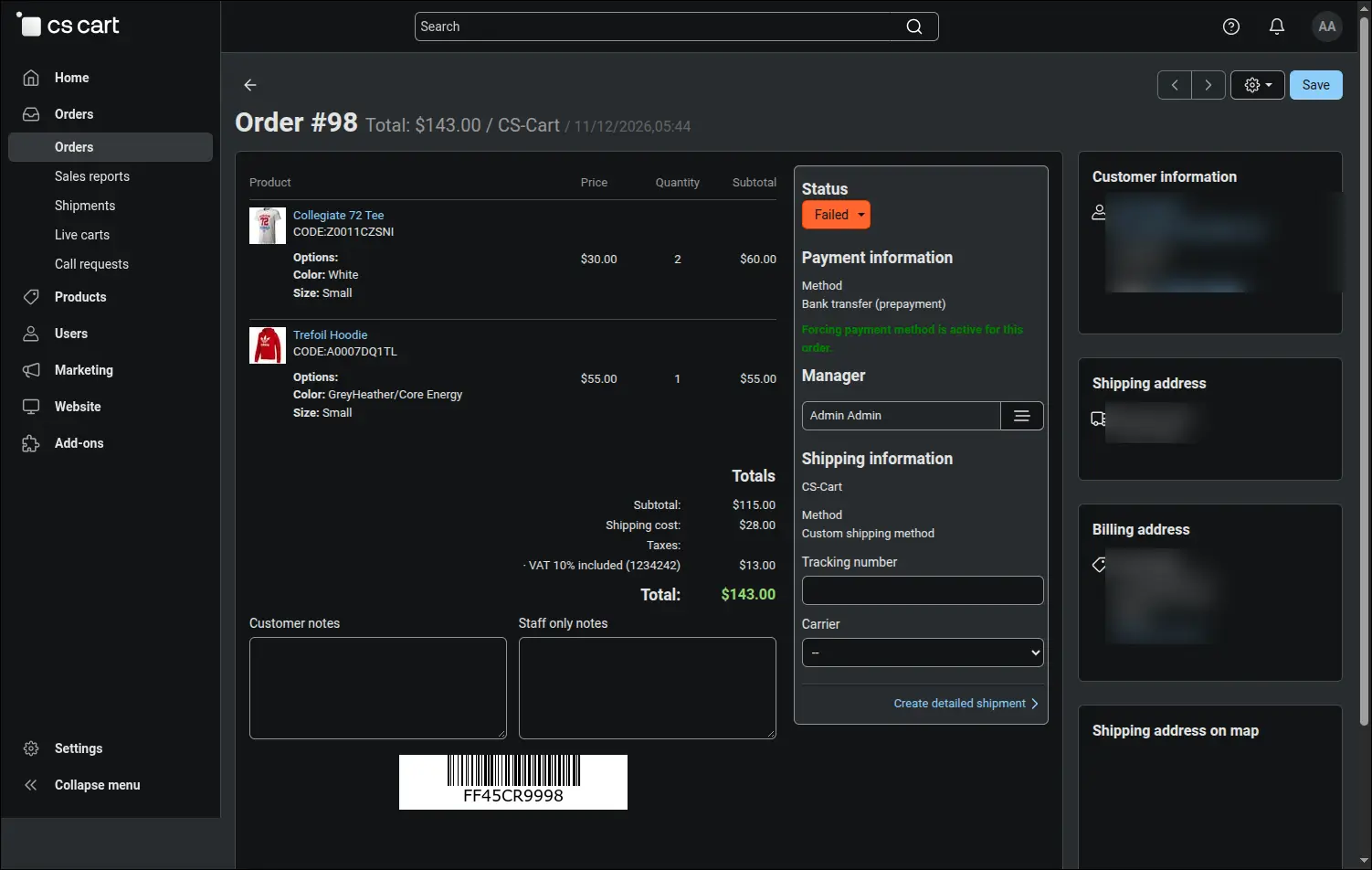
Once saved, the order details in the admin panel show a green notice about active forcing next to the payment information. Anyone on the team who opens the order sees at once that the payment method was agreed with the customer, and will not change it by mistake:
Screenshot 2
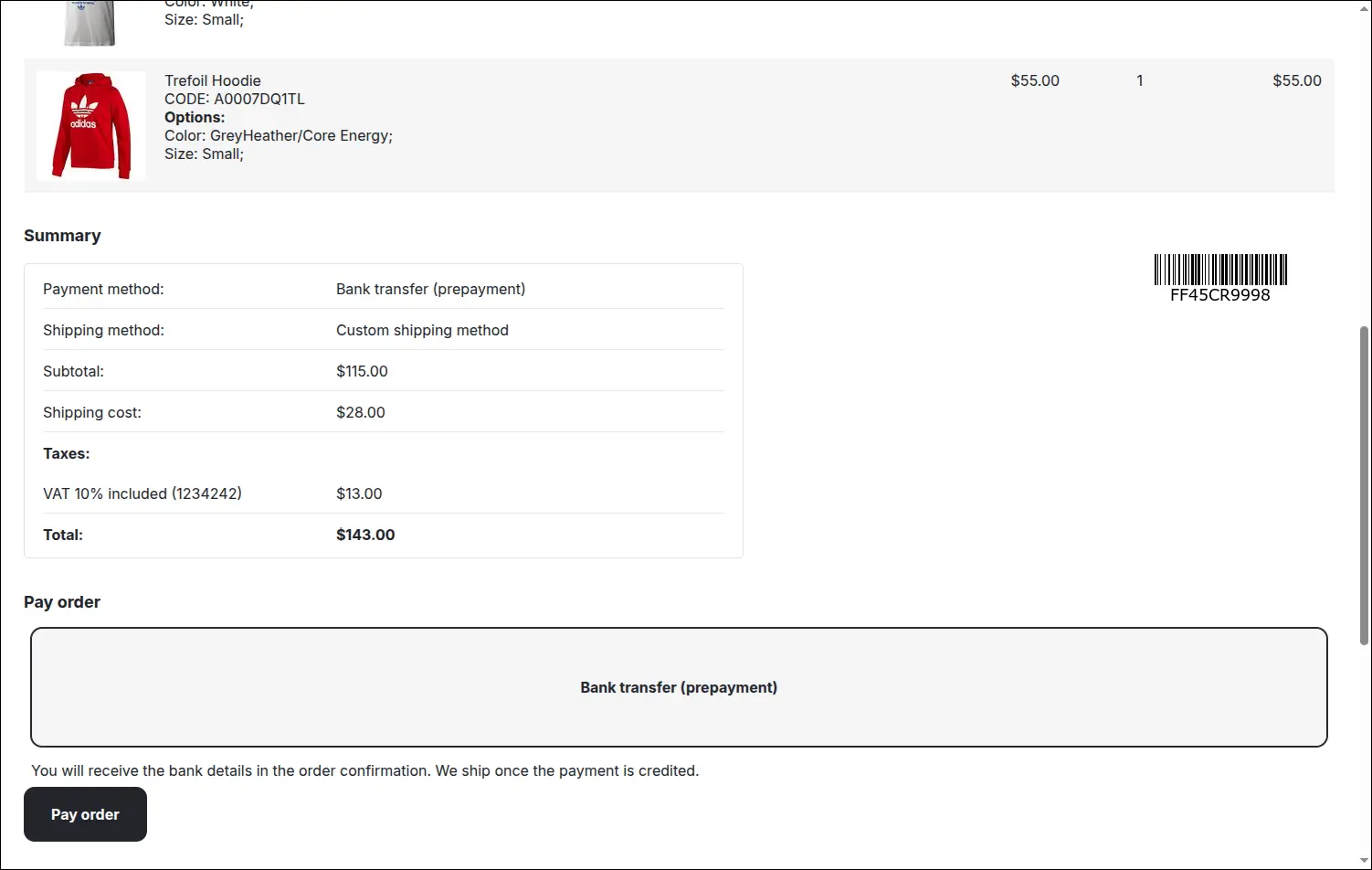
This is the customer's view. They open the order in their account and use the Pay order option, and the list contains only the method chosen by the store, even though several are active. Prepayment can no longer be swapped for cash on delivery. The repayment option itself comes from CS-Cart for order statuses that allow it, so the merchant decides in the status settings when the customer may pay:
Screenshot 3
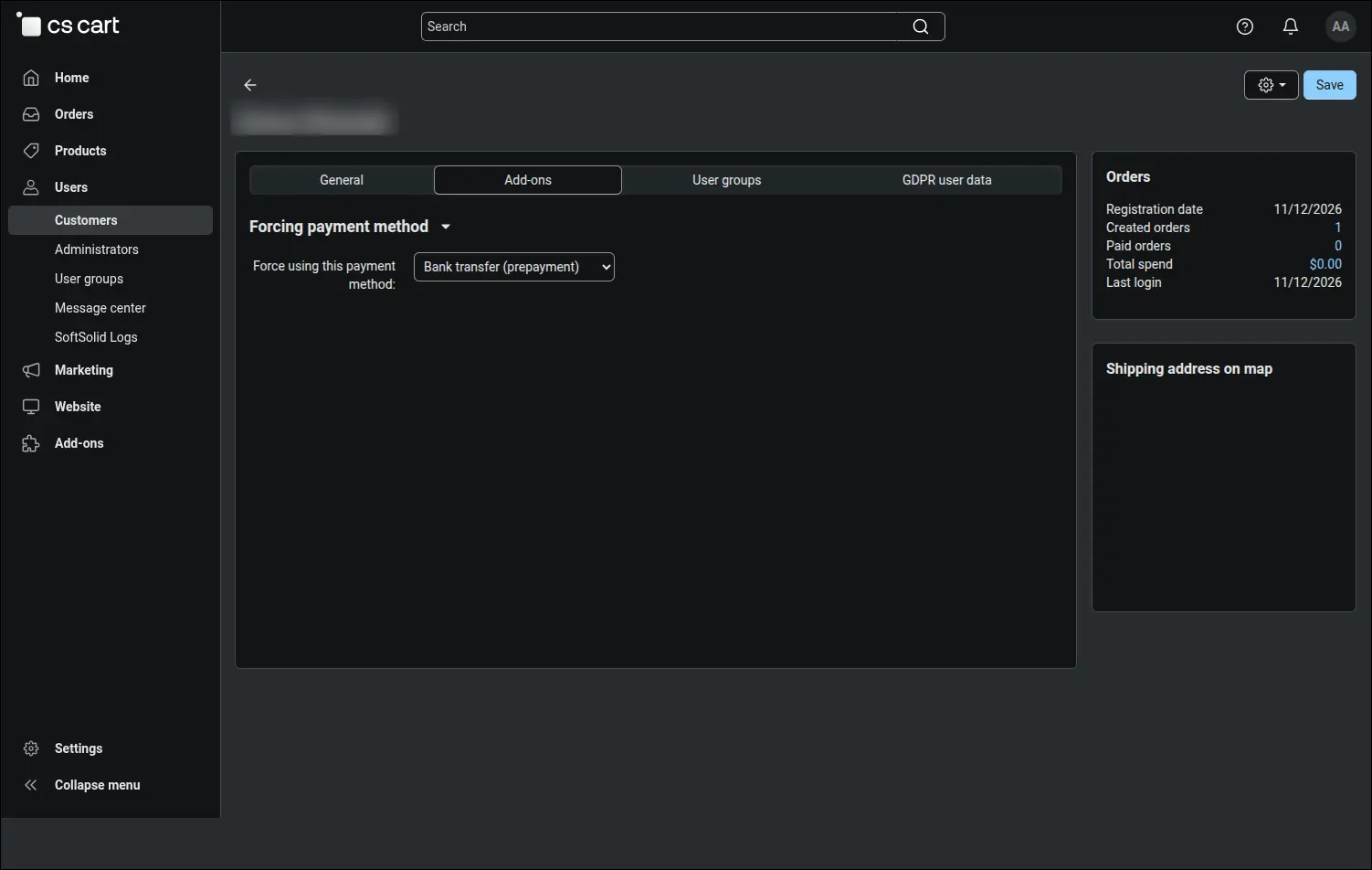
Regular buyers do not need watching on every order. In the customer profile, on the Add-ons tab, the administrator picks the only payment method this customer should see. One setting is enough to remove cash on delivery for them or to assign bank transfer with deferred payment. Setting the field back to Select restores the usual checkout:
Screenshot 4
The result shows at checkout. A signed-in customer completes the order and the payment step lists only the method assigned to them, although the store offers more. Forcing applies once the customer is signed in, so choose a method that is active and available to their user group:
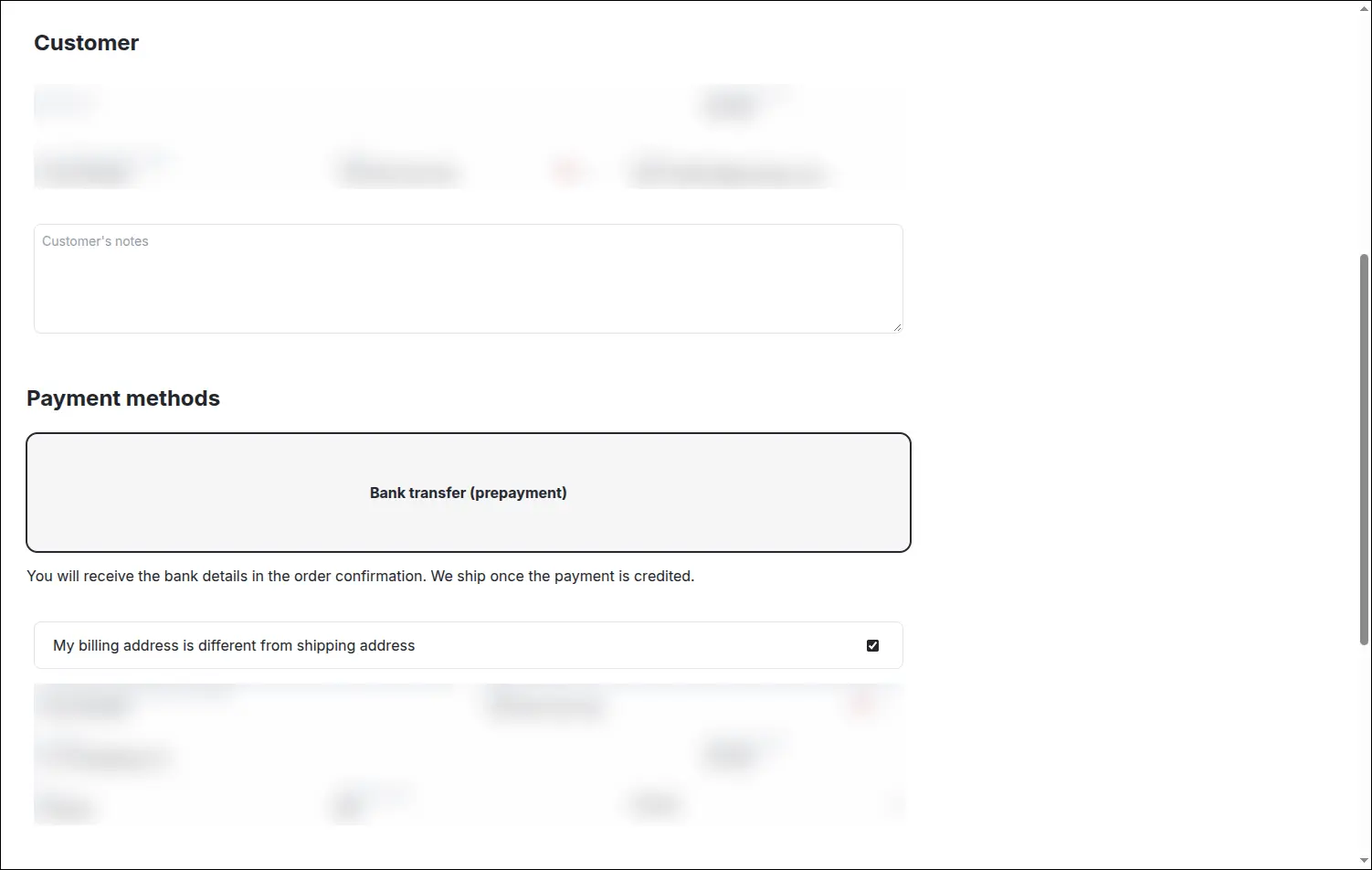
Screenshot 5
The Force payment method add-on brings no gateways of its own and leaves the payment configuration untouched. It works with the methods the store already has, including their surcharges and integrations, and only decides which of them the customer sees. Deployment comes down to installation, and the decisions are made where staff work every day: in the order editor and in the customer profile.
Full walkthrough, 5 minutes
Feel free to contact us and purchase the add-on!
- Store Bulider
- Multi-Vendor
- 4.21.x
- 4.20.x
- 4.18.x
- 4.17.x
- 4.16.x
- 4.15.x
- 4.14.x
- 4.13.x
- 4.12.x
- 4.11.x
- 4.10.x
- 4.9.x
- 4.8.x
- 4.7.x
- 4.6.x
- 4.5.x
- 4.4.x
- 4.3.x
- 4.2.x
- 4.1.x
- 4.0.x
- No changes
No reviews found