


Automatic Actions


- — 12 months guarantee for all our add-ons
- — add-ons sold to entire world
- — stable, flexible, high-quality products
- — competitive prices, attractive discounts
- — quick and competent technical support
- — installation in 24 hours
- — personalized solutions - we'll write any add-on for you
An extension for Store Builder and Multi-Vendor that takes repetitive work on orders and customer accounts off your store team. A payment reminder, the cancellation of an order that has been waiting for payment for days, moving a loyal customer into a discount group or notifying the warehouse no longer have to be remembered, because a rule carries them out, the same way every time.
Every rule has three parts: the event that starts it, the conditions an order or a customer has to meet, and a list of actions run one after another. The event can be an order being placed, a status change, a payment, an order staying too long in a status, a manual run from the order page, a customer registration or a period without purchases. The Wait step spreads the scenario over time, and the conditions are checked again before every next step, so a customer who has paid in the meantime will not receive a cancellation. The engine does not slow down checkout: events only go into a queue, and the actual work happens after the request ends or during a cron run.
Key Features
- Rules built from an event, an All or Any condition tree in the layout known from promotions, and an ordered list of actions.
- Actions on orders and customer accounts: status change with notifications, email in the customer's language, staff note, user group change, reward points and a signed webhook.
- Scenarios spread over time with the Wait step, and automatic retries of an action after a temporary error.
- Test mode, a Preview of the next run and an execution log on the rule and on the order page.
- Customer rules: a welcome after registration and a reminder after a period without purchases, with a newsletter consent condition.
- Two plans, Basic and Pro, with vendors' own rules in Multi-Vendor on the Pro plan.
The global configuration fits on a single screen. At the top you see the plan assigned to your license, and below it the fields that protect the server: the number of tasks handled in one cron run, the limit of tasks for a single order per hour and how long the log is kept. This is also where you choose the company address that rule emails are sent from:
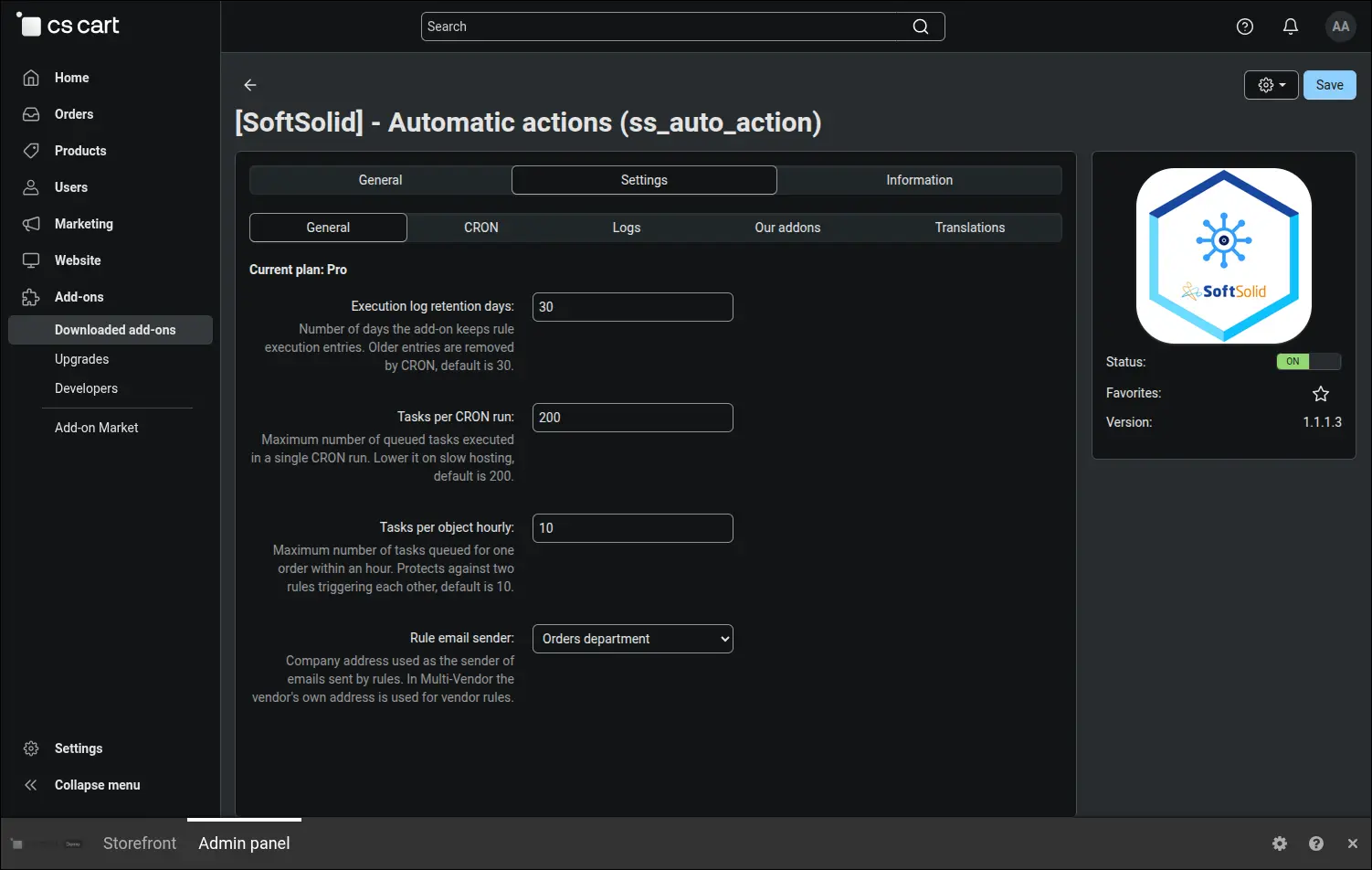
Screenshot 1: add-on settings with the current license plan and rule engine limits.
Delayed steps, retries and time based events are handled by a scheduled server task. The add-on gives you a ready command for the scheduler and an HTTP link for hosting plans that only allow web calls. The Run now button performs a one-off run from the admin panel, so you can check the setup right after entering it:
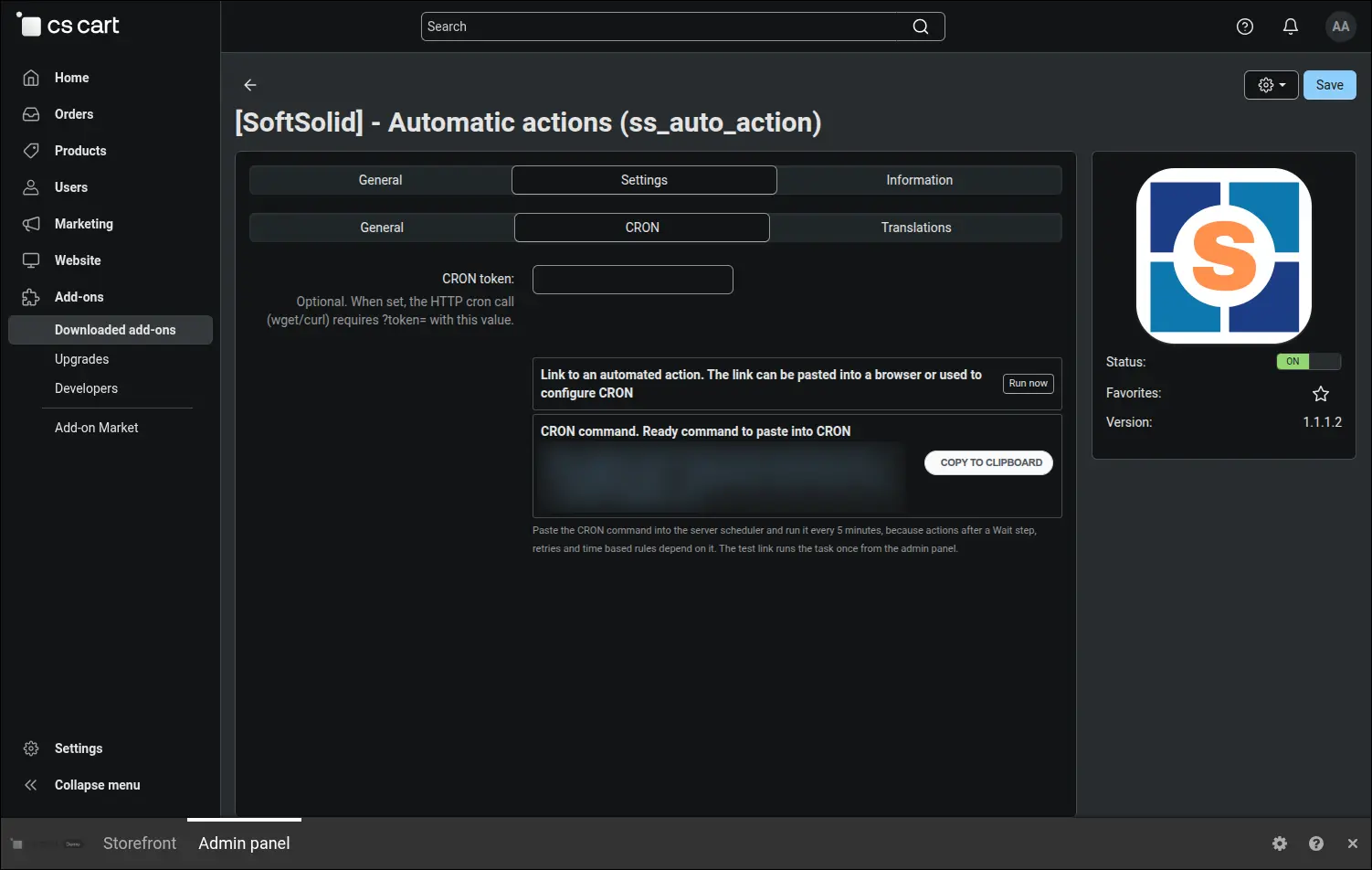
Screenshot 2: ready CRON command and HTTP link that run the rule queue.
All the store's automations sit on one list under Orders. Each rule shows its event, execution count and status, and above the table you see the time of the last cron run. A store that used the Automatically change order status after certain time add-on before will see an offer to import its existing rules here, brought over in test mode so they can be checked calmly:
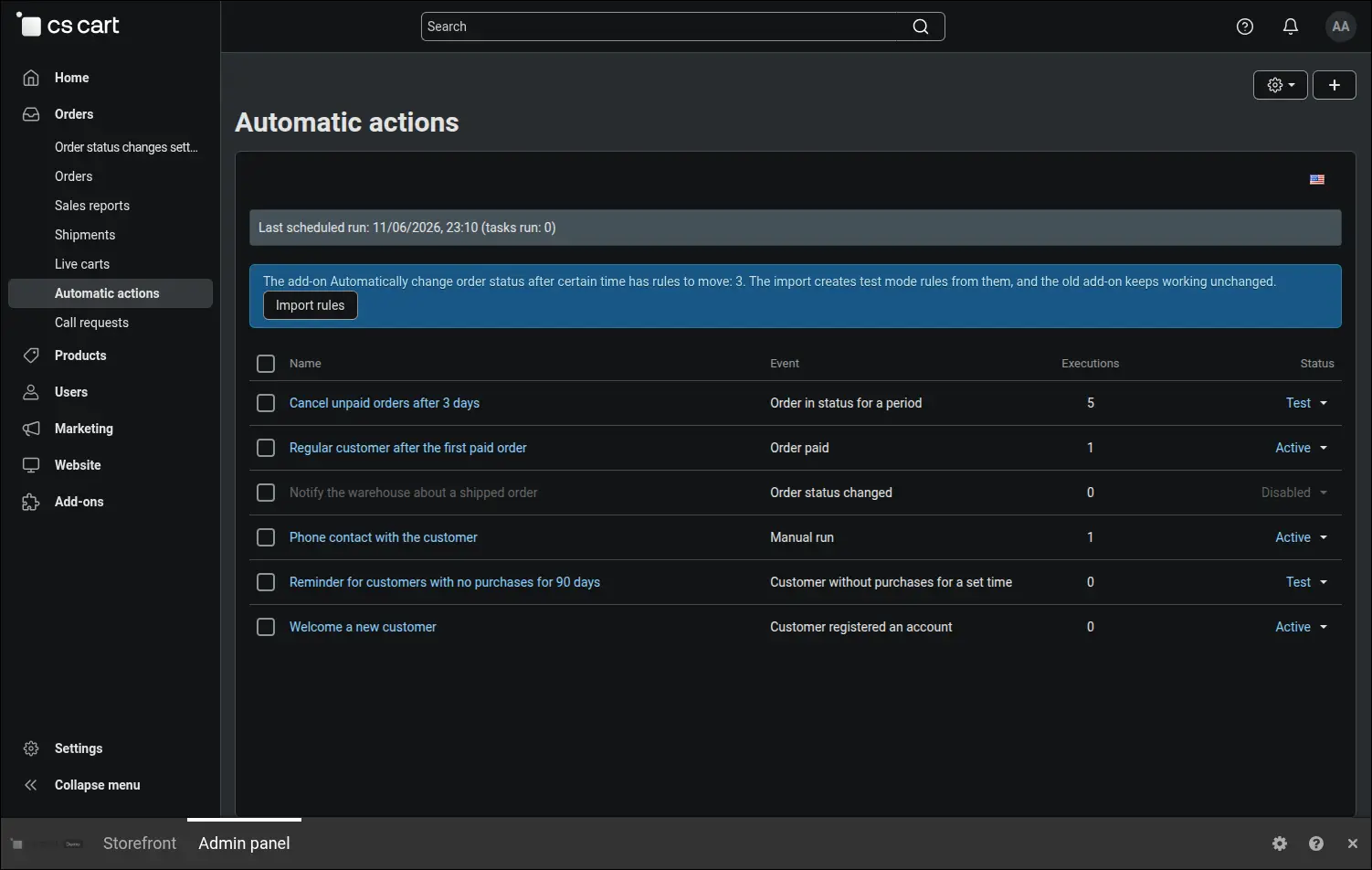
Screenshot 3: rule list with the event, execution count and status of each automation.
The most common scenario is an order that waits too long for payment. The rule reacts to an order staying in a chosen status for a set time, counted from entering the status or from placing the order. The run mode decides whether the rule works once per order or on every event, and in Test status the actions are only written to the log before the rule goes live:
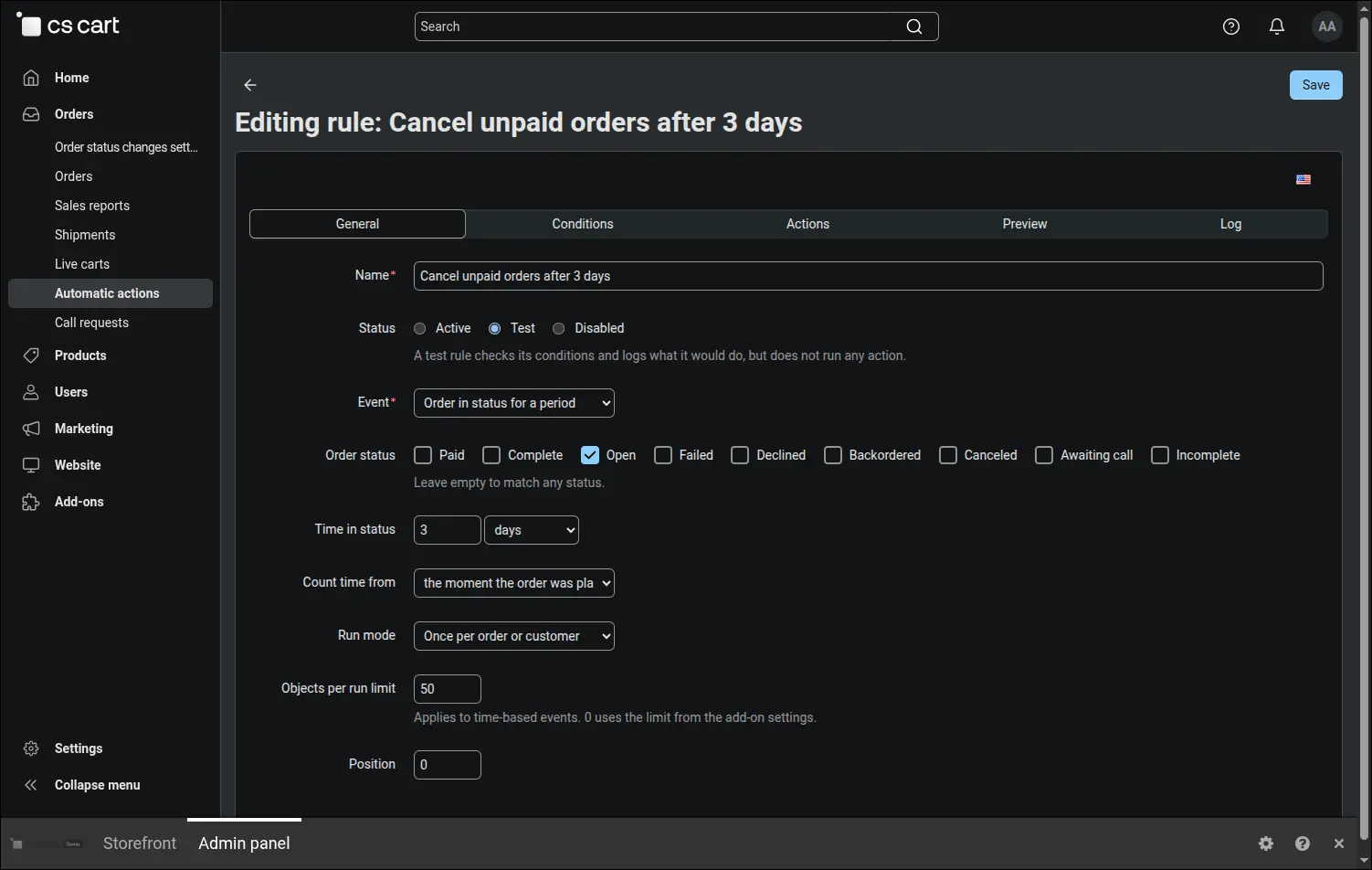
Screenshot 4: time based event, where an order left too long in a status starts the rule.
Conditions are arranged in the same tree administrators know from CS-Cart promotions. An All group requires every condition to be met, while an Any subgroup is satisfied by a single match. This way the rule hits exactly the orders above a set amount, placed with a customer account and paid with one of several chosen methods. A condition the add-on cannot evaluate counts as not met, so a rule never reaches further than planned:
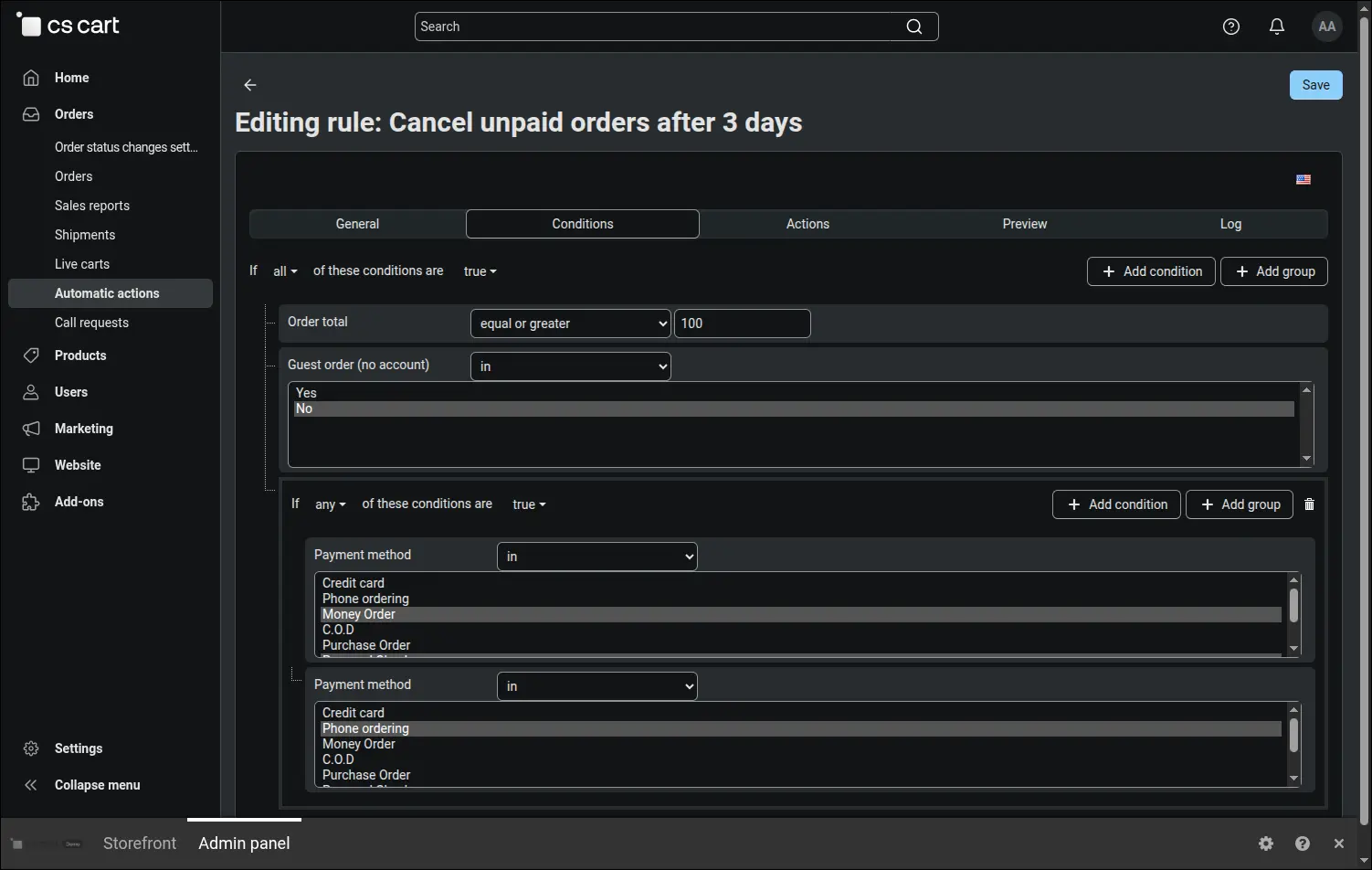
Screenshot 5: rule conditions in All and Any groups, with a subgroup.
Actions run from the top, and you change their order by dragging. The first one sends the customer a payment reminder whose subject and body are written separately for each language, with placeholders for the order number, first name, date and total. When the mail server is briefly unavailable, the action is retried, and the switch that stops the rule on error makes sure later steps never run without the earlier ones:
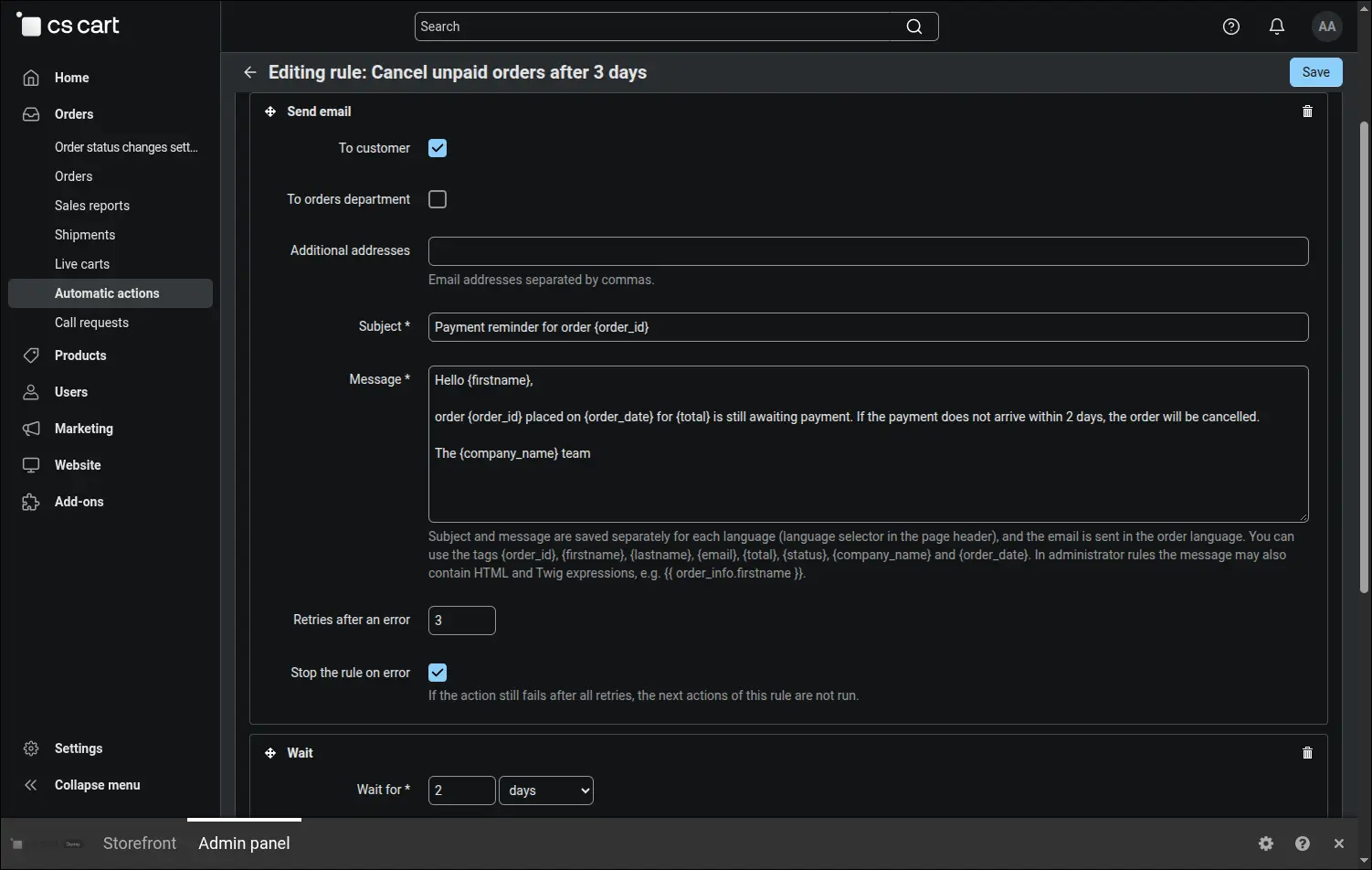
Screenshot 6: the first action of the rule, an email reminder with order data placeholders.
After the reminder goes out, the rule waits two days. If the order is still unpaid, the last action changes its status to canceled and notifies the customer. The whole process your team used to follow with a calendar in hand now fits in a single rule:
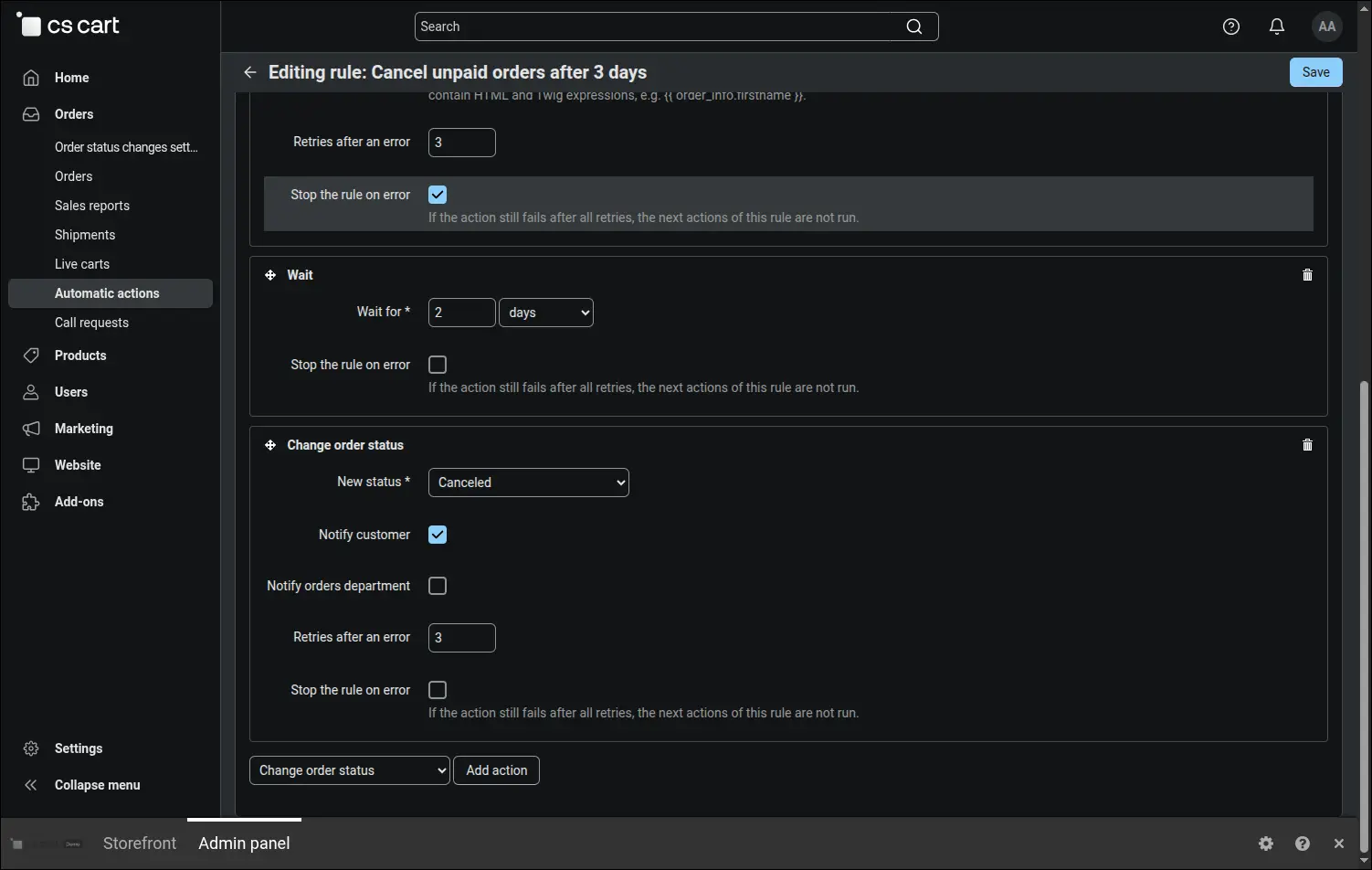
Screenshot 7: the Wait step spreads the scenario over time, and the last action cancels the order.
Before a rule that cancels orders goes live, it is good to see whom it will affect. The Preview tab lists the orders the next cron run will pick up and shows whether each of them meets the conditions. The preview saves nothing and sends nothing, so you can open it on real data without any worry:
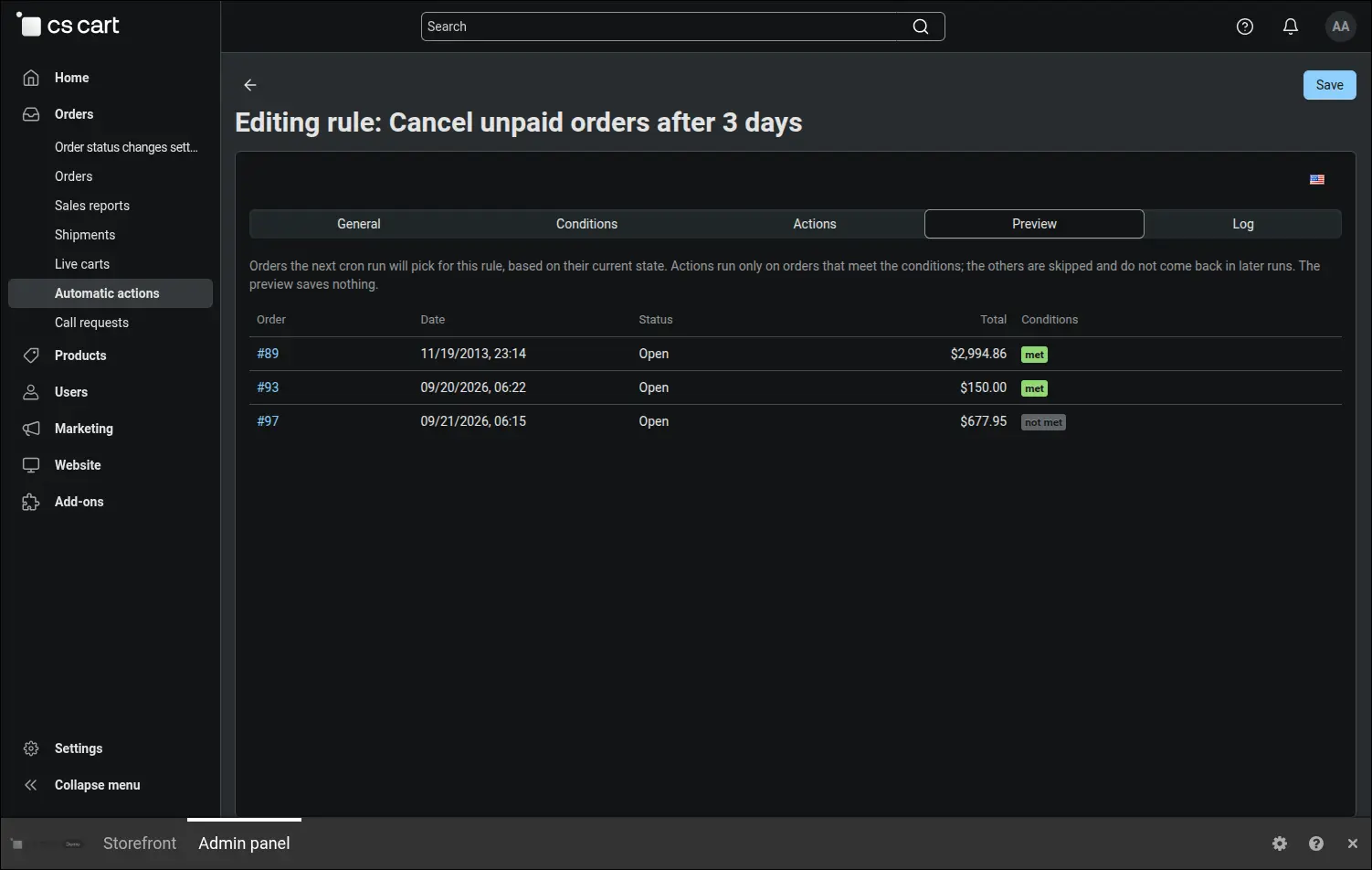
Screenshot 8: preview of the orders the next cron run will pick.
Some procedures are started by a person, for example a phone call with the customer that ends with a note and an email. A rule with the manual event appears on the order page and starts with one button, and the same operation is available as a bulk action on the order list. Below it your team sees the full automation history of the order, which helps when a customer asks where a message came from:
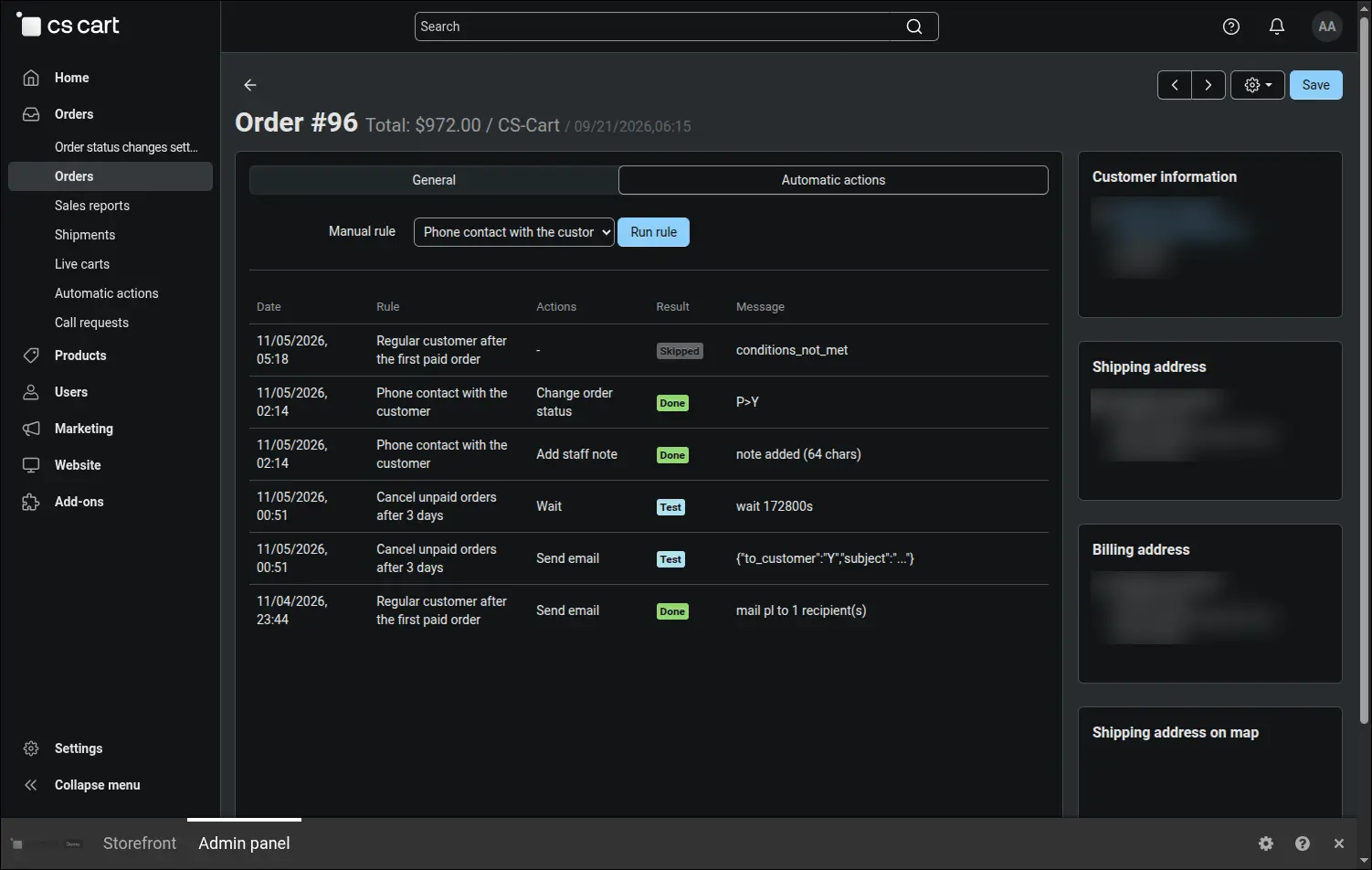
Screenshot 9: manual rule run and automation history on the order page.
Rules cover customer accounts too. The period without purchases event finds people who have bought nothing for the chosen time since their last paid order or since creating their account. The store can then send a reminder, grant reward points or change the customer's group, and a welcome for new customers is built the same way, on the account registration event:
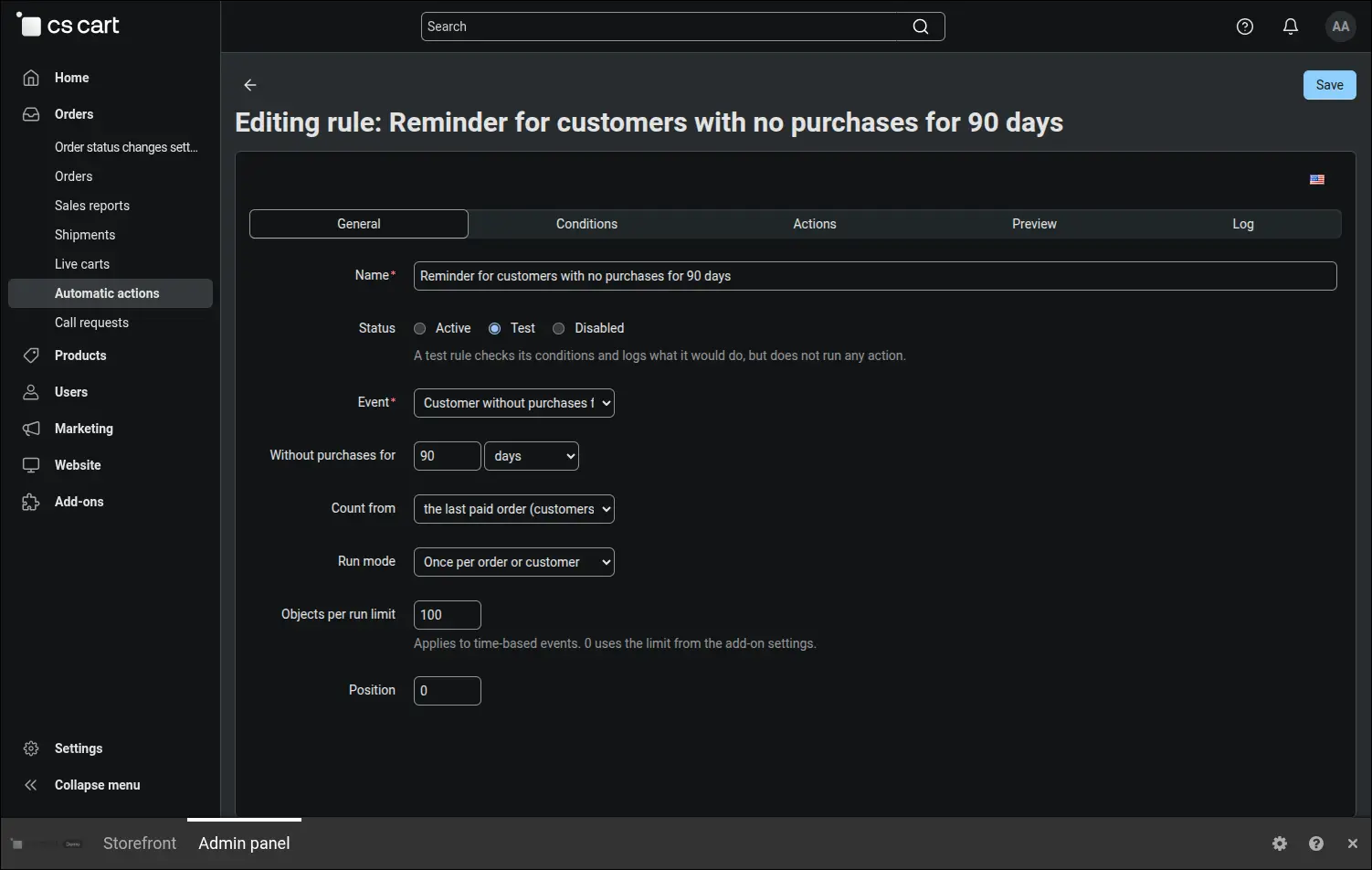
Screenshot 10: rule for customers who have not ordered for a long time.
A marketing email should reach only people who agreed to receive it. The newsletter consent condition follows the same rule that CS-Cart newsletter mailing uses, and the paid orders count condition narrows the rule to customers who have already bought something:
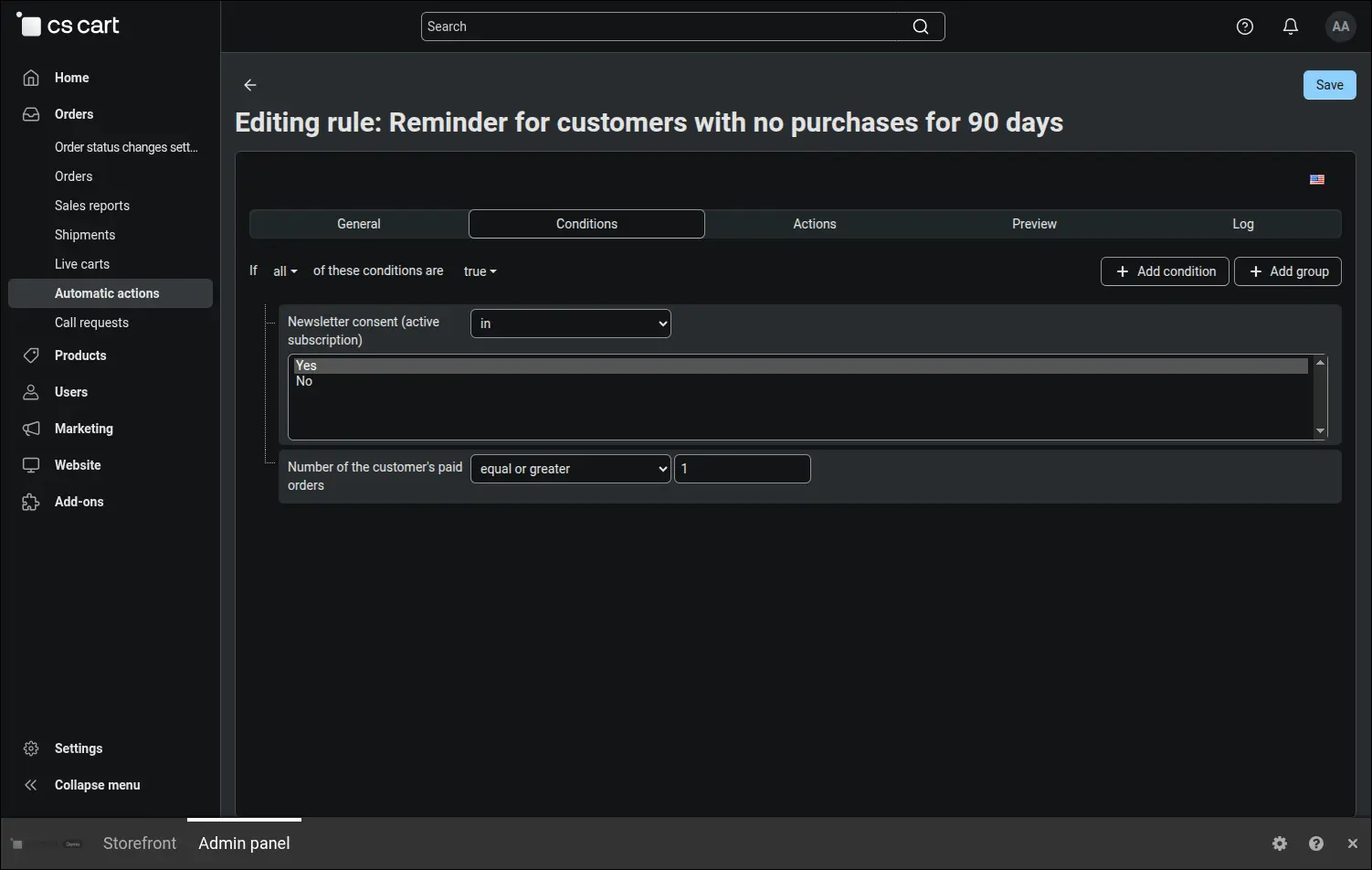
Screenshot 11: a reminder sent only to customers with newsletter consent and a purchase history.
Every rule run leaves a trace. The log shows the date, the order, the action, the result and a message, also when an action failed and succeeded only on a retry, or when the order no longer met the conditions. Your team can quickly tell what happened and why, and old entries disappear on their own after the time set in the configuration:
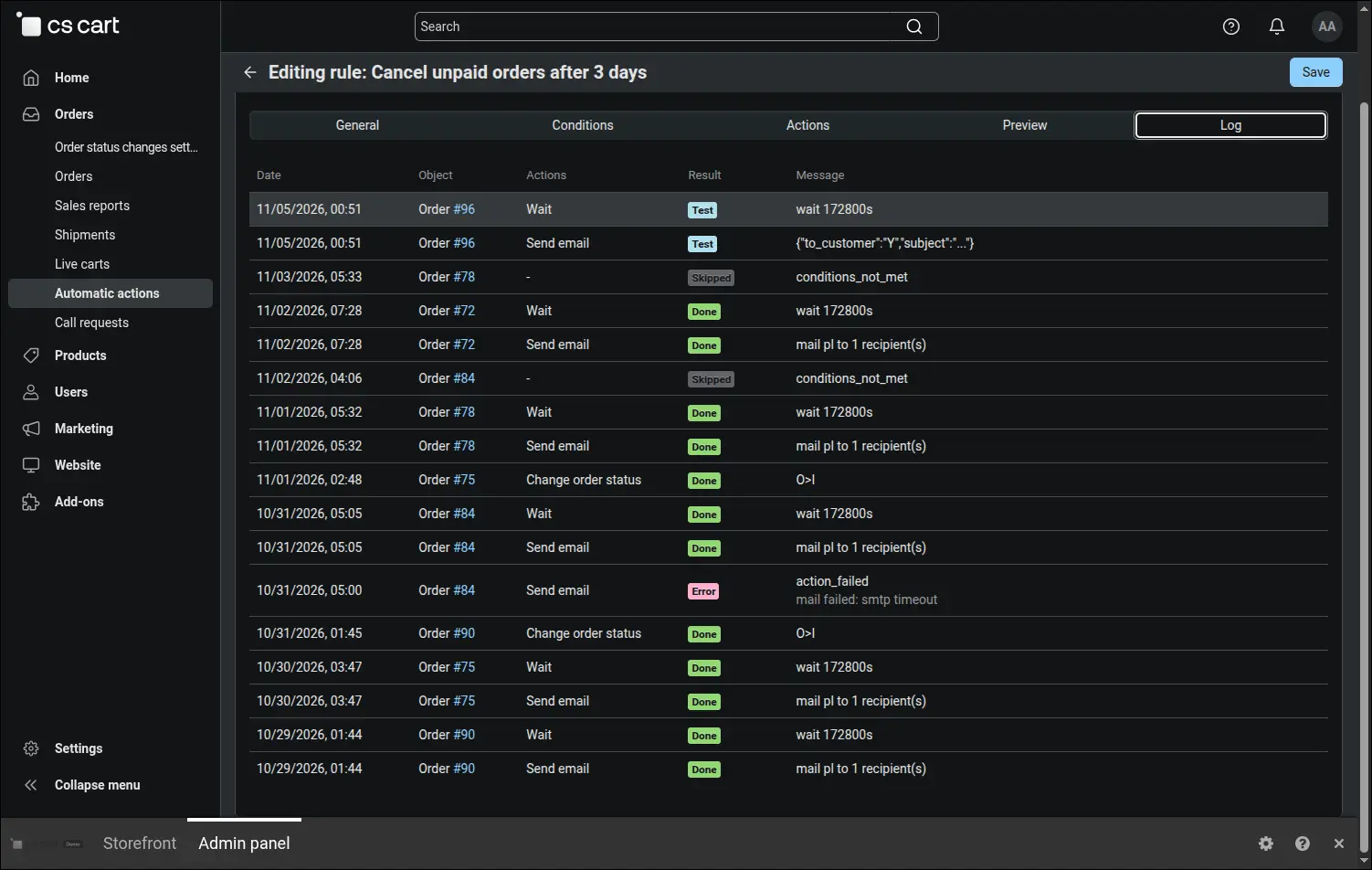
Screenshot 12: execution log with the result and message of each action.
A few rules of operation are worth knowing before the first rule is enabled. The boards below explain them with examples: when a rule runs at once, how conditions are checked, what once per order means, when time in status starts counting, which actions can be undone and what happens to a rule after a plan change.
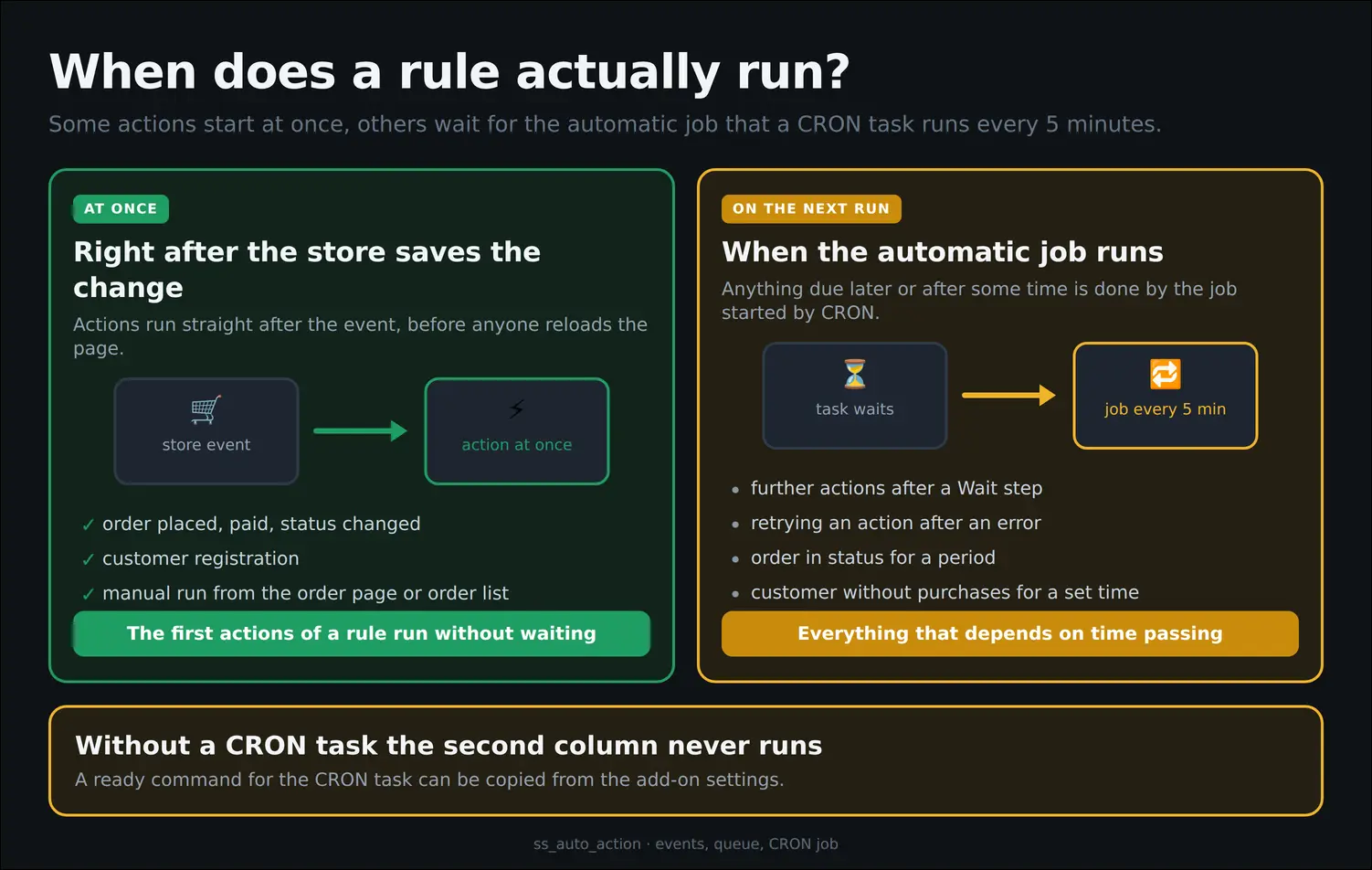
Board 1: which actions run at once and which wait for the CRON task.
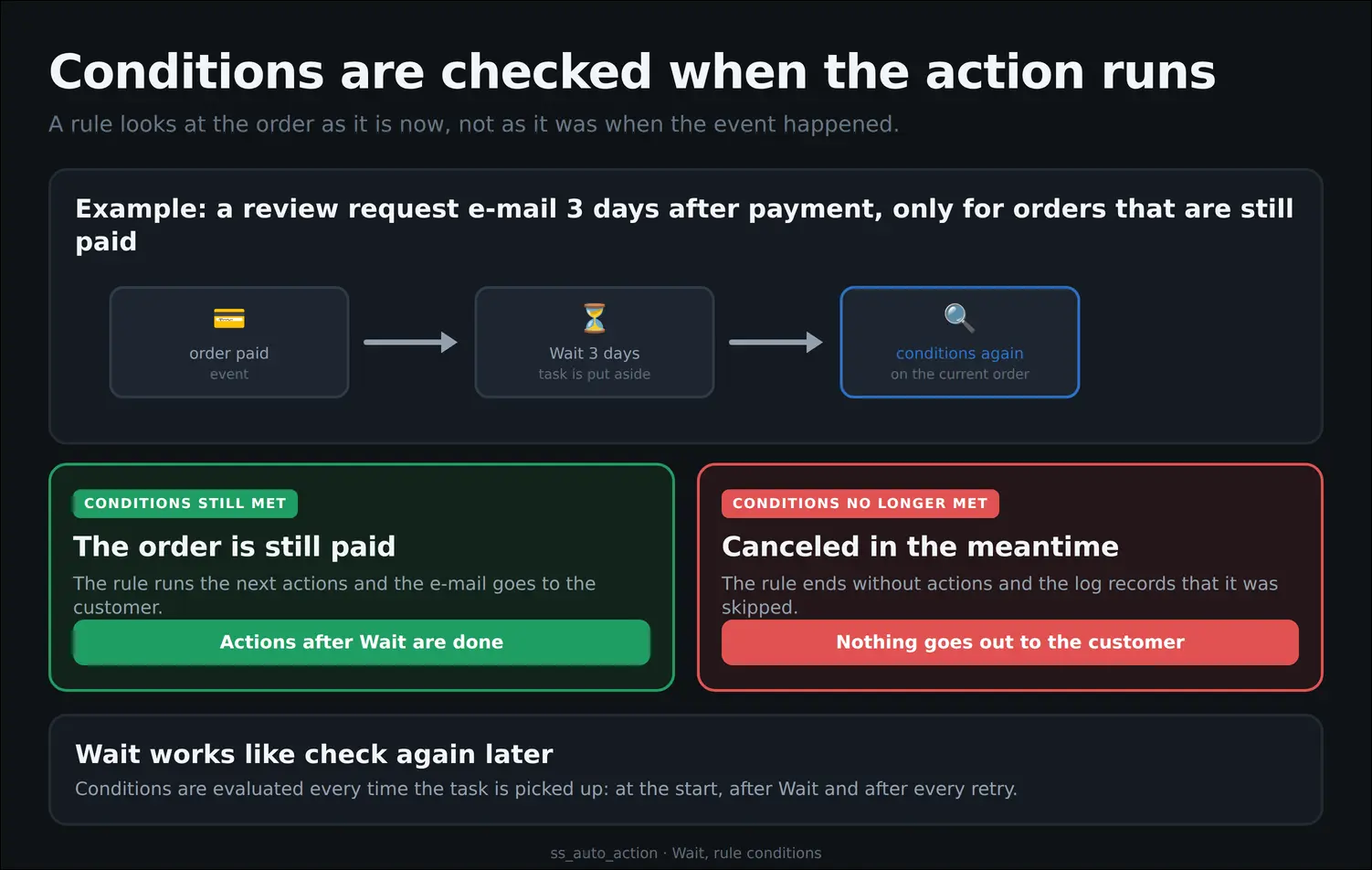
Board 2: rule conditions checked again after a Wait step.
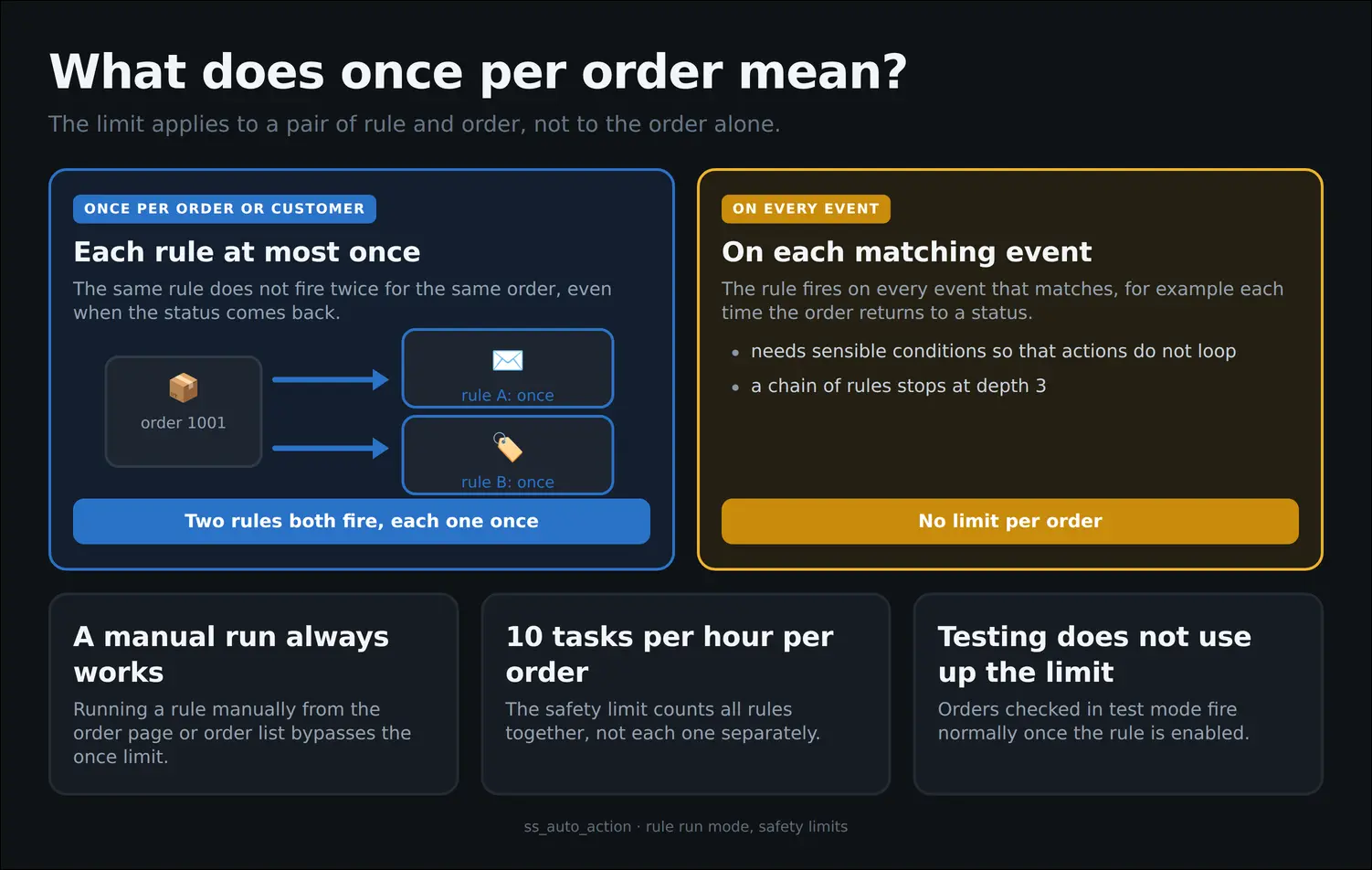
Board 3: the once per order limit applies to a pair of rule and order.
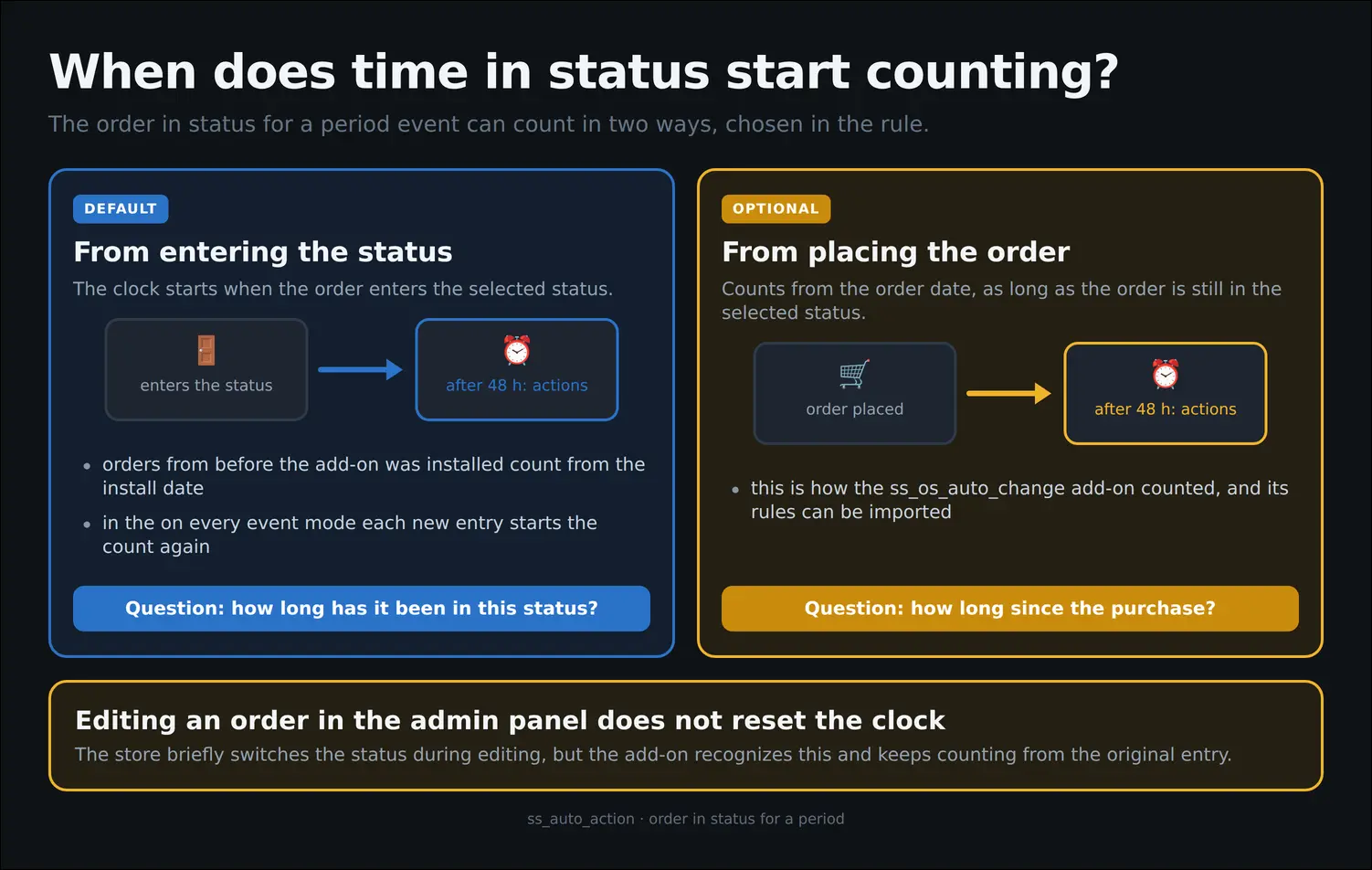
Board 4: two ways of counting time in an order status.
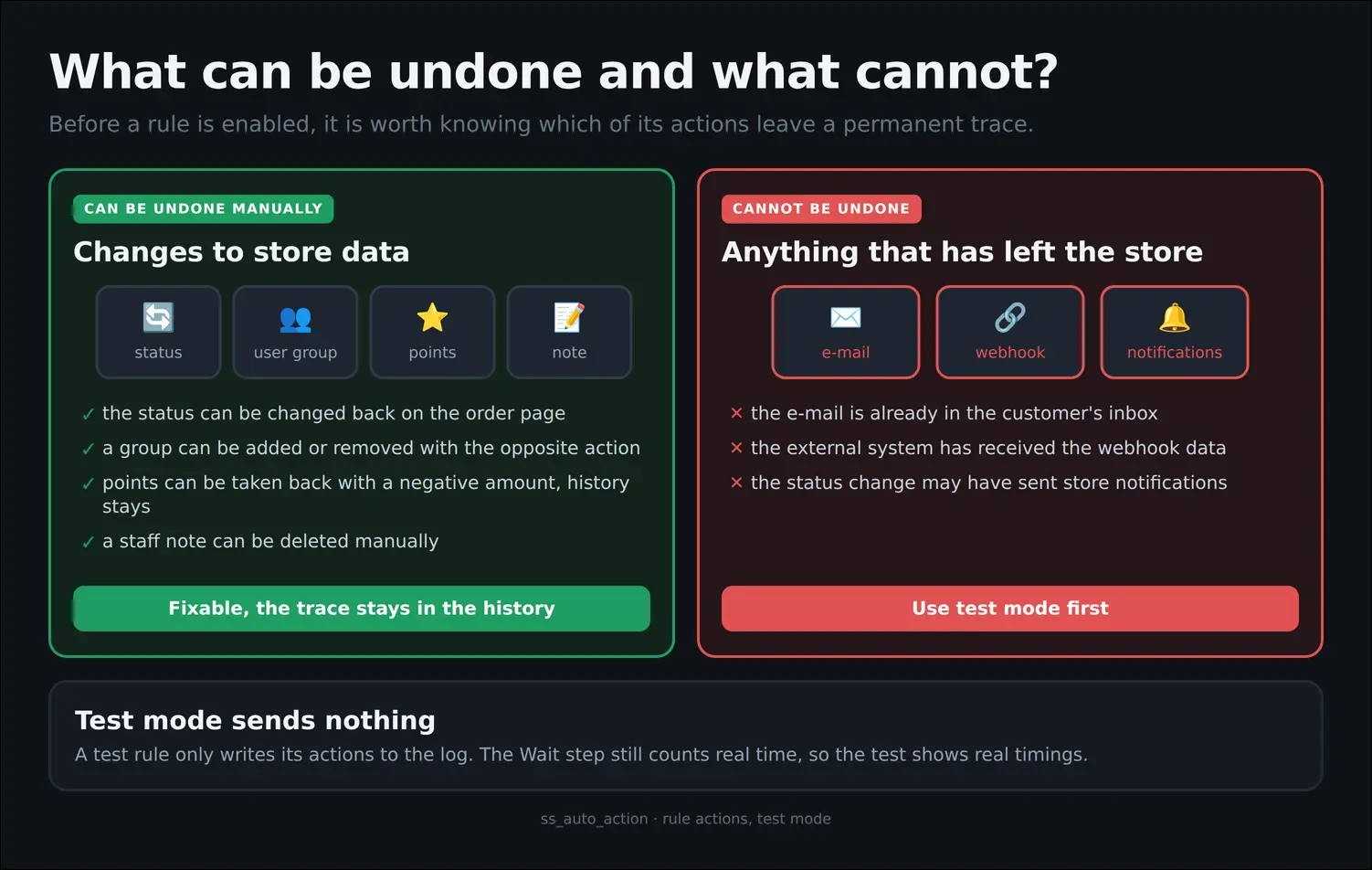
Board 5: reversible and irreversible actions and the role of test mode.
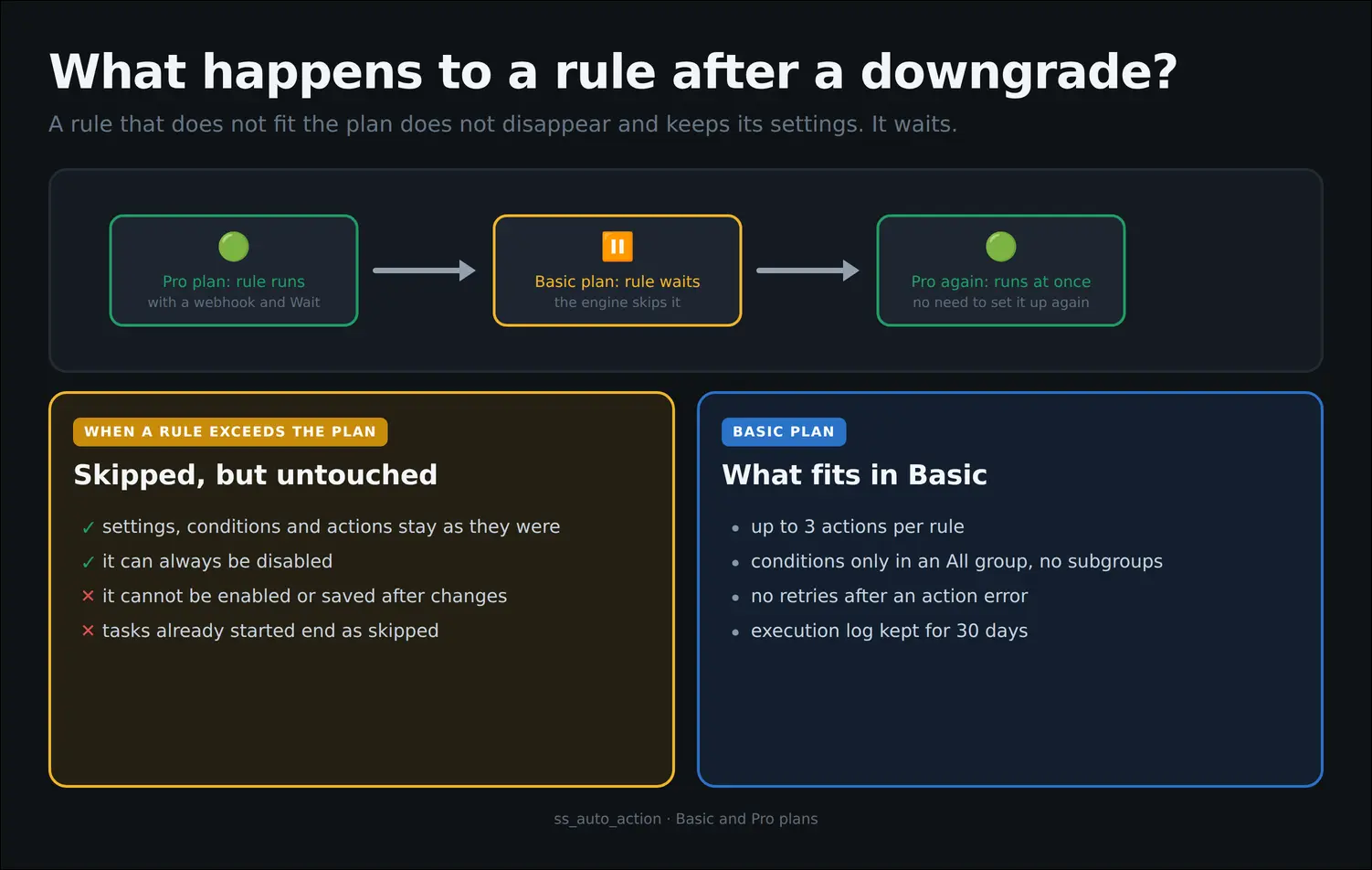
Board 6: a rule that exceeds the plan waits untouched for a higher plan.
The feature set follows the license plan. The Basic plan covers rules that react to an order being placed, a status change, a payment and a customer registration, with an All condition group and up to three actions per rule. The Pro plan adds time based and manual events, Any groups, the Wait step, retries, the webhook, reward points, Preview, rule import, vendors' own rules in Multi-Vendor and a longer log retention. When the plan changes, saved rules stay untouched and return to work once you move to a higher plan. The Automatic actions add-on works with CS-Cart and Multi-Vendor from version 4.14.1.
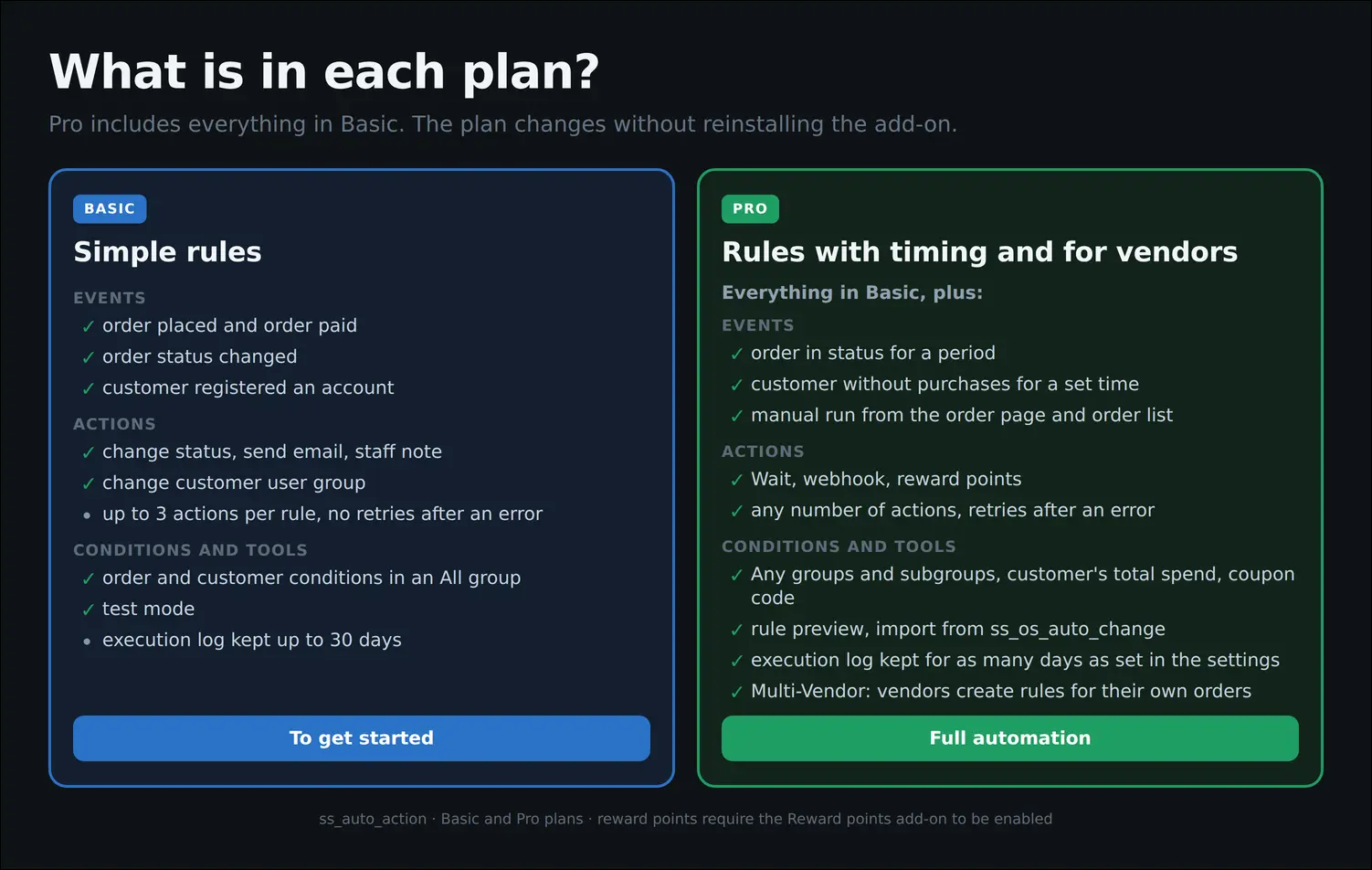
Board 7: what the Basic plan and the Pro plan include.
Feel free to contact us and purchase the add-on!
- One-time payment
Choose the most convenient form of payment for the add-on. You can pay once and use the add-on. Choosing a subscription payment (monthly or annual) means that you pay for the add-on at regular intervals and have access to the latest versions of the addon and technical support.
- Store Bulider
- Multi-Vendor
- 4.21.x
- 4.20.x
- 4.19.x
- 4.18.x
- 4.17.x
- 4.16.x
- 4.15.x
- 4.14.x
- No changes
No reviews found