


Ryszard Wojtunik (mozaikiamar.pl)
Verified purchase

| CODE | Payment method | Price | ||
|---|---|---|---|---|

|
285
ss_paczkomaty
2026-08-23
1.1.5.3
|
200.00 USD
(Price without tax) |
||

|
719
ss_paczkomaty_sub_1Y
2026-08-23
1.1.5.3
|
80.00 USD
/year
(Price without tax) |
||

|
718
ss_paczkomaty_sub_1M
2026-08-23
1.1.5.3
|
8.00 USD
/month
(Price without tax) |

An extension for Store Builder and Multi-Vendor that brings the whole InPost shipping routine into the store: the customer picks a parcel locker on a map while buying, and the merchant creates shipments, downloads labels and books a courier without leaving the admin panel.
InPost parcel lockers are an everyday habit in Poland, yet the work around the shipments usually happens next to the store: in a separate carrier panel, in a spreadsheet of tracking numbers, in addresses retyped from an e-mail. Every one of those handovers costs time and invites a mistake. The Integration with InPost by ShipX add-on closes that loop. The chosen locker is stored with the order, shipments are created straight from the order list, and the state of a parcel on the carrier side can change the order status in the store on its own.
Key Features
- Parcel locker selection on a map in the checkout, stored with the order, with no locker code retyped by the store team.
- Two map engines to choose from, Furgonetka.Map and the native InPost Geowidget v5, configured separately for each shipping method.
- Shipment creation in the InPost system for many selected orders in one operation, with parcel size and weight open to correction.
- A PDF sending label and a tracking number saved as a CS-Cart shipment, visible to the customer in their account.
- Courier collection booked on a finished shipment, without signing in to the carrier panel.
- Order statuses driven by InPost notifications, following mapping rules the merchant defines.
Deployment starts with a single form. In the add-on settings you enter the sender data that will be printed on the labels: company name, address, phone number, office hours and the sending parcel locker. It is filled in once, because every later shipment picks those values up on its own. In Multi-Vendor the administrator can also let vendors keep their own set in their profile, so each of them ships from their own address and returns travel back where they belong.
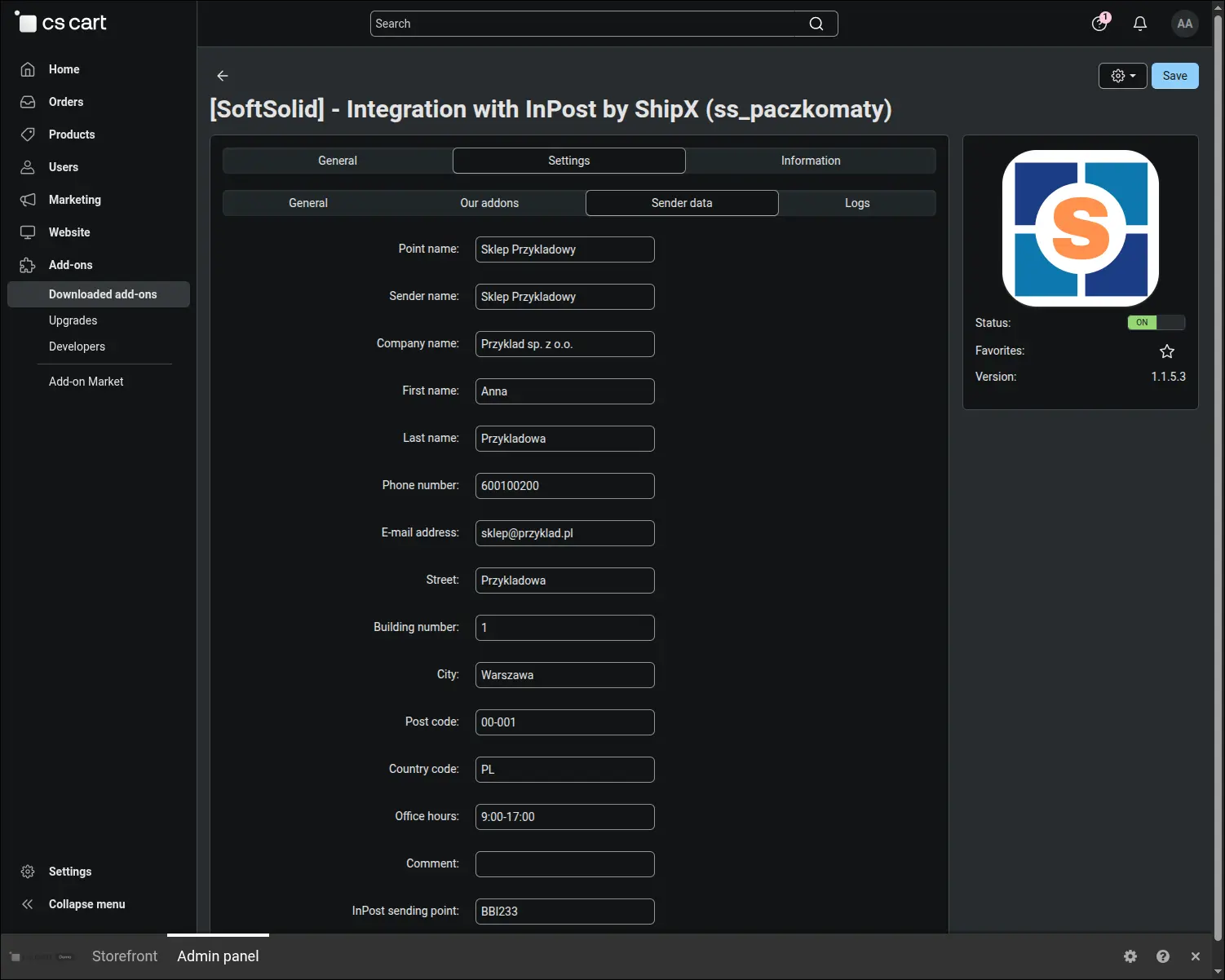
Screenshot 1
The InPost credentials live on the shipping method rather than in one global setting, so a store can work on several accounts at the same time. Next to the production fields sits a full set of sandbox credentials and a test mode switch. That is a comfortable way to begin, because the entire route from picking a point to printing a label can be rehearsed on the InPost sandbox before the first real parcel appears. The same place holds the label format, matched to the printer used in the warehouse.
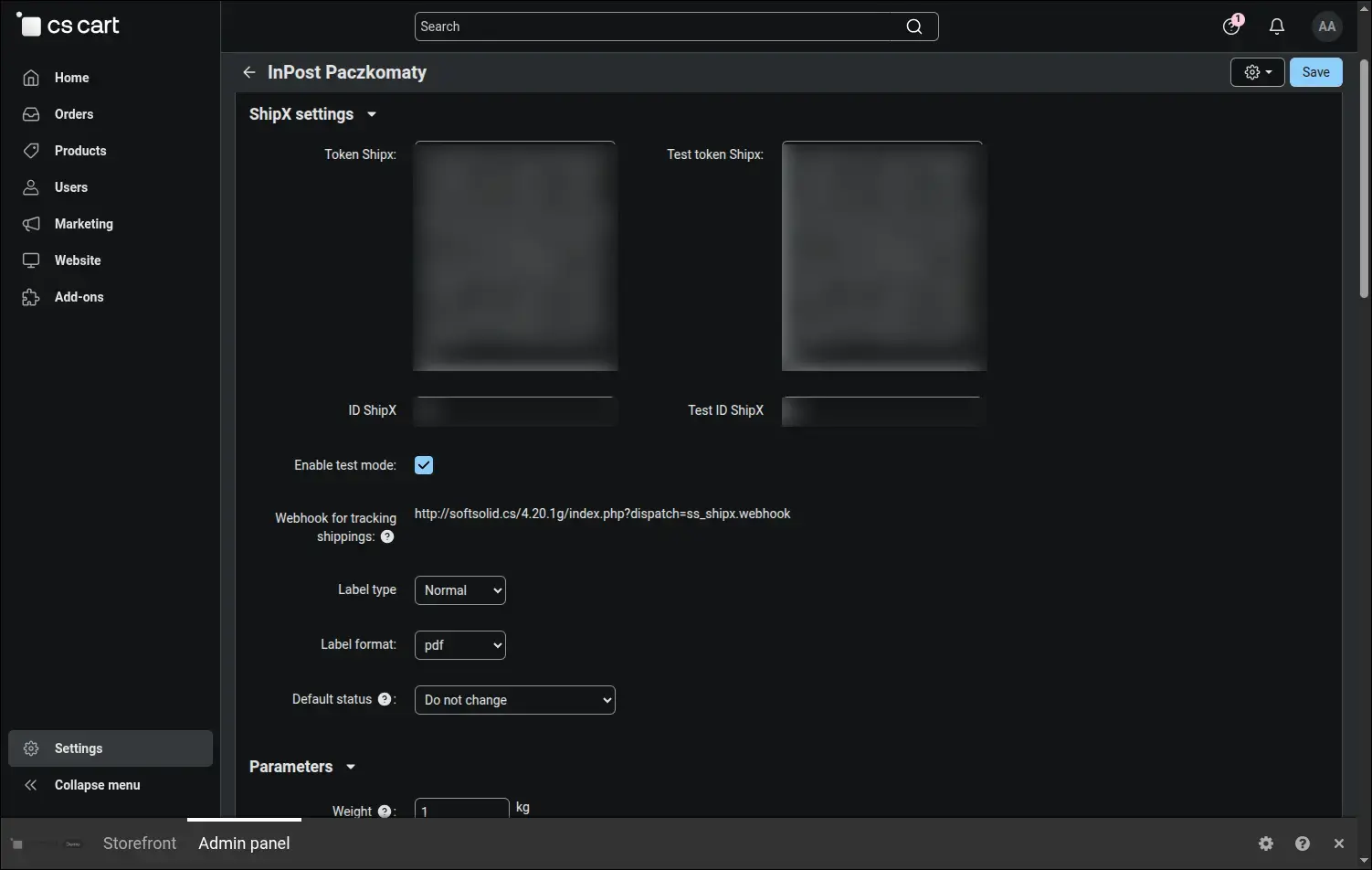
Screenshot 2
The point map is served either by Furgonetka.Map or by the native InPost Geowidget in its fifth version, and the engine is chosen separately for each shipping method. The default setting recognises it from the key you enter. That freedom has a very practical side: when one map provider changes its access rules, as happened when Furgonetka introduced domain verification, entering the key of the other one keeps point selection working.
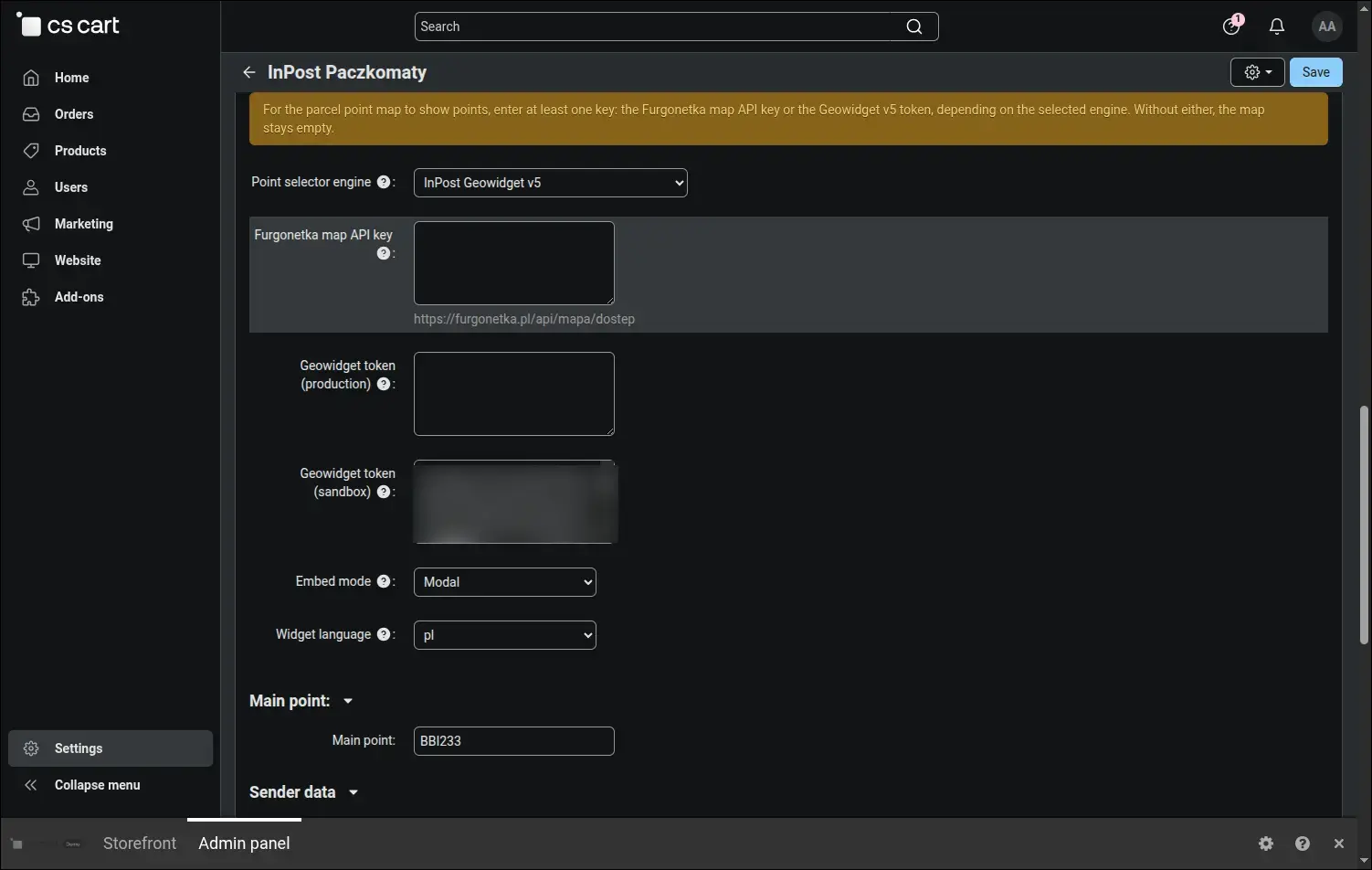
Screenshot 3
Here is the same mechanism seen from the customer side. Once parcel locker delivery is chosen, a map opens with the points, an address search and the card of the selected machine, complete with a photo and its opening hours. The buyer never moves to the carrier website and never copies a locker code, so the order ends exactly where it began.
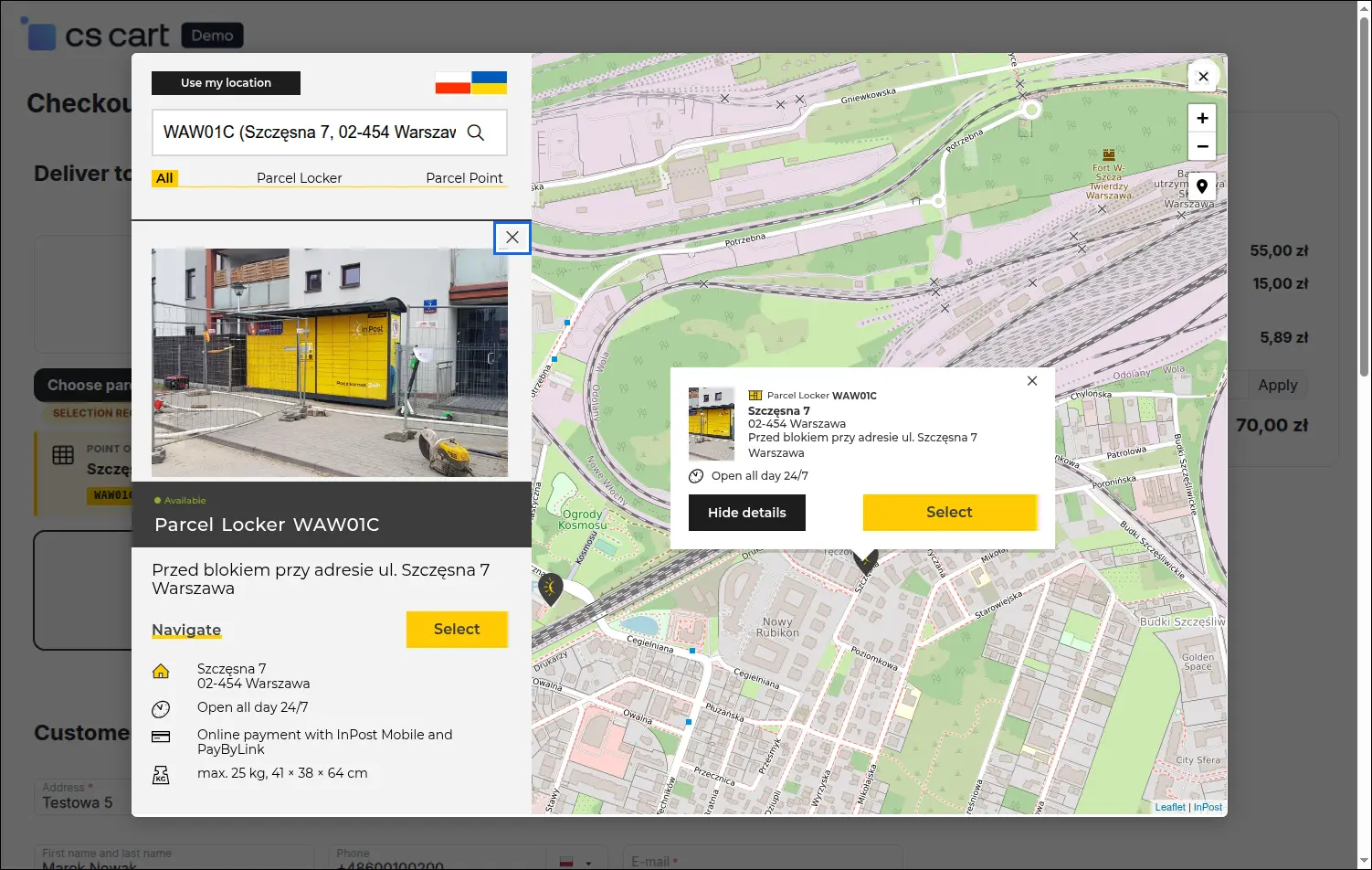
Screenshot 4
After the map is closed the chosen locker stays in view together with its name, address and code. The customer knows where the parcel will go before confirming the order, and the store receives an unambiguous pickup point the moment that order is placed. The most common message of the "which locker should I ship to" kind disappears along the way.
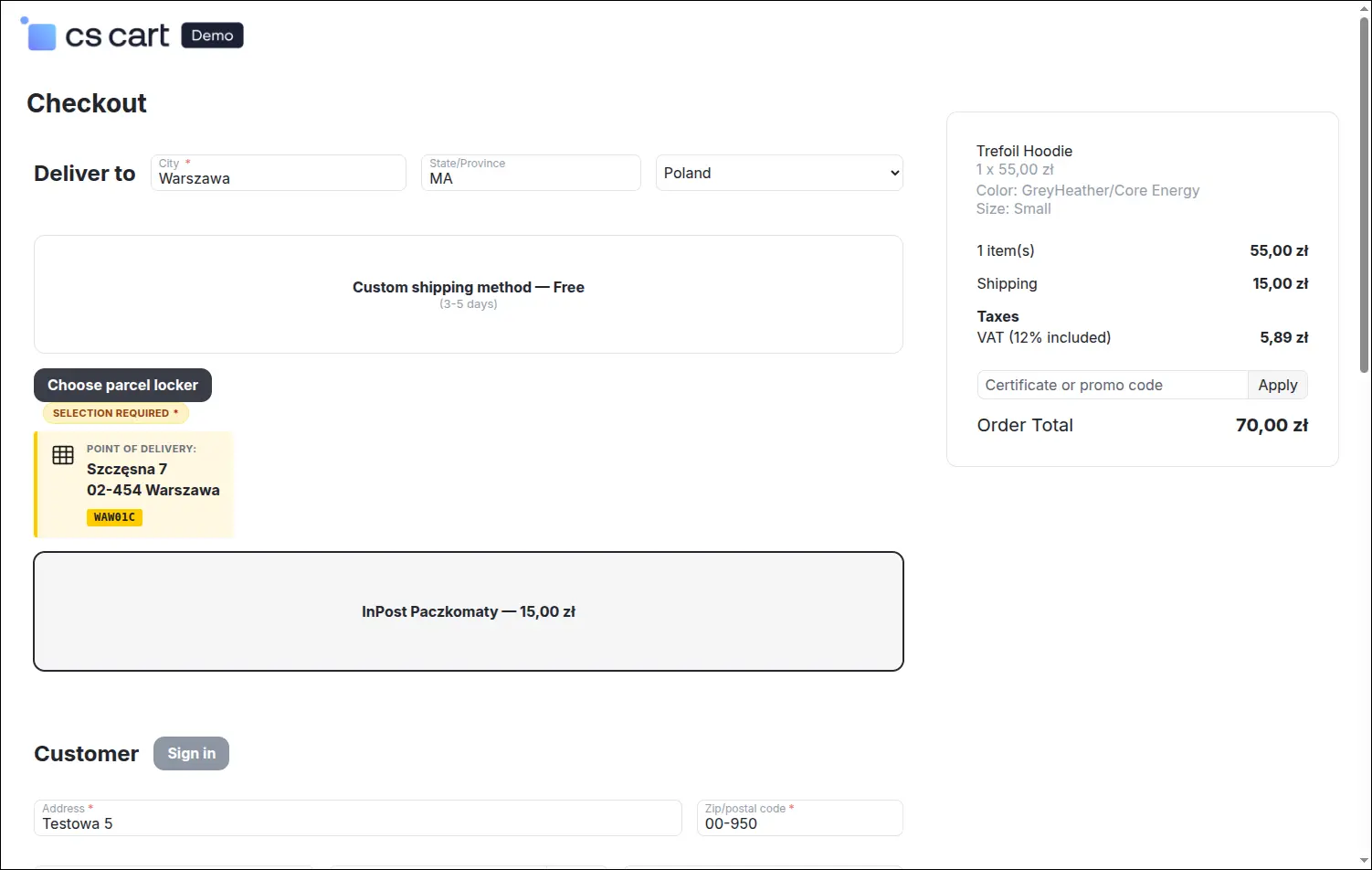
Screenshot 5
A shipping day begins in the order list. You tick the orders travelling with InPost and start shipment preparation for the whole batch with one command from the bulk action menu. At a few dozen orders a day, the difference against opening each of them one by one is measured in hours of work.
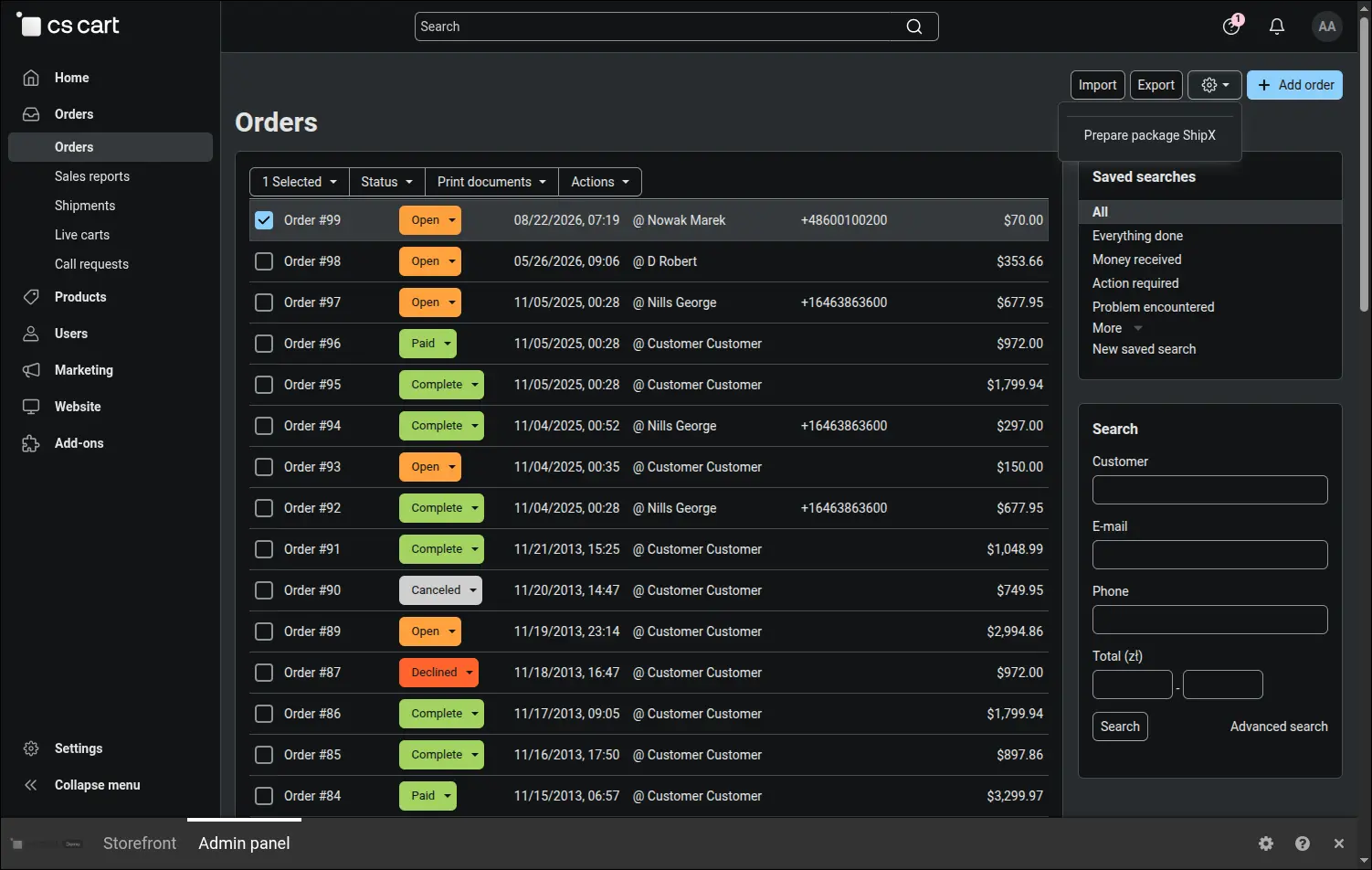
Screenshot 6
Before the data travels to the carrier, the add-on lays it out for review. You see the weight calculated from the products, the parcel size with its dimensions, the sending and the pickup point, and the cash on delivery and insurance amounts. The defaults come from the shipping method configuration, yet each of them can be corrected for a single parcel, which saves the day when one order differs from the rest.
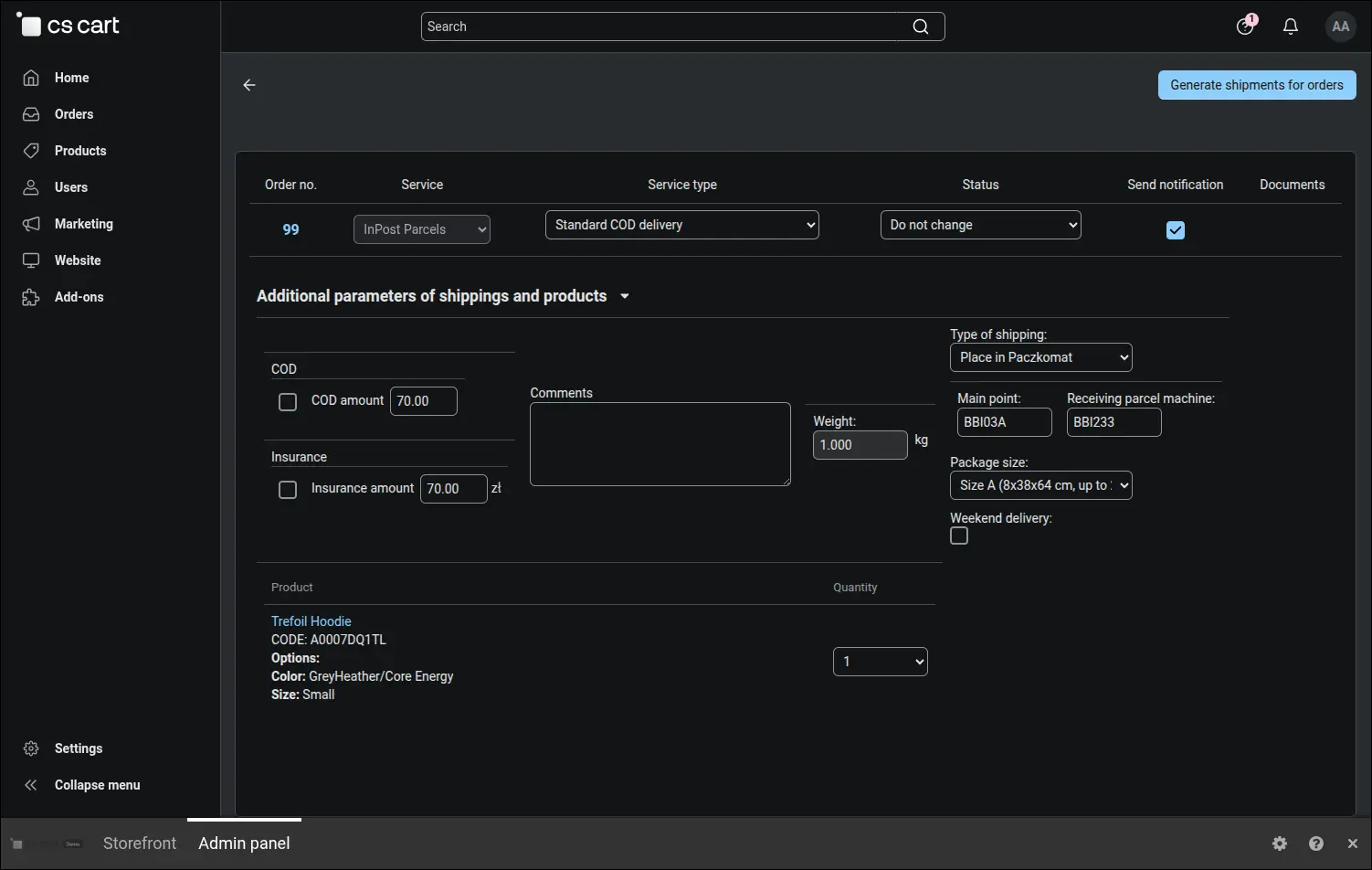
Screenshot 7
Once the shipment exists, its number returns to the order and becomes a link leading straight to InPost tracking. Next to it sit the code of the chosen locker and the courier booking command, useful in stores that rely on collection. The number is saved at the same time as a CS-Cart shipment, so the customer finds it in their account and in the notification e-mail, and support answers a question about a parcel without opening the carrier panel.
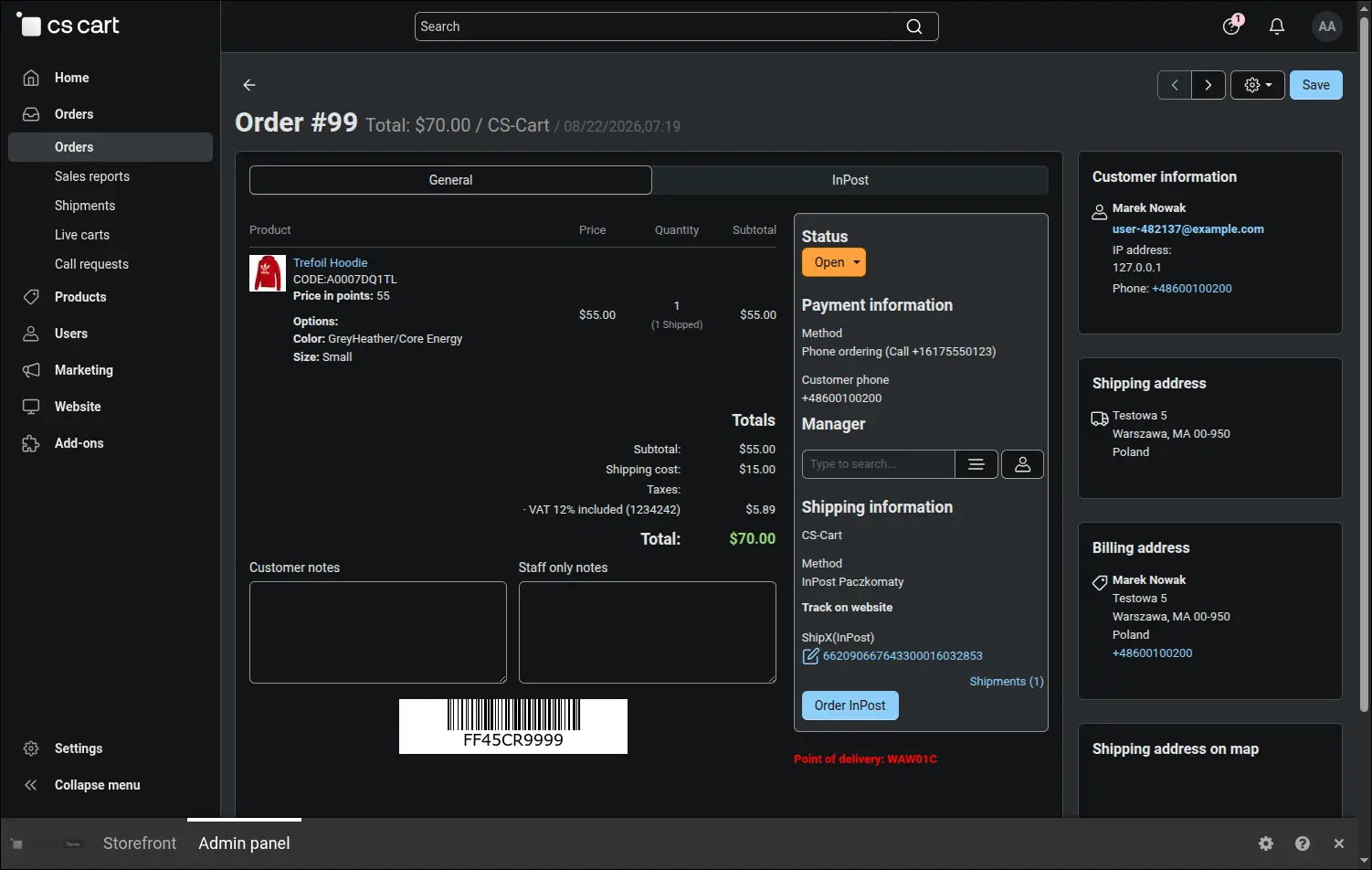
Screenshot 8
The label is taken with one click next to the order in the list, on the order page or next to the shipment, and it arrives as a ready to print PDF file with the barcode and the details of both parties. You set the format on the shipping method, so the document leaves the printer exactly as the warehouse expects it.
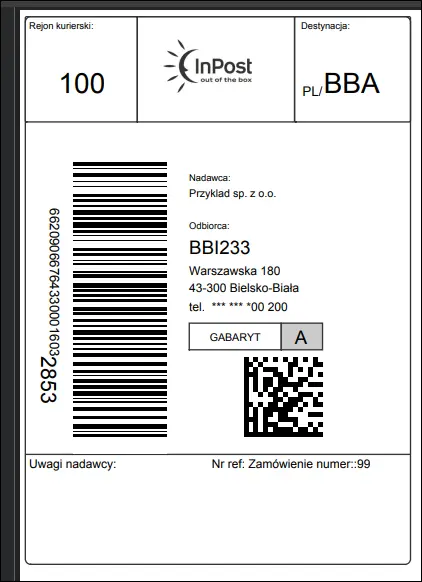
Screenshot 9
The last piece is the automation that works with nobody involved. InPost notifications about a change of shipment state are translated into order statuses following rules the merchant writes: dispatch from a locker, delivery or a return to sender can move the order the way your store handles it. The customer is informed at the right moment, and the statuses in the panel match what is really happening to the parcel.
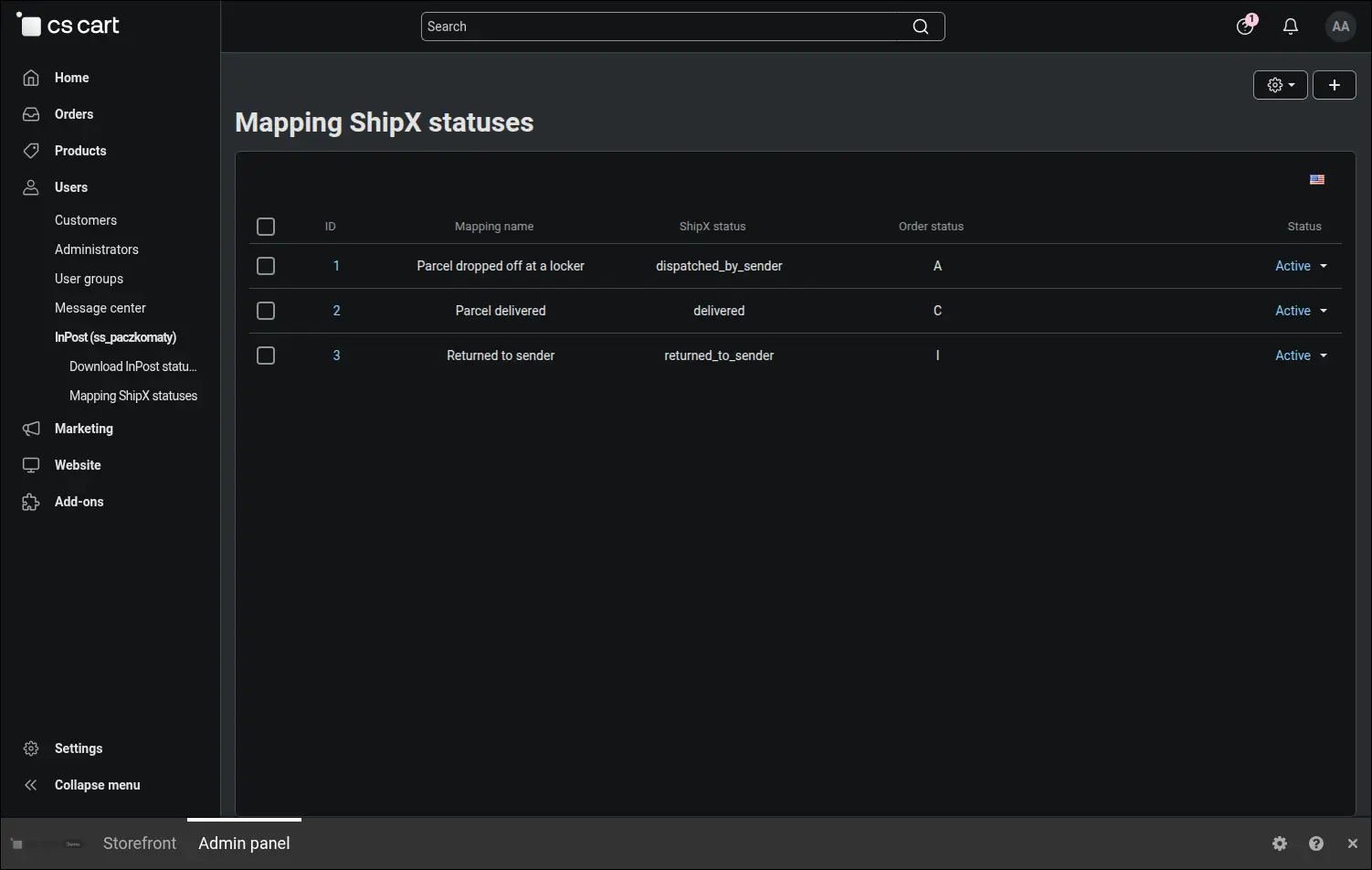
Screenshot 10
The Integration with InPost by ShipX add-on gathers shipment handling in one place: from the map in the checkout, through dispatch and the label, to the order status changed by the carrier. The store stops copying data between two systems, and the team wins back the time that used to vanish in the courier panel.
Feel free to contact us and purchase the add-on!
Choose the most convenient form of payment for the add-on. You can pay once and use the add-on. Choosing a subscription payment (monthly or annual) means that you pay for the add-on at regular intervals and have access to the latest versions of the addon and technical support.