


Engrave 2.0
- — 12 months guarantee for all our add-ons
- — add-ons sold to entire world
- — stable, flexible, high-quality products
- — competitive prices, attractive discounts
- — quick and competent technical support
- — installation in 24 hours
- — personalized solutions - we'll write any add-on for you
Extension for Store Builder and Multi-Vendor that turns engraving, and any other text personalization, into an ordinary paid part of the purchase. Customers type a dedication, initials or a case back inscription right on the product page, watch a counter of the characters they have left and know the surcharge before they click the cart button. The shop no longer collects engraving texts from emails and order notes, and staff no longer count characters by hand, because the price follows rules set once for every engraving line. The text, the line names and the cost are stored with the order exactly as they were at the moment of purchase, and in Multi-Vendor every vendor keeps their own personalization price list.
Key Features
- Engraving lines with their own pricing: a character limit, free characters, a price per character or per line.
- A fee for every item or a one-time fee for the whole cart item, for example for preparing a design.
- An engraving form on the product page with a character counter and the surcharge shown before adding to cart.
- Mandatory lines that keep the product out of the cart until the text is entered.
- The engraving text and cost stored with the order, visible in the admin panel, on the order editing screen and in the customer account.
- Separate engraving lines for every vendor in Multi-Vendor.
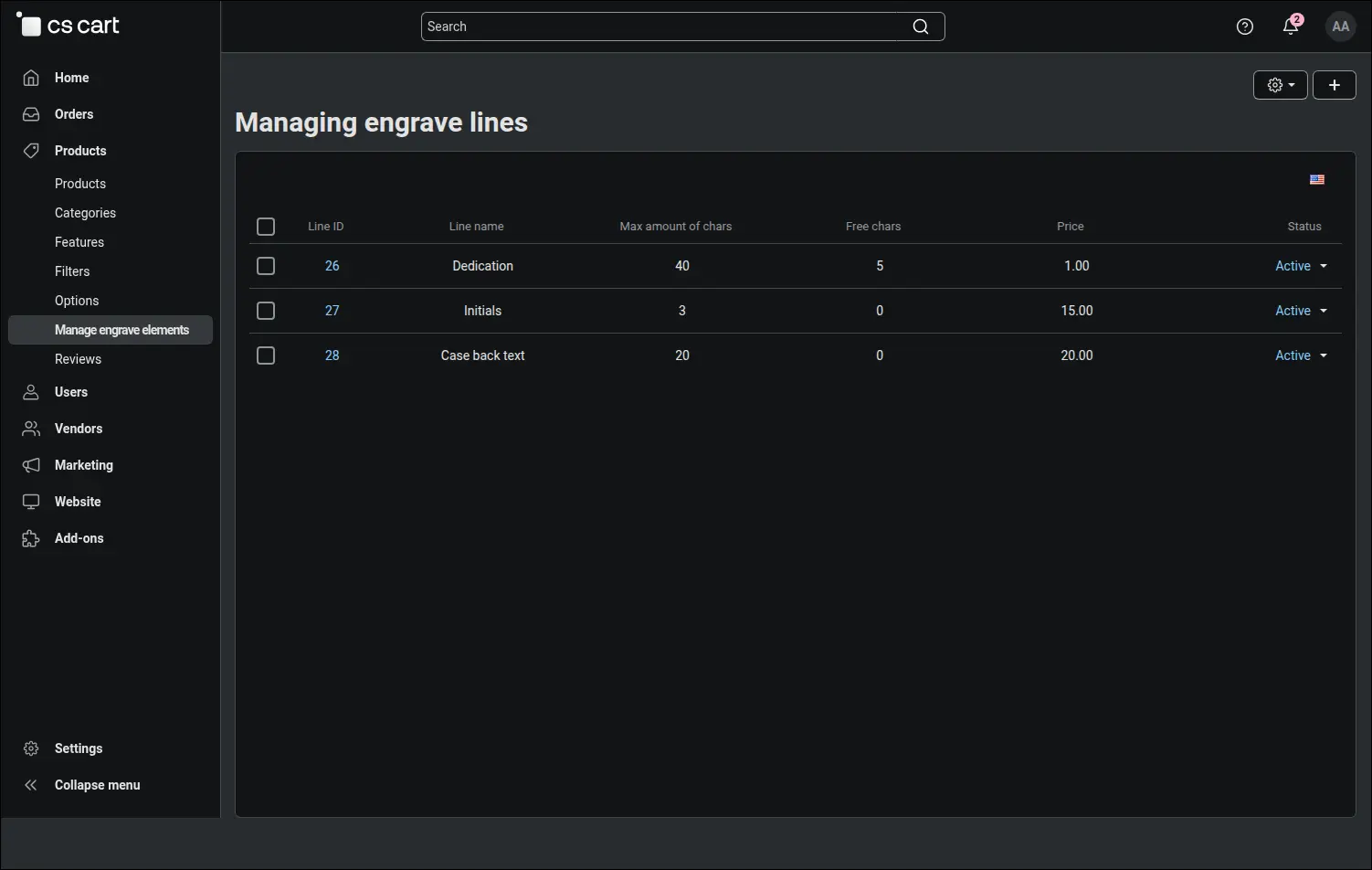
The whole personalization price list lives in one place. The list of engraving lines shows each of them with its character limit, number of free characters and price, and a line defined once can be assigned to any number of products. On a Multi-Vendor marketplace the administrator sees the lines of all vendors here, which makes it easy to keep an eye on how personalization is priced across the store:
Screenshot 1
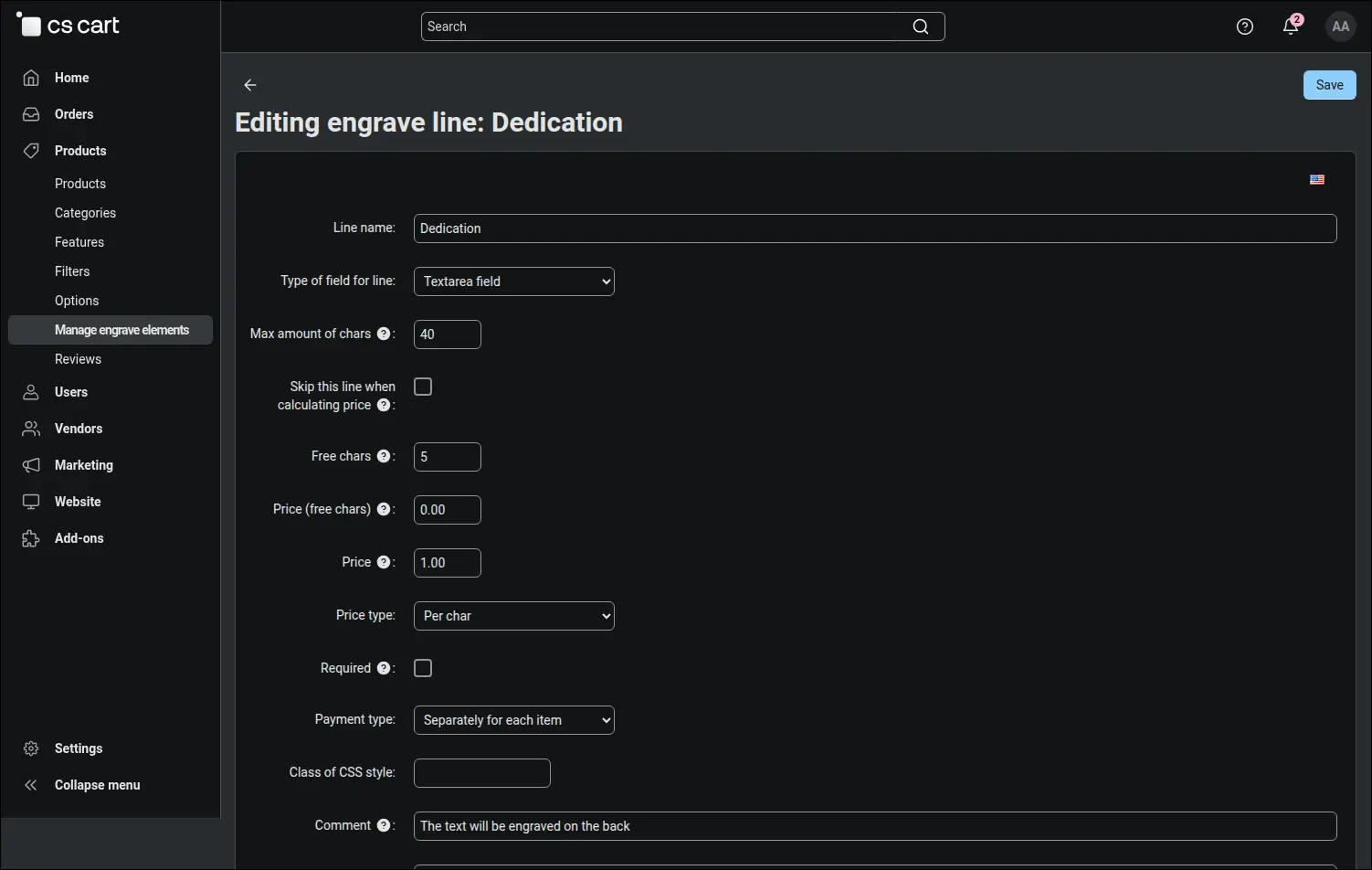
The line settings are where the price of personalization is decided. The dedication in the screenshot accepts up to forty characters in a multi-line field, the first five characters are included in the product price and every further one costs 1.00. Spaces are not counted, so customers pay only for the letters that will actually be engraved. The same line can carry placeholder text inside the field, a comment below it, a price for the whole line instead of per character, and a fee charged once per cart item instead of for every piece:
Screenshot 2
Lines reach a product through a separate tab in the product editor. Every assignment gets its own label shown to customers, a position on the list and user groups, so the same line can be called Case back text on one product and Name on the pendant on another. Limiting a line to a selected group lets you offer engraving only to some customers, such as wholesale buyers:
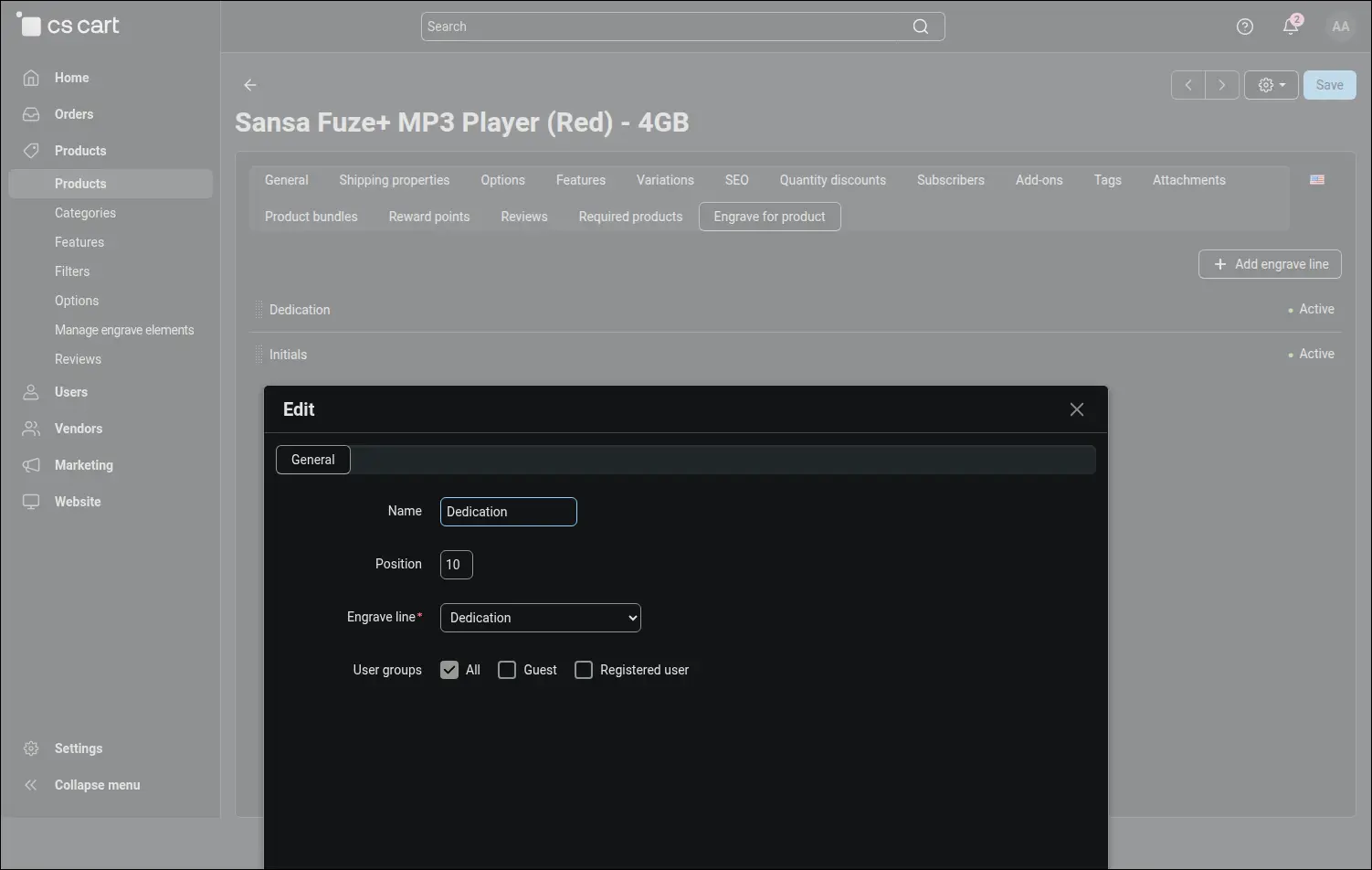
Screenshot 3
On the product page customers fill in the engraving fields on a dedicated tab. Below every field a live counter shows how many characters will still fit, and a comment reminds them where the text will be placed. A mandatory line is clearly marked before the customer even tries to add anything to the cart:
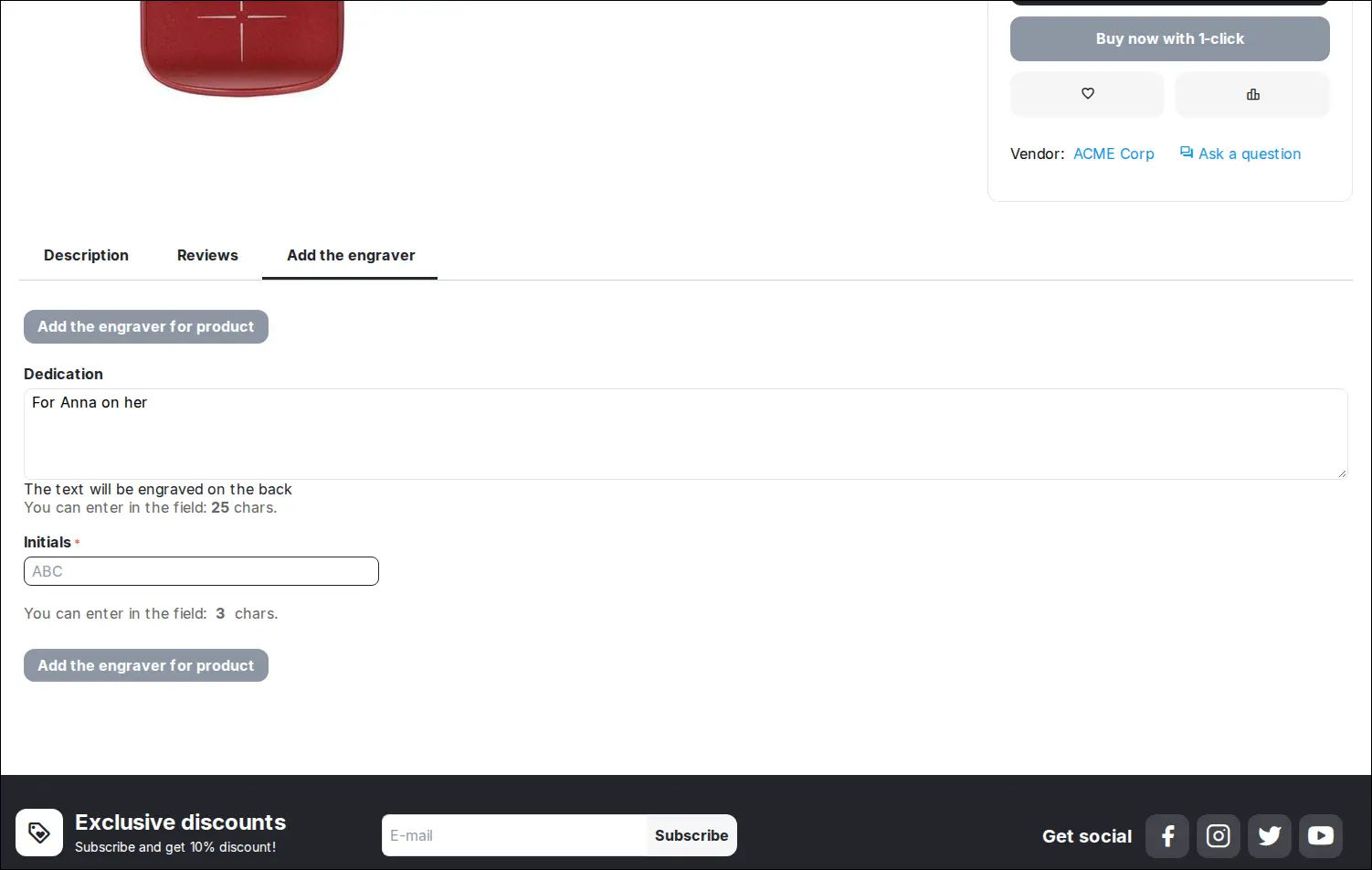
Screenshot 4
Once the engraving is saved, a table with the text of every line and its surcharge appears next to the cart button. The dedication For Anna on her birthday has twenty characters without spaces, five of them are free, which gives a surcharge of 15.00. Customers know the cost of personalization before they buy, so checkout holds no surprises and staff do not have to answer questions about the price of an inscription:
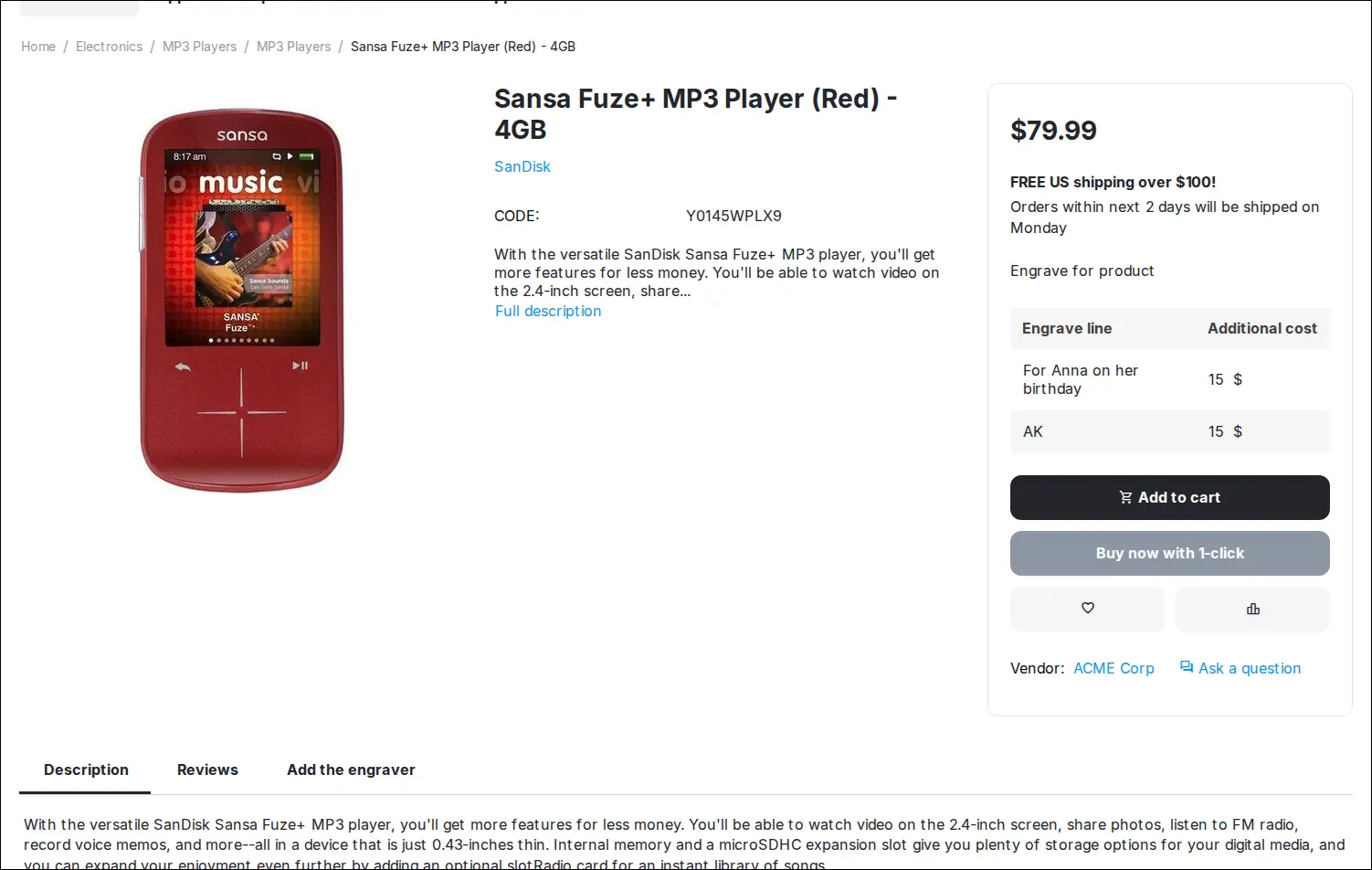
Screenshot 5
In the cart the engraving is part of the item and its cost is included in the unit price. With two pieces the difference between the fee types is easy to see: the dedication charged per item costs 30.00 in total, while the initials with a one-time fee cost just 15.00, whatever the quantity. A different engraving text on the same product creates a separate item, so two watches with different dedications never merge into one:
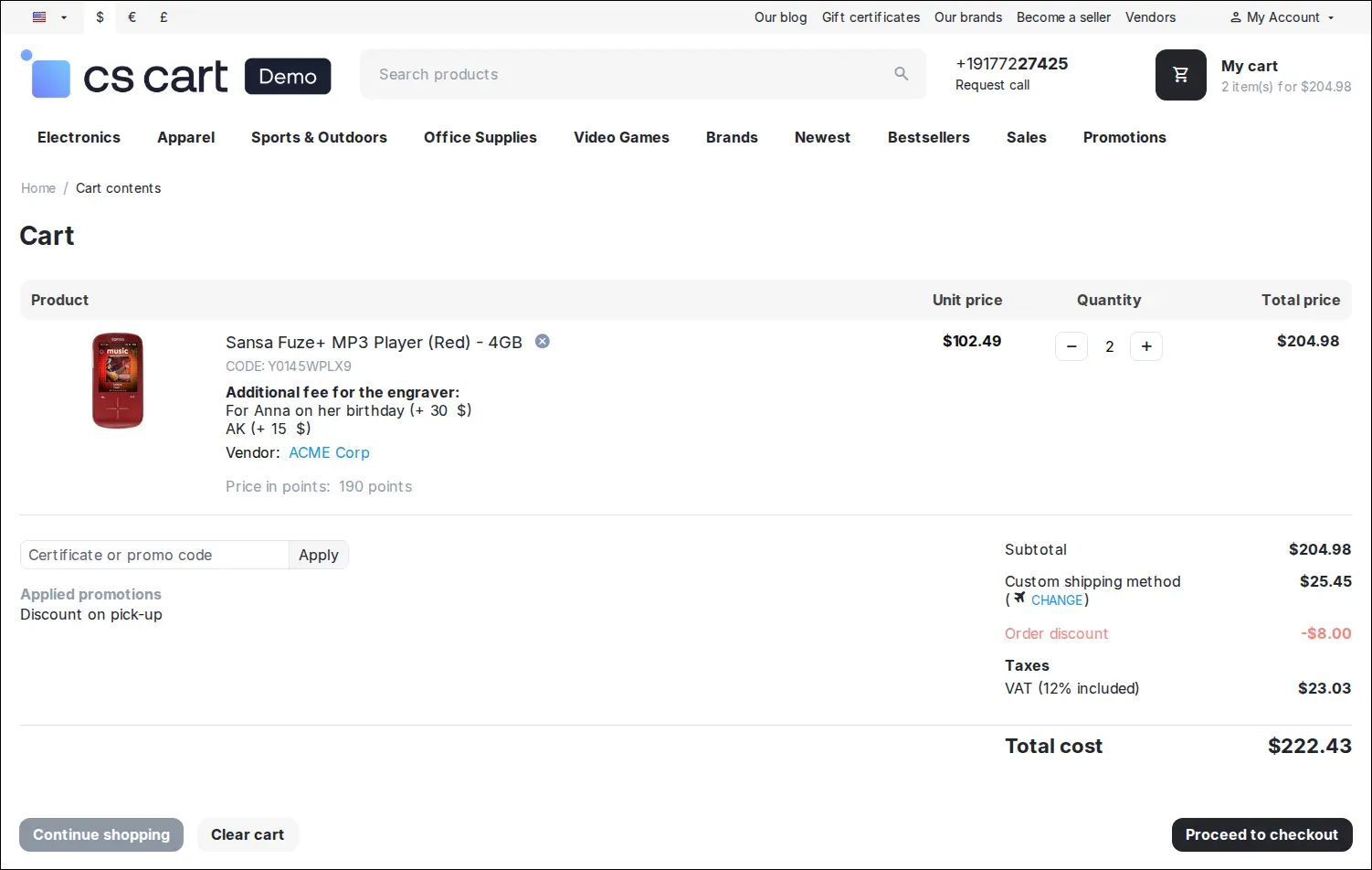
Screenshot 6
A product that cannot be made without a text never reaches an order without one. When a mandatory line is left empty, the shop stops the product from going into the cart and asks the customer to complete the engraving. The server checks the same rule and the character limit as well, so it holds even if someone tries to bypass the form:
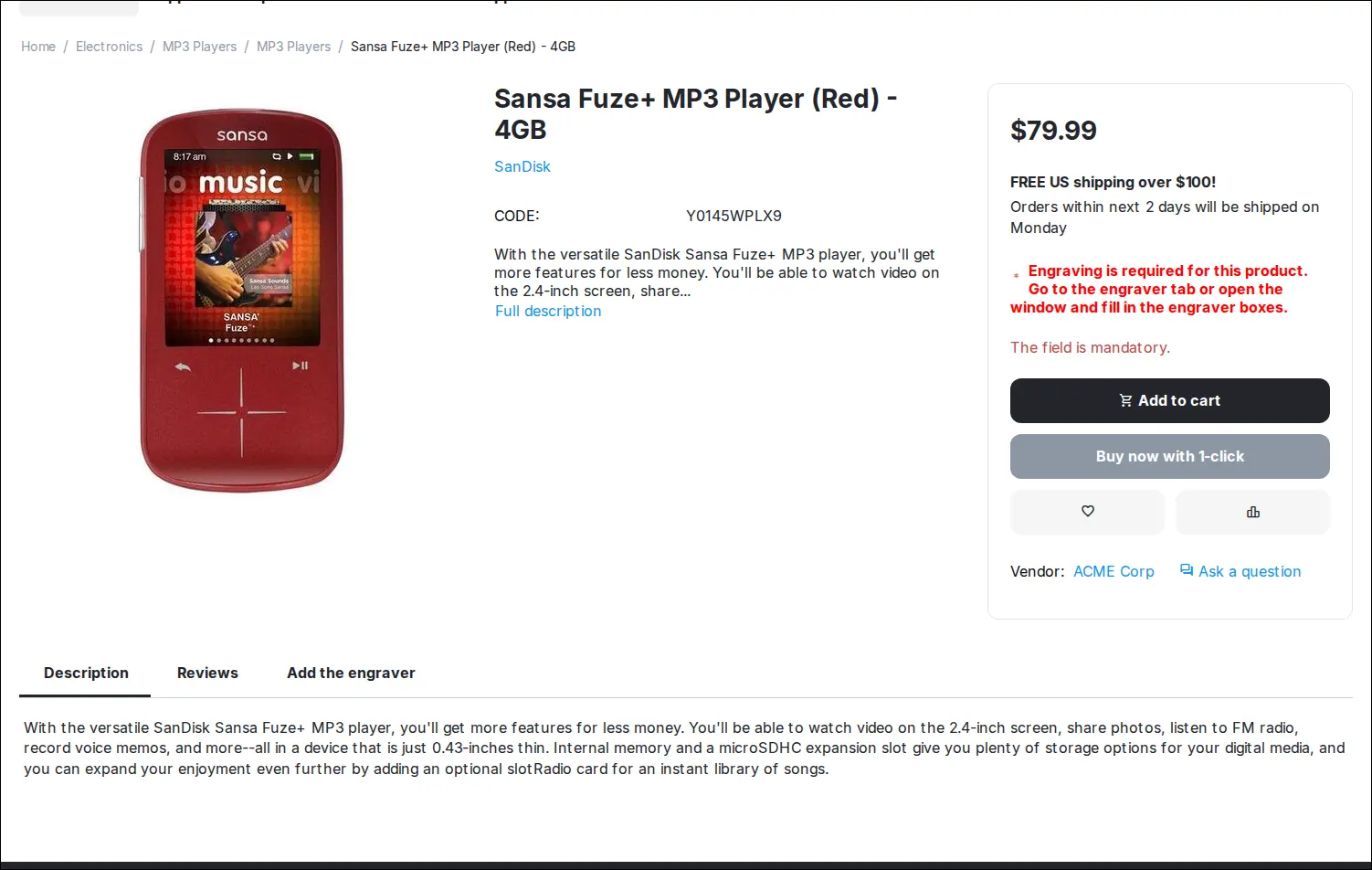
Screenshot 7
In the order details staff see the name of every line, the text entered and its cost right next to the item. The data is stored at the moment of purchase, so a later change to the price or the name of a line, or even its removal, does not alter what the customer ordered and paid for. The engraving workshop receives the text without copying it from correspondence:
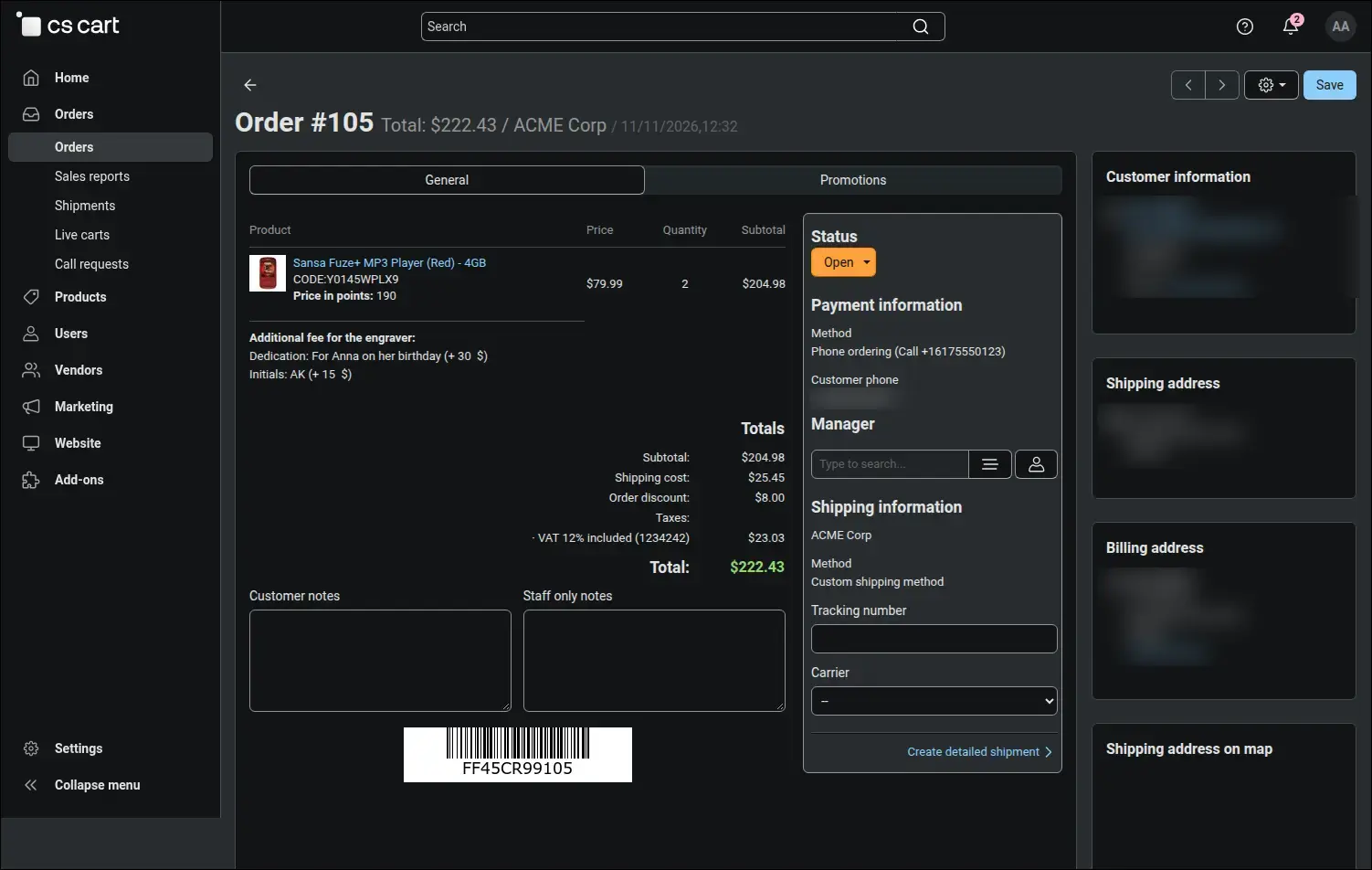
Screenshot 8
The engraving also stays visible when the order is edited in the admin panel. Correcting the quantity or granting a discount neither loses the text nor adds the engraving cost a second time, and an item price typed in by staff is treated as final:
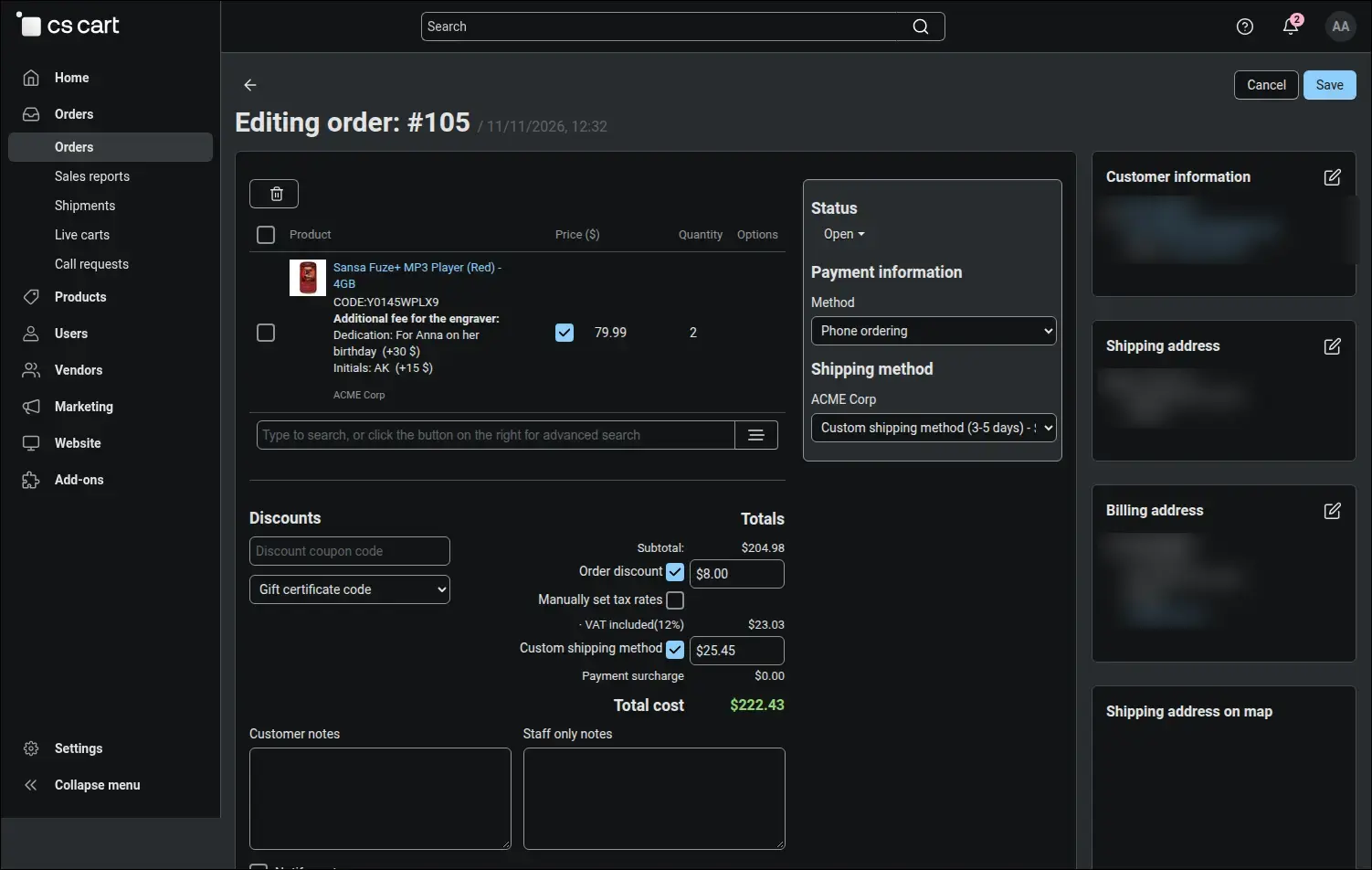
Screenshot 9
Customers can check their engraving in the order history of their account at any time. The order details show the lines, the text and the surcharge exactly as they were ordered, which shortens the conversation when a customer wants to confirm the inscription that will go on a gift:
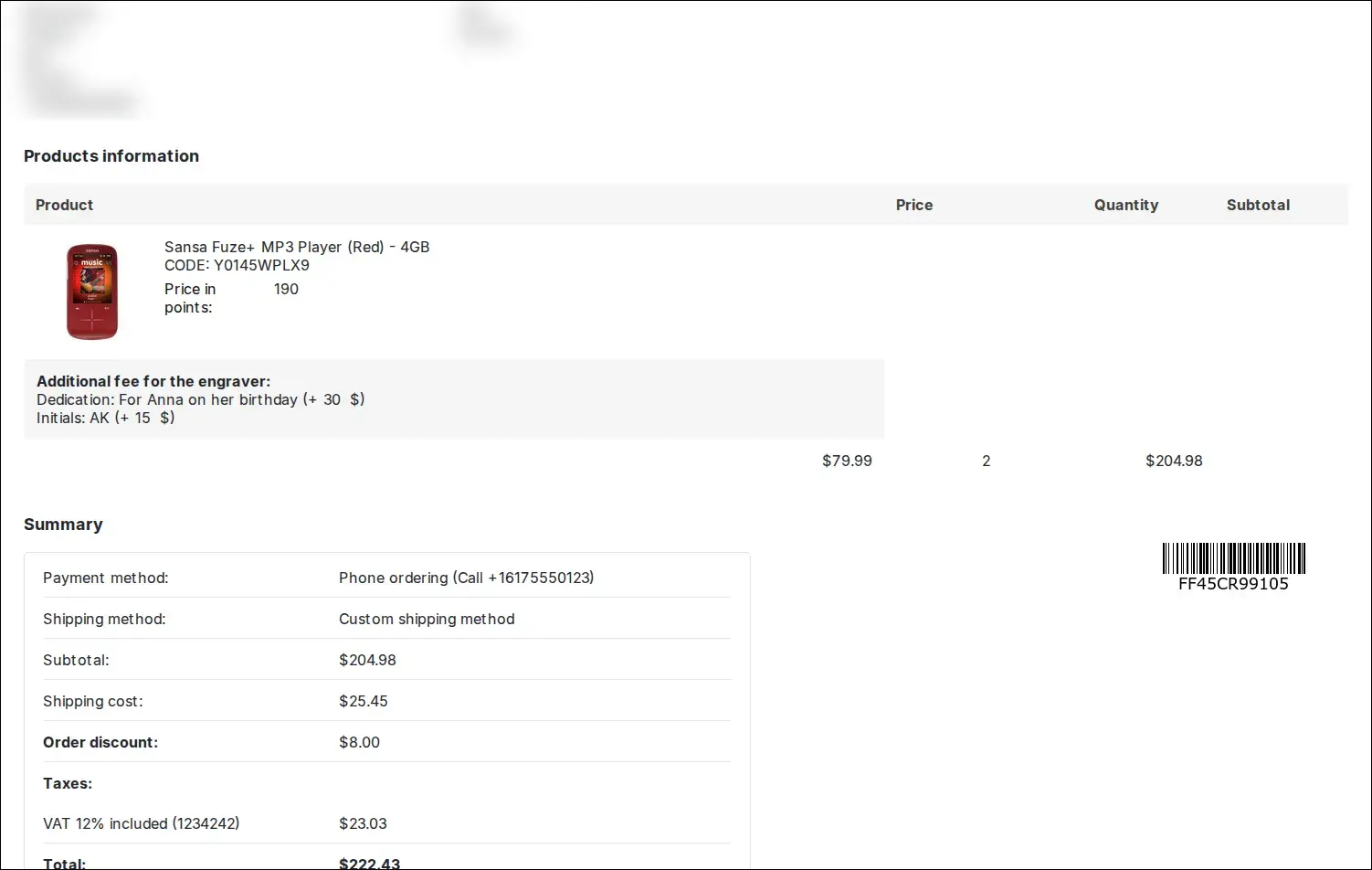
Screenshot 10
In Multi-Vendor a vendor manages engraving in their own panel, just like the administrator. They create their own lines, set their prices and assign them to their own products, while the lines of other vendors stay out of sight and out of reach. The marketplace operator does not have to run personalization price lists on behalf of partners:
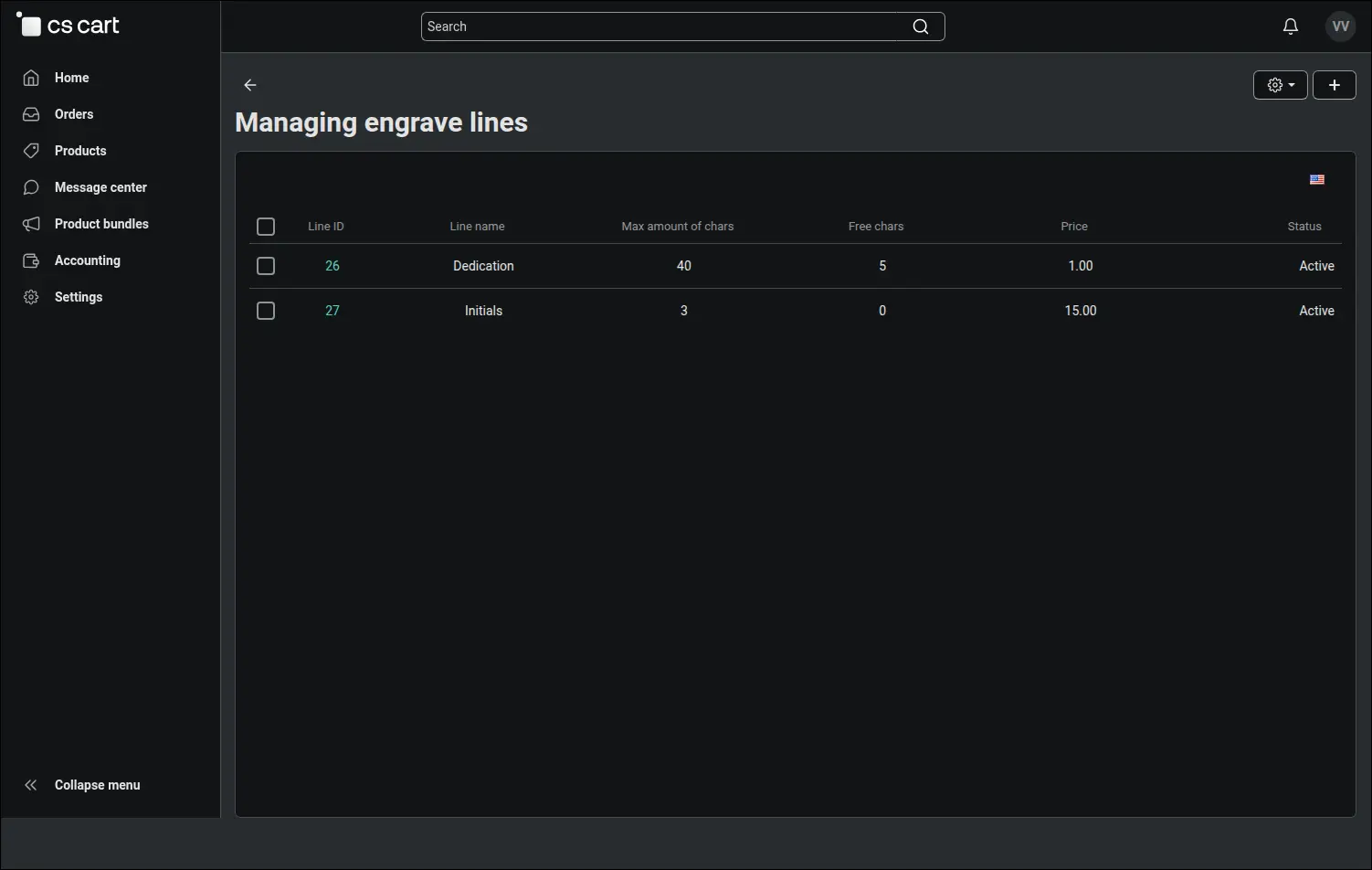
Screenshot 11
The Engrave 2.0 add-on brings order to selling personalized products, from the product page all the way to fulfilment. Customers type the text themselves and see its price at once, the shop charges the surcharge according to clear rules, and the order keeps the text and cost unchanged. The engraving text can also be added to the invoice and the order confirmation email by placing a ready variable in the document editor.
Feel free to contact us and purchase the add-on!
- Store Bulider
- Multi-Vendor
- 4.21.x
- 4.20.x
- 4.18.x
- 4.17.x
- 4.16.x
- 4.15.x
- 4.14.x
- 4.13.x
- 4.12.x
- 4.11.x
- 4.10.x
- 4.9.x
- 4.8.x
- 4.7.x
- 4.6.x
- 4.5.x
- 4.4.x
- 4.3.x
- 4.2.x
- 4.1.x
- 4.0.x
- No changes
No reviews found